How we make this list: we compare pricing pages, product documentation and public user reviews. Rankite is independent; if a vendor ever pays for a featured spot, that listing is clearly labeled Partner.
Key takeaways
- DVDFab Blu-ray Copy ($69.99 lifetime) is the most complete option, with five copy modes and the strongest decryption for protected discs.
- MakeMKV is free while in beta and produces perfect-quality MKV backups; the $60 registration removes the beta key hassle.
- HandBrake (free) handles unprotected discs and re-encoding, but cannot defeat copy protection on its own.
- Leawo, AnyMP4, VideoByte and CloneBD fill the middle ground; compare their trial limits before buying.
Quick comparison
| Tool | Best for | Starting price | Free plan |
|---|
 DVDFab Blu-ray Copy DVDFab Blu-ray Copy | Large collections and the newest copy protections | $69.99 (lifetime license; $44.99/year option) | Free trial |
 MakeMKV MakeMKV | Free, perfect-quality backups without re-encoding | Free in beta (registration $60) | Yes (beta key, free) |
 Leawo Blu-ray Copy Leawo Blu-ray Copy | Simple 1:1 Blu-ray duplication for beginners | See website | Free trial |
 AnyMP4 Blu-ray Copy Platinum AnyMP4 Blu-ray Copy Platinum | Copying Blu-rays with an eye on format conversion | See website | Free trial |
 VideoByte BD-DVD Ripper VideoByte BD-DVD Ripper | Ripping Blu-ray and DVD collections to playable files | See website | Free trial |
 CloneBD CloneBD | No-nonsense Blu-ray to Blu-ray copying | See website | Free trial |
 WonderFox DVD Ripper Pro WonderFox DVD Ripper Pro | Fast ripping with device presets for non-technical users | See website | Free trial |
 HandBrake HandBrake | Free re-encoding and compression of unprotected discs | Free | Yes (fully open source) |
Is your product missing or out of date?
We review this list regularly. Vendors can request a listing, send updated pricing or ask about featured placement.
The best Blu-ray copy software
You own the discs. The discs scratch, the player ages, and the shelf space is finite. Backing up a Blu-ray collection to disc images or a media server is reasonable archival practice, and the software has matured into a straightforward choice: one powerhouse for protected commercial discs, one free tool for everything else, and a middle tier of specialists. These eight cover the real options, with honest notes on what each one can and cannot defeat.
#1
DVDFab Blu-ray Copy
Best for: Large collections and the newest copy protections
Visit dvdfab.cn
Starting price$69.99 (lifetime license; $44.99/year option)
Free planFree trial
DVDFab Blu-ray Copy is the benchmark the category is measured against. Its cloud-based decryption engine stays current with new protections on commercial releases, which is the feature that justifies the price: free tools stall on newer discs. Five copy modes cover every archival strategy, from full-disc 1:1 clones through main-movie-only copies to compressing dual-layer BD-50 discs onto cheaper single-layer BD-25 media.
The $69.99 lifetime license (or $44.99 yearly) is the top of this market, and the interface assumes you know what you are doing. Beginners should start with the trial and the main-movie mode before exploring. For collectors with hundreds of discs, including recent releases, nothing else matches the decryption currency. That is the entire pitch, and it is accurate.
What we like- Cloud decryption handles current AACS, BD+ and region protections
- Five copy modes from 1:1 clone to BD-50 compression onto BD-25
- GPU acceleration keeps copies fast
Watch out for- Interface is dense for beginners
- Premium pricing versus simpler tools
- Some advanced features (Cinavia removal) cost extra
#2
MakeMKV
Best for: Free, perfect-quality backups without re-encoding
Visit makemkv.com
Starting priceFree in beta (registration $60)
Free planYes (beta key, free)
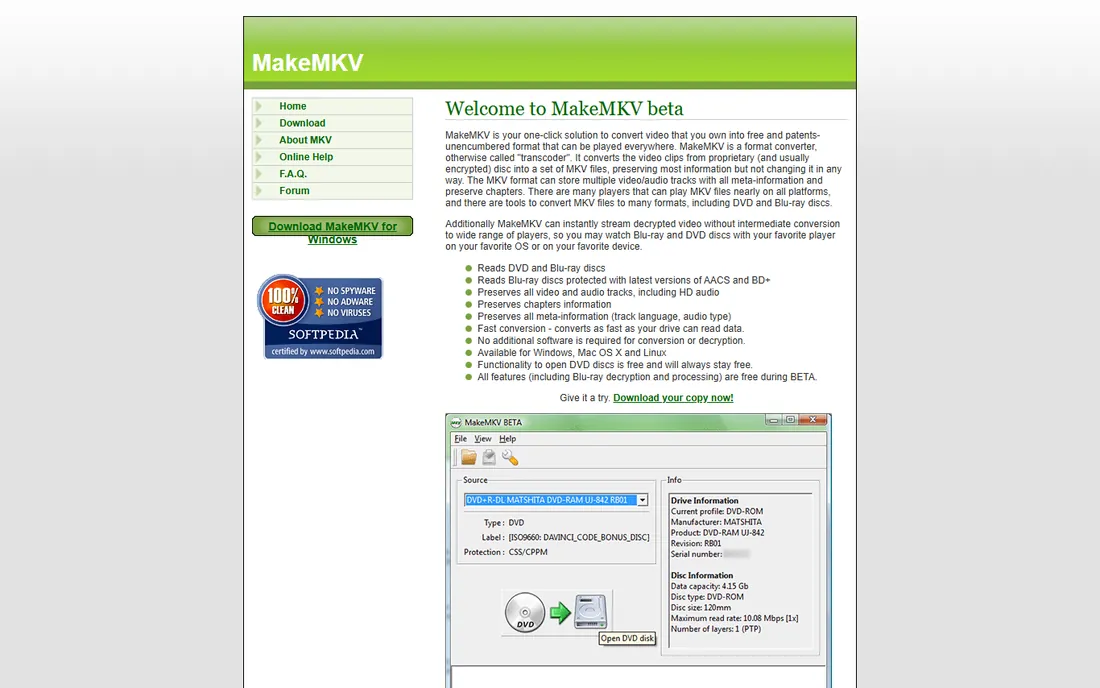
MakeMKV does one thing with total integrity: it takes everything on the disc and puts it into MKV files without touching the video or audio quality. No re-encoding means no quality loss and fast processing; a Blu-ray typically takes under two hours. It has been in beta for years, and the beta remains free through renewable keys posted on the official forum, which makes it the best free option by a wide margin.
The limitations are scope, not quality. There is no disc-to-disc copy mode, no compression options and no format choice beyond MKV. The beta key dance (refreshing the key every month or two) annoys some users into the $60 registration, which is fair value. If your goal is a media-server library of perfect copies, start here and you may never need anything else.
What we like- Remuxes discs to MKV with zero quality loss (no re-encoding)
- Free while in beta via renewable beta keys
- Handles DVD, Blu-ray and UHD
- Windows, Mac and Linux
Watch out for- Output is MKV only, no disc-to-disc copying
- Beta keys expire and need refreshing
- Interface is purely functional
#3
Leawo Blu-ray Copy
Best for: Simple 1:1 Blu-ray duplication for beginners
Visit leawo.com
Starting priceSee website
Free planFree trial
Leawo Blu-ray Copy aims at the user DVDFab intimidates. Full-disc backup, main-movie copy and ISO output are all a few clicks away, with region-code handling and decryption for common protections built in. The interface is noticeably friendlier than the powerhouse tools, which matters for a task most people perform a few times a year.
The trade-off is at the bleeding edge: brand-new releases with the latest protection revisions sometimes wait for Leawo updates while DVDFab's cloud engine handles them immediately. For catalog titles and personal discs, this rarely matters. Check the vendor's current pricing and the trial's exact limits; Leawo's prices move with promotions.
What we like- Straightforward full-disc and main-movie copy modes
- Handles region codes and common protections
- Cleaner interface than DVDFab
Watch out for- Decryption currency trails DVDFab on the newest releases
- Trial limits need checking before committing
#4
AnyMP4 Blu-ray Copy Platinum
Best for: Copying Blu-rays with an eye on format conversion
Visit anymp4.com
Starting priceSee website
Free planFree trial
AnyMP4's Blu-ray Copy Platinum covers the standard archival modes (full disc, main movie, clone, write data) with a clean workflow and support for common protections. Where it differentiates is the Platinum feature set's nod toward conversion: users who want both disc backup and digital-file flexibility in one purchase.
It is a mid-tier contender rather than a category leader. Decryption depth and update speed sit below DVDFab, and the vendor's pricing shifts with sales, so verify current terms on the site. It fits buyers who want a competent all-rounder at a mid-range price and do not need the absolute newest protection support.
What we like- Four copy modes including full disc, main movie and clone
- Decent decryption for mainstream titles
- The Platinum edition adds conversion-oriented features
Watch out for- Brand is less established than DVDFab or Leawo
- Pricing and trial terms change frequently
#5
VideoByte BD-DVD Ripper
Best for: Ripping Blu-ray and DVD collections to playable files
Visit videobyte.com
Starting priceSee website
Free planFree trial
VideoByte BD-DVD Ripper is for the media-server builder rather than the disc archivist. It decrypts and converts Blu-ray and DVD content into MP4, MKV and device-specific formats, with hardware acceleration and batch queues for working through a shelf of discs. If the end goal is Plex or Jellyfin rather than burned backups, ripping beats copying.
Understand the category distinction: this converts discs to files (with quality choices to make) rather than cloning discs bit-for-bit. For pure backup fidelity, MakeMKV or DVDFab serve better. For a watchable digital library, VideoByte's format presets and batch handling are the more practical tool. Verify pricing and trial limits on the vendor site.
What we like- Handles both Blu-ray and DVD in one tool
- Wide output format support for phones, tablets and TVs
- Hardware acceleration speeds up batch ripping
Watch out for- Ripper, not a disc copier: no 1:1 disc-to-disc mode
- Newer protections can require waiting for updates
#6
CloneBD
Best for: No-nonsense Blu-ray to Blu-ray copying
Visit elby.ch
Starting priceSee website
Free planFree trial
CloneBD comes from Elaborate Bytes, the company behind the legendary CloneDVD and AnyDVD, which gives it serious optical-media pedigree. The philosophy is focus: copy Blu-rays to Blu-rays (or ISO), compress when needed, done. The BD-50 to BD-25 compression is well regarded, and the interface stays out of your way.
It does not try to be a media suite, which is either refreshing or limiting. Protection support is solid for catalog discs but check currency for new releases. Pricing is modest compared with DVDFab. Choose CloneBD when you want the spiritual successor to the classic disc copiers and nothing more.
What we like- From the makers of CloneDVD and AnyDVD heritage (Elaborate Bytes)
- Focused disc-copying workflow without bloat
- Good compression for fitting BD-50 onto BD-25
Watch out for- Narrower feature set than DVDFab
- Protection handling depends on current updates
- Smaller user community for troubleshooting
#7
WonderFox DVD Ripper Pro
Best for: Fast ripping with device presets for non-technical users
Visit wonderfox.com
Starting priceSee website
Free planFree trial
WonderFox DVD Ripper Pro built its name on DVD speed and has extended to Blu-ray. The appeal is simplicity: pick your device from hundreds of presets and the format decisions are made for you. Hardware acceleration keeps batch jobs moving, and the interface is among the friendliest here.
The DVD roots show. Complex Blu-ray structures and the newest protections are not its strong suit; this is a converter for mainstream discs, not an archival tool for difficult ones. The trial carries the usual time and feature restrictions. It suits users digitizing personal and catalog discs who value speed and simplicity over archival purity.
What we like- Speedy ripping with hardware acceleration
- Presets for hundreds of devices remove format guesswork
- Simple interface aimed at beginners
Watch out for- DVD-focused heritage shows on Blu-ray edge cases
- Trial restrictions apply
- Upsell prompts in the trial
#8
HandBrake
Best for: Free re-encoding and compression of unprotected discs
Visit handbrake.fr
Starting priceFree
Free planYes (fully open source)
HandBrake is the free encoder everyone should know, with one critical limitation for this category: it does not decrypt commercial discs by itself. Pair it with a decrypter (MakeMKV's output is the classic partner) and it becomes the best free way to compress rips into efficient H.265 or AV1 files for storage. Its presets, filters and batch queues are professional-grade.
Used correctly, the workflow is MakeMKV for extraction and HandBrake for compression: perfect source in, efficient files out, zero dollars spent. On its own it handles only unprotected discs, which limits it to home videos and non-commercial content. Every media-server builder ends up with HandBrake installed; the question is only what feeds it.
What we like- Completely free and open source
- Excellent H.264, H.265 and AV1 encoding with fine control
- Batch queues and presets for every device
Watch out for- Cannot defeat copy protection on its own
- No disc-to-disc copying
- Encoding is CPU-intensive and slow at high quality
Frequently asked questions
Is it legal to copy Blu-ray discs I own?
In the US, the law is genuinely murky. Fair use arguably covers personal backups, but the DMCA prohibits circumventing copy protection, which most commercial Blu-rays carry. No individual has been sued for backing up discs they own, but the tools operate in this gray area. This article describes the software; your local laws decide what you may do with it.
What is the difference between copying and ripping a Blu-ray?
Copying duplicates the disc structure (to another disc or an ISO), preserving menus and everything bit-for-bit. Ripping extracts the video into files like MKV or MP4, usually without menus. Copy when you want an identical backup; rip when you want files for a media server.
Why do I need special software instead of just copying files?
Commercial Blu-rays carry encryption (AACS, BD+) and region coding that block simple file copying. The software here decrypts the content as it copies or rips. Without decryption-capable software, your computer sees the disc but cannot read the movie.
How long does it take to copy a Blu-ray?
A full BD-50 disc holds up to 50GB, so expect 30 minutes to 2 hours depending on your drive speed, CPU and whether the software re-encodes. MakeMKV's remuxing (no re-encoding) is fastest; HandBrake compression to H.265 is slowest but produces much smaller files.
Do I need a special drive to copy Blu-rays?
Yes: a Blu-ray drive, either internal or USB. For 4K UHD Blu-rays you need a UHD-friendly drive with specific firmware, which is a narrower and pricier category. Standard Blu-ray drives handle regular Blu-rays and DVDs fine.
What format should I back up my discs to?
For perfect archival copies, ISO or full-disc folder backups preserve everything. For media servers, MKV (via MakeMKV) keeps full quality with chapter and subtitle support; compress with HandBrake to H.265 if storage space matters. Avoid re-encoding more than once: every generation loses quality.
Copy modes explained: full disc, main movie, or ISO
The copy mode decides what you keep. Full disc duplicates everything: the film, menus, extras and all audio tracks. It needs the most space (up to 50GB per disc) but preserves the complete experience. Main movie extracts just the feature film with your chosen audio and subtitles, cutting size dramatically and skipping straight to the content. ISO creates a single disc-image file that behaves like a virtual disc, mountable or burnable later.
Most collectors land on main movie for films they watch and full disc for favorites with extras worth keeping. Compression (BD-50 to BD-25) matters only if you burn to physical media; for hard-drive archives, storage is cheap enough that compression is optional. Choose the mode per disc rather than globally: your ten favorite films deserve full treatment, the rest get main movie.
The hardware you still need: drives and discs
Software is only half the equation. Copying Blu-rays requires a Blu-ray drive: USB models from major brands cost modestly and work fine for standard discs. UHD (4K) Blu-rays need a UHD-friendly drive, a smaller category where firmware specifics matter; research the exact drive model before buying for 4K. If you burn backups to physical media, blank BD-R discs and a burner complete the chain, though hard-drive archives have made burning optional for most people.
Drive speed dominates copy times more than software choice. A 6x BD drive reads roughly three times faster than a 2x laptop drive, turning a two-hour copy into forty minutes. For large collections, the drive upgrade pays for itself in evenings saved. And keep the original discs after backing up: they are your masters if a hard drive fails.
How we chose
We started with the Blu-ray tools that actually maintain decryption for current discs: the established commercial copiers, the free remuxing standard, and the mid-tier rippers. For each candidate we checked the vendor's own site for pricing and trial terms, confirmed the product is maintained in 2026, and compared decryption currency, copy modes, output options, speed and ease of use. We excluded tools that have not been updated in years, since stale decryption is useless decryption.
Sources we checked (9)
- https://www.dvdfab.cn
- https://www.makemkv.com
- https://www.leawo.com
- https://www.anymp4.com
- https://www.videobyte.com
- https://www.elby.ch
- https://www.wonderfox.com
- https://handbrake.fr
- https://www.bluraycopys.com/copy-blu-ray/best-blu-ray-copy-software/
Is your product missing or out of date?
We review this list regularly. Vendors can request a listing, send updated pricing or ask about featured placement.

Shihab Mia · Founder, Rankite
Shihab has spent more than a decade helping SaaS and e-commerce brands grow through search. He writes Rankite's software buying guides from pricing pages, documentation and public user reviews. More about Shihab.