How we make this list: we compare pricing pages, product documentation and public user reviews. Ratings come from G2, Capterra or Trustpilot, with the date we checked them.
Key takeaways
- Audacity remains the default free answer on every desktop platform: multitrack recording, strong noise reduction and zero cost.
- Mac owners should start with GarageBand, which is already installed and beats most paid Windows tools for voice work.
- Phone recording belongs to Dolby On for clean mobile audio, while remote interviews belong to Riverside or Descript.
- Adobe Audition is the professional pick, but it only makes sense inside a Creative Cloud workflow or for full-time audio work.
Quick comparison
| Tool | Best for | Starting price | Free plan |
|---|
 Audacity Audacity | Free recording on any platform | Free | Yes |
 GarageBand GarageBand | Mac and iPhone users | Free | Yes |
 Ocenaudio Ocenaudio | Quick, simple voice edits | Free | Yes |
 WavePad WavePad | Fast voice cleanup on PC | Free | Yes |
 Dolby On Dolby On | Clean phone recordings | Free | Yes |
 Descript Descript | Transcript-based podcast editing | See website | Yes |
 Riverside Riverside | Remote interviews and podcasts | See website | Yes |
 Adobe Audition Adobe Audition | Professional audio production | $22.99 per month | No |
Is your product missing or out of date?
We review this list regularly. Vendors can request a listing, send updated pricing or ask about featured placement.
The best audio recording app
Starting priceFree
Free planYes
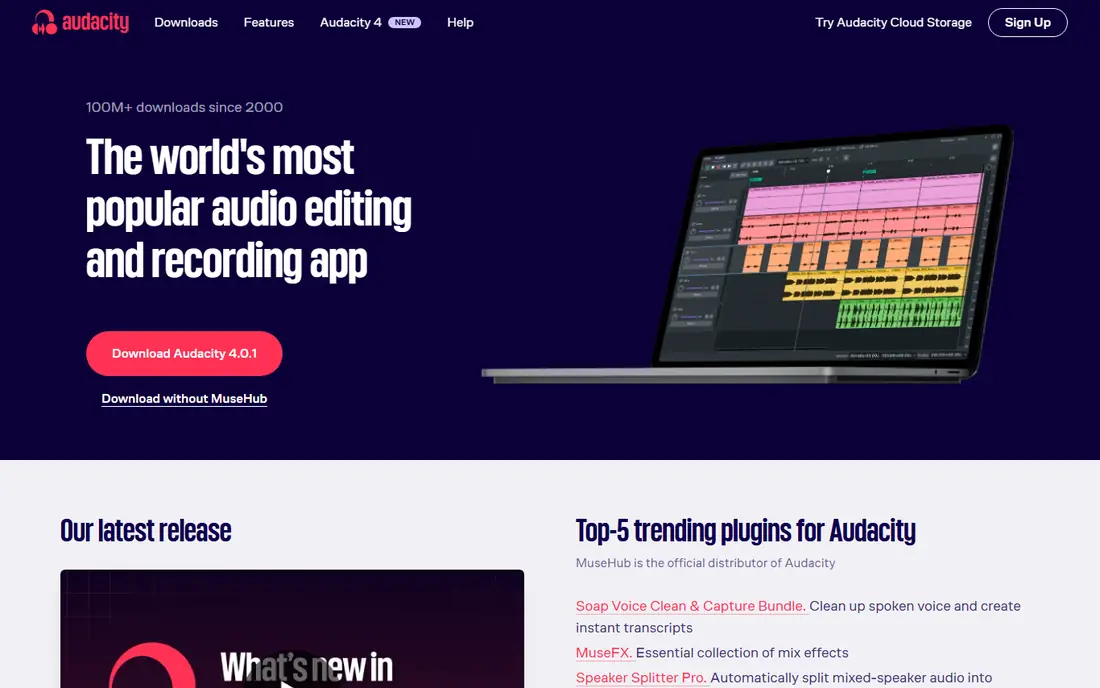
Audacity is the tool that refuses to fade, and that is a compliment. It has been free and open source for over two decades, and it still handles the core job better than most paid software: plug in a microphone, hit record, cut the mistakes, export an MP3. The 4.x releases added a cleaner interface, workspaces and better plugin support, plus per-track level meters that help spot a guest who is too quiet. For a solo podcaster, a voiceover artist or anyone recording narration, Audacity plus a decent USB microphone is a complete studio for zero dollars.
The honest catches are the learning curve and the ceiling. The interface looks older than modern rivals, multitrack projects with dozens of clips get fiddly, and there is no remote guest recording, no transcription and no built-in AI cleanup, though free OpenVINO plugins add AI noise suppression and transcription if you install them yourself. If your workflow is record, trim and export, Audacity is perfect. If you need guests, look at Riverside instead.
What we like- Completely free and open source
- Multitrack recording and editing
- Strong noise reduction and effects
- Runs on Windows, Mac and Linux
Watch out for- Interface feels dated in places
- No remote guest recording
- AI tools need manual plugin setup
#2GarageBand
Best for: Mac and iPhone users4.3/5 on
G2 (277 reviews, checked Oct 2026)
Visit apple.com
Starting priceFree
Free planYes
GarageBand is the reason Mac owners rarely need to shop for a recorder. It comes free with macOS and iOS, and it covers voice recording, podcasting and music demos with studio-grade mixing, built-in loops and simple effects. Recording a voice track takes seconds: create a track, arm it, press record, and trim on a clean timeline. Sharing to common formats and to other Apple apps is built in.
The limits are platform and depth. GarageBand runs only on Apple devices, so Windows and Android users need another pick, and advanced producers will outgrow it and move to Logic Pro at $199.99 one-time. Long projects also produce large files, so storage matters for daily recorders. For Mac and iPhone owners recording voice, podcasts or demos, GarageBand is the obvious free starting point and better than most paid Windows tools for the same jobs.
What we like- Free and already installed on Macs and iPhones
- Studio-grade multitrack mixing
- Easy loops, effects and sharing
Watch out for- Apple devices only
- Less deep than Logic Pro for advanced work
- Project files are large for long recordings
Starting priceFree
Free planYes
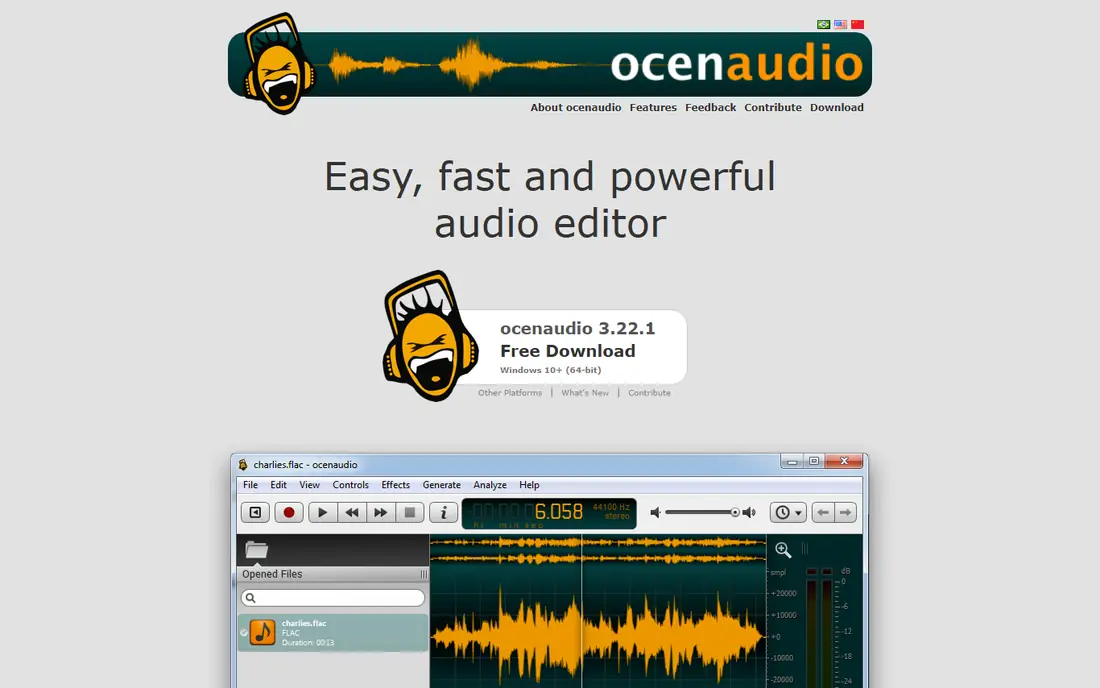
Ocenaudio suits the recorder who finds Audacity heavy. It opens fast, edits a single voice track with little friction, and previews effects in real time, so you hear noise reduction or EQ before applying it. That immediacy matters for quick jobs: clean up a lecture recording, trim an interview, normalize levels and export. The interface is modern and uncluttered, which helps new users finish a first edit without a tutorial.
The trade off is depth. Multitrack projects and large productions fit Audacity or a full DAW better, and the plugin ecosystem is smaller. For voice recording and quick cleanup, though, Ocenaudio's speed is the point. Use it when Audacity feels like too much tool for a simple recording job.
What we like- Free for personal use
- Fast and light on any computer
- Real-time effect previews
- Simple waveform editing
Watch out for- Fewer advanced features than Audacity
- No multitrack depth for large projects
- Smaller plugin ecosystem
Starting priceFree
Free planYes
WavePad is a fast Windows and Mac editor from NCH Software that focuses on voice cleanup. Batch processing converts and cleans many files at once, noise removal and click-pop removal handle common recording flaws, and format support covers the usual audio types. For teachers, researchers and office users with a folder of recordings to tidy, WavePad's speed beats prettier rivals.
The free version is for non-commercial use only, so businesses need a paid license, and the interface is utilitarian rather than attractive. Music production features are thin next to GarageBand or a DAW. Pick WavePad when the job is cleaning many voice files quickly on a PC, and check the license before commercial use.
What we like- Free for non-commercial use
- Fast batch processing
- Noise removal and click-pop removal
- Supports many formats
Watch out for- Free tier is non-commercial only
- Interface is utilitarian
- Advanced music features are thin
Starting priceFree
Free planYes
Dolby On is the best phone recorder for clean sound. It is a free mobile app that uses Dolby processing to improve phone recordings, with noise reduction, equalization and presets such as Warm, Bright and Natural, plus fade in and fade out. Recordings reach up to 48 kHz and 24-bit resolution, and a built-in editor trims unwanted sections. You can toggle the Dolby processing off to hear the difference, which is a useful reality check.
The app is mobile only, so desktop editing needs another tool, and heavy processing can over-smooth some voices, so test presets on your own voice before an important recording. Live streaming to Facebook and Twitch is built in for creators who stream. For interviews, field notes, song ideas and voice memos on a phone, Dolby On gives the cleanest result with the least effort.
What we like- Free mobile app
- Dolby processing improves phone audio
- Records up to 48 kHz and 24-bit
- Built-in trim editor and live streaming
Watch out for- Mobile only
- Processing can over-smooth some voices
- Video features are secondary to audio
#6Descript
Best for: Transcript-based podcast editing4.6/5 on
G2 (928 reviews, checked Oct 2026)
Visit descript.com
Starting priceSee website
Free planYes
Descript changes the editing workflow entirely: record or import audio, get a transcript, and edit the audio by deleting words in the text. Cutting filler words, removing a mistaken sentence or reordering a segment becomes as easy as editing a document, which suits podcasters and course creators who think in words rather than waveforms. Screen recording and video editing sit in the same tool, so a tutorial with voiceover and slides stays in one project.
Pricing varies by plan and needs a website check, and transcript accuracy needs review, especially with accents, names and technical terms. Heavy projects can feel slow in the browser, so long recordings suit the desktop app better. The free plan covers getting started with no credit card. Pick Descript when editing by transcript will save more time than waveform editing ever could.
What we like- Edit audio by editing a transcript
- Free plan with no credit card
- Screen recording and video editing included
- Good for teams
Watch out for- Prices vary and need a website check
- Transcript accuracy needs review
- Heavy projects can feel slow in the browser
#7Riverside
Best for: Remote interviews and podcasts4.8/5 on
G2 (1,754 reviews, checked Oct 2026)
Visit riverside.com
Starting priceSee website
Free planYes
Riverside solves the problem Audacity cannot: recording remote guests in studio quality. Each guest's audio and video are recorded locally on their own device, then uploaded, so a bad connection during the call does not ruin the final recording. Separate tracks per guest make editing straightforward, and the platform suits interview podcasts and remote video shows.
Pricing varies by plan and needs a website check, and the session itself still needs a stable connection for communication, even though the recording is local. Editing tools are lighter than Descript's transcript editor, so many shows record in Riverside and edit elsewhere. The free plan covers trying the workflow. For any show with remote guests, Riverside is the recording step to use before editing anywhere else.
What we like- Records each guest locally in studio quality
- Separate audio and video tracks
- Free plan available
- Reliable for remote shows
Watch out for- Prices vary and need a website check
- Needs a stable connection for the session
- Editing tools are lighter than Descript
#8Adobe Audition
Best for: Professional audio production4.4/5 on
G2 (420 reviews, checked Oct 2026)
Visit adobe.com
Starting price$22.99 per month
Free planNo
Adobe Audition is the professional pick for broadcast, podcast post-production and audio restoration. Its multitrack editor, waveform view, noise reduction and restoration tools handle demanding work, from cleaning noisy interviews to mastering broadcast segments, and Creative Cloud integration suits teams already using Premiere Pro or After Effects. For full-time audio professionals, the depth justifies the price.
The price is $22.99 per month on an annual plan, with a free trial but no free tier, which makes Audition poor value for occasional voice recording when Audacity is free. The learning curve is also real for new users. Choose Audition when audio is your profession or a daily production job, and choose Audacity or GarageBand when recording is an occasional task.
What we like- Professional multitrack and waveform editing
- Strong noise reduction and restoration
- Deep Creative Cloud integration
Watch out for- $22.99 per month on an annual plan
- Overkill for simple voice recording
- Learning curve for new users
How we chose
We split recording into its real jobs: solo desktop recording, phone recording, remote guest recording and professional post-production, since one tool rarely covers all four. Free tiers, platform fit and published pricing decided the picks, with Audacity free on every desktop platform, GarageBand free on Apple devices, Dolby On free on mobile, and Audition at $22.99 per month on an annual plan. Descript and Riverside prices vary by plan, so both are listed as See website rather than guessed.
We also leaned on a published Rankite voice recording guide from October 2026 that compared the same tools, which agreed on Audacity as the default free answer and GarageBand as the Mac pick. No app here was tested hands-on for this guide; the picks rest on published features, pricing pages and documented behavior.
What to check before you pick
Start with where the audio comes from. Solo voice on a computer means Audacity or GarageBand, phone audio means Dolby On, remote guests mean Riverside, and transcript editing means Descript. Matching the tool to the source matters more than any feature list, since the wrong tool forces workarounds that cost more time than a new app would.
Check the room and the microphone before blaming software. A quiet room and a decent USB microphone improve any recording more than a new editor, and a $30 mic upgrade often beats a $23 monthly subscription. Test one full recording end to end: record, trim, export and play it where listeners will hear it, and confirm the format and loudness suit that destination before committing to a tool.
Frequently asked questions
What is the best free audio recording app?
Audacity is the best free desktop recorder on Windows, Mac and Linux, with multitrack recording and strong noise reduction at zero cost. GarageBand is the best free pick on Apple devices, and Dolby On is the best free phone recorder for clean mobile audio.
Can I record a podcast with remote guests for free?
Riverside's free plan covers remote recording with local per-guest tracks, and Descript's free plan covers transcript editing. Record the session in Riverside for quality, then edit in Descript or Audacity. Both free tiers have limits, so check them before a long series.
Is Audacity good enough for professional work?
Yes for recording and editing voice, podcasts and narration, especially with its noise reduction and effects. Its limits are remote guest recording, built-in AI tools and advanced music production, where Riverside, Descript or a full DAW fit better. Your room and microphone matter more than the editor for final quality.
What is the difference between Audacity and Adobe Audition?
Audacity is free and open source with strong recording and editing for most voice work. Audition is a professional tool at $22.99 per month with deeper restoration, multitrack and broadcast features plus Creative Cloud integration. Occasional recorders should start free; full-time audio workers may justify Audition.
Do I need an external microphone?
A decent USB microphone improves any recording noticeably over a laptop or phone mic, though Dolby On makes phone audio surprisingly usable. For podcasts and voiceover, a USB mic is the single best upgrade, ahead of any software purchase.
Which app is best for music recording?
GarageBand is the best free starting point on Apple devices for music demos, with loops and multitrack mixing. On Windows, Audacity handles basic music recording, while Reaper at $60 one-time and Logic Pro at $199.99 one-time suit deeper music production. This guide focuses on voice and podcast recording, where the picks above lead.
Sources we checked (0)
Is your product missing or out of date?
We review this list regularly. Vendors can request a listing, send updated pricing or ask about featured placement.

Shihab Mia · Founder, Rankite
Shihab has 5+ years in B2B and SaaS SEO. He writes Rankite's software buying guides from pricing pages, documentation and public user reviews. More about Shihab.