How we make this list: we compare pricing pages, product documentation and public user reviews. Ratings come from G2, Capterra or Trustpilot, with the date we checked them.
Key takeaways
- Sortly is the easiest start for a small team, with visual inventory, barcode scanning and a 14 day trial.
- EZOfficeInventory gives the best value for equipment heavy teams, with flat monthly pricing from $44.75 and unlimited users.
- Asset Panda suits teams that need deep customization and audit trails, but its pricing is quote based and annual.
- Snipe-IT is the free option for IT heavy teams willing to self host, with hosted plans from $39.99 per month.
- UpKeep is the right pick when asset tracking must sit next to work orders and preventive maintenance.
Quick comparison
| Tool | Best for | Starting price | Free plan |
|---|
 Sortly Sortly | Simple visual inventory for small teams | See website | Free trial (14 days) |
 EZOfficeInventory EZOfficeInventory | Equipment tracking with flat pricing | $44.75 per month (billed annually) | Free trial (15 days) |
 Asset Panda Asset Panda | Customizable tracking with audit trails | See website | Free trial (14 days) |
 UpKeep UpKeep | Maintenance plus asset tracking | $24 per user/month | Free trial |
 GoCodes GoCodes | QR code tracking for field crews | See website | Free trial |
 Reftab Reftab | IT and equipment tracking in one place | See website | Free trial (14 days) |
 Cheqroom Cheqroom | Equipment reservations and custody | See website | Free trial |
 Snipe-IT Snipe-IT | Free open source IT asset tracking | Free (self-hosted) | Yes |
Is your product missing or out of date?
We review this list regularly. Vendors can request a listing, send updated pricing or ask about featured placement.
The best asset tracking software for small business
#1Sortly
Best for: Simple visual inventory for small teams4.3/5 on
G2 (27 reviews, checked Oct 2026)
Visit sortly.com
Starting priceSee website
Free planFree trial (14 days)
Sortly is built for a small business owner who wants to stop losing track of tools, supplies and equipment without learning a complex system. Items live in visual folders by location or type, each with photos, custom fields and quantity, so a quick look answers what is on hand. The mobile app scans barcodes and QR codes, works offline, and syncs when a connection returns, which helps teams counting stock in a warehouse or on a job site.
The main limitation is scope. Sortly handles inventory and asset counts well, but it is not a maintenance platform, so teams that need work orders, preventive schedules and repair history should pair it with another tool or choose UpKeep or EZOfficeInventory. Pricing requires a visit to the pricing page, and the 14 day trial is the practical way to confirm the plan that fits your item count and user count.
What we like- Visual folders with photos for each item
- Barcode and QR scanning in the mobile app
- Low stock alerts and PDF or CSV reports
Watch out for- Pricing is not published on the homepage
- Less depth for maintenance scheduling than a CMMS
Starting price$44.75 per month (billed annually)
Free planFree trial (15 days)
EZOfficeInventory, now branded EZO EAM, gives equipment heavy small businesses a structured system at a predictable price. Essentials starts at $44.75 per month billed annually for 100 items, with Advanced at $52.25 and Premium at $57.50, and all plans include unlimited users. That model is kind to teams where many staff need to request or return gear but only a few administer the system.
Beyond basic tracking, the platform covers reservations with a calendar view, purchase orders, warranties, repair history and depreciation. RFID scanning on Advanced and automations on Premium add depth as the asset count grows. The setup takes more thought than Sortly, since locations, groups and approval rules need defining, but the 15 day trial and a dedicated success manager on rollout help a small team get live in about two weeks.
What we like- Flat monthly pricing with unlimited users
- Check in, check out, reservations and maintenance in one place
- Barcode, QR and RFID support
Watch out for- Setup can feel involved for very small teams
- Higher tiers needed for automations and GPS
#3Asset Panda
Best for: Customizable tracking with audit trails4.2/5 on
G2 (43 reviews, checked Oct 2026)
Visit assetpanda.com
Starting priceSee website
Free planFree trial (14 days)
Asset Panda is the customization pick. Custom fields, configurable workflows, notifications and unlimited custom actions let a team shape the system around unusual assets, from medical devices to construction fleets, rather than bending its process to fit a template. The mobile app scans barcodes and QR codes, supports offline work, and feeds inspections, checkouts and transfers into a full history for each asset.
Small businesses should weigh that depth against cost and complexity. Pricing is not published as a simple list, third party comparisons point to annual contracts, and reviewers note a learning curve during setup. Teams that need audit ready records, chain of custody and compliance reporting will find the effort worthwhile. Teams that only need a simple register should start with Sortly or Reftab and move up only when customization becomes a real blocker.
What we like- Deep customization with custom fields and workflows
- Mobile app with offline scanning
- Audit trails and compliance reporting
Watch out for- Pricing is quote based and billed annually
- Interface can feel complex for a first time buyer
#4UpKeep
Best for: Maintenance plus asset tracking4.5/5 on
G2 (1,106 reviews, checked Oct 2026)
Visit upkeep.com
Starting price$24 per user/month
Free planFree trial
UpKeep is a maintenance platform first and an asset tracker second, and that order matters for equipment owners. Each asset carries its work order history, preventive schedule, parts usage and condition notes, so tracking answers not just where an asset is but how it has been kept. Technicians create work orders from a phone with photos and checklists, and managers see downtime and overdue maintenance in one place.
Essential at $24 per user per month covers small teams moving off paper, while Premium at $55 adds preventive scheduling, parts costing and time tracking. Requester accounts are free, which keeps the seat count honest, but per user pricing still climbs as technician numbers grow. For a small business where maintenance is the main reason to track assets, UpKeep is the most complete single purchase in this list.
What we like- Work orders and preventive maintenance on the same asset record
- Strong mobile app for technicians
- Essential plan from $24 per user per month
Watch out for- Per user pricing grows with technician headcount
- Deeper analytics sit on higher tiers
Starting priceSee website
Free planFree trial
GoCodes keeps field tracking simple on purpose. Assets get QR labels (rugged options for outdoor use), and anyone with a smartphone can scan without installing an app. Each scan updates location, creates an audit trail and can trigger maintenance or checkout alerts. GPS trackers cover vehicles, trailers and heavy equipment where a scan alone will not show live position.
The simplicity is also the limit. GoCodes offers less workflow customization than Asset Panda or EZOfficeInventory, and pricing is largely quote based, with its own site pointing mid sized operations to annual ranges rather than a public starter price. For construction and trade crews that need fast check in and check out with minimal training, that trade is usually the right one.
What we like- Patented QR labels included with plans
- No app required for scanning
- GPS trackers available for vehicles and outdoor gear
Watch out for- Pricing is quote based for most teams
- Fewer customization options than Asset Panda
Starting priceSee website
Free planFree trial (14 days)
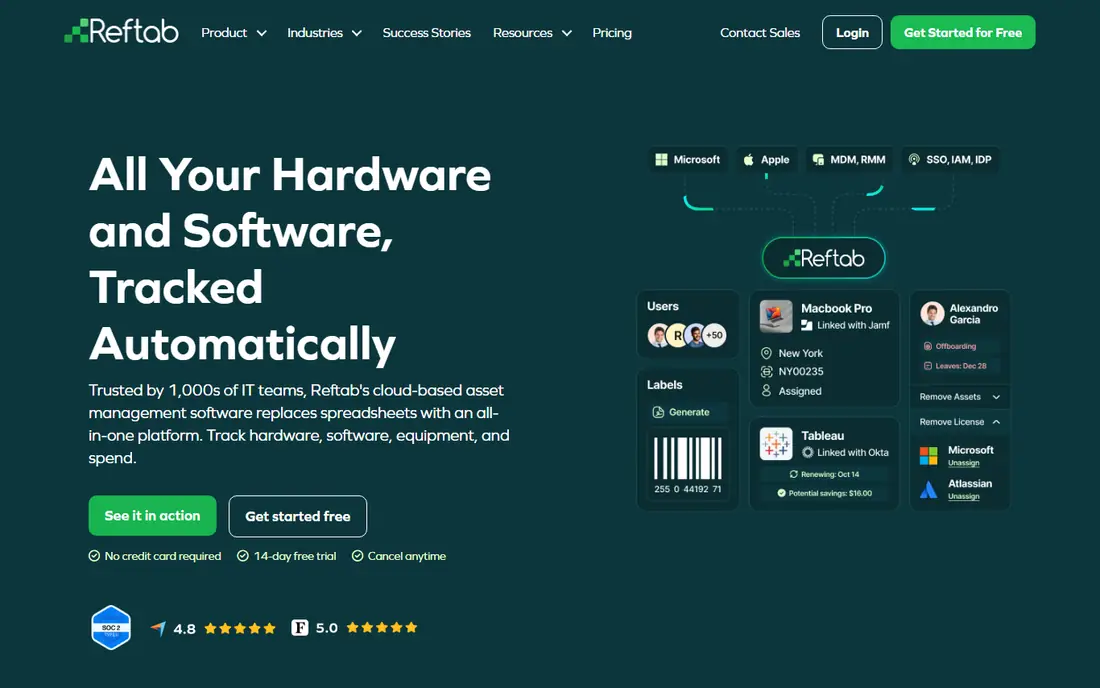
Reftab suits small businesses whose assets are mostly laptops, monitors, phones and software licenses. Hardware assignments, license usage, renewal dates and spend sit on one record, and integrations with Intune, Jamf, Zendesk and Okta pull device data in rather than relying on manual entry. Employee onboarding and offboarding checklists help a team collect every device when someone leaves, which is where small IT teams most often lose gear.
The platform also handles general equipment and maintenance, but its strength is IT asset management, so a construction fleet will get more from EZOfficeInventory or Cheqroom. Pricing is not published, so the trial is the way to confirm cost at your device count. For a growing company standardizing IT operations, Reftab replaces several spreadsheets at once.
What we like- Hardware, software licenses and spend in one platform
- Integrations with Intune, Jamf and Zendesk
- 14 day trial with no card required
Watch out for- Pricing is not published
- IT focus means less depth for heavy equipment maintenance
#7Cheqroom
Best for: Equipment reservations and custody4.5/5 on
G2 (41 reviews, checked Oct 2026)
Visit cheqroom.com
Starting priceSee website
Free planFree trial
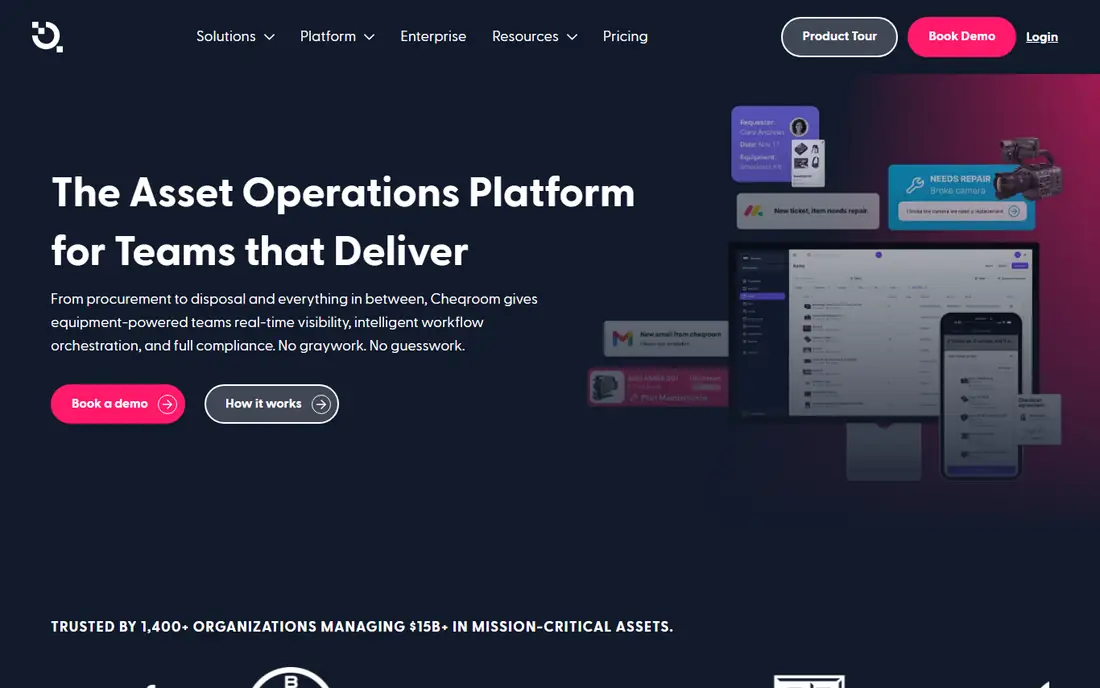
Cheqroom is built around shared equipment. Teams reserve cameras, tools, vehicles or lab gear in advance, check items out with a signature and QR scan, and get a clear chain of custody for every handoff. If an item comes back damaged, it can be flagged, blocked from booking and sent to repair without a separate ticket system. That reservation layer is the difference from a plain register, and it matters most for media, education, healthcare and event teams where gear is constantly shared.
Pricing is quote based, which makes budgeting slower than with Sortly or EZOfficeInventory. The platform also leans toward physical equipment rather than software licenses, so IT heavy teams should look at Reftab or Snipe-IT instead. For any small business tired of double bookings and missing gear, Cheqroom directly fixes the daily friction.
What we like- Reservations prevent double booking
- Digital check in and out with signatures
- Maintenance flags and work orders on the asset record
Watch out for- Pricing is quote based
- Best fit is shared equipment, less so for pure IT inventory
#8Snipe-IT
Best for: Free open source IT asset tracking4.6/5 on
G2 (27 reviews, checked Oct 2026)
Visit snipeitapp.com
Starting priceFree (self-hosted)
Free planYes
Snipe-IT is the budget answer for IT teams with some technical skill. Install it on your own server and you get asset check in and check out, software license seat tracking, depreciation schedules, custom fields, barcode and QR label generation and audit logs, all without a license fee. There are no per asset charges, which keeps costs flat as inventory grows.
The trade off is ownership. Self-hosted teams handle installation, updates, backups and security, and asset records come from manual entry, imports or API integrations rather than automated discovery. Hosted plans from the Snipe-IT team start at $39.99 per month ($399.99 per year for Basic Hosting) for teams that want support without running a server. For a small business or nonprofit replacing spreadsheets on a tight budget, Snipe-IT is the most capable free starting point available.
What we like- Free and open source when self-hosted, with no asset limits
- Check in, check out, depreciation and license seats
- REST API for integrations
Watch out for- Self-hosting means you handle updates and backups
- No automated discovery and no official mobile app
How we chose
We compared vendor pricing pages, product documentation and public reviews on G2 and Capterra, and we opened each homepage to confirm the product exists and matches its name. We favored tools that a small business can actually adopt (clear mobile scanning, check in and check out, and a trial or free plan) over enterprise suites that require months of implementation. Prices reflect published pages and comparison sources checked in October 2026, and quote based tools are marked See website rather than given an invented figure.
Buying guide for small teams
Start by naming the asset problem you actually have. If gear goes missing between job sites, QR scanning and custody history matter most. If maintenance is missed, work orders and preventive schedules matter more than a pretty register. If the pain is IT devices and licenses, choose a tool with discovery or MDM integrations rather than a general equipment tracker. A tool that solves the wrong problem will sit unused no matter how cheap it is.
Count items, users and locations honestly
Pricing models differ sharply, so compare them on your real numbers. EZOfficeInventory charges by item count with unlimited users, UpKeep charges per user, and Asset Panda and GoCodes use quote based annual contracts. A team with 200 items and 30 occasional users pays very differently under each model. Also check whether requesters, viewers or collaborators are free, since that can cut the seat count by half.
Test scanning in the field before you pay
Run a trial with real assets in the place they are used, not just at a desk. Scan labels in low light, test offline mode, and confirm a checkout updates the record without a second step. Check label costs and durability too, since cheap labels that peel off outdoor gear create a new tracking problem. Confirm data export options before you commit, so a future move does not trap your asset history.
Plan for audits and growth
Even a small team benefits from depreciation, warranty dates and maintenance history on each record, since those fields decide repair versus replace and support insurance claims. Set a simple naming and location scheme before import, assign one owner for data quality, and schedule a short monthly audit. A register that is accurate at 100 items but messy at 500 items will cost more to fix later than a careful start costs now.
Frequently asked questions
What is asset tracking software?
Asset tracking software keeps one record per asset with its location, owner, condition, purchase and warranty details, and full history of checkouts, transfers and repairs. Staff update records by scanning a barcode or QR code, or through integrations, instead of editing a spreadsheet. The result is a reliable answer to who has what, where it is, and when it is due back.
How much does asset tracking software for small business cost?
Costs range from free for self-hosted Snipe-IT to $24 per user per month for UpKeep Essential and $44.75 per month billed annually for EZOfficeInventory Essentials. Several tools in this list use quote based pricing, so the trial and a sales quote are needed for an exact figure. Label, GPS tracker and implementation costs can add to the subscription, so ask about them up front.
Do I need barcode or QR code labels?
Labels are the cheapest reliable way to keep records current, since scanning is faster and more accurate than typing an asset number. QR codes work with any smartphone camera, while RFID suits bulk audits but needs readers. GPS trackers are only worth the monthly fee for vehicles and high value outdoor equipment where live position matters.
Can asset tracking software replace a spreadsheet?
Yes, for most small teams, provided staff actually scan on checkout and return. A dedicated tool adds audit trails, alerts, reservations and reports that a spreadsheet cannot enforce. The common failure is not the software but discipline, so choose a tool with fast mobile scanning and assign one person to review data quality each month.
What is the difference between asset tracking and a CMMS?
Asset tracking records what you own, where it is and who holds it. A computerized maintenance management system adds work orders, preventive schedules, parts and technician management on top of those records. UpKeep and EZOfficeInventory blend both, while Sortly and Snipe-IT lean toward tracking. Choose a CMMS blend when maintenance drives your costs.
How long does setup take?
Simple tools like Sortly can be live in a day with an imported spreadsheet and printed labels. Structured platforms like EZOfficeInventory typically take about two weeks from kickoff to rollout, including locations, groups and approval rules. Complex customization on Asset Panda takes longer, so allow time for field definitions and staff training before you rely on the system for audits.
Sources we checked (8)
- https://www.sortly.com/pricing
- https://www.ezofficeinventory.com/pricing
- https://www.assetpanda.com/pricing
- https://www.upkeep.com/pricing
- https://www.gocodes.com/pricing
- https://www.reftab.com/pricing
- https://www.cheqroom.com/pricing
- https://www.snipeitapp.com/pricing
Is your product missing or out of date?
We review this list regularly. Vendors can request a listing, send updated pricing or ask about featured placement.

Shihab Mia · Founder, Rankite
Shihab has 5+ years in B2B and SaaS SEO. He writes Rankite's software buying guides from pricing pages, documentation and public user reviews. More about Shihab.