How we make this list: we compare pricing pages, product documentation and public user reviews. Ratings come from G2, Capterra or Trustpilot, with the date we checked them.
Key takeaways
- Hiding photos is not encryption by default: some apps only hide files behind a PIN while leaving standard image files exposed, while others encrypt every file with AES-256.
- LockMyPix is the best third-party vault for verified encryption, with AES-256 per file, while built-in iOS Hidden Album and Android Locked Folder are the best free options.
- Keepsafe is the most popular vault with cloud backup, but independent security testing disputes its encryption claims, so verify its current security before trusting it with sensitive files.
- Check whether an app encrypts, whether it backs up to the cloud, and whether it tracks behavior, before importing private photos.
- Privacy framing: use device passcode or biometrics alongside any vault app, keep backups encrypted, and use vault apps for lawful privacy only.
Quick comparison
Is your product missing or out of date?
We review this list regularly. Vendors can request a listing, send updated pricing or ask about featured placement.
The best apps to hide photos
Starting price$9.99 per month
Free planYes
Keepsafe is the most popular hidden photo vault and album locker app on Android, with over 50 million people entrusting more than a billion pictures to its photo locker, plus an iOS version. It locks photos and videos behind a PIN, pattern, or fingerprint, syncs to an encrypted Private Cloud across devices, offers face-down auto lock, Safe Send sharing with disappearing photos, and break-in alerts, with Premium holding up to 10,000 items and removing ads. The free Basic version includes cloud storage, while Premium costs $9.99 per month or $23.99 per year on the App Store in current guides.
Independent security testing in June 2026 disputes Keepsafe encryption claims, finding PIN lock only rather than real file encryption, plus behavioral tracking across billions of events and unencrypted cloud storage in that test, conflicting with Keepsafe own encryption descriptions. Reviews also report sync issues and rare crash-related data loss. For users who want a popular vault with cloud backup and do not need verified file encryption, Keepsafe remains convenient, but sensitive files deserve a verified encryption vault such as LockMyPix instead, and Keepsafe security claims should be verified before trusting it with highly sensitive photos.
What we like- Most popular vault with over 50 million users
- Private cloud backup
- PIN, pattern, and fingerprint lock
- Break-in alerts
Watch out for- Independent testing disputes encryption claims
- Tracks behavior in tests
- Premium $9.99 per month or $23.99 per year
- Sync issues reported
Starting price$3.99 per month
Free planYes
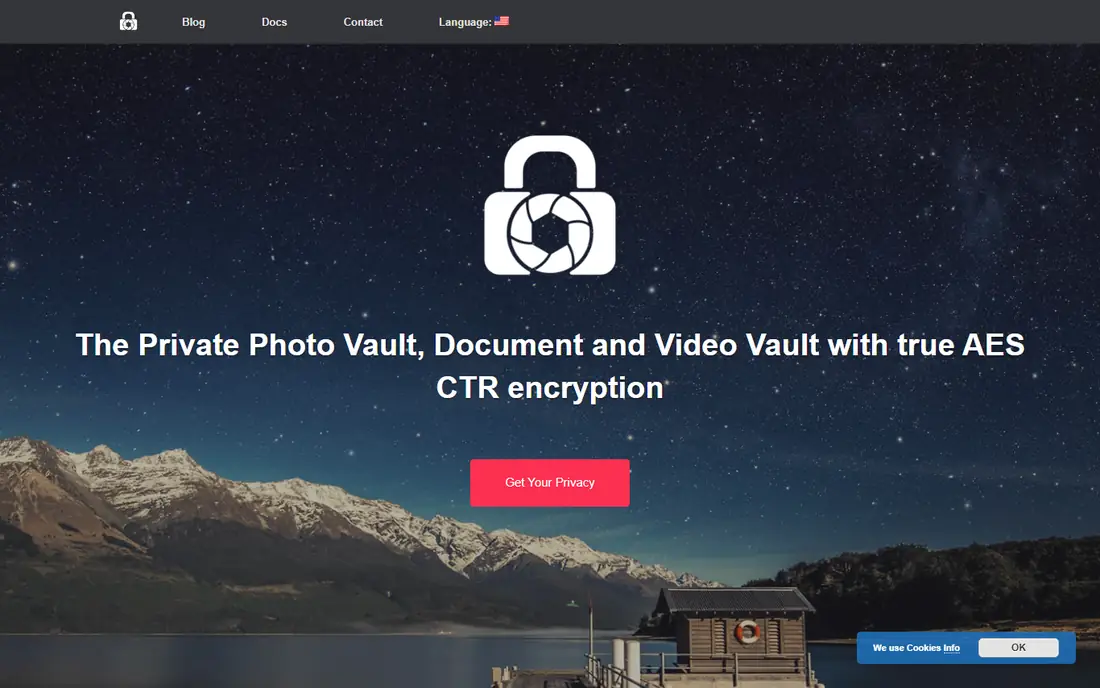
LockMyPix is the best third-party vault for verified encryption, with every file encrypted using AES-256 per file, no behavior tracking in independent tests, and encrypted backup to your own Google Drive on Android or iCloud on iPhone, or into a backup file you keep yourself. Its listing emphasizes encryption as its whole pitch, where other apps only hide files, and features include fake login, fingerprint sign-in, and encrypted backup. Pricing is free with a paid tier at $3.99 per month in current guides, making verified encryption affordable.
Encrypted backup is paid, and the free tier is limited compared with Keepsafe free cloud storage, while the brand is smaller than Keepsafe with fewer long-term references. For users who want real file-level encryption rather than a locked screen, LockMyPix is the best pick, and its local-first design with encrypted backup to your own cloud suits privacy-focused users who distrust vendor clouds.
What we like- Verified AES-256 per file
- No behavior tracking in tests
- Encrypted backup to your own Drive or iCloud
- Fake login
Watch out for- Encrypted backup is paid
- Free tier limited
- Smaller brand than Keepsafe
Starting price$3.99 per month
Free planYes
Private Photo Vault locks albums with a PIN, pattern, or fingerprint, with break-in reports and a decoy password for extra privacy, and its App Store listing explains a paid Cloud Vault encrypted with a password that never reaches company servers, so staff cannot see your photos, and neither can you if you forget it. That password model suits iPhone users who want simple protection with fast setup, and the free version covers basic vault use. Pricing is free with a paid tier at $3.99 per month in current guides.
Independent testing finds PIN lock only rather than real encryption, and a past database breach exposed passwords, raising questions about its security history, while the free version makes no backup, so losing a phone loses the vault. For iPhone users who want simple, fast protection and accept those caveats, Private Photo Vault is a practical pick, though LockMyPix or Inner Gallery offer stronger verified encryption for sensitive files.
What we like- Simple PIN, pattern, and fingerprint lock
- Encrypted albums with password never reaching servers
- Break-in reports
- Decoy password
Watch out for- Independent testing finds PIN lock only
- Past database breach exposed passwords
- Free version makes no backup
Starting priceFree
Free planYes
Vaulty is the best fully free vault app on Android with no subscription, offering simple photo and video hiding behind a lock without paid tiers or cloud requirements. That free model suits Android users who want basic privacy, hiding a few photos from friends or family who borrow the phone, without paying monthly fees or managing cloud backups. Its simplicity is its strength: install, lock, and hide, with no account or subscription friction.
Free tier limits features compared with paid vaults, and its encryption claims are less verified than LockMyPix AES-256 per file, so Vaulty suits basic hiding rather than highly sensitive files. Android-only availability also excludes iPhone users. For Android users who only need free, basic photo hiding, Vaulty is unbeatable on price, and it pairs well with Android Locked Folder for built-in protection.
What we like- Best fully free vault on Android
- No subscription
- Simple hiding
- Good for basic privacy
Watch out for- Free tier limits features
- Encryption claims less verified than LockMyPix
- Android only
Starting price$4.99 per month
Free planYes
Calculator Plus, also listed as Calculator# in some guides, looks like a regular calculator but opens a private vault when you enter the correct passcode, supporting photo and video hiding, password protection, and private organization tools. That disguise suits users who do not want a visible app named vault or private photos on their home screen, since a calculator icon attracts no attention. Pricing is free with a paid tier at $4.99 per month in current guides.
Independent testing finds obscurity only, with PIN plus hidden interface and zero real encryption, meaning files are hidden but not encrypted, and privacy practices vary widely across calculator vault apps. Disguise should not be your only safeguard for highly sensitive files: if someone finds the vault, unencrypted files are exposed. For discretion alongside a real encryption vault, Calculator Plus is a useful disguise layer, but it should never be the sole protection for sensitive photos.
What we like- Disguised calculator interface hides the vault itself
- Passcode vault
- Private albums
- Good for discretion
Watch out for- Obscurity only, zero real encryption in tests
- Privacy practices vary
- Should not be the only safeguard for sensitive files
Starting price$4.99 one-time
Free planNo
Inner Gallery is the best iPhone vault for verified encryption with a one-time purchase, offering per-file plus end-to-end iCloud encryption, no behavior tracking in independent tests, and end-to-end encrypted cloud backup. Its $4.99 one-time price beats every subscription vault for long-term cost, since there is no monthly fee to maintain access, and its no-tracking result in tests suits privacy-focused iPhone users. That combination makes it the best iPhone-specific vault for users who want real encryption without subscriptions.
There is no free tier, so testing requires a purchase, and iPhone-only availability excludes Android users. The brand is also smaller than Keepsafe, with fewer long-term references. For iPhone users who want verified encryption at a one-time price, Inner Gallery is the best pick, and its end-to-end iCloud backup protects photos if the phone is lost.
What we like- Verified per-file plus end-to-end iCloud encryption
- No behavior tracking in tests
- One-time purchase, no subscription
Watch out for- No free tier
- IPhone only
- Smaller brand than Keepsafe
Starting priceFree
Free planYes
Apple Photos Hidden Album is built into iOS, requiring Face ID to view, with full-disk AES encryption and standard iCloud backup, at no cost and no install. For many iPhone users, it is all the vault functionality they actually need: hide photos from the main library, lock the album behind Face ID, and rely on device encryption rather than a third-party app. Its integration with iCloud Photos means hidden photos sync across Apple devices with the same protections as other photos.
It is less feature-rich than dedicated vaults, with no decoy vault, break-in alerts, fake login, or separate cloud vault, and it is tied to Apple Photos, so users wanting those features need a dedicated app. For iPhone users who want free, simple, device-encrypted hiding without a third-party app, iOS Hidden Album is the best free option, and it should be the first choice before installing any vault app.
What we like- Built into iOS, no install needed
- Face ID lock
- Full-disk AES encryption
- Standard iCloud backup
Watch out for- Less feature-rich than dedicated vaults
- No decoy vault or break-in alerts
- Tied to Apple Photos
Starting priceFree
Free planYes
Android Locked Folder, built into Google Photos and Google Files Safe Folder, offers on-device photo hiding with device encryption, strong protection, and no cloud requirement, at no cost and no install. Photos moved to Locked Folder disappear from the main gallery and from shared albums, and they are protected by device lock, making it the best free Android option for users who do not want cloud backup or third-party apps. Its on-device design eliminates sync failure points that affect cloud vaults.
Locked Folder items are not backed up, so losing or resetting the phone loses the folder contents, which is the main risk of on-device-only storage. Features also trail dedicated vaults, with no decoy vault, break-in alerts, or cross-device sync. For Android users who want free, strong, on-device hiding without cloud risk, Android Locked Folder is the best built-in pick, and it should be tried before paying for any vault app.
What we like- Built into Google Photos and Files
- On-device only
- Device encryption
- Strong, free, no cloud requirement
Watch out for- Not backed up
- Losing the phone loses the folder
- Fewer features than dedicated vaults
How we chose
We compared apps on real encryption versus mere hiding, backup model, behavior tracking, price, and platform fit, weighting verified AES-256 encryption over feature counts. We favored apps with independent security testing where available, and we flagged conflicting encryption claims for Keepsafe and Private Photo Vault rather than presenting vendor claims as verified. Prices come from vendor pages, store listings, and current guides, and they vary by plan and platform, so verify current pricing before subscribing. We did not test any app hands-on with file-level inspection, and we framed website fields for app-store apps as store listings, which the later link-verification pass should confirm.
Buying guide
Start built-in: try iOS Hidden Album or Android Locked Folder first, since both are free, device-encrypted, and require no install, and they cover basic hiding for most users. If you need cross-device access, decoy vaults, or break-in alerts, move to a dedicated vault, choosing LockMyPix or Inner Gallery for verified encryption, Keepsafe for popular cloud backup with caveats, or Vaulty for free Android hiding. Test any vault yourself in 90 seconds: connect your phone to a computer, navigate to the app data directory, and check whether hidden photos appear as standard image files without entering a PIN. If they do, the app is not encrypting them, only hiding them behind a door.
Before importing sensitive photos, check four things: whether the app encrypts every file or only locks the screen, whether backups are encrypted and where they live, whether the app tracks behavior or collects data beyond vault function, and whether you can recover the vault if you forget the password or lose the phone. Use a device passcode or biometrics alongside any vault, keep backups encrypted, and remember that hiding is not encryption by default: check whether the app encrypts, and choose verified encryption for anything you would not want exposed if the phone is lost or inspected.
Frequently asked questions
Does hiding photos encrypt them?
Not necessarily. Hiding moves photos behind a locked screen, while encryption scrambles the files themselves so they are unreadable without a key. Some apps only hide, while LockMyPix and Inner Gallery encrypt every file, so check encryption claims before trusting an app with sensitive photos.
What is the best free app to hide photos?
Built-in options are best free: iOS Hidden Album on iPhone and Android Locked Folder on Android, both free and device-encrypted. Vaulty is the best free third-party vault on Android, while Breet-style free dedicated options do not exist in this category beyond built-ins.
Is Keepsafe safe?
Keepsafe is popular and convenient with cloud backup, but independent security testing in June 2026 disputes its encryption claims and finds behavioral tracking, conflicting with vendor descriptions. Verify current security claims before trusting Keepsafe with highly sensitive files, and prefer verified encryption vaults for those files.
What happens if I forget my vault password?
It depends on the app: some vaults offer password recovery via email, while others, such as Private Photo Vault Cloud Vault, use a password that never reaches company servers, so staff cannot recover it and neither can you if you forget it. Record recovery details securely before importing irreplaceable photos.
Should I back up hidden photos to the cloud?
Only with encrypted backup: LockMyPix backs up encrypted files to your own Drive or iCloud, Inner Gallery uses end-to-end iCloud encryption, and Keepsafe offers a Private Cloud with disputed encryption claims. Unencrypted cloud backup exposes photos if the cloud account is breached, so verify encryption before enabling cloud sync.
Can vault apps hide photos from law enforcement?
No vault app guarantees protection against lawful device searches or forensic tools, and hiding photos does not make them invisible to forensic examination, especially if files are not encrypted. Use vault apps for lawful privacy from casual viewers, not for evading lawful process, and understand that device encryption and strong passcodes matter more than any vault app alone.
Sources we checked (0)
Is your product missing or out of date?
We review this list regularly. Vendors can request a listing, send updated pricing or ask about featured placement.

Shihab Mia · Founder, Rankite
Shihab has 5+ years in B2B and SaaS SEO. He writes Rankite's software buying guides from pricing pages, documentation and public user reviews. More about Shihab.
 Keepsafe
 LockMyPix
 Private Photo Vault
 Vaulty
 Calculator Plus
 Inner Gallery
 iOS Hidden Album
 Android Locked Folder