How we make this list: we compare pricing pages, product documentation and public user reviews. Ratings come from G2, Capterra or Trustpilot, with the date we checked them.
Key takeaways
- Scrivener is the best app for writing a book overall, with a one-time price of 59.99 dollars and deep manuscript organization.
- Reedsy Studio is the best free app, with free drafting and EPUB export.
- Atticus is the best app for writing plus formatting, at 147 dollars one time with free updates.
- Ulysses suits Apple-only writers who want a clean subscription app, while Dabble suits cloud writers who want visual plotting.
- Plottr is the best plotting tool, with structure templates and a lifetime option.
- Novlr and LivingWriter suit budget cloud writers and plan-draft-export writers respectively.
- Subscription creep is real, so compare the three-year cost, not just the monthly price.
Quick comparison
| Tool | Best for | Starting price | Free plan |
|---|
 Scrivener Scrivener | Overall manuscript app | $59.99 one-time | No |
 Ulysses Ulysses | Apple-only clean writing | $5.99/month | No |
 Reedsy Studio Reedsy Studio | Free drafting and export | Free | Yes |
 Novlr Novlr | Budget cloud editor | $10/month | Yes |
 Dabble Dabble | Cloud writing and plotting | $19/month | No |
 Atticus Atticus | Writing plus formatting | $147 one-time | No |
 Plottr Plottr | Structure templates | $60/year | No |
 LivingWriter LivingWriter | Plan, draft, and export | $14.99/month | No |
Is your product missing or out of date?
We review this list regularly. Vendors can request a listing, send updated pricing or ask about featured placement.
The best app for writing a book
Starting price$59.99 one-time
Free planNo
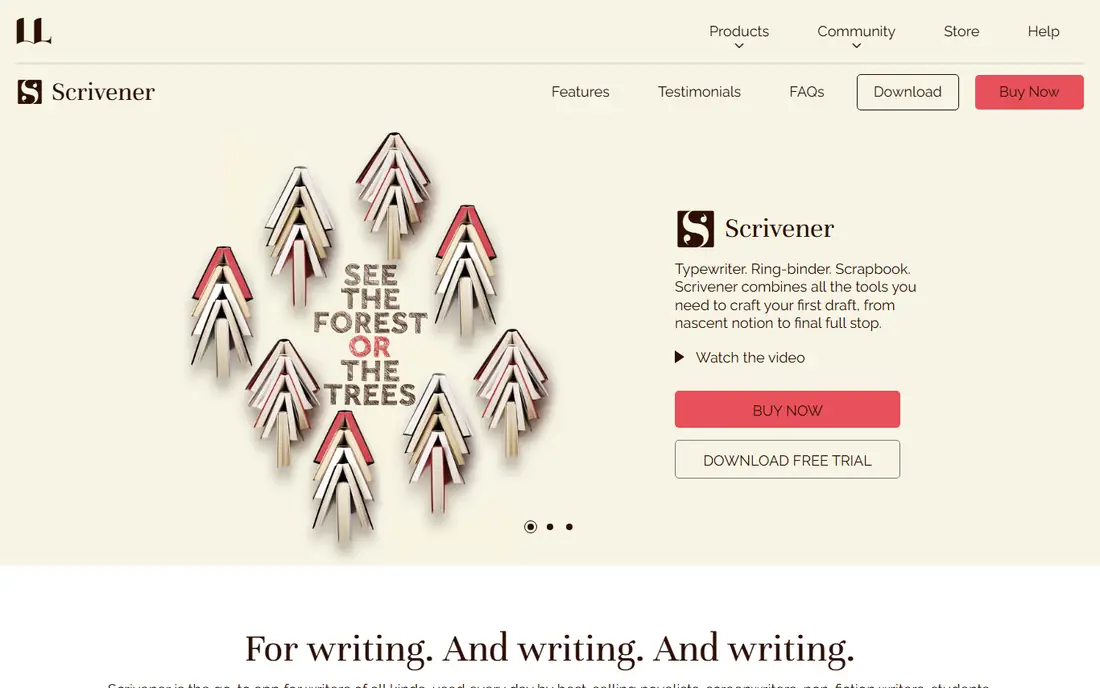
Scrivener is the best app for writing a book overall, and the favourite among professional authors for versatility and organization. It works like a digital binder, keeping chapters, research, and notes in one place, with a corkboard view to visualize and rearrange scenes, templates for novels and nonfiction, and a distraction-free full-screen mode. Writers break a manuscript into sections, making it easier to edit and reorganize.
The one-time price is 59.99 dollars per desktop platform, with Mac and Windows licensed separately and an iOS app at 23.99 dollars extra, plus a 30-day trial counted as days of actual use, not calendar days. The learning curve is steep, and sync is do-it-yourself via Dropbox rather than built in. For a writer who wants to own the software and organize a complex manuscript, Scrivener is the strongest pick.
What we like- One-time 59.99 dollars per OS
- Binder, corkboard, and outliner
- Research storage
- 30 days of actual use trial
- Compile to EPUB and Kindle
Watch out for- Mac and Windows licenses separate
- IOS app 23.99 dollars extra
- Steep learning curve
- Sync via Dropbox, not built in
#2Ulysses
Best for: Apple-only clean writing4.5/5 on
G2 (25 reviews, checked Oct 2026)
Visit ulysses.app
Starting price$5.99/month
Free planNo
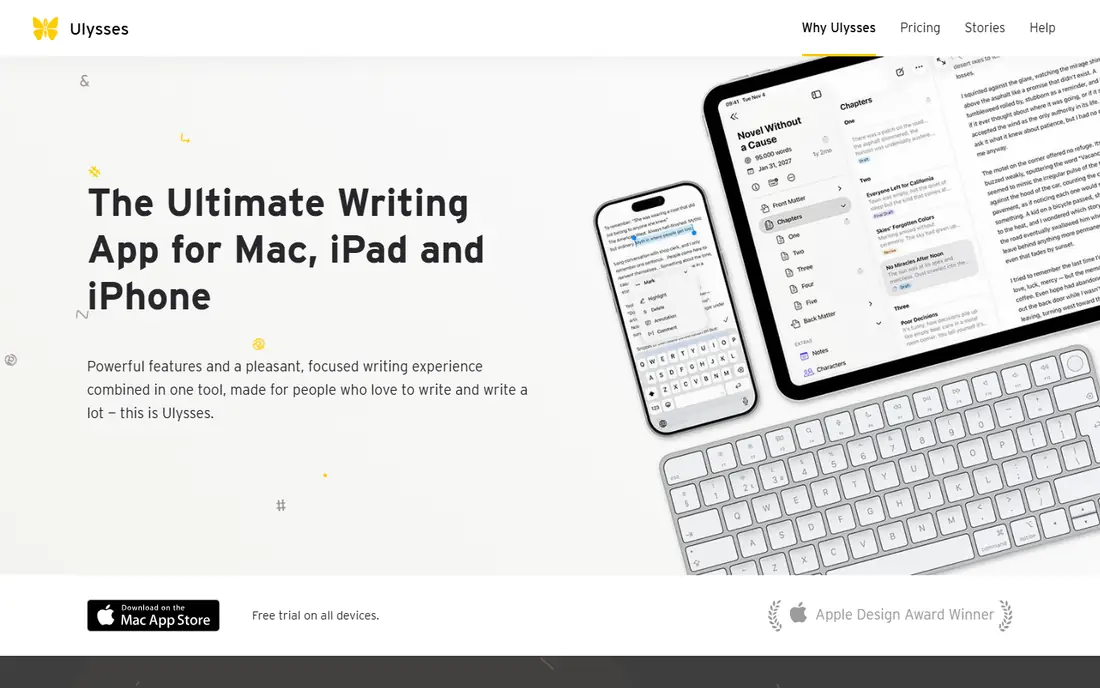
Ulysses suits Apple-only writers who want a clean, distraction-free writing app with a subscription. The app costs 5.99 dollars a month or 49.99 dollars a year, syncs across Mac and iOS, and offers a minimalist editor that keeps focus on words rather than formatting. Export to EPUB, PDF, and Word covers most publishing needs.
The subscription-only model and Apple exclusivity are the limits: Windows and Android writers get nothing, and the price never stops. Manuscript organization is thinner than Scrivener, with no corkboard depth. For an Apple writer who values a clean editor over deep organization, Ulysses is the best pick.
What we like- Clean minimalist writing
- Subscription 5.99 dollars a month or 49.99 dollars a year
- Apple ecosystem sync
- Distraction-free
Watch out for- Subscription only
- MacOS and iOS exclusive
- No Windows or Android
- Manuscript organization thinner than Scrivener
Starting priceFree
Free planYes
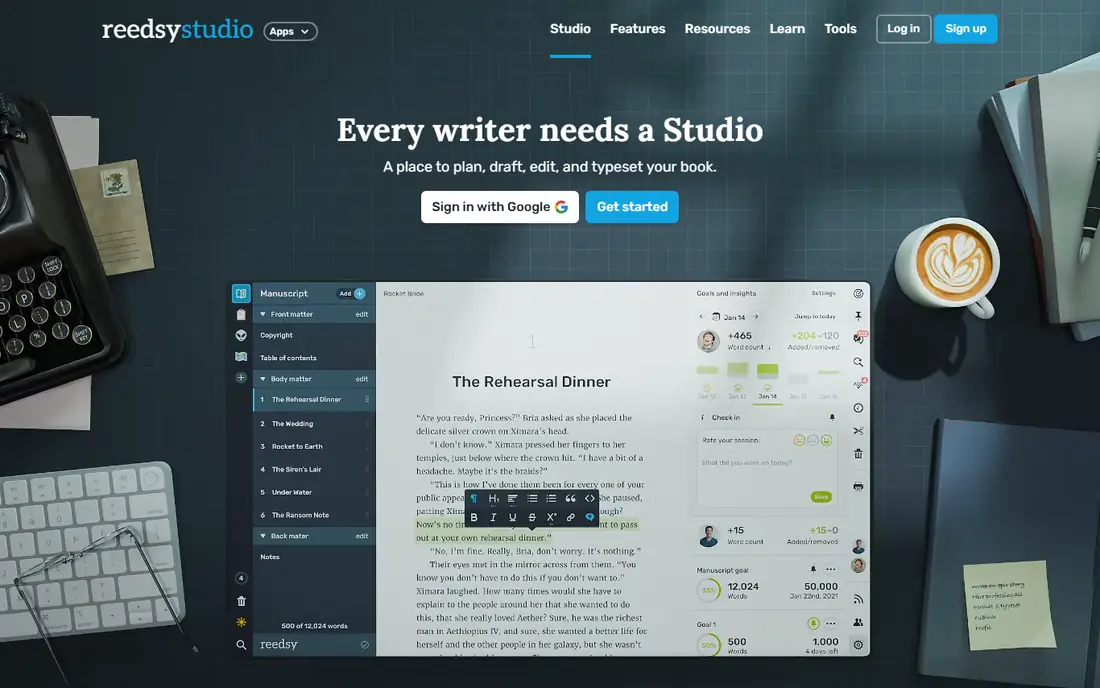
Reedsy Studio is the best free app for writing a book, with free drafting and EPUB export at no cost. The editor is clean and focused, the free tier covers the core writing and export job, and the platform ties into the Reedsy marketplace for professional editors, designers, and marketers when the book is ready. One board is free for plotting.
Some guides cite a 7.99 dollar a month tier with limited features, so confirm the current free scope before relying on it, and collaboration and formatting are thinner than Atticus. For a writer testing the waters or finishing a first book on a zero budget, Reedsy Studio is the best free starting point.
What we like- Free forever
- Clean drafting
- EPUB export free
- One board free
- Tied to a professional marketplace
Watch out for- Some guides cite a 7.99 dollar a month tier with limited features
- Collaboration and formatting thinner than Atticus
- Web only
Starting price$10/month
Free planYes
Novlr suits discovery writers who want a beautiful minimalist cloud editor with version history tracking. The app costs 10 dollars a month or 100 dollars a year, with a free tier and a two-week free trial, and its clean interface keeps focus on drafting rather than features. Version history lets a writer recover earlier drafts without manual backups.
Plotting tools are light compared with Plottr or Dabble, and some guides cite 8 dollars a month, so check the vendor pricing page before paying. Formatting options are fewer than Atticus. For a budget cloud writer who wants a calm editor and automatic version history, Novlr is the best pick.
What we like- Beautiful minimalist interface
- Cloud editor
- Version history
- Free tier
- 10 dollars a month or 100 dollars a year
Watch out for- Light plotting tools
- Some guides cite 8 dollars a month
- Check vendor for current pricing
- Fewer formatting options than Atticus
Starting price$19/month
Free planNo
Dabble is a cloud-synced novel writing app with automatic syncing and visual plotting tools, suited to writers who want to write anywhere and plot visually. The Plot Grid maps scenes by plotlines, co-authoring and sharing work on every plan, and versioning is included on every plan. The learning curve is gentle compared with Scrivener.
Pricing is the catch: 19, 29, or 49 dollars a month depending on tier, or 699 dollars lifetime for the Author plan, with a 14-day trial and no EPUB export, so formatting needs another tool. Dabble is AI-free by policy, which suits writers who want no AI in their workflow. For a cloud writer who values plotting and co-authoring, Dabble is the best pick.
What we like- Cloud-synced novel writing
- Plot Grid for scenes by plotlines
- Co-authoring and sharing
- Versioning on every plan
- Gentle learning curve
Watch out for- 19, 29, or 49 dollars a month, or 699 dollars lifetime for Author plan
- No EPUB export
- 14-day trial only
- AI-free by policy
#6Atticus
Best for: Writing plus formatting3.0/5 on
G2 (2 reviews, checked Oct 2026)
Visit atticus.io
Starting price$147 one-time
Free planNo
Atticus is the best app for writing plus formatting, at 147 dollars one time with free updates and a 30-day money-back guarantee. The app combines drafting with professional ebook and print formatting, so a writer can finish a manuscript and produce a publish-ready file without a separate formatting tool. Compatibility is unusually broad, running on Windows, Mac, Linux, and Chromebook, with multiple users on the same project.
There is no visual plotting, so plotters should pair Atticus with Plottr, and drafting tools are simpler than Scrivener. For a self-publishing author who wants to write and format in one purchase, Atticus is the best value one-time buy after Scrivener.
What we like- One-time 147 dollars with free updates
- 30-day money-back guarantee
- Writing plus professional formatting
- Broad compatibility
Watch out for- No visual plotting
- Formatting focus means drafting tools are simpler
- One-time price higher than Scrivener
Starting price$60/year
Free planNo
Plottr is the best plotting tool, with visual timelines, structure templates, and character and location tracking that help a writer plan before drafting. Pricing is 60 dollars a year or 150 dollars lifetime, with Pro at 99 dollars a year or 599 dollars lifetime, though sale prices move, and a 30-day trial covers evaluation. The visual plotting is excellent, and templates cover common story structures.
Plottr is outline only, with no EPUB export, so drafting and formatting happen elsewhere, which means it pairs with Scrivener, Atticus, or Reedsy rather than replacing them. For a planner who outlines before writing, Plottr is the best plotting purchase.
What we like- Excellent visual plotting
- Structure templates
- 60 dollars a year or 150 dollars lifetime
- Pro 99 dollars a year or 599 dollars lifetime
- 30-day trial
Watch out for- Outline only, no EPUB export
- Subscription or lifetime, not free
- Drafting happens elsewhere
- Sale prices move
Starting price$14.99/month
Free planNo
LivingWriter combines planning, drafting, and export in one app, with boards for plotting, chapter and scene organization, and EPUB export for self-publishing. Pricing is 14.99 dollars a month or 111 dollars a year, with a 14-day trial, which positions it between Novlr and Dabble on price while covering the full plan-to-export workflow.
The subscription-only model means the price never stops, and the community is smaller than Scrivener, with fewer integrations. For a writer who wants one subscription app that plans, drafts, and exports without juggling two tools, LivingWriter is the best pick.
What we like- Plan, draft, and export in one app
- Boards for plotting
- EPUB export
- 14.99 dollars a month or 111 dollars a year
- 14-day trial
Watch out for- Subscription only
- Higher monthly price than Novlr
- Smaller community than Scrivener
- Fewer integrations
How we chose
We ranked book apps on the full workflow: planning, drafting, and formatting, plus the pricing model, since subscription creep decides the three-year cost more than the monthly price. We compared one-time purchases against subscriptions at three years, so Scrivener at 59.99 dollars beats a 19 dollar a month subscription by hundreds of dollars over three years, while Dabble lifetime at 699 dollars only wins for a writer who uses it for many years. We also weighted export, since an app without EPUB export needs a second tool for publishing.
What to check before you buy
Compare the three-year cost, not just the monthly price, and check whether the price is per platform, since Scrivener licenses Mac and Windows separately. Test the trial on your actual manuscript, not a sample, since a large project reveals sync, organization, and export problems that a short test hides. Confirm export formats before buying, especially EPUB for self-publishing, and check whether the app works offline, since Scrivener and Atticus work offline while cloud apps need a connection. Finally, back up the manuscript outside the app, since no writing tool replaces an independent backup.
Frequently asked questions
What is the best free app for writing a book?
Reedsy Studio is the best free app, with free drafting and EPUB export. Google Docs and FocusWriter are also free, though they lack manuscript organization features.
Is Scrivener worth it in 2026?
Yes, for a writer who organizes complex manuscripts. The one-time 59.99 dollar price, binder, corkboard, and research storage beat most subscriptions over three years, though the learning curve is steep.
Should I buy a subscription or a one-time writing app?
A one-time purchase such as Scrivener or Atticus suits a writer who works offline and does not need the software to change. A subscription suits a writer who wants cloud sync, collaboration, and continuous updates.
Can I format a book for publishing in these apps?
Atticus formats ebooks and print in one purchase, Scrivener compiles to EPUB and Kindle, and Reedsy Studio exports EPUB free. Dabble and Plottr need a separate formatting tool.
Which app works offline?
Scrivener and Atticus work offline and are one-time purchases. Cloud apps such as Dabble, Novlr, and LivingWriter need a connection for sync, though some offer limited offline modes.
Sources we checked (0)
Is your product missing or out of date?
We review this list regularly. Vendors can request a listing, send updated pricing or ask about featured placement.

Shihab Mia · Founder, Rankite
Shihab has 5+ years in B2B and SaaS SEO. He writes Rankite's software buying guides from pricing pages, documentation and public user reviews. More about Shihab.