How we make this list: we compare pricing pages, product documentation and public user reviews. Ratings come from G2, Capterra or Trustpilot, with the date we checked them.
Key takeaways
- Slack remains the strongest all-around choice for teams that want channels, threads, search, and a large app directory.
- Microsoft Teams wins for organizations already paying for Microsoft 365, since chat, video, and Office files live in one place.
- Discord is the best free option for communities and voice-first teams, with unlimited message history at no cost.
- Google Chat suits teams that already live in Gmail and Google Drive and want a simple, low-cost tool.
- Twist, Mattermost, Telegram, and Rocket.Chat cover async-first teams, self-hosted setups, and large public groups that the big names serve less well.
Quick comparison
| Tool | Best for | Starting price | Free plan |
|---|
 Slack Slack | Most teams that chat every day | $7.25 per user/month (Pro, billed annually) | Yes |
 Microsoft Teams Microsoft Teams | Organizations already using Microsoft 365 | $4 per user/month (Essentials) | Yes |
 Discord Discord | Communities and voice-first teams | Free | Yes |
 Google Chat Google Chat | Teams already using Gmail and Google Drive | Free | Yes |
 Twist Twist | Remote teams that want calmer async chat | See website | Yes |
 Mattermost Mattermost | Teams that need self-hosted control | Free | Yes |
 Telegram Telegram | Large groups and broadcast channels | Free | Yes |
 Rocket.Chat Rocket.Chat | Open source chat with flexible hosting | Free | Yes |
Is your product missing or out of date?
We review this list regularly. Vendors can request a listing, send updated pricing or ask about featured placement.
The best app for group communication in 2026
#1Slack
Best for: Most teams that chat every day4.5/5 on
G2 (39,944 reviews, checked Oct 2026)
Visit slack.com
Starting price$7.25 per user/month (Pro, billed annually)
Free planYes
Slack set the pattern that most team chat tools still follow: channels for topics, threads for side discussions, and search that finds a message from months ago in seconds. The free plan covers small teams, but its 90-day message history limit is the main reason teams upgrade. Pro, listed at $7.25 per user per month billed annually, restores full history and adds group huddles, guest access, and more integrations.
What keeps Slack ahead is the app directory. Connections to tools like Google Drive, GitHub, Asana, and Salesforce let a team act on work without leaving chat. Huddles add a light voice option for quick questions that do not need a full meeting. The cost is the honest catch: per-seat pricing means a 50-person team pays real money for chat alone, so budget teams should compare Discord or Google Chat before committing.
What we like- Channels, threads, and search that stay fast at scale
- Thousands of app integrations
- Huddles for quick voice chats
Watch out for- Free plan limits message history to 90 days
- Per-user pricing adds up for large teams
- Video meetings cap at 50 participants on paid plans
#2Microsoft Teams
Best for: Organizations already using Microsoft 3654.4/5 on
G2 (19,330 reviews, checked Oct 2026)
Visit microsoft.com
Starting price$4 per user/month (Essentials)
Free planYes
Teams makes the most sense when a company already pays for Microsoft 365, because chat then arrives as part of a bundle rather than a separate bill. The Essentials plan is listed at $4 per user per month, and higher Microsoft 365 plans include Teams with Office apps, OneDrive storage, and Outlook calendar integration. Video is a genuine strength, with large meetings, backgrounds, recording, and live captions built in.
The interface is the weak point. Posts, files, and chat live in separate tabs, and new users often struggle to find where a conversation happened. Teams also rewards a Microsoft-centered workflow: a team on Google Workspace will get less from it. For a Microsoft shop, though, the bundle value and meeting quality are hard to match.
What we like- Video meetings for up to 300 participants
- Deep Word, Excel, and Outlook integration
- Included with many Microsoft 365 plans
Watch out for- Channel layout can feel cluttered
- Chat and channel conversations are split in a confusing way
- Best value only inside the Microsoft ecosystem
#3Discord
Best for: Communities and voice-first teams4.6/5 on
G2 (43 reviews, checked Oct 2026)
Visit discord.com
Starting priceFree
Free planYes
Discord began with gamers, but its structure fits any group that talks a lot and values voice. Servers hold channels for text and voice, roles control who can see what, and voice channels stay open so people can drop in and out without scheduling a call. Message history is unlimited on the free plan, which alone makes Discord attractive to small teams and communities that cannot justify Slack's price.
Business teams should know the trade-offs. Discord lacks the deep workflow integrations and compliance features that Slack and Teams offer, and its design still leans informal. For a creator community, a study group, an open source project, or a small team that lives on voice, those limits rarely matter. Paid Nitro plans add larger uploads and better video quality, but the core chat costs nothing.
What we like- Unlimited message history for free
- Persistent voice channels that feel like a shared room
- Large servers with roles and permissions
Watch out for- Built for communities, not business workflows
- Fewer business integrations than Slack
- Moderation tools need setup for large servers
Starting priceFree
Free planYes
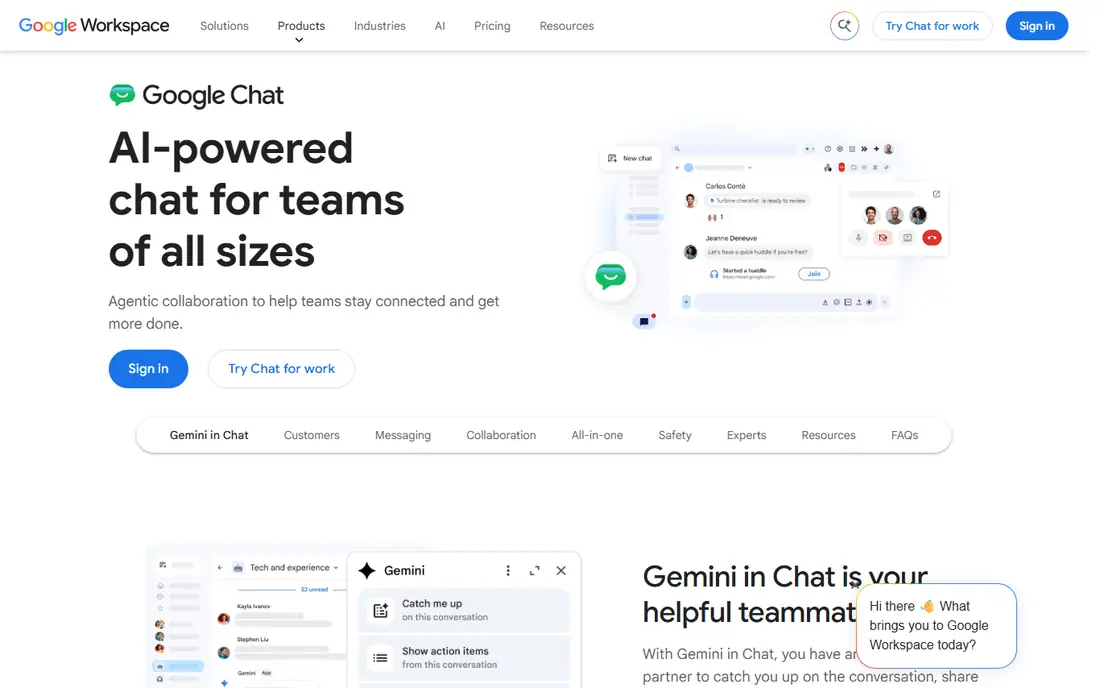
Google Chat is the quiet option in this list, and that is its appeal. If a team already uses Gmail, Calendar, and Drive, Chat adds group messaging without a new vendor, a new login, or a new bill. Spaces give each project a room with its own chat, shared files, and tasks, and messages search across the whole Workspace account.
The limits show up at scale. The integration catalog is smaller than Slack's, and community features such as roles and public servers are thinner than Discord's. Google Chat also leans on Meet for video, which works well but means two apps for one workflow. For a small business or school already on Google Workspace, Chat is often the simplest and cheapest answer.
What we like- Included with Google Workspace
- Spaces combine chat, files, and tasks
- Simple setup for Google users
Watch out for- Fewer integrations than Slack
- Video still leans on Google Meet
- Less suited to very large communities
#5Twist
Best for: Remote teams that want calmer async chat4.1/5 on
G2 (34 reviews, checked Oct 2026)
Visit twist.com
Starting priceSee website
Free planYes
Twist comes from the makers of Todoist, and it is built around one idea: most team chat does not need an instant reply. Every conversation is a thread with a clear subject, so a teammate in another time zone can catch up on a topic without scrolling through a day of mixed chatter. That structure cuts notification noise, which remote teams often cite as their biggest chat problem.
The cost of calm is speed. Teams used to rapid-fire Slack channels may find Twist quiet at first, and the smaller integration catalog means some workflows need manual steps. Twist offers a free plan, with paid plans listed on its pricing page. For distributed teams that value written decisions over constant presence, the trade is worth it.
What we like- Thread-first design keeps topics organized
- Fewer real-time interruptions
- Built for teams across time zones
Watch out for- Smaller user base and integration catalog
- Real-time chatters may find it slow
- Pricing varies by plan
#6Mattermost
Best for: Teams that need self-hosted control4.3/5 on
G2 (369 reviews, checked Oct 2026)
Visit mattermost.com
Starting priceFree
Free planYes
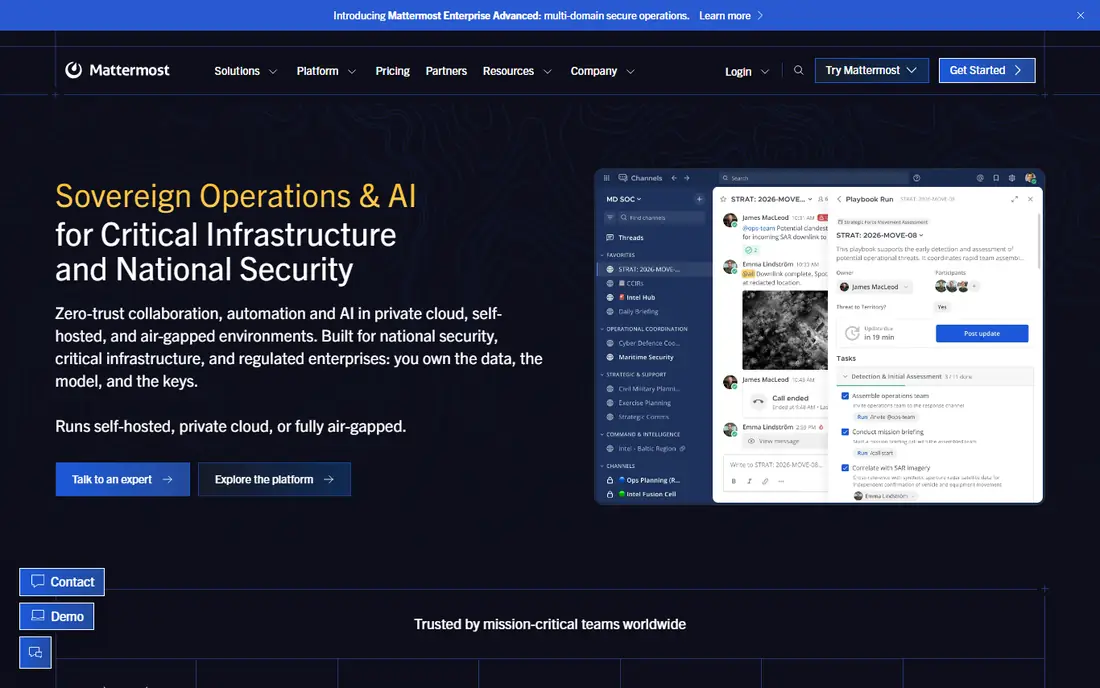
Mattermost is the pick for organizations that cannot put internal chat on someone else's servers. It is open source, so a team can host it on its own infrastructure, set its own retention rules, and audit the code. The core experience will feel familiar to Slack users: channels, direct messages, threads, reactions, and file sharing all work as expected.
Self-hosting is also the main cost. Someone has to install, update, and back up the server, which suits IT teams and regulated industries more than a five-person startup. Mattermost sells paid plans for enterprise controls and support, while the free version covers core chat. For government, healthcare, defense, and privacy-focused companies, that control is the whole point.
What we like- Open source and self-hosted
- Full control over data and retention
- Channels, threads, and file sharing included
Watch out for- Needs technical setup and hosting
- Smaller app directory than Slack
- Support and enterprise features are paid
Starting priceFree
Free planYes
Telegram earns its place for groups that outgrow normal chat limits. Groups can hold huge numbers of members, channels let an organizer broadcast to an audience without reply clutter, and the apps are fast on phones, desktops, and the web. Many communities, classes, and clubs run entirely on Telegram at no cost.
Workplace teams should be clear-eyed about the gaps. Telegram lacks the task integrations, threaded project rooms, and admin controls of Slack or Teams, and its search is less precise for digging up old decisions. It also leans on phone-number accounts, which some organizations dislike. For public communities and large informal groups, though, few tools match its scale for free.
What we like- Groups with very large member limits
- Channels for one-way announcements
- Fast apps on every platform
Watch out for- Not designed as a workplace tool
- Admin and compliance controls are thinner
- Message search is weaker than Slack
#8Rocket.Chat
Best for: Open source chat with flexible hosting4.2/5 on
G2 (374 reviews, checked Oct 2026)
Visit rocket.chat
Starting priceFree
Free planYes
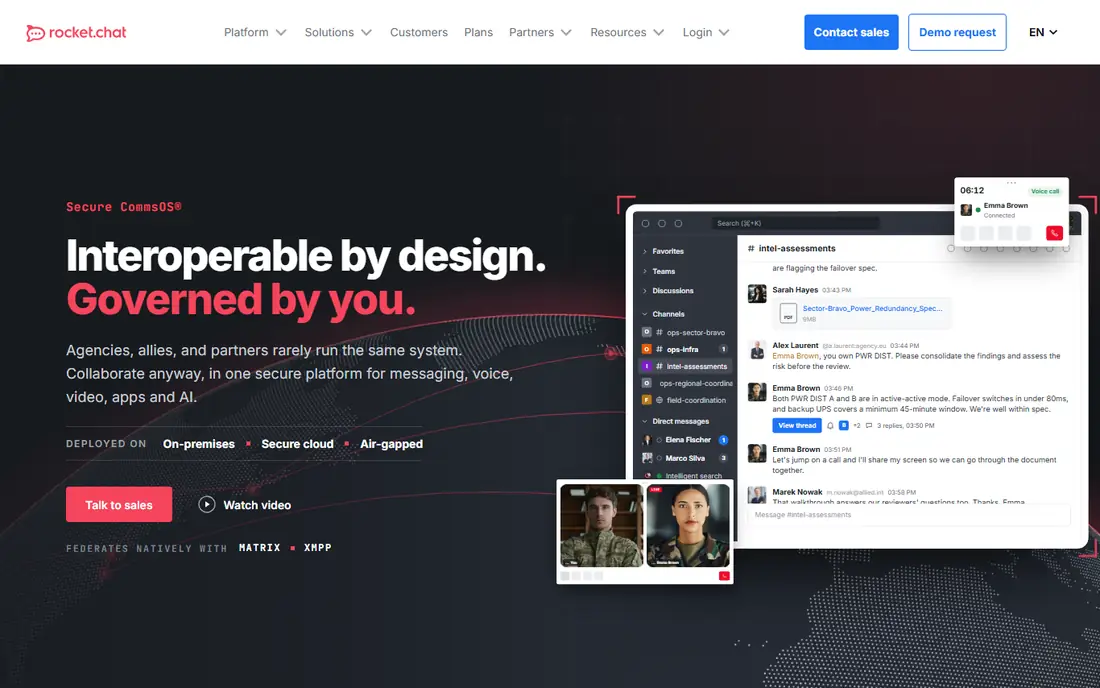
Rocket.Chat sits close to Mattermost in spirit but adds a wider set of built-in options, including video conferencing, live chat for websites, and omnichannel messaging. A team can host it for free, pay for cloud hosting, or mix the two, and the open source code allows deep customization of the interface and workflows.
That flexibility comes with effort. Installation, upgrades, and scaling need technical hands, and the integration catalog does not match Slack. Paid plans add enterprise controls and support. Rocket.Chat suits organizations that want open source freedom plus customer-facing chat features in the same platform, rather than a simple internal messenger.
What we like- Open source with self-hosted or cloud options
- Channels, threads, and video built in
- Broad customization options
Watch out for- Setup takes technical effort
- App directory is smaller than Slack's
- Paid plans gate some enterprise features
How we chose
We compared pricing pages, documentation, and public reviews on G2, Capterra, and Reddit, and we kept only tools that exist today and support real group conversation with channels or rooms. Prices came from vendor pricing pages and recent roundups where a vendor page was not directly quoted, and anything we could not confirm is marked See website. We favored a mix of business tools, community platforms, and self-hosted options, since group communication covers a workplace team, a fan community, and a classroom alike. No hands-on testing is claimed here, and plan terms change often, so confirm current pricing on the vendor site before you buy.
Start with who is in the group and where they already work. A company on Microsoft 365 should shortlist Teams first, and a company on Google Workspace should shortlist Google Chat first, because the bundle value beats a standalone tool. A community, club, or creator audience should start with Discord or Telegram, where the free plans are generous and the scale limits are high. A regulated or privacy-focused organization should look at Mattermost or Rocket.Chat before anything else.
Questions that narrow the list fast
Ask how the group actually talks. Voice-first groups need Discord's persistent channels or a tool with strong huddles and meetings. Async teams across time zones need Twist's threads or Slack's threads with disciplined channel habits. Large announcement groups need Telegram channels or Discord announcement channels, not a tool built for ten-person project rooms.
Cost follows headcount. Per-user pricing looks small until it multiplies across a team, so compare the annual total, not the monthly per-seat figure. Free plans from Discord, Telegram, and Google Chat can carry a small group indefinitely, while Slack's 90-day history limit pushes growing teams toward a paid plan sooner than expected.
Migration and habits matter
Switching chat tools fails more often from habit than from features. A new tool should import or at least archive old history, offer apps on every device the group uses, and give admins clear controls for members, guests, and permissions. Run a two-week trial with one real project before moving everyone, and agree on simple rules: which channels are for decisions, which are for social talk, and when a thread beats a new channel.
Frequently asked questions
What is the best app for group communication overall?
Slack is the best all-around pick for most work teams, thanks to channels, threads, search, and integrations. Microsoft Teams is better for Microsoft 365 users, Discord is better for free communities and voice-first groups, and Google Chat is better for Google Workspace users. The right answer depends on your group's size, budget, and existing tools.
Is there a good free group chat app?
Yes. Discord offers unlimited message history and voice channels for free, Telegram offers huge groups and channels for free, and Google Chat is free for Google account holders. Slack's free plan is also usable for small teams, but its 90-day message history limit matters once a team grows.
Which app is best for large communities?
Discord and Telegram lead here. Discord suits interactive communities with voice channels, roles, and events, while Telegram suits very large groups and broadcast channels where most members read rather than post. Both scale far beyond a typical workplace chat tool at no cost.
Can these tools replace video meetings?
Partly. Microsoft Teams and Slack both include video meetings, and Discord's voice and Go Live features cover many live discussions. Scheduled, large, or recorded meetings still work best in Teams or a dedicated meeting tool, while quick questions suit huddles and voice channels.
What about privacy and self-hosting?
Mattermost and Rocket.Chat let an organization host chat on its own servers and control retention, which suits regulated industries and privacy-focused teams. Cloud tools like Slack, Teams, and Google Chat offer admin controls and compliance features on paid plans, but the data lives on the vendor's infrastructure.
How do I move a team to a new chat app?
Pick one project to pilot, set up channels and permissions before inviting everyone, and archive or export old history where the old tool allows it. Agree on naming rules and thread habits early, and keep the old tool read-only for a few weeks so nothing important is lost in the move.
Sources we checked (8)
- https://slack.com
- https://www.microsoft.com/microsoft-teams
- https://discord.com
- https://workspace.google.com/products/chat/
- https://twist.com
- https://mattermost.com
- https://telegram.org
- https://rocket.chat
Is your product missing or out of date?
We review this list regularly. Vendors can request a listing, send updated pricing or ask about featured placement.

Shihab Mia · Founder, Rankite
Shihab has 5+ years in B2B and SaaS SEO. He writes Rankite's software buying guides from pricing pages, documentation and public user reviews. More about Shihab.