How we make this list: we compare pricing pages, product documentation and public user reviews. Ratings come from G2, Capterra or Trustpilot, with the date we checked them.
Key takeaways
- AI UX design tools turn prompts, sketches, and text into wireframes, screens, and prototypes in minutes.
- Uizard and Galileo AI lead for prompt-to-UI generation, while Framer leads for turning designs into live published websites.
- Figma suits teams that want AI inside an established collaborative design system workflow.
- Visily and Relume suit fast wireframes and sitemaps, while UXPin and Maze suit interactive prototypes and user testing.
- AI output is a starting point, not a finished product: human review, accessibility checks, and user testing still decide quality.
Quick comparison
| Tool | Best for | Starting price | Free plan |
|---|
 Uizard Uizard | Prompt to wireframe | Free | Yes |
 Galileo AI Galileo AI | Prompt to UI screens | See website | No |
 Framer Framer | Design to live website | Free | Yes |
 Figma Figma | Team design with AI | Free | Yes |
 Visily Visily | Fast wireframes | Free | Yes |
 Relume Relume | Sitemaps and wireframes | Free | Yes |
 UXPin UXPin | Interactive prototypes | See website | No |
 Maze Maze | User testing and insights | Free | Yes |
Is your product missing or out of date?
We review this list regularly. Vendors can request a listing, send updated pricing or ask about featured placement.
#1Uizard
Best for: Prompt to wireframe4.5/5 on
G2 (46 reviews, checked Oct 2026)
Visit uizard.io
Starting priceFree
Free planYes
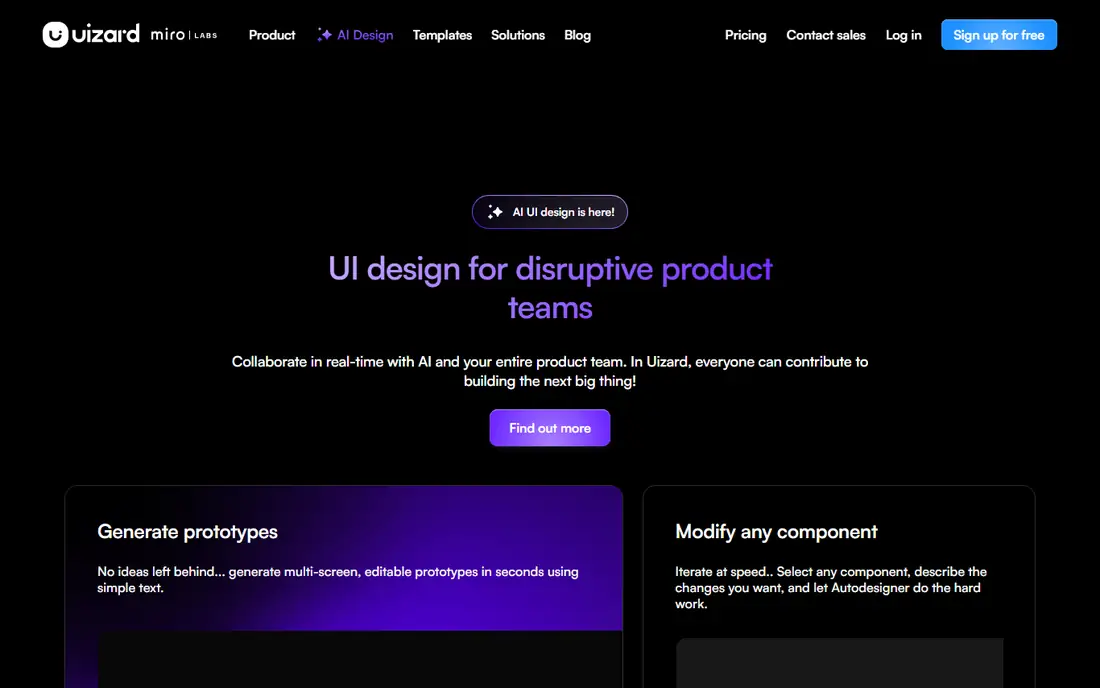
Uizard turns text prompts and hand-drawn sketches into editable wireframes and screens, letting product managers and founders explore layouts without design skills. Users describe a screen, upload a sketch, and get a structured UI that can be edited, themed, and prototyped. The free tier covers basic projects, and paid plans add more screens and features.
The trade-offs are refinement and depth. AI output needs editing for spacing, hierarchy, and brand fit, design system depth trails Figma, and full features need a subscription. Even so, Uizard suits non-designers and teams that want fast wireframes from prompts or sketches.
What we like- Fast prompt and sketch to UI
- Easy for non-designers
- Wireframes and prototypes
Watch out for- Output needs refinement
- Design system depth limited
- Premium for full features
Starting priceSee website
Free planNo
Galileo AI generates high-quality UI screens from text prompts, producing editable designs that export to Figma for refinement. It suits product teams that want to explore many concepts quickly, since a short prompt can produce several screen directions in minutes. The output quality is among the best in prompt-to-UI tools, especially for mobile and web app screens.
The limits are cost and variance. Galileo is not free, output quality varies with prompt quality, and every screen still needs designer review for usability and accessibility. Even so, Galileo suits teams that want fast, high-quality UI concepts with a Figma export path.
What we like- High-quality prompt to UI
- Editable Figma output
- Fast concept exploration
Watch out for- Pricing is not free
- Output quality varies by prompt
- Still needs designer review
#3Framer
Best for: Design to live website4.5/5 on
G2 (144 reviews, checked Oct 2026)
Visit framer.com
Starting priceFree
Free planYes
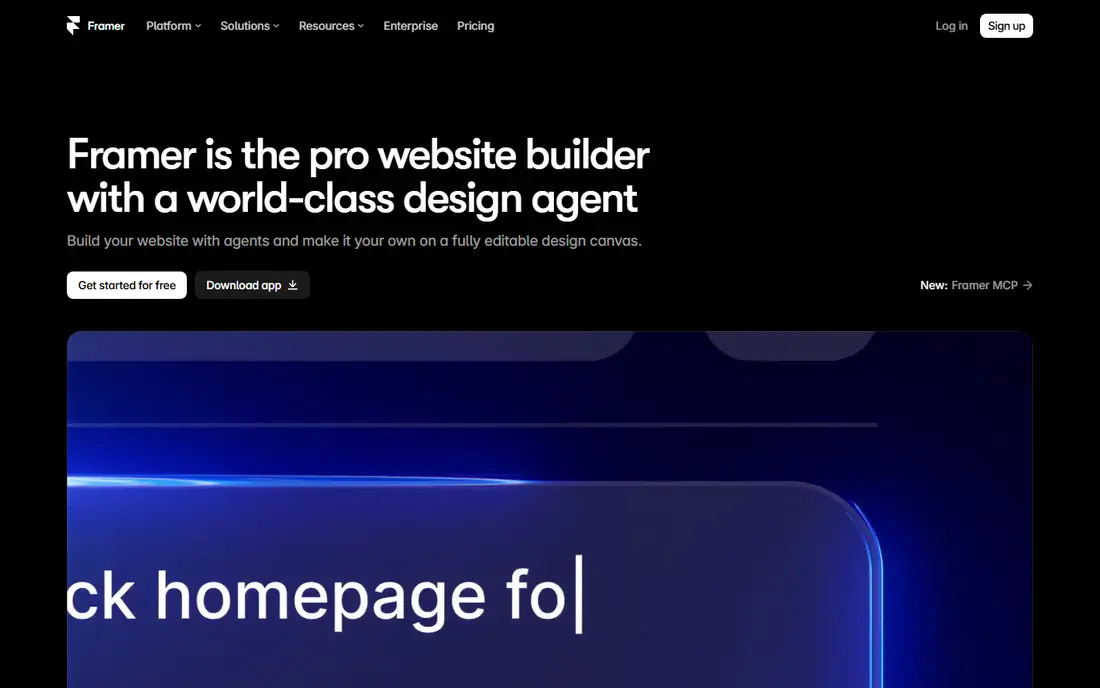
Framer is a design and publishing platform whose AI tools generate websites from prompts, with designs that publish as live, responsive sites without separate coding. It suits startups and marketers who want landing pages and marketing sites fast, with animations, CMS content, and SEO tools built in. The free tier covers basic sites, and paid plans add custom domains and more features.
The trade-offs are app scope and cost. Framer suits websites better than complex app prototypes, advanced features have a learning curve, and custom domains need a paid plan. Even so, Framer suits teams that want AI-generated designs that become live websites in one tool.
What we like- AI site generation
- Designs become live sites
- Strong for landing pages
Watch out for- Less suited to complex apps
- Learning curve for advanced features
- Premium for custom domains
#4Figma
Best for: Team design with AI4.7/5 on
G2 (1,593 reviews, checked Oct 2026)
Visit figma.com
Starting priceFree
Free planYes
Figma is the industry-standard collaborative design tool, and its AI features, including first-draft generation, renaming, and content tools, now sit inside real team workflows. Designers use Figma for wireframes, design systems, prototypes, and developer handoff, with AI speeding routine tasks rather than replacing design judgment. The free tier covers small projects, and paid plans add full AI and team features.
The limits are cost and weight. Many AI features need paid plans, the learning curve is real for beginners, and Figma can feel heavy for a quick one-screen wireframe. Even so, Figma suits teams that want AI inside an established, collaborative design workflow.
What we like- Industry-standard design tool
- AI features inside real workflows
- Huge plugin ecosystem
Watch out for- AI features need paid plans in many cases
- Learning curve
- Can feel heavy for quick wireframes
#5Visily
Best for: Fast wireframes4.4/5 on
G2 (36 reviews, checked Oct 2026)
Visit visily.ai
Starting priceFree
Free planYes
Visily is an AI wireframing tool that turns text prompts and screenshots into editable wireframes, letting non-designers and product teams sketch app and website layouts in minutes. Its screenshot-to-wireframe feature is useful for redesigns, since teams can convert an existing screen into an editable starting point. The free tier covers basic use, and paid plans add more projects and features.
The trade-offs are depth and export. Design depth trails Figma and Framer, export options vary by plan, and full features need a subscription. Even so, Visily suits teams that want fast, editable wireframes from prompts or screenshots.
What we like- AI wireframes from prompts and screenshots
- Easy for non-designers
- Fast
Watch out for- Design depth limited
- Export options vary
- Premium for full features
#6Relume
Best for: Sitemaps and wireframes3.3/5 on
G2 (8 reviews, checked Oct 2026)
Visit relume.io
Starting priceFree
Free planYes
Relume generates sitemaps and wireframes from prompts, helping agencies and web teams plan site structure and page layouts fast. Its Figma and Webflow exports let teams move from AI wireframes into real design and build tools without redrawing pages. The free tier covers basic projects, and paid plans add more pages and features.
The limits are focus and refinement. Relume focuses on websites more than app UI, full features need a subscription, and wireframes still need designer refinement. Even so, Relume suits agencies and web teams that want fast sitemaps and wireframes with export to Figma and Webflow.
What we like- AI sitemaps and wireframes
- Figma and Webflow export
- Good for agencies
Watch out for- Website focus, less app UI
- Premium for full features
- Needs refinement
#7UXPin
Best for: Interactive prototypes4.2/5 on
G2 (118 reviews, checked Oct 2026)
Visit uxpin.com
Starting priceSee website
Free planNo
UXPin is a prototyping platform for high-fidelity, interactive prototypes built with code-based components, letting teams test realistic interactions, states, and data before development. It suits product teams that need prototypes close enough to real products for meaningful user testing, with design system support and developer handoff. The platform covers wireframes through interactive prototypes in one tool.
The trade-offs are cost and learning curve. UXPin has no free tier, the learning curve is real for code-based components, and pricing is quote-based for larger teams. Even so, UXPin suits teams that want high-fidelity interactive prototypes for serious user testing.
What we like- High-fidelity interactive prototypes
- Code-based components
- Good for testing
Watch out for- No free tier
- Learning curve
- Pricing is quote-based for larger teams
#8Maze
Best for: User testing and insights4.4/5 on
G2 (27 reviews, checked Oct 2026)
Visit maze.co
Starting priceFree
Free planYes
Maze is a user testing platform that runs unmoderated tests on Figma prototypes and live products, collecting task success, clicks, and feedback, with AI summaries to speed analysis. It suits teams that want to validate AI-generated designs with real users fast, since a prototype link becomes a test in minutes. The free tier covers basic tests, and paid plans add more tests, panel access, and features.
The limits are scope and panel cost. Maze tests designs rather than generating them, recruiting a panel costs extra, and AI insights still need human review. Even so, Maze suits teams that want fast user testing and AI-assisted insights on prototypes, including AI-generated ones.
What we like- Fast unmoderated testing
- AI insights
- Integrates with Figma prototypes
Watch out for- Testing focus, not design generation
- Panel costs extra
- Insights need human review
How we chose
We compared AI UX design tools on generation quality, editability, export options, prototyping depth, testing support, and pricing, favoring tools with proven product team use. We also weighed how well each tool fits into existing workflows, since a tool that disrupts handoff costs more time than it saves. We excluded generic image generators without UI structure and tools without editable output. Prices mix free tiers and subscriptions, so we wrote See website where a vendor does not publish a clear starting price.
Buying guide
Start by deciding what stage you need help with. Prompt-to-UI tools such as Uizard and Galileo suit early exploration, Framer and Relume suit website structure and launch, Figma suits ongoing team design, and UXPin and Maze suit prototyping and testing. Map your current workflow first, since a tool that fits one stage but breaks handoff to the next creates more work than it saves. Next, test output on your real product, not vendor demos, since AI quality varies sharply by domain, prompt, and screen type. Run the same prompt through two tools and compare, since head-to-head tests reveal quality gaps that marketing pages hide.
Then check editability and export, since a pretty image that cannot be edited or exported is useless for a real team. Confirm Figma, Webflow, or code export before committing, and check whether AI output respects your design system, colors, and components. Test export with one real screen too, since export quality varies and a broken export wastes the time AI saved. Finally, keep humans in the loop: review AI screens for accessibility, including contrast, focus order, and screen reader labels, and test with real users through Maze or similar tools, since AI cannot judge usability alone. A tool that speeds drafting but skips testing will ship fast, flawed designs.
Frequently asked questions
Can AI replace UX designers?
No. AI speeds drafting, wireframes, and routine tasks, but designers still decide information architecture, usability, accessibility, and brand fit, and user testing still validates choices. Treat AI output as a draft, not a finished product, and budget designer time for review and refinement.
Which AI tool is best for wireframes?
Uizard and Visily suit fast wireframes from prompts or sketches, while Relume suits sitemaps and website wireframes. Figma suits teams that want wireframes inside a full design system workflow, and UXPin suits high-fidelity prototypes.
Do these tools export to Figma?
Many do. Galileo, Relume, and Uizard offer Figma exports or integrations, while Framer publishes live sites and UXPin focuses on interactive prototypes. Check export options before choosing, since they affect team workflow and handoff to developers.
Is AI-generated UI accessible?
Not automatically. AI output often misses contrast, focus order, and screen reader labels, so designers must review and fix accessibility issues before shipping. Automated checks help, but human review remains essential for real accessibility.
Can non-designers use AI UX tools?
Yes, for early concepts and wireframes. Uizard, Visily, and Framer are built for non-designers, but professional polish, usability, and accessibility still need design review before a product ships to real users.
Sources we checked (0)
Is your product missing or out of date?
We review this list regularly. Vendors can request a listing, send updated pricing or ask about featured placement.

Shihab Mia · Founder, Rankite
Shihab has 5+ years in B2B and SaaS SEO. He writes Rankite's software buying guides from pricing pages, documentation and public user reviews. More about Shihab.