How we make this list: we compare pricing pages, product documentation and public user reviews. Ratings come from G2, Capterra or Trustpilot, with the date we checked them.

Key takeaways
- Planner 5D and Homestyler lead for full home design, with large furniture libraries and 4K renders.
- RoomGPT is the fastest path: upload one photo and get a redesigned room in seconds.
- RoomSketcher and Foyr suit professionals, with accurate floor plans, AI conversion, and client-ready visuals.
- DecorMatters adds games and a 21 million design community, while HomeByMe and Coohom offer strong free starting points.
Quick comparison
| Tool | Best for | Starting price | Free plan |
|---|
 Planner 5D Planner 5D | Full home design in 3D | Free | Yes |
 RoomGPT RoomGPT | Instant photo redesign | See website | Free trial |
 HomeByMe HomeByMe | Free 3D floor plans | Free | Yes |
 RoomSketcher RoomSketcher | Accurate professional plans | Free | Yes |
 Homestyler Homestyler | Huge model library | See website | Yes |
 DecorMatters DecorMatters | Real rooms plus games | Free | Yes |
 Foyr Foyr | Professional presentations | See website | Free trial |
 Coohom Coohom | Free templates and renders | Free | Yes |
Is your product missing or out of date?
We review this list regularly. Vendors can request a listing, send updated pricing or ask about featured placement.
The best AI room design apps
#1Planner 5D
Best for: Full home design in 3D4.7/5 on
G2 (178 reviews, checked Oct 2026)
Visit planner5d.com
Starting priceFree
Free planYes
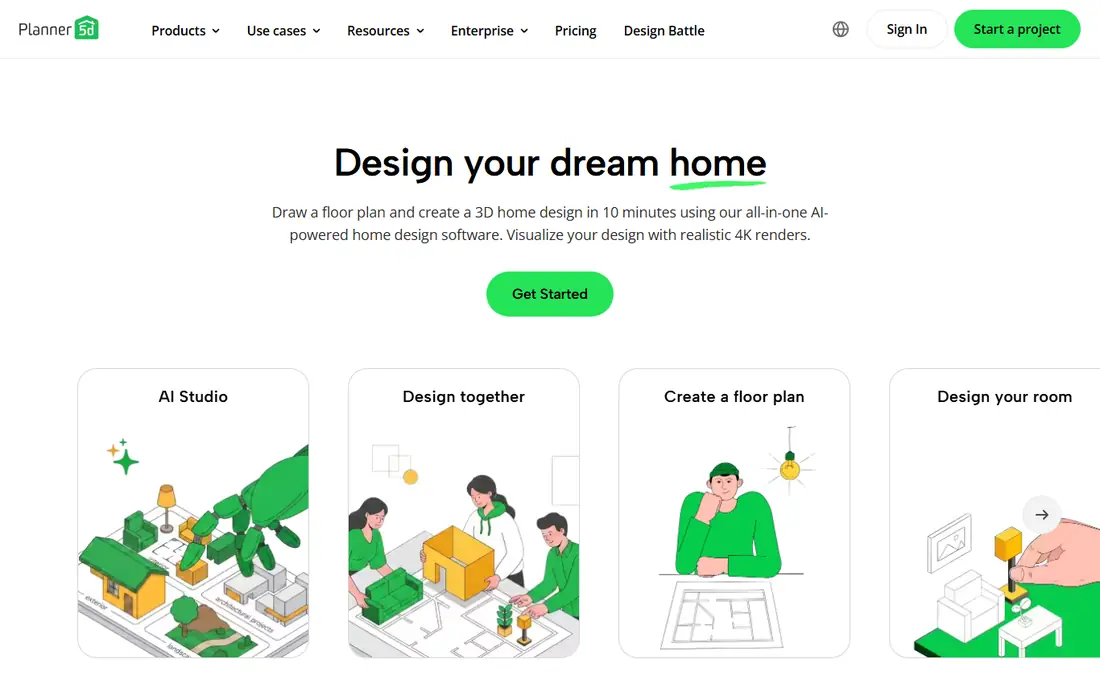
Planner 5D is the most complete consumer home design platform here. Draw a floor plan and create a 3D home design in about 10 minutes, furnish it from a library of more than 8,000 items, and preview the result with realistic 4K renders. AI tools include floor plan recognition that turns an uploaded plan into an editable layout, plus mood boards, 360 degree walkthroughs, and a shopping list with cost estimates.
The scale claim is striking: over 100 million users and 540 million homes created. The free tier covers basic design, while paid plans add renders and catalog depth. For a homeowner planning a renovation or a new build, Planner 5D is the strongest all-round pick.
What we like- Over 100 million users and 540 million homes created
- 8,000 plus furniture items
- Realistic 4K renders
- AI floor plan recognition
Watch out for- Advanced renders and items sit behind paid plans
- Large projects can get complex
Starting priceSee website
Free planFree trial

RoomGPT takes the opposite approach: skip the floor plan and start with a photo. Upload a picture of a room and see it restyled in different themes in seconds, which helps indecisive decorators compare options before committing to paint, furniture, or a renovation. The homepage reports over 4 million users and a limited-time sale with 60 percent off plans.
The limit is precision. AI redesigns show a look, not measurements, materials, or a shopping list, so the output inspires rather than specifies. RoomGPT suits the early stage, when the question is what style to pursue, not how to build it.
What we like- Redesign a room from a single photo
- Used by over 4 million people
- Instant theme previews before renovating
Watch out for- Homepage shows no pricing
- AI images are inspiration, not build-ready plans
#3HomeByMe
Best for: Free 3D floor plans4.9/5 on
G2 (5 reviews, checked Oct 2026)
Visit home.by.me
Starting priceFree
Free planYes
HomeByMe offers free 3D design software built around a simple flow: design in 2D, decorate in 3D, and visualize in 4K images. The catalog covers branded furniture, rugs, and wall and floor coverings, and a new 2D and 3D planner promises faster bedroom and room projects. Community images provide inspiration, and designs can be shared for feedback.
The free start is the appeal. HomeByMe suits homeowners who want a real floor plan and realistic renders without paying, and who enjoy browsing community projects for ideas. Professionals needing client tools will prefer RoomSketcher or Foyr.
What we like- Free 3D design software
- Design in 2D and decorate in 3D
- 4K images
- Branded furniture catalog
Watch out for- Homepage shows no paid pricing
- Community features may matter less to solo users
Starting priceFree
Free planYes
RoomSketcher leads on accuracy. Start from a real room, a sketch, a blueprint, or nothing, then edit the layout with furniture, materials, measurements, room names, area totals, and electrical or HVAC details. AI Convert turns a blueprint into an editable floor plan, with the first conversion free, and the free plan includes 2 projects and over 4,000 furniture and material items.
The trade-off is that polished outputs need paid plans, and drawing happens in the app rather than the browser portal. RoomSketcher suits real estate listings, rental staging, and professional floor plans where measurements must be right.
What we like- Free plan with 2 projects, 1 AI Convert, and 4,000 plus items
- AI converts blueprints to editable plans
- Trusted by 10 million plus users in 170 plus countries
Watch out for- High-quality plans and Live 3D walkthroughs need Pro or Team
- Drawing requires the app, not just the browser
Starting priceSee website
Free planYes
Homestyler combines a massive catalog with easy AI conversion. Upload a floor plan or sketch in 2D and the AI converts it into an editable 3D model with one click, then decorate with over 10 million branded 3D furniture models by drag and drop, and render in the cloud with one click. More than 500 templates cover styles from mid-century to Japandi, and a community of over 20 million designers joins weekly challenges.
The homepage pricing is unclear, so costs need a live check. Homestyler suits users who want the largest furniture choice and fast AI conversion, especially for whole-home projects.
What we like- Over 10 million branded 3D furniture models
- One-click AI floor plan conversion
- Cloud rendering
- 500 plus templates
Watch out for- Homepage pricing unclear
- Template and challenge features skew toward app users
Starting priceFree
Free planYes
DecorMatters blends real-room design with play. Upload a photo of an actual room and rearrange furniture with drag and drop, try paint colors and layouts, preview changes in augmented reality, and use AI tools to generate, edit, and refine designs in seconds. The community holds over 21 million designs for inspiration, and design games let users complete challenges and experiment with styles.
The game layer is both a strength and a distraction: it keeps casual users engaged but adds noise for serious renovators. DecorMatters suits renters and homeowners who want to try ideas on their real room before buying anything.
What we like- Design real rooms from photos with AR preview
- AI room designer, edit, and refine tools
- 21 million plus community designs
- Design games
Watch out for- Game and community features may distract from serious planning
- Paid subscription details not shown on the homepage
Starting priceSee website
Free planFree trial
Foyr targets design professionals with a streamlined workflow: upload a 2D floor plan or sketch, auto-generate a base design, customize it from a 60,000 plus product library, and produce high-quality renders with one click. AI features include a design assistant, AI product search, instant 3D models from 2D images, and AI-enhanced rendering, plus AR visualization and walkthroughs for client presentations.
The professional focus shows in the homepage, which emphasizes client decisions, estimates, and project management. Foyr suits interior designers, contractors, and studios who present to clients, while casual homeowners may find Planner 5D or HomeByMe simpler.
What we like- 60,000 plus product catalog
- AI design assistant, product search, and enhanced rendering
- 1.5 million plus design professionals
- AR visualization
Watch out for- Homepage shows no pricing
- Professional lean may overwhelm casual users
#8Coohom
Best for: Free templates and renders4.4/5 on
G2 (139 reviews, checked Oct 2026)
Visit coohom.com
Starting priceFree
Free planYes
Coohom is a cloud-based 3D interior design platform that runs in the browser, with free design templates for bedrooms, living rooms, kitchens, and more, plus floor planning and photorealistic rendering. The homepage showcases a large template gallery, from modern heritage lounges to minimalist Zen living rooms, which gives new users a fast starting point.
The flag is that the homepage extract emphasized templates and gallery images over editing detail, so tool depth needs a hands-on check. Coohom suits users who want a free browser-based start with templates and renders, without installing software.
What we like- Free 3D home design software
- Free templates for bedrooms, living rooms, kitchens, and more
- Cloud-based photorealistic renders in the browser
Watch out for- Homepage extract emphasized templates over editing tools
- Advanced features need a paid plan
How we chose
We opened each vendor homepage and compared AI features, catalog size, free tiers, render quality, and professional tools. Prices that were not shown on homepages are recorded as "See website" rather than invented figures. We favored tools with real floor plan or photo-based workflows over pure image generators, and we treated vendor user counts as claims.
Photo redesign versus floor plan design: pick the right workflow
These tools split into two workflows. Photo tools like RoomGPT and DecorMatters start with a picture and show a new look fast, which suits style exploration and rental-friendly changes. Floor plan tools like Planner 5D, RoomSketcher, Homestyler, Foyr, and Coohom build measured layouts, which suits renovations, furniture buying, and contractor conversations.
The smart path uses both: start with a photo tool to settle the style, then build the winning look in a floor plan tool with real measurements and a shopping list. That avoids the common trap of falling for an AI image that cannot be built in the actual room, with its actual windows, doors, and dimensions.
Measure before designing, not after. AI tools accept whatever dimensions they are given, so a wrong room size produces a beautiful plan for a room that does not exist. Measure wall lengths, ceiling height, door and window positions, and outlet locations, then enter those numbers before placing furniture. A sofa that fits the plan but blocks a door swing will disappoint on delivery day.
Budget belongs in the plan too. Planner 5D offers a shopping list with cost estimates, and most tools let users browse branded furniture with prices. Set a per-room budget before decorating, and check the total as the design grows, since small decor items add up fast. A design that looks great but costs twice the budget is not a plan, it is a wish list. Share the plan with household members early, since agreement on style and spend saves far more time than any rendering feature ever will in practice.
Frequently asked questions
What is the best AI room design app overall?
Planner 5D leads for full home design thanks to its catalog, 4K renders, and AI floor plan recognition. RoomGPT wins for instant inspiration from a single photo.
Are AI room designs accurate enough to build from?
Photo redesigns are inspiration, not plans. Floor plan tools with measurements, like RoomSketcher and Planner 5D, produce buildable layouts, but always verify dimensions on site before ordering.
Can I design a room for free?
Yes. Planner 5D, HomeByMe, RoomSketcher, DecorMatters, and Coohom all offer free plans, with paid tiers for renders, catalog depth, and professional outputs.
Do these apps work for renters?
Yes, especially photo tools like DecorMatters and RoomGPT, which preview paint, furniture, and layout changes without construction. Floor plan tools help renters plan furniture placement before moving.
Which app is best for interior designers?
Foyr and RoomSketcher suit professionals, with client presentations, accurate plans, and AI conversion. Planner 5D also works for client-facing work at lower complexity.
Can AI replace an interior designer?
No. AI tools speed up visualization and idea generation, but they miss structural limits, budgets, lighting realities, and local codes. Use them to explore, then confirm with a professional for major work.
Sources we checked (8)
- https://planner5d.com/
- https://roomgpt.io/
- https://home.by.me/en/
- https://www.roomsketcher.com/
- https://www.homestyler.com/
- https://www.decormatters.com/
- https://foyr.com/
- https://www.coohom.com/
Is your product missing or out of date?
We review this list regularly. Vendors can request a listing, send updated pricing or ask about featured placement.

Shihab Mia · Founder, Rankite
Shihab has 5+ years in B2B and SaaS SEO. He writes Rankite's software buying guides from pricing pages, documentation and public user reviews. More about Shihab.