How we make this list: we compare pricing pages, product documentation and public user reviews. Ratings come from G2, Capterra or Trustpilot, with the date we checked them.
Key takeaways
- Palette is the colorist's tool: film inspired colour direction with fine control, built by a former Google researcher, and the choice when the result should look graded, not guessed.
- MyHeritage In Color is the family history answer, bundled with enhancement and animation inside the genealogy platform families already use.
- Hotpot, VanceAI, and ImageColorizer are the quick online colourisers: upload, colourise, download, priced in credits or small subscriptions.
- DeOldify is the free open source original: run it yourself, own the process, and accept the hobbyist tooling that comes with free.
- Colourised colour is invented colour. The AI guesses plausible tones for skin, cloth, and sky; it does not recover the true colours, and a colourised photo must never be presented as historical fact.
Quick comparison
Is your product missing or out of date?
We review this list regularly. Vendors can request a listing, send updated pricing or ask about featured placement.
Starting priceSee website
Free planYes
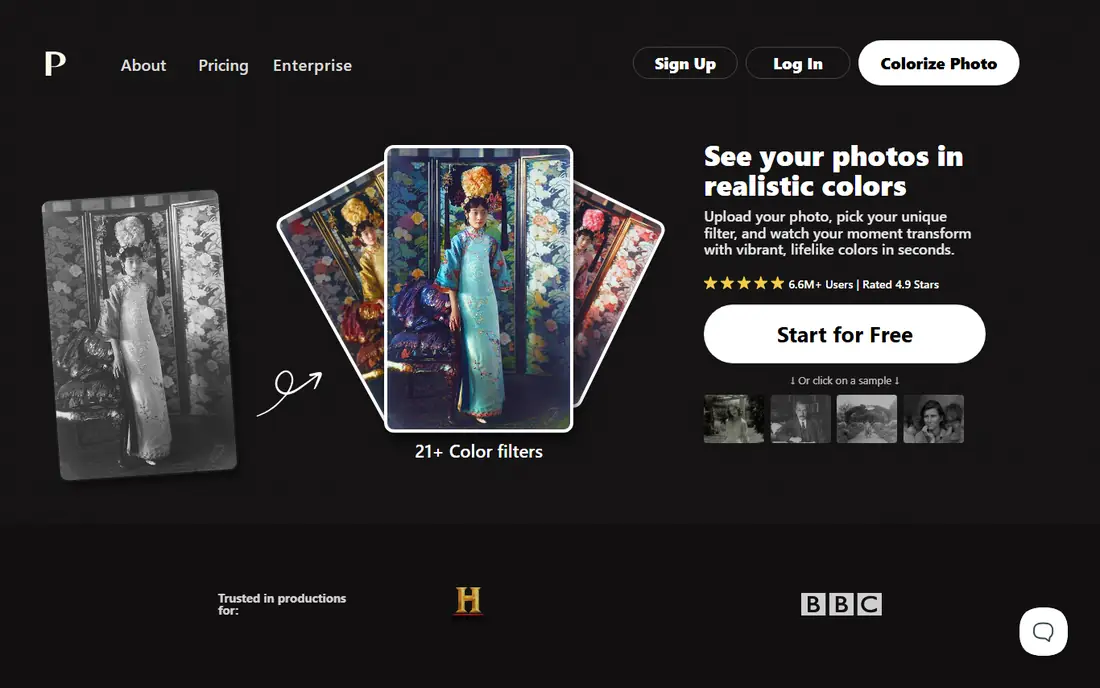
Palette treats colourising as grading: apply a film inspired base, then steer with prompts and sliders until the image looks like a photograph of a real day rather than a tinted guess. Restorers use it because skin tones, the place cheap colourisers fail, hold up, and because the control lets one photo in a set match its neighbours.
The trade off is direction against one click ease. Palette fits photographers, restorers, and family historians who care how the result looks and will spend ten minutes per important photograph to get it right.
What we like- Colour filters inspired by film stocks, plus text prompts and fine adjustments, so results are directed rather than default
- The strongest skin tones in this group
- Free previews with watermark free trials at times
- Loved by photo restorers
Watch out for- Subscription and credit pricing tiers need checking on the site
- Power invites endless tweaking
- Not a scanning or archive workflow, colour only
Starting priceSee website
Free planNo

MyHeritage built In Color for its own users: the scanned portrait on the family tree becomes a colour image in one click, next to the enhancer that sharpens it and the animator that makes it move. For genealogy, that context, names, dates, relatives attached, is worth more than raw colour quality.
The trade off is ecosystem against independence. MyHeritage fits families already researching on the platform who want their archive brought to life where it lives.
What we like- Colourising sits beside enhancement and repair in one family history workflow
- Results are tuned for faces and period photographs
- The photos live in your tree, shared with family in place
- A small number of colourisations are free before the subscription
Watch out for- Full use needs a MyHeritage subscription priced by plan
- Uploading family archives to a genealogy platform is a privacy decision
- Not built for batch or professional work
Starting priceSee website
Free planYes
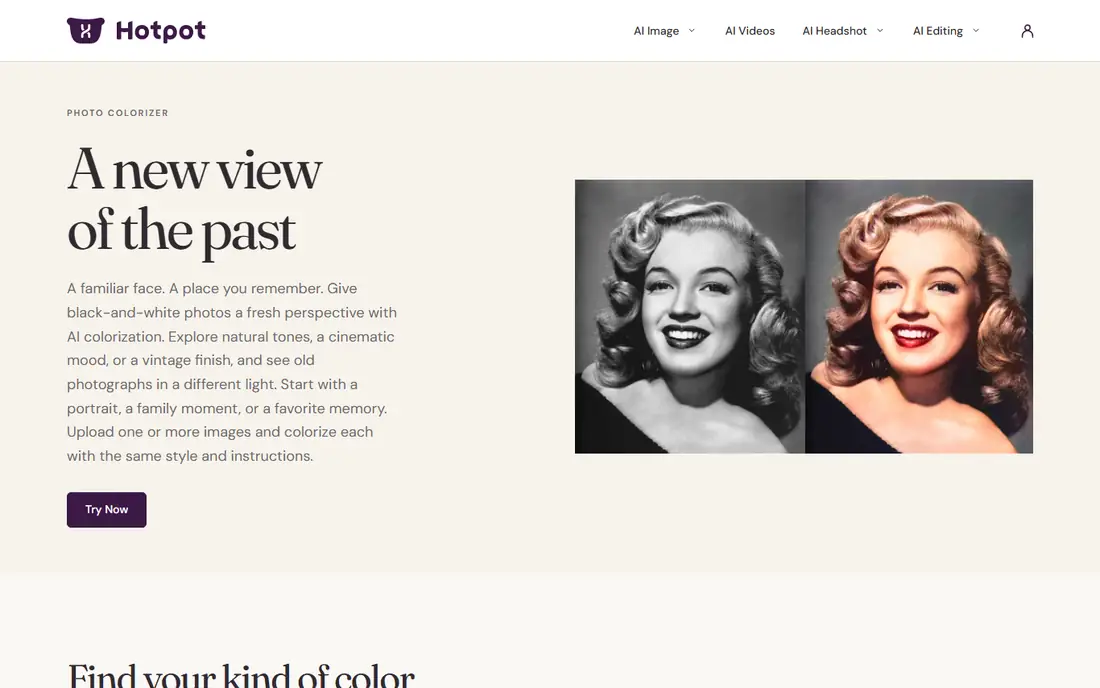
Hotpot is the drive through option: drop a scan, get a colourised preview in seconds, pay credits for the clean full size file. Its toolkit around the colouriser, restoration, enlargement, background tools, handles the rest of a typical old photo job in the same visit.
The trade off is speed against finesse. Hotpot fits anyone with a handful of photos and no desire to learn a platform, who wants a decent colour version today.
What we like- One of the quickest upload and colourise flows online
- Part of a wider AI photo toolkit with restoration and enlargement
- Free previews, credits for full resolution downloads
- No account gymnastics to try it
Watch out for- Credit pricing across the Hotpot suite needs care
- Colour quality is good rather than Palette grade
- Batch work is limited
Starting priceSee website
Free planNo
VanceAI is for volume and for builders: businesses colourising archive catalogues, and developers wiring colourising into their own product through its API, on credit based pricing shared across its image suite.
The trade off is scale tooling against per photo craft. VanceAI fits archives, marketplaces, and apps with many images and a pipeline, not a grandson with one precious portrait.
What we like- Colourising inside a broad AI image suite with enlargement and restoration
- Batch processing on paid plans
- An API for products that need colourising built in
- Credit packs suit irregular jobs
Watch out for- Credit systems across many tools get confusing
- Free use is heavily limited
- Colour artistry trails Palette
Starting priceSee website
Free planYes
ImageColorizer is the plain spoken option your relatives can use: an app and a website that colourise old photos and do light restoration, without accounts full of unrelated AI tools. Family archiving projects with hundreds of album scans are its home ground.
The trade off is simplicity against control. ImageColorizer fits families and small archives colourising at moderate volume with minimum learning curve.
What we like- Does exactly one thing on web, desktop, and mobile apps
- Free colourising with limits, paid plans for volume and size
- Old photo restoration bundled in its apps
- Friendly for non technical users
Watch out for- Results vary on damaged or low contrast originals
- Subscription prompts are persistent
- Little creative control over the palette chosen
Starting priceSee website
Free planNo
Photomyne starts earlier in the job than every rival: the app scans album pages with the phone, splits and straightens the photos, and then colourises them into a shareable family archive. It now sits inside MyHeritage, which aligns its future with the genealogy platform above.
The trade off is pipeline against precision. Photomyne fits the family archivist with boxes of albums and a phone, where getting everything digitised and coloured this year beats perfecting twelve prints.
What we like- Built around phone scanning of whole albums, then colourising and organising them
- Auto cropping and enhancement in the capture flow
- Sharing with family built in
- The capture to colour pipeline is its edge
Watch out for- It is now part of MyHeritage, with subscription logic to match
- Phone scans vary with your camera and light
- Desktop professionals will want more control
Starting priceSee website
Free planYes
DeepAI's colorizer is a developer utility: an endpoint, a key, and colourised output, useful for prototypes, hack projects, and products testing whether colourising is a feature their users want before they invest in better models.
The trade off is integration ease against output quality. DeepAI fits developers and tinkerers; anyone whose photo matters should use the consumer tools above it here.
What we like- A simple API call returns a colourised image, priced per use
- A web demo lets anyone test a photo free
- Other image models on the same account
- Documentation a developer can finish over coffee
Watch out for- Colour quality is a generation behind the leaders
- Per call pricing suits prototypes better than products at scale
- No consumer friendly editing around it
Starting priceFree
Free planYes
DeOldify proved in 2018 that a GAN could colourise history convincingly, and it remains free for anyone to run. The local option matters: sensitive family or archive material can be colourised without uploading a single image to a stranger's server.
The trade off is freedom against friendliness. DeOldify fits technical users and privacy first archivists who can run a notebook and accept yesterday's model in exchange for total control.
What we like- The open source project that started the modern colourising wave
- Completely free, run locally or in free notebooks
- Your photos never leave your machine in a local run, the privacy ideal
- Still the reference implementation researchers cite
Watch out for- Setup needs technical confidence
- No support, no interface polish
- Model age shows beside Palette on difficult images
How we chose
We compared the colourising tools across hosted artistry (Palette), family platforms (MyHeritage, Photomyne), quick online tools (Hotpot, ImageColorizer), volume and API options (VanceAI, DeepAI), and the open source original (DeOldify). Pricing in this category is credit and subscription based and shifts often, so we marked it See website throughout except for DeOldify, which is simply free, and judged tools on colour quality, skin tones especially, control, and the privacy of the workflow. We excluded generic editors with a token colourise filter that produces novelty results.
Start with the scan, because colourising cannot rescue a bad capture: scan prints at high resolution, or photograph albums carefully in even light, and keep the untouched black and white file as your archive master. Choose the tool by volume and care: one treasured portrait deserves Palette's direction or MyHeritage's family context; a box of albums deserves Photomyne's pipeline or ImageColorizer's simplicity; a product catalogue deserves VanceAI's API. Keep privacy in the decision: uploading family photographs to any cloud is a sharing decision, and DeOldify or a desktop workflow keeps them home. Finally, hold the honesty line when you share the results: say the photo is colourised, keep the original beside it, and never let a plausible colour become a claimed fact about the past, because the AI's confidence is a style, not knowledge.
Frequently asked questions
Are the colours in a colourised photo the real colours?
No. The model predicts plausible colours from patterns in its training data: skies go blue, grass goes green, and a dress goes to whatever colour similar dresses wore in similar photos. Sometimes it will be right by luck. It is never evidence, and colourised photos used in history, journalism, or family claims should be labelled as interpretations.
Which tool gives the most natural skin tones?
Palette, in our comparison, because its film based approach and controls handle faces with the most care. MyHeritage In Color is also strong on faces, being tuned for portraits. Cheap one click tools most often fail exactly here, with waxy or orange skin.
Is it okay to colourise photos of other people?
Colourise what you own or have permission to edit. Family photos shared within the family, with living relatives comfortable, are the normal case. Publishing colourised images of strangers, or using someone's likeness commercially, needs their consent and the same legal care as any edited publication of their image.
Can colourising damage the original photo?
The digital original is untouched if you work on a copy, which every tool here does by design. The risk is archival, not technical: if the colourised version replaces the scan in the family archive, the true record is lost. Always keep the black and white master.
How much does colourising cost?
Casual use is free at Hotpot, ImageColorizer, and DeepAI within limits, and DeOldify is free entirely. Regular use lands on small subscriptions or credit packs, and MyHeritage bundles colourising into its genealogy plans. Nothing here should cost more than a modest monthly subscription for family scale work.
Why do some photos colourise badly?
Low contrast, damage, and unusual subjects defeat the model: night photos, heavy uniforms with unknown insignia colours, and objects outside its training patterns get strange results. A better scan and a tool with manual direction, Palette especially, rescue many of them; some photos honestly belong in black and white.
Sources we checked (0)
Is your product missing or out of date?
We review this list regularly. Vendors can request a listing, send updated pricing or ask about featured placement.

Shihab Mia · Founder, Rankite
Shihab has 5+ years in B2B and SaaS SEO. He writes Rankite's software buying guides from pricing pages, documentation and public user reviews. More about Shihab.
 Palette
 MyHeritage In Color
 Hotpot AI Colorizer
 VanceAI Photo Colorizer
 ImageColorizer
 Photomyne
 DeepAI Colorize API
 DeOldify