How we make this list: we compare pricing pages, product documentation and public user reviews. Ratings come from G2, Capterra or Trustpilot, with the date we checked them.
Adobe Photoshop Generative Fill is the top pick for most buyers who want professional inpainting with layer control and a choice of AI models. It suits photographers, retouchers, and designers who already work in Photoshop. Cleanup.pictures is the best low cost alternative for quick object removal in a browser, from 5 dollars a month.
- Inpainting fills a selected area with new pixels that match the surrounding image, so it can remove objects, people, and text, or rebuild missing parts of a photo.
- Free plans suit occasional edits, but most cap export resolution or daily uses, so paid plans matter for client work.
- Prices in this guide run from 3.99 dollars a month to 22.99 dollars a month, plus one one-time license at 129 dollars.
- Prompt based generative fill gives more creative control than simple object removers, but it also uses monthly credit allowances.
- Mobile apps such as TouchRetouch suit on-the-go cleanup, while desktop editors such as Photoshop and Luminar Neo suit detailed retouching.
What is AI image inpainting?
AI image inpainting fills a selected part of an image with content generated to match the rest of the photo. You brush over an unwanted object, a person, a watermark, or a damaged area, and the tool rebuilds that region with matching texture, light, and color. The result should look as if the object was never there. Some tools only remove and fill, while others let you type a text prompt to describe what should appear in the selected area. That prompt based approach is called generative fill. It can add a new object, change a background, or extend the edges of a photo, which is known as outpainting. Inpainting differs from a clone stamp because the AI studies the whole image for context instead of copying pixels from one spot to another. It works best on simple backgrounds, and it is less reliable on faces, hands, and readable text.
AI inpainting tools cost between free and about 22.99 dollars a month in 2026, with one desktop editor sold as a one-time license instead of a subscription. Free tiers usually limit export resolution, daily uses, or access to high quality output. Cleanup.pictures is the cheapest paid option here at 5 dollars a month, or 36 dollars a year. Fotor Pro starts at 3.99 dollars a month when billed annually, according to a pricing check on 9 November 2026, though other third-party listings report 3.33 dollars a month, so confirm the figure at checkout. Clipdrop Pro and Canva Pro sit at 15 and 18 dollars a month. Adobe Photoshop costs 22.99 dollars a month on an annual plan billed monthly, and its generative features also draw on a monthly credit allowance. PicWish Pro costs 9.99 dollars a month, or 4.99 dollars a month billed annually.
Adobe Photoshop Generative Fill is the best inpainting tool for professional photo work because it combines precise selections, layers, masking, and a choice of AI models inside one editor. A retoucher can refine a selection edge, run several fill variations, and keep each result on its own layer for non-destructive editing. Luminar Neo is a strong second choice for photographers who prefer a one-time license and a simpler interface. Canva Pro suits social media and marketing teams who need quick cleanup inside a design tool they already use, though it lacks the fine control of a dedicated photo editor. For high volume work, the deciding factor is usually the monthly credit allowance and the export resolution, not the headline price. Photoshop includes only 25 generative credits a month on the single-app plan, so heavy AI users often need the Photography plan instead.
Cleanup.pictures is the best inpainting tool for quick free edits because it needs no account and no install, and its free tier allows unlimited images with exports capped at 720 pixels. That resolution is enough for social posts, listings, and previews, though it is too low for print or large screens. Clipdrop Cleanup is a close second, with 20 free Cleanup uses every 24 hours, but it requires a free account and caps free output at lower resolution. Canva Free includes a limited number of Magic Eraser uses, which is handy if you already design in Canva, but the free allowance is small. Fotor Basic also offers free object removal with limited credits. For a single quick fix on a phone, TouchRetouch is the fastest option. The trade-off with every free tier is the same: you save money, but you accept a resolution cap, a daily limit, or a watermark on some tools.
| Tool | Best for | Starting price | Free plan |
| Adobe Photoshop Generative Fill | Professional retouching and compositing | 22.99 dollars per month | 7-day trial, no free plan |
| Cleanup.pictures | Quick free object removal in a browser | 5 dollars per month | Yes, unlimited images, 720px exports |
| Clipdrop Cleanup | Fast web cleanup with a full AI toolset | 15 dollars per month | Yes, 20 Cleanup uses per 24 hours |
| TouchRetouch | On-the-go object removal on a phone | 9.99 dollars per year | Free download, 3-day trial of premium |
| Fotor AI Inpainting | Budget all-in-one photo editing | 3.99 dollars per month, billed annually | Yes, Basic plan with limited credits |
| Canva Magic Eraser | Cleanup inside designs and social posts | 18 dollars per month | Yes, limited Magic Eraser uses |
| Luminar Neo GenErase | Photographers who want a one-time license | 129 dollars one-time | Trial mode only, no free plan |
| PicWish | Ecommerce sellers and product photos | 9.99 dollars per month | Yes, limited non-HD downloads |
We picked tools that are actively sold in 2026, that offer a real inpainting or generative fill feature, and that publish a price a buyer can check. We checked each vendor pricing page or official app store listing through web search on 11 November 2026, and we noted where a price comes only from a third-party listing rather than the vendor page itself. We favored tools that cover different needs: professional desktop editing, free browser cleanup, mobile removal, and design platform editing. We did not run the same photo through every tool, so this guide compares plans, prices, and features, not output quality.
Last verified: 11 November 2026.
Quick comparison
| Tool | Best for | Starting price | Free plan |
|---|
 Adobe Photoshop Generative Fill | Professional retouching, compositing, and prompt based generative fill | 22.99 dollars per month, annual plan billed monthly | 7-day free trial; no free plan |
 Cleanup.pictures | Quick free object removal in a browser with no install | 5 dollars per month, or 36 dollars per year | Yes, unlimited images with exports limited to 720px |
 Clipdrop Cleanup | Fast web cleanup plus a wider set of AI image tools in one subscription | 15 dollars per month | Yes, 20 Cleanup uses per 24 hours |
 TouchRetouch | Removing objects from photos on a phone, on the spot | 9.99 dollars per year, lowest yearly in-app purchase | Free download with a 3-day trial of premium features |
 Fotor AI Inpainting | Budget all-in-one editing with object removal, generation, and design tools | 3.99 dollars per month, billed annually | Yes, Basic plan with limited AI credits |
 Canva Magic Eraser | Removing objects from photos inside designs, social posts, and marketing material | 18 dollars per month, or 144 dollars per year | Yes, limited Magic Eraser uses on the Free plan |
 Luminar Neo GenErase | Photographers who want a one-time license instead of a monthly subscription | 129 dollars one-time, Desktop license | Trial mode only, no free plan |
 PicWish | Ecommerce sellers and product photos that need fast object and watermark removal | 9.99 dollars per month, or 4.99 dollars per month billed annually | Yes, limited non-HD downloads |
Is your product missing or out of date?
We review this list regularly. Vendors can request a listing, send updated pricing or ask about featured placement.
#1
Adobe Photoshop Generative Fill
Best for: Professional retouching, compositing, and prompt based generative fill
Visit adobe.com
Starting price22.99 dollars per month, annual plan billed monthly
Free plan7-day free trial; no free plan
Photoshop remains the standard for serious photo work, and Generative Fill is the most capable inpainting feature in this guide. You select an area, type a short prompt, and Photoshop generates three variations on a new layer. The model picker lets you switch between Adobe Firefly and partner models. Generative Expand extends the canvas beyond the original frame. The Photography plan at 19.99 dollars a month includes Lightroom and 1,000 credits. The price is third-party reported, so confirm it on the Adobe pricing page.
What we like- Precise selections and layers, a choice of AI models, and Generative Expand for outpainting
Watch out for- The single-app plan includes only 25 generative credits a month, and partner model fills can cost up to 40 credits each
Starting price5 dollars per month, or 36 dollars per year
Free planYes, unlimited images with exports limited to 720px
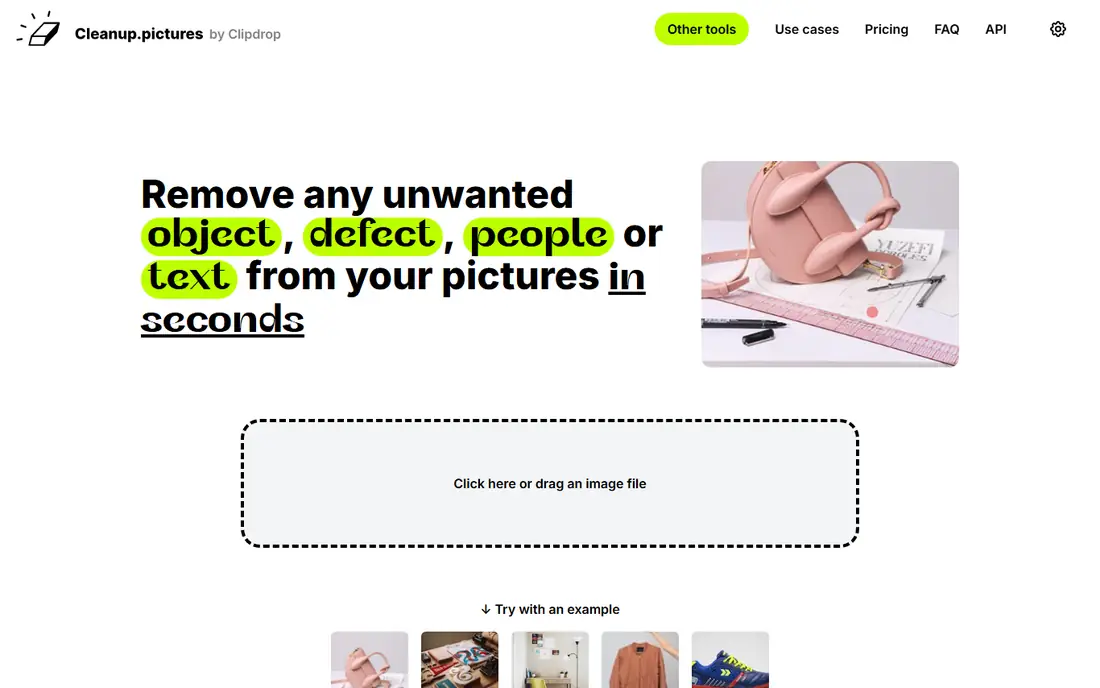
Cleanup.pictures is a focused web tool that does one job well: remove an object and fill the gap. You upload a photo, brush over the unwanted element, and the tool rebuilds the background in seconds. The free tier allows unlimited images, though the 720 pixel export cap limits its use for client work. The Pro plan removes the resolution limit and adds a high quality refiner. The standalone 5 dollar Pro price comes from the Cleanup.pictures FAQ and pricing page, since Pro checkout now routes through Clipdrop.
What we like- No account or install needed, unlimited images on the free tier, and a simple brush interface
Watch out for- Free exports are capped at 720 pixels, which is too low for print, and there is no text prompt generative fill
#3
Clipdrop Cleanup
Best for: Fast web cleanup plus a wider set of AI image tools in one subscription
Visit clipdrop.co
Starting price15 dollars per month
Free planYes, 20 Cleanup uses per 24 hours
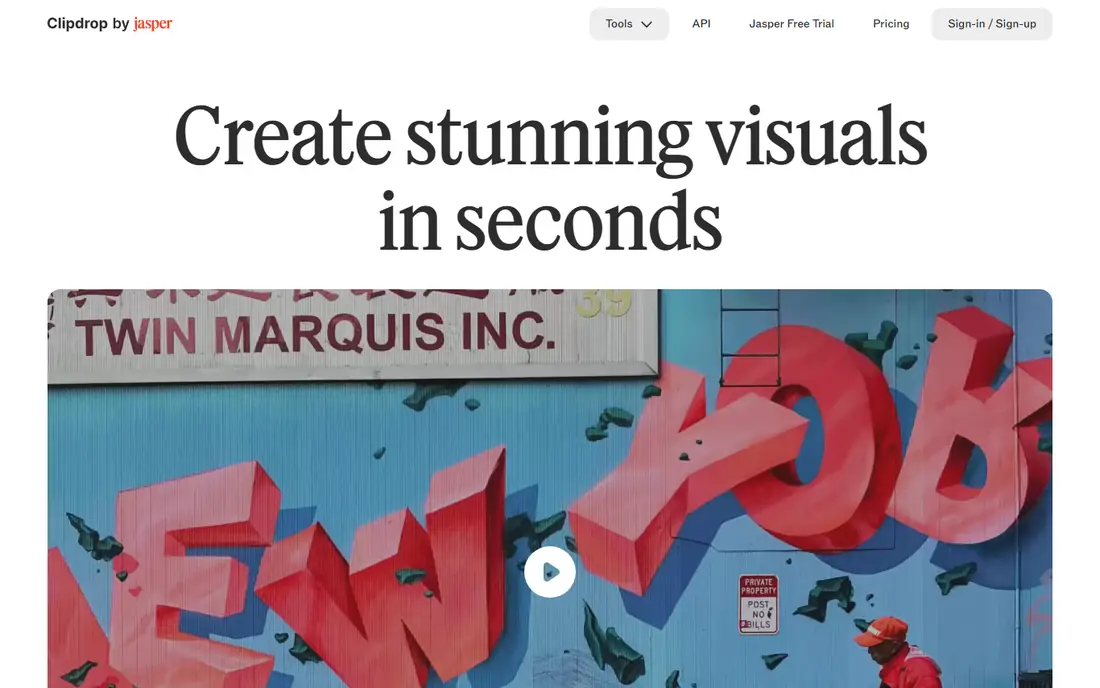
Clipdrop is a suite of single-purpose AI image tools from Jasper, and Cleanup is its object removal and inpainting tool. You brush over the object and the tool fills the area with matching background. A Pro subscription also unlocks background removal, image upscaling to 16 times, relighting, text removal, uncrop, and replace background, all at high resolution with a 1,000 use daily allowance per tool. The 15 dollar price is third-party reported, since the pricing page text we fetched did not show the dollar figure.
What we like- One subscription covers Cleanup, background removal, upscaling, relight, and uncrop, with 1,000 uses per tool per day on Pro
Watch out for- The free tier caps each tool at 20 uses per day, and there is no annual discount shown on the pricing page
#4
TouchRetouch
Best for: Removing objects from photos on a phone, on the spot
Visit adva-soft.com
Starting price9.99 dollars per year, lowest yearly in-app purchase
Free planFree download with a 3-day trial of premium features
TouchRetouch is the most popular mobile object remover, made by ADVA Soft, with a new version released in October 2026. The core workflow is simple: tap an object or draw a line over a power line, and the app removes it and fills the background. Newer versions add AI Expand for extending the edges of a photo and an AI Edit tool that applies changes from a text description. The app is now free to download with in-app purchases, and the App Store listing shows yearly plans starting at 9.99 dollars a year. That price is third-party reported from the App Store listing.
What we like- Built for one-handed phone editing, works on iOS and Android, and includes AI Expand and an AI Edit prompt tool
Watch out for- It is mobile only with no desktop version, and features once sold as a one-time purchase now need a subscription to export
#5
Fotor AI Inpainting
Best for: Budget all-in-one editing with object removal, generation, and design tools
Visit fotor.com
Starting price3.99 dollars per month, billed annually
Free planYes, Basic plan with limited AI credits
Fotor is a browser based photo editor and design platform with an object eraser that uses inpainting to remove unwanted elements and fill the area. It sits inside a larger suite that also covers background removal, AI generation, enhancement, and upscaling. The Basic plan is free and includes limited credits for AI features, which is enough to test the eraser before paying. Pricing reports disagree on Pro: one tracker checked on 9 November 2026 lists 3.99 dollars a month billed annually, while other listings report 3.33 dollars a month. The main limit is the credit system, with only 100 credits a month on Pro.
What we like- Very low entry price, a large set of AI tools beyond inpainting, and web, desktop, and mobile apps
Watch out for- AI features run on a monthly credit allowance, with only 100 credits a month on Pro
#6
Canva Magic Eraser
Best for: Removing objects from photos inside designs, social posts, and marketing material
Visit canva.com
Starting price18 dollars per month, or 144 dollars per year
Free planYes, limited Magic Eraser uses on the Free plan
Canva Magic Eraser is the inpainting tool for people who already design in Canva. You brush over an unwanted object in a photo and Canva removes it and fills the background, all without leaving your design. Pro also includes Magic Edit, which lets you brush an area and describe a replacement with a text prompt, and Magic Expand, which extends an image beyond its frame. The value of Canva Pro depends on how much of the platform you use, since templates, brand kits, and Magic Resize are all included. The price comes from third-party reports of the Canva pricing page, since the page did not load in our text check.
What we like- Magic Eraser sits inside a full design platform, and Pro adds Magic Edit and Magic Expand
Watch out for- Canva has raised Pro prices more than once, and heavy AI use draws on a shared monthly credit pool that does not roll over
#7
Luminar Neo GenErase
Best for: Photographers who want a one-time license instead of a monthly subscription
Visit skylum.com
Starting price129 dollars one-time, Desktop license
Free planTrial mode only, no free plan
Luminar Neo, now sold simply as Luminar by Skylum, is a desktop photo editor with a strong AI toolset. GenErase is its inpainting tool: you brush over an unwanted person, power line, or distraction, and it removes the object and fills the gap with matching surroundings. The main appeal is the one-time license, which suits photographers who dislike subscriptions. The catch is important: the generative tools are included for only one year from purchase, and after that they need Luminar Prime, a yearly renewal that costs 33 dollars a year for the Desktop license. The 129 dollar price comes from a third-party report of Skylum pricing archived on 9 October 2026.
What we like- One-time purchase with no monthly bill for the core editor, and GenErase works in a few clicks
Watch out for- GenErase and the other generative tools stop after one year unless you renew Luminar Prime, which costs from 33 dollars a year
#8PicWish
Best for: Ecommerce sellers and product photos that need fast object and watermark removal4.8/5 on
G2 (6 reviews, checked Oct 2026)
Visit picwish.com
Starting price9.99 dollars per month, or 4.99 dollars per month billed annually
Free planYes, limited non-HD downloads
PicWish is an AI photo editing platform built for ecommerce sellers, creators, and marketers who process many product photos. Its watermark remover and object removal tools use inpainting to strip logos, text, and stray objects from images, then fill the area cleanly. It also covers background removal, photo enhancement, upscaling, and AI generated product backgrounds, so a seller can clean and finish a listing photo in one place. The free plan lets you test the tools, but downloads are limited to non-HD resolution. The Pro plan costs 9.99 dollars a month, or 59.99 dollars a year, and includes 350 credits a month plus 50 HD downloads a day. The prices are third-party reported from pricing checks in October 2026.
What we like- Fast batch friendly workflow for product photos, with background removal, enhancement, and upscaling in one account
Watch out for- Free downloads are limited to non-HD resolution with a watermark on some outputs, and costs rise with volume
Frequently asked questions
What is the difference between inpainting and generative fill?
Inpainting is the general term for filling a selected area of an image with matching content, and it usually means removing an object and rebuilding the background. Generative fill is a type of inpainting that uses a text prompt to create new content in the selected area, such as adding an object or changing a scene.
Can AI inpainting remove people from photos?
Yes, most inpainting tools can remove people from photos by filling the area where the person stood with background that matches the surroundings. Results are best when the person is small in the frame or stands against a simple background such as a sky, wall, or beach.
Which AI inpainting tool is free?
Cleanup.pictures is the most generous free option, with unlimited images and exports capped at 720 pixels. Clipdrop Cleanup offers 20 free uses every 24 hours. Canva Free includes a small number of Magic Eraser uses, and Fotor Basic offers free object removal with limited credits. PicWish has a free plan with limited non-HD downloads.
How much does AI inpainting software cost?
Prices in this guide run from free to 22.99 dollars a month. Cleanup.pictures Pro starts at 5 dollars a month, Fotor Pro at 3.99 dollars a month billed annually, and PicWish Pro at 9.99 dollars a month. Clipdrop Pro costs 15 dollars a month and Canva Pro costs 18 dollars a month. Adobe Photoshop costs 22.99 dollars a month. Luminar Neo costs 129 dollars once, with a yearly renewal for its generative tools.
Is AI inpainting good enough for professional client work?
Yes, for many jobs, but it depends on the tool and the image. Photoshop Generative Fill and Luminar Neo GenErase produce the cleanest results for client work because they offer precise selections, layers, and high resolution output. Browser tools such as Cleanup.pictures work well for listings and social posts, but their free tiers cap resolution.
Sources we checked (8)
- https://www.adobe.com/products/photoshop.html
- https://cleanup.pictures
- https://clipdrop.co/pricing
- https://adva-soft.com/touch-retouch/
- https://www.fotor.com/pricing
- https://www.canva.com/pricing/
- https://skylum.com/luminar
- https://picwish.com/pricing
Is your product missing or out of date?
We review this list regularly. Vendors can request a listing, send updated pricing or ask about featured placement.

Shihab Mia · Founder, Rankite
Shihab has 5+ years in B2B and SaaS SEO. He writes Rankite's software buying guides from pricing pages, documentation and public user reviews. More about Shihab.