How we make this list: we compare pricing pages, product documentation and public user reviews. Ratings come from G2, Capterra or Trustpilot, with the date we checked them.

Key takeaways
- Two kinds of tools sit in this list: photo restylers that repaint a room photo, and planners like Homestyler and Planner 5D that build editable floor plans with measurements.
- Free access is usually a small trial, not ongoing unlimited rendering, so count credits before you start a project.
- Homestyler offers the strongest free planner tier, with unlimited 1K renders on Basic, while Planner 5D offers unlimited free projects with about half the catalog.
- AI images are concept visuals, not construction documents, so confirm paint colors against physical samples and check structural changes with a professional.
Quick comparison
| Tool | Best for | Starting price | Free plan |
|---|
 Homestyler Homestyler | Floor plans plus AI rendering | $6.80 per month | Yes |
 Planner 5D Planner 5D | Editable 2D and 3D layouts | $19.99 per month | Yes |
 RoomGPT RoomGPT | Quick room style experiments | $9 for 30 credits | Yes |
 REimagineHome REimagineHome | Conversational restyles with products | $19 per month | Free trial |
 Remodel AI Remodel AI | Photo makeovers and finish changes | $29 per month | Free trial |
 IKEA Kreativ IKEA Kreativ | Previewing real IKEA furniture | Free | Yes |
 Spacely AI Spacely AI | Budget design experiments | $9 per credit pack | Free trial |
 RoomStaging RoomStaging | Staging and redesign from photos | $19 per month | Free trial |
Is your product missing or out of date?
We review this list regularly. Vendors can request a listing, send updated pricing or ask about featured placement.
The best AI home design app
#1Homestyler
Best for: Floor plans plus AI rendering4.7/5 on
G2 (12 reviews, checked Oct 2026)
Visit homestyler.com
Starting price$6.80 per month
Free planYes
Homestyler is the best all rounder because it does both jobs: it builds dimensioned floor plans you can edit, and it renders them in 3D. The free Basic tier includes unlimited 1K renders, which is generous for testing layouts, and paid plans from 6.80 dollars a month add higher resolution, more AI credits and watermark removal. The furniture catalog covers real products, so a plan can move toward a shopping list.
The free AI allowance is small, with only 3 AI credits on Basic, and a Stager image costs 10 credits, so photo restyling runs out fast without a paid plan. 4K renders also cost extra per image. If your project is about layout and furniture placement rather than one click photo magic, Homestyler is the strongest free starting point.
What we like- Free Basic tier with unlimited 1K renders
- Editable 2D and 3D floor plans
- Real furniture catalog
Watch out for- Free AI credits total only 3
- 4K renders cost extra
- A full Stager image costs 10 credits
#2Planner 5D
Best for: Editable 2D and 3D layouts4.7/5 on
G2 (178 reviews, checked Oct 2026)
Visit planner5d.com
Starting price$19.99 per month
Free planYes
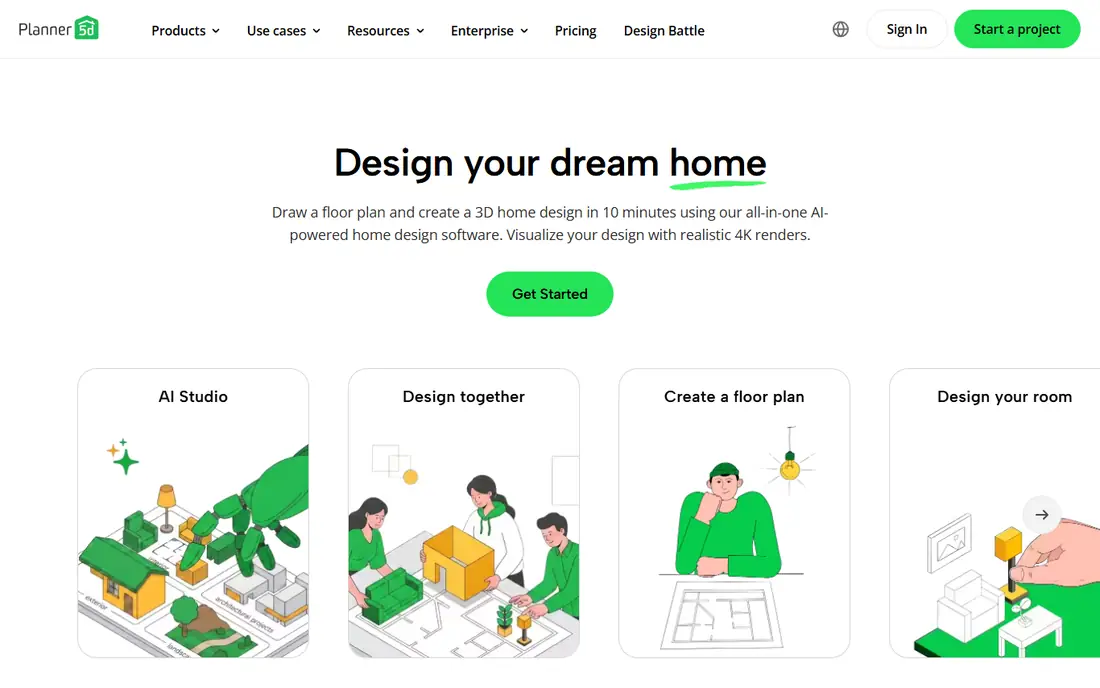
Planner 5D is the app to hand to someone who has never used design software. Draw a room or upload a floor plan, and AI recognition converts it into an editable 3D project in minutes. Switching between 2D and 3D takes one tap, and the catalog holds more than 10,000 furniture and decor items. The free plan allows unlimited projects, which suits a whole house redesign done in stages.
The limits are catalog and rendering. About half the furniture catalog sits behind Premium, which costs 19.99 dollars a month or 59.99 dollars a year, and unlimited 4K renders and CAD export need Professional at about 33.33 dollars a month billed annually. Large projects can also feel slow on older machines. For a single renovation, Premium is more than enough, and the free tier is a fair trial.
What we like- Unlimited free projects
- AI turns floor plans into 3D
- More than 10,000 catalog items
Watch out for- About half the catalog is paywalled
- Best renders need Professional tier
- Large projects can feel slow
Starting price$9 for 30 credits
Free planYes

RoomGPT is the fastest way to answer one question: what would this room look like in another style. Upload a photo, pick a style, and get a restyled image. The free tier gives one redesign with no card required, and credit packs start at 9 dollars for 30 credits, so casual users can pay once instead of subscribing. That model suits a single room refresh or a listing photo experiment.
The output is an image, not a plan. There is no editable floor plan, no measurements and no furniture list, and reviewers note that odd room geometry can produce strange results, such as misplaced fixtures. Use RoomGPT for inspiration and mood, then move to Homestyler or Planner 5D when you need dimensions and a shopping list.
What we like- One free redesign with no card
- Simple photo upload and style picker
- One time credit packs, no subscription needed
Watch out for- No editable room plan
- Results are images only
- Small rooms and odd geometry can render badly
Starting price$19 per month
Free planFree trial
REimagineHome lets you redesign by talking to the tool: describe a change, and it edits the photo, with product suggestions linked to real items on higher tiers. The trial gives 5 designs with no card, and paid plans start at 19 dollars a month for 30 credits. That conversational flow suits people who know what they want in words but not in design terms.
The catch is tiering. Chat based edits, reference images and real product links require Pro and higher plans, so the entry tier is more limited than it first looks. Credit costs also vary by feature, which makes budgeting harder. Treat REimagineHome as a strong idea generator, and verify every dimension and product fit before buying.
What we like- Chat based edits in plain language
- Product linked ideas
- 5 free designs with no card
Watch out for- Chat and real products need Pro and up
- Credit costs vary by feature
- Results need checking against real dimensions
Starting price$29 per month
Free planFree trial
Remodel AI focuses on photo makeovers for interiors and exteriors, including finish changes such as flooring, paint and siding. Upload a photo, choose a change, and get a concept image. The trial gives 3 standard quality designs with no card, which is enough to judge whether the style engine suits your home.
The price is the barrier. At 29 dollars a month, it costs more than Homestyler or Planner 5D, and it does not produce an editable plan. Commercial use terms also need confirmation before using images in a listing or client presentation. Remodel AI fits a homeowner testing exterior finishes or a full room makeover before hiring a contractor.
What we like- Interior and exterior makeovers
- Finish and material swaps
- Simple photo workflow
Watch out for- Only 3 standard designs on trial
- 29 dollars a month is steep for casual use
- Commercial use tier needs confirmation
#6
IKEA Kreativ
Best for: Previewing real IKEA furniture
Visit ikea.com
Starting priceFree
Free planYes
IKEA Kreativ solves a different problem from the rest of this list, and for many buyers it is the most useful. Instead of imagining a new room, you place real IKEA furniture in your actual space through your phone camera, free, with an AI redesign layer added in 2025. If you are actually buying furniture, seeing the exact sofa in your exact room beats a generic render.
The limit is the catalog. You can only preview IKEA products, and a full 3D room scan needs supported phone hardware. There is no general floor planning or non IKEA shopping list. Pair IKEA Kreativ with a planner when you need layout work, and use it alone when the question is simply whether that bookcase fits the wall.
What we like- Fully free with no subscription
- Place real IKEA furniture in your actual room
- AI redesign layer added in 2025
Watch out for- IKEA catalog only
- Full 3D room scan needs supported hardware
- No general floor planning
Starting price$9 per credit pack
Free planFree trial
Spacely AI is the budget experiment tool. The trial gives 40 credits with no card, and credit packs start at 9 dollars, which buys a generous number of variations for a single room. Targeted edits let you change one element, such as a wall color or a sofa, without restyling the whole room, which saves credits on focused questions.
Credit systems are hard to compare across tools, since one credit does not buy the same output everywhere, and subscription terms for Spacely changed during 2026. The output is also image based, with no editable plan. Use Spacely for fast, cheap experiments, and confirm the current pack terms before buying a large bundle.
What we like- 40 trial credits with no card
- Credit packs from 9 dollars
- Targeted edits and variations
Watch out for- Credit packs are not comparable across tools
- Subscription terms changed in 2026
- No editable floor plan
Starting price$19 per month
Free planFree trial
RoomStaging targets home staging and listing photos. Upload a property photo, clean it up, restyle it or stage an empty room, and get a presentation ready image. The trial gives 3 credits with no card, and the 19 dollar monthly plan includes 100 credits, or 12 dollars a month billed annually. For an agent staging several listings, that credit volume is practical.
Higher resolution output needs eligible plans and extra credits, which adds cost to hero images, and the credit model fits professionals better than a homeowner doing one room. There is no floor planning, so RoomStaging pairs with a planner rather than replacing one. For listing visuals, it is a strong specialist pick.
What we like- Staging, cleanup and redesign from property photos
- 3 free credits with no card
- 100 credits on the 19 dollar plan
Watch out for- 2K and 4K output needs eligible plans and extra credits
- Credit model suits agents more than casual users
- No floor planning
How we chose
We compared published free credit terms, paid prices and feature lists from vendor pages and independent comparisons published in 2026, and we weighed free access honesty, editable planning against image only output, catalog depth, render resolution and export options. We favored tools with a usable free tier and clear credit terms, and we noted where credit costs are not comparable across tools. No tool was credited with hands-on testing, and no user counts, awards or ratings were invented for this guide.
What to check before you pay
Start by deciding whether you need a picture or a plan. Photo restylers answer style questions fast, but they cannot tell you whether a sofa blocks a door or whether a table fits the dining nook. Planners answer placement questions with measurements, but they take longer to set up. Most real projects need both: a restyler for ideas, a planner for decisions.
Next, count credits honestly. Free trials in this category range from 1 to 40 credits, and a single high resolution image can cost 10 credits or more. Work out how many rooms and variations you actually need, then compare pack prices, not headline monthly prices. Also check whether downloads are included, since at least one free tier in this category blocks downloads until you pay.
Finally, treat AI images as concepts. Confirm paint colors against physical samples in your own light, measure furniture against the room, and check any structural, electrical or plumbing change with a licensed professional. For listing photos, disclose virtual staging where local rules require it, and never let an AI edit misrepresent a property condition or permanent feature.
Frequently asked questions
Can AI home design apps replace an interior designer?
For inspiration and layout experiments, they come close, and they cost far less. For structural changes, custom joinery, lighting design and code compliance, a professional still matters. Use the apps to arrive at a clear brief, then hire a designer or contractor for execution.
Are free AI design apps really free?
Mostly as trials. Free tiers give a small number of credits, from 1 to 40 depending on the tool, or a limited planner with part of the catalog. Ongoing unlimited rendering is rare, and downloads or high resolution output often need a paid plan. Check credit terms before starting a large project.
Which app is best for a floor plan I can hand to a builder?
Homestyler and Planner 5D, since both produce editable, dimensioned plans. Planner 5D Professional adds CAD export, which builders prefer. Photo restylers cannot produce a measured plan, so they are not a substitute for this job.
How accurate are AI room renders?
They are good for style, color and mood, and weak for exact dimensions, fixture placement and material texture. Odd room geometry can produce errors, such as misplaced fixtures or wrong proportions. Always measure the room and confirm furniture sizes before ordering.
Can I use AI staging images in a property listing?
Yes, in most markets, but many MLS rules and local advertising standards require disclosure of altered images, and edits must not misrepresent the property condition or permanent features. Adding furniture is usually treated differently from removing a defect, so follow your local rule set and label staged images clearly.
What is the cheapest way to try AI home design?
Start with IKEA Kreativ for free furniture previews, then use the free trials at RoomGPT, REimagineHome and Spacely AI for style experiments, and Homestyler Basic or Planner 5D free for planning. That combination covers ideas, furniture and layout without paying, until you need high resolution output.
Sources we checked (4)
- https://roomstaging.net/blog/10-best-free-ai-interior-design-apps
- https://toolradar.com/tools/roomgpt
- https://www.itechguides.com/best/ai-interior-design-generators/
- https://www.techsetupfinds.com/2026/08/blog-post_24.html
Is your product missing or out of date?
We review this list regularly. Vendors can request a listing, send updated pricing or ask about featured placement.

Shihab Mia · Founder, Rankite
Shihab has 5+ years in B2B and SaaS SEO. He writes Rankite's software buying guides from pricing pages, documentation and public user reviews. More about Shihab.