How we make this list: we compare pricing pages, product documentation and public user reviews. Ratings come from G2, Capterra or Trustpilot, with the date we checked them.
Key takeaways
- Gradescope is the heavyweight for large classes and universities, CoGrader and EssayGrader are the essay focused tools individual teachers can start on free tiers, and Brisk Teaching gives feedback inside Google Docs without assigning scores.
- Treat every AI grade as a draft. The teacher stays responsible for the mark a student receives, and most vendors publish little or no independent evidence for their accuracy claims.
- Bias is a real risk: grading models can score writing styles unevenly, so sample check AI marks across your class, especially for multilingual learners.
- Student work is protected data. Only put essays into tools your school has approved under its data agreements.
Quick comparison
| Tool | Best for | Starting price | Free plan |
|---|
 Gradescope Gradescope | Large classes and universities | See website | No |
 CoGrader CoGrader | Rubric grading from Google Classroom | See website | Yes |
 EssayGrader EssayGrader | Essay grading at classroom scale | $6.99 per month | Yes |
 Brisk Teaching Brisk Teaching | Feedback inside Google Docs | See website | Yes |
 MagicSchool AI MagicSchool AI | Feedback tools inside a teacher suite | $12.99 per month | Yes |
 Turnitin Feedback Studio Turnitin Feedback Studio | Feedback with integrity checking | See website | No |
 Writable Writable | Writing feedback and revision cycles | See website | No |
 Formative Formative | Real time checks during lessons | See website | Yes |
Is your product missing or out of date?
We review this list regularly. Vendors can request a listing, send updated pricing or ask about featured placement.
#1Gradescope
Best for: Large classes and universities4.1/5 on
G2 (8 reviews, checked Oct 2026)
Visit gradescope.com
Starting priceSee website
Free planNo
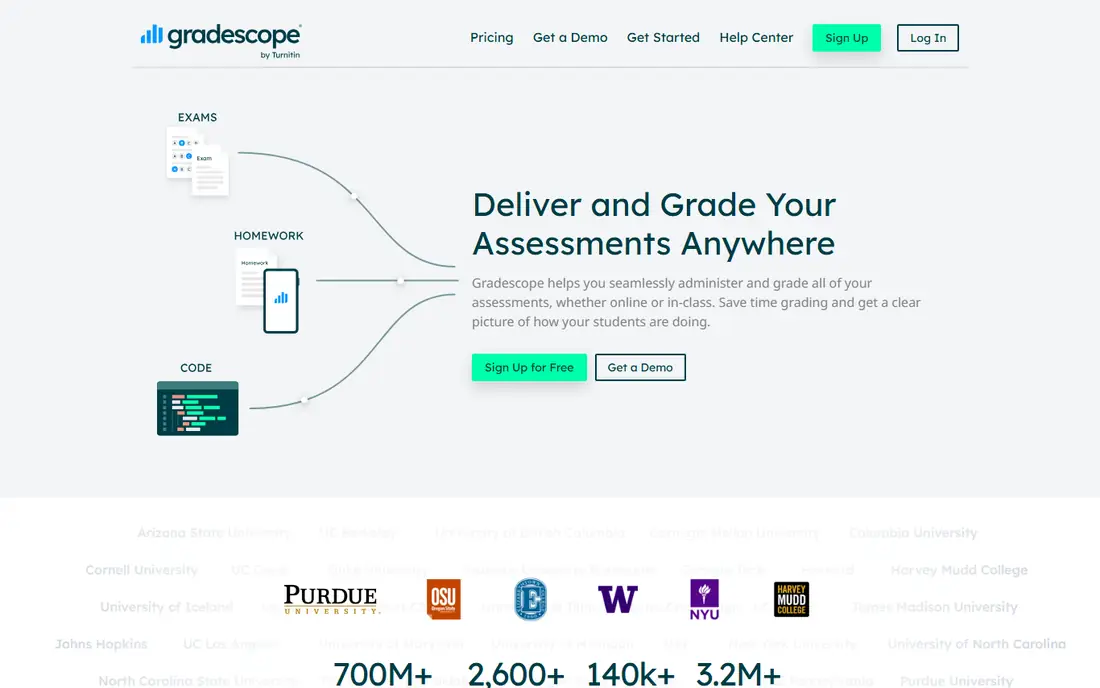
What we like- Gradescope, owned by Turnitin, is the established platform for grading at scale. Students upload work, including handwritten and scanned answers, and its AI groups similar responses so a marker grades one answer and applies the decision across the group, with a human assigning every point. It handles essays, maths, code and bubble sheets, integrates with Canvas, Blackboard, Moodle and Brightspace, and is proven across very large courses where consistency between markers is the real problem.
Watch out for- It is an institutional purchase with no individual free plan, and per student or licence pricing runs through the institution. The grouping model helps most where many students answer the same structured question
- Open ended creative work gains less. Setup and roster management are heavier than a classroom teacher tool, because it was built for universities first.
Starting priceSee website
Free planYes
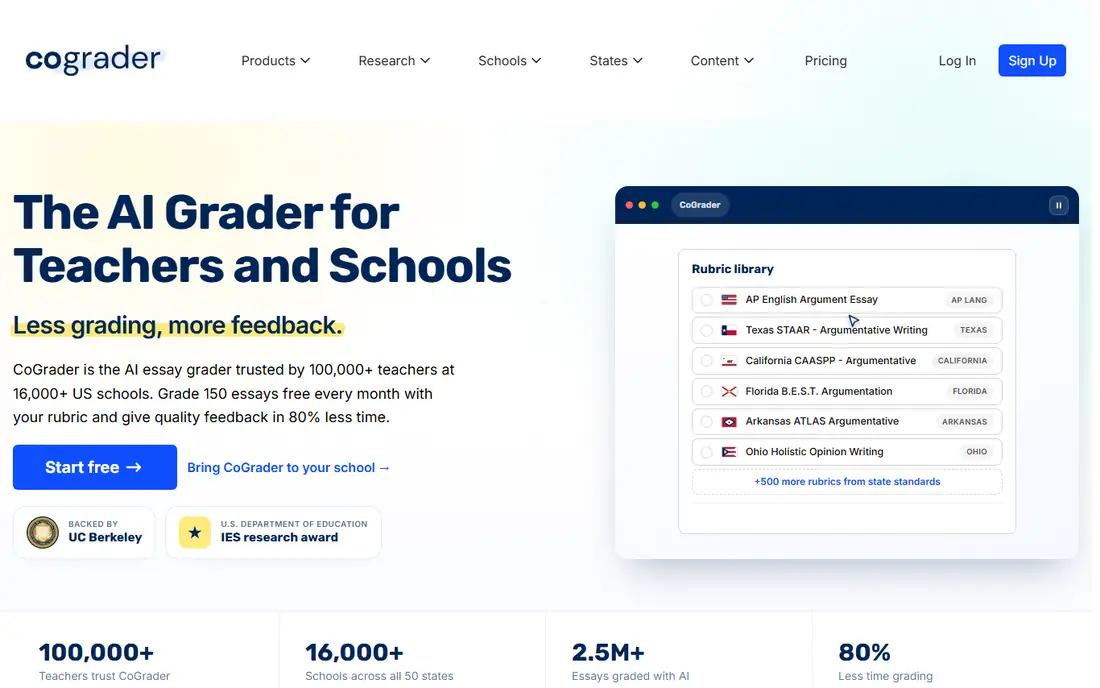
What we like- CoGrader connects to Google Classroom and Canvas, pulls a class set of essays, and scores them against your rubric with written feedback for each student, leaving you to review and adjust before grades are released. It ships rubrics for common formats including AP essay types, which saves setup for exam classes. The free plan covers 100 gradings a month, enough for a teacher to test it on real work, and its teacher in the loop workflow is the model this category should follow.
Watch out for- Published prices conflicted between current sources, with per teacher and per student models both reported, so get the current basis in writing before a department budgets. It grades written work only, with no handwriting support. As with every scorer here, its AP rubric scores are its own judgement, not the exam board's, and students should never be told otherwise.
Starting price$6.99 per month
Free planYes
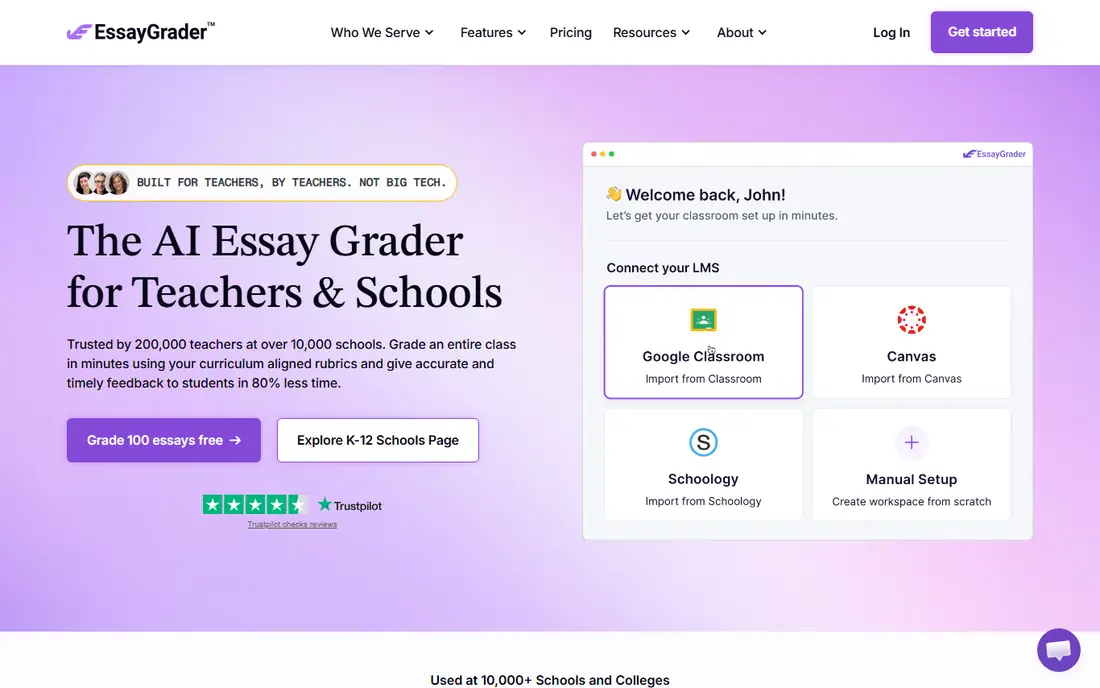
What we like- EssayGrader focuses on essays and offers something most rivals do not: calibration from your own examples. Upload a few essays you have already graded and it adjusts its scoring toward your standards before marking the class set, which answers the common complaint that AI feedback sounds like a stranger wrote it. Its rubric library covers hundreds of formats, the free plan grades 50 essays a month, and paid plans start at 6.99 dollars a month, making it one of the cheapest ways in.
Watch out for- Its headline accuracy figure is a self reported aggregate with no published breakdown by subject, so treat it as marketing until your own sampling confirms it. It is an essay tool
- Maths, code and handwritten work belong elsewhere. Per seat pricing is simple for individuals but schools should still compare the district quote against per student rivals, because the cheaper model flips with class sizes.
Starting priceSee website
Free planYes
What we like- Brisk Teaching takes a deliberately narrower position: it does not assign scores at all. Its Chrome extension generates qualitative feedback on student writing inside Google Docs, aimed at your rubric, alongside tools for creating resources and levelling text. That restraint is a strength for formative work, where comments matter more than marks and where a teacher wants help drafting them at speed. The free Educator plan covers daily classroom use with caps, and nothing leaves the document workflow teachers already use.
Watch out for- If you need an actual grade produced, this is the wrong tool, and its paid tier pricing was not consistently published in current sources. Schools still need to review it under their data policies like any tool touching student work. Feedback quality tracks the rubric you supply, and vague criteria produce generic comments that students learn to ignore.
#5MagicSchool AI
Best for: Feedback tools inside a teacher suite4.7/5 on
G2 (7 reviews, checked Oct 2026)
Visit magicschool.ai
Starting price$12.99 per month
Free planYes
What we like- MagicSchool AI includes writing feedback and assessment generators inside its broad teacher toolkit, judging student work against criteria you set and drafting comments you then edit. For a teacher already using it for planning, having feedback in the same place beats adding a dedicated grader. The free plan covers a genuine amount of use, Plus costs 12.99 dollars a month, and the company states student data is not used to train its models.
Watch out for- It is a suite first and a grader second: no bulk class set workflow to match CoGrader or EssayGrader, and no score assignment with the audit trail Gradescope offers. Comment quality varies by subject and prompt quality. Schools should treat its outputs as drafts in the same way as any generator here, however polished the formatting looks.
Starting priceSee website
Free planNo
What we like- Feedback Studio pairs a long established marking and commenting environment with Turnitin's similarity checking, so feedback, originality review and grade passback to the LMS happen in one place. Universities and secondary schools with a Turnitin licence already own it, which makes it the default rather than a new purchase. Its rubrics, comment libraries and audio feedback suit consistent marking across teaching teams.
Watch out for- The AI story needs care. Turnitin's AI writing detection has documented false positive problems, and a detection score is not proof a student cheated
- Schools should never let it act as sole evidence in a misconduct case. Pricing is institutional and unpublished. The marking side is also more traditional than the new AI graders: it speeds feedback drafting modestly rather than scoring whole class sets.
Starting priceSee website
Free planNo
What we like- Writable, part of HMH, is built around the drafting cycle rather than the final grade: students write, receive AI assisted and teacher feedback against a rubric, revise, and resubmit, with growth tracked across attempts. That process focus suits English and humanities departments trying to raise writing quality, not just mark it faster. It plugs into common LMS platforms and reading programmes, and its feedback prompts are structured by skill, which helps students act on them.
Watch out for- It serves writing only, and its model works best when students actually redraft, which a grade and go classroom culture will not give it. Pricing runs through school and district agreements. The AI feedback is a coach's first word
- Teachers still set the summative grade, so it does not remove final marking, it redistributes the effort earlier.
Starting priceSee website
Free planYes
What we like- Formative grades as the lesson happens: quizzes, short answers and exit tickets are assessed in real time, with AI assisted scoring for open responses, so a teacher can reteach a missed point in the same period rather than discovering it in a marking pile at the weekend. The free plan covers classroom use, and results feed a live view of which students and which questions need attention. For formative assessment, the timing is the feature.
Watch out for- It assesses short and structured work well and long essays poorly, so it complements rather than replaces an essay grader. Published pricing for paid tiers was not consistent across current sources. The live data is only useful if the lesson has room to react to it
- In a packed curriculum the dashboard can become another report nobody opens.
How we chose
We selected tools a teacher or school can buy or start using in October 2026 that genuinely assist grading or feedback: scoring class sets, drafting comments, grouping similar answers, or assessing in real time. Each had to keep a human review step in its workflow. We favoured published free tiers and pricing where they exist and wrote see website where figures conflicted or are quote based. Vendor accuracy claims were treated as unverified unless independently documented, which was rare. Nothing was hands on tested; judgements rest on vendor documentation and current reporting, including educator comparisons of grading quality.
Start with the work type. Essays point to CoGrader or EssayGrader, structured and handwritten work at scale points to Gradescope, feedback without scores points to Brisk, and live lesson checks point to Formative. A department usually needs one from the grading group and can skip the rest.
Then run your own accuracy test before any rollout. Take twenty pieces you have already marked, run them through the tool blind, and compare. Look at the spread, not the average: a tool that is close on average but wild on five students will create five appeals. Include your multilingual learners and your most idiosyncratic writers in the sample, because that is where models drift.
Finish with policy. Confirm the tool is approved for student data, tell students and parents that AI assists your marking and that you make the final call, and keep a simple route for a student to question a mark. Trust in the grade matters more than the hours saved, and it is kept by transparency, not by hiding the tool.
Frequently asked questions
Will AI grading replace teachers marking?
No. The tools draft scores and comments from a rubric; a teacher reviews, adjusts and issues the grade, and remains accountable for it. The work that disappears is the mechanical first pass. The judgement, the knowledge of the student and the responsibility stay with the teacher, which is why every credible tool in this category is built with a review step rather than an autopilot.
How accurate are AI graders?
Less proven than their marketing suggests. Most vendors publish no independent agreement studies, and the figures that exist are self reported. In practice, agreement with human markers is reasonable on structured work with tight rubrics and weaker on open, creative or culturally specific writing. The only accuracy figure that matters is the one from your own blind test on your students' work.
Can AI grading be biased?
Yes. Models can score dialect, second language phrasing and unfamiliar cultural references unevenly, and can reward length and surface polish over substance. Mitigate by sampling marks across student groups, reading every low and every high score yourself, and never letting an AI score stand unreviewed for a grade that affects a student's record.
Is it safe to upload student work to these tools?
Only into tools your school has approved under a data agreement, consistent with FERPA and, for younger children, COPPA. Student essays are personal data and often reveal more than names. If a tool is not approved, use it on your own materials only, and strip identifying details from anything you paste anywhere.
Do students need to know AI helped mark their work?
They should. Schools increasingly publish this in their AI policies, and students accept assisted marking far better when they know a teacher reviewed it and can query it. Secrecy, once discovered, damages trust in every grade the teacher gives afterwards, including the honest ones.
Sources we checked (0)
Is your product missing or out of date?
We review this list regularly. Vendors can request a listing, send updated pricing or ask about featured placement.

Shihab Mia · Founder, Rankite
Shihab has 5+ years in B2B and SaaS SEO. He writes Rankite's software buying guides from pricing pages, documentation and public user reviews. More about Shihab.