How we make this list: we compare pricing pages, product documentation and public user reviews. Ratings come from G2, Capterra or Trustpilot, with the date we checked them.
Key takeaways
- GitHub Copilot remains the cheapest paid seat at $10 per user per month, with a free tier of 2,000 completions per month.
- Cursor and Windsurf suit developers who want an agent that edits across files, not just single-line suggestions.
- Amazon Q Developer fits AWS-heavy teams, but its IDE plugins lose support on April 30, 2027, so check the Kiro path before committing.
- Supermaven offers the strongest free tier for individual developers, with a $10 Pro plan for larger context.
- Tabnine was dropped from this list because its homepage now redirects to parent company Tricentis and no longer presents the code assistant itself.
Quick comparison
| Tool | Best for | Starting price | Free plan |
|---|
 GitHub Copilot GitHub Copilot | Developers who want solid completions in the editor they already use | $10 per user/month | Yes |
 Cursor Cursor | Developers who want an AI-native editor with agent workflows | $20 per user/month | Yes |
 Windsurf Windsurf | Teams that want agent features without Cursor pricing | See website | Yes |
 Amazon Q Developer Amazon Q Developer | Teams building on AWS | $19 per user/month | Yes |
 Sourcegraph Cody Sourcegraph Cody | Organizations with large codebases spread across repositories | See website | Yes |
 JetBrains AI JetBrains AI | Developers who work in JetBrains IDEs every day | See website | Yes |
 Supermaven Supermaven | Individual developers who want a fast free assistant | $10 per month | Yes |
 Augment Code Augment Code | Large engineering organizations running agent workflows | $20 per user/month | Free trial |
Is your product missing or out of date?
We review this list regularly. Vendors can request a listing, send updated pricing or ask about featured placement.
#1GitHub Copilot
Best for: Developers who want solid completions in the editor they already use4.4/5 on
G2 (397 reviews, checked Oct 2026)
Visit github.com
Starting price$10 per user/month
Free planYes
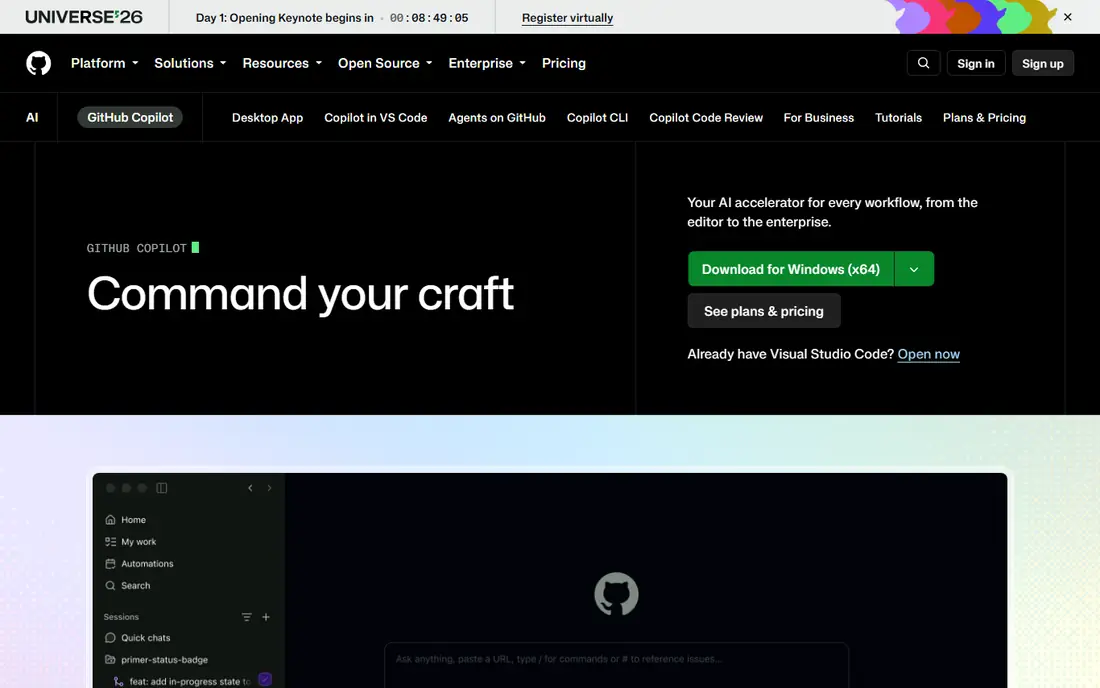
Copilot is the default choice for a reason. It lives inside the editors most developers already open every day, and its inline suggestions cover the widest set of languages because it draws on public repository data at large scale. The free tier gives individual developers 2,000 completions per month, which is enough to judge whether the suggestions match your style before paying.
The paid Pro plan at $10 per user per month adds unlimited completions and a monthly allowance of AI credits for chat and agent work. That credit model is the main thing to watch. Simple completions do not consume credits, but long agent sessions on frontier models do, so heavy agent users should track usage in the billing dashboard. Teams that need license management, policy controls, and IP indemnity should look at the Business tier instead of buying individual seats.
What we like- Works in VS Code, JetBrains, Visual Studio, and Neovim
- Free tier with 2,000 completions per month
- Model choice includes GPT, Claude, and Gemini options
Watch out for- Agent and chat usage draws on a monthly AI credit allowance
- Enterprise controls sit on higher tiers
#2Cursor
Best for: Developers who want an AI-native editor with agent workflows4.6/5 on
G2 (326 reviews, checked Oct 2026)
Visit cursor.com
Starting price$20 per user/month
Free planYes
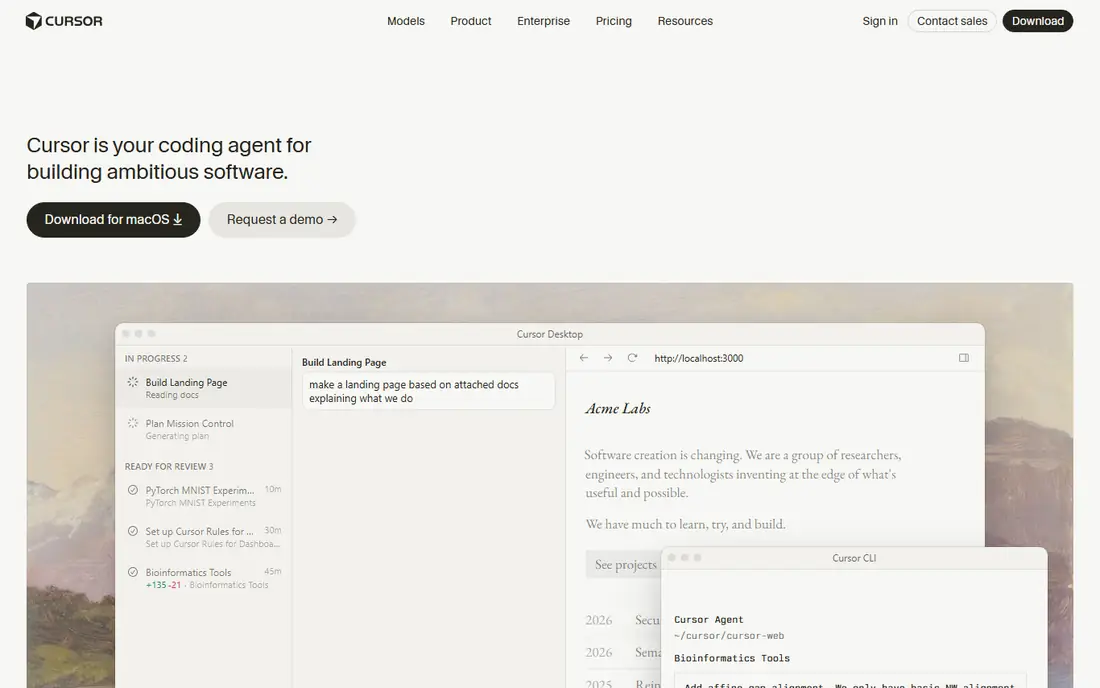
Cursor is a fork of VS Code rebuilt around AI assistance, and that shows in how it handles bigger jobs. Instead of suggesting one line at a time, its agent can plan a change, edit several files, run checks, and report back for review. Developers who spend their days on refactors and feature work tend to feel the difference quickly.
The trade-off is price and commitment. At $20 per user per month for Pro, it costs double the Copilot seat, and the free Hobby plan is limited enough that serious users will hit its caps. Cursor also asks you to switch editors, which is a bigger change than adding a plugin to VS Code. If your team already lives in VS Code and wants to keep its setup, that switch deserves a trial first.
What we like- Full codebase indexing for multi-file edits
- Agent mode that runs tasks in parallel
- Model choice across OpenAI, Anthropic, Gemini, and others
Watch out for- Pro plan costs twice the Copilot seat
- The free Hobby plan limits agent and tab usage
#3Windsurf
Best for: Teams that want agent features without Cursor pricing4.2/5 on
G2 (56 reviews, checked Oct 2026)
Visit windsurf.com
Starting priceSee website
Free planYes
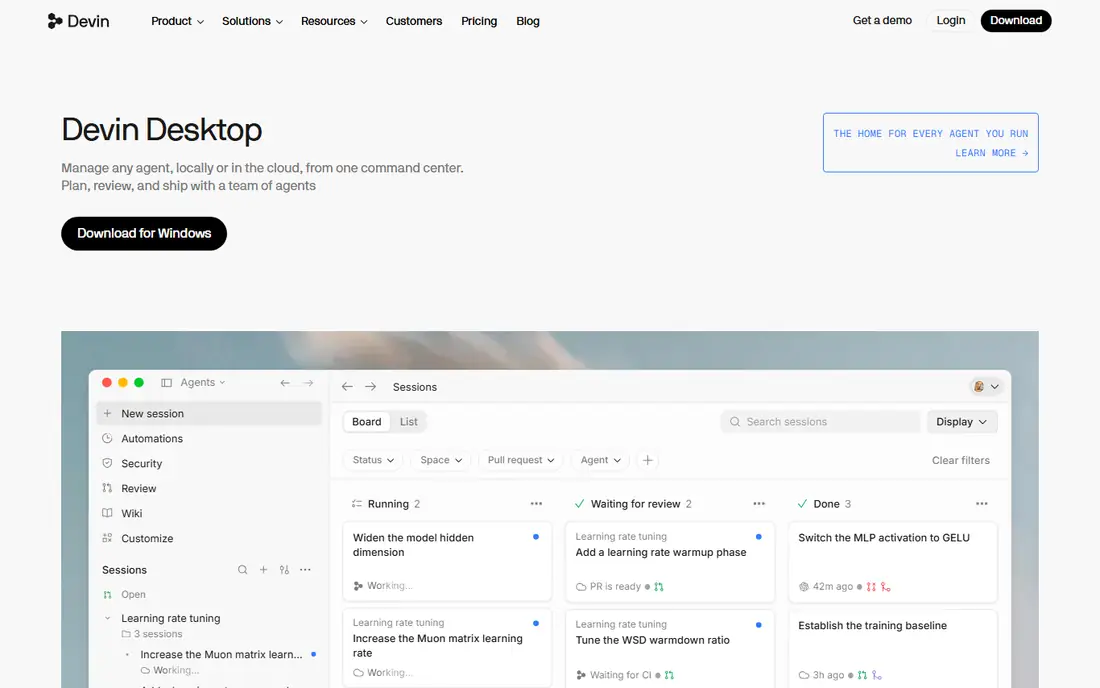
Windsurf began as Codeium, became a VS Code fork with the Cascade agent, and was then acquired by Cognition, the company behind Devin. Its homepage now presents Devin Desktop, a command center for running agents locally or in the cloud. For buyers, that means the tool you evaluate today is part of a larger agent platform, not a standalone editor.
That change cuts both ways. You get agent workflows and session memory at a lower entry price than some rivals, and the free tier makes it cheap to try. But a rebrand mid-year always brings uncertainty about pricing, naming, and long-term direction. Check the current Devin Desktop pricing page before buying, and confirm that the editor experience you want is still the one on offer.
What we like- Cascade agent handles multi-file tasks
- The site now presents the successor Devin Desktop
- Generous free tier historically
Watch out for- The product was acquired by Cognition and rebranded as Devin Desktop in 2026, so the roadmap is in flux
#4Amazon Q Developer
Best for: Teams building on AWS4.6/5 on
G2 (51 reviews, checked Oct 2026)
Visit aws.amazon.com
Starting price$19 per user/month
Free planYes
Amazon Q Developer is the natural pick when your stack runs on AWS. It answers questions about your resources, reviews your bill, suggests architecture patterns, and generates code with AWS services in mind. Its security scanning and Java upgrade agents cover chores that generic assistants handle poorly.
The catch is the end-of-support notice on its own product page. IDE plugin support ends on April 30, 2027, and AWS points users toward Kiro for similar capabilities. That does not make Q Developer useless today, but it does change the buying math. New teams should evaluate Kiro alongside Q Developer, and existing users should plan a migration path rather than assume the plugin stays.
What we like- Deep AWS knowledge for architecture and cost questions
- Free tier with 50 agentic chat interactions per month
- Strong security scanning
Watch out for- AWS announced that IDE plugin support ends April 30, 2027, with Kiro as the suggested path
#5
Sourcegraph Cody
Best for: Organizations with large codebases spread across repositories
Visit sourcegraph.com
Starting priceSee website
Free planYes
Cody comes from Sourcegraph, a company built around searching code at scale. That background matters when your codebase spans many repositories, because Cody can pull context about APIs, symbols, and usage patterns from across the whole estate instead of only the open file. Its chat, auto-edit, and prompt features cover the usual assistant tasks.
The main drawback is transparency. Pricing is not stated plainly on the product page, so buyers need to talk to sales or check the pricing page directly. Solo developers may also find that Cody shines brightest once there is a large codebase to index. Smaller projects get less benefit from its context engine, and a cheaper inline tool may serve them just as well.
What we like- Code search heritage gives it strong context across repos
- Chat, auto-edit, and prompts in one assistant
- Works with GitHub, GitLab, VS Code, and JetBrains
Watch out for- Pricing is not shown on the main product page
- Best value shows up at team scale, not for solo use
Starting priceSee website
Free planYes
JetBrains AI lives inside the IDEs that JetBrains users already trust, which removes the friction of switching editors. Its semantic indexing builds an understanding of the project so agents start with context instead of scanning files from scratch. Teams can also bring their own provider keys or use JetBrains-managed access billed at public API rates.
Buyers should note the rebrand. The product page now presents JetBrains Air, a system for running agents in IDEs, browsers, and terminals, with team and governance tiers. That is a broader product than the original inline assistant, and pricing now follows a credit model. Check the current Air pricing before budgeting, and confirm which tier includes the IDE features your team actually uses.
What we like- Deep integration with IntelliJ, PyCharm, and other JetBrains IDEs
- Semantic codebase indexing
- Bring-your-own-key option
Watch out for- The page now presents the product as JetBrains Air, so older JetBrains AI pricing pages may be out of date
Starting price$10 per month
Free planYes
Supermaven pitches itself on speed, and its homepage backs that claim with latency figures that beat larger rivals. For an individual developer, the free tier is genuinely useful: fast suggestions, large codebase support, and a 7-day data retention limit. It is one of the few free plans that does not feel like a demo.
Pro at $10 per month adds a 1 million token context window, the largest model, and $5 per month in chat credits. That context window matters for professional-size codebases where the assistant needs to see a lot of code at once. The weakness is scale. Supermaven is a smaller vendor, so teams that need enterprise controls, audits, and long support histories may prefer a bigger name.
What we like- Free tier with fast suggestions
- Pro adds a 1 million token context window
- Works in VS Code, JetBrains, and Neovim
Watch out for- Smaller company than GitHub or JetBrains
- Chat credits on Pro are capped at $5 per month
Starting price$20 per user/month
Free planFree trial
Augment Code targets companies, not individuals. Its pitch is a software factory: agents handle the repetitive middle of development, from ticket to pull request, while engineers hold the quality gates. Shared organization knowledge means agents learn conventions across teams instead of starting fresh on each project.
That enterprise focus shapes the price and the fit. At $20 per user per month for Standard, with a $100 Business tier, it is not the cheapest seat on this list, and solo developers will find simpler tools. The homepage now leads with Cosmos, its agent orchestration platform, so buyers should confirm whether they are buying the coding assistant, the platform, or both. For large teams with review bottlenecks, though, the loop-based approach is a real differentiator.
What we like- Built for organizational scale with shared context
- Agent loops cover review, tickets, and remediation
- Strong enterprise positioning
Watch out for- Priced and packaged for teams, not solo developers
- The homepage now leads with its Cosmos orchestration platform
How we chose
We compared vendor pricing pages, product documentation, and public reviews from G2, Capterra, and developer forums, then checked each homepage to confirm it loads and belongs to the product. Tools were kept only when the homepage presented the product itself. Tabnine was removed because its domain now redirects to parent company Tricentis and shows a quality engineering platform instead of the code assistant. Prices reflect vendor pages and recent pricing reports as of October 2026, and any price we could not confirm is listed as See website.
Start with your editor, not the feature list. If your team lives in VS Code, a plugin like Copilot or Cody adds AI with almost no workflow change. If you are willing to switch editors, Cursor and Windsurf offer deeper agent workflows that justify the move for developers who do refactors all day. JetBrains users should stay inside their IDE with JetBrains AI rather than bolting on a generic tool.
Next, weigh price against agent usage. Inline completions are cheap everywhere, but agent sessions, chat, and multi-file edits often draw on credit allowances or higher tiers. Estimate how much agent work your team will actually do, then compare the monthly allowance on each plan. A $10 seat with a small credit cap can cost more than a $20 seat with room to run.
Finally, check the exit path. AI coding tools change fast, as the Windsurf, Tabnine, and Amazon Q stories in this list show. Prefer tools that store your code in your own repositories, export settings cleanly, and do not lock your history into a proprietary format. A two-week trial on a real project tells you more than any benchmark.
Frequently asked questions
Which AI code completion tool is best for beginners?
GitHub Copilot or Supermaven. Copilot has the widest editor support and a free tier, while Supermaven offers fast free suggestions with no setup cost. Both let a new developer learn from suggestions without paying first.
Is there a good free AI code completion tool?
Yes. Supermaven has a full free tier, Copilot offers 2,000 completions per month free, and Cursor has a limited Hobby plan. Free tiers cap agent usage first, so expect limits on multi-file agent work.
Do AI code completion tools work with all programming languages?
They support mainstream languages best, including Python, JavaScript, TypeScript, Java, and Go. Languages with less public code get weaker suggestions, so results vary by language and by how much training data exists for it.
Will AI code completion replace developers?
No. These tools suggest code and automate routine tasks, but developers still review, test, and own the result. The strongest results come from pairing suggestions with code review and automated tests.
What happened to Windsurf and Tabnine?
Windsurf was acquired by Cognition and its site now presents Devin Desktop. Tabnine was acquired by Tricentis, and its domain now redirects to the Tricentis homepage. Both products still exist in some form, but their homepages no longer present the original tools directly.
How much should a small team budget per developer?
Between $10 and $20 per developer per month covers most paid seats on this list. Add a buffer for agent credit overages if your team uses agent mode heavily, and check whether annual billing lowers the seat price.
Sources we checked (8)
- https://github.com/features/copilot
- https://cursor.com
- https://windsurf.com
- https://aws.amazon.com/q/developer/
- https://sourcegraph.com/cody
- https://www.jetbrains.com/ai/
- https://supermaven.com
- https://www.augmentcode.com
Is your product missing or out of date?
We review this list regularly. Vendors can request a listing, send updated pricing or ask about featured placement.

Shihab Mia · Founder, Rankite
Shihab has 5+ years in B2B and SaaS SEO. He writes Rankite's software buying guides from pricing pages, documentation and public user reviews. More about Shihab.