How we make this list: we compare pricing pages, product documentation and public user reviews. Ratings come from G2, Capterra or Trustpilot, with the date we checked them.
Key takeaways
- Adobe Photoshop is the most capable AI photo editor in 2026, with Generative Fill, Remove, and Expand, at 22.99 dollars a month.
- Lightroom at 9.99 dollars a month is the photographer's answer, with AI masking, denoise, and Generative Remove inside a full library workflow.
- Google Photos is the best free editor for everyday phone pictures, and Topaz Photo is the specialist for rescuing flawed shots.
- AI edits generate detail rather than recover it, so an enhanced photo is a new image, not evidence of what was there. Edit only media you own or have permission to change.
Quick comparison
| Tool | Best for | Starting price | Free plan |
|---|
 Adobe Photoshop Adobe Photoshop | Full AI editing and compositing | $22.99 per month | No |
 Adobe Lightroom Adobe Lightroom | RAW libraries and batch editing | $9.99 per month | No |
 Topaz Photo Topaz Photo | Denoising, sharpening, and upscaling | See website | No |
 Luminar Neo Luminar Neo | One click AI edits without a subscription | $99 one time | No |
 Google Photos Google Photos | Free everyday phone photo fixes | Free | Yes |
 Remini Remini | Fast fixes for old or blurry portraits | See website | Yes |
 Canva Canva | Photo edits inside social designs | See website | Yes |
 Photopea Photopea | Free Photoshop style editing in a browser | Free | Yes |
Is your product missing or out of date?
We review this list regularly. Vendors can request a listing, send updated pricing or ask about featured placement.
The best AI apps to edit photos
#1Adobe Photoshop
Best for: Full AI editing and compositing4.6/5 on
G2 (13,426 reviews, checked Oct 2026)
Visit adobe.com
Starting price$22.99 per month
Free planNo
What we like- Photoshop with Firefly is the deepest AI editor available: Generative Fill adds or replaces regions from a text prompt, Generative Expand extends a canvas believably, the Remove tool clears distractions, and all of it sits inside the layer based editor professionals finish work in. It costs 22.99 dollars a month standalone, or inside Adobe's photography bundles. For commercial and creative work where the edit must survive scrutiny at full size, this is the reference tool.
Watch out for- The subscription never stops, and the learning curve is the steepest here by a wide margin. Generative features run on a credit allowance that heavy users can exhaust. Firefly's guardrails refuse some edits, and results still need a skilled eye for hands, text, and edges before anything ships.
#2Adobe Lightroom
Best for: RAW libraries and batch editing4.6/5 on
G2 (3,299 reviews, checked Oct 2026)
Visit adobe.com
Starting price$9.99 per month
Free planNo
What we like- Lightroom is where photographers actually live: a library for thousands of RAW files, non destructive edits that never touch the original, and AI tools fitted to that workflow, subject and sky masking, AI Denoise, Lens Blur, and Generative Remove for wiping distractions from a frame. Plans start at 9.99 dollars a month in Adobe's photography pricing. Batch presets apply one good edit across a whole shoot, which is the time saving phone apps cannot match.
Watch out for- Lightroom edits photos
- It does not composite or design, so object level generative work still sends you to Photoshop. The subscription and cloud storage tiers need watching as libraries grow. Casual editors who touch five photos a month pay for an industrial workflow they will never use.
#3Topaz Photo
Best for: Denoising, sharpening, and upscaling4.3/5 on
G2 (2 reviews, checked Oct 2026)
Visit topazlabs.com
Starting priceSee website
Free planNo
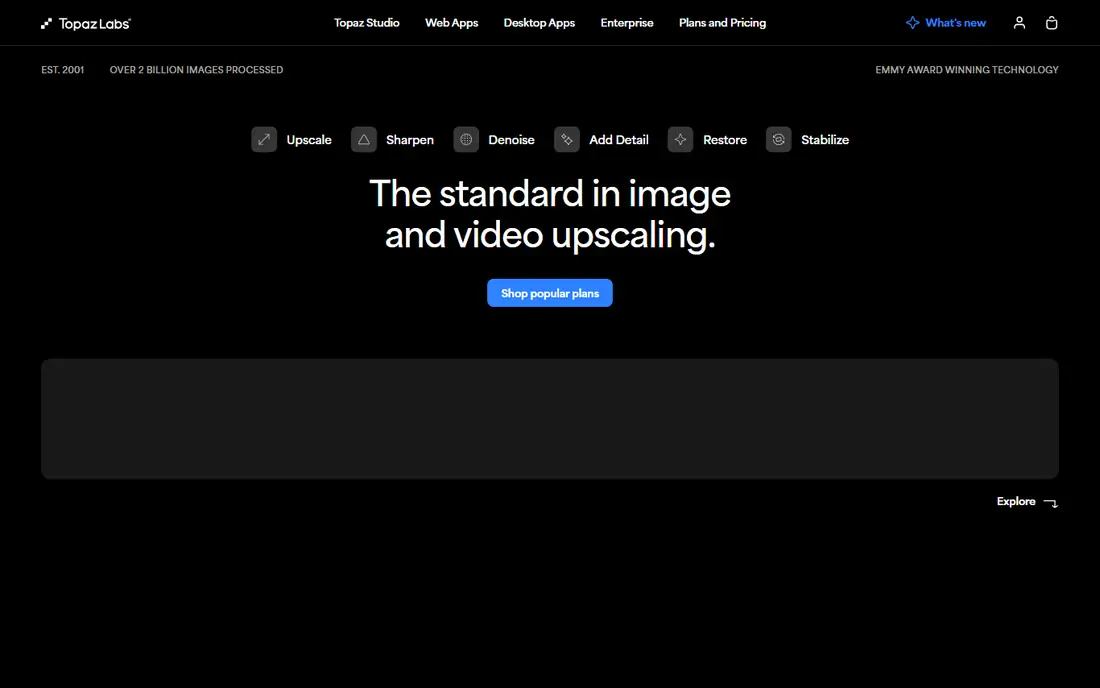
What we like- Topaz Photo is the rescue specialist: its models denoise high ISO shots, sharpen motion blurred and missed focus images, and upscale low resolution files with detail that reviewers consistently rate at the top of the field. Working photographers use it to save frames that would otherwise be deleted. It processes locally on your machine, which matters for client privacy and for working without an upload queue.
Watch out for- Topaz changed its pricing model to subscription in late 2025, and published figures conflict between sources, at 39 dollars a month in one current comparison and annual figures elsewhere, so check the live price before budgeting. It enhances
- It does not organise, design, or generatively rebuild a scene. Upscaling invents detail like every AI here, so rescued photos are interpretations, best kept out of evidentiary uses.
#4Luminar Neo
Best for: One click AI edits without a subscription4.4/5 on
G2 (115 reviews, checked Oct 2026)
Visit skylum.com
Starting price$99 one time
Free planNo
What we like- Luminar Neo wraps strong AI in a gentle interface: sky replacement, portrait retouching, relighting, and object removal presented as sliders rather than layers, which suits photographers who want results without Photoshop's apprenticeship. Its Desktop licence is a one time purchase, listed at 99 dollars, a rarity in a subscription market, with a fuller Max bundle above it. Restoration tools for older photos extend the same approach to family archives.
Watch out for- One time pricing needs care: major upgrades and add on libraries have historically been sold separately, so the perpetual licence is not the whole cost story. Performance on very large files and libraries trails Lightroom. Professional retouchers will hit its ceiling and move to Photoshop for the final pass.
Starting priceFree
Free planYes
What we like- Google Photos is the best free AI editor for the photos people actually take: Magic Editor moves and resizes subjects and reimagines backgrounds, Magic Eraser removes photobombers, and Photo Unblur and Portrait Light fix the everyday failures, all inside the app your phone photos already live in. Core features are free, with higher save limits tied to Google One plans. For personal photos, nothing else matches this quality at zero price and zero learning.
Watch out for- Magic Editor's generative changes are exactly that, generated, and Google labels and limits them accordingly
- Edited photos carry metadata marking the AI involvement, which honest sharing should keep. The deepest features favour Pixel devices and Google One subscribers. It is a consumer fixer, not a workflow: no layers, no batch RAW, no professional colour pipeline.
#6Remini
Best for: Fast fixes for old or blurry portraits4.6/5 on
G2 (13 reviews, checked Oct 2026)
Visit remini.ai
Starting priceSee website
Free planYes
What we like- Remini specialises in faces: it takes a blurry, compressed, or old portrait and returns a sharp, detailed version in seconds, which made it the default tool for restoring family photos and rescuing profile pictures. A free tier with daily caps and ads covers occasional use. For a single damaged portrait, it is the fastest route from unusable to printable looking.
Watch out for- The sharpened face is a generated interpretation, sometimes visibly a different, smoother person, which matters when the photo is a memory of someone real. Remini's billing is the cautionary tale of this category: weekly subscription offers at checkout have surprised many users, so read the term and price on the final screen, and set a cancellation reminder the day you subscribe. Beyond faces, its editing range is narrow.
#7Canva
Best for: Photo edits inside social designs4.7/5 on
G2 (7,678 reviews, checked Oct 2026)
Visit canva.com
Starting priceSee website
Free planYes
What we like- Canva treats photo editing as one step in making a post: background remover, Magic Edit for swapping elements by prompt, Magic Eraser, and filters, all inside the design tool where the image will be laid out anyway. The free tier covers a surprising amount, and Pro, priced in the mid teens per month in current listings, lifts the AI limits. For social and marketing teams, removing the export and import dance between editor and design tool is the real feature.
Watch out for- Canva's photo tools are quick fix grade, not photographer grade: no RAW, no fine colour work, no local adjustment depth. AI features meter against plan allowances that casual users exhaust during a campaign week. Work lives in Canva's cloud under its terms, which some client contracts restrict.
#8Photopea
Best for: Free Photoshop style editing in a browser4.6/5 on
G2 (21 reviews, checked Oct 2026)
Visit photopea.com
Starting priceFree
Free planYes
What we like- Photopea is the remarkable free option: a browser editor that mirrors Photoshop's interface and opens PSD files with layers, masks, and selection tools, at no cost with ads, or a small premium to remove them. Its AI features are lighter than the generative leaders, but for manual editing skill, resizing, retouching, format conversion, it covers what most people open Photoshop for. Nothing installs and nothing uploads to an account you must create.
Watch out for- Free means ad supported, and heavy files strain a browser session where a desktop app would not notice. Generative fill style AI is not its strength, so prompt driven editors should look at Photoshop or Canva. Support is a small operation, and professionals on deadline will want a vendor behind the tool.
How we chose
We covered the distinct AI editing jobs with one leader each: generative compositing, RAW workflow, rescue enhancement, one click consumer editing, free phone editing, portrait restoration, design integrated editing, and free browser editing. Prices are October 2026 published entry points, with see website used where a vendor's pricing has recently changed model or conflicts between current sources, as with Topaz and Remini. We judged enhancement claims conservatively, since every upscaling and sharpening tool invents detail, and we excluded pure face swap and beautify filter apps.
How to choose the right AI app to edit photos
Start from the photo, not the app store. A photographer's RAW archive belongs in Lightroom, with Topaz added when rescue work is common and Photoshop when compositing enters the job. A phone full of family pictures belongs in Google Photos, with Remini for the few damaged portraits that matter and Luminar for a parent who wants one time pricing. A social media workflow belongs in Canva, and a budget of zero with real editing skill belongs in Photopea. Buying Photoshop for holiday snaps and Canva for a wedding album are the two symmetrical mistakes in this category.
Keep the originals. Every app here can work non destructively or on a copy if you set it up that way, and an AI edit you regret should never be the only version of a photo that matters. Read subscription terms at checkout with the same care as the feature list, because weekly billing and renewal pricing are where this category's complaints concentrate. Finally, keep the honesty rule from the top of this guide: AI edited images are creations. Label them where the context implies a record, photographs in a listing, a report, or a news context, and never edit media belonging to someone else without their clear permission. Prices are October 2026 figures.
Frequently asked questions
Can AI really restore a damaged old photo?
It can produce a convincing, detailed version of it, which is not the same thing. Tools such as Remini, Topaz, and Luminar generate the missing detail from patterns, so a restored great grandparent may gain a plausible face that is subtly not theirs. For family enjoyment that trade is usually welcome; keep the unrestored scan as the historical record, and do not present the restoration as recovered fact.
Which AI photo editor is best for beginners?
Google Photos for phone pictures, since it is free, already holds the photos, and its fixes are one tap. Canva for anyone making posts and designs. Luminar Neo for a beginner who shoots with a real camera and wants room to grow without Photoshop's learning curve. All three beat starting in Photoshop, whose power is inseparable from its complexity.
Are free AI photo editors good enough?
For everyday photos, yes: Google Photos and Photopea between them cover enhancement, object removal, and layered editing at no cost, and Canva's free tier handles design work. The paid tier buys you the frontier generative models, batch and RAW workflows, higher resolution exports, and the absence of ads and caps. Professionals pay for those; most phone photographers honestly do not need them.
Is it all right to edit photos of other people with AI?
Only with their permission, and the more the edit changes, the clearer that permission must be. Removing a stranger from the background of your own holiday photo is ordinary editing; altering someone's face or body, generating them into new scenes, or publishing an AI enhanced image of a person as if unaltered crosses ethical and, in some places, legal lines around likeness and misrepresentation. Ask first, and keep client work inside the contract's terms.
Why do subscriptions in this category cause complaints?
Because the category pioneered awkward billing: weekly plans presented beside monthly prices, trials that convert silently, and renewal jumps after promotional first terms, with Remini the most cited example in reader reports. The defence is mechanical: read the final checkout screen for the term and the renewal price, screenshot it, and set the cancellation reminder immediately if you are testing rather than committing.
Sources we checked (0)
Is your product missing or out of date?
We review this list regularly. Vendors can request a listing, send updated pricing or ask about featured placement.

Shihab Mia · Founder, Rankite
Shihab has 5+ years in B2B and SaaS SEO. He writes Rankite's software buying guides from pricing pages, documentation and public user reviews. More about Shihab.