How we make this list: we compare pricing pages, product documentation and public user reviews. Ratings come from G2, Capterra or Trustpilot, with the date we checked them.
Key takeaways
- Old photo animation splits into face animation, which makes portraits blink and smile, and motion effects, which add camera movement or moving skies and water.
- MyHeritage Deep Nostalgia leads face animation for family portraits, while Google Photos Cinematic Photo is the cleanest free option for simple depth motion.
- Free tiers cover light experimentation only, with MyHeritage offering a few free animations a month and paid plans needed for sustained use.
- Photo animation apps process face data, so read privacy policies before uploading family photos and check how long images are stored.
- Animate only your own photos or family photos with permission, and expect some uncanny results, since AI movement can look unnatural on damaged or low resolution portraits.
Quick comparison
Is your product missing or out of date?
We review this list regularly. Vendors can request a listing, send updated pricing or ask about featured placement.
Starting priceSee website
Free planYes
MyHeritage Deep Nostalgia was the first widely used AI photo animation tool, generating viral attention when ancestors began to blink, smile, and turn their heads in old portraits. The tool enhances the photo automatically before animating, then applies preset movement sequences matched to facial features, producing a short lifelike clip from a still portrait. For family historians, its genealogy context adds value, since animations sit beside family trees and records.
The limits are free tier size and plan cost. Free users get only a few animations, reported as 2 to 5, before a paywall, and full access requires a MyHeritage plan, with Complete pricing reported from 129 dollars a year to higher figures depending on source, so check the current pricing page. Animations also use preset movements with no control over expressions or speed. Deep Nostalgia fits family historians who want the most convincing face animation for portraits.
What we like- Strongest face animation for portraits
- Auto enhancement before animation
- Genealogy context
Watch out for- Free tier limited to a few animations
- Full access needs a MyHeritage plan
- Animations use preset movements
Starting priceFree
Free planYes
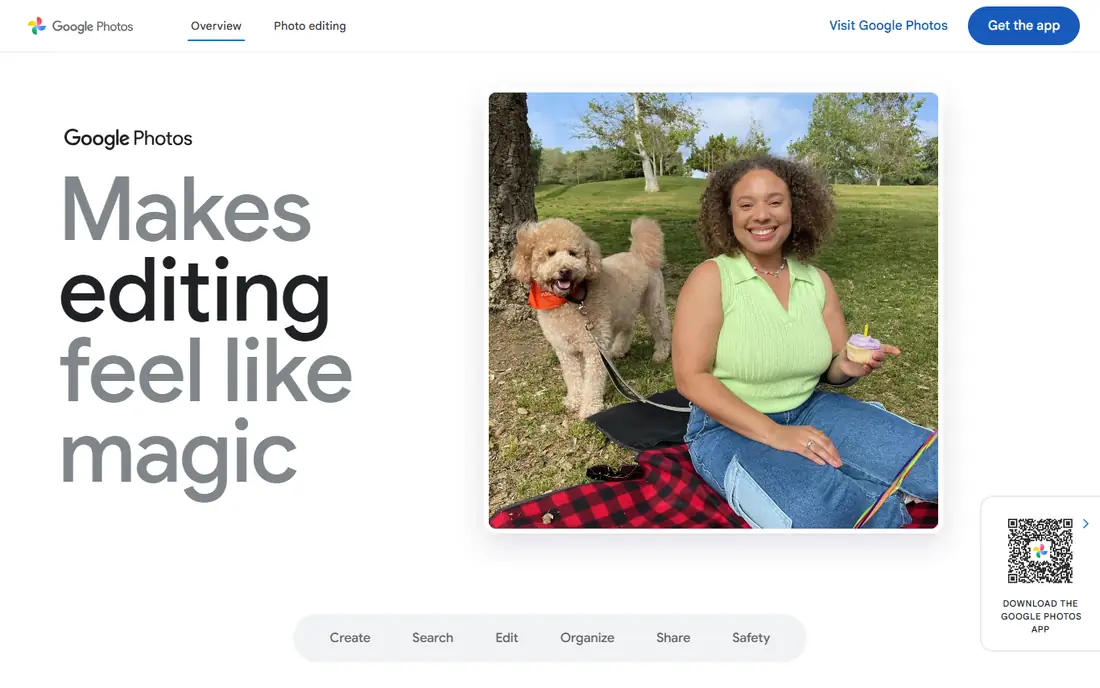
Google Photos Cinematic Photo applies a 3D depth effect to any portrait, analyzing the photo, generating a depth map, and producing a short MP4 with subtle camera motion. Processing takes about 30 seconds per photo, and output runs around 5 seconds, which suits sharing a gentle motion version of a favorite portrait. It is free for Pixel 8 plus owners or Google One subscribers, with no third party install and no separate account.
The trade off is effect range. Cinematic Photo offers only depth motion, not face animation, so portraits do not blink or smile. Google Photos fits casual users who want a simple, free animation effect inside the Photos app they already use.
What we like- Cleanest free option for basic animation
- No third party install
- Strong AI depth quality
Watch out for- Only 3D depth motion, no face animation
- Needs Pixel 8 plus or Google One
- 5 second output
Starting priceSee website
Free planYes
Motionleap, formerly Pixaloop, is the strongest motion overlay tool for still photos, letting users animate skies, water, hair, and other elements with directional motion brushes. For old photos, that means adding life to a scene, such as moving clouds behind a portrait or flowing water in an outdoor scene, rather than animating the face itself. Its mobile editor is easy to learn, and a free tier covers basic use.
The limits are purpose and cost. Motionleap does not specialize in face animation, so portraits stay still while the scene moves, and full features need a subscription. Motionleap fits users who want to add motion to old scenes and outdoor views rather than animate faces.
What we like- Strongest motion overlay tool
- Animate skies, water, and hair
- Easy mobile editing
Watch out for- Not a face animation specialist
- Subscription for full features
- Output can look artificial
Starting priceSee website
Free planYes
CapCut Dreamina offers a simple upload and generate workflow for photo animation, with social sharing built in for users who want to post animated old photos quickly. Its guides cover Deep Nostalgia style face animation alongside broader AI video generation, which suits creators who animate photos as part of social content rather than genealogy projects. A free tier covers light experimentation, with paid credits for sustained use.
The trade off is depth and credit limits. Output quality varies with photo condition, and free credits run out fast for regular use. CapCut Dreamina fits social creators who want quick, shareable photo animations without a genealogy platform.
What we like- Simple upload and generate flow
- Social sharing built in
- Guides for Deep Nostalgia style animation
Watch out for- Quality varies by photo
- Free credits limited
- Social features matter more than genealogy

#5
Creati AI Image Animator
Best for: Credit based video animation
Visit creati.ai
Starting price$1.50 trial
Free planYes
Creati AI Image Animator offers clear credit based entry pricing, starting with a 1.50 dollar trial for 40 credits, equal to 2 fast videos, then Standard at 8.90 dollars for 250 credits and Premium at 17.90 dollars for 1,000 credits. Credits stay valid for 12 months, and Standard and Premium include full commercial licenses with no watermark outputs, plus priority generation and support. That clarity helps creators estimate output volume before buying.
The limits are trial size and brand age. Forty credits cover only a couple of videos, and Creati is newer than MyHeritage with less genealogy context. Creati fits creators who want transparent credit pricing and commercial rights for animated photo videos.
What we like- Clear credit pricing
- No watermark outputs
- Full commercial license on paid tiers
Watch out for- Trial is small at 40 credits
- Credits valid 12 months
- Newer brand than MyHeritage
Starting price$19.90 per month
Free planYes
Deep Nostalgia AI is a separate brand from MyHeritage Deep Nostalgia, offering photo animation plus a wider suite including hug videos, earth zoom out effects, text to video, and photo upscaling, colorizing, and restoration. One time plans run from 29.90 to 88.90 dollars with credits that never expire, while subscriptions start at 19.90 dollars a month, and a limited free tier covers basic use. That pay per use option suits users who animate occasionally without a yearly plan.
The trade off is brand confusion and quality variance. Buyers should note that Deep Nostalgia AI is not MyHeritage, and output quality depends on input photo condition. Deep Nostalgia AI fits users who want animation plus effects and restoration without a subscription.
What we like- No subscription required on one time plans
- Hug videos and special effects
- Photo upscaler and colorizer
Watch out for- Separate brand from MyHeritage
- Subscription from 19.90 dollars
- Quality varies by input

#7Runway
Best for: AI video generation from photos4.1/5 on
G2 (105 reviews, checked Oct 2026)
Visit runwayml.com
Starting priceSee website
Free planYes
Runway turns photos into video with AI generation models that offer camera controls, motion prompts, and style options beyond simple face animation. For old photos, that means directing a short scene from a still image, with more creative control than preset face animation tools. A free tier with credits covers testing, and paid plans scale with generation volume.
The limits are complexity and cost. Runway has a learning curve for beginners, credits limit free use, and it is overkill when a simple face animation would do. Runway fits creators who want directed video from old photos with professional controls.
What we like- Strong video generation models
- Image to video controls
- Professional output options
Watch out for- Learning curve for beginners
- Credits limit free use
- Overkill for simple face animation
Starting priceSee website
Free planYes
Kaiber turns photos into stylized videos with artistic effects and music synced motion, which suits creative projects that reinterpret old photos rather than restore them faithfully. Prompt based generation keeps the workflow simple, and a free tier covers basic testing. For users who want an old photo to become a music video clip or art piece, Kaiber offers styles that face animation tools do not.
The trade off is faithfulness. Kaiber artistic styles can overwhelm a delicate old portrait, and credit limits constrain free use. Kaiber fits creative users who want stylized video from old photos rather than lifelike face animation.
What we like- Distinctive artistic video styles
- Music synced motion
- Easy prompt based generation
Watch out for- Artistic output suits creative projects more than genealogy
- Credits limit free use
- Style can overwhelm old photos
How we chose
We compared published pricing pages and third party photo animation comparisons from 2026, separating face animation, depth motion, and creative video styles, since each solves a different job. We favored tools with clear free tiers and credit terms, and we flagged where prices conflict across sources by writing See website. We weighed privacy practices, since photo animation apps process face data, and we treated viral marketing claims as anecdotes rather than typical results.
Start with the effect you want. Face animation suits MyHeritage Deep Nostalgia, simple depth motion suits Google Photos free, scene motion suits Motionleap, and creative video suits Runway or Kaiber. Next, check the free tier honestly: a few free animations suit one portrait, but a family archive needs a paid plan or credit pack. Then read the privacy policy before uploading, checking how long photos are stored and whether face data trains models. Finally, animate only your own photos or family photos with permission, and warn relatives that results can look uncanny on damaged portraits. A tool that passes those tests will produce a keepsake, not a surprise.
Frequently asked questions
Can AI animate any old photo?
Most tools handle clear, front facing portraits best, while damaged, low resolution, or side profile photos animate less cleanly and can look unnatural.
Is MyHeritage Deep Nostalgia free?
Partly. Free users get a few animations, reported as 2 to 5, before a paywall, and unlimited use requires a MyHeritage plan, so check current pricing before planning a large project.
Are photo animation apps safe for family photos?
They process face data, so read privacy policies before uploading, check storage and retention terms, and avoid uploading photos of people without permission.
What is the difference between face animation and motion effects?
Face animation makes the person in a portrait blink, smile, and move their head, while motion effects add camera movement or animate scene elements such as skies and water.
Can I animate a photo of someone who is still living?
Only with their permission. Animating a living person face without consent creates privacy and legal trouble, even when the tool makes it technically easy.
Why do some animations look strange?
AI movement uses preset sequences that may not match the portrait, and damaged or low resolution photos give the model less facial detail to work with, which produces the uncanny effect some viewers report.
Sources we checked (0)
Is your product missing or out of date?
We review this list regularly. Vendors can request a listing, send updated pricing or ask about featured placement.

Shihab Mia · Founder, Rankite
Shihab has 5+ years in B2B and SaaS SEO. He writes Rankite's software buying guides from pricing pages, documentation and public user reviews. More about Shihab.
 MyHeritage Deep Nostalgia
 Google Photos Cinematic Photo
 Motionleap
 CapCut Dreamina
 Deep Nostalgia AI
 Kaiber