How we make this list: we compare pricing pages, product documentation and public user reviews. Ratings come from G2, Capterra or Trustpilot, with the date we checked them.
Key takeaways
- ClickUp at 7 dollars a user a month offers the most features per dollar, with a free plan covering unlimited members.
- monday.com at 9 dollars a user a month is the visual pick, with color-coded boards that non-technical teams adopt quickly.
- Trello at 5 dollars a user a month remains the simplest tool for small groups that just need kanban done well.
- Notion suits teams that want docs, wikis, and tasks in one place, while Smartsheet suits spreadsheet-style planning for operations teams.
- Wrike suits approval workflows and marketing teams, while Teamwork.com suits agencies managing client projects.
- Basecamp skips per-user pricing on its unlimited plan, which makes it the value pick for large teams and client-facing work.
Quick comparison
| Tool | Best for | Starting price | Free plan |
|---|
 monday.com monday.com | Visual boards | $9/user/month | Yes |
 ClickUp ClickUp | Most features per dollar | $7/user/month | Yes |
 Trello Trello | Simple kanban | $5/user/month | Yes |
 Notion Notion | Docs plus tasks | $10/user/month | Yes |
 Wrike Wrike | Approval workflows | $10/user/month | Yes |
 Smartsheet Smartsheet | Spreadsheet planning | $9/user/month | No |
 Basecamp Basecamp | Flat pricing | $299/month | No |
 Teamwork.com Teamwork.com | Client agencies | $9.99/user/month | Yes |
Is your product missing or out of date?
We review this list regularly. Vendors can request a listing, send updated pricing or ask about featured placement.
The best asana alternatives
#1monday.com
Best for: Visual boards4.7/5 on
G2 (17,182 reviews, checked Oct 2026)
Visit monday.com
Starting price$9/user/month
Free planYes
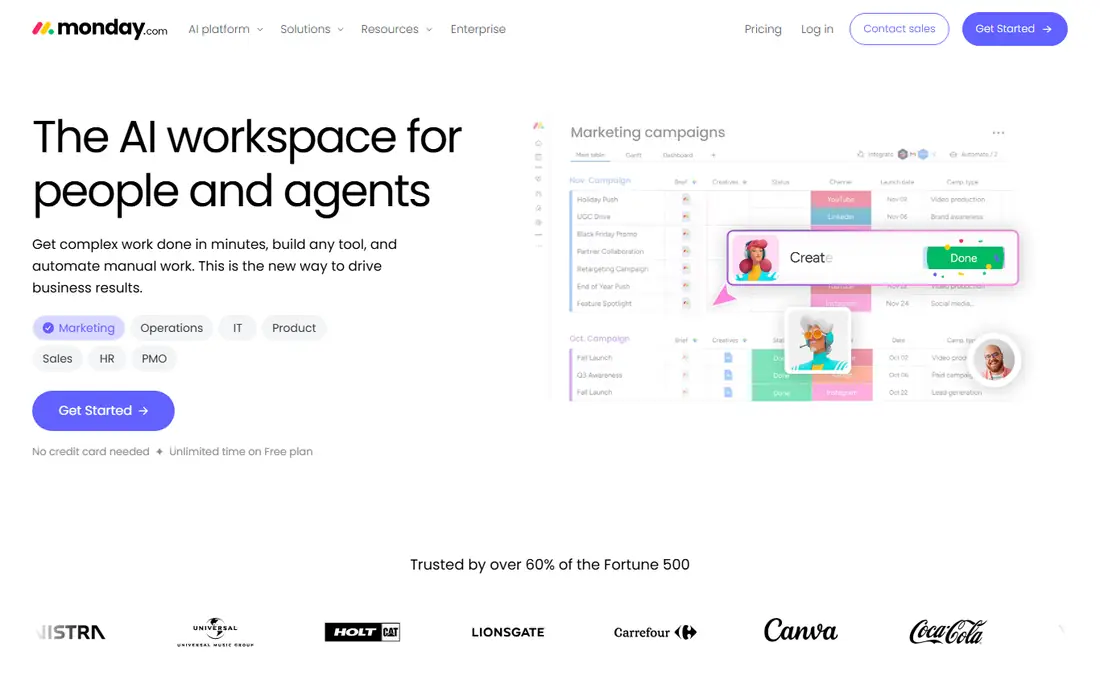
monday.com is the visual pick among Asana alternatives, with color-coded boards that non-technical teams adopt quickly and a board-first workspace that makes work visible at a glance. Basic pricing starts at 9 dollars a user a month on annual billing, with a free plan for 2 users, though some guides cite 8 dollars a seat for Basic, so confirm the current rate.
Paid plans carry a 3-seat minimum, and Standard at 12 dollars a user a month is the practical tier for most teams, since automation volume and Gantt critical path force upgrades from Basic. For a visual team that wants fast onboarding and colorful boards, monday.com is the best pick.
What we like- Visual pick
- Color-coded boards non-technical teams adopt quickly
- Basic 9 dollars a user a month annual
- Free plan for 2 users
Watch out for- 3-seat minimum on paid plans
- Standard 12 dollars a user a month is the practical tier for most teams
- Automation volume forces upgrades
#2ClickUp
Best for: Most features per dollar4.6/5 on
G2 (14,878 reviews, checked Oct 2026)
Visit clickup.com
Starting price$7/user/month
Free planYes
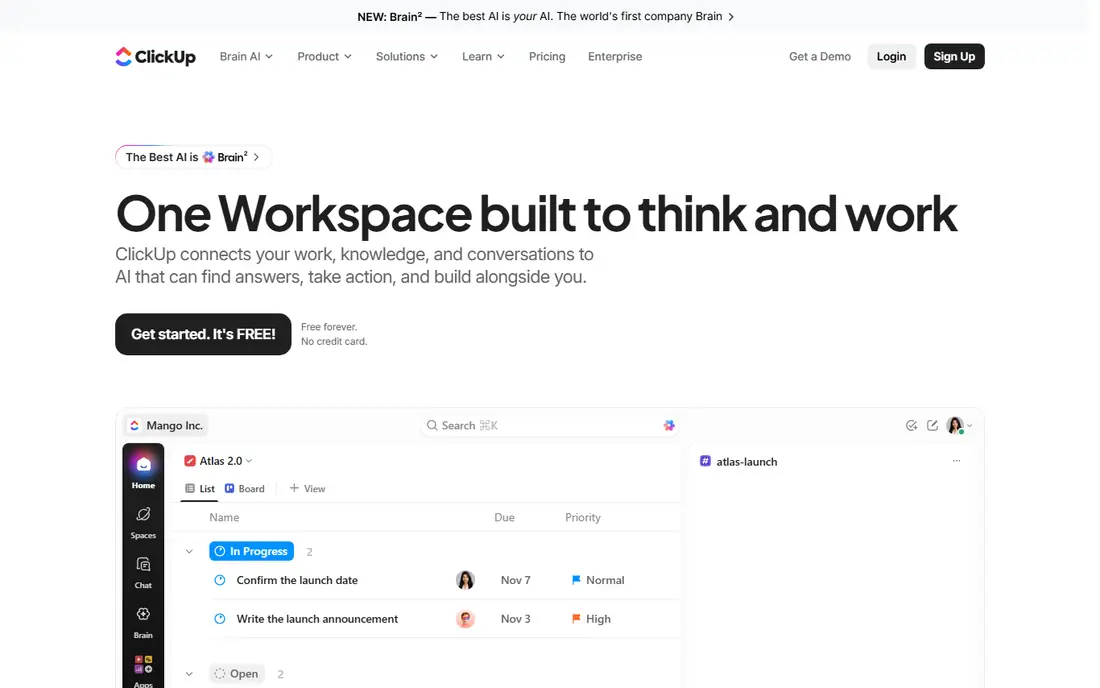
ClickUp offers the most features per dollar, with Unlimited at 7 dollars a user a month on annual billing and a free plan covering unlimited members. The workspace combines tasks, docs, chat, and goals in one place, which removes the need for separate tools for many teams. The free plan is genuinely usable, not a trial.
Setup investment is needed to get value from the depth, and 1,000 monthly automations or webhooks force upgrades. Feature depth overwhelms small teams that just need a simple board. For a team that wants maximum features per dollar and can invest in setup, ClickUp is the best pick.
What we like- Most features per dollar
- Unlimited 7 dollars a user a month annual
- Free plan covers unlimited members
- Tasks, docs, chat, and goals in one workspace
Watch out for- Setup investment needed
- 1,000 monthly automations or webhooks force upgrades
- Feature depth overwhelms small teams
#3Trello
Best for: Simple kanban4.4/5 on
G2 (14,064 reviews, checked Oct 2026)
Visit trello.com
Starting price$5/user/month
Free planYes
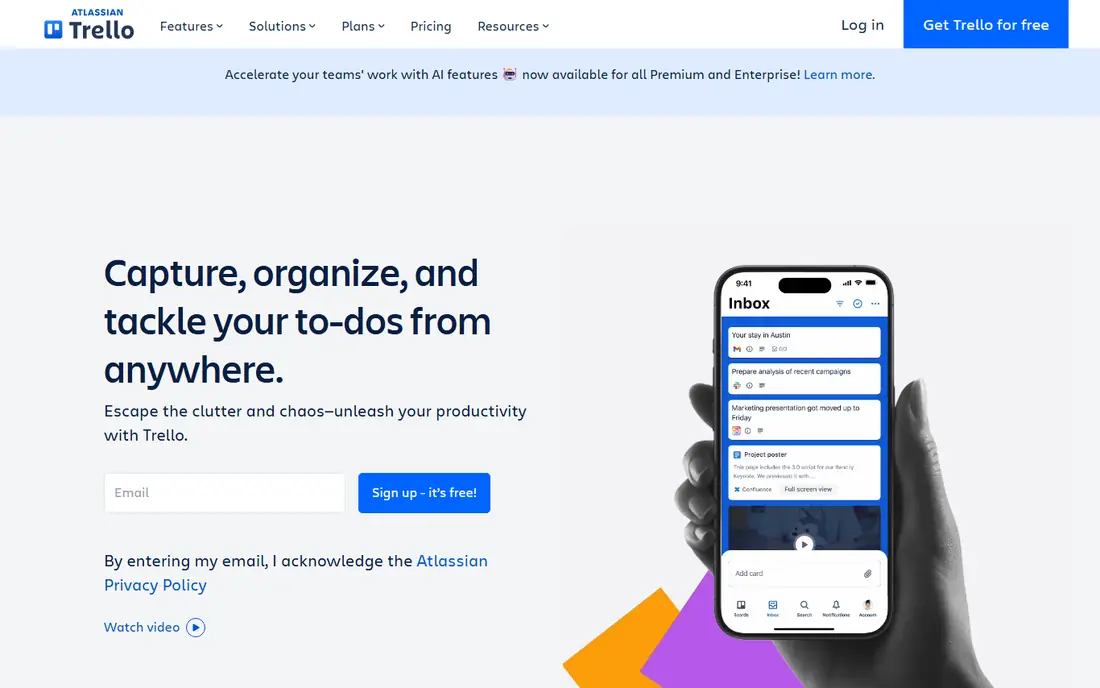
Trello remains the simplest tool for small groups that just need kanban done well, with Standard at 5 dollars a user a month on annual billing and a free plan covering up to 10 boards. The learning curve is near zero, board import is easy, and small teams can start in minutes without training.
Advanced views and 1,000 command runs force upgrades, and Premium at 10 dollars a user a month adds the advanced features larger teams need. There are no native goals or portfolios. For a small team that wants simple kanban without complexity, Trello is the best pick.
What we like- Simplest tool for small groups
- Standard 5 dollars a user a month annual
- Free plan up to 10 boards
- Zero learning curve
- Board import easy
Watch out for- 1,000 command runs or advanced views force upgrades
- Premium 10 dollars a user a month for advanced features
- No native goals or portfolios
#4Notion
Best for: Docs plus tasks4.6/5 on
G2 (13,834 reviews, checked Oct 2026)
Visit notion.so
Starting price$10/user/month
Free planYes
Notion suits teams that want docs, wikis, and light project tracking in one place, with pages and databases that combine knowledge and tasks. Plus costs 10 dollars a member a month on annual billing, with a free plan for individuals and small teams, and templates for projects, wikis, and docs speed setup.
Project tracking is lighter than ClickUp or monday.com, SSO and granular permissions need the Business plan, and offline access is limited. For a knowledge-centered team that wants docs and tasks together, Notion is the best pick.
What we like- Docs, wikis, and tasks in one place
- Plus 10 dollars a member a month annual
- Free plan for individuals and small teams
- Templates for projects
Watch out for- SSO and granular permissions need Business
- Project tracking lighter than ClickUp or monday.com
- Offline access limited
#5Wrike
Best for: Approval workflows4.2/5 on
G2 (4,540 reviews, checked Oct 2026)
Visit wrike.com
Starting price$10/user/month
Free planYes
Wrike suits larger teams and agencies managing complex, cross-department workflows, with approval workflows, configurable workflows, and reporting that marketing teams need. Team pricing starts at 10 dollars a user a month on annual billing, with a free plan for small teams.
The 16th user forces Business at 25 dollars a user, which is a sharp jump, and enterprise depth overwhelms small teams. For a marketing or enterprise team that needs approval workflows and governance, Wrike is the best pick.
What we like- Approval workflows and marketing teams
- Team 10 dollars a user a month annual
- Free plan for small teams
- Configurable workflows and reporting
Watch out for- 16th user forces Business at 25 dollars a user
- Enterprise depth overwhelms small teams
- Custom plans for larger deployments
#6Smartsheet
Best for: Spreadsheet planning4.4/5 on
G2 (22,767 reviews, checked Oct 2026)
Visit smartsheet.com
Starting price$9/user/month
Free planNo
Smartsheet suits operations teams that run the business in spreadsheets and want structure, with a familiar spreadsheet interface, Gantt plans, and Pro pricing at 9 dollars a member a month on annual billing. The spreadsheet-native design means operations teams adopt it without learning a new paradigm.
The free plan was discontinued in 2025, leaving a 30-day trial only, and Pro is capped at 10 members in some guides, with the 11th member or 250 automations forcing upgrades. For a spreadsheet-first operations team, Smartsheet is the best pick.
What we like- Spreadsheet-style planning for operations teams
- Pro 9 dollars a member a month annual
- Gantt plans
- Familiar spreadsheet interface
Watch out for- Free plan discontinued in 2025, 30-day trial only
- Pro capped at 10 members in some guides
- 11th member or 250 automations force upgrades
Starting price$299/month
Free planNo
Basecamp suits teams that value simplicity and predictable pricing over features, with Pro Unlimited at 299 dollars a month on annual billing for unlimited users, or 349 dollars monthly. That flat price beats per-seat pricing once a team passes about 20 seats, and the simple collaboration tools suit client-facing work without feature overload.
Plus costs 15 dollars a user a month for smaller teams, there is no free plan beyond a 30-day trial, and dependencies and resource planning depth are thinner than rivals. For a large team or a client-facing agency that wants one simple tool for a flat fee, Basecamp is the best pick.
What we like- Flat pricing for large teams
- Pro Unlimited 299 dollars a month annual for unlimited users
- Simple collaboration
- Client-facing work strengths
Watch out for- 349 dollars a month on monthly billing
- Plus 15 dollars a user a month for smaller teams
- No dependencies or resource planning depth
- 30-day trial only
#8Teamwork.com
Best for: Client agencies4.4/5 on
G2 (1,214 reviews, checked Oct 2026)
Visit teamwork.com
Starting price$9.99/user/month
Free planYes
Teamwork.com suits agencies and client-services firms that bill by the hour, with client project management, billable work, and time tracking built in. Basics pricing starts at 9.99 dollars a user a month on annual billing, with a free plan up to 5 users, and some guides cite Deliver at 10.99 dollars a user a month.
Accelerate at 24.99 dollars a user a month is the practical tier for budgets, retainers, and invoices, which is a sharp jump from Basics. For an agency that manages client projects and bills by the hour, Teamwork.com is the best pick.
What we like- Best for client services
- Agencies managing client projects
- Billable work and time tracking
- Basics 9.99 dollars a user a month annual
- Free plan up to 5 users
Watch out for- Accelerate at 24.99 dollars a user a month is the practical tier for budgets and retainers
- Budgets, retainers, and invoices need higher plans
How we chose
We compared the entry price against the practical tier for each tool, since the cheapest paid plan is rarely the one that runs a real workflow: monday.com Standard, Teamwork.com Accelerate, and Wrike Business are the tiers most teams actually land on. We also weighted the first upgrade trigger, since automation limits, member caps, and feature gates decide the real cost faster than the headline price. We deliberately did not list Asana itself, since this article covers alternatives to it.
What to check before you buy
Read the starting price and the practical tier as two different numbers, and check the first limit that forces an upgrade, whether automation volume, member caps, or feature gates. Trial the tool on a real project with your actual team, since a tool that looks simple in a demo can overwhelm a small team or under-serve a large one. Check migration tools, since Trello board import is easy while Notion migration is manual, and confirm whether the free plan covers your team size, since several free plans cap at 2 or 5 users. Finally, compare the total cost at your team size, since Basecamp flat pricing beats per-seat pricing past about 20 seats.
A note on adoption
The best tool is the one your team actually uses, so pick the tool with the lowest adoption friction for your team, not the longest feature list. A visual board that everyone updates beats a powerful workspace that only two people open, and a simple kanban that a small team maintains beats a complex system that needs an administrator. Run a two-week trial with a real project and a real deadline, then keep the tool that still has fresh updates on day fourteen, since that is the tool your team will keep using.
Frequently asked questions
What is the cheapest Asana alternative?
Trello at 5 dollars a user a month is the cheapest real team tool, while ClickUp free plan covers unlimited members. Basecamp flat pricing wins for teams over 20 seats.
Which Asana alternative is best for agencies?
Teamwork.com is best for agencies managing client projects and billing by the hour, while Basecamp suits client-facing work with flat pricing.
Can I migrate from Asana to these tools?
Yes, with varying effort. Trello board import is easy, ClickUp import needs cleanup, and Notion migration is manual. Check each vendor import tool before switching.
Do these tools have free plans?
Most do: monday.com, ClickUp, Trello, Notion, Wrike, and Teamwork.com all offer free plans with limits. Smartsheet and Basecamp offer 30-day trials only.
Which alternative is best for visual teams?
monday.com is the most visual, with color-coded boards that non-technical teams adopt quickly. Smartsheet suits spreadsheet-native teams, while Trello suits simple kanban.
Sources we checked (0)
Is your product missing or out of date?
We review this list regularly. Vendors can request a listing, send updated pricing or ask about featured placement.

Shihab Mia · Founder, Rankite
Shihab has 5+ years in B2B and SaaS SEO. He writes Rankite's software buying guides from pricing pages, documentation and public user reviews. More about Shihab.