How we make this list: we compare pricing pages, product documentation and public user reviews. Ratings come from G2, Capterra or Trustpilot, with the date we checked them.
Key takeaways
- Asana is the safest default for cross-team coordination, while ClickUp gives the most features per dollar.
- monday.com leads on visual workflows and dashboards, and Trello remains the fastest setup for simple kanban work.
- Teamwork.com is built for agencies that bill clients, which is the closest match to ActiveCollab's original audience.
- Per-user pricing adds up fast, so budget by headcount over a full year rather than by the headline monthly rate.
Quick comparison
| Tool | Best for | Starting price | Free plan |
|---|
 Asana Asana | Cross-team task coordination | $10.99 per user per month | Yes |
 monday.com monday.com | Visual boards and custom workflows | $9 per user per month | Yes |
 ClickUp ClickUp | Most features per dollar | $7 per user per month | Yes |
 Trello Trello | Simple kanban boards | $5 per user per month | Yes |
 Wrike Wrike | Marketing and creative operations | $10 per user per month | Yes |
 Zoho Projects Zoho Projects | Budget-friendly project tracking | $4 per user per month | Yes |
 Teamwork.com Teamwork.com | Agencies and client services | See website | Free trial |
 Basecamp Basecamp | Flat-rate team collaboration | See website | Free trial |
Is your product missing or out of date?
We review this list regularly. Vendors can request a listing, send updated pricing or ask about featured placement.
The best active collab alternatives
#1Asana
Best for: Cross-team task coordination4.4/5 on
G2 (13,930 reviews, checked Oct 2026)
Visit asana.com
Starting price$10.99 per user per month
Free planYes

Asana is the default answer when teams want project management without a steep learning curve. Tasks, projects, timelines, and calendars come together in an interface most people understand in an afternoon. Every task has an owner and a due date, which ends the usual question of who is doing what. Portfolios roll projects up for leadership, and goals connect daily work to company objectives.
The honest catch is price at scale. The free plan covers small teams, but Starter at $10.99 per user per month billed annually is where timelines and dashboards arrive, and portfolios sit higher still. For cross-functional teams that need everyone aligned on ownership and deadlines, Asana remains the safest pick in this group.
What we like- Clear task ownership and timelines
- Portfolios and goals on higher tiers
- Strong automation rules
Watch out for- Costs add up for large teams
- Portfolios need higher tiers
- Free plan is limited
#2monday.com
Best for: Visual boards and custom workflows4.7/5 on
G2 (17,182 reviews, checked Oct 2026)
Visit monday.com
Starting price$9 per user per month
Free planYes
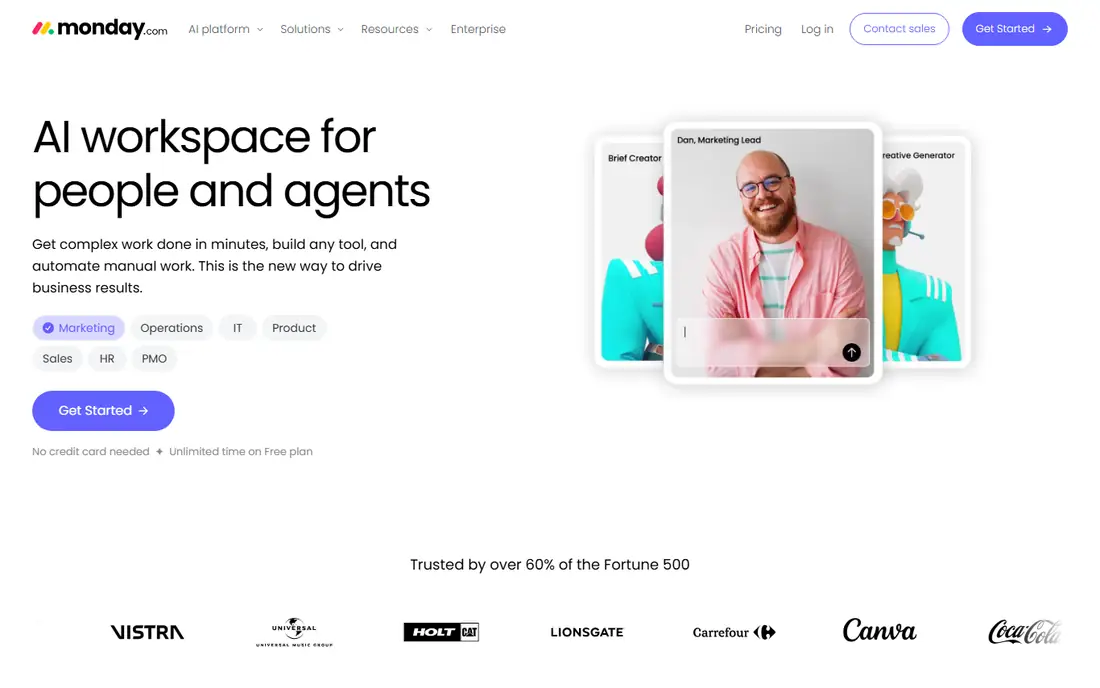
monday.com suits teams that think in boards and color. Its visual workflows make project status obvious at a glance, and dashboards roll work up for managers without a separate reporting tool. Templates cover marketing, sales, product, and operations work, and automations handle routine routing and reminders. Teams that struggled to get colleagues to open a plainer tool often adopt monday.com faster.
Seat minimums are the catch. Paid plans require a minimum number of seats, and the free plan covers only two users, so small teams should check the real entry cost. Heavy customization can also turn boards into clutter if nobody owns the structure. For visual teams that want dashboards out of the box, monday.com is a strong pick.
What we like- Color-coded boards and templates
- Strong dashboards
- Flexible automations
Watch out for- Seat minimums on paid plans
- Free plan covers only two seats
- Costs rise with customization
#3ClickUp
Best for: Most features per dollar4.6/5 on
G2 (14,878 reviews, checked Oct 2026)
Visit clickup.com
Starting price$7 per user per month
Free planYes
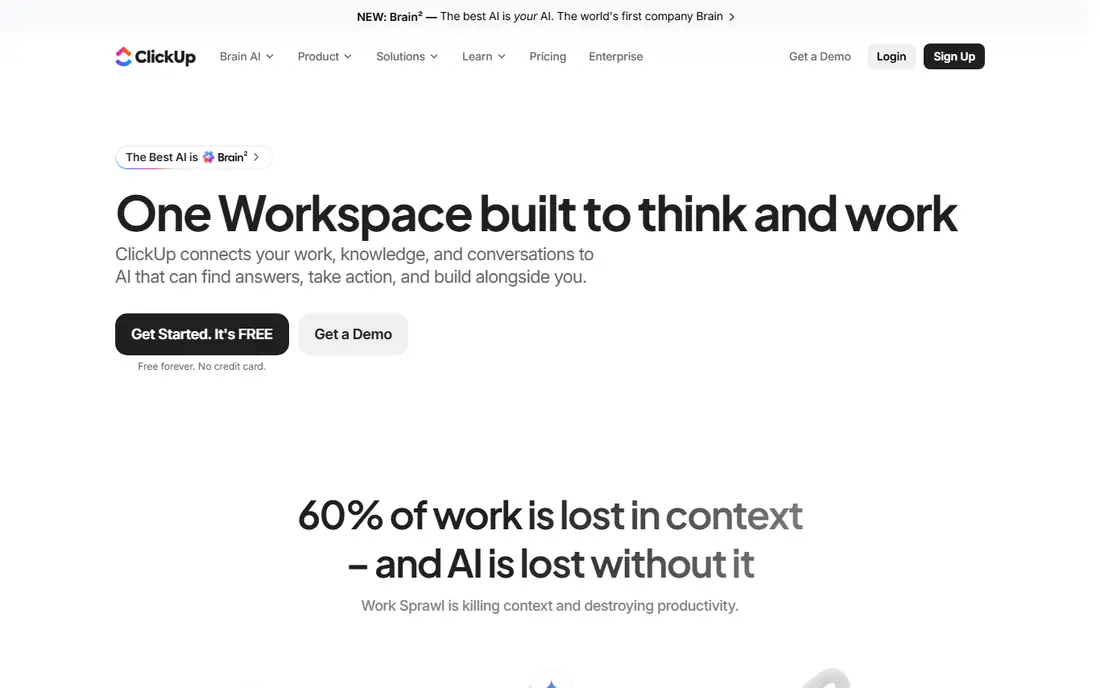
ClickUp packs the most features per dollar in this list. Tasks, documents, goals, and time tracking live in one workspace, and the free plan covers unlimited users with generous limits. The Unlimited plan at $7 per user per month billed annually adds the views and automations most teams actually need. For a team replacing ActiveCollab on a budget, ClickUp covers the widest ground for the lowest paid price.
Depth is also the weakness. ClickUp can feel busy when a team turns on every feature at once, and setup asks for decisions about hierarchy, views, and permissions that simpler tools avoid. Start with one project type, lock the structure, and expand only when the team asks. Done that way, ClickUp is the value leader here.
What we like- Tasks, docs, and time tracking in one place
- Generous free plan
- Deep customization
Watch out for- Can feel busy if over-customized
- Setup takes decisions
- Some views need tuning
#4Trello
Best for: Simple kanban boards4.4/5 on
G2 (14,064 reviews, checked Oct 2026)
Visit trello.com
Starting price$5 per user per month
Free planYes
Trello wins on simplicity. A board, a few lists, and drag-and-drop cards cover most small-team work without training. The free plan supports up to ten collaborators per board, and Standard at $5 per user per month billed annually adds unlimited boards, custom fields, and saved views. Teams that need a shared board today, not a platform rollout next month, should start here.
Complex work exposes the limits. Dependencies, workload views, and portfolio reporting are thin, and power-ups add cost on lower plans. Trello suits small teams and simple projects, not multi-project programs with shared resources. For straightforward task tracking, its speed is unmatched.
What we like- Fastest setup of any tool here
- Drag-and-drop boards anyone understands
- Generous free plan
Watch out for- Limited for complex dependencies
- Reporting is thin
- Power-ups add cost on lower plans
#5Wrike
Best for: Marketing and creative operations4.2/5 on
G2 (4,540 reviews, checked Oct 2026)
Visit wrike.com
Starting price$10 per user per month
Free planYes
Wrike fits marketing and creative teams that route work through approvals. Proofing tools let reviewers comment directly on creative assets, and resource management shows who is overloaded before deadlines slip. The Team plan at $10 per user per month billed annually covers the core, while higher tiers add advanced reporting and enterprise controls. Agencies and in-house creative teams get real value from the approval workflow alone.
The interface takes longer to learn than Asana or Trello, and advanced features push the price up. Smaller teams with simple projects may overbuy. For creative operations where approvals and asset reviews drive the work, Wrike is the strongest specialist here.
What we like- Strong proofing and approvals
- Good resource management
- Scales to enterprise
Watch out for- Interface takes learning
- Pricing rises with advanced features
- Smaller teams may overbuy
#6Zoho Projects
Best for: Budget-friendly project tracking4.4/5 on
G2 (570 reviews, checked Oct 2026)
Visit zoho.com
Starting price$4 per user per month
Free planYes
Zoho Projects is the budget pick with real depth. Premium at $4 per user per month billed annually adds Gantt charts, time tracking, and task automation that rivals charge more for. Teams already using Zoho CRM, Books, or Mail get the most value, since projects connect to the rest of the business without extra integration work. The free plan covers small teams getting started.
The interface feels less polished than Asana or monday.com, and third-party integrations are fewer outside the Zoho range. Advanced features like portfolio management need higher tiers. For cost-conscious teams, especially Zoho users, Zoho Projects delivers the most project management per dollar after ClickUp.
What we like- Lowest paid price in this group
- Good Zoho ecosystem fit
- Solid Gantt and time tracking
Watch out for- Interface feels less polished
- Fewer third-party integrations
- Advanced features need higher tiers
#7Teamwork.com
Best for: Agencies and client services4.4/5 on
G2 (1,214 reviews, checked Oct 2026)
Visit teamwork.com
Starting priceSee website
Free planFree trial
Teamwork.com is the closest match to ActiveCollab's original audience. It is built for agencies and client services, with time tracking, billable hours, and invoicing links that connect delivery to revenue. Workload views show who is overloaded across client projects, and portfolio views roll client work up for leadership. Teams that bill by the hour get a single place for tasks, time, and client reporting.
Pricing is not published as a simple starting figure, so buyers need a quote or a trial to compare costs. Full setup takes longer than Trello or Asana, and internal-only teams may find the client features unnecessary. For agencies replacing ActiveCollab, Teamwork.com deserves the first trial slot.
What we like- Built for client work and billing
- Time tracking and invoicing links
- Workload and portfolio views
Watch out for- No published starting price in this guide
- Learning curve for full setup
- Overkill for internal-only teams
#8Basecamp
Best for: Flat-rate team collaboration4.1/5 on
G2 (5,488 reviews, checked Oct 2026)
Visit basecamp.com
Starting priceSee website
Free planFree trial
Basecamp takes a different approach. Instead of per-seat pricing, it charges a flat rate, which makes budgeting simple for larger teams. Each project gets message boards, to-dos, schedules, file storage, and group chat in one calm place, with no separate tools to stitch together. Teams that hate per-user pricing and notification overload often settle here and stay.
Visual project tracking is weaker than monday.com or Asana, and time billing depth is lighter than Teamwork.com. Reporting is simpler, which suits teams that want less dashboard work, not more. For teams that value calm communication and predictable pricing over visual workflows, Basecamp is a strong alternative.
What we like- Flat pricing avoids per-seat math
- Calm all-in-one project hub
- Message boards and schedules included
Watch out for- Less visual project tracking
- No built-in time billing depth
- Reporting is lighter
How we chose
We compared pricing pages, feature lists, and time tracking depth for each tool, then checked them against recent buyer guides and user reviews on G2, Capterra, and Reddit. Tools made the list only if they manage team projects today, offer task assignment with due dates, and fit a clear team type. Where pricing pages and guide figures disagreed, we used See website rather than printing a contested number.
The biggest predictor of success is not the feature list but whether the team opens the tool without reminders. Run a two-week pilot of your top two choices on one live project, with the same tasks in both. Watch which one the team updates on its own. A tool that needs constant chasing costs more in lost updates than any monthly fee.
Also check the billing model against your real headcount. Per-user pricing punishes large teams and occasional collaborators, while flat-rate tools like Basecamp reward them. Count contractors and clients who need access, not just full-time staff, before you compare plans. A pilot plus a headcount-based cost model beats a feature checklist every time.
Frequently asked questions
Is ActiveCollab itself still available?
ActiveCollab remains available as a project management tool with time tracking and client features. The alternatives here win for many buyers on price, visual workflows, or deeper agency billing. If ActiveCollab already fits your team, switching only makes sense when a specific gap, like reporting or integrations, blocks your work.
Which ActiveCollab alternative is best for agencies?
Teamwork.com is the closest agency match, with time tracking, billable hours, and invoicing links built for client work. ClickUp and Asana also serve agencies well, but Teamwork.com connects delivery to billing most directly. Run a pilot on one live client project before switching.
Which tool is cheapest for a small team?
Zoho Projects starts at $4 per user per month billed annually, and ClickUp starts at $7 with a generous free plan. Trello is free for small boards. Compare the paid tier you actually need, since free plans limit views, automations, and reporting.
Do these tools include time tracking?
ClickUp, Wrike, Zoho Projects, Teamwork.com, and Asana (on paid plans) include time tracking or support it through integrations. Trello and monday.com rely more on integrations or power-ups for detailed time data. Check the exact plan, since time tracking often sits above the entry tier.
How hard is it to migrate from ActiveCollab?
Migration effort depends on your data. Tasks and projects usually import through CSV or an integration, but time logs and client billing history need more care. Export everything before cancelling, run the new tool in parallel for two weeks, and confirm time and billing data match before you close the old account.
Sources we checked (8)
- https://www.asana.com
- https://www.monday.com
- https://www.clickup.com
- https://www.trello.com
- https://www.wrike.com
- https://www.zoho.com
- https://www.teamwork.com
- https://www.basecamp.com
Is your product missing or out of date?
We review this list regularly. Vendors can request a listing, send updated pricing or ask about featured placement.

Shihab Mia · Founder, Rankite
Shihab has 5+ years in B2B and SaaS SEO. He writes Rankite's software buying guides from pricing pages, documentation and public user reviews. More about Shihab.