How we make this list: we compare pricing pages, product documentation and public user reviews. Ratings come from G2, Capterra or Trustpilot, with the date we checked them.
Key takeaways
- Mixmax is the closest one-to-one Yesware replacement for teams that live in Gmail.
- Apollo combines a large contact database with sequencing, which removes the need for a separate prospecting tool.
- HubSpot Sales Hub suits teams already running HubSpot CRM, since sequences and tracking live inside the CRM.
- Outreach and Salesloft fit larger sales teams that need coaching, forecasting, and strict workflow control.
- Per-seat pricing varies from $20 to quote-only enterprise plans, so total cost depends heavily on team size.
Quick comparison
| Tool | Best for | Starting price | Free plan |
|---|
 Mixmax Mixmax | Gmail-first sales teams | $29 per user/month | Yes |
 Apollo Apollo | Prospecting plus sequencing | $49 per user/month | Yes |
 HubSpot Sales Hub HubSpot Sales Hub | HubSpot CRM teams | $20 per seat/month | Yes |
 Outreach Outreach | Large enterprise sales orgs | See website | No |
 Salesloft Salesloft | Mid-market to enterprise teams | See website | No |
 Reply Reply | Multichannel SMB outbound | $49 per user/month | Free trial |
 Instantly Instantly | High-volume cold email | $47 per month | No |
 Klenty Klenty | Call-heavy outbound teams | $50 per user/month | Free trial |
Is your product missing or out of date?
We review this list regularly. Vendors can request a listing, send updated pricing or ask about featured placement.
The best Yesware alternatives
#1Mixmax
Best for: Gmail-first sales teams4.6/5 on
G2 (1,486 reviews, checked Oct 2026)
Visit mixmax.com
Starting price$29 per user/month
Free planYes
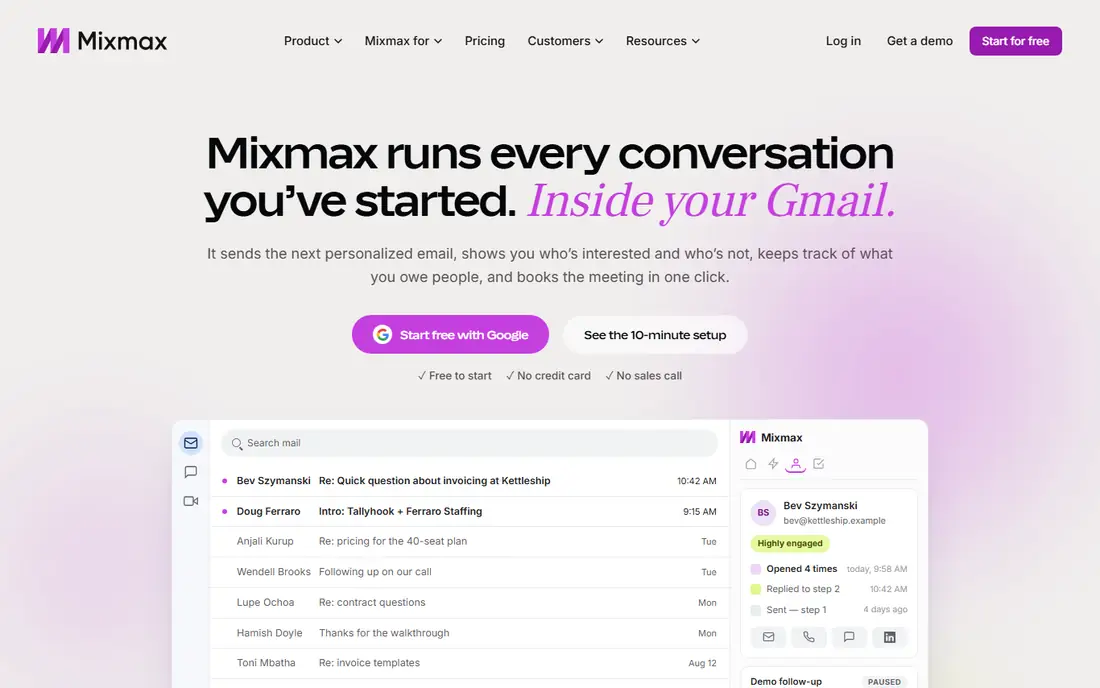
Mixmax is the most direct Yesware replacement for a team that works in Gmail all day. Tracking, templates, sequences, meeting scheduling, and polls sit in a sidebar inside the inbox, so a rep rarely leaves Gmail to run outbound. Salesforce sync keeps activity logged without manual entry, and rules can automate follow-ups when a prospect opens, clicks, or replies. For a small team that wants Yesware-style tracking with more automation, Mixmax feels familiar from the first day.
The limits are clear. Mixmax is Gmail only, so an Outlook-based team must look elsewhere. Pricing also needs care: the $29 entry tier covers one Copilot, while the full Suite runs $89 per user per month on annual billing, which changes the value calculation for larger teams. Mixmax fits best for Gmail teams of up to about twenty reps who want inbox-native sequencing without an enterprise platform.
What we like- Works inside Gmail
- Tracking, templates, and scheduling in one sidebar
- Strong Salesforce sync
Watch out for- Gmail only, no Outlook support
- Full Suite pricing is much higher
- AI features are split across Copilots
#2Apollo
Best for: Prospecting plus sequencing4.7/5 on
G2 (9,847 reviews, checked Oct 2026)
Visit apollo.io
Starting price$49 per user/month
Free planYes
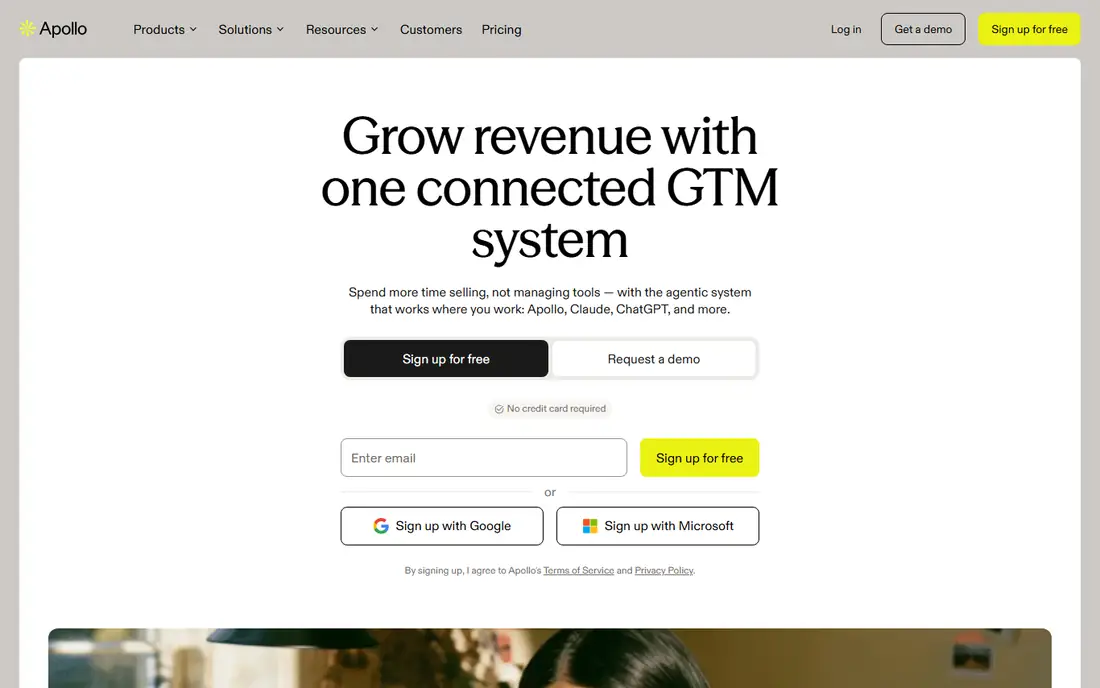
Apollo solves a different problem from Yesware: it finds the prospects as well as emailing them. Its database holds hundreds of millions of contacts, so a rep can build a list, verify emails, and launch a sequence without buying a separate data tool. The free plan includes limited credits, which is enough to test the workflow before paying. Paid plans add more credits, a dialer, and deeper reporting, plus a built-in CRM for teams that do not run Salesforce or HubSpot.
The catch is data accuracy. Apollo's database is broad, but niche industries and smaller companies can have thinner or older records, so verification still matters before a big send. Credit-based sending also means the monthly cost depends on how many contacts a rep works, not just the seat price. Apollo fits best for startups and small sales teams that need prospecting and sequencing on one bill.
What we like- Large contact database included
- Sequences, dialer, and CRM in one platform
- Generous free plan
Watch out for- Data quality varies by niche
- Higher tiers get expensive
- Sending limits are credit-based
#3HubSpot Sales Hub
Best for: HubSpot CRM teams4.4/5 on
G2 (14,364 reviews, checked Oct 2026)
Visit hubspot.com
Starting price$20 per seat/month
Free planYes
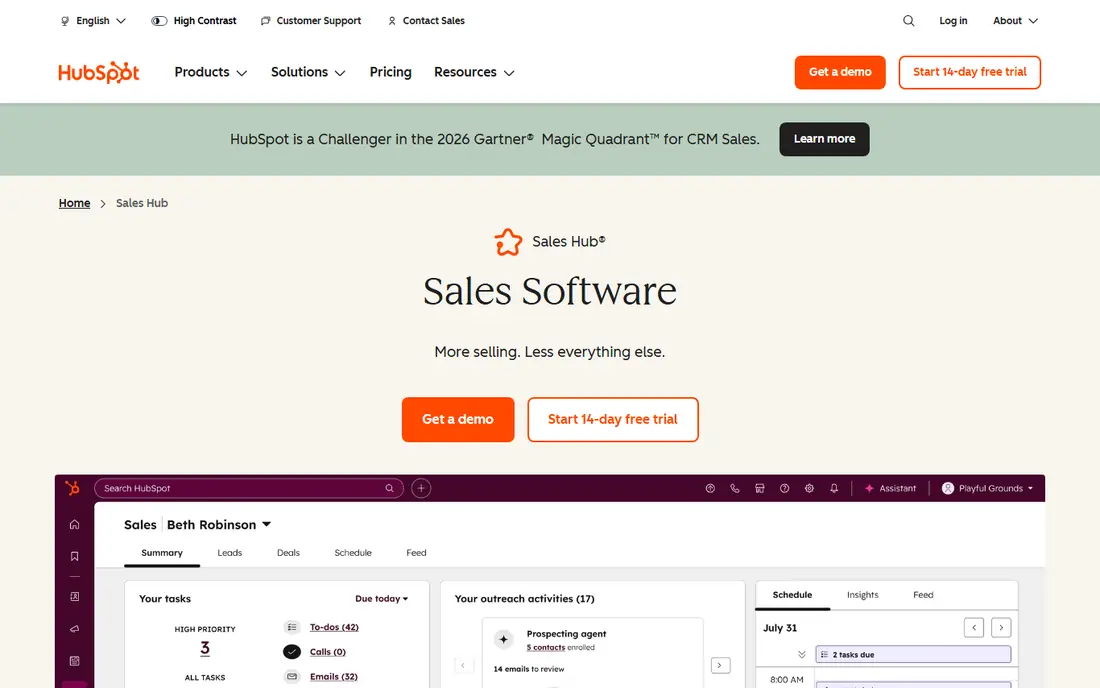
HubSpot Sales Hub is the obvious pick for a team that already runs HubSpot CRM. Sequences, email tracking, templates, and meeting links live in the same record a rep already opens, so activity logging is automatic and managers see the full picture without a separate tool. The free CRM gives small teams a starting point at no cost, and the Starter tier at $20 per seat per month adds the core sales tools most small teams need.
The trade is outbound depth. HubSpot sequences cover email and task steps well, but they lack the multichannel cadence depth, call coaching, and forecasting of Outreach or Salesloft. Teams that run heavy cold outbound with LinkedIn and call steps will outgrow it. HubSpot Sales Hub fits best for inbound-led teams and small outbound teams that value one system over a best-of-breed stack.
What we like- Sequences live inside the CRM
- Free CRM included
- Email tracking and meeting scheduling built in
Watch out for- Sequences need paid tiers for real use
- Advanced reporting costs more
- Less outbound depth than Outreach
#4Outreach
Best for: Large enterprise sales orgs4.3/5 on
G2 (3,671 reviews, checked Oct 2026)
Visit outreach.io
Starting priceSee website
Free planNo
Outreach is the enterprise standard for sales engagement, built for organizations with dozens or hundreds of reps. Its sequence builder handles email, calls, LinkedIn tasks, and SMS in one cadence, with rules, triggers, and AI agents that adjust the next step based on prospect behavior. Coaching tools, conversation intelligence, and forecasting give managers visibility that smaller tools cannot match. For a large org, that control justifies the cost and the implementation effort.
The barrier is price and complexity. Outreach does not publish pricing, and third-party estimates put entry tiers around $100 to $120 per user per month, with minimum seat counts on many contracts. Implementation takes weeks, not days, and needs an owner on the revenue operations side. Outreach fits best for enterprise teams where outbound is a core revenue engine and the platform cost spreads across many reps.
What we like- Deepest sequence and workflow controls
- Strong coaching and forecasting
- Proven at very large scale
Watch out for- Quote-only pricing
- Long implementation
- Minimum seat commitments on many contracts
#5Salesloft
Best for: Mid-market to enterprise teams4.5/5 on
G2 (9,907 reviews, checked Oct 2026)
Visit salesloft.com
Starting priceSee website
Free planNo
Salesloft is the closest enterprise rival to Outreach, and the choice between them often comes down to existing integrations and team habits. Its cadence builder covers email, calls, and social steps, while Rhythm AI ranks the actions a rep should take each day, which helps larger teams focus on the highest-value work. Conversation intelligence records and analyzes calls, feeding coaching without a separate tool. Integration with Salesforce and HubSpot is mature, so activity sync rarely becomes a project of its own.
Like Outreach, Salesloft is quote-only, with no public trial for a team to test before talking to sales. That makes budgeting harder for smaller teams, and the platform rewards a dedicated owner. Salesloft fits best for mid-market to enterprise revenue teams that want a full engagement platform with AI-guided daily priorities and can support an annual contract.
What we like- Strong cadence builder
- Rhythm AI prioritizes daily work
- Good Salesforce and HubSpot integration
Watch out for- Quote-only pricing
- No public self-serve trial
- Advanced analytics need higher tiers
Starting price$49 per user/month
Free planFree trial
Reply suits a small or mid-size team that wants multichannel sequences without enterprise pricing. A single sequence can mix email, LinkedIn steps, calls, SMS, and WhatsApp, which matches how buyers actually respond across channels. The Email Volume plan at $49 per user per month on annual billing covers 1,000 active contacts, and the Jason AI SDR add-on can run outreach semi-autonomously for teams short on rep capacity. Reporting covers reply rates, bounce rates, and channel performance in one view.
The bill grows on two axes. LinkedIn accounts and call and SMS credits are add-ons, so a three-rep team running email plus LinkedIn pays far more than the headline seat price. Jason AI SDR, at $500 per month on annual billing for the Starter tier, is priced like a part-time hire. Reply fits best for SMB teams that run genuine multichannel outbound and price the full stack, not just the seat, before committing.
What we like- Email, LinkedIn, calls, SMS, and WhatsApp in one sequence
- Jason AI SDR option
- Solid reporting
Watch out for- LinkedIn and calls are paid add-ons
- Jason AI SDR is expensive
- Data credits are limited on base plans
#7Instantly
Best for: High-volume cold email4.8/5 on
G2 (4,161 reviews, checked Oct 2026)
Visit instantly.ai
Starting price$47 per month
Free planNo
Instantly is built for volume. Its flat pricing covers unlimited sending mailboxes, which makes it far cheaper per sender than per-seat tools for teams that rotate many domains and inboxes. Built-in warm-up, inbox placement testing, and deliverability monitoring help keep messages out of spam, which is the main risk in high-volume cold email. The interface is simple, so a solo founder or a small agency can launch a campaign quickly without a long setup.
The limit is channel. Instantly is email only, so a team that needs LinkedIn steps must pair it with another tool. Its lead database is also a separate add-on, and there is no free plan, only a trial window on some plans. Instantly fits best for high-volume cold email teams and agencies where email is the whole motion and deliverability is the top concern.
What we like- Flat pricing with unlimited mailboxes
- Built-in warm-up
- Strong deliverability tools
Watch out for- Email only, no LinkedIn automation
- Lead database is a separate add-on
- No free plan
#8Klenty
Best for: Call-heavy outbound teams4.6/5 on
G2 (391 reviews, checked Oct 2026)
Visit klenty.com
Starting price$50 per user/month
Free planFree trial
Klenty is the pick for outbound teams where the phone does the heavy lifting. Its cadences blend email with call tasks, a power dialer, and local presence dialing, which suits teams that book meetings by phone rather than by email alone. The Kanbu AI assistant helps draft messages and subject lines, and integrations with Salesforce, HubSpot, Pipedrive, and Zoho keep activity in sync. For a mid-market team with a call-first motion, that focus shows in daily workflow.
The trade is that LinkedIn automation is manual on most plans, so a LinkedIn-first team should look at Reply or lemlist instead. Email-only teams also pay for call features they may not use. Klenty fits best for teams where reps spend a real share of the day on the phone and need a cadence tool built around that habit.
What we like- Strong call cadences and power dialer
- Good CRM integrations
- Kanbu AI assistant for writing
Watch out for- LinkedIn steps are manual on most plans
- Email-only teams pay for call features
- Setup takes care
How we chose
We compared these tools on channel coverage, CRM fit, pricing model, and how much setup a team needs before the first sequence runs. Pricing figures come from vendor pricing pages and current comparison guides checked in October 2026, and any figure we could not confirm is marked as See website. We did not claim hands-on testing. Instead we weighed public documentation, pricing pages, and user reviews on sites such as G2 and Capterra, plus the practical difference between per-seat, flat, and quote-only pricing for teams of different sizes.
What to check before you pick
Start with your inbox. A Gmail team and an Outlook team face different shortlists, since Mixmax is Gmail only while other tools cover both. Next, count the real monthly cost: seats plus add-ons for LinkedIn, calls, data credits, and AI features, since the headline seat price rarely equals the invoice. Finally, check deliverability practices, such as warm-up, sending limits, and domain rotation, because a tool that lands mail in spam wastes every other feature it has.
Data, deliverability, and compliance
Cold outbound lives or dies on list quality and sender reputation. Verify emails before a send, warm up new domains and inboxes gradually, and respect opt-outs and regional rules without exception. Tools with built-in verification and warm-up reduce risk, but they do not replace a careful sending policy. Keep daily sending volumes modest per mailbox, and spread volume across mailboxes rather than pushing one inbox to its limit.
Sequences, coaching, and reporting
A sequence tool should show reply rates, bounce rates, meeting rates, and step-by-step drop-off, not just opens. Opens alone mislead, since image blocking and privacy features distort them. For larger teams, coaching features such as call recording and AI summaries matter as much as sending features, because they raise the whole team's conversion rate rather than just its volume.
Frequently asked questions
What is the cheapest Yesware alternative?
Mixmax and HubSpot Sales Hub have free tiers, and Apollo's free plan covers basic prospecting and sequencing. For paid use, Mixmax at $29 per user per month and HubSpot Starter at $20 per seat per month are the lowest entry points in this list.
Does Mixmax work with Outlook?
No. Mixmax is built for Gmail and Google Workspace only. Outlook teams should look at Apollo, HubSpot Sales Hub, Outreach, Salesloft, or Reply, all of which support Outlook alongside Gmail.
Which alternative includes a contact database?
Apollo is the strongest pick, with a large built-in database and verification. Reply and Instantly offer data as add-ons or separate plans, while Mixmax, Outreach, and Salesloft focus on sequencing and expect you to bring your own list or CRM data.
Can I run LinkedIn outreach from these tools?
Reply and Klenty support LinkedIn steps, though Klenty's are manual on most plans, and Reply charges per LinkedIn account. Instantly is email only. If LinkedIn is your main channel, compare Reply with dedicated LinkedIn tools before deciding.
How long does it take to set up a sales engagement tool?
Small tools such as Mixmax, Apollo, and Instantly can run a first sequence within days. Enterprise platforms such as Outreach and Salesloft take weeks, since they need CRM mapping, workflow design, and team training before launch.
Will switching from Yesware lose my templates and history?
Not necessarily, but plan for migration. Export templates, sequences, and activity history before canceling, and rebuild the highest-performing sequences first in the new tool. Most vendors offer import help on paid plans, so ask about migration support during the trial.
Sources we checked (8)
- https://www.mixmax.com
- https://www.apollo.io
- https://www.hubspot.com/products/sales
- https://www.outreach.io
- https://salesloft.com
- https://reply.io
- https://instantly.ai
- https://www.klenty.com
Is your product missing or out of date?
We review this list regularly. Vendors can request a listing, send updated pricing or ask about featured placement.

Shihab Mia · Founder, Rankite
Shihab has 5+ years in B2B and SaaS SEO. He writes Rankite's software buying guides from pricing pages, documentation and public user reviews. More about Shihab.