How we make this list: we compare pricing pages, product documentation and public user reviews. Ratings come from G2, Capterra or Trustpilot, with the date we checked them.
Pick Xero if you run a growing business with a team, work across currencies, or need full double-entry accounting with unlimited users on every plan. Pick FreshBooks if you are a freelancer or a small service business that lives on invoicing and time tracking, and you want the simplest tool that gets invoices paid.
Key takeaways
- Xero costs 27 dollars per month for Early, 59 for Growing and 97 for Established, after an October 2026 price rise, with no per-user fees.
- FreshBooks costs 23 dollars per month for Lite, 43 for Plus and 70 for Premium, after a March 2026 price rise, with Select custom priced.
- Xero includes unlimited users on every plan. FreshBooks charges by client count and team size on its tiers.
- FreshBooks has the better invoicing and time tracking experience. Xero has the deeper accounting, multi-currency and project tools.
How do Xero and FreshBooks compare on price
Xero raised US prices on 1 October 2026. Early now costs 27 dollars per month, Growing 59 dollars and Established 97 dollars, billed monthly with no published annual discount. New US customers are offered a deep introductory discount for the first three to six months, but the list price is what you pay after that. Older reads of 25, 55 and 90 dollars are from before the October rise and should not be used. Xero charges no per-user fees, so adding staff does not change the subscription price.
FreshBooks raised prices on 5 March 2026. The vendor pricing FAQ lists Lite at 23 dollars per month or 248.40 dollars per year, Plus at 43 dollars per month or 464.40 dollars per year, and Premium at 70 dollars per month or 756 dollars per year, with Select custom priced. A 30-day trial is available and there is no free plan. Older reads of 21, 38 and 65 dollars are from before the March rise and should not be used. For a solo operator, FreshBooks Lite at 23 dollars is cheaper than Xero Early at 27 dollars. For a team, Xero Growing at 59 dollars is cheaper than FreshBooks Premium at 70 dollars, and Xero includes unlimited users while FreshBooks charges for more team members.
FreshBooks wins on invoicing. Its invoice editor is cleaner, its payment reminders are easier to set up, and its client portal is simpler for customers to use. Lite includes unlimited invoices, estimates, time tracking, expenses, recurring invoices and automatic bank import, all for 23 dollars per month. Time tracking is built in, so a service business can log hours, attach them to an invoice and send it without leaving the tool.
Xero handles invoicing well, but with a cap on the cheapest plan: Early allows 20 invoices and five bills per month. Growing and Established allow unlimited invoices and quotes. Xero accepts online payments with a processing fee, and it handles multi-currency invoicing on Established. If you send more than 20 invoices a month, budget for Growing at 59 dollars rather than Early at 27 dollars, because the cap is a real constraint for an active service business. If getting the invoice out and paid is the job, FreshBooks is faster. If the books behind the invoice matter more, Xero is stronger.
Xero includes unlimited users on every plan. You can invite your bookkeeper, your accountant, your operations lead and your project managers without the bill changing. Permissions are set per user, so you can limit who sees payroll or bank details. That is the main reason growing service businesses pick Xero: the cost stays flat while the team grows.
FreshBooks charges by client count and team size. Lite covers a limited number of clients and one team member, while Plus and Premium raise those limits. A solo freelancer will not hit the limits. A five-person agency will need Premium at 70 dollars per month or Select, and the cost rises as the team grows. If you expect to add staff in the next year, Xero is the cheaper long-term pick. If you will stay solo, FreshBooks is cheaper and simpler.
Xero is stronger for projects and multi-currency work. Established at 97 dollars per month includes project time and cost tracking, expense and mileage claims, multi-currency, KPI analysis and a 180-day cash flow forecast. Growing at 59 dollars adds budgets and a 60-day forecast, while Early gives a 30-day forecast. A service business that bills time across currencies will find Established good value, especially with unlimited users included.
FreshBooks handles projects through time tracking and client billing, but it has no multi-currency accounting as deep as Xero and no project profitability reporting of the same kind. It suits a freelancer who bills in one currency and wants hours on the invoice. It does not suit a business with clients in three currencies and a team logging time against projects. If your work crosses borders, Xero is the better tool. If your work is local and hourly, FreshBooks is enough.
Check how many invoices you send each month, because Xero Early caps at 20 and FreshBooks Lite has a client limit. Check how many people need access, because Xero includes unlimited users while FreshBooks charges for team seats. Check whether you need multi-currency or project profitability, because only Xero Established covers those well. Check the renewal price after any introductory discount, because both vendors run first-month offers that expire.
Quick comparison
| Tool | Best for | Starting price | Free plan |
|---|
 Xero | Growing teams that want unlimited users and clean multi-currency accounting | 27 dollars per month for Early; Growing 59 dollars, Established 97 dollars | No free plan; introductory discount for new US customers for the first three to six months |
 FreshBooks | Freelancers and service businesses that live on invoicing and time tracking | 23 dollars per month for Lite; Plus 43 dollars, Premium 70 dollars | No free plan; 30-day trial |
 QuickBooks Online | US small businesses that want full accounting, inventory and payroll in one place | 38 dollars per month for Simple Start; Essentials 85 dollars, Plus 140 dollars, Advanced 340 dollars; Solopreneur 20 dollars | No free plan; 30-day trial on paid plans; 70 percent off for three months until 29 November 2026 |
 Wave | Sole proprietors and freelancers who want a genuinely free ledger | 0 dollars for Starter; Pro is 19 dollars per month or 190 dollars per year | Starter is free with unlimited invoices, estimates, bills and bookkeeping records |
 Zoho Books | Small businesses that want a free plan with room to grow into a full suite | 0 dollars for Free; Standard 20 dollars per month, 15 dollars when billed annually | Free for businesses with under 50,000 dollars in annual revenue, up to 1,000 invoices per year |
 Sage Accounting | Small businesses that want flat pricing and unlimited users on the top tier | 20 dollars per month for Accounting Start, for one user | No free plan; 30-day trial |
 Kashoo | First-time owners who want the simplest possible bookkeeping | 30 dollars per month, flat, with unlimited users | No free plan; 14-day trial |
 FreeAgent | UK freelancers and small companies that want one tool for invoicing, tax and payroll | 20 dollars per month in the US after a 10 dollar per month introductory period for six months; UK pricing is in pounds | No free plan; 30-day trial; free with a NatWest, Royal Bank of Scotland, Ulster Bank or Mettle business account in the UK |
Is your product missing or out of date?
We review this list regularly. Vendors can request a listing, send updated pricing or ask about featured placement.
#1Xero
Best for: Growing teams that want unlimited users and clean multi-currency accounting4.4/5 on
G2 (1,832 reviews, checked Oct 2026)
Visit xero.com
Starting price27 dollars per month for Early; Growing 59 dollars, Established 97 dollars
Free planNo free plan; introductory discount for new US customers for the first three to six months
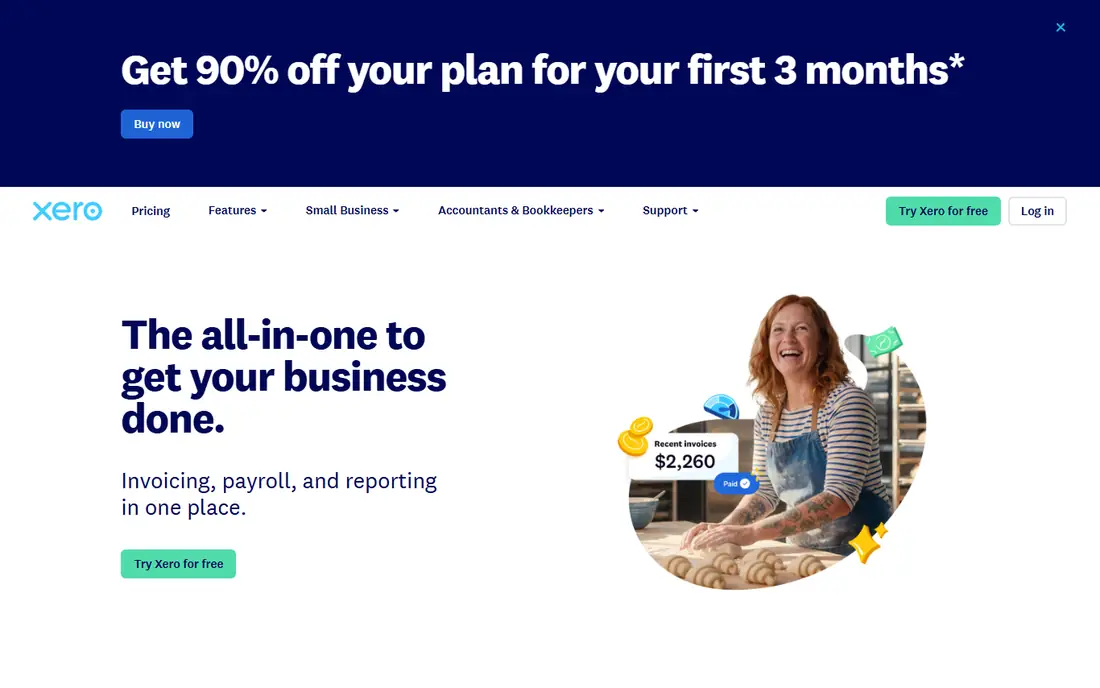
Xero is the best choice for a business where several people touch the books. Early costs 27 dollars per month and includes quotes, 20 invoices and five bills a month, bank reconciliation, document capture, reports, sales tax and a 30-day cash flow forecast. Growing at 59 dollars removes the invoice cap and adds automated bill entry, dashboards, budgets and a 60-day forecast. Established at 97 dollars adds multi-currency, project time and costs, expense and mileage claims, KPI analysis and a 180-day forecast. None of the plans charge per user, which is a real saving for a team of five or more. The trade-offs are the invoice cap on Early and the lack of native US payroll.
What we like- Unlimited users on every plan
- No per-user fees
- Strong multi-currency and project tools on Established
- Clean interface
Watch out for- Early caps invoices at 20 per month and bills at five
- No native payroll in the US, it is powered by Gusto
- Prices rose in October 2026
#2FreshBooks
Best for: Freelancers and service businesses that live on invoicing and time tracking4.5/5 on
G2 (981 reviews, checked Oct 2026)
Visit freshbooks.com
Starting price23 dollars per month for Lite; Plus 43 dollars, Premium 70 dollars
Free planNo free plan; 30-day trial
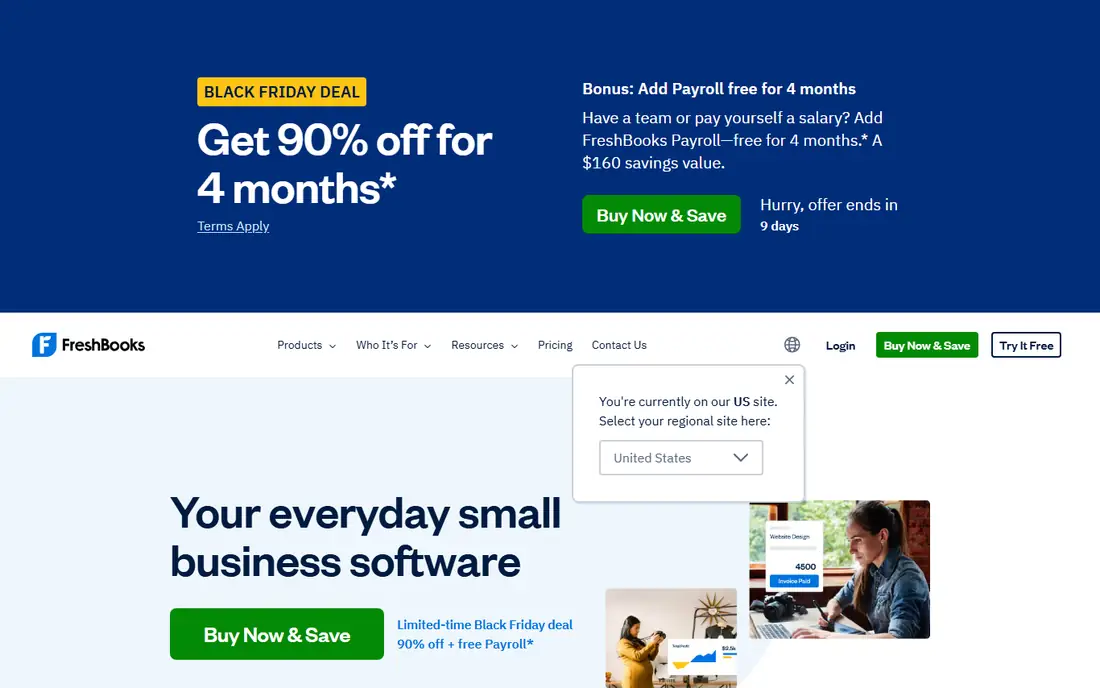
FreshBooks is built for people who send invoices for their time. Lite costs 23 dollars per month and includes unlimited invoices, estimates, time tracking, expenses, recurring invoices and automatic bank import. Plus at 43 dollars and Premium at 70 dollars add more clients, team members and automation, while Select is custom priced for larger teams. The vendor pricing FAQ confirms these figures from 5 March 2026, with annual billing at 248.40 dollars for Lite, 464.40 dollars for Plus and 756 dollars for Premium. Older reads of 21, 38 and 65 dollars are from before the March rise and should not be used. FreshBooks is not a full double-entry accounting system in the way Xero is, so a business with inventory or complex reporting will outgrow it.
What we like- Best invoicing experience in this list
- Strong time tracking and expense capture
- Simple interface that clients understand
Watch out for- Weaker double-entry accounting than Xero or QuickBooks
- No free plan
- Prices rose in March 2026
#3QuickBooks Online
Best for: US small businesses that want full accounting, inventory and payroll in one place4.0/5 on
G2 (3,871 reviews, checked Oct 2026)
Visit quickbooks.intuit.com
Starting price38 dollars per month for Simple Start; Essentials 85 dollars, Plus 140 dollars, Advanced 340 dollars; Solopreneur 20 dollars
Free planNo free plan; 30-day trial on paid plans; 70 percent off for three months until 29 November 2026
QuickBooks Online is the default accounting choice for US small businesses. Almost every US accountant knows it, most banks connect to it, and most industry tools integrate with it. Simple Start costs 38 dollars per month for one user, Essentials 85 dollars for three users, Plus 140 dollars for five users and Advanced 340 dollars for 25 users, with Solopreneur at 20 dollars for one-person businesses. Plus adds inventory, project profitability and budgeting, while Advanced adds batch workflows, custom permissions and revenue recognition. The weaknesses are price and user limits: a five-person team pays for Plus even if it only needs invoicing, and the August 2026 rise pushed Plus from 115 to 140 dollars.
What we like- Largest US accountant network
- Strong inventory and project tools on Plus
- Built-in payroll
- Deep sales tax and 1099 handling
Watch out for- Most expensive option in this comparison at the top tiers
- Per-user limits force upgrades as the team grows
- Prices rose in August 2026
#4Wave
Best for: Sole proprietors and freelancers who want a genuinely free ledger4.3/5 on
G2 (328 reviews, checked Oct 2026)
Visit waveapps.com
Starting price0 dollars for Starter; Pro is 19 dollars per month or 190 dollars per year
Free planStarter is free with unlimited invoices, estimates, bills and bookkeeping records
Wave is the only tool in this list with a free plan that has no cap on invoices. Starter costs nothing and includes unlimited estimates, invoices, bills and bookkeeping records, with online payments at 2.9 percent plus 60 cents per transaction. Pro costs 19 dollars per month or 190 dollars per year and adds automatic bank import, auto-merge and categorisation, late payment reminders, branding removal, admin, editor and viewer roles, integrations and live human support. An introductory rate of 9.50 dollars per month for the first three months applies to new monthly Pro subscribers. Payroll costs 40 dollars per month plus 6 dollars per person, and bookkeeping help starts at 149 dollars per month.
What we like- Free plan with no invoice cap
- Simple to set up
- Payroll available in all 50 states
- Pro adds bank import and extra user roles
Watch out for- Automatic bank import and receipt scanning moved behind Pro
- No phone support on the free plan
- Limited reporting depth
#5Zoho Books
Best for: Small businesses that want a free plan with room to grow into a full suite4.4/5 on
G2 (329 reviews, checked Oct 2026)
Visit zoho.com
Starting price0 dollars for Free; Standard 20 dollars per month, 15 dollars when billed annually
Free planFree for businesses with under 50,000 dollars in annual revenue, up to 1,000 invoices per year
Zoho Books is the best value paid option in this comparison. The free plan costs nothing for businesses under 50,000 dollars in annual revenue and allows 1,000 invoices per year. Standard costs 20 dollars per month, or 15 dollars when billed annually, and adds three users, 5,000 invoices per year, automatic bank feeds and sales tax tracking. Professional costs 50 dollars per month, or 40 dollars annually, and adds five users, 10,000 invoices, multi-currency, inventory and project tracking. Premium costs 70 dollars per month, or 60 dollars annually, Elite 150 dollars, or 120 dollars annually, and Ultimate 275 dollars, or 240 dollars annually.
What we like- Useful free plan
- Cheap paid tiers
- Strong fit with the rest of the Zoho suite
- 14-day free trial of Premium
Watch out for- Free plan is limited to one user plus an accountant
- Invoicing caps rise only with paid tiers
- Support is better on paid plans
#6Sage Accounting
Best for: Small businesses that want flat pricing and unlimited users on the top tier4.2/5 on
G2 (76 reviews, checked Oct 2026)
Visit sage.com
Starting price20 dollars per month for Accounting Start, for one user
Free planNo free plan; 30-day trial
Sage Accounting is the cloud accounting product from Sage, aimed at small businesses that want simple, flat pricing. Accounting Start costs 20 dollars per month for one user with unlimited sales invoices. Standard costs 40 dollars per month with two users included and extra users at 4 dollars per month. Plus costs 50 dollars per month with unlimited users. There is no free plan, but a 30-day trial is available. These figures come from a November 2026 read of the vendor pricing page; older reads of 10 dollars for Start and 25 dollars for the standard plan conflict with the current page and should not be used.
What we like- Flat monthly pricing
- Plus includes unlimited users
- Unlimited sales invoices on every plan
- Strong UK and Commonwealth support
Watch out for- No free plan
- Fewer US-specific payroll and tax features than QuickBooks
- Older 10 and 25 dollar reads conflict with the current vendor page
#7Kashoo
Best for: First-time owners who want the simplest possible bookkeeping4.6/5 on
G2 (55 reviews, checked Oct 2026)
Visit kashoo.com
Starting price30 dollars per month, flat, with unlimited users
Free planNo free plan; 14-day trial
Kashoo is built for owners with no bookkeeping background. It has one paid plan at 30 dollars per month, flat, with unlimited users, and it covers invoicing, online payments, income and expense tracking, sales tax tracking, advanced reporting and multi-currency. A 14-day trial is available. The flat price is the appeal: there are no tiers to compare and no per-user fees to calculate. One roundup lists Kashoo at 27 dollars per month, which conflicts with the 30 dollar figure shown by the vendor and other November 2026 reads, so budget on 30 dollars.
What we like- One flat plan with unlimited users
- Very simple interface
- AI-powered auto-categorisation
- Multi-currency included
Watch out for- No free plan
- Fewer integrations than QuickBooks or Xero
- Limited reporting depth
- One roundup lists 27 dollars, which conflicts with the 30 dollar vendor figure
#8FreeAgent
Best for: UK freelancers and small companies that want one tool for invoicing, tax and payroll4.3/5 on
G2 (45 reviews, checked Oct 2026)
Visit freeagent.com
Starting price20 dollars per month in the US after a 10 dollar per month introductory period for six months; UK pricing is in pounds
Free planNo free plan; 30-day trial; free with a NatWest, Royal Bank of Scotland, Ulster Bank or Mettle business account in the UK
FreeAgent is built for UK freelancers and small companies, and it shows in the feature set: invoicing, time tracking, expenses, payroll and Making Tax Digital compliance are all in one plan. US pricing is listed at 10 dollars per month for the first six months, then 20 dollars per month. UK pricing is in pounds, with reads of 14 pounds per month for six months then 24 pounds per month, and other reads of 19 to 33 pounds per month, so the UK figures conflict across sources and need a check on the vendor page before you buy. FreeAgent is free for customers of NatWest, Royal Bank of Scotland, Ulster Bank or Mettle business accounts in the UK.
What we like- Built for UK freelancers with Making Tax Digital support
- Time tracking, invoicing and expenses in one plan
- Simple flat pricing
Watch out for- UK-first, so US features are thinner
- Pricing reads conflict across sources, so confirm before you buy
- Smaller integration library than Xero
Frequently asked questions
Is Xero or FreshBooks cheaper for a freelancer
FreshBooks is cheaper for a solo freelancer. Lite costs 23 dollars per month, while Xero Early costs 27 dollars per month and caps invoices at 20 per month. If you send more than 20 invoices a month, the comparison changes, because Xero Growing at 59 dollars is the plan you would actually need.
Does Xero have time tracking
Xero includes project time and cost tracking on Established, its top tier at 97 dollars per month, but it is not a time tracking tool in the way FreshBooks is. FreshBooks includes time tracking on every plan, starting at 23 dollars per month, and it puts hours directly on the invoice. If you bill by the hour, FreshBooks is the better tool for that workflow.
Can FreshBooks handle multiple currencies
FreshBooks supports multi-currency invoicing, but its accounting depth across currencies is thinner than Xero. Xero Established handles multi-currency invoicing, bills, bank accounts and reporting with automatic exchange rate updates. If most of your clients pay in one currency, FreshBooks is fine. If you regularly work in two or more currencies, Xero is the better pick.
Which tool is easier for a first-time user
FreshBooks is easier to learn. Its interface is built around invoicing and time, and most users send their first invoice within an hour of signing up. Xero takes longer to set up because it asks about your chart of accounts, tax settings and bank connections up front. That setup pays off later, but it is a slower start.
Can I move from FreshBooks to Xero later
Yes. Both tools export customers, invoices and transaction history, and migration services can move the data. The harder part is rebuilding any custom invoice templates and retraining your team, so pick the tool you expect to keep for at least two years rather than planning to switch.
Sources we checked (8)
- https://www.xero.com/us/pricing/
- https://www.freshbooks.com/2026-faq-price-change
- https://quickbooks.intuit.com/pricing/
- https://www.waveapps.com/pricing/
- https://www.zoho.com/us/books/pricing/
- https://www.sage.com/en-us/products/sage-accounting/
- https://www.kashoo.com/pricing/
- https://www.freeagent.com/pricing/
Is your product missing or out of date?
We review this list regularly. Vendors can request a listing, send updated pricing or ask about featured placement.

Shihab Mia · Founder, Rankite
Shihab has 5+ years in B2B and SaaS SEO. He writes Rankite's software buying guides from pricing pages, documentation and public user reviews. More about Shihab.