How we make this list: we compare pricing pages, product documentation and public user reviews. Ratings come from G2, Capterra or Trustpilot, with the date we checked them.
Pick QuickBooks Online if you need full double-entry accounting, inventory, payroll and US sales tax handling in one place, and you work with a US accountant. Pick FreshBooks if you are a freelancer or a small service business that lives on invoicing and time tracking, and you want the simplest path from sending an invoice to getting paid. QuickBooks is the fuller accounting system. FreshBooks is the easier daily tool. The rest of this guide shows where each one wins and what the alternatives cost.
Key takeaways
- QuickBooks Online costs 38 dollars per month for Simple Start, 85 for Essentials, 140 for Plus and 340 for Advanced, after an August 2026 price rise.
- FreshBooks costs 23 dollars per month for Lite, 43 for Plus and 70 for Premium, after a March 2026 price rise, with Select custom priced.
- QuickBooks handles inventory, payroll and US tax reporting. FreshBooks handles invoicing and time tracking better and is easier to learn.
- FreshBooks is cheaper for a solo operator. QuickBooks becomes the better value once you need inventory, multiple users or payroll.
- Xero, Wave, Zoho Books, Sage Accounting, FreeAgent and ZipBooks all compete in the same space, and the guide below compares all eight.
How do QuickBooks and FreshBooks compare on price
QuickBooks Online raised prices on 1 August 2026. The current US list prices are Solopreneur at 20 dollars per month, Simple Start at 38 dollars, Essentials at 85 dollars, Plus at 140 dollars and Advanced at 340 dollars. Intuit lists 70 percent off for three months until 29 November 2026, so Simple Start shows at 11.40 dollars, Essentials at 25.50 dollars, Plus at 42 dollars and Advanced at 102 dollars during that introductory period. Budget on the list price, because the discount ends after three months. Older reads of 75 dollars for Essentials, 115 dollars for Plus and 275 dollars for Advanced are from before the August rise and should not be used.
FreshBooks raised prices on 5 March 2026. The vendor pricing FAQ lists Lite at 23 dollars per month or 248.40 dollars per year, Plus at 43 dollars per month or 464.40 dollars per year, and Premium at 70 dollars per month or 756 dollars per year, with Select custom priced. A 30-day trial is available and there is no free plan. Older reads of 21, 38 and 65 dollars are from before the March rise and should not be used. For a solo operator, FreshBooks Lite at 23 dollars is cheaper than QuickBooks Simple Start at 38 dollars. Once you need more users or inventory, QuickBooks Essentials at 85 dollars and FreshBooks Plus at 43 dollars serve different needs, so compare features rather than price alone.
FreshBooks wins on invoicing. Its invoice editor is cleaner, its payment reminders are easier to set up, and its client portal is simpler for customers to use. Lite includes unlimited invoices, estimates, time tracking, expenses, recurring invoices and automatic bank import, all for 23 dollars per month. Time tracking is built in, so a service business can log hours, attach them to an invoice and send it without leaving the tool.
QuickBooks handles invoicing well too, with unlimited invoices on every plan, payment links, recurring invoices and progress invoicing on Plus and Advanced. Where it falls behind FreshBooks is the feel of the workflow: creating and customising an invoice takes more clicks, and time tracking is an add-on rather than a core strength. QuickBooks wins on what happens after the invoice is paid, because it records the sale in a full double-entry ledger with sales tax, 1099 tracking and bank reconciliation built in.
QuickBooks is a full accounting system. It keeps a double-entry general ledger, tracks accounts payable and receivable, reconciles bank feeds, handles sales tax by state, tracks 1099 contractors, and on Plus and Advanced it adds inventory, project profitability, budgeting and class tracking. An accountant can work directly in your QuickBooks file, and most US accountants already know the tool. That depth is why QuickBooks costs more and takes longer to learn.
FreshBooks is accounting-light by design. It tracks income and expenses, reconciles bank feeds and produces profit and loss reports, but it is not built for complex double-entry work, inventory or multi-entity reporting. A freelancer or a small agency that bills for time will not miss the depth. A business with stock, multiple locations or a controller will outgrow FreshBooks and need to move to QuickBooks or Xero. The honest test is whether you need an inventory count or a balance sheet your accountant will sign off on.
QuickBooks handles payroll and US tax better. QuickBooks Payroll is built into the product, with tax calculations, direct deposit and filings handled in the same place as the books. Sales tax is tracked by state, and 1099 forms for contractors are prepared from the same data. That integration is the main reason US businesses with staff pick QuickBooks despite the higher price. FreshBooks has no built-in payroll and integrates with Gusto and other payroll providers instead, which works but is a second subscription and a second login.
Check how many clients and team members you need. FreshBooks Lite covers a limited client count, while QuickBooks Simple Start allows one user and Essentials three. Check your accountant: most US accountants work in QuickBooks daily, and some charge more to work in FreshBooks because it is less familiar. Check whether you need inventory or project profitability, because only QuickBooks Plus and above offer those. Check the renewal price after any introductory discount, because both vendors run first-month offers that expire. Finally, try the trial of each tool with your own invoices before you commit, because the daily feel of the invoice workflow is what you will live with.
Quick comparison
| Tool | Best for | Starting price | Free plan |
|---|
 QuickBooks Online | US small businesses that want full accounting, inventory and payroll in one place | 38 dollars per month for Simple Start; Essentials 85 dollars, Plus 140 dollars, Advanced 340 dollars; Solopreneur 20 dollars | No free plan; 30-day trial on paid plans; 70 percent off for three months until 29 November 2026 |
 FreshBooks | Freelancers and service businesses that live on invoicing and time tracking | 23 dollars per month for Lite; Plus 43 dollars, Premium 70 dollars | No free plan; 30-day trial |
 Xero | Growing teams that want unlimited users and clean multi-currency accounting | 27 dollars per month for Early; Growing 59 dollars, Established 97 dollars | No free plan; introductory discount for new US customers for the first three to six months |
 Wave | Sole proprietors and freelancers who want a genuinely free ledger | 0 dollars for Starter; Pro is 19 dollars per month or 190 dollars per year | Starter is free with unlimited invoices, estimates, bills and bookkeeping records |
 Zoho Books | Small businesses that want a free plan with room to grow into a full suite | 0 dollars for Free; Standard 20 dollars per month, 15 dollars when billed annually | Free for businesses with under 50,000 dollars in annual revenue, up to 1,000 invoices per year |
 Sage Accounting | Small businesses that want flat pricing and unlimited users on the top tier | 20 dollars per month for Accounting Start, for one user | No free plan; 30-day trial |
 FreeAgent | UK freelancers and small companies that want one tool for invoicing, tax and payroll | 20 dollars per month in the US after a 10 dollar per month introductory period for six months; UK pricing is in pounds | No free plan; 30-day trial; free with a NatWest, Royal Bank of Scotland, Ulster Bank or Mettle business account in the UK |
 ZipBooks | Service businesses that want a free tier focused on invoicing | 0 dollars for Starter; Smarter 15 dollars per month, Sophisticated 35 dollars per month | Starter is free with unlimited invoices and estimates, one bank account and basic reports |
Is your product missing or out of date?
We review this list regularly. Vendors can request a listing, send updated pricing or ask about featured placement.
#1QuickBooks Online
Best for: US small businesses that want full accounting, inventory and payroll in one place4.0/5 on
G2 (3,871 reviews, checked Oct 2026)
Visit quickbooks.intuit.com
Starting price38 dollars per month for Simple Start; Essentials 85 dollars, Plus 140 dollars, Advanced 340 dollars; Solopreneur 20 dollars
Free planNo free plan; 30-day trial on paid plans; 70 percent off for three months until 29 November 2026
QuickBooks Online is the default accounting choice for US small businesses. Almost every US accountant knows it, most banks connect to it, and most industry tools integrate with it. Simple Start costs 38 dollars per month for one user, Essentials 85 dollars for three users, Plus 140 dollars for five users and Advanced 340 dollars for 25 users, with Solopreneur at 20 dollars for one-person businesses. Plus adds inventory, project profitability and budgeting, while Advanced adds batch workflows, custom permissions and revenue recognition. The weaknesses are price and user limits: a five-person team pays for Plus even if it only needs invoicing, and the August 2026 rise pushed Plus from 115 to 140 dollars.
What we like- Largest US accountant network
- Strong inventory and project tools on Plus
- Built-in payroll
- Deep sales tax and 1099 handling
Watch out for- Most expensive option in this comparison at the top tiers
- Per-user limits force upgrades as the team grows
- Prices rose in August 2026
#2FreshBooks
Best for: Freelancers and service businesses that live on invoicing and time tracking4.5/5 on
G2 (981 reviews, checked Oct 2026)
Visit freshbooks.com
Starting price23 dollars per month for Lite; Plus 43 dollars, Premium 70 dollars
Free planNo free plan; 30-day trial
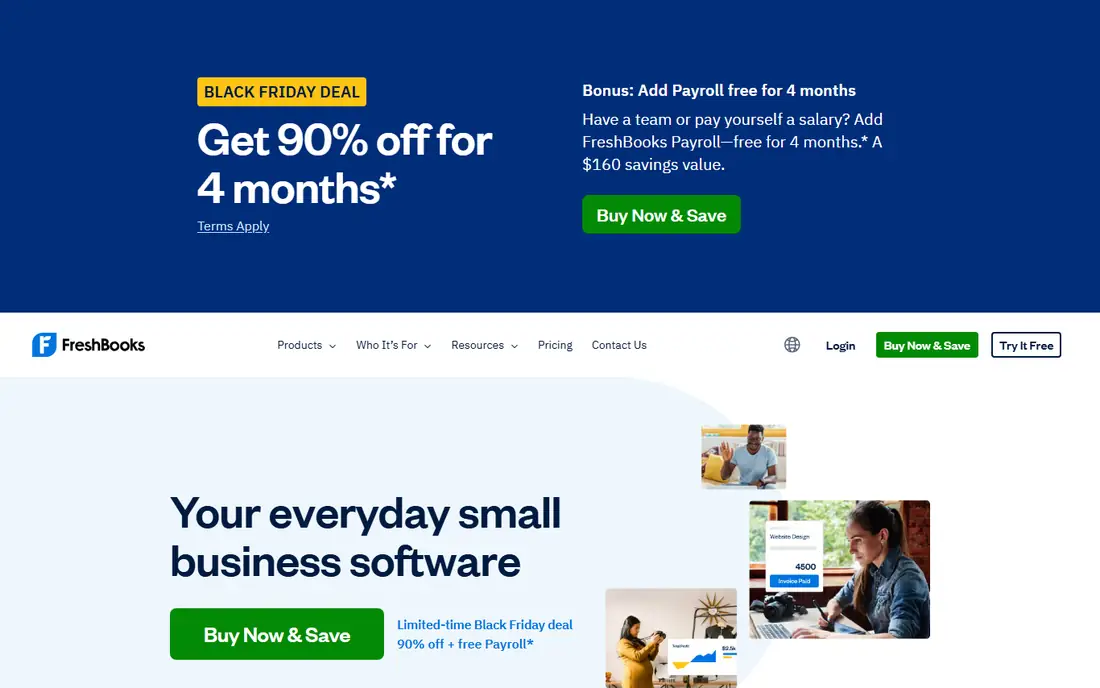
FreshBooks is built for people who send invoices for their time. Lite costs 23 dollars per month and includes unlimited invoices, estimates, time tracking, expenses, recurring invoices and automatic bank import. Plus at 43 dollars and Premium at 70 dollars add more clients, team members and automation, while Select is custom priced for larger teams. The vendor pricing FAQ confirms these figures from 5 March 2026, with annual billing at 248.40 dollars for Lite, 464.40 dollars for Plus and 756 dollars for Premium. Older reads of 21, 38 and 65 dollars are from before the March rise and should not be used.
What we like- Best invoicing experience in this list
- Strong time tracking and expense capture
- Simple interface that clients understand
Watch out for- Weaker double-entry accounting than QuickBooks or Xero
- No free plan
- Prices rose in March 2026
#3Xero
Best for: Growing teams that want unlimited users and clean multi-currency accounting4.4/5 on
G2 (1,832 reviews, checked Oct 2026)
Visit xero.com
Starting price27 dollars per month for Early; Growing 59 dollars, Established 97 dollars
Free planNo free plan; introductory discount for new US customers for the first three to six months
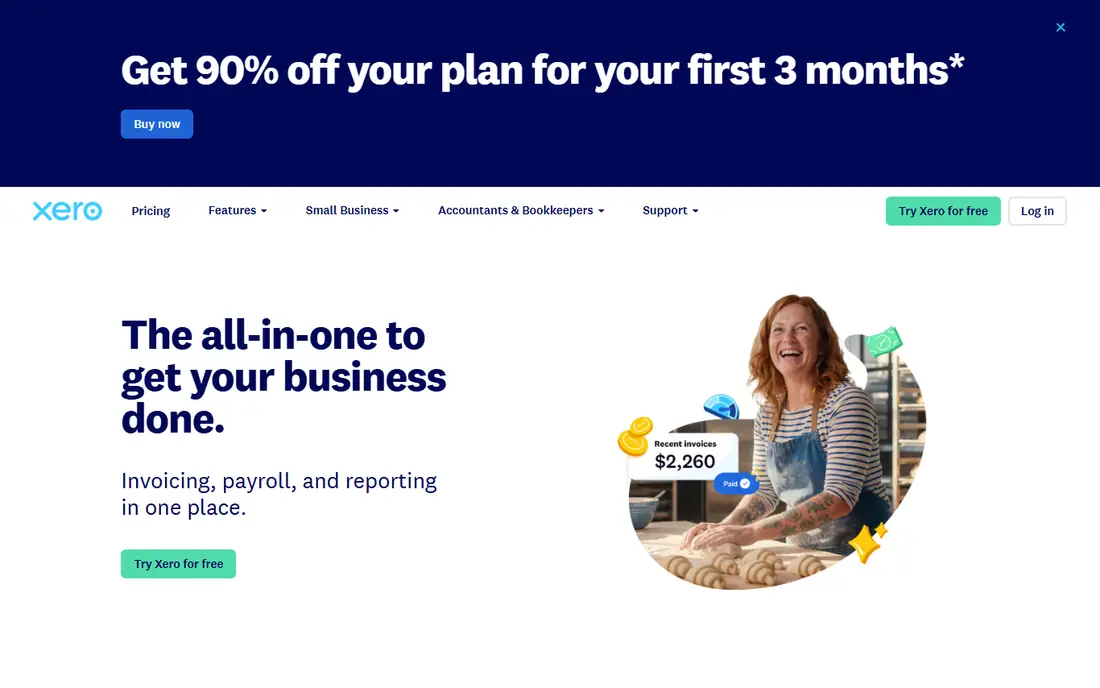
Xero is the best choice for a business where several people touch the books. Early costs 27 dollars per month and includes quotes, 20 invoices and five bills a month, bank reconciliation, document capture, reports, sales tax and a 30-day cash flow forecast. Growing at 59 dollars removes the invoice cap and adds automated bill entry, dashboards, budgets and a 60-day forecast. Established at 97 dollars adds multi-currency, project time and costs, expense and mileage claims, KPI analysis and a 180-day forecast. None of the plans charge per user, which is a real saving for a team of five or more.
What we like- Unlimited users on every plan
- No per-user fees
- Strong multi-currency and project tools on Established
- Clean interface
Watch out for- Early caps invoices at 20 per month and bills at five
- No native payroll in the US, it is powered by Gusto
- Prices rose in October 2026
#4Wave
Best for: Sole proprietors and freelancers who want a genuinely free ledger4.3/5 on
G2 (328 reviews, checked Oct 2026)
Visit waveapps.com
Starting price0 dollars for Starter; Pro is 19 dollars per month or 190 dollars per year
Free planStarter is free with unlimited invoices, estimates, bills and bookkeeping records
Wave is the only tool in this list with a free plan that has no cap on invoices. Starter costs nothing and includes unlimited estimates, invoices, bills and bookkeeping records, with online payments at 2.9 percent plus 60 cents per transaction. Pro costs 19 dollars per month or 190 dollars per year and adds automatic bank import, auto-merge and categorisation, late payment reminders, branding removal, admin, editor and viewer roles, integrations and live human support. An introductory rate of 9.50 dollars per month for the first three months applies to new monthly Pro subscribers. Payroll costs 40 dollars per month plus 6 dollars per person, and bookkeeping help starts at 149 dollars per month.
What we like- Free plan with no invoice cap
- Simple to set up
- Payroll available in all 50 states
- Pro adds bank import and extra user roles
Watch out for- Automatic bank import and receipt scanning moved behind Pro
- No phone support on the free plan
- Limited reporting depth
#5Zoho Books
Best for: Small businesses that want a free plan with room to grow into a full suite4.4/5 on
G2 (329 reviews, checked Oct 2026)
Visit zoho.com
Starting price0 dollars for Free; Standard 20 dollars per month, 15 dollars when billed annually
Free planFree for businesses with under 50,000 dollars in annual revenue, up to 1,000 invoices per year
Zoho Books is the best value paid option in this comparison. The free plan costs nothing for businesses under 50,000 dollars in annual revenue and allows 1,000 invoices per year. Standard costs 20 dollars per month, or 15 dollars when billed annually, and adds three users, 5,000 invoices per year, automatic bank feeds and sales tax tracking. Professional costs 50 dollars per month, or 40 dollars annually, and adds five users, 10,000 invoices, multi-currency, inventory and project tracking. Premium costs 70 dollars per month, or 60 dollars annually, Elite 150 dollars, or 120 dollars annually, and Ultimate 275 dollars, or 240 dollars annually.
What we like- Useful free plan
- Cheap paid tiers
- Strong fit with the rest of the Zoho suite
- 14-day free trial of Premium
Watch out for- Free plan is limited to one user plus an accountant
- Invoicing caps rise only with paid tiers
- Support is better on paid plans
#6Sage Accounting
Best for: Small businesses that want flat pricing and unlimited users on the top tier4.2/5 on
G2 (76 reviews, checked Oct 2026)
Visit sage.com
Starting price20 dollars per month for Accounting Start, for one user
Free planNo free plan; 30-day trial
Sage Accounting is the cloud accounting product from Sage, aimed at small businesses that want simple, flat pricing. Accounting Start costs 20 dollars per month for one user with unlimited sales invoices. Standard costs 40 dollars per month with two users included and extra users at 4 dollars per month. Plus costs 50 dollars per month with unlimited users. There is no free plan, but a 30-day trial is available. These figures come from a November 2026 read of the vendor pricing page; older reads of 10 dollars for Start and 25 dollars for the standard plan conflict with the current page and should not be used.
What we like- Flat monthly pricing
- Plus includes unlimited users
- Unlimited sales invoices on every plan
- Strong UK and Commonwealth support
Watch out for- No free plan
- Fewer US-specific payroll and tax features than QuickBooks
- Older 10 and 25 dollar reads conflict with the current vendor page
#7FreeAgent
Best for: UK freelancers and small companies that want one tool for invoicing, tax and payroll4.3/5 on
G2 (45 reviews, checked Oct 2026)
Visit freeagent.com
Starting price20 dollars per month in the US after a 10 dollar per month introductory period for six months; UK pricing is in pounds
Free planNo free plan; 30-day trial; free with a NatWest, Royal Bank of Scotland, Ulster Bank or Mettle business account in the UK
FreeAgent is built for UK freelancers and small companies, and it shows in the feature set: invoicing, time tracking, expenses, payroll and Making Tax Digital compliance are all in one plan. US pricing is listed at 10 dollars per month for the first six months, then 20 dollars per month. UK pricing is in pounds, with reads of 14 pounds per month for six months then 24 pounds per month, and other reads of 19 to 33 pounds per month, so the UK figures conflict across sources and need a check on the vendor page before you buy. FreeAgent is free for customers of NatWest, Royal Bank of Scotland, Ulster Bank or Mettle business accounts in the UK.
What we like- Built for UK freelancers with Making Tax Digital support
- Time tracking, invoicing and expenses in one plan
- Simple flat pricing
Watch out for- UK-first, so US features are thinner
- Pricing reads conflict across sources, so confirm before you buy
- Smaller integration library than QuickBooks
#8ZipBooks
Best for: Service businesses that want a free tier focused on invoicing4.7/5 on
G2 (86 reviews, checked Oct 2026)
Visit zipbooks.com
Starting price0 dollars for Starter; Smarter 15 dollars per month, Sophisticated 35 dollars per month
Free planStarter is free with unlimited invoices and estimates, one bank account and basic reports
ZipBooks is a free-first accounting tool for service businesses. Starter costs nothing and includes unlimited invoices and estimates, unlimited customers and vendors, basic reports and one bank connection. Smarter costs 15 dollars per month and adds time tracking, recurring invoices, saved documents and deeper reports. Sophisticated costs 35 dollars per month and adds advanced reporting and multiple users. The interface is clean and modern, and the free tier is generous enough for a freelancer to run a real business on it.
What we like- Free plan with unlimited invoices
- Clean modern interface
- Time tracking on paid plans
- Cheap upgrade path
Watch out for- Limited accounting depth
- Fewer integrations than QuickBooks or Xero
- Reporting is basic on the free plan
Frequently asked questions
Is FreshBooks cheaper than QuickBooks
Yes, for a solo operator. FreshBooks Lite costs 23 dollars per month, while QuickBooks Simple Start costs 38 dollars per month. The gap closes once you need more users, inventory or payroll, because QuickBooks Essentials at 85 dollars and Plus at 140 dollars cover needs that FreshBooks Plus at 43 dollars and Premium at 70 dollars do not.
Can FreshBooks handle inventory
No, not in the way QuickBooks does. FreshBooks tracks income, expenses and time, but it has no stock tracking, purchase orders or cost of goods sold reporting. If you sell physical products, pick QuickBooks Plus at 140 dollars per month, which includes inventory, or Xero with an inventory add-on.
Does QuickBooks have time tracking
QuickBooks Online includes time tracking on Essentials and above, with employee time added to invoices, but it is not as smooth as FreshBooks, where time tracking is a core feature on every plan. If you bill by the hour and want time on the invoice with one click, FreshBooks is the better tool for that workflow.
Which tool is easier for a first-time user
FreshBooks is easier to learn. Its interface is built around invoicing and time, and most users send their first invoice within an hour of signing up. QuickBooks takes longer to set up because it asks about your chart of accounts, tax settings and bank connections up front. That setup pays off later, but it is a slower start.
Can I move from FreshBooks to QuickBooks later
Yes. Both tools export customers, invoices and transaction history, and migration services can move the data. The harder part is rebuilding any custom invoice templates and retraining your team, so pick the tool you expect to keep for at least two years rather than planning to switch.
Sources we checked (8)
- https://quickbooks.intuit.com/pricing/
- https://www.freshbooks.com/2026-faq-price-change
- https://www.xero.com/us/pricing/
- https://www.waveapps.com/pricing/
- https://www.zoho.com/us/books/pricing/
- https://www.sage.com/en-us/products/sage-accounting/
- https://www.freeagent.com/pricing/
- https://www.zipbooks.com/pricing/
Is your product missing or out of date?
We review this list regularly. Vendors can request a listing, send updated pricing or ask about featured placement.

Shihab Mia · Founder, Rankite
Shihab has 5+ years in B2B and SaaS SEO. He writes Rankite's software buying guides from pricing pages, documentation and public user reviews. More about Shihab.