How we make this list: we compare pricing pages, product documentation and public user reviews. Ratings come from G2, Capterra or Trustpilot, with the date we checked them.
Key takeaways
- Notion is the best all-round replacement, with outlines plus databases, docs, and team workspaces in one tool.
- Obsidian and Logseq suit people who want local files, offline use, and full control over their notes.
- Roam Research and RemNote lead on networked thought and spaced repetition, for researchers and students.
- Dynalist is the closest like-for-like swap for pure outlining, with a familiar bullet-list feel.
- Capacities and Mem offer modern, object-based notes for people who want structure without database complexity.
Quick comparison
| Tool | Best for | Starting price | Free plan |
|---|
 Notion Notion | notes, docs, and team workspaces in one place | See website | Yes |
 Obsidian Obsidian | local, private notes you fully control | See website | Yes |
 Roam Research Roam Research | networked thought and research notes | See website | Free trial |
 Logseq Logseq | open source outlining with knowledge graphs | See website | Yes |
 Dynalist Dynalist | pure outlining with a familiar feel | See website | Yes |
 Capacities Capacities | object-based notes for people and projects | See website | Yes |
 RemNote RemNote | notes combined with spaced repetition flashcards | See website | Yes |
 Mem Mem | fast capture and automatic organization | See website | Free trial |
Is your product missing or out of date?
We review this list regularly. Vendors can request a listing, send updated pricing or ask about featured placement.
The best workflowy alternatives
#1Notion
Best for: notes, docs, and team workspaces in one place4.6/5 on
G2 (13,834 reviews, checked Oct 2026)
Visit notion.so
Starting priceSee website
Free planYes

Notion is the most capable replacement for Workflowy users who want more than outlines. Pages can hold bullets, toggles, tables, and databases, so a simple list can grow into a project tracker without moving tools. The free plan covers personal use well, and team workspaces add shared pages, permissions, and comments.
Templates cover meeting notes, project plans, reading lists, and personal wikis, which helps new users start fast. The trade-offs are speed on very large pages and limited offline use: Notion is cloud-first, so a traveler without internet will feel the gap. For a user who wants outlines plus everything else in one place, Notion is the strongest pick here.
What we like- Flexible pages and databases
- Strong collaboration
- Huge template library
Watch out for- Can feel slow with very large pages
- Offline use is limited
#2Obsidian
Best for: local, private notes you fully control4.5/5 on
G2 (13 reviews, checked Oct 2026)
Visit obsidian.md
Starting priceSee website
Free planYes

Obsidian stores notes as plain Markdown files on your own device, which gives full control and privacy. Notes link together into a graph view, and a large plugin ecosystem adds calendars, tasks, flashcards, and almost anything else you can imagine. The core app is free for personal use, and it works fully offline.
Sync across devices is a paid add-on, though many users sync with their own cloud storage instead. Setup takes more effort than Workflowy: you choose your folder structure, plugins, and theme. For a user who values ownership, privacy, and offline access over hand-holding, Obsidian is the best tool on this list.
What we like- Local Markdown files
- Offline first
- Large plugin ecosystem
Watch out for- Sync is a paid add-on
- Setup takes effort for new users
Starting priceSee website
Free planFree trial
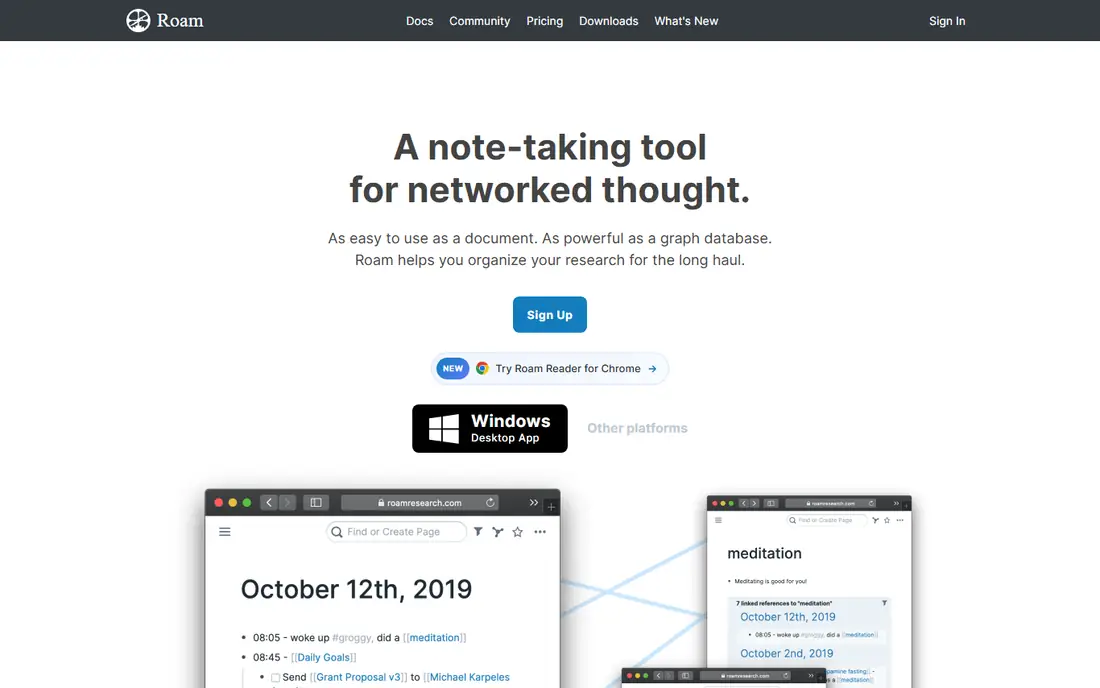
Roam Research pioneered the networked note-taking style: every bullet can link to other pages, and backlinks show every mention of a topic across your notes. Daily notes give a natural starting point each morning, and the outline structure will feel familiar to Workflowy users. Researchers and writers use Roam to build a web of ideas over months and years.
Roam is subscription-only, with no free plan beyond a trial, which is its main barrier. The learning curve is real: the power comes from linking habits that take weeks to build. For a researcher or writer who thinks in connections rather than folders, Roam remains a defining tool, even with strong competition from Obsidian and Logseq.
What we like- Bi-directional links
- Daily notes
- Strong for research
Watch out for- Subscription only
- Learning curve for new users
Starting priceSee website
Free planYes
Logseq is an open source, outline-first tool that combines Workflowy's bullet style with Roam-style linking and a graph view. Notes are stored as local Markdown or Org files, so you own your data, and the tool works offline. Journals, tasks, and flashcards are built in, which suits students and researchers who want one place for notes and review.
The interface is less polished than Notion or Obsidian, and the mobile apps are newer, so expect occasional rough edges. For a user who wants Workflowy's outlining feel with linking, local files, and no subscription, Logseq is the best free option here. Its open source nature also means the tool cannot be shut down by a single company decision.
What we like- Free and open source
- Local files
- Outline-first design
Watch out for- Interface is less polished
- Mobile apps are newer
Starting priceSee website
Free planYes
Dynalist is the closest like-for-like Workflowy replacement. It offers infinite bullet lists, folding, zooming into a bullet, tags, and internal links, in an interface that Workflowy users will recognize immediately. The free plan covers basic use, and the paid plan adds file uploads, version history, and more.
Dynalist is made by a small team, so development is slower than Notion or Obsidian, and integrations are fewer. For a user who simply wants a fast, reliable outliner without databases or graphs, Dynalist is the least disruptive switch. It does one job well, and that job is outlining.
What we like- Closest to Workflowy
- Fast
- Good mobile apps
Watch out for- Smaller team
- Fewer integrations than Notion
Starting priceSee website
Free planYes
Capacities organizes notes around objects such as people, books, projects, and ideas, each with its own page type and properties. That structure helps users who want more order than plain bullets but less complexity than a full database. The calendar view, media embeds, and daily notes make it pleasant for personal knowledge management.
The free plan covers core use, while paid plans add AI features and more storage. Capacities is newer than the tools above, so the community and plugin range are smaller. For a user who likes structure but finds Notion heavy, Capacities offers a middle path with a clean design.
What we like- Clean object model
- Good calendar and media support
- Pleasant design
Watch out for- Newer tool
- Smaller community and plugin range
#7RemNote
Best for: notes combined with spaced repetition flashcards3.5/5 on
G2 (1 reviews, checked Oct 2026)
Visit remnote.com
Starting priceSee website
Free planYes
RemNote combines outlining with spaced repetition flashcards, so notes you write can become flashcards for review automatically. That makes it popular with students, especially in medicine and law, where large volumes of facts must be remembered. The tool also offers knowledge base features, PDFs, and document annotation.
The free plan covers core use, while paid plans add more storage and features. The interface is busier than Dynalist or Workflowy, since it packs notes, flashcards, and documents into one view. For a student or a learner who wants notes and memory practice in one tool, RemNote is the strongest pick here.
What we like- Outlines plus flashcards
- Good for students
- Knowledge base features
Watch out for- Interface is busy
- Free plan limits some features
#8
Mem
Best for: fast capture and automatic organization
Visit mem.ai
Starting priceSee website
Free planFree trial
Mem focuses on fast capture: type a note, and Mem files it, links it, and makes it searchable without folders or tags. AI features summarize and connect notes, which suits busy professionals who capture a lot and organize little. The interface is minimal and fast, and search is strong.
The trade-off is control: users who like to shape their own structure may find Mem too automatic, and pricing sits above simple outliners. A free trial lets you test whether the capture-first style fits. For a user whose main problem is capturing thoughts before they vanish, Mem is the fastest tool on this list.
What we like- Very fast capture
- AI organization
- Good search
Watch out for- Less manual structure control
- Pricing is higher than simple outliners
How we chose
We compared these tools on outlining quality, linking, offline use, data ownership, collaboration, pricing, and free plans. We checked vendor pricing pages and public comparison guides, and where pricing was not published we wrote See website instead of guessing. We kept the list to tools a real user can sign up for today, and we left out tools that have shut down or that only handle one narrow note type.
How to pick the right outliner for your brain
Start with how you think. If you think in lists, Dynalist or Logseq will feel natural. If you think in connections, Roam, Obsidian, or Logseq will suit you better. If you think in projects and databases, Notion is the better home. Picking by thinking style matters more than feature count, because a tool that fights your habits will be abandoned in a month.
Next, decide on data ownership. Local-first tools like Obsidian and Logseq keep your notes as files you control, while cloud tools like Notion and Mem trade some control for convenience and collaboration. If you collaborate with a team, Notion wins. If you work alone and value privacy, Obsidian or Logseq wins.
Finally, test with real notes for two weeks. Import a project, take daily notes, and try to find something you wrote last week. The tool that makes retrieval easy is the one you will keep. A note tool is only as good as your ability to find a note again, so test search and linking, not just writing.
Also plan your exit before you commit. Export your notes regularly, even from a tool you love, and keep a backup in plain Markdown or OPML somewhere you control. Note tools come and go, and a regular export habit protects years of thinking from a shutdown, a price rise, or a change in terms. Check how each tool exports, whether attachments and links survive the export, and how often you can run it without paying extra.
Frequently asked questions
Is there a free Workflowy alternative?
Yes. Logseq, Obsidian, and Dynalist all offer free plans that cover core outlining, and Notion has a strong free plan for personal use. Logseq is fully free and open source, which makes it the safest long-term free pick.
Can I import my Workflowy outlines?
Most tools here support OPML or Markdown import, which covers Workflowy exports. Dynalist and Logseq import outlines most cleanly, while Notion and Obsidian may need minor cleanup after import. Test with one outline before moving everything.
Which tool is best for students?
RemNote is best for students who want flashcards built from notes, while Logseq and Obsidian suit students who want free, local tools. Notion suits students who also need project tracking and team workspaces.
Do these tools work offline?
Obsidian and Logseq work fully offline with local files. Notion and Mem are cloud-first with limited offline use. Dynalist and Capacities offer partial offline support through apps. If offline use matters, choose a local-first tool.
What is the difference between Obsidian and Logseq?
Both use local Markdown files, but Obsidian is page-first with a large plugin ecosystem, while Logseq is outline-first with journals and tasks built in. Obsidian suits users who like pages and plugins, while Logseq suits users who like bullets and daily journals.
Is Roam Research still worth paying for?
Roam suits researchers and writers who live in linked notes and value its daily-note workflow. For most users, Obsidian or Logseq offer similar linking free or cheaper. Pay for Roam only if its specific workflow fits you better after a trial.
Sources we checked (8)
- https://www.notion.so
- https://obsidian.md
- https://roamresearch.com
- https://logseq.com
- https://dynalist.io
- https://capacities.io
- https://www.remnote.com
- https://mem.ai
Is your product missing or out of date?
We review this list regularly. Vendors can request a listing, send updated pricing or ask about featured placement.

Shihab Mia · Founder, Rankite
Shihab has 5+ years in B2B and SaaS SEO. He writes Rankite's software buying guides from pricing pages, documentation and public user reviews. More about Shihab.