How we make this list: we compare pricing pages, product documentation and public user reviews. Ratings come from G2, Capterra or Trustpilot, with the date we checked them.
Key takeaways
- Team coding tools let several developers write, review, and debug together, whether in real time or through shared cloud environments.
- GitHub Codespaces and Gitpod lead on cloud dev environments, while Live Share and Code With Me lead on real time pair programming.
- Real time editing suits pairing and mentoring, while cloud environments suit onboarding and consistent setups across a team.
- Pick tools that fit your existing stack, since a tool that fights your repo, CI, or editor wastes more time than it saves.
- Security and access control matter, since shared environments and live sessions expose code to collaborators.
Quick comparison
Is your product missing or out of date?
We review this list regularly. Vendors can request a listing, send updated pricing or ask about featured placement.
The best software for team coding
Starting priceSee website
Free planFree
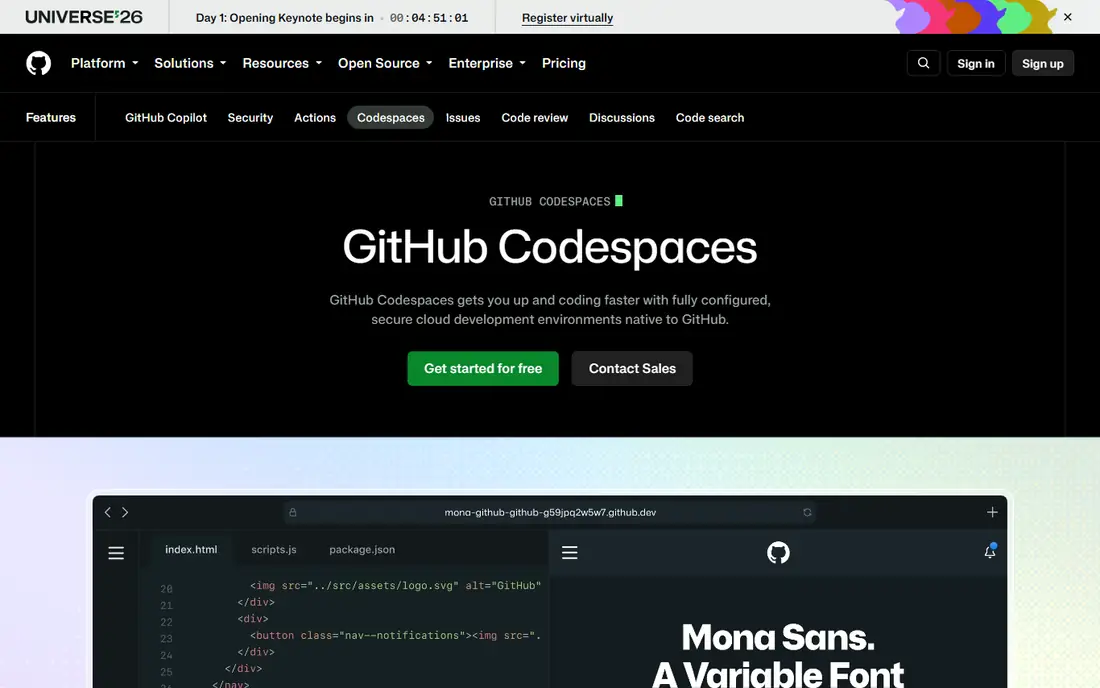
GitHub Codespaces provides cloud dev environments tied to repos, with dev container configs that give every developer the same tools, extensions, and dependencies. A new team member starts coding in minutes from a browser or VS Code, without local setup struggles. Environments scale by machine size, and prebuilds speed startup for large repos.
Usage costs grow with team size and machine hours, and the workflow assumes GitHub hosting. For a GitHub team that wants consistent, instant dev environments, Codespaces offers the smoothest path.
What we like- GitHub integration
- Dev containers
- Instant setup
Watch out for- Usage costs
- Needs GitHub workflow
Starting priceSee website
Free planFree
Gitpod provides cloud dev environments for GitHub, GitLab, and Bitbucket repos, with automation, prebuilds, and dev container style configs. Teams define environments as code, so onboarding, reviews, and ephemeral testing use identical setups. Browser and desktop editor support covers most workflows.
Pricing follows usage hours, and config care is needed for complex repos, though templates help. For a team on several Git platforms that wants automated cloud environments, Gitpod offers strong flexibility.
What we like- Multi platform support
- Automation
- Prebuilds
Watch out for- Pricing by hours
- Setup needs config care
Starting priceFree
Free planFree
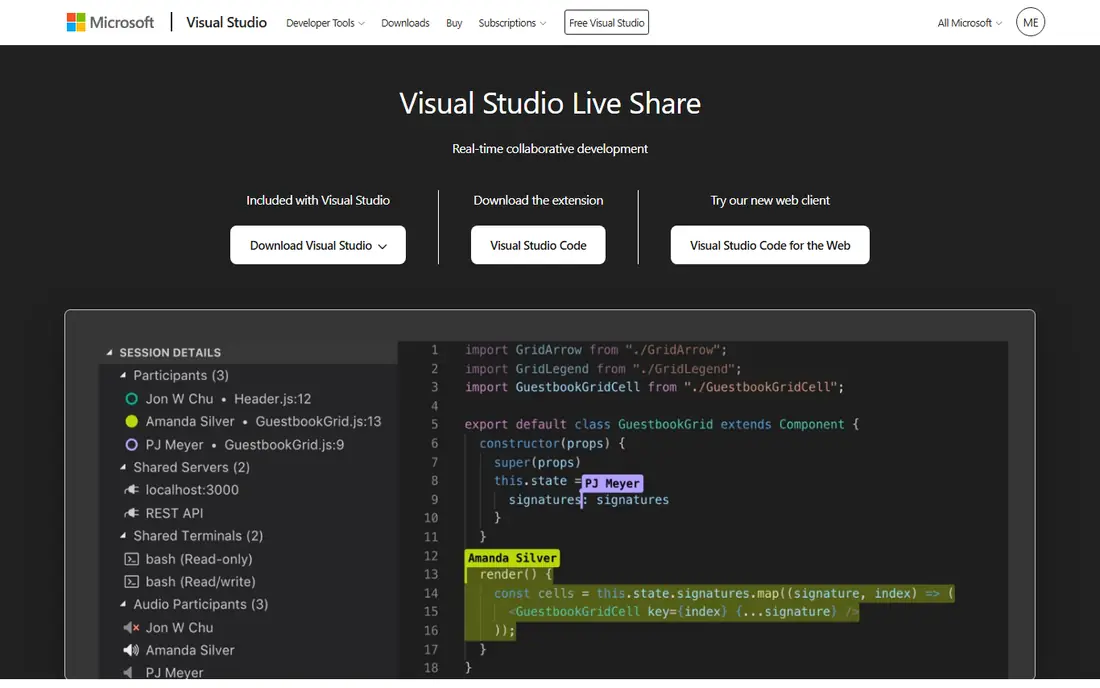
Visual Studio Live Share lets developers share a VS Code or Visual Studio session in real time, with co editing, shared terminals, shared debugging, and voice chat through extensions. A host shares a link, guests join without cloning the repo, and everyone edits, runs, and debugs together. The tool suits pair programming, mentoring, and code reviews.
The focus is VS Code and Visual Studio, so other editor users need alternatives, and session limits apply for large groups. For a VS Code team that pairs often, Live Share offers the best free real time experience.
What we like- Real time editing
- Shared debugging
- Free
Watch out for- VS Code focus
- Session limits apply
Starting priceFree
Free planFree
JetBrains Code With Me provides real time collaborative coding inside JetBrains IDEs, with co editing, following, voice, and video for pair programming and reviews. Guests can join from a browser or a JetBrains client, and hosts control permissions for editing, terminal access, and file visibility. The integration feels native for IntelliJ, PyCharm, and other JetBrains tools.
The focus is JetBrains IDEs, and performance varies on very large projects, though recent versions improved speed. For a JetBrains team that pairs or mentors, Code With Me offers the most integrated real time option.
What we like- JetBrains integration
- Real time editing
- Voice and video
Watch out for- JetBrains focus
- Performance varies on large projects

#5Replit
Best for: Browser based team coding4.4/5 on
G2 (417 reviews, checked Oct 2026)
Visit replit.com
Starting priceSee website
Free planFree
Replit provides browser based coding with multiplayer editing, hosting, and AI assistance, so teams code together from any device without local setup. Multiplayer cursors show who edits what in real time, and projects deploy directly from the browser. The tool suits classrooms, hackathons, and small teams building web apps fast.
Performance limits apply for large projects, and team pricing grows with seats and resources. For a team that wants browser coding with instant collaboration, Replit offers the friendliest multiplayer experience.
What we like- Browser coding
- Multiplayer editing
- Hosting
Watch out for- Performance limits
- Pricing for teams
Starting priceSee website
Free planFree
CodeSandbox provides browser based web development with live collaboration, templates for React, Vue, and other frameworks, and instant previews that update as the team codes. Multiple developers edit together, see live previews, and share links for review, which suits frontend teams and design reviews. The free tier covers personal projects and testing.
The focus is web projects, so backend or mobile teams need other tools, and team pricing scales with seats. For a frontend team that collaborates in the browser, CodeSandbox offers a fast, visual workflow.
What we like- Web project templates
- Live collaboration
- Preview
Watch out for- Web focus
- Pricing for teams
Starting priceSee website
Free planFree trial
CodeTogether provides real time collaborative editing across VS Code, IntelliJ, and Eclipse, so teams on different editors can pair in one session. Guests join without cloning the repo, hosts control access, and shared editing, terminals, and previews support pairing and reviews. The cross editor support sets it apart from single editor tools.
The brand is smaller than Microsoft or JetBrains tools, and pricing follows seats, so teams should test compatibility with their editors. For a mixed editor team that pairs across IDEs, CodeTogether offers a rare cross platform option.
What we like- Cross editor support
- Real time editing
- No repo clone for guests
Watch out for- Smaller brand
- Pricing by seats
Starting priceFree
Free planFree
GitLab combines code hosting, merge request reviews, CI, and a Web IDE in one platform, so teams code, review, test, and deploy without switching tools. Merge requests support discussion, approvals, and code owners, while the Web IDE lets developers edit and review from a browser. The single platform suits teams that want coding plus DevOps together.
Real time co editing is thinner than Live Share or Code With Me, since GitLab focuses on review workflows rather than live pairing. For a team that wants coding, review, and deployment in one place, GitLab offers the most complete platform.
What we like- Code, review, and CI in one
- Web IDE
- Collaboration
Watch out for- Real time editing is thinner
- Interface is dense
How we chose
We compared real time editing, cloud environment quality, editor support, review workflows, onboarding speed, security controls, pricing, and public developer feedback. We favored tools that fit existing stacks, start fast for new members, and handle permissions safely. No hands on testing is claimed, and prices are shown as Free where a free tier exists, or See website where pricing varies.
Choosing between live pairing and cloud environments
Use live pairing tools such as Live Share or Code With Me for mentoring, debugging together, and tricky reviews, where real time conversation beats async comments. Use cloud environments such as Codespaces or Gitpod for onboarding, consistent setups, and ephemeral review environments, where identical tooling matters more than live editing. Many teams use both, pairing in Live Share inside a Codespaces environment, which combines the strengths of each type.
Access, security, and team habits
Control who can join live sessions and cloud environments, since shared terminals and code access expose more than a read only review. Set session timeouts, revoke access when members leave, and keep secrets out of shared environments through vaults and environment variables. Agree on team habits, such as when to pair versus when to review async, so collaboration helps rather than interrupts deep work. Good team coding tools support habits, but habits decide whether collaboration actually helps.
Onboarding and review workflows
Standardize dev environment configs, so a new hire codes on day one instead of spending a week on setup, and document the setup in the repo readme for transparency. Use merge request templates with checklists for tests, security, and docs, since templates raise review quality without slowing teams. Rotate reviewers, so knowledge spreads and no single person becomes a bottleneck. A team that onboards fast and reviews well ships better code, whatever tool it picks.
Before you decide
Write a short pairing guide for your team that covers when to pair, how to share control, and when to switch driver, so pairing sessions stay productive instead of awkward. Test your cloud environment config on a fresh machine each month, because a config that works on old machines often fails for new hires with different setups. Keep secrets in a vault and inject them as environment variables, never pasting tokens into shared terminals or chat messages during live sessions. Rotate code reviewers weekly, so knowledge spreads across the team and no single reviewer becomes a bottleneck for every merge request. Record short pairing sessions for new hires to watch, since a library of real debugging sessions teaches team habits faster than written docs alone. Set a rule that live sessions end with a summary comment on the pull request, so async teammates can follow what was decided without joining the call.
Frequently asked questions
What is the best team coding tool for beginners?
Replit and CodeSandbox suit beginners best, since browser coding needs no local setup and multiplayer editing is simple. VS Code Live Share suits beginners on VS Code who want guided pairing with a mentor. Start with the tool that matches your editor and project type, not the most powerful option.
Do I need cloud dev environments for a small team?
Not always, since a small team with similar machines may manage local setups fine, but cloud environments help when onboarding is frequent or setups are complex. Codespaces and Gitpod free tiers let small teams test cloud environments before paying. Consistency matters more as team size and setup complexity grow.
Can several developers edit the same file at once?
Yes, with real time tools such as Live Share, Code With Me, Replit, and CodeSandbox, which show cursors and edits live. Cloud environments alone do not give live co editing, though they pair with live tools. For live pairing, pick a real time tool, not only a cloud environment.
How do team coding tools handle security?
Hosts control guest permissions, sessions expire, and cloud environments isolate code per workspace, but teams must still protect secrets with vaults and revoke access promptly. Review who joined sessions and environments regularly, and never share credentials through chat or shared terminals. Security depends on habits as much as tool features.
Should a team use one tool or several?
Most teams use several, such as GitHub or GitLab for hosting and reviews, plus Live Share or Code With Me for pairing, plus Codespaces or Gitpod for environments. One tool rarely covers hosting, live editing, and environments equally well. Pick a core hosting platform first, then add pairing and environment tools that integrate with it.
Sources we checked (8)
- https://github.com/features/codespaces
- https://www.gitpod.io
- https://visualstudio.microsoft.com/services/live-share/
- https://www.jetbrains.com/code-with-me/
- https://replit.com
- https://codesandbox.io
- https://www.codetogether.com
- https://about.gitlab.com
Is your product missing or out of date?
We review this list regularly. Vendors can request a listing, send updated pricing or ask about featured placement.

Shihab Mia · Founder, Rankite
Shihab has 5+ years in B2B and SaaS SEO. He writes Rankite's software buying guides from pricing pages, documentation and public user reviews. More about Shihab.
 GitHub Codespaces
 Gitpod
 Visual Studio Live Share
 JetBrains Code With Me
 CodeSandbox
 CodeTogether
 GitLab