How we make this list: we compare pricing pages, product documentation and public user reviews. Ratings come from G2, Capterra or Trustpilot, with the date we checked them.
Key takeaways
- Google Search Console is the single most valuable free SEO tool, because it shows real Google search data for your own site that no paid tool can replicate.
- A free stack of Search Console, Ahrefs Webmaster Tools, Screaming Frog and Google Analytics 4 covers performance, audits, crawling and traffic reporting at zero monthly cost.
- Free tiers have real limits, usually crawl caps, credit limits or verified-site-only access, so check the limit that matters for your site size before relying on a tool.
- Paid tools become worthwhile only when free limits block you: daily rank tracking, competitor data at scale, larger keyword research or client reporting.
Quick comparison
Is your product missing or out of date?
We review this list regularly. Vendors can request a listing, send updated pricing or ask about featured placement.
Starting price$0
Free planYes
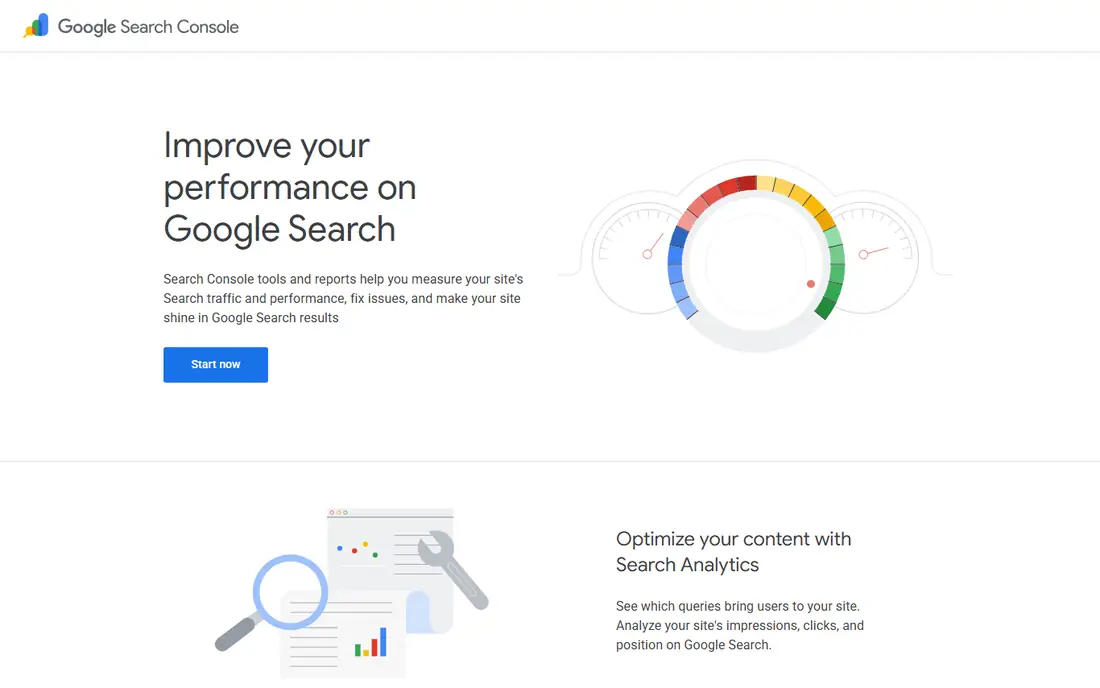
Google Search Console is the tool every site owner should set up first, because it reports what Google actually sees: which queries bring clicks, which pages rank, whether pages are indexed, and how Core Web Vitals perform. No paid tool can replace that data, since third-party rankings are estimates while Search Console shows real performance. The URL inspection tool tells you exactly how Google treats a single page, which makes debugging indexing problems far faster.
The limits are scope, not price. Search Console only covers sites you verify, and it offers no competitor research or keyword volume data. Pair it with a keyword tool and an audit tool, and it anchors a free stack that competes with suites costing $200 or more per month. If you set up only one tool from this list, make it this one.
What we like- Official Google clicks, impressions and rankings
- Indexing and Core Web Vitals reports
- URL inspection
Watch out for- Only shows data for sites you verify
- No competitor data
Starting price$0
Free planYes (verified sites)
Ahrefs Webmaster Tools gives verified site owners a free version of the audit engine behind the paid Ahrefs platform, which starts around $29 to $129 per month depending on the plan. It runs 170-plus audit checks, shows your backlink profile and keyword insights, and repeats audits on an ongoing basis after verification. For a small business, that is professional-grade auditing at no cost.
The free tier is limited to your own verified sites with 5,000 crawl credits per month, so it cannot replace paid Ahrefs for competitor research or large sites. Used as intended, as the audit layer for your own properties, it is one of the strongest free offers in SEO. Verify every site you own, not just the main one.
What we like- Runs the paid Ahrefs audit engine
- Backlink data for your own sites
- Ongoing free audits
Watch out for- Verified sites only
- 5,000 crawl credits per month
- No competitor data on the free tier
Starting price$0
Free planYes (up to 500 URLs per crawl)
Screaming Frog SEO Spider is the crawler technical SEOs reach for first. The free version crawls up to 500 URLs and reports broken links, missing or duplicate tags, redirect chains and other technical issues with exports you can work through systematically. It runs locally, so you control filters and crawl settings without waiting on a cloud queue.
Sites larger than 500 pages need the paid licence, listed around £199 per year in comparisons, which adds unlimited crawls and JavaScript rendering. For small sites, the free version covers nearly every technical audit need. Run it after any redesign or migration, and again quarterly, since technical errors silently hurt rankings.
What we like- Precise desktop crawling
- Broken links, tags, redirects and exports
- Fast local control
Watch out for- Free version capped at 500 URLs
- Paid licence costs around £199 per year

#4Ubersuggest
Best for: Simple keyword research4.2/5 on
G2 (160 reviews, checked Oct 2026)
Visit neilpatel.com
Starting price$0
Free planYes (limited)
Ubersuggest suits beginners and small businesses that find Ahrefs or Semrush overwhelming. The free tier offers keyword ideas, a basic competitor overview and site audits with a page limit around 150 pages per audit in some comparisons. Paid plans start around $12 per month and raise limits substantially, with weekly re-crawls keeping small sites updated.
Data depth is the trade-off: keyword volumes and competitor figures are estimates, and serious link research needs a stronger tool. As a first keyword tool, though, Ubersuggest teaches the workflow without a steep learning curve or a large bill. Start here, and move up only when free limits block real work.
What we like- Approachable keyword ideas and site audits
- Weekly re-crawls on paid plans
- Low paid entry
Watch out for- Free tier limits searches and audits
- Data depth trails Ahrefs and Semrush
Starting price$0
Free planYes
Google Analytics 4 answers the question Search Console cannot: what do visitors do after they arrive. It tracks traffic sources, user behavior across devices, conversions and predictive metrics like churn and purchase probability. Combined with Search Console, it gives you most of what a paid suite offers for performance reporting.
GA4 does not explain ranking changes or audit a site, so it complements rather than replaces the other tools here. Its reports also take time to learn, and privacy settings can limit data collection. Set it up alongside Search Console from day one, because historical data cannot be recovered later.
What we like- Free traffic and behavior reporting
- Cross-platform tracking
- Predictive metrics
Watch out for- Shows what happened, not why rankings moved
- Setup and reports take learning

#6
Bing Webmaster Tools
Best for: Bing visibility and site scans
Visit bing.com
Starting price$0
Free planYes (verified sites)
Bing Webmaster Tools is the counterpart to Search Console for Microsoft's search engine, with site scans, URL inspection, a site explorer and maintenance utilities. Bing powers a meaningful share of searches through Windows, Edge and partner deals, and its data sometimes surfaces issues Google's tools do not, so the second view is worth having.
The audience is smaller than Google for most niches, which is why this tool sits in the middle of the list rather than at the top. Setup is free for verified sites and takes minutes if you already verify through Search Console or a DNS record. Add it once your Google stack is running, not before.
What we like- Site scans and URL inspection for Bing
- Complementary view to Google
- Extra maintenance tools
Watch out for- Bing traffic is smaller than Google for most sites
- Verified sites only
#7Rank Math
Best for: WordPress on-page SEO4.7/5 on
G2 (117 reviews, checked Oct 2026)
Visit rankmath.com
Starting price$0
Free planYes
Rank Math is the free WordPress plugin many SEOs now recommend over older alternatives. The free version covers on-page optimization checks, schema markup, sitemap generation and Search Console integration, with a setup wizard that configures sensible defaults. It is lighter and less nagging than some rivals, which matters on sites where plugin bloat hurts speed.
The obvious limit is platform: Rank Math only works on WordPress. Advanced features like rank tracking depth and automation sit in the Pro version. If your site runs on WordPress, install Rank Math or Yoast before writing another post, and use its checks as a writing checklist rather than a score to chase.
What we like- Free on-page checks and schema
- Integrates with Search Console
- Lighter than many rivals
Watch out for- WordPress only
- Advanced features need the Pro version

#8Yoast SEO
Best for: WordPress readability and schema4.5/5 on
G2 (187 reviews, checked Oct 2026)
Visit yoast.com
Starting price$0
Free planYes
Yoast SEO is the long-established WordPress SEO plugin, with per-post readability and SEO analysis, schema output and a large documentation library. The free version covers the on-page basics most small sites need, and its traffic-light feedback helps new writers learn what a well-structured post looks like. Premium, listed around $118.80 per year, adds AI title and meta suggestions plus redirect management.
Yoast's interface can feel busy compared with Rank Math, and like Rank Math it only serves WordPress. Choose between them on personal preference rather than feature lists, since both cover the same core job. The mistake is installing both at once, which creates conflicting schema and settings.
What we like- Readability and SEO analysis per post
- Schema output
- Long track record and documentation
Watch out for- WordPress only
- Premium costs around $118.80 per year
- Interface can feel busy
Starting price$0
Free planYes
MozBar is a free browser extension that shows Moz metrics, including Domain Authority and Page Authority, for any page you visit, plus on-page highlights for titles, headings and links. It is the fastest way to size up a competitor page or check your own page's basic optimization without opening a full tool.
Treat its metrics as relative estimates, not facts: Domain Authority predicts ranking strength but does not come from Google, and it should never appear as an absolute figure in a client report. MozBar fits quick checks during research and outreach. For decisions that matter, confirm with Search Console, Ahrefs or Semrush data.
What we like- Free browser extension
- Shows Domain Authority and Page Authority on any page
- Quick competitor checks
Watch out for- Metrics are estimates, not Google data
- Needs a free Moz account
Starting price$0
Free planYes (limited searches)
AnswerThePublic turns a seed keyword into a visual map of the questions, prepositions and comparisons people actually search for, which makes it a strong brainstorming tool for blog topics and FAQ sections. A post built around real questions reads better and matches search intent more closely than one built around a single head keyword.
The free tier limits searches per day, and it does not provide search volume or keyword difficulty, so pair it with Ubersuggest or a paid tool when prioritizing topics. Use it at the idea stage, then validate the best questions with volume data before committing to a full article.
What we like- Visualizes real questions people ask
- Great for content ideas and FAQs
- Fast and simple
Watch out for- Free tier limits daily searches
- No volume or difficulty data on the free plan
How we chose
We compared tools on free tier generosity, data quality, the job each tool does best and the limits reviewers cite most often. Sources included vendor pages and independent comparisons checked in October 2026, including a ten-tool SEO guide and a free audit tool comparison. Where paid upgrade prices varied across sources, the article notes the range or marks the figure as a guide. We did not claim hands-on testing, and traffic estimates from any tool should be treated as relative, not absolute.
What to check before you sign
Start with the free stack, in this order: Search Console, Analytics 4, Ahrefs Webmaster Tools and Screaming Frog. That combination covers performance, behavior, audits and crawling before you spend anything. Add Ubersuggest for keyword ideas and a WordPress plugin if your site runs on WordPress. Most small sites can run on this stack for months.
Next, learn the limit that will block you first. Screaming Frog caps free crawls at 500 URLs, Ahrefs Webmaster Tools caps crawl credits, and Ubersuggest and AnswerThePublic cap searches. If your site is larger than those caps, the paid upgrade for that one tool is usually the right first purchase, not a full suite.
Finally, do not buy multiple tools that solve the same problem. One keyword tool, one crawler and one rank tracker are enough until client reporting or team seats force more. Review subscriptions quarterly, cancel anything unused for a month, and remember that a $130 per month tool collecting dust is worse than a $30 per month tool used weekly.
Frequently asked questions
What is the best free SEO tool?
Google Search Console is the best free tool, because it shows real Google search data for your site at no cost. Ahrefs Webmaster Tools adds free audits and backlink data, and Screaming Frog adds free technical crawling up to 500 URLs. Together they cover most free SEO needs.
Can free SEO tools replace paid tools like Semrush or Ahrefs?
For small sites, largely yes at first. Free tools cover performance data, audits, crawling and basic keyword research. Paid tools become worthwhile when you need competitor data at scale, daily rank tracking, larger keyword research or client reporting.
How much do SEO tools cost when you upgrade?
Entry paid prices in comparisons run from around $12 per month for Ubersuggest to around $52 for SE Ranking, $89 for Surfer SEO and $139.95 for Semrush Pro, with Ahrefs and Moz priced by plan. Count projects, keywords and seats before choosing, since those set the real bill.
Do SEO tools guarantee higher rankings?
No tool can guarantee rankings. Tools show data and opportunities, but rankings follow from useful content, sound technical health and genuine authority. A tool that promises guaranteed positions should not be trusted.
Is Screaming Frog really free?
The free version crawls up to 500 URLs per crawl, which covers most small sites. Larger sites need the paid licence, listed around £199 per year, which adds unlimited crawls and JavaScript rendering.
Should I use both Rank Math and Yoast SEO?
No. Both are WordPress SEO plugins covering the same job, and running both creates conflicting schema and settings. Pick one on personal preference and use its checks as a writing guide.
Sources we checked (4)
- https://rankite.com/blog/best-seo-tools-to-use
- https://quickdigital.org/5-best-free-seo-tools-for-small-businesses/
- https://www.superhub.biz/free-seo-audit-tools-find-free-seo-audit-tools-for-your-site
- https://www.techraisal.com/blog/the-6-best-seo-tools-in-2026-ranked-by-real-users/
Is your product missing or out of date?
We review this list regularly. Vendors can request a listing, send updated pricing or ask about featured placement.

Shihab Mia · Founder, Rankite
Shihab has 5+ years in B2B and SaaS SEO. He writes Rankite's software buying guides from pricing pages, documentation and public user reviews. More about Shihab.
 Google Search Console
 Ahrefs Webmaster Tools
 Screaming Frog
 Google Analytics 4
 MozBar
 AnswerThePublic