How we make this list: we compare pricing pages, product documentation and public user reviews. Ratings come from G2, Capterra or Trustpilot, with the date we checked them.
Key takeaways
- Good software procurement starts with a single intake form, not a pile of side conversations.
- Renewal dates cause more waste than bad negotiations, so track every contract in one place.
- Quote-only enterprise suites suit large global teams, while mid-market tools go live in weeks.
- Price the same scope from every vendor, including implementation, integrations, and support.
- Approval rules should match spend size, so small buys move fast and large buys get scrutiny.
Quick comparison
| Tool | Best for | Starting price | Free plan |
|---|
 Coupa Coupa | Large global source-to-pay | See website | No |
 SAP Ariba SAP Ariba | SAP-centered enterprises | See website | No |
 Precoro Precoro | Mid-market purchasing control | $35 per user per month | Free trial |
 Procurify Procurify | Flat-rate mid-market buying | $1,000 per month | Free trial |
 Zip Zip | Intake and approval orchestration | See website | No |
 Ramp Ramp | Card spend with procurement controls | $0 per user per month | Yes |
 JAGGAER JAGGAER | Complex sourcing and supplier management | See website | No |
 ProcureDesk ProcureDesk | QuickBooks and NetSuite teams | $830 per month | Free trial |
Is your product missing or out of date?
We review this list regularly. Vendors can request a listing, send updated pricing or ask about featured placement.
#1Coupa
Best for: Large global source-to-pay4.2/5 on
G2 (569 reviews, checked Oct 2026)
Visit coupa.com
Starting priceSee website
Free planNo
Coupa is the enterprise standard for source-to-pay, covering sourcing, contracts, purchasing, invoicing, and payments in one suite. Its AI features help with invoice capture, anomaly detection, and spend analysis, and it connects to the major ERP systems. Teams that buy across many countries, currencies, and entities get the structure they need.
The cost is scale. Coupa quotes privately and implementations often run six to twelve months including process design and supplier onboarding. A company under a few hundred employees will find it heavy. For a large enterprise that wants one system of record for spend, Coupa is the shortlist leader.
What we like- Full source-to-pay depth
- Strong AI invoice handling
- Wide ERP integrations
Watch out for- Quote-only pricing
- Implementation takes months
- Heavy for small teams
#2SAP Ariba
Best for: SAP-centered enterprises4.1/5 on
G2 (799 reviews, checked Oct 2026)
Visit sap.com
Starting priceSee website
Free planNo

SAP Ariba suits companies that already run SAP. Its supplier network is the largest in the field, which helps sourcing teams find and onboard vendors fast. Ariba connects tightly to SAP S/4HANA, so purchase orders, invoices, and goods receipts move without rekeying.
Outside an SAP shop, Ariba loses much of its edge and still carries enterprise complexity and quote-only pricing. Implementation needs experienced consultants. If your finance backbone is SAP, Ariba is usually the natural pick. If it is not, Coupa or a mid-market tool will likely fit better.
What we like- Huge supplier network
- Deep SAP S/4HANA links
- Mature sourcing tools
Watch out for- Quote-only pricing
- Complex setup
- Weaker fit outside SAP shops
#3Precoro
Best for: Mid-market purchasing control4.7/5 on
G2 (222 reviews, checked Oct 2026)
Visit precoro.com
Starting price$35 per user per month
Free planFree trial
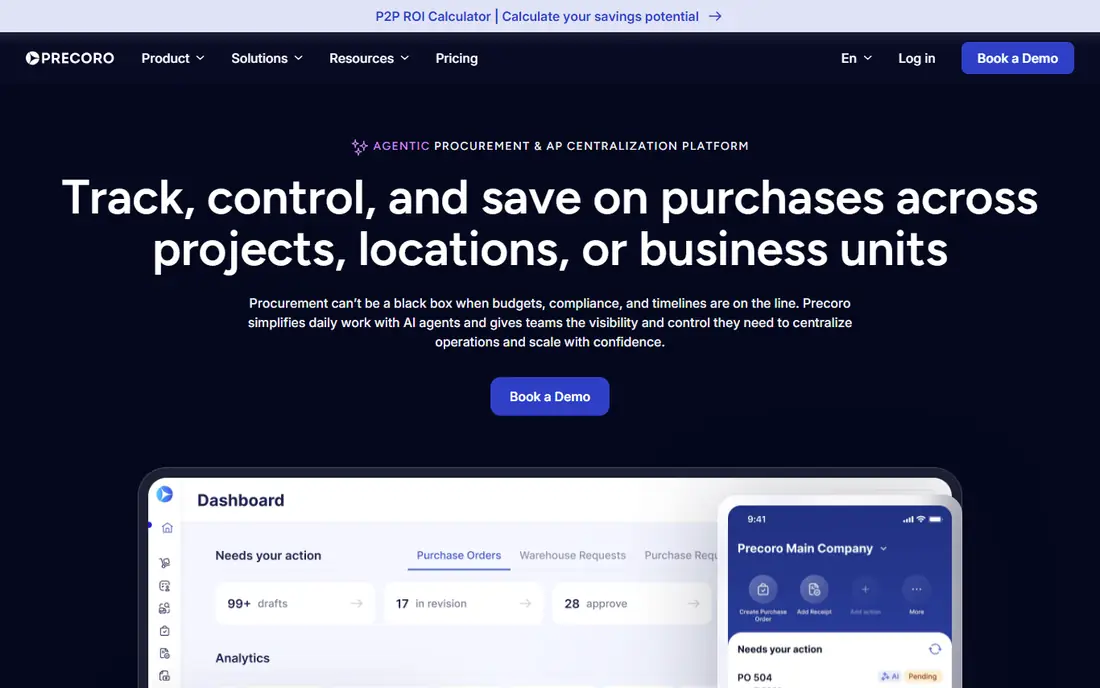
Precoro covers the core procurement workflow at a price smaller teams can plan around: $35 per user per month. Requests, approvals, purchase orders, and three-way matching come standard, and an inventory module handles stock tracking and transfers. Native connections to QuickBooks, NetSuite, and Xero keep accounting in step.
Reviewers praise the clean approval flows and responsive support, but note that importing data takes effort and PO search by item name disappoints. Analytics run thinner than enterprise suites. For a team that wants real purchasing control without an enterprise contract, Precoro is a strong value choice.
What we like- Clear per-user pricing
- Three-way matching
- Inventory module included
Watch out for- Analytics are thinner
- Import needs work
- PO search frustrates some users
#4Procurify
Best for: Flat-rate mid-market buying4.6/5 on
G2 (398 reviews, checked Oct 2026)
Visit procurify.com
Starting price$1,000 per month
Free planFree trial
Procurify starts at $1,000 per month as a flat company-wide cost, which suits teams with many casual approvers who would inflate a per-user bill. Requests, approvals, purchase orders, budgets, and expenses sit in one system, with budget visibility shown at the point of request so staff see remaining funds before they buy. Templates and autofill speed up repeat orders.
The trade is depth. Three-way matching and ERP-native sync run shallower than enterprise suites, and some reviewers call the interface slow during heavy sessions. For a mid-market company that wants predictable cost and fast requesting, Procurify is easy to justify.
What we like- Flat monthly platform cost
- Real-time budget visibility
- Templates and autofill
Watch out for- Interface feels slow at times
- Shallower three-way matching
- Quote details vary
#5Zip
Best for: Intake and approval orchestration4.6/5 on
G2 (139 reviews, checked Oct 2026)
Visit ziphq.com
Starting priceSee website
Free planNo
Zip fixes the front door of procurement. Employees submit requests through guided intake forms, and Zip routes them by policy, amount, department, and vendor before anything reaches finance. That single front door is the practice most companies skip, and it is why shadow spending keeps appearing.
Zip is not a system of record. Purchase orders, invoicing, and payments still live in your ERP or procurement suite, so Zip adds a layer rather than replacing one. For a company whose ERP works fine but whose request process is chaos, Zip delivers the biggest behavior change for the least disruption.
What we like- Best-in-class intake forms
- Policy routing
- Connects to existing back ends
Watch out for- Quote-only pricing
- Not a system of record
- Needs other tools for POs and AP
#6Ramp
Best for: Card spend with procurement controls4.8/5 on
G2 (2,540 reviews, checked Oct 2026)
Visit ramp.com
Starting price$0 per user per month
Free planYes
Ramp starts free at $0 per user per month for its core platform, covering corporate cards, expenses, bill pay, and basic procurement workflows. Rollout takes days to weeks, and finance sees card transactions in real time with spend controls attached to each card. Small companies often start here and add paid procurement features later.
Ramp is not a full procurement suite. Purchase-order-based control is limited, and teams that need formal intake-to-pay workflows will outgrow it. For a startup or small business that mainly needs card and expense control with a path into procurement, Ramp is the cheapest credible start.
What we like- Core platform free
- Fast rollout
- Real-time card visibility
Watch out for- Procurement is a paid add-on
- PO control is limited
- Not a full suite
#7JAGGAER
Best for: Complex sourcing and supplier management4.1/5 on
G2 (86 reviews, checked Oct 2026)
Visit jaggaer.com
Starting priceSee website
Free planNo
JAGGAER serves organizations where sourcing itself is the hard part: complex categories, regulated suppliers, and global compliance rules. Its sourcing, contract, and supplier lifecycle tools go deeper than most mid-market platforms, and it handles multi-entity, multi-currency buying well. Public sector and manufacturing buyers are common customers.
Implementation runs months and pricing is quoted privately, so JAGGAER only makes sense when sourcing complexity justifies it. A company that mainly needs approvals and purchase orders should pick a lighter tool. A company that runs strategic sourcing events and manages supplier risk formally will find JAGGAER built for that work.
What we like- Deep sourcing and category tools
- Supplier lifecycle management
- Global compliance
Watch out for- Quote-only pricing
- Long implementation
- Overkill for simple buying
#8ProcureDesk
Best for: QuickBooks and NetSuite teams4.4/5 on
G2 (49 reviews, checked Oct 2026)
Visit procuredesk.com
Starting price$830 per month
Free planFree trial
ProcureDesk publishes transparent pricing at $830 per month for its Startup plan with ten users included, and $1,250 per month for Growth with twenty users. It automates requests, approvals, purchase orders, and three-way matching, with native sync to QuickBooks Online, Desktop, Enterprise, and NetSuite. Onboarding runs two to four weeks with vendor help.
ProcureDesk is a smaller company than the enterprise suites, and its sourcing tools are lighter. For a mid-market team on QuickBooks or NetSuite that wants published pricing and a fast start, it is one of the most transparent options in procurement.
What we like- Published pricing
- Native QuickBooks and NetSuite sync
- Done-for-you onboarding
Watch out for- Smaller vendor than Coupa
- Sourcing depth is limited
- User tiers cap seats
How we chose
We judged tools on intake and approval design, renewal and contract visibility, ERP and accounting integrations, published versus quoted pricing, and implementation speed. We used vendor pricing pages, product documentation, and published comparison guides. Where a vendor quotes privately, we wrote See website instead of repeating an unverified estimate.
Seven practices that save real money
First, route every software request through one intake form. Ask what problem it solves, who will use it, what it replaces, and what it costs over three years including implementation. Side conversations are how duplicate tools enter a company, and a single form makes duplicates visible before money moves.
Second, keep a contract register with renewal dates, notice windows, and owners. Most wasted spend comes from auto-renewals nobody remembered, not from bad negotiations. Set alerts at ninety, sixty, and thirty days before each renewal, and assign one owner per contract who must approve the renewal in writing. Review the register monthly so nothing renews while nobody is watching.
Third, right-size approvals by amount. Small buys under a threshold should move with one approval, while large buys get finance, security, and legal review. A flat approval chain for every purchase slows the business and teaches staff to route around the process.
Fourth, run a security and data review before signing, not after. Ask where data lives, how exports work, and what happens to your data at exit. Confirm data export terms in the contract, because a tool you cannot leave is a tool that can raise prices freely.
Fifth, negotiate the renewal cap and the term length together. A short initial term with a capped annual increase beats a long term at a low first-year price. Define what implementation success looks like in writing, including the go-live date and the training included.
Sixth, measure adoption after go-live. A tool nobody uses still bills every month. Check active users against licensed seats at thirty, sixty, and ninety days, and cut seats or renegotiate at the first renewal if usage lags.
Seventh, review the stack twice a year. Cancel tools with overlapping features, fold small tools into suites you already pay for, and keep a short list of approved vendors for each category so new requests start from known options.
Frequently asked questions
What is software procurement?
Software procurement is how a company buys software: request, approval, sourcing, contract, purchase order, invoice, and payment, plus renewal management. Good procurement keeps spend visible, contracts controlled, and duplicate tools out of the stack.
How do we stop paying for software nobody uses?
Keep a contract register with renewal dates and owners, and check active users against licensed seats after go-live. Cut seats at the first renewal when usage lags, and review the whole stack twice a year for overlaps.
Should a small business buy an enterprise procurement suite?
Usually not. Enterprise suites quote privately, run into six figures annually, and take months to implement. Small teams do better with Ramp at $0 per user per month for the core platform, or a mid-market tool like Precoro at $35 per user per month.
What belongs in a software contract?
Price and renewal cap, term length, implementation scope and go-live date, data export terms, security commitments, and what happens to your data at exit. Get implementation success defined in writing before signing.
How long does procurement software take to implement?
Ramp or similar card-first tools can go live in days to weeks. Mid-market tools like Precoro, Procurify, and ProcureDesk typically take weeks. Enterprise suites like Coupa, SAP Ariba, and JAGGAER usually take three to nine months including process design and supplier onboarding.
What is three-way matching?
Three-way matching compares the purchase order, the goods receipt, and the supplier invoice before payment. When all three agree, the invoice pays automatically. When they differ, the system flags the exception instead of paying a wrong amount.
Sources we checked (8)
- https://www.coupa.com
- https://www.sap.com/products/spend-management/ariba.html
- https://www.precoro.com/pricing
- https://www.procurify.com/pricing
- https://www.ziphq.com
- https://www.ramp.com/pricing
- https://www.jaggaer.com
- https://www.procuredesk.com/pricing
Is your product missing or out of date?
We review this list regularly. Vendors can request a listing, send updated pricing or ask about featured placement.

Shihab Mia · Founder, Rankite
Shihab has 5+ years in B2B and SaaS SEO. He writes Rankite's software buying guides from pricing pages, documentation and public user reviews. More about Shihab.