How we make this list: we compare pricing pages, product documentation and public user reviews. Ratings come from G2, Capterra or Trustpilot, with the date we checked them.
SharePoint vs Google Drive at a Glance
SharePoint is the top pick for Microsoft 365 teams that want an intranet, document libraries and team sites in one place, while Google Drive is the top pick for teams that want simple file sharing with strong search and Google Workspace apps. SharePoint organises files in libraries and sites with deep permissions. Drive organises files in folders and shared drives with a search box that finds almost anything. SharePoint costs less per user at the entry tier, so the choice comes down to Microsoft integration against Google simplicity.
Key takeaways:
- SharePoint Plan 1 costs 5 dollars per user per month, against 7 dollars for Google Workspace Starter.
- SharePoint has no free plan, while Google Drive is free with 15 GB of storage.
- SharePoint wins on intranet sites, document libraries and Microsoft 365 apps.
- Google Drive wins on search, sharing simplicity and Google Workspace apps.
- Dropbox is the best alternative for sync quality, and Box is the best pick for governed content.
Which is better for team files, SharePoint or Google Drive?
SharePoint and Google Drive both hold team files, but they start from different jobs. SharePoint is a collaboration platform first. Team sites hold document libraries, lists and pages, and it comes with Microsoft 365, so Word, Excel, Teams and OneDrive sit in the same tenant. It fits intranets, file sharing and department sites that need Microsoft apps. Google Drive is a file store first. Files live in folders and shared drives, sharing is a link or an email address, and search finds text inside documents, PDFs and images. It fits teams that share files fast, work in Docs and Sheets, and want a search box that rarely misses. Choose SharePoint if your team lives in Microsoft 365, if document libraries and intranet sites matter, or if you need deep permissions on libraries and folders. Choose Drive if your team lives in Google Workspace, if fast sharing and search matter most, or if you want a free 15 GB tier for a small team.
How much do SharePoint and Google Drive cost?
SharePoint costs less per user than Google Drive at the entry tier, with one important warning. SharePoint Online Plan 1 costs 5 dollars per user per month, and Plan 2 costs 10 dollars, adding eDiscovery, compliance features and unlimited personal storage. Microsoft announced in January 2026 that the standalone plans are retiring, with no new customers after 31 May 2026, no renewals after January 2027, and full end of service in December 2029. New buyers get SharePoint inside Microsoft 365, starting with Business Basic at 7 dollars per user per month, which adds Teams, Exchange and the web Office apps. Google Drive is free with 15 GB of storage shared across Gmail, Drive and Photos. Google One Basic costs 1.99 dollars a month for 100 GB for one person. Google Workspace Business Starter costs 7 dollars per user per month, Standard costs 14 dollars, and Plus costs 22 dollars, adding more storage and admin controls. Over three years, a ten-person team pays 1,800 dollars for SharePoint Plan 1 where it still applies, and 2,520 dollars for Workspace Starter or for Microsoft 365 Business Basic.
For mixed teams, Google Drive is the stronger default when people use different devices and apps. It opens in any browser, works on Mac, Windows, iOS and Android, and sharing is a link that anyone can open, with no tenant setup. SharePoint is the stronger pick when the team is already inside Microsoft 365. Document libraries, team sites, OneDrive and Teams share the same login, permissions and search, and files open in Word and Excel without a download. Dropbox suits teams that need the most reliable sync, while Box suits teams that need governed content with compliance controls. OneDrive fits Microsoft households and small businesses, iCloud Drive fits Apple households, Egnyte fits regulated teams with on-premises files, and pCloud fits people who want a lifetime storage plan.
SharePoint vs Google Drive Compared Side by Side
The table below puts the eight tools side by side on starting price, free plan and best use, so you can shortlist in a minute.
| Tool | Starting price | Free plan | Best for |
| SharePoint | $5 per user per month (Plan 1, retiring) | No free plan | Microsoft 365 intranets and file sharing |
| Google Drive | Free, Workspace from $7 per user per month | Yes, 15 GB free | Simple file sharing and search |
| Dropbox | $9.99 per month billed annually (Plus) | Yes, 2 GB free | Reliable sync and sharing |
| Box | $5 per user per month billed annually (Business Starter) | Yes, free personal account | Governed content and compliance |
| OneDrive | $1.99 per month (Microsoft 365 Basic) | Yes, 5 GB free | Microsoft 365 storage |
| iCloud Drive | $0.99 per month (iCloud+ 50 GB) | Yes, 5 GB free | Apple device storage |
| Egnyte | $10 per user per month billed annually (Team) | No free plan, free trial | Regulated teams and hybrid files |
| pCloud | $4.99 per month (Premium 500 GB) | Yes, 10 GB free | Lifetime storage plans |
Quick comparison
| Tool | Best for | Starting price | Free plan |
|---|
 SharePoint | Microsoft 365 intranets, document libraries and team sites | $5 per user per month (Plan 1, retiring for new customers) | No free plan |
 Google Drive | Simple file sharing, search and Google Workspace collaboration | Free, Google Workspace from $7 per user per month (Starter plan) | Yes, 15 GB free, shared across Gmail, Drive and Photos |
 Dropbox | Reliable sync, sharing and file transfer | $9.99 per month billed annually (Plus plan, 2 TB) | Yes, 2 GB free |
 Box | Governed content, compliance and secure collaboration | $5 per user per month billed annually (Business Starter plan) | Yes, free personal account with 10 GB |
 OneDrive | Microsoft 365 storage and personal file backup | $1.99 per month or $19.99 per year (Microsoft 365 Basic, 100 GB) | Yes, 5 GB free with a Microsoft account |
 iCloud Drive | Apple device storage, photos and family sharing | $0.99 per month (iCloud+ 50 GB) | Yes, 5 GB free with an Apple Account |
 Egnyte | Regulated teams, hybrid files and governed content | $10 per user per month billed annually (Team plan) | No free plan, free trial available |
 pCloud | Lifetime storage plans and media playback | $4.99 per month (Premium 500 GB) | Yes, 10 GB free |
Is your product missing or out of date?
We review this list regularly. Vendors can request a listing, send updated pricing or ask about featured placement.
The eight tools below cover Microsoft intranets, Google sharing, sync, governed content and lifetime storage. Prices were checked 18 November 2026.
#1SharePoint
Best for: Microsoft 365 intranets, document libraries and team sites4.0/5 on
G2 (8,516 reviews, checked Oct 2026)
Visit microsoft.com
Starting price$5 per user per month (Plan 1, retiring for new customers)
Free planNo free plan
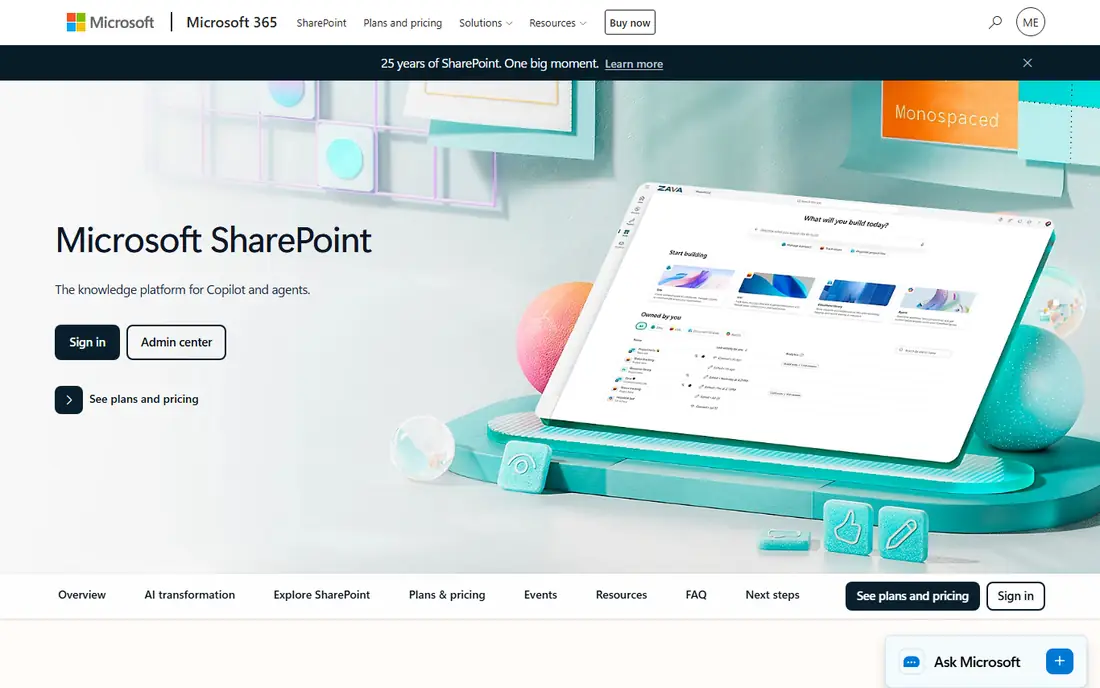
SharePoint is Microsoft's collaboration platform, and it comes with most Microsoft 365 plans. Team sites hold document libraries, lists and pages, and the same tenant gives you Word, Excel, Teams and OneDrive,. Plan 1 costs 5 dollars per user per month, and Plan 2 costs 10 dollars, adding eDiscovery, compliance features and unlimited personal storage. Microsoft announced in January 2026 that the standalone plans are retiring, with no new customers after 31 May 2026 and full end of service in December 2029, so new buyers take Microsoft 365 Business Basic at 7 dollars per user per month, which includes SharePoint, Teams and Exchange. The trade-offs are the retirement and the setup effort. The standalone price is a legacy figure, and a SharePoint intranet takes admin effort to shape well.
What we like- Deep Microsoft 365 integration, document libraries, team sites, strong search, 1 TB OneDrive per user
Watch out for- Standalone plans are retiring, and the interface takes admin effort to set up well
#2Google Drive
Best for: Simple file sharing, search and Google Workspace collaboration4.8/5 on
Capterra (28,634 reviews, checked Oct 2026)
Visit drive.google.com
Starting priceFree, Google Workspace from $7 per user per month (Starter plan)
Free planYes, 15 GB free, shared across Gmail, Drive and Photos
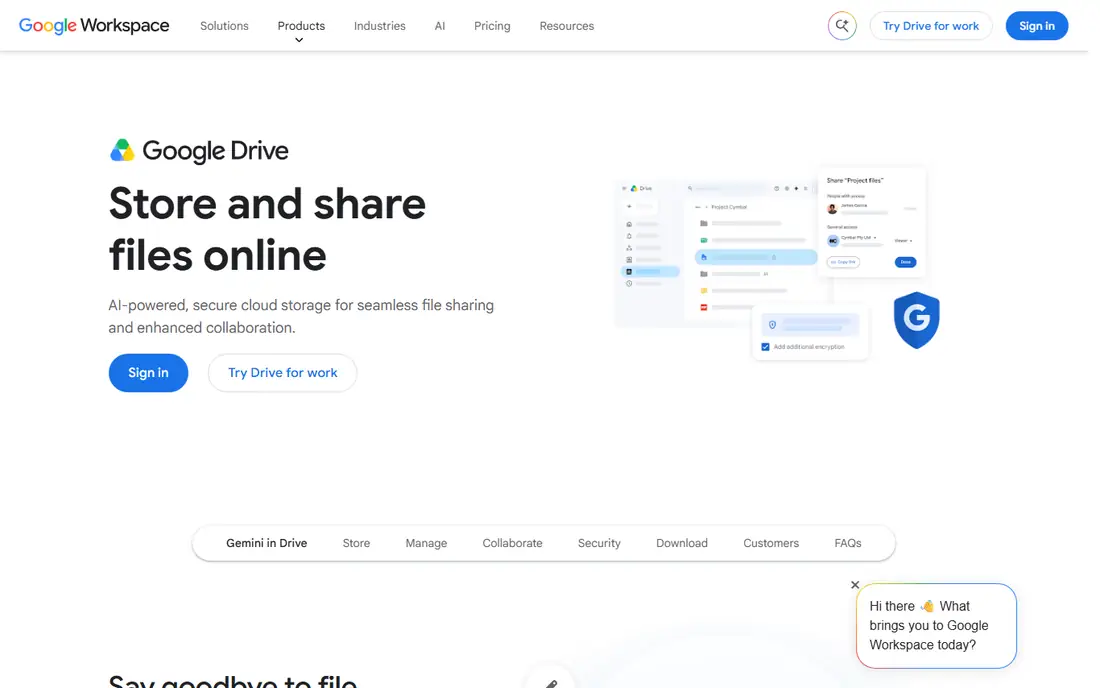
Google Drive is the simplest file store in this list, and that is its strength. Files live in folders and shared drives, sharing is a link or an email address, and search finds text inside documents, PDFs and images. The free tier gives 15 GB shared across Gmail, Drive and Photos, which covers light use. Google One Basic costs 1.99 dollars a month for 100 GB for one person. Google Workspace Business Starter costs 7 dollars per user per month, Standard costs 14 dollars, and Plus costs 22 dollars, adding more pooled storage and admin controls. The trade-offs are shared storage and admin depth. The free 15 GB is shared across Google services, so a heavy Gmail user fills it fast.
What we like- Free 15 GB tier, best search in this list, easy link sharing, strong Docs and Sheets integration
Watch out for- Storage is shared across Google services, and admin controls are weaker than SharePoint on the entry plan
#3Dropbox
Best for: Reliable sync, sharing and file transfer4.4/5 on
G2 (31,453 reviews, checked Oct 2026)
Visit dropbox.com
Starting price$9.99 per month billed annually (Plus plan, 2 TB)
Free planYes, 2 GB free
Dropbox is the sync benchmark that other tools are measured against. Files sync fast and reliably across desktop, web and mobile, sharing controls are clear, and file requests let anyone send you a file without an account. Plus costs 9.99 dollars a month billed annually, or 11.99 dollars monthly, for 2 TB and one user. Professional costs 16.58 dollars a month billed annually for 3 TB. Standard costs 15 dollars per user per month billed annually for a team of three or more, with pooled storage, and Advanced costs 24 dollars, adding unlimited storage and single sign-on. The trade-offs are the free plan and the price. Free is only 2 GB, so almost anyone who uses it daily must pay, and the business plans cost more per user than Google Workspace Starter.
What we like- The most reliable sync in this list, strong sharing controls, file requests, version history, wide app support
Watch out for- The free plan is only 2 GB, and business plans cost more per user than Workspace Starter
#4Box
Best for: Governed content, compliance and secure collaboration4.2/5 on
G2 (5,259 reviews, checked Oct 2026)
Visit box.com
Starting price$5 per user per month billed annually (Business Starter plan)
Free planYes, free personal account with 10 GB
Box is a content platform built for governed collaboration. Business plans give unlimited storage, admin controls, Box Sign for e-signatures, and integrations with Microsoft 365, Google Workspace and Slack. Business Starter costs 5 dollars per user per month billed annually, Business costs 15 dollars, Business Plus costs 25 dollars, and Enterprise costs 35 dollars, adding advanced compliance, watermarking and device trust. Every business plan has a three-user minimum, so the smallest Business account is 45 dollars a month billed annually. The trade-offs are the minimum and the feel. A two-person team still pays for three seats, and the interface feels more enterprise than personal, with more admin screens than a simple file store needs.
What we like- Unlimited storage on business plans, strong admin controls, Box Sign, wide integrations, compliance features
Watch out for- Every business plan has a three-user minimum, and the interface feels more enterprise than personal
#5OneDrive
Best for: Microsoft 365 storage and personal file backup4.5/5 on
Capterra (12,889 reviews, checked Oct 2026)
Visit microsoft.com
Starting price$1.99 per month or $19.99 per year (Microsoft 365 Basic, 100 GB)
Free planYes, 5 GB free with a Microsoft account
OneDrive is the storage that comes with Microsoft 365, so paying for Word and Excel gets you storage too. The free plan gives 5 GB with a Microsoft account. Microsoft 365 Basic costs 1.99 dollars a month or 19.99 dollars a year for 100 GB, plus a 100 GB mailbox and ad-free Outlook. Personal costs 9.99 dollars a month or 99.99 dollars a year for 1 TB with the desktop Office apps, and Family costs 12.99 dollars a month for up to six people. Business Basic costs 7 dollars per user per month paid yearly, with 1 TB per user. The trade-offs are the free tier and the bundle. Free is only 5 GB, and the best value sits inside a Microsoft 365 plan, so a team that does not use Office pays for apps it may not need.
What we like- Cheap entry price, deep Windows and Office integration, Personal Vault, 1 TB on Personal plan
Watch out for- The free plan is only 5 GB, and the best value needs a Microsoft 365 subscription
#6
iCloud Drive
Best for: Apple device storage, photos and family sharing
Visit icloud.com
Starting price$0.99 per month (iCloud+ 50 GB)
Free planYes, 5 GB free with an Apple Account
iCloud Drive is the storage built into every iPhone, iPad and Mac. Files, photos and app data sync without setup, and the same account backs up the device. The free plan gives 5 GB, which fills fast with photos and backups. iCloud+ costs 0.99 dollars a month for 50 GB, 2.99 dollars for 200 GB, and 9.99 dollars for 2 TB, with 6 TB at 29.99 dollars and 12 TB at 59.99 dollars. Paid plans add Private Relay, Hide My Email and HomeKit Secure Video, and the 200 GB and 2 TB plans share with family. The trade-offs are the audience and the platforms. There is no business plan, so a team cannot buy iCloud Drive for staff, and Windows and Android support is weak next to the Apple apps.
What we like- Built into every Apple device, cheap entry price, Family Sharing, Private Relay and Hide My Email
Watch out for- No business plan, weak Windows and Android support, and the free plan is only 5 GB
#7Egnyte
Best for: Regulated teams, hybrid files and governed content4.4/5 on
G2 (1,167 reviews, checked Oct 2026)
Visit egnyte.com
Starting price$10 per user per month billed annually (Team plan)
Free planNo free plan, free trial available
Egnyte is a content platform for teams that must govern files strictly, including regulated industries and firms with on-premises file servers. It combines cloud storage with local file servers, so a team can keep some files on site and some in the cloud, with the same permissions and search. Ransomware detection, lifecycle policies and detailed audit logs sit on the higher plans. Team costs 10 dollars per user per month billed annually for one to ten users, with 1 TB of storage. Business costs 22 dollars, Enterprise Lite costs 39 dollars, and Elite costs 48 dollars, adding AI features and advanced compliance. The trade-offs are price and the user cap. Business costs more than twice Workspace Starter per user, and the Team plan is limited to ten users, so a growing team must move up.
What we like- Hybrid cloud and on-premises storage, ransomware detection, strong permissions, lifecycle policies
Watch out for- Costs more per user than Drive or SharePoint, and the entry plan is limited to ten users
#8pCloud
Best for: Lifetime storage plans and media playback4.3/5 on
G2 (166 reviews, checked Oct 2026)
Visit pcloud.com
Starting price$4.99 per month (Premium 500 GB)
Free planYes, 10 GB free
pCloud is the only tool in this list that sells lifetime storage. Premium gives 500 GB for 4.99 dollars a month, 49.99 dollars a year, or 199 dollars once for a lifetime. Premium Plus gives 2 TB for 9.99 dollars a month, 99.99 dollars a year, or 399 dollars once. Ultra gives 10 TB for 29.99 dollars a month. Business costs 9.99 dollars per user per month with a three-user minimum, adding client-side encryption and 180-day file history. The free plan gives 10 GB, the largest free tier in this list. The trade-offs are the encryption add-on and the lifetime bet. Zero-knowledge encryption costs 49.99 dollars a year extra on personal plans, and a lifetime plan only pays off if the company lasts for years.
What we like- Lifetime plans with a one-time payment, built-in media player, file versioning, client-side encryption option
Watch out for- Zero-knowledge encryption costs extra on personal plans, and lifetime plans bet on the company lasting
Frequently asked questions
Is SharePoint free with Microsoft 365?
Yes, SharePoint comes with most Microsoft 365 plans at no extra cost. Business Basic at 7 dollars per user per month includes SharePoint, Teams and Exchange, while Business Standard and the enterprise plans add the desktop Office apps. The standalone SharePoint Online Plan 1 and Plan 2 are retiring, with no new customers after 31 May 2026, so new buyers should price the Microsoft 365 plan, not the standalone plans, when they budget.
Can I move files from Google Drive to SharePoint?
Yes, Microsoft provides a migration tool that moves files, folders and permissions from Google Drive to SharePoint and OneDrive. A small library moves in a day, while a large shared drive with thousands of files needs a week of planning, since sharing links break and folder permissions map differently.
Does Google Drive work offline?
Yes, Google Drive works offline through the desktop app and the browser. The desktop app syncs chosen folders to your computer, so files open without a connection, and changes sync when you reconnect. Docs, Sheets and Slides also work offline in Chrome with the offline extension, though the full feature set needs a connection. SharePoint works the same way through OneDrive sync, so both tools cover offline use, and the difference is which suite your team already uses.
Which is better for a small business, SharePoint or Google Drive?
A small business that already pays for Microsoft 365 should use SharePoint, since it comes with the tenant at no extra cost, and the document libraries and Teams integration cover most of the same ground. A small business that wants the simplest setup should pick Google Drive, since sharing is a link, the free 15 GB tier covers light use, and Workspace Starter at 7 dollars per user per month adds business features.
Should I pay for Dropbox Standard?
Pay for Standard if your team needs reliable sync, pooled storage and admin controls. Standard costs 15 dollars per user per month billed annually for a team of three or more, with pooled storage and version history. Stay on Plus at 9.99 dollars a month billed annually if you work alone, since Plus already gives 2 TB, and move to Advanced at 24 dollars per user per month billed annually only when you need single sign-on and unlimited storage.
Sources we checked (8)
- https://www.microsoft.com/en-us/microsoft-365/sharepoint/collaboration
- https://drive.google.com
- https://www.dropbox.com
- https://www.box.com
- https://www.microsoft.com/en-us/microsoft-365/onedrive/online-cloud-storage
- https://www.icloud.com
- https://www.egnyte.com
- https://www.pcloud.com
Is your product missing or out of date?
We review this list regularly. Vendors can request a listing, send updated pricing or ask about featured placement.

Shihab Mia · Founder, Rankite
Shihab has 5+ years in B2B and SaaS SEO. He writes Rankite's software buying guides from pricing pages, documentation and public user reviews. More about Shihab.