How we make this list: we compare pricing pages, product documentation and public user reviews. Ratings come from G2, Capterra or Trustpilot, with the date we checked them.
Key takeaways
- Are.na, Cosmos, and Savee are the closest matches to old Pinterest: boards of images you choose, arranged by people, with no AI generated imagery in the feed.
- The feeds on this list come from accounts you follow and boards you build, not from a recommendation engine filling space with generated pictures.
- Honesty check: several platforms here use ordinary algorithms to sort a feed, which is different from generating images; where a platform sells any AI feature, we say so.
- Most of these are smaller and quieter than Pinterest, which is the point for many switchers, but search depth and shopping features do not compare.
Quick comparison
| Tool | Best for | Starting price | Free plan |
|---|
 Are.na Are.na | Thoughtful collecting and research | Free | Yes |
 Cosmos Cosmos | Clean visual boards with a calm feed | Free | Yes |
 Savee Savee | Designer grade visual collecting | Free | Yes |
 Milanote Milanote | Moodboards that become project plans | Free | Yes |
 Raindrop.io Raindrop.io | Visual bookmarking across the web | Free | Yes |
 We Heart It We Heart It | Casual image collecting like early Pinterest | Free | Yes |
 Designspiration Designspiration | Curated design inspiration | Free | Yes |
 Flipboard Flipboard | Magazine style following of topics | Free | Yes |
Is your product missing or out of date?
We review this list regularly. Vendors can request a listing, send updated pricing or ask about featured placement.
The best Pinterest alternatives without AI
#1
Are.na
Best for: Thoughtful collecting and research
Visit are.na
Starting priceFree
Free planYes
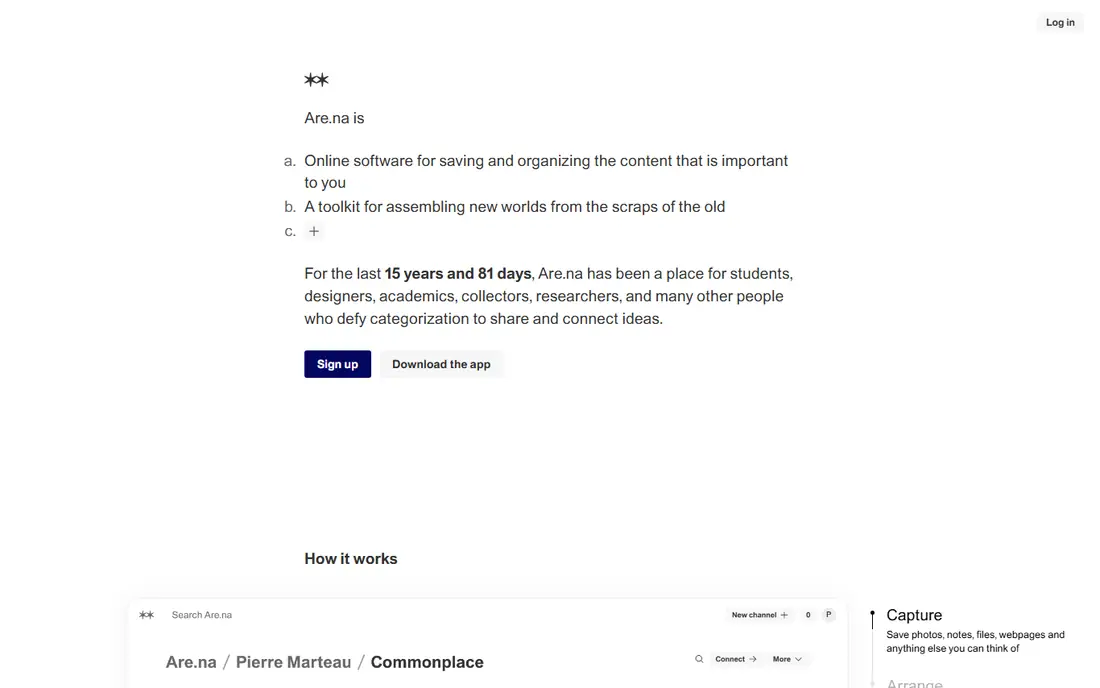
What we like- Are.na is a collecting tool built around channels, its word for boards, filled with links, images, text, and files, connected to other channels when ideas relate. There is no advertising, no engagement bait, and no generated content
- The feed is what the people and channels you follow added, in order. Artists, designers, students, and researchers use it as a thinking tool rather than a social network, and the whole service runs on member support, free with limits and a paid premium tier for heavy collectors.
Watch out for- Are.na's plain, quiet design is the opposite of Pinterest's visual flood, which some switchers find stark. Discovery is slower because there is little recommendation machinery, on purpose. Mainstream content such as recipes and home decor is thin compared with Pinterest's endless supply, and the mobile apps are simpler than the web version.
Starting priceFree
Free planYes
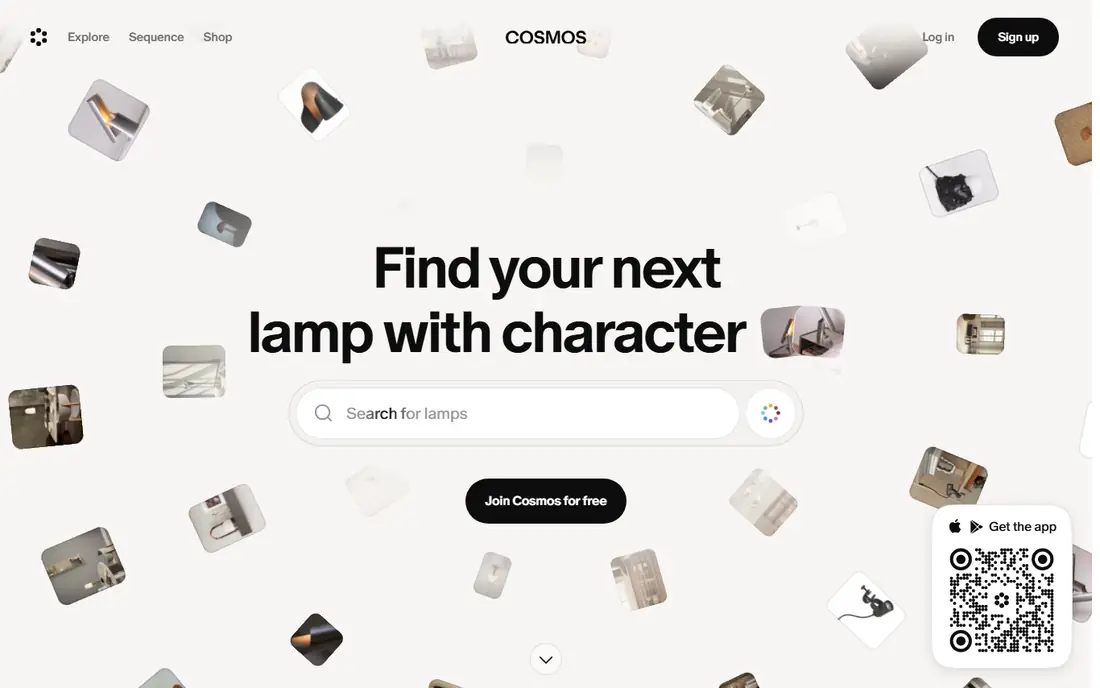
What we like- Cosmos was built almost as a direct reply to modern Pinterest: a visual collecting app where you save images into clusters, follow people whose taste you trust, and browse a feed made of what they saved. The design is minimal, there are no ads shouting over the images, and the content is user saved photography and art rather than generated filler. For fashion, interiors, photography, and art references, it recreates the early Pinterest feeling more closely than anything else in this list.
Watch out for- Cosmos is a smaller, newer community, so niches outside visual culture are patchy. It offers a premium tier for extra features, and the free tier limits some collection sizes. Shopping links and the buy it path that makes Pinterest useful for planning purchases barely exist here, by design.
Starting priceFree
Free planYes
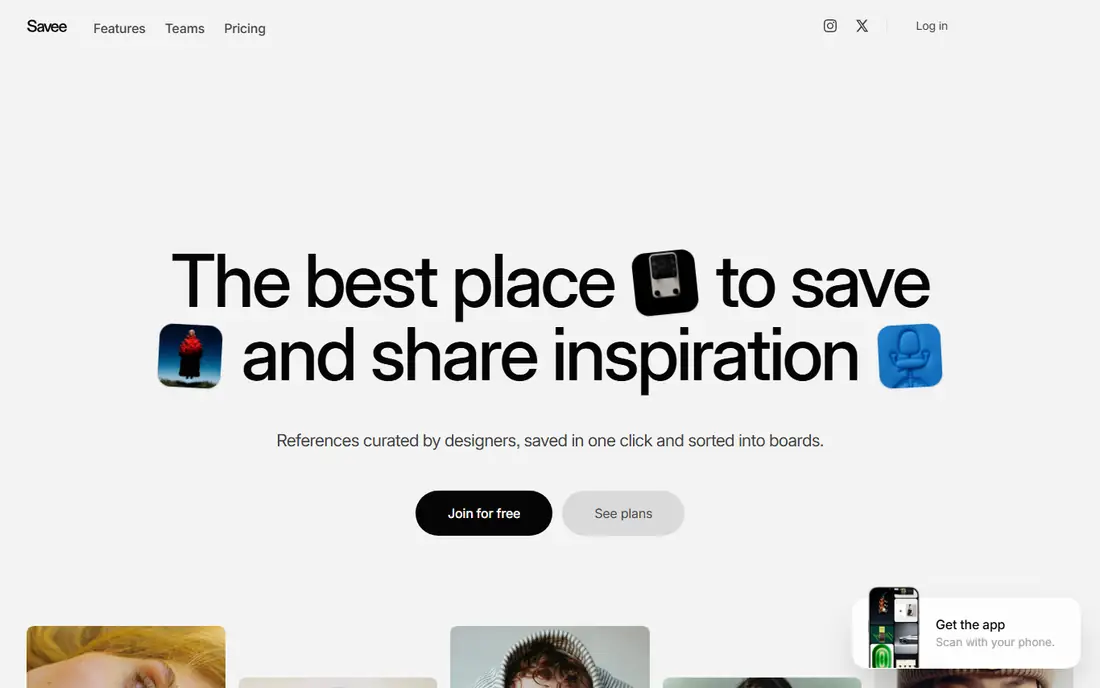
What we like- Savee is a visual bookmarking platform used heavily by designers and art directors: save images from anywhere, organize them into boards, and follow other collectors whose boards function as a quality filter. The standard of imagery runs high because the community curates professionally, and the feed is their saves, not generated or promoted content. A browser extension makes collecting from the wider web one click, matching the Pin It habit switchers already have.
Watch out for- The design community focus means everyday content, recipes, parenting, home projects, is sparse. Savee has experimented with premium features, and free accounts face limits on board counts that heavy collectors reach. Its mobile experience trails the web product, and brand and shopping content is minimal.
#4Milanote
Best for: Moodboards that become project plans4.5/5 on
G2 (43 reviews, checked Oct 2026)
Visit milanote.com
Starting priceFree
Free planYes
What we like- Milanote turns the moodboard into a working surface: drag images, notes, links, and files onto a board, arrange them spatially, and grow the board into a project plan with tasks and comments. Creative teams use it for brand projects, film planning, and interior design work where the board is a deliverable, not just inspiration. The free plan covers real use with a cap on uploads, and there is no feed and no generated content anywhere: a board holds only what your team put on it.
Watch out for- Milanote is a workspace, not a discovery network: there is no public river of images to browse, so it replaces Pinterest's planning half, not its browsing half. The free plan's upload cap arrives quickly on image heavy projects, pushing professionals to the paid tier at about 10 dollars a month. Solo casual collectors may find it more tool than they need.
Starting priceFree
Free planYes
What we like- Raindrop is a bookmark manager that presents saved pages as visual collections with cover images, tags, and nested folders, which makes it the power user's Pinterest replacement: everything you save from any app or browser, organized your way, with full text search of what you kept. The free plan is generous, and Pro at about 28 dollars a year adds backups and deeper organization. There is no social feed and no generated content at all
- Your collections are yours.
Watch out for- It is a private library, not a community: no discovery, no following curators, unless you publish collections publicly yourself. The visual grid is functional rather than beautiful, and bulk visual browsing feels more like work than Pinterest's lean back scroll. Casual users who mainly browsed Pinterest rather than saved to it will not find their habit here.
Starting priceFree
Free planYes
What we like- We Heart It is one of the original image collecting communities, older than Pinterest's dominance: users heart images into collections, follow each other, and browse fashion, photography, quotes, and lifestyle imagery in a familiar grid. It remains free and ad supported, the mobile apps are simple, and the whole experience resembles the casual collecting many switchers actually miss. Content is user uploaded photography and edits rather than generated images.
Watch out for- The community skews young and fashion heavy, and categories such as home improvement or professional design are thin. The platform's development pace is slow, and its long term investment level is visibly below the bigger names here. Moderation and spam control are lighter than Pinterest's, which cuts both ways for content quality.
Starting priceFree
Free planYes
What we like- Designspiration is a curated gallery of graphic design, typography, branding, and photography, where submissions pass an editorial bar, which keeps the standard high and the generated filler out. Search works by keyword and by colour, a genuinely useful tool for designers building palettes, and collections let you save what you find. It has run for years as a quiet, quality first corner of the design web.
Watch out for- The scope is deliberately narrow: design work only, so it replaces one Pinterest board category, not the whole account. Posting requires approval, which slows casual collecting. The site's development is modest and its mobile experience is a website rather than a polished app.
Starting priceFree
Free planYes
What we like- Flipboard takes the magazine route: follow topics, publications, and people, and get a clean reading and viewing feed you can also collect into your own magazines, the equivalent of boards, to share or keep. It is free, the apps are polished, and the content is published by real outlets and creators rather than generated. For the Pinterest user whose habit was really following interests and saving the best of them, Flipboard scratches the same itch in article form.
Watch out for- The honest note: Flipboard curates with algorithms, and the company uses machine learning in ranking, so it is AI sorted even though the content itself is human published
- Readers who want zero algorithmic shaping should choose the manual board tools above. Visual collecting for design or home projects is weaker than on Pinterest. It is a reading product first and an image board second.
How we chose
We looked for platforms where a user can collect and browse visual material that people selected, with no AI generated imagery populating feeds or boards. We checked each product for AI features elsewhere in the company and flagged them in the entries instead of hiding them, and we favoured tools with a free tier since this category's users rarely pay. We excluded general social networks whose discovery feeds are heavily generated content, and image hosts without the collecting and boards model.
How to choose the right Pinterest alternative without AI
Decide which Pinterest habit you are replacing. If it is browsing for ideas, Cosmos, Savee, and We Heart It keep a social feed of human saved images. If it is your own boards as reference libraries, Are.na and Raindrop do that job better than Pinterest did, without an audience or an algorithm. If the boards were project work, moodboards for a renovation, a brand, a wedding, Milanote turns them into plans you can act on.
Expect a smaller pond and treat that as the trade it is. None of these will match Pinterest's volume in recipes, home projects, or shopping, because that volume is exactly what attracted the generated flood. The working setup for many switchers is two tools: a calm collector such as Cosmos or Are.na for visual saving, and a search engine for the practical queries Pinterest used to answer. Export habit matters too: tools like Raindrop that let you export everything keep your collection yours if you move again.
Frequently asked questions
Why is Pinterest full of AI images now?
Because generating images is nearly free and pinning them at scale earns traffic for content farms, especially in recipes, home decor, crafts, and fashion, where a plausible picture draws clicks even when the underlying project or dish does not exist. Pinterest has added labelling for AI modified content, but detection is imperfect, and the volume outruns it. The platforms in this guide avoid the problem by being built on human saving rather than open upload at scale.
Do these alternatives use any AI at all?
The collecting tools, Are.na, Cosmos, Savee, Milanote, and Raindrop, have no AI generated content and no AI features of note in the product. Flipboard uses machine learning to sort its feed, though the content is human published. We have flagged that in its entry, and readers who want no algorithmic shaping at all should pick from the manual tools where the only order is the one you and the people you follow create.
Can I import my Pinterest boards into these tools?
Mostly by hand. None of the platforms here offers a full Pinterest importer, because Pinterest does not provide an export that carries board structure cleanly. Browser extensions from Savee and Raindrop make re saving your most used pins fast, and the practical advice is to move your top boards rather than a decade of pins; most people find a third of their boards carry all the value.
Which alternative is best for recipes and home projects?
Honestly, none matches Pinterest's depth there, and any guide claiming otherwise is not being straight. Cosmos and We Heart It have lifestyle content but at far smaller scale. Many switchers keep a narrow use of Pinterest for those categories while moving their visual collecting elsewhere, or replace recipe boards with a dedicated recipe manager. That split is the current reality of this category.
Are these platforms free?
Yes, all eight can be used free. Are.na, Milanote, and Raindrop offer paid tiers for heavy use, roughly 5 to 10 dollars a month or about 28 dollars a year for Raindrop Pro, and Cosmos and Savee have premium options. The free tiers are real products, not demos, because these services run on member support or modest advertising rather than growth at all costs.
Sources we checked (0)
Is your product missing or out of date?
We review this list regularly. Vendors can request a listing, send updated pricing or ask about featured placement.

Shihab Mia · Founder, Rankite
Shihab has 5+ years in B2B and SaaS SEO. He writes Rankite's software buying guides from pricing pages, documentation and public user reviews. More about Shihab.