How we make this list: we compare pricing pages, product documentation and public user reviews. Ratings come from G2, Capterra or Trustpilot, with the date we checked them.
What does Paint.NET lack that these alternatives fix?
Paint.NET started as a simpler replacement for Microsoft Paint, and that focus is still visible in what it does well and what it leaves out. It works with layers, effects and plugins, yet it does not offer colour management, non-destructive adjustment layers, or print-ready CMYK workflow. Its plugin system adds useful features, but the core program remains a Windows-only desktop app with no web version and no official mobile app.
The alternatives in this guide fix different parts of that picture. GIMP and Krita add cross-platform support and deeper tools at no cost. Photopea and Pixlr run in a browser, so they work on Mac, Chromebook and shared computers with no install. Adobe Photoshop and Affinity add professional photo editing, RAW support and CMYK handling. Pinta keeps the simple Paint.NET feel on Mac and Linux.
Which Paint.NET alternative is best for you?
The right pick depends on your platform and your main task. If you want the closest free replacement on any desktop system, start with GIMP for photo work or Pinta for simple drawing and quick edits. If you draw, paint or make comics, Krita is the stronger free choice. If you need to open a PSD file on a computer you do not own, Photopea is the fastest option because it runs in a browser tab. If you need professional retouching for clients who send PSD files, Photoshop remains the industry reference, while Affinity now gives a free full editor for Mac and Windows.
| Tool | Best for | Starting price | Free plan | Platforms |
| GIMP | Free photo editing and compositing on any desktop | Free | Yes | Windows, Mac, Linux |
| Adobe Photoshop | Professional photo retouching and PSD work | $22.99 per month | 7-day trial | Windows, Mac, web, mobile |
| Krita | Digital painting, illustration and comics | Free | Yes | Windows, Mac, Linux, Android |
| Photopea | Browser-based PSD editing with no install | Free | Yes | Any modern browser |
| Affinity | Free professional photo and design editing | Free | Yes | Windows, Mac, iPad |
| Pixlr | Quick browser edits and AI tools | $2.49 per month | Yes | Web, iOS, Android, desktop |
| Pinta | Simple Paint.NET style editing on Mac and Linux | Free | Yes | Windows, Mac, Linux |
| Corel PaintShop Pro | One-time purchase photo editing on Windows | $79.99 one-time | 30-day trial | Windows |
How much should you pay for a Paint.NET replacement?
You may not need to pay anything. Five of the eight tools in this guide are free in their main form, including GIMP, Krita, Pinta, Photopea and Affinity. That matters because Paint.NET itself is free, so a paid replacement should earn its price with a clear gain, such as professional RAW editing or CMYK print output.
Paid options make sense in narrower cases. Photoshop at $22.99 per month is worth it when you need its retouching tools or reliable PSD compatibility for client work. Pixlr Plus at $2.49 per month is a small cost when you want ad-free browser editing and AI credits. PaintShop Pro at $79.99 one-time suits Windows users who prefer to pay once. Prices below were checked on 16 November 2026, and prices can change, so confirm the current figure on the vendor site before you buy.
Quick comparison
| Tool | Best for | Starting price | Free plan |
|---|
 GIMP | Free photo editing, retouching and compositing on Windows, Mac and Linux | Free | Yes, the full program is free with no paid tier |
 Adobe Photoshop | Professional photo retouching, compositing and client PSD work | $22.99 per month | 7-day free trial, no permanent free plan |
 Krita | Digital painting, illustration, comics and concept art | Free | Yes, the full program is free from krita.org |
 Photopea | Browser-based PSD editing with no install, on any computer | Free | Yes, the full editor is free with ads |
 Affinity | Free professional photo editing and design on Mac and Windows | Free | Yes, the full app is free on Mac and Windows |
 Pixlr | Quick browser edits, templates and AI tools for social and web images | $2.49 per month | Yes, a free version with ads |
 Pinta | Simple Paint.NET style drawing and editing on Mac and Linux | Free | Yes, the full program is free with no paid tier |
 Corel PaintShop Pro | One-time purchase photo editing and design on Windows | $79.99 one-time | 30-day free trial, no permanent free plan |
Is your product missing or out of date?
We review this list regularly. Vendors can request a listing, send updated pricing or ask about featured placement.
The 8 best Paint.NET alternatives compared
#1GIMP
Best for: Free photo editing, retouching and compositing on Windows, Mac and Linux4.3/5 on
G2 (1,484 reviews, checked Oct 2026)
Visit gimp.org
Starting priceFree
Free planYes, the full program is free with no paid tier
GIMP is the closest free replacement for Paint.NET users who want more depth without paying for it. It covers photo retouching, compositing, restoration and graphic design with layers, masks, selection tools and filters. The current stable release is version 3.2, and official downloads are free from gimp.org for Windows, Mac and Linux. Price checked 16 November 2026. There is no paid version, no account and no watermark, and you can use it for commercial work. GIMP suits users who liked Paint.NET for its price and speed but need a tool that also runs on Mac and Linux and supports scripting and plugins. The learning curve is steeper than Paint.NET, so allow time to learn the layout and the way masks and paths work.
What we like- Free and open source, runs on Windows, Mac and Linux, layers and masks, a large plugin and script library, no account or subscription
Watch out for- The interface can feel crowded for new users, and some Photoshop workflows, such as adjustment layers and CMYK handling, need plugins or workarounds
#2Adobe Photoshop
Best for: Professional photo retouching, compositing and client PSD work4.6/5 on
G2 (13,426 reviews, checked Oct 2026)
Visit adobe.com
Starting price$22.99 per month
Free plan7-day free trial, no permanent free plan
Photoshop is the professional benchmark that Paint.NET users move to when they need the deepest photo tools and the widest client compatibility. The single app plan costs $22.99 per month on an annual plan billed monthly, or $263.88 per year prepaid, and it includes Photoshop on desktop, web and mobile, Adobe Express Premium and 100GB of cloud storage. Price checked 16 November 2026. A cheaper route is the Photography plan at $19.99 per month, which adds Lightroom and Lightroom Classic with 1TB of storage. Photoshop suits photographers, retouchers and designers who work with PSD files every day and need advanced selection, masking and RAW editing through Camera Raw. It is more than most casual Paint.NET users need, so it fits best when the work pays for it.
What we like- Industry standard for photo editing, strong retouching and selection tools, broad plugin support, reliable PSD compatibility, desktop, web and mobile apps
Watch out for- Subscription only with no one-time purchase option, and the annual plan billed monthly carries an early cancellation fee after the first 14 days
#3Krita
Best for: Digital painting, illustration, comics and concept art4.4/5 on
G2 (65 reviews, checked Oct 2026)
Visit krita.org
Starting priceFree
Free planYes, the full program is free from krita.org
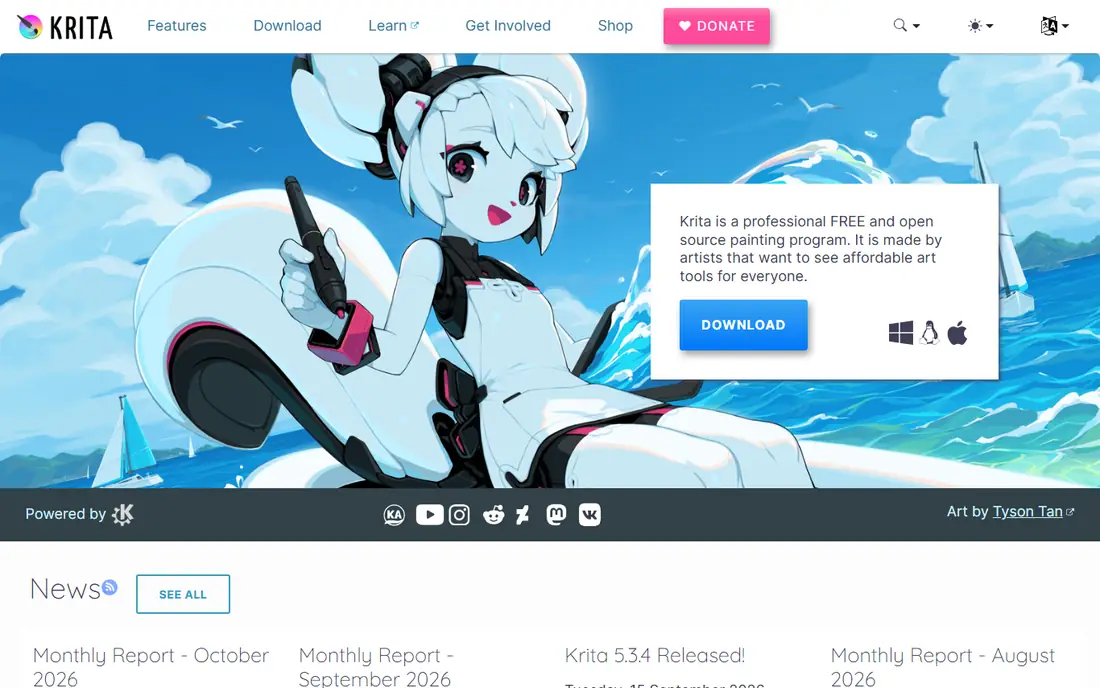
Krita is the best free Paint.NET alternative for people who draw and paint more than they retouch photos. It is a free and open source painting program under the GNU GPL. The download from krita.org costs nothing, with no trial, watermark or locked feature, and you can use it for commercial work. Price checked 16 November 2026. The same program is also sold on Steam for $9.99 and in the Microsoft Store for $14.99, and those paid copies fund development and add automatic updates. Krita suits illustrators, comic artists and concept artists who want a large brush library, layer styles and an animation timeline. It can handle basic photo edits, but if your main work is photo retouching, GIMP or Photoshop will serve you better.
What we like- Free and open source, strong brush engine and stabilisers, animation timeline, PSD support, runs on Windows, Mac, Linux and Android tablets
Watch out for- Photo editing and RAW processing are weaker than in GIMP or Photoshop, and the interface is built around painting rather than quick photo fixes
#4Photopea
Best for: Browser-based PSD editing with no install, on any computer4.6/5 on
G2 (21 reviews, checked Oct 2026)
Visit photopea.com
Starting priceFree
Free planYes, the full editor is free with ads
Photopea is the fastest Paint.NET alternative when you need to edit on a computer you do not own or on a Mac or Chromebook. It is a full layered image editor that runs inside a browser tab, and it opens Photoshop, GIMP, Sketch, XD and Figma files without installing anything. The free version includes every editing tool, with ads on the side and 0.5GB of PeaDrive storage. Premium removes ads and adds 5GB of storage and 3,000 AI credits a month. Premium is sold as prepaid periods, not a subscription: 8 euros for 30 days, 15 euros for 90 days, or 50 euros for 365 days, shown as from 5 euros per month. Price checked 16 November 2026. Photopea suits users who need PSD compatibility in a hurry, students on shared computers, and anyone who wants a Photoshop-style layout without a subscription. It is less suited to heavy offline work.
What we like- Runs in a browser with no install, opens PSD, AI, XD, Sketch and RAW files, a Photoshop-like layout, works on Windows, Mac, Linux and Chromebook
Watch out for- The free version shows ads, and it needs an internet connection because it runs in a browser, so it is not a good pick for offline work on a slow connection
#5Affinity
Best for: Free professional photo editing and design on Mac and Windows4.5/5 on
G2 (452 reviews, checked Oct 2026)
Visit affinity.serif.com
Starting priceFree
Free planYes, the full app is free on Mac and Windows
Affinity changed the value of this list in late 2025, when Canva folded Affinity Photo, Designer and Publisher into a single app called Affinity and made it free for Mac and Windows. The core app is free with no feature limits, and you activate it with a free Canva account. Only the AI tools need a paid Canva plan, and Canva Pro costs $144 per year for one person. Price checked 16 November 2026. Older listings showed a one-time price of $69.99, so check the current Affinity site rather than an old review. Affinity suits photographers and designers who want a professional editor with RAW processing, layers, masks and CMYK support, without a monthly subscription. Mac and Windows are the main platforms, with the iPad version following the desktop release.
What we like- Full photo, vector and layout tools in one free app, strong RAW and CMYK support, fast performance, no subscription for the core app
Watch out for- You need a free Canva account to download and activate it, and the AI tools inside it need a paid Canva plan
#6Pixlr
Best for: Quick browser edits, templates and AI tools for social and web images4.4/5 on
G2 (751 reviews, checked Oct 2026)
Visit pixlr.com
Starting price$2.49 per month
Free planYes, a free version with ads
Pixlr is a browser-based photo editor with Pixlr Editor and Pixlr Express, plus mobile and desktop apps. It suits quick edits, social graphics and template-based design more than deep photo retouching. The free version needs no account for basic use and includes ads. Paid plans start with Plus at $2.49 per month, or $1.99 per month billed yearly, for ad-free editing, unlimited saves and 80 AI credits a month. Premium costs $9.99 per month, or $7.99 billed yearly, for 1,000 AI credits a month and access to all image, video and audio models. Ultra starts at $24.99 per month, or $19.99 billed yearly. Price checked 16 November 2026. Pixlr suits creators who want a fast browser tool for everyday images, background removal and AI generation. It is less suited to print work, CMYK output or detailed layer-based compositing.
What we like- Runs in a browser and on mobile, fast for crops, background removal and social graphics, a large template and font library, free access for education
Watch out for- Many AI and generative features use monthly AI credits, so heavy AI use can run through the allowance and raise the real cost
Starting priceFree
Free planYes, the full program is free with no paid tier
Pinta is the most direct Paint.NET alternative in feel, and it was built as a cross-platform version of that simple approach. It is a free, open source program for drawing and image editing, available on Linux, Mac, Windows and BSD, and it keeps the focus on straightforward tools, layers and effects. Price checked 16 November 2026. The current release is Pinta 3.1.2, and it supports PNG, JPEG, BMP, TIFF, WebP, ICO, SVG and OpenRaster formats. Pinta suits users who liked Paint.NET for its simplicity and want the same style of editing on a Mac or Linux machine, as well as classrooms and casual users who need a light editor for screenshots and quick image fixes. Users who need RAW processing or CMYK support should look at GIMP, Affinity or Photoshop instead.
What we like- Free and open source, a familiar Paint.NET style layout, lightweight and fast, runs on Windows, Mac and Linux, no account or ads
Watch out for- It lacks PSD support, adjustment layers and advanced photo tools, so it cannot replace Photoshop for professional retouching
#8Corel PaintShop Pro
Best for: One-time purchase photo editing and design on Windows4.1/5 on
G2 (207 reviews, checked Oct 2026)
Visit paintshoppro.com
Starting price$79.99 one-time
Free plan30-day free trial, no permanent free plan
Corel PaintShop Pro is a photo editor and graphic design tool for Windows users who want more than Paint.NET without a monthly subscription. It is sold as a one-time purchase, so you pay once and keep the version you bought. The Standard edition lists at $79.99 and Ultimate, which adds bundled extras such as Painter Essentials 8, lists at $99.99. In November 2026 Standard was listed at $47.99 on sale and Ultimate at $59.99 on sale. Price checked 16 November 2026. PaintShop Pro suits Windows photographers and hobbyists who want layers, RAW handling and AI-assisted edits in a familiar desktop program, and who prefer a single payment to a subscription. It is Windows only, and Mac users will need a different pick from this guide.
What we like- One-time purchase with no subscription, layers and RAW handling, AI-assisted edits, a 30-day free trial with no credit card needed
Watch out for- Windows only, with no Mac version, and the current release is still PaintShop Pro 2023, so it lacks the newer cloud and mobile workflow of subscription editors
How to switch from Paint.NET without losing your work
Start by checking which file formats you use most. Paint.NET saves its own PDN format for layered work, and that format does not open directly in most other editors, so export layered work to PSD, PNG or TIFF before you switch, and keep a copy of the original PDN files. GIMP, Photoshop, Affinity and Photopea all open PSD files, so PSD is the safest format for layered work. For flat images, PNG is best for graphics and screenshots, while JPEG suits photos where a smaller file matters more.
Try the free options first with a real project rather than a blank canvas. Open a photo you have already edited in Paint.NET, redo the same edit in the new tool, and check how long it takes and whether the result looks right. Keep Paint.NET installed while you test, so you can go back to it for a job that needs a familiar tool.
Frequently asked questions
Is there a free Paint.NET alternative for Mac?
Yes. GIMP, Krita and Pinta all run on Mac and are free, and Photopea and Pixlr run in a browser on Mac with no install. Pinta is the closest in feel to Paint.NET, while GIMP and Affinity give deeper photo tools, including RAW and CMYK support in Affinity.
What is the best Paint.NET alternative for photo editing?
GIMP is the best free pick for photo editing, with layers, masks and retouching, and it runs on Windows, Mac and Linux. Affinity is the best free professional pick, with stronger RAW and CMYK support. Photoshop is the best paid pick for client work, at $22.99 per month for the single app plan.
Can Photopea replace Paint.NET for PSD files?
Yes, for many jobs. Photopea opens PSD files in a browser tab with layers intact, and it handles PSD, AI, XD, Sketch and RAW files without installing anything. The free version includes every editing tool, with ads on the side. For heavy offline work, a desktop editor such as GIMP, Affinity or Photoshop will feel more stable.
Is Affinity really free in 2026?
Yes. Canva folded Affinity Photo, Designer and Publisher into a single app called Affinity and made it free for Mac and Windows on 30 October 2025, and the core app remains free in November 2026. You activate it with a free Canva account. Only the AI tools need a paid Canva plan, with Canva Pro at $144 per year. Older reviews that list $69.99 refer to the earlier Affinity Photo 2 pricing.
Which Paint.NET alternative is closest to Paint.NET itself?
Pinta is the closest in feel, because it was built as a cross-platform alternative to Paint.NET with a simple layout and layers. It is free and open source, and it runs on Windows, Mac and Linux. It lacks PSD support and advanced photo tools, so if you need more depth, GIMP adds photo editing, while Affinity adds professional tools at no cost.
Sources we checked (15)
- https://www.gimp.org/
- https://www.adobe.com/products/photoshop.html
- https://krita.org/
- https://www.photopea.com/
- https://affinity.serif.com/
- https://pixlr.com/pricing/
- https://www.pinta-project.com/
- https://www.paintshoppro.com/
- https://www.getpaint.net/
- https://aitestguide.com/adobe-photoshop-pricing/
- https://phlearn.com/magazine/affinity-vs-photoshop/
- https://www.lilachbullock.com/is-krita-free/
- https://www.stork.ai/en/photopea
- https://taskmatchai.com/tools/pixlr
- https://artblast.co/photoshop-alternatives-for-artists/
Is your product missing or out of date?
We review this list regularly. Vendors can request a listing, send updated pricing or ask about featured placement.

Shihab Mia · Founder, Rankite
Shihab has 5+ years in B2B and SaaS SEO. He writes Rankite's software buying guides from pricing pages, documentation and public user reviews. More about Shihab.