How we make this list: we compare pricing pages, product documentation and public user reviews. Ratings come from G2, Capterra or Trustpilot, with the date we checked them.
Key takeaways
- OpenClaw is a personal AI agent that lives in your messaging apps, and the closest replacements are small self-hosted runtimes that do the same job with less code.
- Nanobot, NanoClaw, and ZeroClaw are the direct replacements, each written in a different language and each free and open source.
- Dify and n8n fit better when you want visual workflows and team features rather than a personal assistant in a chat app.
- Open WebUI, LibreChat, and Jan are chat interfaces first, so they suit people who want a self-hosted front end for models rather than an always-on agent.
- Every tool on this list is free to run, but you still pay for the model behind it unless you use local models.
Quick comparison
| Tool | Best for | Starting price | Free plan |
|---|
 Nanobot Nanobot | Python developers who want a tiny agent | Free | Yes |
 NanoClaw NanoClaw | Container-isolated personal agents | Free | Yes |
 ZeroClaw ZeroClaw | Low-resource servers and edge hardware | Free | Yes |
 Dify Dify | Production agent workflows for teams | See website | Yes |
 n8n n8n | Workflow automation with AI agents | See website | See website |
 Open WebUI Open WebUI | Self-hosted chat for any model | Free | Yes |
 LibreChat LibreChat | A ChatGPT-style interface with agents | Free | Yes |
 Jan Jan | Offline desktop AI chat | Free | Yes |
Is your product missing or out of date?
We review this list regularly. Vendors can request a listing, send updated pricing or ask about featured placement.
The best OpenClaw alternatives
Starting priceFree
Free planYes
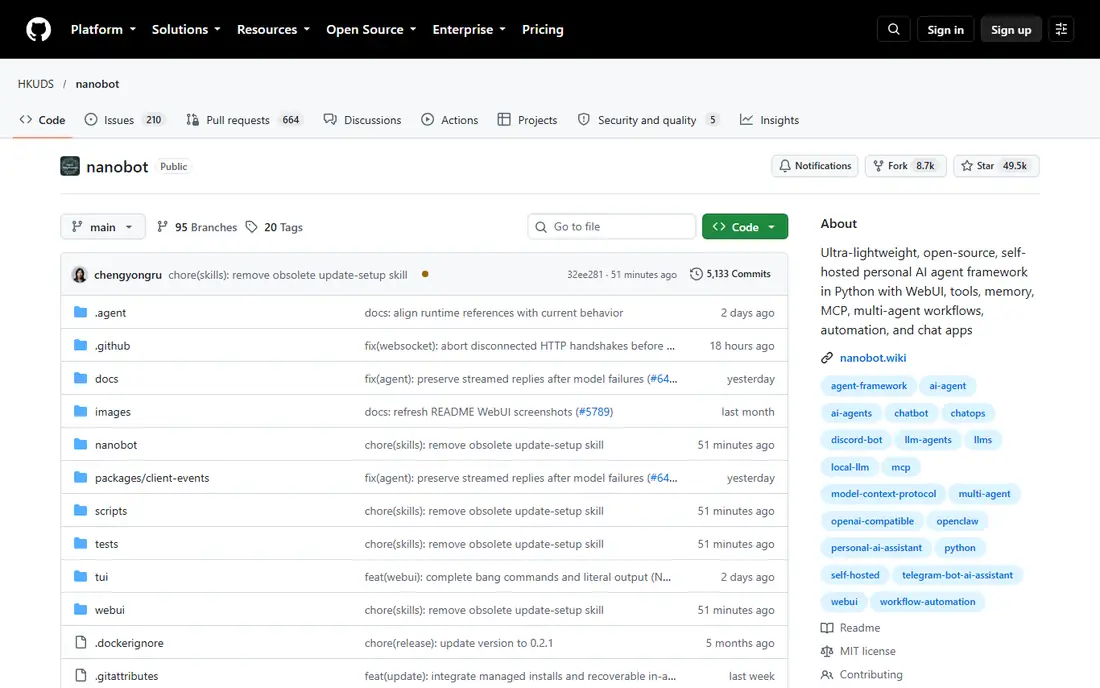
Nanobot is an ultra-lightweight, open-source, self-hosted personal AI agent framework written in Python. It runs in a browser WebUI or a terminal, connects to Telegram, Discord, Slack, WeChat, email, Mattermost, and Linear, and keeps session history plus long-term memory. It also supports shell tools, web search, MCP integrations, cron jobs, image generation, and multi-agent delegation, so it covers most of what OpenClaw users actually use day to day.
The main appeal is readability. The core is small enough to study in an afternoon, which makes it a good pick if you want to understand, fork, or extend your agent rather than treat it as a black box. You need Python 3.11 or newer and a model provider key or a local model server. Nanobot does not supply a model account, so your running cost is whatever your provider charges. With close to 50,000 GitHub stars, it is also one of the most watched projects in this space.
What we like- Compact Python core that is easy to read
- WebUI, terminal, and chat channels
- MCP, memory, and scheduled tasks built in
Watch out for- You pay your own model costs
- Setup expects comfort with Python tooling
Starting priceFree
Free planYes
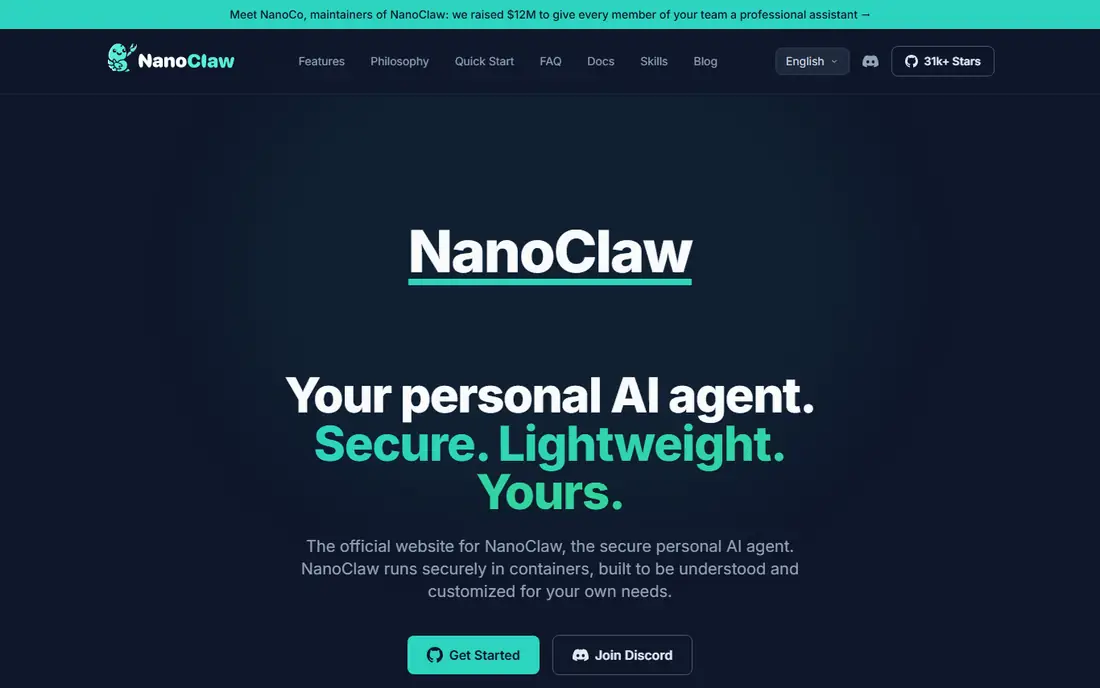
NanoClaw is a lightweight, open-source personal AI agent built as a smaller, auditable alternative to OpenClaw. One Node.js host process routes messages, and every active agent session runs inside its own isolated Docker container with its own workspace, memory, and credentials. That design limits the damage if an agent misreads an instruction, since it can only see the files you explicitly mount.
Channels include WhatsApp, Telegram, Slack, Discord, Signal, Microsoft Teams, and more, installed on demand as skills so your fork carries only what you use. Credentials are held in a vault by default and injected at request time, so agents never hold raw API keys. Setup needs macOS, Linux, or Windows through WSL2, plus Docker and a Claude or Codex credential, and the installer walks through pairing your first channel. With more than 31,000 GitHub stars, it is a well-reviewed choice for people who care most about security.
What we like- Every agent session runs in its own Docker container
- Many messaging channels
- Claude, Codex, OpenCode, and Ollama support
Watch out for- Requires Docker, Node.js 20+, and pnpm
- The fork-and-own model expects terminal comfort
Starting priceFree
Free planYes
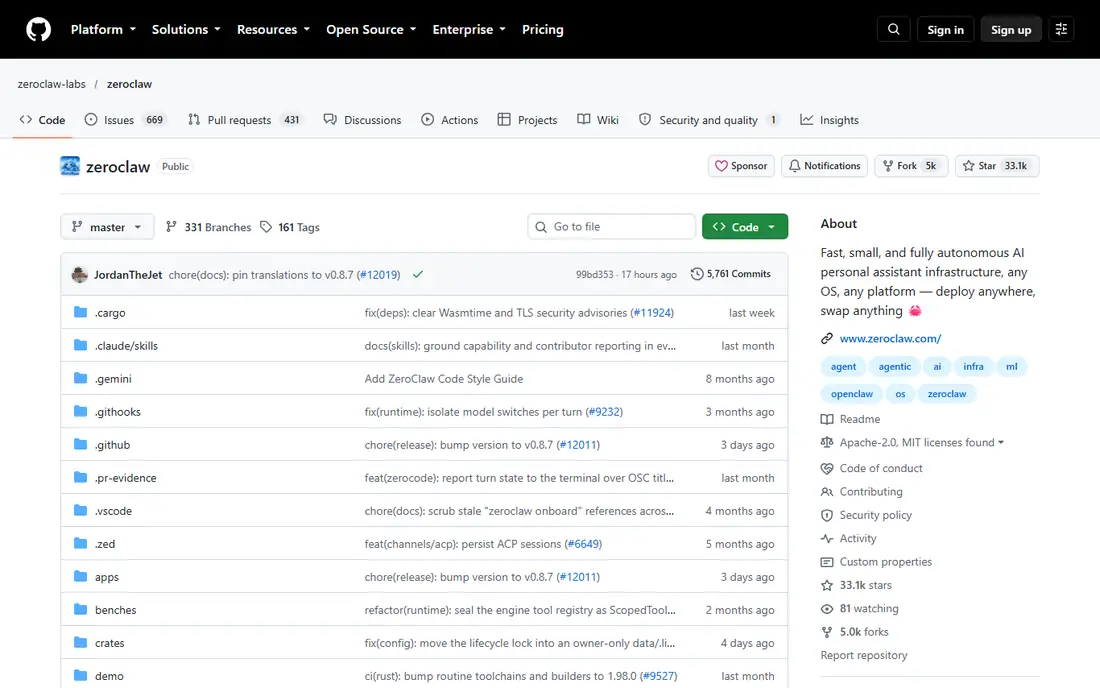
ZeroClaw is a Rust agent runtime that ships as a single binary you configure and run. It talks to Anthropic, OpenAI, Ollama, and around 20 other providers, reaches the world through 30+ channels including Discord, Telegram, Matrix, email, and webhooks, and acts through shell, browser, HTTP, hardware, and MCP tools. Everything runs on your machine with your keys in your workspace.
The runtime is built for operation rather than babysitting. Default autonomy is supervised, so medium-risk actions need approval and high-risk actions are blocked, and workspaces, command policies, and OS sandboxes narrow what an agent can touch. A gateway plus web dashboard covers chat, memory browsing, config editing, and cron management, and a standard operating procedure engine handles event-triggered runs from MQTT, webhooks, or schedules. A migration command imports OpenClaw workspace memory, which helps if you are switching. One warning matters: the project says zeroclaw-labs is the only official repository, and other domains using the name are not affiliated.
What we like- A single Rust binary with a small footprint
- 30+ channels and around 20 providers
- Supervised autonomy with approval gates by default
Watch out for- Some channel adapters need a source build with the feature enabled
- Several copycat repos exist, so use only the official repository
#4Dify
Best for: Production agent workflows for teams4.1/5 on
G2 (20 reviews, checked Oct 2026)
Visit dify.ai
Starting priceSee website
Free planYes
Dify is an open-source platform for building production-grade agentic workflows, AI agents, and RAG apps on one collaborative workspace. It offers a managed cloud option, a self-hosted enterprise edition with SSO, role-based access, audit logs, and SOC 2 Type II plus ISO 27001 certification, and a source-available community edition that runs with Docker. The community edition alone carries more than 159,000 GitHub stars.
Dify fits a different need than the claw-style tools above. It is for teams that want to design workflows visually, test them, and ship them as web apps or APIs without rebuilding the stack for production. If your goal is a personal assistant that answers you in WhatsApp, Dify is more platform than you need. If your goal is a team workspace where agents, knowledge bases, and workflows live together, it is one of the strongest open options available.
What we like- Visual workflow editor with RAG pipelines
- Cloud, VPC, or self-hosted deployment
- Large open-source community
Watch out for- Heavier than a personal agent runtime
- Enterprise features are paid
#5n8n
Best for: Workflow automation with AI agents4.7/5 on
G2 (319 reviews, checked Oct 2026)
Visit n8n.io
Starting priceSee website
Free planSee website
n8n is an AI workflow automation platform where you build agents and workflows visually and can open any step to see what it does. It is trusted by large companies for production automation, and it puts weight on security and control: an on-prem option, SSO and SAML, LDAP, encrypted secret stores, version control, role-based access, audit logs, and human-in-the-loop guardrails.
That makes n8n a good OpenClaw alternative when your real need is dependable automation rather than a chat companion. You can build agents that watch systems, triage messages, and act across hundreds of apps, with logs and approvals for every run. It is less suited to someone who simply wants an assistant that lives in Telegram and remembers context. Pricing is not stated on the homepage extract, so check the pricing page before budgeting.
What we like- Visual builder for agents and workflows you can inspect step by step
- Fully on-prem option with SSO, LDAP, and audit logs
- Strong governance features
Watch out for- A workflow platform, not a personal messaging assistant
- Pricing is not stated on the homepage
Starting priceFree
Free planYes
Open WebUI is a self-hosted AI platform built around a simple idea: your models, your data, your machine. It connects to any model, local or cloud, and extends with Python, so you can run local models through Ollama, plug in hosted providers, or mix both. Installation is a single pip command, and the community around it is large, with more than 433 million downloads and 521,000 members sharing prompts, models, tools, and functions.
For organizations, Open WebUI adds SSO, role-based access, audit logs, data residency, and on-premises or air-gapped deployment. The honest limit is scope: this is a chat interface and platform, not a personal agent that lives in your messaging apps and runs scheduled briefings on its own. If you want a private ChatGPT-style front end that you control, it is the most mature option on this list. If you want an always-on agent, pair it with one of the runtimes above or pick a claw-style tool instead.
What we like- Connects to Ollama, OpenAI, Anthropic, and compatible APIs
- Huge community with 157,000+ GitHub stars
- Enterprise controls for larger rollouts
Watch out for- A chat interface first, not an always-on messaging agent
- Agent features are lighter than claw-style runtimes
Starting priceFree
Free planYes
LibreChat is an open-source AI platform that brings all your AI conversations into one unified, customizable interface. It supports model selection across Anthropic, AWS, OpenAI, Azure, and more, plus advanced agents with file handling and API actions, a code interpreter, artifacts for code and diagrams, message search, MCP connections, persistent memory, and built-in web search with reranking. The project reports 46,400 GitHub stars and 59.5 million Docker pulls.
LibreChat suits teams and individuals who want a polished, self-hosted chat workspace with agent features, rather than a bare runtime. Authentication is enterprise-ready, with SSO, OAuth, SAML, LDAP, and two-factor auth. The trade-off is the same as Open WebUI: it is built around conversations you start, not an agent that watches channels and acts on its own schedule. For a shared team front end with strong provider choice, it is an excellent fit.
What we like- One interface for many providers
- MCP support, memory, code interpreter, and web search
- Enterprise SSO with OAuth, SAML, and LDAP
Watch out for- Interface-first design
- Always-on messaging agents need extra setup
Starting priceFree
Free planYes
Jan is an open-source desktop app that positions itself as a replacement for hosted chat products. It runs open models on your own machine and also plugs in hosted models from OpenAI, Anthropic, Google, Meta, Mistral, Alibaba, DeepSeek, and Moonshot AI, so you can switch between local privacy and hosted capability without switching apps. With more than 7 million downloads, it is the most widely installed tool on this list.
Jan is the right pick when your priority is a private, offline-capable chat app on your computer. It is not a claw-style agent: there is no always-on runtime watching your messages, and the homepage lists memory as coming soon, so context carryover is limited for now. If you want a simple, free desktop front end for models and you do not need scheduled tasks or messaging channels, Jan is the easiest start on this list.
What we like- Free and open source with 7 million+ downloads
- Runs open models locally or plugs in hosted models
- Simple desktop experience
Watch out for- Memory is listed as coming soon, not shipped
- A desktop chat app, not an always-on messaging agent
How we chose
We opened every vendor homepage listed here and confirmed it loads and belongs to that product before writing about it. We favored tools that are actively maintained, free to self-host, and genuinely close to what OpenClaw does: a personal agent you own, running on your hardware, reachable from your apps. We included Dify, n8n, Open WebUI, LibreChat, and Jan because many OpenClaw users actually want a workflow builder or a chat front end rather than a messaging agent, and we said so plainly for each one. We excluded projects whose homepages failed to load, whose repositories looked abandoned, and copycat repositories trading on the ZeroClaw name. Where a homepage did not state a price or a free tier, we wrote See website instead of guessing.
How to choose an OpenClaw alternative
Start with how you will talk to the agent. If you want an assistant that answers you in WhatsApp, Telegram, or Slack, shortlist Nanobot, NanoClaw, and ZeroClaw, since all three are built around messaging channels. If you mostly work in a browser and want a private chat front end, Open WebUI, LibreChat, and Jan are simpler and need less setup.
Next, weigh size against features. Nanobot is the smallest to read and change, NanoClaw adds container isolation for safety, and ZeroClaw gives you a single binary that runs well on cheap hardware. Larger platforms such as Dify and n8n add visual building, team roles, and audit logs, but they also add moving parts you must maintain.
Then check the model bill. Every free tool here still needs a model, and hosted models charge per use. If you want near-zero running cost, pick a tool with local model support, such as Nanobot with Ollama, NanoClaw with Ollama, ZeroClaw with Ollama, or Jan on your desktop, and accept that local models are weaker than hosted ones. Finally, test migration early. ZeroClaw and NanoClaw both ship migration paths from OpenClaw, so try importing your memory and skills before you commit to a switch, and keep your old setup running until the new one proves itself.
Frequently asked questions
What is OpenClaw?
OpenClaw is an open-source personal AI assistant that runs on your own machine and talks to you through messaging apps and other channels. It can remember context, run scheduled tasks, use tools, and act on your behalf, which is why people look for lighter or more secure replacements with the same shape.
Is there a free OpenClaw alternative?
Yes. Nanobot, NanoClaw, and ZeroClaw are all free and open source, and Open WebUI, LibreChat, and Jan are free as well. You still pay for hosted model usage unless you run local models, so free software does not always mean a zero bill.
Which alternative is best for a Raspberry Pi or cheap server?
ZeroClaw is the strongest pick for weak hardware, since it ships as a single small Rust binary built for low-resource machines. Nanobot is also light, and NanoClaw works well on a small server as long as Docker runs comfortably on it.
Can I migrate my OpenClaw memory and skills to an alternative?
It depends on the tool. ZeroClaw ships a command that imports OpenClaw workspace memory, and NanoClaw ships a migration skill for OpenClaw setups. Nanobot is a separate codebase, so moving to it means rebuilding your configuration by hand. Always back up your OpenClaw workspace before migrating.
Do these alternatives work with WhatsApp and Telegram?
Nanobot, NanoClaw, and ZeroClaw all support Telegram, and NanoClaw and ZeroClaw also cover WhatsApp and other channels. Open WebUI, LibreChat, and Jan are browser and desktop interfaces, so they do not live inside messaging apps.
Should I pick a runtime or a platform?
Pick a runtime such as Nanobot, NanoClaw, or ZeroClaw if you want a personal assistant that acts for you. Pick a platform such as Dify or n8n if you want to build and govern workflows for a team. Pick a chat interface such as Open WebUI, LibreChat, or Jan if you mainly want a private front end for models.
Sources we checked (0)
Is your product missing or out of date?
We review this list regularly. Vendors can request a listing, send updated pricing or ask about featured placement.

Shihab Mia · Founder, Rankite
Shihab has 5+ years in B2B and SaaS SEO. He writes Rankite's software buying guides from pricing pages, documentation and public user reviews. More about Shihab.