How we make this list: we compare pricing pages, product documentation and public user reviews. Ratings come from G2, Capterra or Trustpilot, with the date we checked them.
Key takeaways
- Miro is the closest like for like swap, with the biggest template library in this group and a free plan, but per member pricing climbs fast for large workshop rosters.
- FigJam is the cheapest serious option for teams already paying for Figma, at 3 dollars per Collab seat, and it keeps whiteboarding next to design files.
- Lucidspark and Conceptboard suit structured facilitation best, with voting, timers and sorting built around the session rather than added on.
- Microsoft Whiteboard costs nothing extra for Microsoft 365 shops, while Milanote fits creative planning better than formal workshops.
Quick comparison
| Tool | Best for | Starting price | Free plan |
|---|
 Miro Miro | Closest all round replacement | $8 per member per month | Yes |
 FigJam FigJam | Figma teams on a budget | $3 per seat per month | Yes |
 Lucidspark Lucidspark | Structured facilitation and voting | $9 per user per month | Yes |
 Microsoft Whiteboard Microsoft Whiteboard | Microsoft 365 shops | Included with Microsoft 365 | Yes |
 Conceptboard Conceptboard | EU hosted, compliance led workshops | See website | Yes |
 Stormboard Stormboard | Turning sticky notes into reports | See website | Yes |
 Klaxoon Klaxoon | Large facilitated workshops and training | See website | No |
 Milanote Milanote | Creative planning and moodboards | $9.99 per person per month | Yes |
Is your product missing or out of date?
We review this list regularly. Vendors can request a listing, send updated pricing or ask about featured placement.
The best Mural alternatives
#1Miro
Best for: Closest all round replacement4.6/5 on
G2 (13,631 reviews, checked Oct 2026)
Visit miro.com
Starting price$8 per member per month
Free planYes

Miro is where most Mural teams land first, and usually with reason. The working style is nearly identical: infinite canvas, sticky notes, frames, and a facilitator leading a group through a timed session. Migration is mostly a matter of rebuilding favourite templates, and Miro's library means many of them already exist.
The honest trade is cost discipline. Miro charges for members, so a team that invites the whole company to edit pays for the whole company. Visitor and view only roles soften that, but a facilitator who needs everyone editing in the room should model the Business tier price before committing, not the 8 dollar Starter headline.
What we like- Miro has the deepest template library in this group, covering retrospectives, journey maps, roadmaps and workshop formats, plus a large integration catalogue that connects boards to Jira, Slack, Google Drive and the rest of a normal work stack. Facilitation basics are strong: timers, voting, private mode and presenter follow. The free plan allows unlimited members on three editable boards, so a team can run a real pilot before paying. AI features summarise sticky note clusters and draft diagrams, metered by monthly AI credits per member.
Watch out for- Per member billing is the catch. A workshop with forty occasional participants can push a team toward the 20 dollar Business tier, and guest editing sits on that tier too. AI credits run out on heavy workshop days. The canvas can also feel busy for first time users compared with Mural's calmer layout.
#2FigJam
Best for: Figma teams on a budget4.5/5 on
G2 (465 reviews, checked Oct 2026)
Visit figma.com
Starting price$3 per seat per month
Free planYes
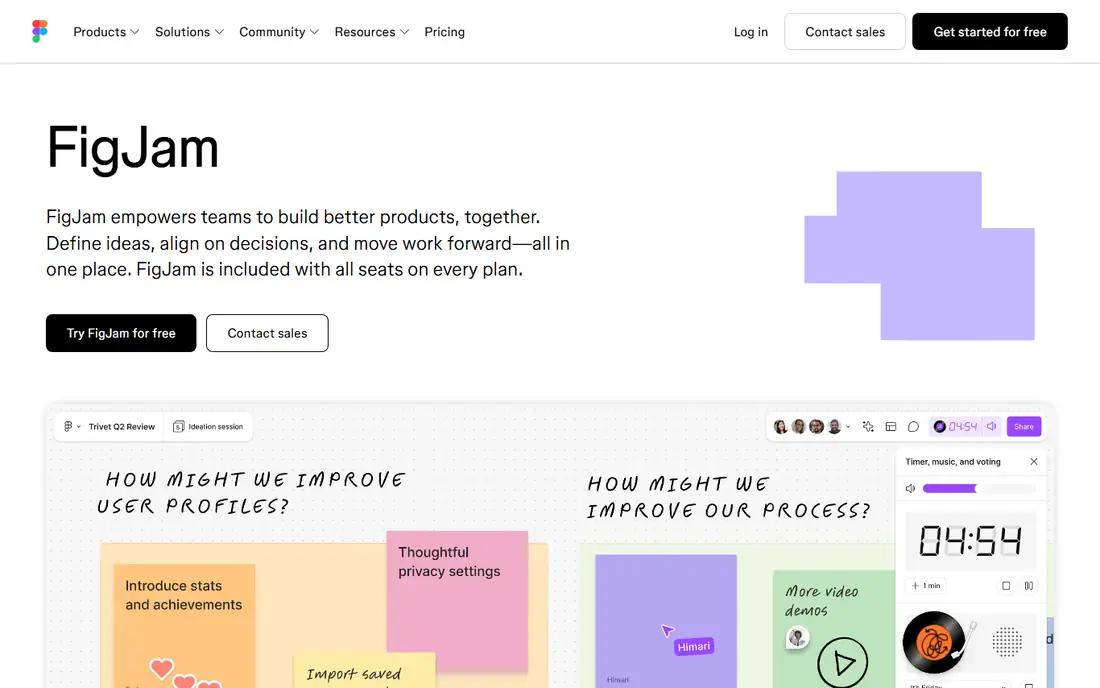
For product and design teams, FigJam removes a tool rather than adding one. Brainstorms, flow diagrams and sprint rituals happen where the design files already live, and the handoff from a workshop board to a design frame takes seconds.
The limit is ambition. FigJam handles the whiteboard jobs a product team has, but a consultancy running paid client workshops all week will want stronger facilitation controls and reporting than FigJam offers. Buy it as part of Figma, not as a standalone workshop platform.
What we like- FigJam is Figma's whiteboard, and its price is the story: a Collab seat costs 3 dollars per month billed annually on the Professional plan, which buys full FigJam access without a full design seat. Stamps, reactions, cursor chat and audio notes make sessions feel light, and boards sit in the same file browser as design work, so a workshop can flow straight into mockups. The free Starter plan includes three shared FigJam files with unlimited collaborators, and viewers are free on every plan.
Watch out for- FigJam is a whiteboard inside Figma's pricing model, so costs depend on seat types that confuse buyers new to Figma. Facilitation depth is thinner than Miro or Lucidspark, with fewer enterprise workshop controls. Template range is good for product and design work, weaker for training or education formats. Teams with no Figma footprint gain less, because the value is the shared home.
Starting price$9 per user per month
Free planYes
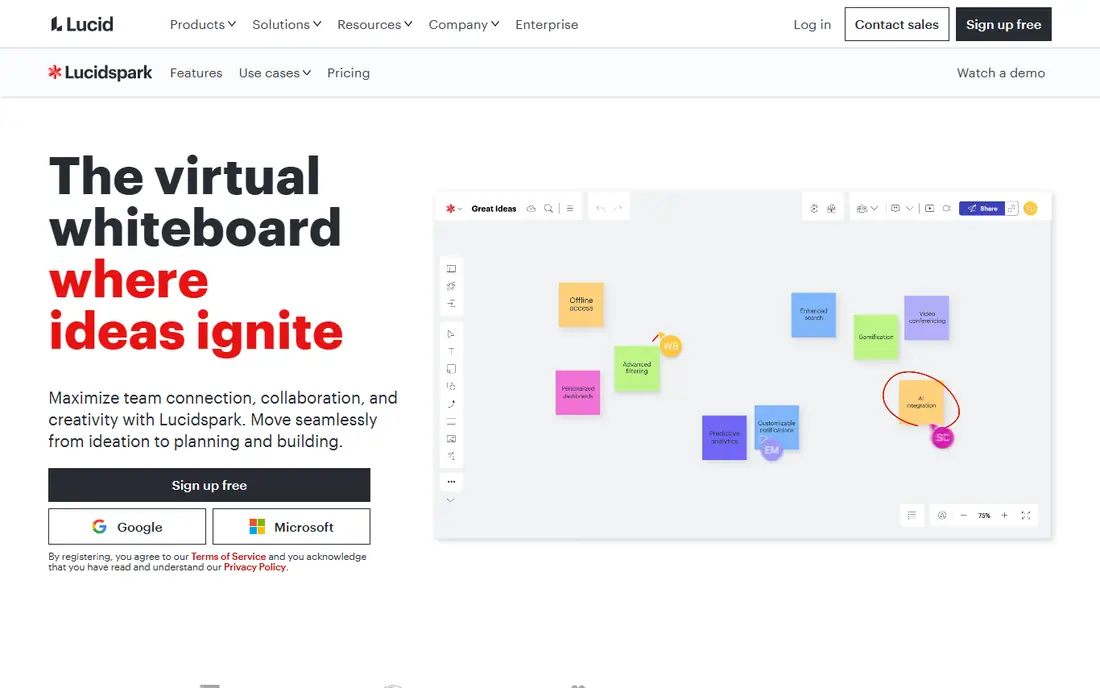
Lucidspark suits teams whose workshops end in a decision. The voting and grouping tools are not decoration; they turn a wall of sticky notes into ranked output inside the same session, which is the part of facilitation that often gets lost when a board is exported to a document later.
It is also the natural pick for Lucidchart shops. If your organisation already standardises on Lucid for diagrams, Lucidspark keeps the whiteboard in the same account, the same admin console and the same security review.
What we like- Lucidspark is built around the facilitated session: voting with results you can sort and group, timers, a laser pointer mode, and panels that organise notes into containers ready for decisions. Its pairing with Lucidchart matters for teams whose workshops end in formal diagrams, because a board can move into a proper diagramming tool from the same vendor. The free plan covers three editable documents. Individual paid plans start at 9 dollars per user per month, and team plans at 10 dollars, with a bundle that adds Lucidchart for 13.50 dollars for individuals.
Watch out for- The template and community library is smaller than Miro's, so facilitators build more of their own material. The two product bundle pricing takes a minute to work out, and buyers should check whether they need Lucidchart before paying for the suite. Guest and collaborator rules vary by plan in ways that matter for client workshops, so read the plan table before a big session.
#4Microsoft Whiteboard
Best for: Microsoft 365 shops4.0/5 on
G2 (51 reviews, checked Oct 2026)
Visit microsoft.com
Starting priceIncluded with Microsoft 365
Free planYes
Whiteboard is the default choice when the requirement is simply a shared canvas in a Teams meeting. IT departments like it because there is nothing new to buy, license or security review, and staff already know the surrounding apps.
Choose it with clear eyes. It covers standups, quick brainstorms and classroom style sessions well. It is not the tool for a design team whose whole practice runs on whiteboards, and those teams will feel the missing facilitation depth within a week.
What we like- For organisations already paying for Microsoft 365, Whiteboard adds no new line to the budget: it is included in business and education tenants and also works free with a personal Microsoft account. It lives inside Teams meetings, so a board can open inside the call with no new link or login. Sticky notes, shapes, templates and reactions cover everyday brainstorming, and boards are stored in OneDrive and SharePoint, which keeps them inside the tenant's existing retention and compliance rules.
Watch out for- It is a simpler tool than Miro or Mural. Facilitation features are basic, the template library is short, and there is no real answer for running a polished paid workshop for outside clients. Boards can feel plain next to rivals, and advanced diagramming is limited. Organisations outside the Microsoft ecosystem get a much weaker product, because the value is the bundling.
#5Conceptboard
Best for: EU hosted, compliance led workshops4.6/5 on
G2 (102 reviews, checked Oct 2026)
Visit conceptboard.com
Starting priceSee website
Free planYes
Conceptboard is the pick when the security review decides the purchase. European public sector bodies, finance teams and health organisations that need hosting in the EU and a vendor who answers data questions in detail are its home ground.
For a US team with no residency requirement, that strength matters less and Miro's bigger ecosystem probably wins. For a team that has failed a whiteboard security review before, Conceptboard is often the tool that finally passes it.
What we like- Conceptboard is a German built whiteboard with data protection at the centre of its pitch: GDPR aligned hosting in Europe, plus dedicated and on premises options at the enterprise end. Facilitation is a strength, with live moderation that syncs participants to the presenter's view, voting, and approval workflows on boards. Boards can hold documents, PDFs and video for review work, and task assignment inside the board suits teams that run design and document reviews. A free plan now covers a small number of active boards, and paid tiers price per user.
Watch out for- Published per user prices conflict across current listings, so confirm on the vendor's pricing page before budgeting
- The entry business bundle is sold as a small team pack rather than a simple per seat figure. The template library and integration catalogue are smaller than Miro's. The interface rewards setup time, and casual users can find it less immediate than FigJam or Milanote.
Starting priceSee website
Free planYes
Stormboard fits the team that runs the same structured meeting every week: retrospectives, planning sessions, risk reviews. The reporting export is the reason to pick it, because the output of a session becomes a document a manager can read, not a screenshot.
If your workshops are freeform creative sessions, other tools here feel better. If your workshops produce decisions that must be written up, Stormboard saves the dullest hour of the week.
What we like- Stormboard has been running online sticky note sessions since before most of this list existed, and its signature strength is what happens after the meeting: notes can be sorted, voted on, assigned and exported into formatted reports and documents rather than left as a picture of a board. Multiple boards can connect into one workspace for programmes that run many sessions. A free plan covers small teams and personal use, and paid tiers add reporting, admin controls and integrations with tools such as Microsoft Teams and Jira.
Watch out for- Current published prices vary across listings, so treat the entry figure as one to confirm on the vendor site. The interface looks dated next to FigJam or Miro, which can colour first impressions in a client facing workshop. Its template library is practical rather than large, and real time drawing tools are more basic than a design led whiteboard.
Starting priceSee website
Free planNo
Klaxoon makes sense when the session itself is the product: corporate training, onboarding cohorts, consultant led workshops. The facilitator gets a programme of activities with participation data at the end, which a plain whiteboard cannot produce.
For a five person team that needs a board for Friday's retro, it is far more platform than the job asks for. Match it to organised, repeated, large group work.
What we like- Klaxoon is a workshop platform rather than a plain canvas: it runs structured activities such as quizzes, surveys, challenges and word clouds alongside boards, and it is designed for facilitators running sessions for dozens or hundreds of participants, including training and town hall formats. It was built in France and has a strong base in European enterprise. Reporting on participation and answers is part of the product, which trainers value. Klaxoon became part of Wrike in 2025, so buyers get a larger parent company behind it.
Watch out for- There is no free plan, only trials, and pricing is quoted through sales for most team sizes, so a small team cannot self serve a quick comparison. The activity based format takes more preparation than opening a blank board, and casual brainstorming teams will use a fraction of it. US support hours and community content are thinner than its European base suggests.
#8Milanote
Best for: Creative planning and moodboards4.5/5 on
G2 (43 reviews, checked Oct 2026)
Visit milanote.com
Starting price$9.99 per person per month
Free planYes
Milanote replaces Mural for the teams who used it as a planning wall rather than a meeting room. Creative leads, writers and small studios keep project material in one visual place that clients can open and understand without a walkthrough.
If your Mural use is live facilitated sessions, look higher up this list. If it is collecting and arranging material for creative work, Milanote does that job with less friction than any general whiteboard here.
What we like- Milanote arranges notes, images, links, files and short tasks on boards that feel like a studio wall, which makes it a strong home for creative projects: campaign planning, brand work, writing projects and research collections. Boards look presentable enough to share with clients as they are. The free plan includes 100 notes, images and links plus a small file allowance, with unlimited shared boards. Paid plans cost 9.99 dollars per person per month billed annually and remove the content caps.
Watch out for- It is not a workshop tool. There is no voting, no timer, no facilitation mode, and large group real time sessions are not what it is built for. Diagramming is minimal. The free plan's content cap arrives quickly on an image heavy project, and per person pricing for a big team buys a whiteboard elsewhere with more session features.
How we chose
We picked whiteboards and visual collaboration tools that a team can buy and run in October 2026 and that cover the main reasons teams look beyond Mural: lower per seat cost, a home inside Figma or Microsoft 365, stronger facilitation, European hosting, session reporting and creative planning. Every tool lists public pricing or a public trial, except Klaxoon, which sells through sales and is labelled as such. Where current sources disagreed on a price, the entry says see website rather than a figure we could not stand over. No tool was hands on tested for this guide; judgements rest on vendor documentation, pricing pages and current comparison reporting.
How to pick a Mural alternative
Start with the session you run most. If it is a facilitated workshop with voting and decisions, Lucidspark, Klaxoon and Conceptboard are built for that shape of work. If it is design work, FigJam keeps the board beside the files. If it is a quick brainstorm inside a call you already run, Microsoft Whiteboard adds no cost at all.
Then count editors, not employees. Per seat pricing punishes teams that give edit access to everyone who might ever join a session. Check how each vendor treats guests and viewers, and model a real workshop roster before comparing headline prices.
Finally, check the exit. Boards hold real work. Before a team commits, confirm export formats, because a whiteboard that cannot export its content in a usable form is a cost you pay later, at the worst moment.
Frequently asked questions
What is the closest alternative to Mural?
Miro. The canvas model, facilitation tools and template library are the nearest match, and most Mural boards can be rebuilt in Miro quickly. The difference is pricing shape: Miro charges per member, with guest editing on its Business tier, so large workshop rosters should model that tier rather than the entry price.
Is there a free Mural alternative for a whole team?
Yes, with limits. Miro's free plan allows unlimited members on three editable boards, FigJam's free plan includes three shared files with unlimited collaborators, and Microsoft Whiteboard is included with Microsoft 365 or free with a Microsoft account. Free plans ration boards or files, so they suit pilots and small teams rather than a department's full workload.
Which Mural alternative is best for workshops with voting?
Lucidspark and Klaxoon lead here. Lucidspark builds voting, grouping and sorting into the board itself, so a session ends with ranked output. Klaxoon adds full activity formats such as quizzes and challenges for training style sessions. Conceptboard also includes voting and a moderation mode that keeps participants on the presenter's view.
Which alternative keeps data in Europe?
Conceptboard is the clearest answer, with European hosting, GDPR alignment and dedicated or on premises options at the top end. Klaxoon, built in France, also has a strong European base. For other tools, data residency usually appears only on enterprise plans, so ask the vendor in writing before a security review depends on it.
Can I move my Mural boards to another tool?
Partly. Most whiteboards export boards as images or PDFs, and sticky note content can move by copy and paste or CSV where the tool supports it. Live board structure, connectors and facilitation setup rarely survive the move. Plan to rebuild your two or three core templates by hand and treat the rest as archive material.
Sources we checked (0)
Is your product missing or out of date?
We review this list regularly. Vendors can request a listing, send updated pricing or ask about featured placement.

Shihab Mia · Founder, Rankite
Shihab has 5+ years in B2B and SaaS SEO. He writes Rankite's software buying guides from pricing pages, documentation and public user reviews. More about Shihab.