How we make this list: we compare pricing pages, product documentation and public user reviews. Ratings come from G2, Capterra or Trustpilot, with the date we checked them.
Key takeaways
- GitBook is the best Mintlify replacement for cross-functional teams that want a polished editor plus Git sync.
- ReadMe leads for interactive API portals where developers can try endpoints live in the docs.
- Docusaurus is the best free option for engineering teams that want full control and no subscription.
- Document360 suits large support and help-center teams that need approval workflows and governance.
- Pricing models differ sharply: GitBook charges per site plus per user, ReadMe grows with team size, and Mintlify Pro is expensive once AI usage is added.
Quick comparison
| Tool | Best for | Starting price | Free plan |
|---|
 GitBook GitBook | Cross-functional teams with Git sync | $65 per site/month | Yes |
 ReadMe ReadMe | Interactive API portals | $250 per month | Yes |
 Docusaurus Docusaurus | Open-source docs-as-code | Free | Yes |
 Document360 Document360 | Enterprise help centers | See website | Free trial |
 Confluence Confluence | Internal company wikis | $5.42 per user/month | Yes |
 Notion Notion | Flexible team wikis | $10 per user/month | Yes |
 Redocly Redocly | OpenAPI-first API docs | $10 per seat/month | Yes |
 Archbee Archbee | Affordable product docs | $50 per month | Yes |
Is your product missing or out of date?
We review this list regularly. Vendors can request a listing, send updated pricing or ask about featured placement.
The best Mintlify alternatives
#1GitBook
Best for: Cross-functional teams with Git sync4.7/5 on
G2 (207 reviews, checked Oct 2026)
Visit gitbook.com
Starting price$65 per site/month
Free planYes
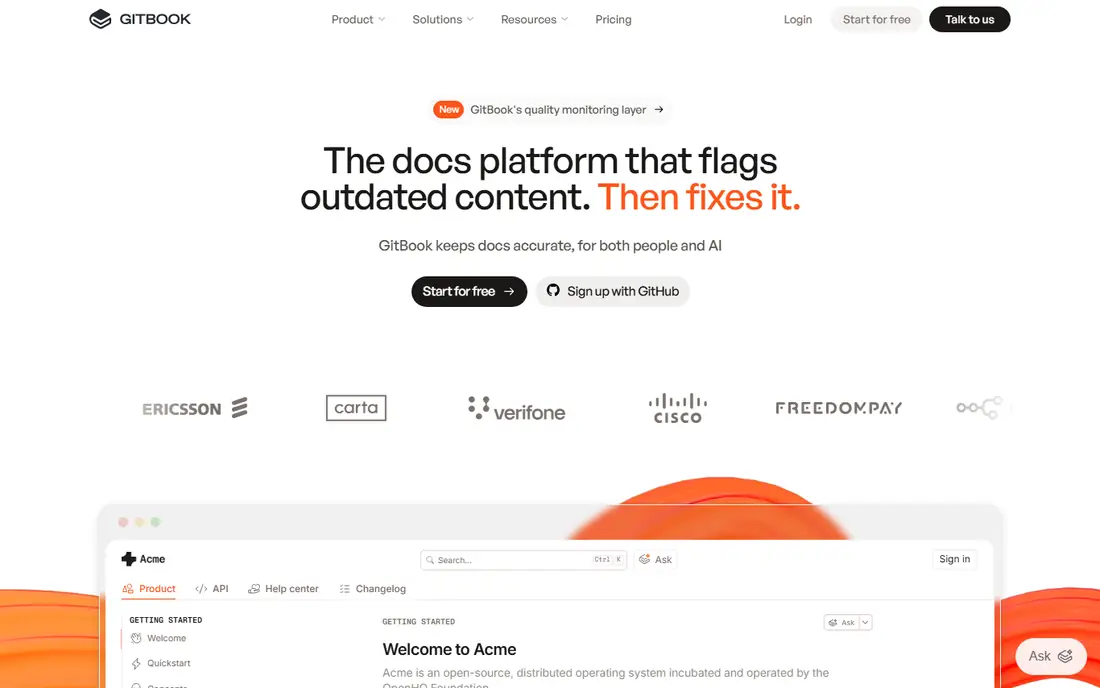
GitBook suits teams where writers outnumber engineers on a single documentation site. Its visual editor is the strongest in this list for non-developers, while two-way Git sync keeps content in version control for engineers who prefer Markdown. That combination covers product docs, developer guides, and internal handbooks in one tool, with AI search and a Docs Agent on higher tiers.
The trade is pricing. GitBook charges $65 per site per month on Premium, plus $12 per user per month, so a 10-person team with one site pays far more than the headline figure. AI answers are also metered on the Ultimate tier. GitBook fits best for cross-functional teams that value a friendly editor and Git sync enough to pay per seat.
What we like- Best visual editor in this list
- Two-way Git sync
- AI search and Docs Agent
Watch out for- Per-site plus per-user pricing grows with teams
- AI answers are metered on higher tiers
- Less API-focused than ReadMe
#2ReadMe
Best for: Interactive API portals4.5/5 on
G2 (46 reviews, checked Oct 2026)
Visit readme.com
Starting price$250 per month
Free planYes
ReadMe leads for API-first products that need an interactive developer hub. Its API reference lets developers try endpoints live from the docs, with authentication handling and example requests, which shortens the path from reading to a first successful call. Adoption analytics show which endpoints developers actually use, helping product teams prioritize documentation effort.
The limits are price and permissions. Pro starts at $250 per month on annual billing, AI features are a paid add-on, and granular roles are limited below Enterprise. ReadMe fits best for API-first companies where developer adoption is a revenue driver and the portal justifies a premium price.
What we like- Strongest interactive API reference here
- Live try-it calls
- API adoption analytics
Watch out for- Pro starts at $250 per month
- AI features are a paid add-on
- Roles below Enterprise are limited
Starting priceFree
Free planYes

Docusaurus is the best free Mintlify alternative for engineering teams that want full control. It is open source, so there is no license cost, no per-seat pricing, and no lock-in: docs live in a repository as Markdown and MDX, deploy on every push, and can be hosted anywhere. For open-source projects and engineering-led teams, that control is worth more than a hosted editor.
The trade is effort. There is no built-in AI, search and analytics need setup, and non-developers get no visual editor unless the team builds one. Hosting, maintenance, and design are the team's job. Docusaurus fits best for teams with engineering time that want to own their documentation stack outright.
What we like- Free and open source
- Full control over hosting and design
- Native Git and MDX workflow
Watch out for- No built-in AI
- Search and analytics need setup
- No visual editor for non-developers
Starting priceSee website
Free planFree trial
Document360 suits large teams whose documentation is a support knowledge base that needs sign-off before it publishes. Its category structure handles large help centers, its approval workflows and governance suit regulated industries, and its AI search and generation help readers find answers. When support owns the content and compliance matters, Document360's workflow controls beat a developer-first tool.
The limits are pricing and Git workflow. Pricing is quote-only, and Git integration is one-way import and read-only, so engineers cannot work in their normal docs-as-code flow. Document360 fits best for enterprise help centers and support teams that prioritize governance over Git-native editing.
What we like- Category-heavy help centers
- Approval workflows and governance
- AI search and generation
Watch out for- Quote-only pricing
- One-way Git import, read-only
- Less suited to developer API reference
#5Confluence
Best for: Internal company wikis4.1/5 on
G2 (4,368 reviews, checked Oct 2026)
Visit atlassian.com
Starting price$5.42 per user/month
Free planYes
Confluence suits internal documentation for teams already using Jira. Pages link to issues, project docs sit beside engineering work, and the free tier covers up to 10 users, with Standard at $5.42 per user per month. For internal handbooks, runbooks, and team wikis, Confluence is often already in place, which removes adoption friction.
The trade is purpose. Confluence is not a real API reference tool, its design polish trails GitBook and Mintlify, and search can frustrate on very large wikis. Confluence fits best for internal wikis in Atlassian shops, paired with a dedicated API docs tool for customer-facing reference.
What we like- Deep Jira integration
- Familiar wiki for internal teams
- Free tier up to 10 users
Watch out for- Not a real API reference tool
- Design polish trails GitBook and Mintlify
- Search can frustrate large wikis
#6Notion
Best for: Flexible team wikis4.6/5 on
G2 (13,834 reviews, checked Oct 2026)
Visit notion.com
Starting price$10 per user/month
Free planYes
Notion suits small teams that want docs, tasks, and wikis in one flexible place. Its databases, templates, and simple editor mean non-developers actually maintain the docs, which is the hardest problem for many small teams. The free plan covers personal use, and Plus at $10 per user per month on annual billing adds collaboration features.
The limits are technical depth. Notion is not a real API reference tool, its versioning and Git workflow are weak compared with docs-as-code tools, and performance can lag on very large wikis. Notion fits best for internal team wikis and mixed docs where flexibility matters more than API reference quality.
What we like- Docs plus tasks in one place
- Non-developers actually maintain it
- Flexible databases and templates
Watch out for- Not a real API reference tool
- Versioning and Git workflow are weak
- Performance can lag on huge wikis
Starting price$10 per seat/month
Free planYes
Redocly suits OpenAPI-first teams that need reference docs plus governance. Its tooling generates reference documentation from OpenAPI specs, enforces lint and style rules, and supports design-first API workflows where the spec is the source of truth. For teams whose API surface is large and governed, Redocly's discipline prevents drift between spec and docs.
The trade is breadth. Redocly is narrower than GitBook for general product docs, and pricing guides differ, with Pro reported at $10 per seat per month in one guide and $59 per month in another, so confirm current pricing before buying. Redocly fits best for API teams that prioritize spec governance over general documentation features.
What we like- OpenAPI-native reference docs
- Lint and style enforcement
- Governance for API teams
Watch out for- Narrower than GitBook for general docs
- Pro starts at $59 per month in some guides
- Design polish trails Mintlify
#8Archbee
Best for: Affordable product docs4.6/5 on
G2 (118 reviews, checked Oct 2026)
Visit archbee.io
Starting price$50 per month
Free planYes
Archbee suits small product teams that want GitHub sync plus a friendly editor at an affordable price. Its Pro plan at $50 per month covers product documentation with GitHub and GitLab sync and an AI assistant, without GitBook's per-site plus per-user stacking. Setup takes hours rather than days, which suits a small dev team with limited docs time.
The limits are scale. Archbee's ecosystem is smaller than GitBook's, enterprise governance features are fewer, and API depth trails ReadMe. Archbee fits best for small teams that want a capable, affordable docs platform without enterprise complexity.
What we like- GitHub and GitLab sync
- Affordable flat pricing
- AI assistant included
Watch out for- Smaller ecosystem than GitBook
- Fewer enterprise governance features
- Less API depth than ReadMe
How we chose
We compared these tools on docs workflow, API documentation quality, AI maintenance, pricing model, and team fit, since Mintlify buyers usually leave over price, AI costs, or collaboration limits. Pricing figures come from vendor pages and current comparison guides checked in October 2026, and any figure we could not confirm is marked as See website. We did not claim hands-on testing. Instead we weighed public documentation, pricing pages, and user reviews, plus the practical difference between a hosted platform and a self-hosted open-source tool.
What to check before you pick
Start with who writes. If writers outnumber engineers, GitBook or Archbee's visual editor matters more than Git purity. If engineers write everything, Docusaurus or Redocly's docs-as-code flow wins. Next, check the API need: a live try-it reference points to ReadMe, while a spec-governed API points to Redocly. Finally, model total cost for your actual team size, since per-seat and per-site pricing diverge sharply at 10 editors.
Pricing models at team scale
Headline prices hide most of the difference. Mintlify Pro is reported at $300 to $450 per month depending on the guide, plus metered AI credits, while GitBook's per-site plus per-user model grows with every editor. ReadMe grows with team size, Document360 is quote-only, and Docusaurus costs $0 in licenses plus engineering time. Price one real team, with real editor counts and AI usage, before committing.
AI maintenance and stale docs
Mintlify's AI writing agent drafts pages from code and flags stale content, which is a real advantage for fast-moving APIs. Alternatives vary: GitBook offers a Docs Agent, ReadMe offers AI suggestions, Document360 offers AI search and generation, and Docusaurus offers none built in. If your API changes weekly, an AI maintenance feature is worth paying for rather than letting docs rot.
Frequently asked questions
Why do teams leave Mintlify?
Common reasons are price and AI costs: Pro is reported at $300 to $450 per month depending on the guide, plus metered AI credits, and roles below Enterprise are limited. Teams also leave when they need stronger cross-functional collaboration, support workflows, or a free open-source stack.
Which Mintlify alternative is free?
Docusaurus is free and open source, with no license cost. GitBook, ReadMe, Confluence, Notion, Redocly, and Archbee all offer free tiers, but paid plans add the features most teams need.
Is GitBook cheaper than Mintlify?
It depends on team size. GitBook charges $65 per site per month plus $12 per user per month, so a small team may pay less than Mintlify Pro, while a 10-person team can pay more once seats and AI usage are added. Model your actual editor count before deciding.
Which tool is best for API documentation?
ReadMe leads for interactive API portals with live try-it calls, while Redocly leads for OpenAPI-first teams that need lint, style enforcement, and governance. GitBook covers general product docs with an API panel, but it is less API-focused than either.
Can I migrate docs from Mintlify?
Yes, since Mintlify docs live as MDX in a Git repository, and GitBook, Archbee, and Docusaurus all support Git-based workflows. Budget time for theme, navigation, and component differences, since no migration is fully automatic.
Do I need a visual editor or docs-as-code?
If non-developers write docs, a visual editor such as GitBook or Archbee matters. If engineers write everything and docs live beside code, a docs-as-code tool such as Docusaurus or Redocly gives better version control and automation.
Sources we checked (8)
- https://www.gitbook.com
- https://readme.com
- https://docusaurus.io
- https://document360.com
- https://www.atlassian.com/software/confluence
- https://www.notion.com
- https://redocly.com
- https://archbee.io
Is your product missing or out of date?
We review this list regularly. Vendors can request a listing, send updated pricing or ask about featured placement.

Shihab Mia · Founder, Rankite
Shihab has 5+ years in B2B and SaaS SEO. He writes Rankite's software buying guides from pricing pages, documentation and public user reviews. More about Shihab.