How we make this list: we compare pricing pages, product documentation and public user reviews. Ratings come from G2, Capterra or Trustpilot, with the date we checked them.
Key takeaways
- Heptabase is the closest match for visual thinkers, with a whiteboard of cards built for research and learning rather than team delivery.
- Notion and Craft suit people whose boards were really documents all along, while Miro is the pick when the board is a live team workshop.
- Obsidian keeps everything in local files you own, free for personal use, and Padlet is the simple board anyone can contribute to from a link.
- Milanote's free plan limits how much you can create, so heavy users usually leave over limits and structure, not features.
Quick comparison
| Tool | Best for | Starting price | Free plan |
|---|
 Heptabase Heptabase | Visual thinking for research and study | See website | No |
 Notion Notion | Docs and projects in structured workspaces | $10 per user per month | Yes |
 Miro Miro | Team whiteboarding and workshops | $8 per user per month | Yes |
 Obsidian Obsidian | Private notes in local files | Free | Yes |
 Craft Craft | Beautiful documents on Apple devices | See website | Yes |
 Kosmik Kosmik | A freeform canvas that organises itself | See website | Yes |
 Padlet Padlet | Simple shared boards for anyone | See website | Yes |
Is your product missing or out of date?
We review this list regularly. Vendors can request a listing, send updated pricing or ask about featured placement.
The best Milanote alternatives
Starting priceSee website
Free planNo

What we like- Heptabase is the alternative Milanote users describe as built for them: cards on a whiteboard, exactly the spatial arrangement you know, but with real depth underneath, bidirectional links, a journal, PDF annotation and cards that live in a searchable library as well as on boards. It was designed for researchers, students and writers making sense of large material, so a card can appear on three whiteboards and still be one card. If Milanote's boards felt right but its memory felt shallow, Heptabase is the direct upgrade path. Pricing is subscription based and published on its site, though figures move often enough that we list see website.
Watch out for- There is no free plan, only a trial, which raises the stakes on the test week. It is a thinking tool, not a team delivery tool: client presentation and workshop features trail Milanote and Miro. The visual system rewards people who maintain it
- A neglected Heptabase becomes a scattered card pile like any other board. Mobile apps exist but the whiteboard experience is desktop first.
#2Notion
Best for: Docs and projects in structured workspaces4.6/5 on
G2 (13,834 reviews, checked Oct 2026)
Visit notion.com
Starting price$10 per user per month
Free planYes
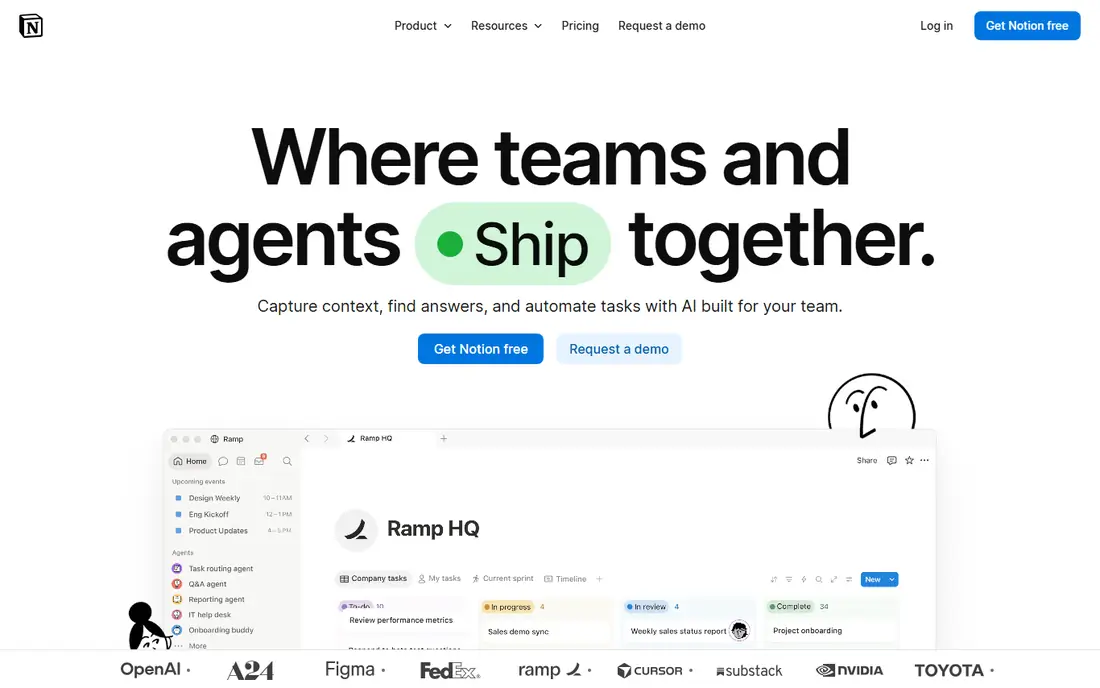
What we like- Notion is the answer when the board was a symptom: the project actually needs pages, databases, tasks and wikis in one structured workspace, with gallery and board views that scratch the visual itch inside a system that scales. Plus runs 10 dollars per user per month on annual billing with a capable free plan below it. Templates cover creative workflows from content calendars to story bibles, sharing and permissions suit client work, and almost every tool a team adopts connects to it. Your Milanote export becomes pages and a database, less pretty and far more findable at month six.
Watch out for- Notion cannot do the freeform canvas: gallery view is a grid, not a mood board, and arranging items spatially to think with them is not possible. Performance on very large workspaces draws complaints. The structure that makes it powerful also makes it a system to design rather than a board to open, and creative users who loved Milanote's immediacy often bounce off the setup before reaching the benefits.
#3Miro
Best for: Team whiteboarding and workshops4.6/5 on
G2 (13,631 reviews, checked Oct 2026)
Visit miro.com
Starting price$8 per user per month
Free planYes

What we like- Miro takes the board idea to team scale: an effectively unlimited canvas, real time cursors, sticky notes, diagrams, frames for presenting, timers and voting for workshops, and templates for every meeting format a creative team runs. Starter pricing runs 8 dollars per user per month on annual billing with a free plan that includes a few live boards. If Milanote boards kept becoming meetings, decks and planning sessions with stakeholders in them, Miro is the grown up venue for exactly that, and clients need no training to join a board from a link.
Watch out for- Miro is a canvas, not a knowledge base: boards age into archaeology, search across them is weaker than a document system, and long form writing in Miro is nobody's first choice. Per editor pricing adds up across a whole team. For solo visual organisation it is heavy machinery, and people who used Milanote as a private thinking space often find Miro's collaboration first design beside the point.
#4Obsidian
Best for: Private notes in local files4.5/5 on
G2 (13 reviews, checked Oct 2026)
Visit obsidian.md
Starting priceFree
Free planYes
What we like- Obsidian stores your notes as plain markdown files on your own device, free for personal use, and builds from them a linked knowledge base with a graph view, a canvas feature for spatial arrangement that echoes Milanote, and hundreds of community plugins. Nothing is rented: if the company vanished, your files remain readable in any text editor, which no other tool in this list can promise. Writers, researchers and developers building a lifetime archive choose it for that ownership, and the canvas gives visual thinkers a board inside a system built for decades of searching.
Watch out for- The canvas is a feature, not the product: spatial boards are less fluid than Milanote's, and images and media take more handling. Sync and publishing are paid add ons, sharing with a client means export, and there is no real time collaboration in the core app. Setup freedom becomes setup burden
- Obsidian rewards people who enjoy shaping their tools, and quietly taxes everyone else.
#5Craft
Best for: Beautiful documents on Apple devices4.6/5 on
G2 (22 reviews, checked Oct 2026)
Visit craft.do
Starting priceSee website
Free planYes
What we like- Craft makes documents that look designed: nested pages, cards, images and media arranged with a designer's eye, native apps for Mac, iPhone and iPad that feel at home, and sharing that produces a clean web page a client can read without an account. For creatives whose Milanote boards mostly presented work to others, mood boards, concepts, project hubs, Craft delivers the polish with document structure underneath. A free plan covers light use, with paid tiers for volume and collaboration, priced on its site.
Watch out for- Its heart is Apple: Windows and web versions exist, but the experience is a step behind the native apps. Databases and project machinery are lighter than Notion's, so complex workflows outgrow it. Pricing tiers and limits have changed shape over the years, so check the current plan page, hence see website. Android users are not its audience at all.
Starting priceSee website
Free planYes
What we like- Kosmik is the indie answer to Milanote: an infinite canvas where you drop notes, images, PDFs and web content, with a built in browser so research happens inside the board, and automatic tagging that files items into a library without manual tidying. It feels made by people who watched mood boarders work: capture first, structure later, and let the software sort. A free plan lets you test the model properly. For visual research, saving references from the web into connected boards is faster here than in any general purpose tool in this list.
Watch out for- It is a young product from a small team, with the roadmap risk and thinner support that implies
- Your archive's home matters, so export options deserve a check during the trial. Team features and integrations are developing rather than established. Pricing has been revised as the product matures, so we list see website and advise confirming the current tiers. Long form documents are not its shape, and heavy text projects belong in Craft or Notion.
Starting priceSee website
Free planYes
What we like- Padlet strips the board to its simplest form: a wall where anyone with the link can post notes, images, links and files in a tidy grid, shelf or map layout, with no account needed to contribute. Teachers, community groups and workshop facilitators use it because the learning curve is minutes. It covers the share a board with the class or the client use case that Milanote users often describe, with moderation controls and privacy settings suitable for public facing boards. A free tier covers a few boards, and paid plans raise the limits.
Watch out for- Padlet boards are collections, not workspaces: no depth of linking, no databases, limited long term organisation, and a personal archive will outgrow its walls quickly. Paid plan pricing has changed frequently in recent years, so see website is the honest entry here. It also looks like what it is, a simple tool, which cuts both ways with image conscious clients. Treat it as the right answer for contribution and display, not for your own thinking system.
How we chose
We chose tools that take over a real Milanote job: visual organisation of notes and media, project boards, research collections and shared walls. Each had to offer a free plan or trial path and an active product in October 2026, and we weighted how each handles the two known Milanote pressure points, limits on free creation and structure at scale. Pricing is quoted from vendor pages where plans publish a stable figure, and marked see website where tiers change often enough that a printed number would mislead. We did not count pure project management tools with no visual or document surface, since they answer a different frustration than the one that sends people here.
How to choose the right Milanote alternative
Name the board's real job in one sentence before opening any trial. If the job is thinking through material, Heptabase and Kosmik keep the spatial model and deepen it, and Obsidian adds ownership for the long term. If the job is running a project with other people, Notion's structure or Miro's workshop canvas fits, depending on whether the work lives in documents or in sessions. If the job is showing work to people who will never learn a tool, Craft and Padlet present best.
Then test with a real board, exported or rebuilt, at real size. Milanote alternatives all demo well with twelve items; the differences appear at two hundred, when search, loading and tidying decide whether the system lives or rots. Give the trial board your messiest current project, use it for a week of actual work, and check the one thing Milanote users say they miss most: how it feels to open the board and see the whole project at a glance.
Frequently asked questions
What is the closest alternative to Milanote?
Heptabase, for individual visual thinkers: the same card on a board model, with linking, search and study features underneath that Milanote lacks. Kosmik is the closer match for pure mood boarding and web research capture. If your boards were really team documents, Notion is the closer functional match even though it looks nothing like Milanote, and Miro matches the board best when other people are in it live.
Can I import my Milanote boards into another tool?
Milanote exports boards as PDF and its content as standard files and text, so images and notes move anywhere, but spatial arrangements do not survive as live boards in other apps; expect to rebuild layouts by hand. In practice, most people migrate the current two or three active projects and archive the rest as PDFs. That is also a useful filter: boards not worth rebuilding were storage, not work, and the new tool starts cleaner for it.
Which alternative is best for mood boards and visual research?
Kosmik and Heptabase lead, for different reasons: Kosmik's built in browser and auto sorting make collecting references from the web fast, while Heptabase treats each item as a card that joins a permanent searchable library. Milanote users staying purely visual sometimes keep Milanote itself for this and move only their project management elsewhere, which is a legitimate split worth considering before paying to move everything.
Is there a free Milanote alternative without item limits?
Obsidian is the standout: free for personal use with no item counts because your files live on your device, its canvas covering basic board needs inside a serious note system. Notion's free plan is generous for individuals, and Miro's free plan limits live boards rather than items. Every hosted board tool, Milanote included, eventually charges for volume, because storage and sync are its costs; the local file model is the only structural escape from that.
Which tool should a creative team pick for client facing boards?
Craft, when the board is really a presentation of finished thinking, since its shared pages look professional with no effort. Padlet, when clients or a class must contribute items themselves from a link. Miro, when the board is a working session, with comments, votes and decisions made live. Milanote's own strength was sitting between these; leaving it usually means admitting which of the three your boards mostly were.
Sources we checked (0)
Is your product missing or out of date?
We review this list regularly. Vendors can request a listing, send updated pricing or ask about featured placement.

Shihab Mia · Founder, Rankite
Shihab has 5+ years in B2B and SaaS SEO. He writes Rankite's software buying guides from pricing pages, documentation and public user reviews. More about Shihab.