How we make this list: we compare pricing pages, product documentation and public user reviews. Ratings come from G2, Capterra or Trustpilot, with the date we checked them.
Key takeaways
- Housecall Pro starts at $79 per month for Basic, with Essentials at $189 and Max at $329, so alternatives compete mostly on per-user versus flat pricing.
- Jobber is the cheapest realistic starting point for small shops, while Service Fusion's flat monthly price beats every per-user option once a team passes about 15 users.
- ServiceTitan targets larger contractors and does not publish pricing, so get a quote before assuming it fits a small shop.
- Month-to-month contracts are the norm among these alternatives, unlike ServiceTitan's longer commitments, which makes switching lower risk.
Quick comparison
| Tool | Best for | Starting price | Free plan |
|---|
 Jobber Jobber | Small home service businesses | $29 per month (Core, billed annually) | Free trial (14 days) |
 ServiceTitan ServiceTitan | Large contractors | See website | No |
 Workiz Workiz | Two-person operations starting free | $0 (Lite plan, up to 2 users) | Yes (Lite plan) |
 FieldEdge FieldEdge | QuickBooks-heavy HVAC and plumbing | See website | No |
 Service Fusion Service Fusion | Flat pricing with unlimited users | $245 per month (Starter) | Free trial (14 days) |
 FieldPulse FieldPulse | Growing teams wanting customization | $99 per user/month | Free trial |
 Kickserv Kickserv | Small crews testing field service | $60 per month (5 users) | Free trial |
 mHelpDesk mHelpDesk | Solo and small businesses | $169 per month (Basic) | Free trial (14 days) |
Is your product missing or out of date?
We review this list regularly. Vendors can request a listing, send updated pricing or ask about featured placement.
The best Housecall Pro alternatives
#1Jobber
Best for: Small home service businesses4.6/5 on
G2 (530 reviews, checked Oct 2026)
Visit getjobber.com
Starting price$29 per month (Core, billed annually)
Free planFree trial (14 days)
Jobber is the default recommendation in home services for a reason: quotes, scheduling, invoicing and QuickBooks sync arrive in one package a solo contractor can set up in an afternoon. Core costs $29 per month on annual billing for one user, or $49 month to month, with Connect at $99 and Grow at $149 as base tiers, and additional users at $29 each. Auto follow-ups and routing help small shops win repeat work without extra software.
The cost to watch is the per-user add-on: a five-crew team pays it five times every month, so the bill grows with the crew even when the base plan looks cheap. One comparison prices an 8-person shop on Jobber Grow at $386 a month. Jobber fits 1-to-10-truck residential shops that want the office workflow handled well at the lowest entry price.
What we like- Cheapest realistic starting point
- Quotes, scheduling, invoicing and QuickBooks sync in one package
- Fast setup
Watch out for- Per-user add-ons compound with crew size
- Field execution thinner than office workflow
Starting priceSee website
Free planNo
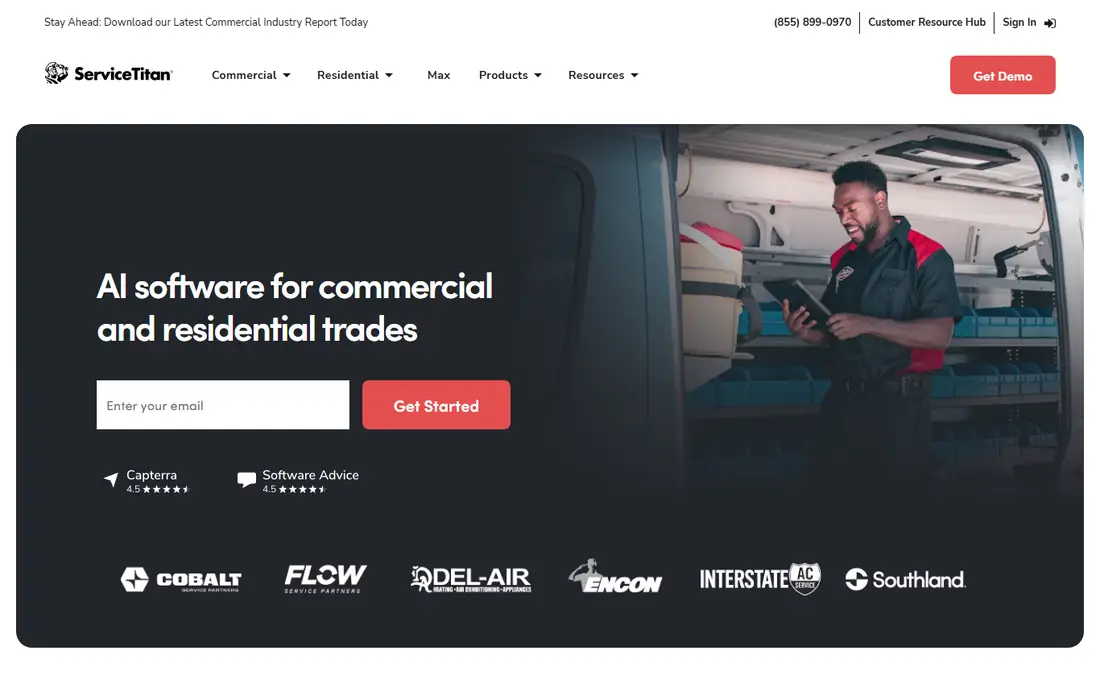
ServiceTitan is the pick for large multi-crew shops that need deep reporting, pricebook control, marketing automation and GPS dispatching at enterprise scale. It does not publish pricing, and contractor reports put costs around $350 or more per technician per month, with one analysis pricing a 10-technician team at $3,500 to $4,000 per month and $57,000 to $63,000 in year one including implementation.
Contracts run longer than rivals, with 2-to-3-year commitments cited in comparisons, and onboarding is an enterprise project. ServiceTitan fits shops with 15 or more trucks that need its depth and can absorb its cost. Smaller shops should choose Jobber, Workiz or Service Fusion instead.
What we like- Deepest reporting and pricebook control
- Marketing automation
- GPS dispatching
- Enterprise analytics
Watch out for- No published pricing
- Longer contracts
- Overkill under ten technicians
#3Workiz
Best for: Two-person operations starting free4.5/5 on
G2 (247 reviews, checked Oct 2026)
Visit workiz.com
Starting price$0 (Lite plan, up to 2 users)
Free planYes (Lite plan)

Workiz has a genuinely free Lite plan for up to two users, which is the cheapest way to run a two-person operation without paying per seat. Paid tiers add a phone system, AI dispatcher, lead tracking and call recording, with guides citing figures from $54 to $63 per technician per month up to $187 per month on annual billing for three users, and a 7-day free trial on paid plans.
That price spread means buyers should get a live quote for their team size rather than trusting any single guide figure. Workiz fits small to midsize service businesses, especially locksmith, garage door and appliance shops, that want calling and dispatch in one system and a free starting point.
What we like- Genuinely free Lite plan
- Phone system plus AI dispatcher
- Lead tracking and call recording
Watch out for- Paid tiers vary widely across guides
- Pro features cost far more than Lite
#4FieldEdge
Best for: QuickBooks-heavy HVAC and plumbing4.0/5 on
G2 (87 reviews, checked Oct 2026)
Visit fieldedge.com
Starting priceSee website
Free planNo
FieldEdge is built for HVAC, plumbing and electrical contractors whose accounting runs on QuickBooks, with flat-rate pricing and dispatch tools shaped for those trades. Pricing is quote-only with a demo instead of a trial, and comparisons estimate around $100 to $200 per user per month, with one analysis pricing an 8-person shop near $950 a month.
Annual contracts apply, unlike the month-to-month terms at Jobber and Workiz. FieldEdge fits QuickBooks-heavy trade shops that want flat-rate pricing and trade-specific workflows, and that accept annual commitments for that fit.
What we like- Strong QuickBooks integration
- Flat-rate pricing tools
- Built for HVAC, plumbing and electrical
Watch out for- Quote-only pricing
- Annual contracts
- Estimates around $100 or more per user per month
#5Service Fusion
Best for: Flat pricing with unlimited users4.1/5 on
G2 (124 reviews, checked Oct 2026)
Visit servicefusion.com
Starting price$245 per month (Starter)
Free planFree trial (14 days)
Service Fusion wins on pricing shape: a flat monthly fee covers unlimited users, so the bill does not grow with every hire. Guides cite Starter from $208 to $245 per month and higher tiers to $489 or $533, so this article uses $245 as a mid-range published figure and buyers should confirm the current tier. GPS tracking and dispatch come standard, and one analysis prices an 8-person shop at $382 a month on the Plus tier.
At 15 or more users, flat pricing beats every per-user option in this list. Service Fusion fits midsize shops that hate per-user pricing and want predictable billing as the crew grows, though some plans carry annual terms.
What we like- Flat monthly price with unlimited users
- GPS tracking
- No per-user compounding
Watch out for- Published prices vary across guides
- Annual contracts on some plans
#6FieldPulse
Best for: Growing teams wanting customization4.7/5 on
G2 (375 reviews, checked Oct 2026)
Visit fieldpulse.com
Starting price$99 per user/month
Free planFree trial
FieldPulse suits growing teams that want simple, fast scheduling with customization for mixed residential work. Pricing is cited at $99 to $299 per user per month depending on tier and team size, with no annual contract, which makes it lower risk to trial than annual-commitment rivals. The interface prioritizes speed over depth, which field teams appreciate.
Marketing and follow-up features are thinner than Housecall Pro's, so shops that rely on built-in marketing may miss them. FieldPulse fits 5-to-20-truck residential and mixed-work shops that want scheduling and customization without a long contract.
What we like- Simple, fast scheduling
- Customization for mixed work
- No annual contract
Watch out for- Per-user pricing from $99 to $299
- Less marketing depth than Housecall Pro
#7Kickserv
Best for: Small crews testing field service4.5/5 on
G2 (181 reviews, checked Oct 2026)
Visit kickserv.com
Starting price$60 per month (5 users)
Free planFree trial
Kickserv offers a low entry point at $60 per month for five users, with one analysis pricing a small crew at $119 to $199 per month depending on tier. It covers job management, scheduling and invoicing without the breadth of larger platforms, which makes it easy to learn for a crew adopting software for the first time.
Depth is the trade: complex operations, advanced reporting and marketing automation sit elsewhere. Kickserv fits small crews testing field service software, and shops that want a simple system at a low flat price before committing to a bigger platform.
What we like- Low entry price for five users
- Simple job management
- Good for testing field service software
Watch out for- Smaller feature set than larger rivals
- Less depth for complex operations
#8mHelpDesk
Best for: Solo and small businesses4.0/5 on
G2 (146 reviews, checked Oct 2026)
Visit mhelpdesk.com
Starting price$169 per month (Basic)
Free planFree trial (14 days)
mHelpDesk suits solo and small businesses that need offline mode for field work, since technicians can keep working without a signal and sync later. Reporting depth is stronger than its price suggests, and Angi leads integration helps shops that buy leads from that marketplace. Basic starts at $169 per month with a 14-day free trial.
The entry price sits above Jobber and Kickserv, and the ecosystem is smaller than ServiceTitan or Housecall Pro. mHelpDesk fits small shops that value offline capability and reporting, and that work in areas with unreliable connectivity.
What we like- Offline mode for field work
- Reporting depth
- Angi leads integration
Watch out for- Higher entry price than Jobber or Kickserv
- Smaller ecosystem than larger rivals
How we chose
We compared tools on entry price, pricing shape, contract terms, trade fit and the limits reviewers cite most often. Sources included vendor pages and independent comparisons checked in 2026, including a ServiceTitan alternative shortlist and a Housecall Pro competitors guide. Where prices conflicted across guides, the article uses a mid-range published figure and notes the range. We did not claim hands-on testing, and contractor-reported ServiceTitan figures are estimates to confirm with a quote.
What to check before you sign
Price your real crew, not the base plan. Per-user add-ons compound with every hire, while flat plans like Service Fusion stay constant, so the cheapest option at three users may be the most expensive at fifteen. Run the numbers at your current crew size and at double that size before choosing.
Next, check contract terms and exit costs. Month-to-month plans at Jobber, Workiz and FieldPulse let you leave if the fit fails, while annual contracts at FieldEdge and some Service Fusion plans, and multi-year terms at ServiceTitan, lock you in. Read the renewal terms and notice period before signing anything.
Finally, trial with real jobs, not demo data. Dispatch a real day's work, invoice a real customer, and check QuickBooks sync with your actual chart of accounts. Field adoption decides success: if technicians will not use the mobile app on a job site, the office features do not matter. Keep your old system running until the new one has handled a full week of real work without a missed job.
Frequently asked questions
What is the best Housecall Pro alternative?
For small shops, Jobber at $29 per month is the cheapest realistic starting point. For growing teams, Service Fusion's flat pricing wins past about 15 users. For large contractors, ServiceTitan offers the deepest features at enterprise cost.
How much does Housecall Pro cost?
Housecall Pro starts at $79 per month for Basic, with Essentials at $189 and Max at $329 as base tiers. Additional users and add-ons raise the total, so price your full crew before comparing.
Is there a free field service software?
Workiz offers a genuinely free Lite plan for up to two users, which suits two-person operations. Most other tools offer free trials of 7 to 14 days rather than free plans.
Should a small shop buy ServiceTitan?
Usually not. ServiceTitan targets larger contractors, does not publish pricing, and typically costs $350 or more per technician per month with longer contracts. Shops under ten technicians get better value from Jobber, Workiz or Service Fusion.
What is the difference between per-user and flat pricing?
Per-user pricing charges for every technician and office user, so the bill grows with the crew. Flat pricing charges one monthly fee for unlimited users, so the bill stays constant as the crew grows. Flat pricing wins for larger teams.
Can I switch field service software without losing job history?
Customer, job and invoice history can usually be exported and imported, but equipment history, pricebooks and open estimates need special attention. Export early, run both systems for two weeks, and cancel only after every open invoice is paid or moved.
Sources we checked (4)
- https://pipelineon.com/blog/servicetitan-alternative/
- https://www.workiz.com/blog/housecall-pro-competitors/
- https://fieldcamp.ai/alternatives/servicetitan/
- https://rankite.com/blog/best-appliance-repair-software
Is your product missing or out of date?
We review this list regularly. Vendors can request a listing, send updated pricing or ask about featured placement.

Shihab Mia · Founder, Rankite
Shihab has 5+ years in B2B and SaaS SEO. He writes Rankite's software buying guides from pricing pages, documentation and public user reviews. More about Shihab.