How we make this list: we compare pricing pages, product documentation and public user reviews. Ratings come from G2, Capterra or Trustpilot, with the date we checked them.
Key takeaways
- Document360 and Confluence are the strongest all-round replacements, with deep authoring and organization features.
- Guru suits teams that need knowledge inside the tools they already use, such as Slack and browsers.
- HelpScout Docs and Zendesk Guide fit support teams that want help centers tied to ticketing.
- GitBook leads for developer docs and API documentation.
- Notion and Tettra offer flexible, affordable knowledge bases for smaller teams.
Quick comparison
| Tool | Best for | Starting price | Free plan |
|---|
 Document360 Document360 | a dedicated knowledge base for customers and teams | See website | Free trial |
 Confluence Confluence | team wikis and internal documentation | See website | Yes |
 Guru Guru | knowledge delivered inside daily workflows | See website | Free trial |
 HelpScout Docs HelpScout Docs | help centers for HelpScout support teams | See website | Free trial |
 GitBook GitBook | developer docs and API documentation | See website | Yes |
 Notion Notion | a flexible knowledge base for small teams | See website | Yes |
 Zendesk Guide Zendesk Guide | a help center inside Zendesk support | See website | Free trial |
 Tettra Tettra | a simple internal knowledge base for teams | See website | Free trial |
Is your product missing or out of date?
We review this list regularly. Vendors can request a listing, send updated pricing or ask about featured placement.
The best helpjuice alternatives
#1Document360
Best for: a dedicated knowledge base for customers and teams4.7/5 on
G2 (543 reviews, checked Oct 2026)
Visit document360.com
Starting priceSee website
Free planFree trial
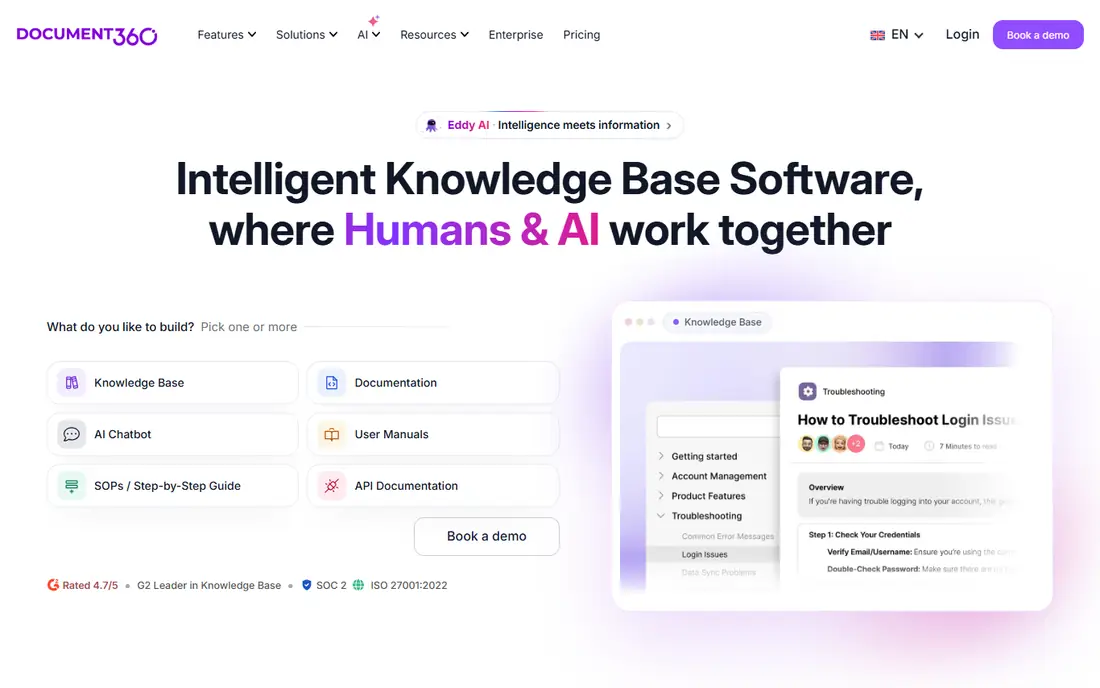
Document360 is a dedicated knowledge base platform with a strong editor, versioning, and analytics, covering both customer-facing help centers and internal docs. Categories, tags, and search help readers find answers fast, while analytics show which articles are used, which are ignored, and where gaps exist. That focus suits teams whose main job is documentation.
Pricing rises with advanced features, and the platform takes time to learn fully. For a team that wants a purpose-built knowledge base rather than a wiki adapted to the job, Document360 is the closest Helpjuice replacement here. Its analytics are the feature documentation teams notice most.
What we like- Strong authoring
- Good versioning
- Useful analytics
Watch out for- Pricing rises with features
- Learning curve for new users
#2Confluence
Best for: team wikis and internal documentation4.1/5 on
G2 (4,368 reviews, checked Oct 2026)
Visit atlassian.com
Starting priceSee website
Free planYes
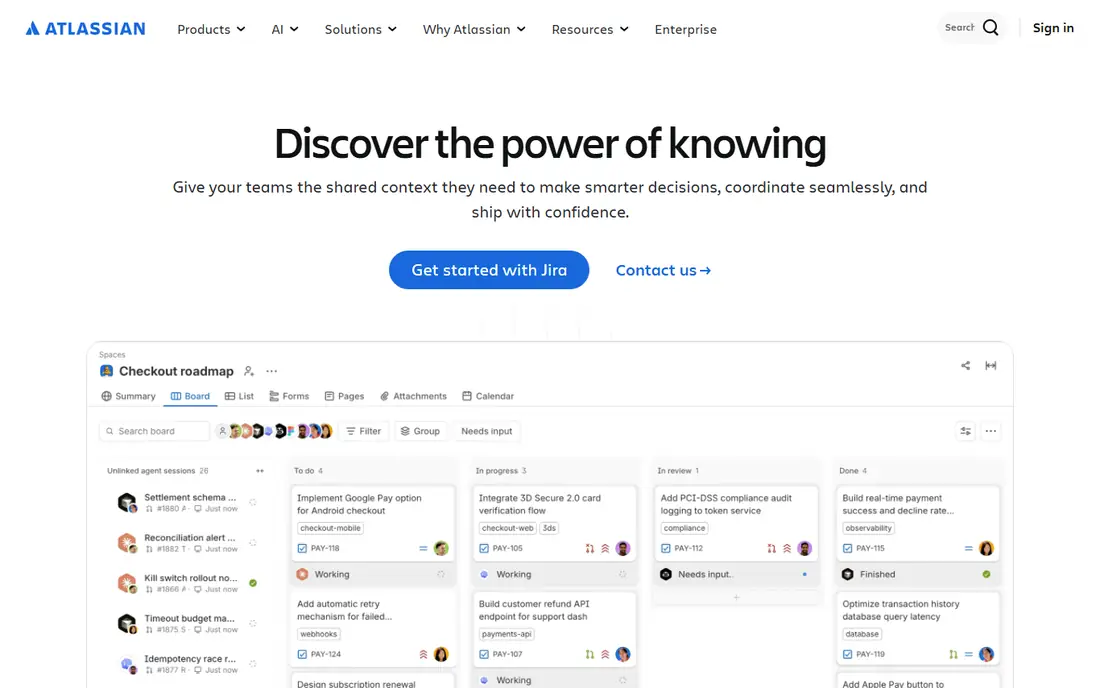
Confluence, from Atlassian, is a team wiki for internal docs, project pages, and knowledge bases, with deep organization through spaces, pages, and templates. Integrations to Jira and other Atlassian tools suit teams already in that ecosystem, and the free plan covers small teams. Collaboration features include comments, mentions, and page history.
Search can feel weaker than dedicated knowledge base tools, and the interface is busy for casual readers. For a team that already uses Atlassian tools and needs internal docs, Confluence is the natural pick. For a customer-facing help center, Document360 or Zendesk Guide will feel more polished.
What we like- Deep organization
- Good integrations
- Free plan available
Watch out for- Search can feel weak
- Interface is busy
#3Guru
Best for: knowledge delivered inside daily workflows4.7/5 on
G2 (2,345 reviews, checked Oct 2026)
Visit getguru.com
Starting priceSee website
Free planFree trial

Guru delivers verified knowledge inside the tools teams already use, including Slack, browsers, and support platforms, so agents and reps find answers without leaving their workflow. Verification workflows assign owners and expiry dates, so knowledge stays current, which is the hardest part of running a knowledge base. AI search helps find answers from natural questions.
Pricing is higher than Notion or Tettra, and success needs content owners who keep cards verified. For a support or sales team that needs trusted answers inside daily tools, Guru is the best workflow-integrated pick here. Its verification system is the feature that keeps knowledge reliable.
What we like- Browser and Slack integrations
- Verification workflows
- Good search
Watch out for- Pricing is higher than Notion
- Setup needs content owners
Starting priceSee website
Free planFree trial
HelpScout Docs builds clean, searchable help centers that pair with HelpScout's shared inbox and Beacon widget, so customers find answers before contacting support. Authoring is easy, the design is clean, and analytics show article performance and contact deflection. That combination suits small and mid-size support teams.
Full value needs HelpScout, and advanced knowledge features are fewer than Document360. For a team already using HelpScout for support, Docs is the easiest help center addition. For a standalone knowledge base, Document360 or Confluence will offer more depth.
What we like- Clean help centers
- Good Beacon integration
- Easy authoring
Watch out for- Needs HelpScout for full value
- Fewer advanced features than Document360
#5GitBook
Best for: developer docs and API documentation4.7/5 on
G2 (207 reviews, checked Oct 2026)
Visit gitbook.com
Starting priceSee website
Free planYes
GitBook is built for technical documentation, with Git sync, code blocks, API references, and a clean reading experience that developers like. Docs live alongside code workflows, so updates follow the same review process as software changes. The free plan covers open source and small projects.
General support docs and non-technical knowledge bases fit less naturally than in Document360 or Confluence. For a team documenting software, APIs, or developer products, GitBook is the best-focused tool here. Its Git workflow is the reason developer teams choose it.
What we like- Great for technical docs
- Git sync
- Clean reading experience
Watch out for- Less suited to general support docs
- Pricing rises with teams
#6Notion
Best for: a flexible knowledge base for small teams4.6/5 on
G2 (13,834 reviews, checked Oct 2026)
Visit notion.so
Starting priceSee website
Free planYes
Notion works well as an internal knowledge base for small teams, with flexible pages, databases, and templates that cover wikis, handbooks, and project docs. The free plan covers personal and small-team use, and the interface is easy to learn. That flexibility suits teams that want docs plus project tracking in one tool.
Customer-facing help centers need workarounds, since Notion is not built for public help sites, and search is basic for very large bases. For an internal knowledge base on a budget, Notion is the best value pick here. Larger teams with heavy documentation needs will outgrow it eventually.
What we like- Flexible pages
- Easy to learn
- Free plan available
Watch out for- Customer help centers need workarounds
- Search is basic for large bases
Starting priceSee website
Free planFree trial
Zendesk Guide builds customer help centers inside Zendesk, with articles, community forums, and AI search that deflect tickets before they reach agents. Integration to Zendesk Support means agents see article suggestions while handling tickets, and customers see relevant help while submitting requests. That loop reduces ticket volume measurably.
Guide needs a Zendesk subscription, and pricing rises with agent counts. For a team already on Zendesk, Guide is the obvious help center choice. For a standalone knowledge base, Document360 offers similar depth without the Zendesk requirement.
What we like- Deep Zendesk integration
- Good deflection tools
- Strong search
Watch out for- Needs Zendesk
- Pricing rises with agents
#8Tettra
Best for: a simple internal knowledge base for teams4.7/5 on
G2 (161 reviews, checked Oct 2026)
Visit tettra.co
Starting priceSee website
Free planFree trial
Tettra is a simple internal knowledge base for teams, with pages, verification, and Slack integration that surfaces answers inside chat. It suits small and mid-size teams that want internal docs without the complexity of a full platform. Content verification assigns owners and review dates, which keeps docs current.
The feature set is smaller than Document360 or Confluence, and customer-facing docs are limited. For a team that wants a simple, affordable internal knowledge base with Slack at the center, Tettra is a strong pick. Its simplicity is the reason small teams adopt it fast.
What we like- Simple to use
- Good Slack integration
- Content verification
Watch out for- Smaller feature set than Document360
- Customer docs are limited
How we chose
We compared these tools on authoring, search, organization, integrations, pricing, and fit for internal versus customer docs. We checked vendor pages and public comparison guides, and where pricing was not published we wrote See website instead of guessing. We kept the list to tools a real team can sign up for today, and we left out tools that only cover one narrow documentation task. We also weighed analytics depth, since a knowledge base without usage data cannot show which articles help and which need work.
How to pick a Helpjuice replacement that stays current
Start with the audience. Customer-facing help centers need polished design and deflection, which points to Document360, Zendesk Guide, or HelpScout Docs. Internal docs need collaboration and workflow integration, which points to Confluence, Guru, Notion, or Tettra. Developer docs point to GitBook. Picking by audience avoids a tool that looks good but serves the wrong readers.
Next, plan ownership before launch. Assign an owner and a review date to every article, since unowned docs go stale fast and stale docs cause more support tickets than no docs. Use verification features where available, and review analytics monthly to find articles that are ignored, outdated, or missing.
Finally, test search with real customer questions during trials. A knowledge base that cannot answer the top ten support questions is a design failure, not a content failure. Check search quality, mobile reading, and how articles appear inside support tools, since those details decide whether the base actually deflects tickets.
Also check AI features carefully before relying on them. AI search and AI answers can help readers find content faster, but they can also invent answers when the base lacks coverage, which misleads customers. Ask each vendor whether AI answers cite source articles, how often AI responses are reviewed, and whether AI can be limited to your own content. A knowledge base that invents answers is worse than one that admits a gap, so test AI responses on questions your base does not yet cover.
Frequently asked questions
What is Helpjuice used for?
Helpjuice is a knowledge base platform for customer-facing help centers and internal docs, with authoring, search, and analytics. Teams replacing it usually need the same help center or internal documentation capability from another vendor.
Which alternative is closest to Helpjuice?
Document360 is the closest dedicated knowledge base replacement, with similar authoring, versioning, and analytics. Confluence is closest for internal wikis, while Zendesk Guide is closest for Zendesk-based support teams.
How do I migrate a knowledge base?
Export articles where possible, or use vendor migration help, and test formatting, images, and links on a sample before moving everything. Keep the old base live until the new one is verified, and set up redirects so old article links do not break. Check that images, attachments, and embedded videos survive the move, since broken media is the most common migration complaint, and update any links from support macros or chatbots that point to old article URLs.
How do I keep docs from going stale?
Assign owners and review dates to every article, use verification workflows, and review analytics monthly. Retire or update articles that are ignored or outdated, and tie doc reviews to product releases so changes trigger updates automatically. Add a feedback button to every article, so readers can flag errors, and treat that feedback as a work queue, not as optional comments.
Can a knowledge base reduce support tickets?
Yes, when articles answer real customer questions and are easy to find. Measure deflection by tracking help center searches, article views, and ticket volume for covered topics. A base that answers the top ten questions well usually cuts tickets noticeably. Promote the help center inside support channels, so customers try self-service before submitting a ticket. Link it from every support page, email signature, and chatbot greeting for visibility.
Should internal and customer docs live in one tool?
They can, but keep audiences separate with permissions and spaces. Internal docs often contain sensitive process details that customers should not see, so check permission controls carefully before combining audiences in one platform.
Sources we checked (8)
- https://document360.com
- https://www.atlassian.com
- https://www.getguru.com
- https://www.helpscout.com
- https://www.gitbook.com
- https://www.notion.so
- https://www.zendesk.com
- https://tettra.co
Is your product missing or out of date?
We review this list regularly. Vendors can request a listing, send updated pricing or ask about featured placement.

Shihab Mia · Founder, Rankite
Shihab has 5+ years in B2B and SaaS SEO. He writes Rankite's software buying guides from pricing pages, documentation and public user reviews. More about Shihab.