How we make this list: we compare pricing pages, product documentation and public user reviews. Ratings come from G2, Capterra or Trustpilot, with the date we checked them.
Key takeaways
- Rasa is the strongest pick for engineering teams that want to self-host and control every part of the agent.
- Voiceflow suits product and design teams that build chat and voice agents in a visual workspace.
- Chatbase and Tidio are the fastest routes to a working support bot for small teams with limited developer time.
- Dialogflow CX and Microsoft Copilot Studio fit large organizations already committed to Google Cloud or Microsoft 365.
- Usage billing varies widely, so compare per-conversation, per-message, and per-outcome pricing before you commit.
Quick comparison
| Tool | Best for | Starting price | Free plan |
|---|
 Rasa Rasa | Self-hosted, code-first agents | Free (Developer Edition) | Yes |
 Voiceflow Voiceflow | Visual chat and voice design | $60 per editor/month | Yes |
 Dialogflow CX Dialogflow CX | Google Cloud teams | $0.007 per chat request | Free trial |
 Chatbase Chatbase | No-code bots trained on your content | $40 per month | Yes |
 Tidio Tidio | Small-business live chat plus AI | $24 per month | Yes |
 Landbot Landbot | Guided flows and lead generation | $36 per month | Yes |
 Microsoft Copilot Studio Microsoft Copilot Studio | Microsoft 365 organizations | $200 per month per tenant | Free trial |
 Dify Dify | Open source AI app building | $49 per month | Yes |
Is your product missing or out of date?
We review this list regularly. Vendors can request a listing, send updated pricing or ask about featured placement.
The best Botpress alternatives
#1Rasa
Best for: Self-hosted, code-first agents4.0/5 on
G2 (11 reviews, checked Oct 2026)
Visit rasa.com
Starting priceFree (Developer Edition)
Free planYes
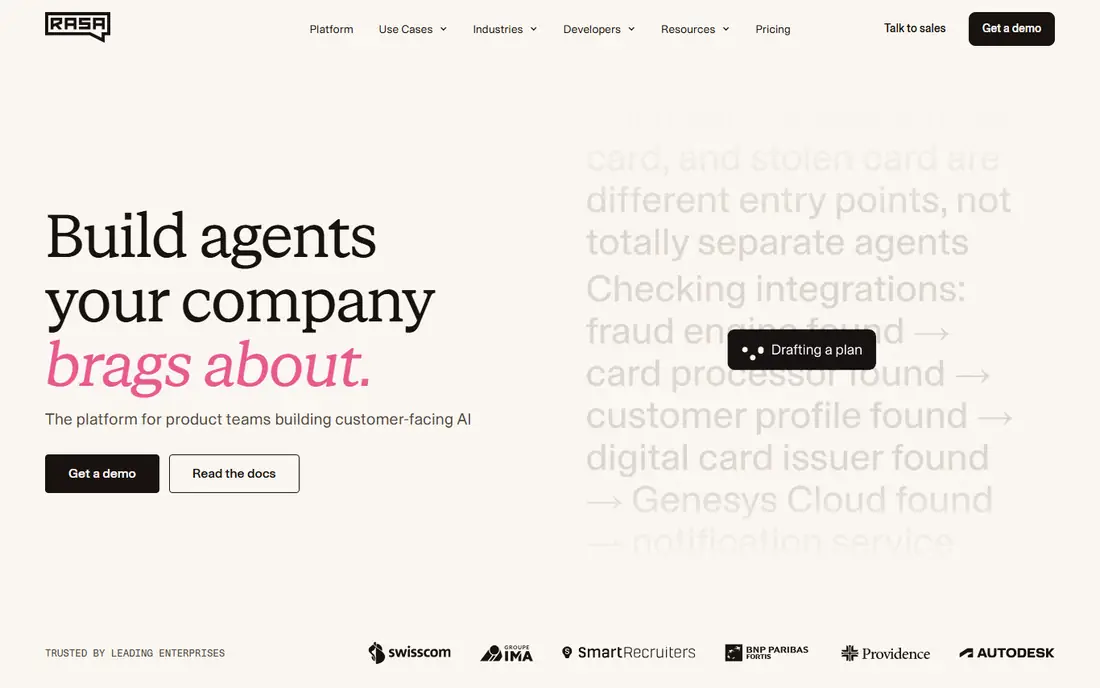
Rasa is built for teams that treat a chatbot as software they own, not as a rented workspace. You write the flows in code, run the model in your own cloud or on your own servers, and connect it to the systems your business already runs. That control matters most in regulated work, where data must stay inside a defined boundary and every model change needs review before release. Rasa also supports voice and chat from the same platform, so a team does not need a second stack when the phone channel arrives later.
The price of that control is engineering effort. Rasa has no drag-and-drop builder that a non-technical marketer can run alone, and setting up hosting, monitoring, and model updates falls on your team. Small teams that want a bot live this week will move faster elsewhere. For a technical team with a platform owner and a long list of integrations, Rasa gives a depth of control that hosted builders rarely match.
What we like- Full control over deployment
- Strong for regulated industries
- Open source core with no vendor lock-in on hosting
Watch out for- Needs real developer time
- Enterprise pricing is quote-only
- No built-in human inbox on the pricing page
#2Voiceflow
Best for: Visual chat and voice design4.5/5 on
G2 (115 reviews, checked Oct 2026)
Visit voiceflow.com
Starting price$60 per editor/month
Free planYes
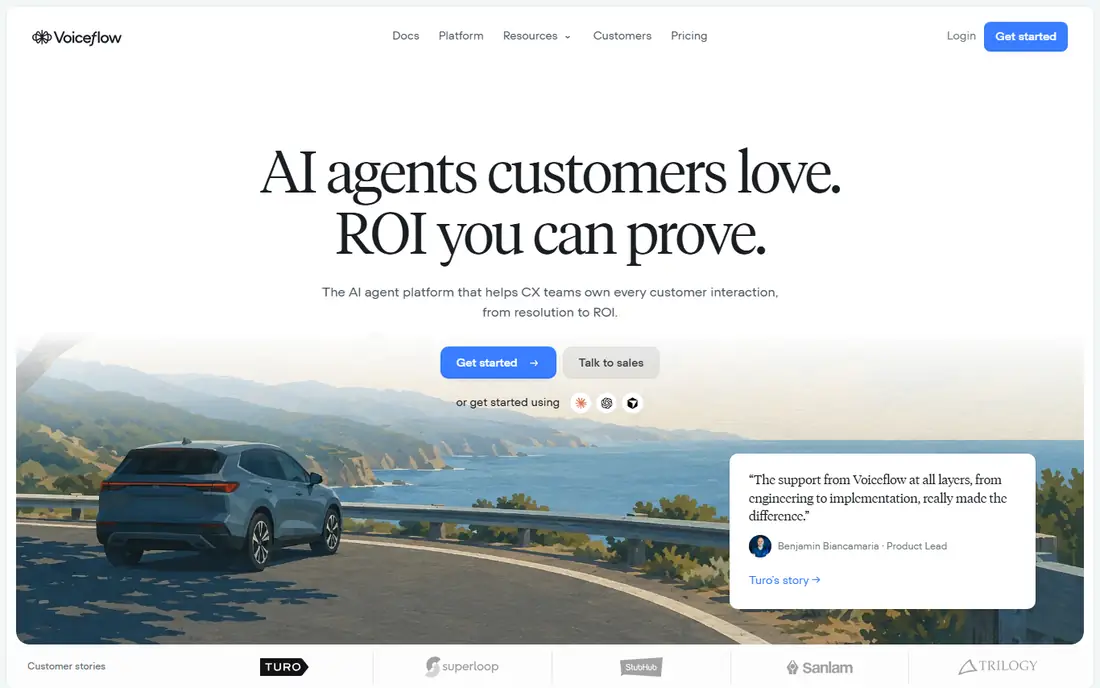
Voiceflow gives product and design teams a canvas where a conversation can be drawn, tested, and changed without waiting on a developer for every edit. Branches, variables, and API calls sit on the same board, which makes it easier to review a full journey before it ships. Voice support is native rather than bolted on, so a team can design one agent and ship it to both chat and phone channels with less duplicated work.
The catch is cost at scale. The base editor price is published, but larger tiers are quote-based, and message and token usage is billed on top of the plan fee. A prototype can feel cheap while a production bot with heavy traffic costs far more. Voiceflow fits best where conversation design is a team sport and the budget covers both seats and usage, not where the cheapest per-message price is the only goal.
What we like- Strong visual canvas for complex flows
- Native voice support
- Good testing and prototyping tools
Watch out for- Paid plan pricing beyond the base tier is not published
- Usage charges add up on high-volume bots
Starting price$0.007 per chat request
Free planFree trial
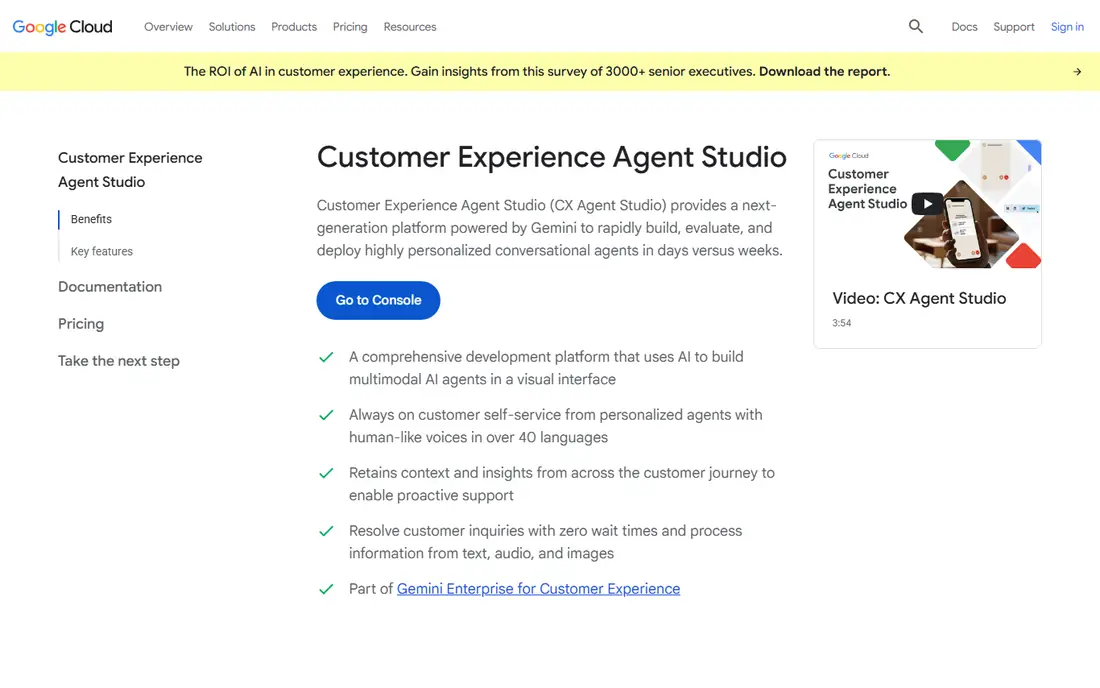
Dialogflow CX, now sold under Google Cloud Conversational Agents, is the enterprise-grade option for teams already running on Google Cloud. Its flow-based builder handles multi-turn conversations with state management that simpler bot builders lack, and it connects cleanly to Google Cloud services, telephony partners, and big data tools. For a contact center that needs voice and chat in many languages, that depth is hard to beat.
The trade is that Dialogflow CX is a developer platform, not a finished support product. There is no human agent inbox in the box, so support teams must pair it with a help desk or a custom console. Pricing is per request, which is fair for steady traffic but demands a forecast before launch, since a traffic spike bills directly. It fits best where engineers own the bot and Google Cloud is already the house platform.
What we like- Deep Google Cloud integration
- Strong intent and flow management
- Proven at very high volumes
Watch out for- Developer-heavy setup
- No built-in human inbox
- Per-request pricing needs careful forecasting
Starting price$40 per month
Free planYes
Chatbase is the quickest path from a pile of help docs to a working AI support bot. You point it at your website, help center, or uploaded files, and it builds an agent that answers from that content, with an embed widget for your site. Custom actions let the bot do more than answer, such as checking an order in Shopify or handling a billing question in Stripe, which moves it past a simple FAQ bot. For a small team that needs something live in days, that speed is the main selling point.
The limits show up with volume. Replies consume message credits, and the number of credits per reply varies by model, so a busy site can burn through a plan faster than the headline price suggests. Human handoff also sits on higher tiers, so a team that needs agents to take over chats smoothly should price that tier, not the entry tier. Chatbase fits best for content-led support where the bot answers from docs most of the time.
What we like- Very fast setup from docs and websites
- Custom actions for Shopify and Stripe
- Clean embed widget
Watch out for- Message credits limit high-volume use
- Advanced actions need higher tiers
- No human inbox on lower plans
#5Tidio
Best for: Small-business live chat plus AI4.6/5 on
G2 (1,967 reviews, checked Oct 2026)
Visit tidio.com
Starting price$24 per month
Free planYes
Tidio suits a small business that wants live chat and AI help in the same place, without buying a separate help desk. Visitors get a chat widget, agents get a shared inbox, and the Lyro AI assistant answers routine questions from your help content before a human needs to step in. For an online store, that mix covers pre-sale questions, order status, and returns without a large support team. Setup is short, and the free plan gives a real taste of the product before payment.
The pricing needs a careful read. The base plan covers a set number of conversations, while Lyro AI is priced by its own conversation tiers, so the total monthly cost is the sum of both parts. Teams that expect heavy AI traffic should model that combined cost up front. Tidio fits best for small and mid-size stores where chat is a sales and support channel in one, not for enterprises with complex routing needs.
What we like- Live chat and AI in one inbox
- Lyro AI answers from your content
- Strong for online stores
Watch out for- AI conversations are tiered separately
- Advanced automation needs higher plans
- Reporting is basic on lower tiers
#6Landbot
Best for: Guided flows and lead generation4.7/5 on
G2 (334 reviews, checked Oct 2026)
Visit landbot.io
Starting price$36 per month
Free planYes
Landbot turns a static form into a conversation, which makes it a strong pick for lead generation and guided selling. A visitor answers questions step by step, and the bot branches based on those answers, qualifies the lead, and books a meeting or hands the chat to a human. That guided style works well for services with a real qualification step, such as agencies, clinics, and B2B sellers. WhatsApp support extends the same flows to a channel many customers already use daily.
The limit is that Landbot is a flow builder first and an AI agent second. AI chats are billed separately from the base plan, and deep support automation with many backend actions is not its strength. A team that wants an AI agent to answer open questions from a knowledge base will find Chatbase or Tidio a closer fit. Landbot fits best where the conversation itself is the product, guiding a visitor toward a clear next step.
What we like- Friendly no-code flow builder
- Strong for WhatsApp and web lead capture
- Good form-style conversations
Watch out for- AI chat is a paid add-on per chat
- Less suited to deep support automation
- Per-chat overage charges apply
#7Microsoft Copilot Studio
Best for: Microsoft 365 organizations4.4/5 on
G2 (155 reviews, checked Oct 2026)
Visit microsoft.com
Starting price$200 per month per tenant
Free planFree trial
Microsoft Copilot Studio is the natural pick for an organization that already runs on Microsoft 365 and Dynamics 365. Agents built here can pull data from SharePoint, Outlook, Teams, and Dynamics, and act through a large connector library, all under the same identity and compliance controls as the rest of the Microsoft estate. For an internal IT help bot or an employee-facing assistant, that integration removes a whole layer of custom work. Governance features, such as data loss prevention and admin controls, also suit large IT departments.
The price is the barrier for smaller buyers. The entry plan is a tenant-level monthly fee with a pool of credits, which is a lot for a team that only needs one small bot. Credit use also needs planning, since heavy agents consume the pool faster than light ones. Copilot Studio fits best where Microsoft is already the standard and the bot will serve many users across the organization, spreading that tenant cost thin.
What we like- Over 1,500 connectors
- Deep Microsoft 365 and Dynamics 365 integration
- Strong governance controls
Watch out for- Tenant-level pricing is steep for small teams
- Credit pooling needs planning
- Publishing needs a paid tenant
#8Dify
Best for: Open source AI app building4.1/5 on
G2 (20 reviews, checked Oct 2026)
Visit dify.ai
Starting price$49 per month
Free planYes
Dify is an open source platform for building AI apps, including chatbots, with a visual workflow builder and support for many large language models. Teams can run it in their own infrastructure or use the hosted cloud, and they can bring their own model API keys, which keeps model choice flexible as prices and quality change. That flexibility appeals to engineering teams that want to build more than a chatbot, such as internal tools, document workflows, and retrieval-based assistants, all on one platform.
The trade is that Dify is a builder, not a finished support product. There is no human agent inbox in the box, and cloud usage is credit-based, so costs vary with the models you pick. Documentation and community support are good, but there is no vendor support desk on the free tier. Dify fits best for technical teams that want an open, model-flexible foundation and are happy to build the support workflow around it themselves.
What we like- Open source core you can self-host
- Visual app builder with many model options
- Bring your own API key
Watch out for- Cloud pricing is credit-based and varies by model
- No built-in human inbox
- Support relies on community and docs
How we chose
We compared these tools on the factors a buyer actually feels after launch: how the bot is built, which channels it serves, how pricing scales with traffic, and how much engineering time setup and upkeep demand. Pricing figures come from vendor pricing pages and current comparison guides, and any figure we could not confirm from a vendor source is marked as See website in the tool field. We did not claim hands-on testing. Instead we weighed public documentation, pricing pages, and user reviews on sites such as G2 and Capterra, plus the fit for teams of different sizes.
What to check before you pick
Start with the job, not the feature list. A support bot that answers from docs needs a strong knowledge base and a clean handoff to humans, while a lead-generation bot needs branching flows and CRM capture. Check the billing unit next, since per-conversation, per-message, per-request, and per-outcome pricing behave very differently under a traffic spike. Ask how the bot handles failure, such as an unanswered question or a down backend system, because that path decides whether customers get help or get stuck.
Deployment and data control
Self-hosted options such as Rasa and Dify keep data inside your own boundary, which matters for regulated work and for companies with strict data rules. Hosted builders trade some of that control for speed, since the vendor runs hosting, scaling, and updates. Confirm where conversation data is stored, how long it is kept, and whether you can export it before you sign.
Channels and handoff
A bot that only works on your website will disappoint customers who message on WhatsApp or call by phone. List the channels you need on day one and the ones you expect within a year, then check which tools serve both without a rebuild. Human handoff deserves the same attention: the bot should pass the full conversation history to an agent, not just a note saying a human is needed.
Frequently asked questions
How much does a Botpress alternative cost at scale?
It depends on the billing unit. Per-request tools such as Dialogflow CX bill a few tenths of a cent per request, while per-outcome tools charge only when a case is resolved. Model a month of your real traffic, including spikes, and compare the total across two or three tools before you choose.
Can I self-host a Botpress alternative?
Yes. Rasa and Dify both offer open source editions you can run in your own cloud or on your own servers. Self-hosting adds work for updates, monitoring, and scaling, but it gives full control over data location and model choice.
Do I need developers to build a chatbot?
Not always. Chatbase, Tidio, and Landbot let non-technical teams ship a working bot from content or a visual flow builder. Rasa and Dialogflow CX need developer time, and they repay that effort with deeper control and larger integrations.
Which alternative is best for customer support?
Tidio and Chatbase suit small support teams that want fast setup from existing content. Larger support operations with high volume and strict routing rules should look at Voiceflow, Dialogflow CX, or a full help desk with a built-in AI agent.
What happens when the bot cannot answer?
A good bot admits the gap and hands the conversation to a human with the full history attached. Check handoff behavior before launch, and review unanswered questions weekly so the knowledge base improves over time.
Is my conversation data used to train models?
It depends on the vendor and the plan. Some vendors exclude customer data from training by default, while others offer that protection only on enterprise plans. Read the data terms for your exact plan and confirm the setting in writing before launch.
Sources we checked (8)
- https://rasa.com
- https://www.voiceflow.com
- https://cloud.google.com/dialogflow
- https://www.chatbase.co
- https://www.tidio.com
- https://landbot.io
- https://www.microsoft.com/en-us/microsoft-copilot/microsoft-copilot-studio
- https://dify.ai
Is your product missing or out of date?
We review this list regularly. Vendors can request a listing, send updated pricing or ask about featured placement.

Shihab Mia · Founder, Rankite
Shihab has 5+ years in B2B and SaaS SEO. He writes Rankite's software buying guides from pricing pages, documentation and public user reviews. More about Shihab.