How we make this list: we compare pricing pages, product documentation and public user reviews. Ratings come from G2, Capterra or Trustpilot, with the date we checked them.
Key takeaways
- LibreOffice replaces Microsoft 365 for documents, spreadsheets, and presentations at zero cost.
- GIMP and Krita cover photo editing and digital painting, while Inkscape handles vector graphics.
- DaVinci Resolve replaces Premiere Pro for professional video editing, and Blender replaces paid 3D suites.
- Audacity covers audio editing, and OBS Studio covers recording and live streaming.
- All eight tools are free and open source, with no subscription, watermark, or forced upgrade.
Quick comparison
| Tool | Best for | Starting price | Free plan |
|---|
 LibreOffice LibreOffice | Replacing Microsoft 365 | Free | Yes |
 GIMP GIMP | Replacing Photoshop | Free | Yes |
 DaVinci Resolve DaVinci Resolve | Replacing Premiere Pro | Free | Yes |
 Blender Blender | Replacing Maya and 3ds Max | Free | Yes |
 Inkscape Inkscape | Replacing Illustrator | Free | Yes |
 Krita Krita | Replacing Procreate and Painter | Free | Yes |
 Audacity Audacity | Replacing Audition | Free | Yes |
 OBS Studio OBS Studio | Replacing paid streaming software | Free | Yes |
Is your product missing or out of date?
We review this list regularly. Vendors can request a listing, send updated pricing or ask about featured placement.
The best free alternatives to popular paid subscriptions
Starting priceFree
Free planYes
LibreOffice is the most complete free replacement for Microsoft 365. Its homepage describes a free office suite with six tools, covering word processing, spreadsheets, presentations, drawing, databases, and formulas, all usable offline with no forced account or cloud storage. Writer handles everything from quick notes to full-length books, Calc handles analysis and charts, and Impress handles slide decks.
The trade-offs are collaboration and polish. Real-time co-editing is weaker than Google Docs, and the interface looks dated beside modern Office. For everyday documents, spreadsheets, and presentations, LibreOffice is the best free alternative to a paid office subscription.
What we like- Full suite with Writer, Calc, Impress, Draw, Base, and Math
- Opens and saves Microsoft Office formats
- No account or cloud required
Watch out for- Cloud collaboration is weaker than Google Docs or Microsoft 365
- Interface looks dated next to modern Office
- Macro compatibility with complex Excel files is imperfect
#2GIMP
Best for: Replacing Photoshop4.3/5 on
G2 (1,484 reviews, checked Oct 2026)
Visit gimp.org
Starting priceFree
Free planYes
GIMP, the GNU Image Manipulation Program, is the free alternative to Photoshop. Its homepage describes a cross-platform image editor for graphic designers, photographers, illustrators, and scientists, with high-quality photo manipulation, original artwork creation, and graphic design tools, plus color management for print workflows and scripting in Python, C, and Scheme.
The limits are workflow and print. The interface differs from Photoshop enough to need a learning period, and CMYK support relies on plugins rather than a native mode. For photo editing, retouching, and compositing without a monthly fee, GIMP is the best free alternative to Photoshop.
What we like- Full photo retouching, compositing, and graphic design toolset
- Extensive plugin and script support
- Cross-platform on Windows, macOS, and Linux
Watch out for- Interface takes adjustment after Photoshop
- No native CMYK mode for print work
- No built-in cloud libraries or Adobe ecosystem
Starting priceFree
Free planYes
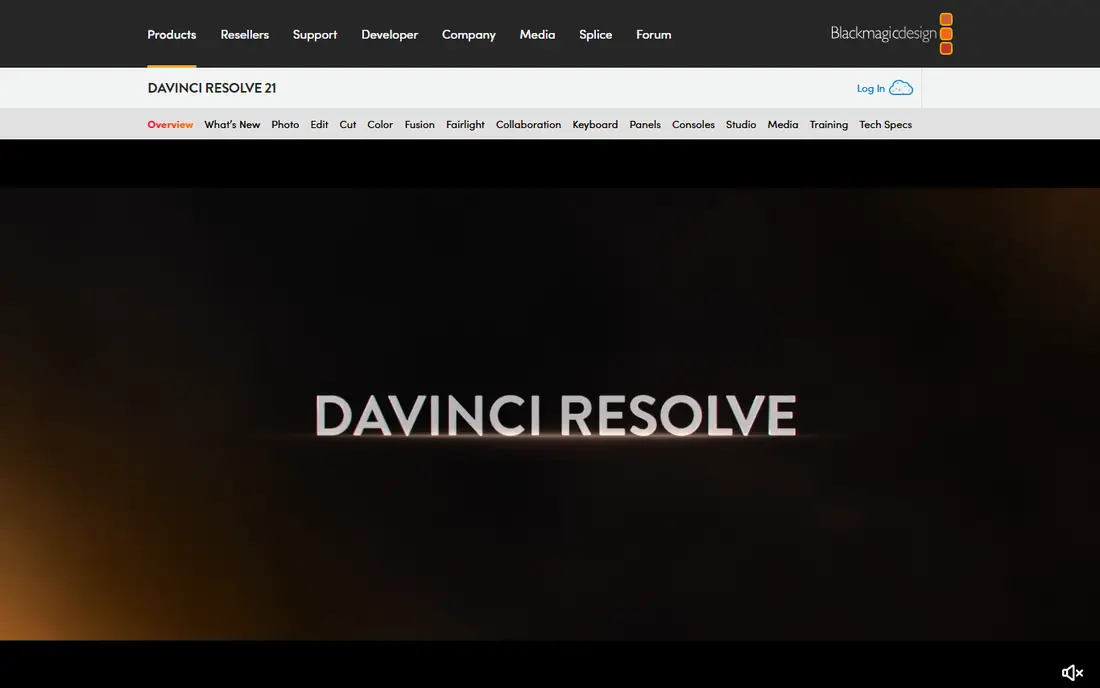
DaVinci Resolve replaces Premiere Pro for professional video editing at zero cost. Its homepage describes the only solution combining editing, color correction, visual effects, motion graphics, audio post, and now photo editing in one tool, with 32-bit float processing, YRGB color science, and Fairlight audio processing. The free version covers editing, color, effects, and audio for most projects.
The trade-offs are hardware and depth. Resolve needs a capable machine, and its node-based color and Fusion pages take time to learn. For creators who want professional video tools without a subscription, DaVinci Resolve is the best free alternative to Premiere Pro.
What we like- Editing, color, visual effects, motion graphics, and audio in one app
- Hollywood-grade color tools used on feature films
- Free version covers most editing needs
Watch out for- Needs a powerful computer with a good GPU
- Learning curve is steep for beginners
- Some advanced features require the paid Studio version
#4Blender
Best for: Replacing Maya and 3ds Max4.6/5 on
G2 (319 reviews, checked Oct 2026)
Visit blender.org
Starting priceFree
Free planYes
Blender replaces paid 3D suites such as Maya and 3ds Max. Its homepage describes free and open source 3D creation software, licensed as GNU GPL and owned by its contributors, with modeling, sculpting, UV editing, VFX tracking, animation and rigging, 2D drawing in 3D, and the Cycles render engine. It is used for short films, advertisements, TV series, and feature films.
The limits are learning curve and studio fit. The interface packs many tools into one window, and some large studios still rely on paid pipelines. For independent artists, animators, and game developers, Blender is the best free alternative to paid 3D software.
What we like- Complete 3D pipeline including modeling, sculpting, animation, rendering, and VFX
- Cycles path-tracing renderer built in
- Huge tutorial and add-on ecosystem
Watch out for- Interface is dense for beginners
- Large studio pipelines may need paid tools for specific tasks
- Rendering complex scenes still needs strong hardware
#5Inkscape
Best for: Replacing Illustrator4.4/5 on
G2 (417 reviews, checked Oct 2026)
Visit inkscape.org
Starting priceFree
Free planYes
Inkscape replaces Adobe Illustrator for vector graphics. Its homepage describes a powerful, free design tool for illustrators, designers, and web designers, with flexible drawing tools, broad file format compatibility, a strong text tool, and Bezier and spiro curves. It is the natural companion to GIMP for logos, icons, illustrations, and web graphics.
The trade-offs are performance and print. Very large files can slow down, and print shops that require native CMYK may need a workaround. For vector design without a subscription, Inkscape is the best free alternative to Illustrator.
What we like- Professional vector editor with Bezier and spiro curves
- Strong SVG support and file format compatibility
- Powerful text tool for design work
Watch out for- Performance lags on very large files
- No native CMYK workflow for print shops
- Fewer built-in templates than Illustrator
#6Krita
Best for: Replacing Procreate and Painter4.4/5 on
G2 (65 reviews, checked Oct 2026)
Visit krita.org
Starting priceFree
Free planYes
Krita replaces Procreate and Corel Painter for digital painting. Its homepage describes a professional free and open source painting program made by artists, with multiple brush types, layers, drawing assistants, stabilizers, animation tools, and community resources including brushes, patterns, and texture packs. It runs on desktop and Android, making it the free painting tool with the broadest reach.
The limits are scope. Krita is a painting program first, so photo editing and vector design are thinner than GIMP and Inkscape. For illustrators, comic artists, and animators, Krita is the best free alternative to paid painting software.
What we like- Built by artists for digital painting, with brush engines, stabilizers, and animation tools
- Free and open source forever under the GPL
- Active community with brushes and tutorials
Watch out for- Photo editing tools are thinner than GIMP
- Interface is tuned for painting, not general design
- Performance on very large canvases varies
Starting priceFree
Free planYes
Audacity replaces Adobe Audition for audio editing. Its homepage describes the most popular free software for recording and editing audio, with cross-platform support, import and export across major formats, VST3 and Nyquist plugin support, and deep audio analysis through spectrogram views. Podcasters, musicians, and voice artists use it for recording, cleanup, and export.
The trade-offs are workflow. Audacity edits destructively by default, and it lacks the mixing console and effects racks of a full DAW. For recording, editing, and exporting audio without a subscription, Audacity is the best free alternative to Audition.
What we like- Free forever and open source, with more than 100 million downloads since 2000 per its homepage
- Multi-track recording and editing with VST3 plugin support
- Spectrogram and analysis tools built in
Watch out for- Destructive editing model differs from Audition
- No built-in multitrack mixing console
- Interface looks plain beside modern DAWs
#8OBS Studio
Best for: Replacing paid streaming software4.6/5 on
G2 (138 reviews, checked Oct 2026)
Visit obsproject.com
Starting priceFree
Free planYes
OBS Studio replaces paid streaming and recording software. Its homepage describes free and open source software for video recording and live streaming on Windows, Mac, and Linux, with high-performance capture and mixing, scenes built from window captures, images, text, browser windows, webcams, and capture cards, an audio mixer with per-source filters, and Studio Mode for previewing scenes before they go live.
The limits are setup and extras. New streamers need time to configure scenes and audio, and overlays or chat widgets require plugins or third-party tools. For streamers, educators, and creators recording tutorials, OBS Studio is the best free alternative to paid streaming software.
What we like- Free and open source for recording and live streaming
- Unlimited scenes with custom transitions
- Studio Mode previews scenes before they go live
Watch out for- Setup takes time for new streamers
- No built-in overlays or chat widgets without plugins
- Support comes from the community, not a vendor help desk
How we chose
We picked the free tools that guides and communities name most often as replacements for the subscriptions people pay the most for, covering office, photo, video, 3D, vector, painting, audio, and streaming. We opened each homepage to confirm it loads and belongs to the vendor named, and we favored tools that are fully free rather than freemium, with no watermark and no subscription tier gating core features. Where a paid version exists, such as DaVinci Resolve Studio, we judged the free version on its own merits.
What to check before you cancel a subscription
Start with one category, not all eight at once. Replacing your office suite, photo editor, and video editor in the same week guarantees frustration, while a single switch gives you time to learn the new interface and rebuild templates. Test the free tool on a real project before cancelling anything.
Check file compatibility first
Open your existing files in the free tool and export them back to the paid format. LibreOffice opens Microsoft Office files well, but complex Excel macros and GIMP files with Photoshop-specific effects may not transfer cleanly. Test the files you actually use, not a sample.
Back up your paid work
Export projects, presets, and libraries before a subscription ends, since cloud access often disappears with cancellation. DaVinci Resolve and Blender projects are portable, but Adobe cloud libraries and Premiere project files may need conversion while the subscription is still active.
Keep the paid tool for one transition month
Run the free tool alongside the paid one for a month, and compare output quality on real work. If the free tool matches your needs, cancel with confidence. If one specific feature blocks you, keep the paid tool for that job only and use free tools for everything else.
Frequently asked questions
Are these free tools really free?
Yes. All eight are free and open source, with no subscription, no watermark, and no trial expiry. Some accept donations or sell optional extras, but core features cost nothing.
Can LibreOffice replace Microsoft 365 completely?
For most documents, spreadsheets, and presentations, yes. LibreOffice opens and saves Office formats, and its six tools cover the core suite. Teams that rely on real-time co-editing or complex Excel macros should test those workflows first.
Is DaVinci Resolve free version good enough for YouTube?
Yes for most creators. The free version covers editing, color, effects, and audio for standard projects, and many YouTubers use it as their only editor. The paid Studio version adds advanced AI tools, stereoscopic 3D, and higher frame-rate support.
Is GIMP as good as Photoshop?
GIMP covers most photo editing, retouching, and compositing tasks, and many professionals use it daily. Photoshop leads on cloud libraries, AI features, and CMYK print workflows, but for everyday editing GIMP is close enough for most users.
Do free tools work on Windows, Mac, and Linux?
All eight run on Windows and macOS, and most run on Linux as well. Blender, GIMP, Inkscape, Krita, Audacity, LibreOffice, and OBS Studio all offer Linux builds, making them the most cross-platform set of creative tools available.
What is the best free alternative to Adobe Creative Cloud overall?
No single tool replaces the whole suite, but the combination of GIMP, Inkscape, DaVinci Resolve, and Audacity covers photo, vector, video, and audio work. Add LibreOffice for documents and Blender for 3D, and the set replaces most Creative Cloud workflows at zero cost.
Sources we checked (10)
- https://www.libreoffice.org
- https://www.gimp.org
- https://www.blackmagicdesign.com/products/davinciresolve
- https://www.blender.org
- https://inkscape.org
- https://krita.org
- https://www.audacityteam.org
- https://obsproject.com
- https://techtippr.com/free-alternatives-to-paid-software/
- https://techper.net/20-free-software-tools-that-beat-the-pricey-alternatives/
Is your product missing or out of date?
We review this list regularly. Vendors can request a listing, send updated pricing or ask about featured placement.

Shihab Mia · Founder, Rankite
Shihab has 5+ years in B2B and SaaS SEO. He writes Rankite's software buying guides from pricing pages, documentation and public user reviews. More about Shihab.