How we make this list: we compare pricing pages, product documentation and public user reviews. Ratings come from G2, Capterra or Trustpilot, with the date we checked them.
Key takeaways
- ASUS, MSI, and ASRock are the direct motherboard alternatives to Gigabyte, with full ranges from budget boards to high end gaming and creator boards.
- BIOSTAR and Colorful suit budget and value focused builds, though Colorful availability and English support vary by region.
- Sapphire is a graphics card only alternative, and a strong one for AMD Radeon cards, but it does not replace a Gigabyte motherboard.
- NZXT suits builders who want a clean, simple board and case pairing, while Supermicro suits workstations and servers, not gaming rigs.
- Always match the board to your CPU socket, memory type, and case size first. Brand loyalty matters far less than socket, chipset, power delivery, and connectivity for your parts.
Quick comparison
| Tool | Best for | Starting price | Free plan |
|---|
 ASUS ASUS | Widest motherboard and graphics card range | See website | Not applicable |
 MSI MSI | Gaming boards and cards with strong mid range value | See website | Not applicable |
 ASRock ASRock | Feature rich boards at lower prices | See website | Not applicable |
 BIOSTAR BIOSTAR | Budget boards and industrial options | See website | Not applicable |
 Colorful Colorful | Value graphics cards and themed boards | See website | Not applicable |
 Sapphire Sapphire | AMD Radeon graphics cards only | See website | Not applicable |
 NZXT NZXT | Clean, simple boards for NZXT builds | See website | Not applicable |
 Supermicro Supermicro | Workstation and server boards | See website | Not applicable |
Is your product missing or out of date?
We review this list regularly. Vendors can request a listing, send updated pricing or ask about featured placement.
The best alternatives to Gigabyte
#1
ASUS
Best for: Widest motherboard and graphics card range
Visit asus.com
Starting priceSee website
Free planNot applicable
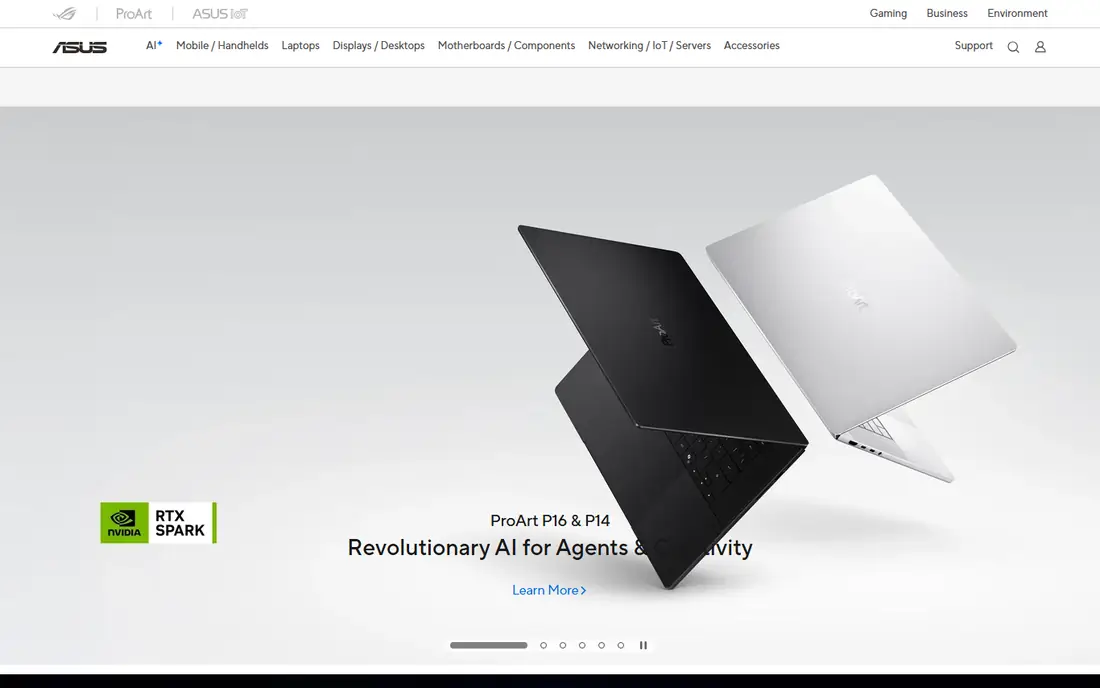
ASUS suits a builder who wants the widest choice in one brand. Its Prime boards cover basic builds, TUF Gaming boards add stronger cooling and durability for mid range rigs, ROG Strix boards target gamers who want more features and tuning, and ROG Maximus boards sit at the top for overclocking and high end builds. ProArt boards serve creators who need strong connectivity, including fast USB and multi monitor support, without gaming styling.
ASUS also makes graphics cards for AMD and NVIDIA chips, so a full ASUS build is easy to plan, and its BIOS is one of the most polished in the market, with clear menus, memory profiles, and update tools. The main drawback is price: ROG boards often cost more than a comparable MSI or ASRock board with similar hardware, and the premium is for features, software, and support rather than raw speed. If you want the safest, most widely supported alternative to Gigabyte, ASUS is the first brand to check, and a mid range TUF or ROG Strix board is usually better value than a flagship.
What we like- Full motherboard range from Prime to ROG and ProArt
- Strong BIOS with frequent updates
- Graphics cards for both AMD and NVIDIA GPUs
- Laptops, monitors, and routers in the same brand family
Watch out for- Premium ROG boards are expensive
- Product naming across Prime, TUF, ROG Strix, and ROG Maximus can confuse buyers
- Support quality varies by region
#2
MSI
Best for: Gaming boards and cards with strong mid range value
Visit msi.com
Starting priceSee website
Free planNot applicable
MSI suits a gamer who wants strong value in the middle of the market. Its MAG Tomahawk boards are a frequent recommendation for AMD and Intel mid range builds, thanks to solid power delivery, good thermals, DDR5 support, and modern connectivity without flagship pricing. Above that, MPG boards add more features and styling, while MEG boards target enthusiasts who want every port, slot, and tuning option available.
MSI also makes a wide range of graphics cards, laptops, and monitors, so a gaming setup can stay in one brand if that matters to you. The limit is at the extremes: budget PRO boards are fine for office builds but can be thin on cooling for a powerful CPU, and MEG boards cost far more than most builders need. For a typical gaming PC, a MAG or MPG board from MSI is one of the best Gigabyte alternatives, and it is often the easiest board to recommend without checking a long spec sheet.
What we like- Strong mid range boards such as the MAG Tomahawk line
- Graphics cards across AMD and NVIDIA
- Clear product tiers from PRO to MAG, MPG, and MEG
- Laptops and monitors for a full gaming setup
Watch out for- Top MEG boards are very expensive
- Software such as MSI Center divides opinion
- Budget PRO boards can be basic on cooling and connectivity
Starting priceSee website
Free planNot applicable
ASRock suits a builder who wants premium features without a premium price. Its mid range boards often include WiFi, multiple M.2 slots with heatsinks, and solid power delivery at prices where rivals offer a basic board, and its Taichi line competes with flagship boards from ASUS and MSI. ASRock also makes graphics cards, mini PCs, monitors, and power supplies, so it is a broader PC brand than many buyers realize.
The trade off is polish. ASRock BIOS menus and software are functional but less refined than ASUS, and documentation and support can be thinner in some regions. That matters less for an experienced builder who knows what to check, and more for a first time builder who wants hand holding. If budget is tight and you can read a spec sheet, ASRock is often the best value alternative to Gigabyte, especially for AMD builds where its board range is strongest.
What we like- Good features per dollar, including WiFi and M.2 heatsinks on many mid range boards
- Taichi and Phantom Gaming lines for high end builds
- Graphics cards, mini PCs, and power supplies in the same range
- Strong AMD board lineup
Watch out for- BIOS and software feel less polished than ASUS
- Support and availability vary by region
- Some budget boards cut corners on audio or LAN compared with rivals
Starting priceSee website
Free planNot applicable

BIOSTAR suits a builder on a tight budget, or a system integrator who needs a simple, stable board for office, signage, or industrial use. Its consumer boards cover common Intel and AMD sockets at low prices, while its industrial boards serve embedded, automation, and point of sale systems that need long life and stable supply. That industrial focus is a real strength: a board that stays available for years matters more than gaming features in commercial work.
BIOSTAR is not the right choice for a high end gaming rig. Its range has fewer flagship boards, less overclocking headroom, and less community support than the big three, and finding a specific model in stock can be harder outside Asia. For a basic PC, a home server, or a fleet of office machines, BIOSTAR can save money without sacrificing the core job of a motherboard. Check local availability and BIOS update history for the exact model before buying, since both vary more with BIOSTAR than with ASUS or MSI.
What we like- Low cost boards for basic and budget builds
- Industrial motherboards for embedded and commercial use
- Graphics cards, SSDs, and memory in the same brand
- Long history as a motherboard maker
Watch out for- Smaller retail presence than ASUS, MSI, or ASRock in many countries
- Fewer high end gaming boards
- Support, documentation, and BIOS updates can be thinner
Starting priceSee website
Free planNot applicable
Colorful suits a builder who wants a distinctive looking PC at a competitive price, and who can buy from a seller with clear warranty support. Its iGame graphics cards and motherboards use bold styling, white and themed designs, and solid cooling, and its recent AMD boards show it is moving beyond budget into high end territory. In its home market, Colorful is a major GPU brand, not a niche name.
The limit is geography. Outside China and parts of Asia, Colorful boards and cards can be hard to find through official channels, and support may run through the retailer rather than the brand. That does not make the hardware bad, but it changes the buying risk: check who handles warranty, how long it takes, and whether BIOS and driver updates are easy to get in your language. If you buy through a trusted local seller with a clear warranty, Colorful is a valid value alternative to Gigabyte. If you need global support, choose ASUS, MSI, or ASRock instead.
What we like- Competitive pricing on graphics cards and motherboards
- IGame line with distinctive styling for themed builds
- Strong presence in the Chinese GPU market
- Recent high end AMD boards such as the iGame X870E Ultra line
Watch out for- Availability outside China and Asia can be limited
- English website and support are thinner than global brands
- Warranty and service routes vary by seller and region
Starting priceSee website
Free planNot applicable
Sapphire suits a builder who wants an AMD graphics card and does not want to compromise on that choice. It has made AMD cards for many years, with Pulse models aimed at value and Nitro models aimed at higher performance, better cooling, and quieter operation. That focus means its cards are well tuned for AMD GPUs, with cooling and power designs matched to each chip rather than shared across brands.
Sapphire is the clearest case on this list of a partial alternative. It cannot replace a Gigabyte motherboard, laptop, or monitor, and it offers no NVIDIA card if your software or games favor NVIDIA. For a graphics card upgrade alone, especially in an AMD build, Sapphire is one of the strongest names available, and it is often the card recommended by AMD focused builders. For a full system, pair a Sapphire card with an ASUS, MSI, or ASRock motherboard, and judge each part on its own merits.
What we like- Long standing AMD graphics card specialist
- Pulse line for value and Nitro line for higher performance
- Strong cooling designs and quiet operation on many models
- Clear focus, with no diluted product lines
Watch out for- AMD graphics cards only, so no NVIDIA option and no motherboards
- Not a full Gigabyte replacement for a whole build
- Availability of specific models varies by launch and region
Starting priceSee website
Free planNot applicable
NZXT suits a builder who values a clean look and a simple build over maximum choice. Its motherboards are designed to match its cases, with minimal branding, tidy layouts, and a straightforward BIOS, which appeals to builders who want a finished PC that looks intentional rather than a collection of parts. NZXT also makes cases, coolers, power supplies, and prebuilt PCs, so a full NZXT build is easy to plan and support.
The limit is range. NZXT offers far fewer boards than the big motherboard brands, with fewer chipsets, form factors, and price points, so a builder with a specific CPU, memory, or expansion need may not find a fit. NZXT boards also make most sense inside an NZXT case, where cable routing and styling line up. If you already plan an NZXT case and want a board that matches it, NZXT is a valid alternative. If you need a specific high end chipset or a budget board, ASUS, MSI, or ASRock will give you more options.
What we like- Clean, minimal board designs that match NZXT cases
- Simple BIOS and setup for builders who want less clutter
- Strong case, cooling, and prebuilt PC range in the same brand
- Good support and community in North America and Europe
Watch out for- Small motherboard range compared with ASUS, MSI, or ASRock
- Fewer chipset and form factor choices
- Boards are best value inside an NZXT case and build, not as a standalone pick
Starting priceSee website
Free planNot applicable
Supermicro suits a workstation, server, or AI builder who needs reliability and scale, not gaming features. Its boards support server CPUs, large memory counts, multiple GPUs, and dense storage, and its building block systems let a business standardize on a platform across servers, storage, and edge systems. For a render farm, a data science workstation, or a small server room, Supermicro is a serious alternative to Gigabyte server and workstation boards.
Supermicro is not a gaming alternative in the usual sense. Its boards lack the RGB styling, gaming BIOS features, and retail packaging of consumer boards, and they often require server form factors and cooling that do not fit a normal gaming case. A home builder who buys a Supermicro board by mistake may find it hard to install and support. For professional work, though, where uptime, management, and long term supply matter more than looks, Supermicro belongs on the shortlist, and it should be judged against Gigabyte server boards and ASRock Rack, not against a gaming board.
What we like- Broad workstation, server, and storage board range
- Strong fit for AMD EPYC and Intel Xeon builds
- Long life and stable supply for commercial systems
- Building block approach for servers, storage, and AI systems
Watch out for- Not designed for gaming rigs or home builders
- Boards often need server cases, power supplies, and cooling
- Pricing and buying routes are enterprise focused, not retail friendly
How we chose
We compared vendor homepages, product documentation, and public reviews and discussions on retailer sites, forums, and tech press, and we checked each brand homepage to confirm it loads and belongs to the named brand. We favored brands that make motherboards or graphics cards today and that a buyer can actually purchase, and we included budget, mid range, high end, and workstation options so different builds are represented. We did not claim hands-on testing. Prices for boards and cards vary by model, retailer, and region, so the article says See website for starting price, and buyers should check a specific model rather than a brand average.
What to check before you switch from Gigabyte
Start with compatibility, not brand. Confirm the CPU socket and chipset for your processor, the memory type and speed your board supports, and the case size your board fits. A board that does not fit your CPU or case is useless, no matter how good the brand is. Then check power delivery: a powerful CPU needs a board with strong voltage regulation and cooling, especially if you plan to run it under sustained load.
Next, check connectivity for your actual use. Count the M.2 slots, SATA ports, USB ports, and network options you need, and check whether WiFi, Bluetooth, and fast Ethernet are built in or need an add on card. Check expansion slots if you plan to add a second card, a capture card, or a fast network card. A board with features you never use costs money, while a board missing one port you need can force an awkward workaround.
Then check BIOS, support, and warranty in your region. Look at BIOS update history for the exact model, not the brand in general, and check how long the brand supports a board after launch. Check warranty length, who handles returns, and whether support is available in your language. For brands with limited local presence, such as Colorful outside Asia or BIOSTAR in some countries, the seller warranty matters as much as the brand warranty.
Finally, compare specific models, not brands. A budget board from a premium brand can be worse than a mid range board from a value brand, and a flagship board can waste money on features you will never use. Shortlist two or three exact models that fit your CPU, case, and budget, compare their power delivery, cooling, connectivity, and reviews, and choose the model, not the logo.
Frequently asked questions
Is ASUS the best overall alternative to Gigabyte?
For most builders, yes. ASUS has the widest motherboard and graphics card range, a polished BIOS, and strong support in many regions. MSI and ASRock are close, and often better value in the mid range, so compare exact models before deciding.
Can I mix brands in one PC?
Yes. A PC does not need one brand throughout. An ASUS motherboard can pair with a Sapphire graphics card, an MSI power supply, and an NZXT case without any problem, as long as each part fits the socket, case, and power requirements.
Is ASRock a reliable brand?
Yes, ASRock is a well established motherboard maker with a strong AMD lineup and good value. Its BIOS and software are less polished than ASUS, and support varies by region, but its hardware is a legitimate alternative for experienced builders.
Should I buy Colorful outside Asia?
Only through a trusted seller with a clear warranty route. Colorful hardware is competitive, but official availability and support outside China and Asia are thinner than for global brands, so the seller matters more than usual.
Is Supermicro good for a gaming PC?
Usually not. Supermicro boards are built for workstations and servers, with server form factors, management features, and cooling needs that do not suit a normal gaming case. Gamers should choose ASUS, MSI, ASRock, or NZXT instead.
Do I need to replace all my Gigabyte parts at once?
No. Replace only the part that is failing, outdated, or limiting your build. A new motherboard, graphics card, or power supply can be mixed with existing parts, as long as socket, power, and case compatibility are checked first.
Sources we checked (8)
- https://www.asus.com/
- https://www.msi.com/
- https://asrock.com/
- https://www.biostar.com.tw/
- https://www.colorful.cn/
- https://sapphiretech.com/
- https://www.nzxt.com/
- https://www.supermicro.com/
Is your product missing or out of date?
We review this list regularly. Vendors can request a listing, send updated pricing or ask about featured placement.

Shihab Mia · Founder, Rankite
Shihab has 5+ years in B2B and SaaS SEO. He writes Rankite's software buying guides from pricing pages, documentation and public user reviews. More about Shihab.