How we make this list: we compare pricing pages, product documentation and public user reviews. Ratings come from G2, Capterra or Trustpilot, with the date we checked them.
Key takeaways
- Jotform is the closest like-for-like Formstack replacement, with broad integrations and lower list pricing.
- Typeform is the pick when form completion rates matter more than back-end workflow depth.
- Google Forms is free and unlimited, and it wins whenever you do not need payments, logic, or branding.
- Cognito Forms is the budget pick for serious forms with calculations and approvals.
- Formstack costs about $83 per month billed annually, so most alternatives here cost less at entry level.
- Submission caps matter more than seat price, so check monthly limits against your real volume before switching.
Quick comparison
| Tool | Best for | Starting price | Free plan |
|---|
 Jotform Jotform | One builder for everything | $34/month | Yes |
 Typeform Typeform | Conversational lead forms | $28/month | Yes |
 Google Forms Google Forms | Free internal forms | Free | Yes |
 Cognito Forms Cognito Forms | Budget calculations and approvals | $19/month | Yes |
 Paperform Paperform | Designed form pages | $24/month | Yes |
 Zoho Forms Zoho Forms | Zoho ecosystem forms | $10/month | Yes |
 Wufoo Wufoo | Simple forms with payments | $16.25/month | Yes |
 FormAssembly FormAssembly | Regulated Salesforce workflows | $89/user/month | No |
Is your product missing or out of date?
We review this list regularly. Vendors can request a listing, send updated pricing or ask about featured placement.
#1Jotform
Best for: One builder for everything4.7/5 on
G2 (5,415 reviews, checked Oct 2026)
Visit jotform.com
Starting price$34/month
Free planYes
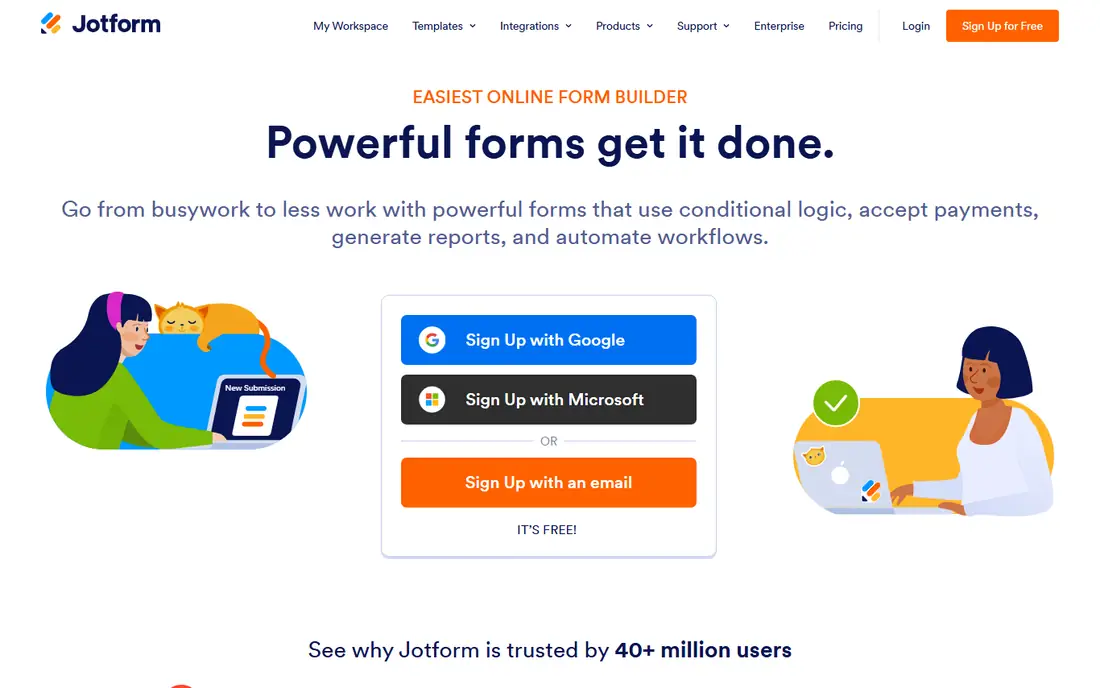
Jotform is the most complete Formstack alternative for teams that want one builder for contact forms, registrations, applications, and payments. It offers thousands of templates, a drag-and-drop builder, conditional logic, and integrations with payment processors, CRMs, and cloud storage. Approval workflows and e-signatures cover much of what Formstack users rely on, and the mobile app lets field teams collect submissions offline.
Pricing starts at $34 per month billed annually on Bronze, with 1,000 monthly submissions, while the free Starter plan covers 5 forms and 100 submissions per month. That entry price sits well below Formstack at about $83 per month billed annually. Teams with high volume should compare submission caps and per-user costs carefully, since Jotform list pricing runs roughly 20 to 40 percent lower than Formstack for comparable tiers in published buyer data.
What we like- Huge template library
- 400 plus integrations
- Payment collection
- Approval workflows
- Strong mobile app
Watch out for- Higher tiers get expensive
- Interface can feel crowded
- Some advanced features sit on Gold and Enterprise plans
#2Typeform
Best for: Conversational lead forms4.5/5 on
G2 (1,014 reviews, checked Oct 2026)
Visit typeform.com
Starting price$28/month
Free planYes
Typeform suits marketing and lead capture teams that care about how a form feels. Its conversational flow shows one question at a time, which tends to lift completion rates over long traditional forms. Design controls are strong, with custom themes, images, and video, and logic jumps let teams branch questions based on earlier answers without code.
The Basic plan costs $28 per month billed annually, with a free plan limited to 10 responses per month. Response limits are the main watch item: lower plans cap monthly responses tightly, so a campaign that spikes can hit the ceiling fast. Typeform also offers less workflow depth than Formstack, with no native approval chains of the same kind, so teams that need multi-step internal routing should test that flow before switching.
What we like- One-question-at-a-time flow lifts completion
- Strong design and branding
- Good logic and scoring
- Solid integrations
Watch out for- Strict response limits on lower plans
- Weaker back-end workflow depth
- No HIPAA coverage on entry plans
Starting priceFree
Free planYes
Google Forms is the right answer whenever the job is simple. It is free with a Google account, offers unlimited forms and responses, and drops answers into Sheets automatically for analysis. Sharing takes seconds, and anyone on the team can build a usable form without training. For internal surveys, event signups, and quick feedback, it is hard to beat on value.
The limits show up fast for public-facing work. Google Forms has no payment collection, limited branding, and weaker logic than paid builders, and it offers no approval workflows or e-signature features. Teams that need HIPAA coverage, custom domains, or polished customer-facing forms should move to a paid tool on this list. Teams that only need answers in a spreadsheet should stay here and save the budget.
What we like- Free and unlimited
- Instant sharing
- Automatic Sheets summaries
- No learning curve
- Works with Google Workspace
Watch out for- No payments
- Limited branding
- Weak logic compared with paid builders
- No approval workflows
#4Cognito Forms
Best for: Budget calculations and approvals4.6/5 on
G2 (163 reviews, checked Oct 2026)
Visit cognitoforms.com
Starting price$19/month
Free planYes
Cognito Forms is the budget pick for teams that need real form logic without paying Formstack prices. It supports Excel-style formulas for quotes, order totals, and scored applications, plus repeating sections, file uploads, and approval workflows. E-signatures are built in, and HIPAA-ready options make it viable for health and regulated intake forms at a lower price than most rivals.
The Pro plan costs $19 per month billed annually, and the free Individual plan covers unlimited forms with 100 entries per month. Design controls are plainer than Typeform or Paperform, and the template library is smaller than Jotform. For teams that value calculations, payments, and approvals over visual polish, that trade is worth making, and the price gap against Formstack is large.
What we like- Excel-style calculations
- E-signatures
- Approval workflows
- HIPAA-ready options
- Low entry price
Watch out for- Smaller template library
- Design controls are plainer
- Higher tiers use pricing tests in some regions
#5Paperform
Best for: Designed form pages4.8/5 on
G2 (86 reviews, checked Oct 2026)
Visit paperform.co
Starting price$24/month
Free planYes
Paperform builds forms that read like designed landing pages rather than plain questionnaires. Text, images, video, and questions sit together on one page, which suits portfolios, booking pages, and product order forms. Built-in calculations, appointment booking, and payment collection mean many teams can run a full order or booking flow without a separate page builder.
The Essentials plan costs $24 per month billed annually, with a free plan capped at 30 submissions per month. Published comparisons also list a Pro tier near $49 per month billed annually, so check the current pricing page before budgeting. The integration library is smaller than Jotform, but the core connections to payment processors, email tools, and Sheets cover most small-team needs.
What we like- Doc-style pages that look designed
- Built-in calculations and bookings
- Payment support
- Strong media handling
Watch out for- Free plan limited to 30 submissions
- Higher tiers cost more
- Smaller integration library than Jotform
#6Zoho Forms
Best for: Zoho ecosystem forms4.4/5 on
G2 (128 reviews, checked Oct 2026)
Visit zoho.com
Starting price$10/month
Free planYes
Zoho Forms is the natural pick for teams already running Zoho CRM, Zoho Desk, or Zoho Books. Form submissions flow straight into CRM records and trigger native workflows without middleware, which saves setup time and avoids integration fees. Logic, approvals, and payment collection are all included, and submission limits are generous for the price.
The Basic plan costs $10 per month billed annually, with a free plan covering 3 forms and 500 submissions per month. Higher tiers run $25, $50, and $90 per month billed annually. Outside the Zoho ecosystem the value case weakens, since the design tools are functional rather than premium and some integrations need workarounds. Teams already on Zoho, though, get a strong form builder at the lowest paid price on this list.
What we like- Lowest paid entry price here
- Native Zoho CRM workflows
- High submission limits
- Good logic and approvals
Watch out for- Best value only inside Zoho
- Design is functional rather than premium
- Support quality varies by plan
#7Wufoo
Best for: Simple forms with payments4.2/5 on
G2 (296 reviews, checked Oct 2026)
Visit wufoo.com
Starting price$16.25/month
Free planYes
Wufoo has collected form submissions for years, and its appeal is reliability rather than novelty. The builder is simple, payment collection works well, and embedding on any site takes minutes. Reporting covers the basics, and the free plan with 5 forms and 100 entries per month is enough for a small site contact form or a simple order form.
The Starter plan costs $16.25 per month billed annually. The interface feels dated next to Typeform or Paperform, and workflow automation is limited compared with Formstack or Jotform. Wufoo is owned by SurveyMonkey, and updates have been slow, so teams that want modern design or deep automation should look elsewhere. Teams that want a form that simply works, year after year, will find it dependable.
What we like- Long track record
- Reliable payment collection
- Simple builder
- Easy embedding
- Good reporting
Watch out for- Dated interface
- Fewer modern features
- Limited workflow automation
- Owned by SurveyMonkey with slow updates
Starting price$89/user/month
Free planNo
FormAssembly is the enterprise-grade alternative for teams whose forms feed Salesforce and carry compliance requirements. It offers deep Salesforce object mapping, prefill from CRM records, approval workflows, and compliance controls including HIPAA coverage. For health, finance, and higher-education teams that already run Salesforce, it replaces Formstack workflows with less custom code.
Pricing starts near $89 per user per month, which makes it the most expensive entry price on this list and close to Formstack territory. Per-user pricing adds up fast for large teams, and it is overkill for simple contact or signup forms. The value case rests on Salesforce depth and compliance: if your forms must write cleanly to Salesforce objects and pass a security review, FormAssembly earns its price.
What we like- Deep Salesforce integration
- HIPAA and compliance focus
- Strong workflow and approval features
- Enterprise controls
Watch out for- Highest entry price here
- Per-user pricing adds up
- Overkill for simple forms
- No free plan
How we chose
We compared Formstack alternatives on builder depth, workflow and approval features, payment support, compliance options, submission limits, and entry pricing. Formstack itself costs about $83 per month billed annually for Forms, with a 14-day trial and no free plan, so we weighted free plans and lower entry prices heavily. Prices come from vendor pricing pages and published comparisons from 2026, and they change often, so confirm the current price before purchase.
Start with volume and workflow. Count your real monthly submissions, then check each plan cap, since a cheap plan with a low cap costs more once overage fees or forced upgrades kick in. Teams that need approvals, e-signatures, or HIPAA coverage should shortlist Jotform, Cognito Forms, and FormAssembly and confirm compliance coverage at the exact plan tier they will buy, not just the top tier. Teams that only need lead capture should test Typeform and Paperform for completion rates.
Next, test migration with real forms. Rebuild one complex form in each finalist, including logic, calculations, payments, and notifications, and run it with real data before canceling Formstack. Check that old embedded forms and links are replaced, since stale embeds quietly break submissions after cutover. Finally, confirm payment processor support, since Formstack works with US-based processors and coverage varies across alternatives.
Frequently asked questions
What is Formstack?
Formstack is a form builder and workflow platform for forms, documents, and e-signatures, used heavily by regulated teams that need approval workflows, HIPAA coverage, and integrations with Salesforce and other enterprise tools.
Is there a free Formstack alternative?
Google Forms is free and unlimited for basic forms. Jotform, Typeform, Cognito Forms, Paperform, Zoho Forms, and Wufoo all offer free plans with caps on forms, submissions, or responses.
Which Formstack alternative is cheapest?
Zoho Forms has the lowest paid entry price here at $10 per month billed annually. Google Forms is free, and Cognito Forms at $19 per month billed annually is the cheapest option with calculations and approvals.
Does Jotform replace Formstack workflows?
Jotform covers most Formstack workflows, including approvals, e-signatures, payments, and conditional logic. Teams with deep Salesforce mapping or strict compliance reviews should test FormAssembly as well, since it offers deeper enterprise controls.
Is Typeform good for high-volume forms?
Typeform works for high-volume forms only on higher plans, since lower plans cap monthly responses tightly. Check the response limit on the plan you will buy against your peak campaign volume before committing.
Can I migrate forms from Formstack?
Most builders here support manual rebuilds, and some offer import help or migration services. Rebuild your most complex form first, test it with real submissions, and keep Formstack live until the new forms are proven.
Sources we checked (0)
Is your product missing or out of date?
We review this list regularly. Vendors can request a listing, send updated pricing or ask about featured placement.

Shihab Mia · Founder, Rankite
Shihab has 5+ years in B2B and SaaS SEO. He writes Rankite's software buying guides from pricing pages, documentation and public user reviews. More about Shihab.