How we make this list: we compare pricing pages, product documentation and public user reviews. Ratings come from G2, Capterra or Trustpilot, with the date we checked them.
Key takeaways
- Google Sheets is the best overall Excel alternative for collaboration, with real time multi user editing free in the browser.
- LibreOffice Calc and ONLYOFFICE are the best free desktop replacements, with Calc winning on cost and ONLYOFFICE winning on Excel file fidelity.
- Excel itself remains the standard for heavy analysis, macros and pivot tables, and it is free on the web, with paid plans from 7 dollars per user per month.
- Project style tools like Smartsheet and Airtable are not pure spreadsheets, but they beat Excel for managing dated work with owners and linked records.
Quick comparison
Is your product missing or out of date?
We review this list regularly. Vendors can request a listing, send updated pricing or ask about featured placement.
The best Excel alternatives
Starting priceFree
Free planYes
Google Sheets is the spreadsheet most Excel users can switch to without a second thought. It runs in any browser, saves automatically to Drive, and lets several people edit one sheet at once with comments and version history. Pivot tables, data validation, charts and custom automation through Apps Script cover the vast majority of everyday spreadsheet work, and offline editing works once enabled.
The limits appear at scale. Very large workbooks with heavy formulas can slow down, and complex Excel macros written in VBA do not transfer. Paid Google Workspace plans start at 7 dollars per user per month for business features, but the free tier covers individuals fully. For a team that collaborates daily, Sheets is the best overall pick.
What we like- Free real time collaboration in the browser
- Pivot tables, charts and offline editing
- Huge add-on and script ecosystem
Watch out for- Very large files can slow down
- Advanced Excel macros do not carry over
- Offline mode needs setup in Chrome

#2LibreOffice Calc
Best for: Free offline desktop replacement4.3/5 on
G2 (30 reviews, checked Oct 2026)
Visit libreoffice.org
Starting priceFree
Free planYes
LibreOffice Calc is the best free desktop spreadsheet, full stop. It costs nothing, runs offline on every major desktop system, and opens and saves Excel xlsx files, so sharing with Excel users works in practice. Formula coverage is deep, CSV handling is excellent, and there are no ads, accounts or subscriptions involved.
The trade offs are polish and collaboration. The interface looks older than Sheets or Numbers, VBA macro compatibility is partial, and real time co editing does not exist in the desktop app. For a small business or individual who wants a free, private, offline spreadsheet, Calc is the strongest choice.
What we like- Completely free and open source
- Runs offline on Windows, Mac and Linux
- Opens and saves xlsx files
Watch out for- Interface feels dated
- Excel macro compatibility is partial
- Collaboration is file based, not real time
Starting priceFree
Free planYes
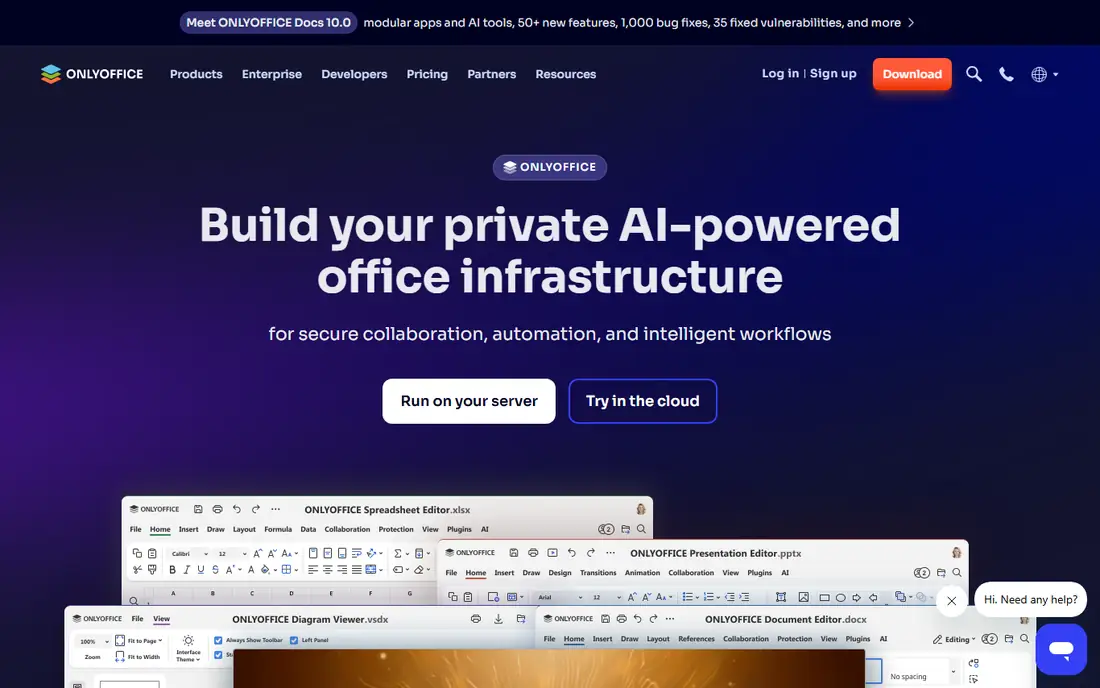
ONLYOFFICE Sheets earns its place on fidelity. Files that go back and forth with Excel users keep their formatting, formulas and structure better here than in most free editors, which matters when a client or boss opens your file in Excel. The free desktop editors cover Windows, Mac and Linux, and DocSpace adds cloud collaboration for teams, free on the Startup tier.
The ecosystem is smaller than Google Sheets, with fewer add-ons and templates, and the DocSpace Business plan costs 20 dollars per admin per month. For a team that exchanges xlsx files with Excel users daily and wants a free editor that respects those files, ONLYOFFICE is the safest pick.
What we like- Best Excel file fidelity among free editors
- Free desktop editors
- Cloud DocSpace option for teams
Watch out for- Smaller add-on ecosystem than Sheets
- Cloud business plan costs 20 dollars per admin
- Fewer templates

#4Zoho Sheet
Best for: Free online sheet with desktop apps4.4/5 on
G2 (162 reviews, checked Oct 2026)
Visit zoho.com
Starting priceFree
Free planYes
Zoho Sheet is a free online spreadsheet with desktop apps for Windows and Mac, plus browser and mobile access. It imports and exports xlsx files, offers a large predefined formula set, and supports real time team editing on a single document. Teams already using Zoho apps get extra value, and Zoho Workplace Standard, which includes Sheet, costs 3 dollars per user per month billed annually.
The web interface can feel laggy on large sheets, and the template library is smaller than Sheets. Shortcut habits also differ from Excel, so expect a short adjustment period. For a budget team that wants a free, capable online sheet with a cheap business bundle, Zoho Sheet is a strong pick.
What we like- Free online sheet with desktop apps
- Strong formula library
- Zoho Workplace Standard at 3 dollars per user
Watch out for- Web interface can feel laggy
- Smaller template library
- Collaboration depth trails Sheets

#5Apple Numbers
Best for: Polished sheets for Apple users4.2/5 on
G2 (219 reviews, checked Oct 2026)
Visit apple.com
Starting priceFree
Free planYes
Apple Numbers suits offices that run on Macs and iPhones. It is free on Apple devices, with polished templates, attractive charts and a canvas style layout that makes presentation ready sheets easy. Files can be shared through iCloud, including browser access for non Apple collaborators, and xlsx import and export cover Excel exchange.
The limits are ecosystem and depth. Full features need Apple hardware, and advanced analysis tools trail Excel and Sheets. For a Mac first team that values design and simplicity over heavy modeling, Numbers is a pleasant, free choice.
What we like- Free on Mac, iPhone and iPad
- Polished design and charts
- ICloud browser access for sharing
Watch out for- Apple ecosystem only for full features
- Excel compatibility needs import and export
- Fewer advanced analysis tools

#6
WPS Spreadsheet
Best for: Most Excel like free interface
Visit wps.com
Starting priceFree
Free planYes
WPS Spreadsheet is the free suite that feels most like Excel. The ribbon interface, formula behavior and file handling will feel familiar on day one, and it runs on Windows, Mac, Linux, phones and browsers. It opens and saves xlsx files directly, and the free tier covers most everyday work.
The free version includes ads, which some users find distracting, and Pro Plus costs 5.83 dollars a month billed at 69.99 dollars a year to remove them and add premium features. Privacy conscious users should read the terms before storing sensitive data. For an Excel user who wants a familiar free interface, WPS is the easiest transition.
What we like- Interface closest to Excel among free suites
- Free on desktop and mobile
- Opens and saves xlsx files
Watch out for- Free version includes ads
- Pro Plus costs 5.83 dollars a month billed annually
- Privacy terms deserve a read
Starting price$9 per member/month
Free planFree trial
Smartsheet is a project tool that looks like a spreadsheet, and that distinction matters. It runs projects and jobs with dates, owners, dependencies and approvals in a grid, with Gantt, card and calendar views on top. Automation moves work forward without manual chasing, which Excel cannot do without heavy macro work.
It is not a full spreadsheet replacement: xlsx import covers only the first tab, and deep formula modeling trails Excel. Pro costs 9 dollars per member per month billed annually, with a 30 day free trial. For a team managing projects in a grid, Smartsheet beats Excel. For pure analysis, it does not.
What we like- Grid interface with Gantt, card and calendar views
- Automation and approvals
- Strong for dated work with owners
Watch out for- Pro at 9 dollars per member per month
- Imports only the first tab from xlsx
- Not a full spreadsheet replacement

#8Airtable
Best for: Spreadsheet style databases4.6/5 on
G2 (3,300 reviews, checked Oct 2026)
Visit airtable.com
Starting priceFree
Free planYes
Airtable blends a spreadsheet interface with a relational database. Linked records connect tables, views filter and group data, and forms and automations turn a base into a small app without code. The free tier covers small teams, and the interface is friendlier than a traditional database for non technical users.
The free tier caps at 1,000 records per base, and Team costs 20 dollars per user per month billed annually, which adds up for large teams. Xlsx imports cap at 5 MB. For a small team tracking content, inventory or projects with linked data, Airtable is more powerful than a plain sheet. For heavy number crunching, Excel or Sheets still win.
What we like- Linked records turn sheets into databases
- Free tier for small teams
- Strong views, forms and automations
Watch out for- Free tier limited to 1,000 records per base
- Team costs 20 dollars per user per month
- Imports cap at 5 MB for xlsx
How we chose
We compared published prices, platform coverage and xlsx compatibility from vendor pricing pages and independent comparisons checked in October 2026, and we weighed real time collaboration, offline access, formula depth, macro compatibility and project features. We favored tools with a genuinely usable free tier and clear paid pricing, and we noted where free versions include ads or record limits. No tool was credited with hands-on testing, and no user counts, awards or ratings were invented for this guide.
What to check before you switch
Start with file exchange. If you regularly send files to Excel users, test a round trip: open your most complex workbook in the new tool, save it, and reopen it in Excel to check formatting, formulas and charts. ONLYOFFICE and WPS preserve Excel files best among free tools, while Sheets and Numbers handle most files well but can shift complex formatting.
Next, check macros and scale. VBA macros do not transfer to Sheets, Numbers or Calc without rework, and very large workbooks can slow browser based tools. If your work depends on macros or huge models, Excel for the web, which is free, or a paid Microsoft 365 plan may be the honest answer. Finally, check collaboration needs: real time co editing favors Sheets and Zoho, while offline privacy favors Calc and ONLYOFFICE desktop.
Frequently asked questions
Is Google Sheets really free?
Yes, for individuals, with a Google account, including real time collaboration, pivot tables and offline editing. Paid Google Workspace plans from 7 dollars per user per month add business controls, more storage and support, but the core spreadsheet is free.
Can these tools open Excel files?
Yes, all eight open xlsx files, though fidelity varies. ONLYOFFICE and WPS preserve Excel formatting best, Sheets and Zoho handle most files well, and Numbers imports and exports xlsx with occasional formatting shifts. Always test your most complex file before switching.
What about Excel macros?
VBA macros are the main reason to stay on Excel. No alternative runs VBA fully, and macro heavy workbooks need rebuilding in Apps Script for Sheets, or another automation approach elsewhere. If macros run your business, keep Excel for those files.
Which Excel alternative is best for a small business?
Google Sheets for collaboration, LibreOffice Calc for free offline work, and Zoho Sheet for a cheap business bundle at 3 dollars per user. A business that exchanges files with Excel clients daily should also test ONLYOFFICE for fidelity.
Is there a free Excel from Microsoft?
Yes, Excel for the web is free with a Microsoft account, and it is real Excel in the browser, though desktop features are limited. Paid Microsoft 365 plans start at 7 dollars per user per month for web and mobile apps, and 10 dollars with desktop apps on annual billing.
Can Smartsheet or Airtable replace Excel?
For project tracking and linked data, yes, and they do those jobs better than Excel. For financial modeling, heavy formulas and pivot analysis, no. Most teams that adopt them keep Excel or Sheets alongside for analysis.
Sources we checked (3)
- https://goodtaco.ai/blog/excel-alternatives
- https://www.flozic.ai/blog/alternatives/excel-alternatives
- https://www.technize.com/software/best-excel-alternatives/
Is your product missing or out of date?
We review this list regularly. Vendors can request a listing, send updated pricing or ask about featured placement.

Shihab Mia · Founder, Rankite
Shihab has 5+ years in B2B and SaaS SEO. He writes Rankite's software buying guides from pricing pages, documentation and public user reviews. More about Shihab.
 Google Sheets
 ONLYOFFICE Sheets
 Smartsheet