How we make this list: we compare pricing pages, product documentation and public user reviews. Ratings come from G2, Capterra or Trustpilot, with the date we checked them.
Key takeaways
- This article interprets CrossClip as a cross-device clipboard manager, so it lists clipboard managers that keep, search, and sync copied items.
- Ditto is the best Windows clipboard manager, free and open source, with unlimited history, regex search, and LAN sync.
- Paste is the smoothest Apple ecosystem option, at $29.99 per year with iCloud sync across Mac and iPhone, plus Apple Intelligence OCR search.
- Maccy is the best free Mac option, open source and minimal, living in the menu bar with hotkey search.
- CopyQ suits developers and cross-platform users, free and open source on Windows, Mac, and Linux with scripting.
- The default clipboard on every system holds exactly one item, so any manager here is a major upgrade over copy and paste alone.
Quick comparison
Is your product missing or out of date?
We review this list regularly. Vendors can request a listing, send updated pricing or ask about featured placement.
The best CrossClip alternatives
Starting priceFree
Free planYes
Ditto is the clipboard Windows should have, and the one Windows power users recommend without doubt. It keeps a running searchable history of everything copied, including text, images, HTML, and files, with a hotkey that shows recent clips for quick pasting. By default it saves 500 items, which already covers weeks of use, and the limit can be raised from settings to stretch history back months.
Search is the standout: type a keyword and Ditto pulls matching entries, with regex search for power users, plus pinning, grouping into folders, and editing entries in a built-in notepad-like window. Special Paste converts text to uppercase, lowercase, sentence case, camel case, or plain text. Network sync shares history across Windows machines on the same local network with encrypted transfer. The interface is functional rather than polished, but it does one thing and does it reliably.
What we like- Free and open source
- Unlimited history
- Regex search
- LAN sync
- Supports text, images, HTML, RTF, files
Watch out for- Interface described as dated
- Windows only
- No mobile app
- Password protection absent
Starting price$29.99/year
Free planNo
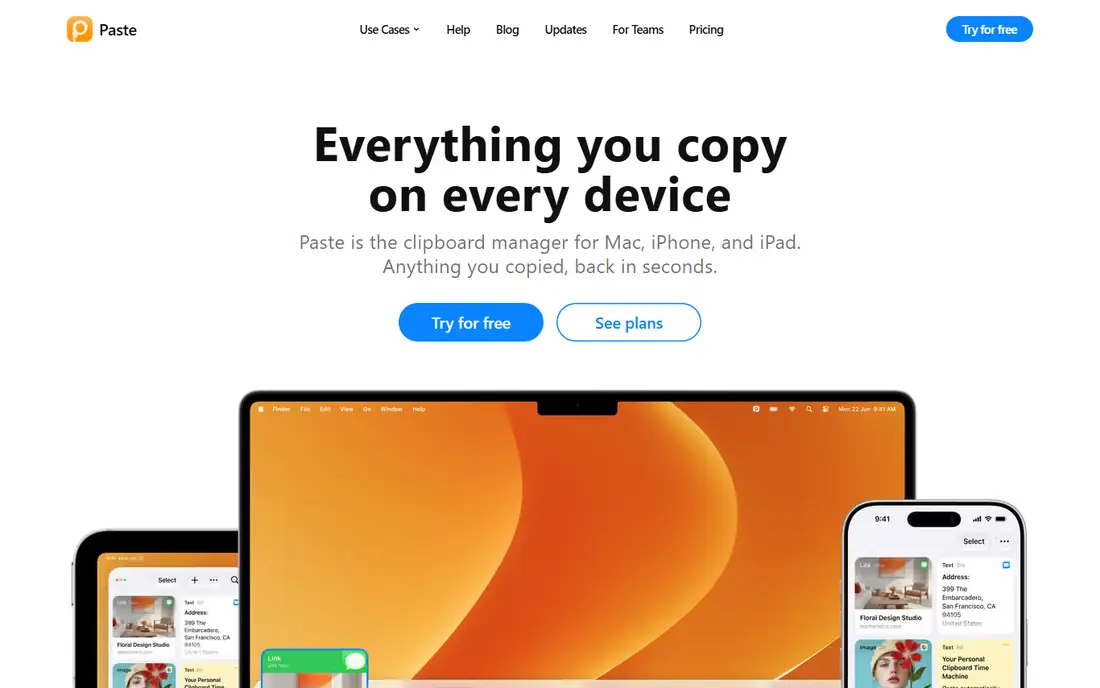
Paste is the premium option for the Apple ecosystem, with full clipboard history, a visual pinboard interface, named boards for organization, and iCloud sync across Mac and iPhone. Copy something on the phone and have it ready on the Mac when sitting down, though iOS limits mean most history syncs over from the Mac side rather than being recorded on the phone itself.
In November 2025, Paste added Apple Intelligence integration, with OCR search across image clips so users can search text inside copied screenshots, plus smarter text suggestions. Pricing is $29.99 per year or $2.49 per month, and it is included in Setapp at $9.99 per month for subscribers. Mac and iPhone users who want the smoothest clipboard experience should choose Paste.
What we like- Smoothest Apple experience
- Visual pinboard
- Named boards
- ICloud sync Mac to iPhone
- Apple Intelligence OCR search
Watch out for- Subscription pricing
- Apple only
- IOS cannot record clipboard in background
- History syncs mainly from Mac side
Starting priceFree
Free planYes
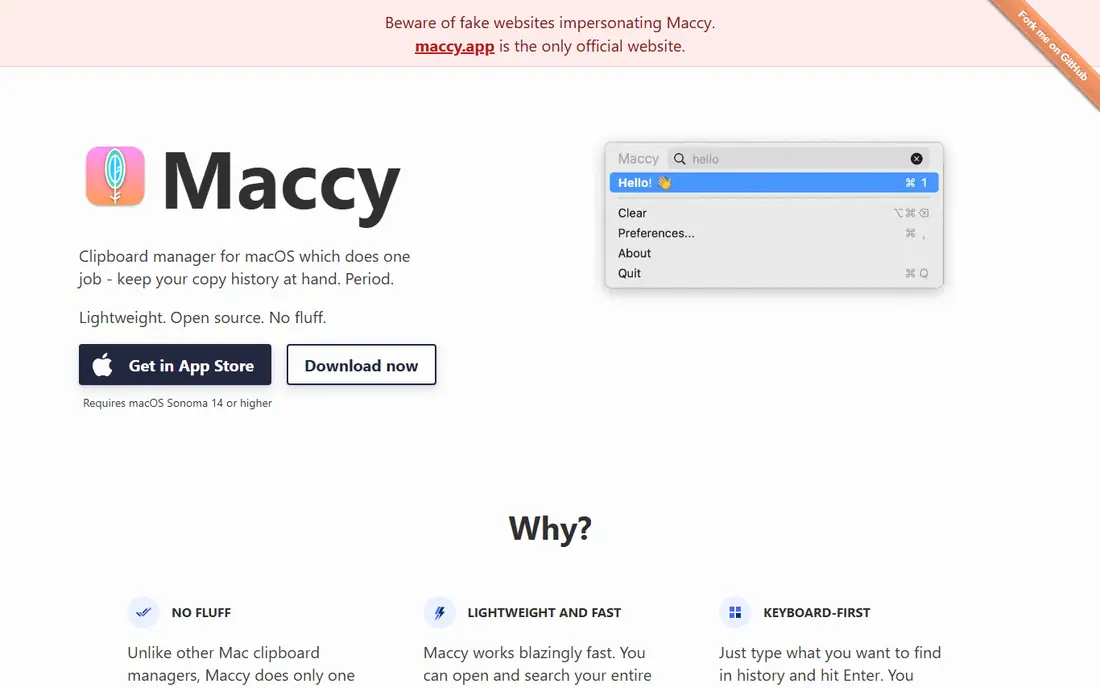
Maccy is the free, minimal Mac option for users who want clipboard history without paying or adding complexity. It lives in the menu bar, and pressing the hotkey shows history filtered by typing, then selecting an item pastes it. That is the whole workflow, and it works well for users who only need history search.
There is no iCloud sync, no pinboards, and no subscription, which keeps Maccy light but limits cross-device use. It is compatible with macOS Sonoma 14 and later, and the same app is available as a paid App Store version for users who want to support development. Mac users who want something free should just get Maccy.
What we like- Free and open source
- Minimal menu bar app
- Hotkey search
- No subscription
- No sync complexity
Watch out for- Mac only
- No iCloud sync
- No pinboards
- Fewer features than Paste
Starting priceFree
Free planYes
CopyQ is a clipboard manager for developers and cross-platform users, storing content whenever the system clipboard changes and allowing search, copy back, or direct paste. Saved clipboard content sits in customized tabs, so users can organize clips by project or type, and scripting capabilities automate handling of clipboard changes, settings, and organization.
Sync is manual rather than cloud-based, which suits developers who prefer local control but limits cross-device convenience. The interface is technical and takes learning compared with Maccy or Paste. Developers working across Windows, Mac, and Linux who want a free, scriptable clipboard manager should choose CopyQ.
What we like- Free and open source
- Windows, Mac, Linux
- Custom tabs
- Scripting for automation
- Search and direct paste
Watch out for- Manual sync
- Interface technical
- Setup takes learning
- Fewer polished features than Paste
Starting price$12.99 one-time
Free planNo
CleanClip suits Mac minimalists who want a simple clipboard manager with a one-time purchase rather than a subscription. It costs $12.99 one time, with no sync, which keeps the tool focused on local history search and pasting. That simplicity appeals to users who dislike subscriptions but want a more polished tool than Maccy.
Coverage is Mac only, with no sync to iPhone or other devices, and features are fewer than Paste pinboards and iCloud sync. Mac users who want more than history search but do not want to pay yearly will find CleanClip a good middle ground between free Maccy and subscription Paste.
What we like- One-time purchase, no subscription
- Minimal Mac design
- Good for Mac minimalists
- Simple history search
Watch out for- Mac only
- No sync
- One-time price still costs more than free Maccy
- Fewer features than Paste
Starting priceFree
Free planYes
Clipboard Manager Pro suits workers who spend most of their day inside a browser. It is a browser extension for Chrome, Edge, and Firefox, which sounds limiting until realizing that Gmail, Slack, Google Docs, Notion, Salesforce, and Zendesk all run in the browser anyway. The free tier covers core history management, with a paid plan at $1.99 per month for cloud sync and extras.
The limit is scope: as a browser extension it does not capture system-wide clipboard activity outside the browser, unlike Ditto or CopyQ. Browser-first workers who copy mainly inside web apps will find it practical, while system-wide users should prefer Ditto, Paste, or CopyQ.
What we like- Browser-first design
- Works in Chrome, Edge, Firefox
- Cloud sync
- Free tier
- Good for Gmail, Slack, Docs, Notion work
Watch out for- Browser extension only, not system-wide
- Paid plan $1.99 per month
- Vendor-built tool with self-promotion in its own guide
Starting priceFree
Free planYes
Windows Clipboard is the built-in option for Windows users who want history without installing anything. Press Win+V to turn on clipboard history, which holds up to 25 items and clears everything except pinned items on restart. That covers short-term needs such as copying an address before lunch and pasting it later.
Limits are clear: 25 items is small compared with Ditto unlimited history, there is no deep search, and cross-device sync is limited. Users who need more than 25 items, search, or organization should install Ditto, which is free and keeps a full searchable history. Windows Clipboard suits casual users who want zero setup.
What we like- Built into Windows
- Free
- No install needed
- Win+V hotkey
- Holds up to 25 items
- Pinned items survive restart
Watch out for- Only 25 items
- Clears except pinned items on restart
- No search depth
- No cross-device sync beyond Microsoft account
Starting priceFree
Free planYes
Clipboard History Pro suits browser workers who want mobile sync on the paid tier. The free extension covers core history management for Chrome, Edge, and Firefox, with instant search, favorited items, and metadata. Pro costs $5.99 per month or $60 per year, adding mobile cloud sync across the browser extension and iOS and Android apps, plus a password lock and a shortcut text expander for repetitive typing.
Free history is unlimited, which beats Windows built-in 25 items, but mobile sync and password protection require Pro. The tool is closed source, unlike Ditto or CopyQ. Browser workers who want phone sync should test Pro, while system-wide users should prefer Ditto or Paste.
What we like- Browser extension for Chrome, Edge, Firefox
- Free core history
- Pro adds mobile cloud sync
- Password lock
- Text expander
Watch out for- Pro costs $5.99 per month or $60 per year
- Closed source
- Mobile sync only on Pro
- Browser-only on free
How we chose
We compared CrossClip alternatives on platform coverage, history depth, search quality, sync options, pricing model, and privacy controls. The default clipboard on every system holds exactly one item, so we weighted history depth and search heavily, since those are the features that change daily work. We flagged vendor-built recommendations where the source built the tool it ranked first, and we noted password safety: clipboard managers can save passwords unless users exclude password manager apps from history, a setup step that takes about a minute and should be done right after installing. Prices come from vendor pages and published clipboard manager comparisons from 2026, and they change often, so confirm the current price before purchase.
How to choose the right CrossClip alternative
Start with your platform. Windows users should install Ditto free, Mac users should test Maccy free or Paste for iCloud sync, and cross-platform developers should test CopyQ. Browser-first workers should test Clipboard Manager Pro free or Clipboard History Pro free, while users who want zero setup can start with Windows Clipboard built-in history.
Next, check sync needs: Paste syncs Mac to iPhone via iCloud, Ditto syncs Windows machines on the same LAN, CopyQ sync is manual, and Clipboard History Pro syncs browser to mobile only on Pro. Finally, set up privacy right after installing: exclude password manager apps from history, pin frequently used items, and organize clips into folders or tabs so the history stays useful rather than becoming a long unsearchable list.
Frequently asked questions
What is CrossClip?
CrossClip is a clipboard manager concept focused on cross-device clipboard history, so this article lists clipboard managers that keep, search, and sync copied items across devices and platforms.
Is there a free clipboard manager for Mac?
Yes, Maccy is free and open source, available from its developer site and the same app as the paid App Store version. It offers menu bar history search with no subscription.
What is the best clipboard app for iPhone?
Paste and PastePal both work on iPhone and sync with Mac through iCloud. Keep in mind iOS does not let apps record the clipboard in the background, so most history syncs over from the Mac side.
Does Windows have a built-in clipboard manager?
Yes, press Win+V to turn on clipboard history. It holds up to 25 items and clears everything except pinned items on restart. Ditto is free and keeps a full searchable history for users who need more.
Do clipboard managers save passwords?
They can, unless you tell them not to. Most tools here let you exclude apps like password managers from history. Set that up right after installing, since it takes about a minute.
Which clipboard manager is best for Windows?
Ditto is the best Windows option, free and open source, with unlimited history, regex search, LAN sync, and support for text, images, HTML, and files.
Sources we checked (0)
Is your product missing or out of date?
We review this list regularly. Vendors can request a listing, send updated pricing or ask about featured placement.

Shihab Mia · Founder, Rankite
Shihab has 5+ years in B2B and SaaS SEO. He writes Rankite's software buying guides from pricing pages, documentation and public user reviews. More about Shihab.
 Ditto
Ditto Paste
Paste Maccy
Maccy CopyQ
CopyQ CleanClip
 Clipboard Manager Pro
 Windows Clipboard
 Clipboard History Pro