How we make this list: we compare pricing pages, product documentation and public user reviews. Ratings come from G2, Capterra or Trustpilot, with the date we checked them.
Key takeaways
- Salesforce and Microsoft Dynamics 365 suit larger teams that need deep customization, while Pipedrive and Zoho CRM suit smaller teams that need to be live quickly.
- HubSpot is the easiest low-risk starting point for many teams, because its free CRM covers contacts, deals, and basic tracking before any paid plan is needed.
- No single tool copies Creatio exactly: some replace its CRM, others replace its workflow engine, and the best choice depends on which side your team uses more.
- Check contract minimums, per-user pricing, and implementation help before signing, because those costs often matter more than the headline monthly price.
Quick comparison
| Tool | Best for | Starting price | Free plan |
|---|
 Salesforce Sales Cloud Salesforce Sales Cloud | Large teams needing deep CRM customization | $25 per user/month | Free trial |
 HubSpot CRM HubSpot CRM | Teams wanting a free start with room to grow | See website | Yes |
 Zoho CRM Zoho CRM | Budget-conscious small businesses | See website | Yes |
 Pipedrive Pipedrive | Sales teams focused on pipelines | $14 per user/month | Free trial |
 Microsoft Dynamics 365 Microsoft Dynamics 365 | Companies already using Microsoft 365 | See website | Free trial |
 monday CRM monday CRM | Visual pipeline and project-style selling | See website | Free trial |
 Freshsales Freshsales | Small teams wanting built-in calling and email | See website | Yes |
 Kissflow Kissflow | Workflow and process automation | See website | Free trial |
Is your product missing or out of date?
We review this list regularly. Vendors can request a listing, send updated pricing or ask about featured placement.
The best Creatio alternatives
#1Salesforce Sales Cloud
Best for: Large teams needing deep CRM customization4.4/5 on
G2 (27,571 reviews, checked Oct 2026)
Visit salesforce.com
Starting price$25 per user/month
Free planFree trial
Salesforce is the default enterprise answer for a reason. It covers leads, accounts, opportunities, forecasting, and approvals in depth, and its AppExchange catalog adds industry tools that smaller CRMs cannot match. Teams with complex sales processes, multiple regions, or strict reporting needs will find fewer limits here.
The downside is weight. Salesforce often needs an admin, training time, and careful setup before it feels natural. Small teams can find the interface busy and the price harder to justify once add-ons are included. Choose Salesforce when your process is complex enough to need it, not simply because it is the biggest name.
What we like- Largest app ecosystem
- Deep customization
- Strong reporting and AI features
Watch out for- Can feel complex for small teams
- Costs rise with add-ons and admins
#2HubSpot CRM
Best for: Teams wanting a free start with room to grow4.5/5 on
Capterra (4,485 reviews, checked Oct 2026)
Visit hubspot.com
Starting priceSee website
Free planYes
HubSpot is the easiest Creatio alternative to try without a purchase order. The free CRM handles contacts, companies, deals, tasks, and email tracking, and paid Sales Hub plans add sequences, forecasting, and workflow automation. Marketing and service tools live in the same system, which helps teams that want one record for each customer.
Costs deserve a close look. HubSpot's free tier is generous, but the jump to Professional plans is steep, and some features are sold per hub rather than in one bundle. Still, for a team that wants to start this week and scale later, HubSpot is a practical and low-risk choice.
What we like- Free CRM core
- Clear interface
- Strong marketing and service add-ons
Watch out for- Paid hubs get expensive
- Advanced automation sits on higher plans
#3Zoho CRM
Best for: Budget-conscious small businesses4.1/5 on
G2 (2,952 reviews, checked Oct 2026)
Visit zoho.com
Starting priceSee website
Free planYes
Zoho CRM gives small teams a lot for the money. It covers sales automation, lead scoring, workflow rules, and a visual Blueprint tool for guiding deals through stages. A free plan for up to three users makes it easy to test with a core sales team before rolling it out further.
The experience is less polished than HubSpot or Pipedrive, and some users find setup menus harder to follow. Zoho also works best when you use other Zoho apps for email, support, or accounting. If price is the main reason for leaving Creatio, Zoho is one of the first tools to shortlist.
What we like- Low entry price
- Wide feature set
- Blueprint process builder
Watch out for- Interface feels dated in places
- Best value inside the Zoho suite
#4Pipedrive
Best for: Sales teams focused on pipelines4.3/5 on
G2 (5,034 reviews, checked Oct 2026)
Visit pipedrive.com
Starting price$14 per user/month
Free planFree trial
Pipedrive is built for salespeople who live in their pipeline. Deals move by drag and drop, activities stay visible, and the interface stays out of the way. A team can usually import contacts and start working in a day, which is a sharp contrast to a multi-week Creatio rollout.
It is not a full Creatio replacement for process-heavy work. Marketing automation is lighter, and complex approvals or service workflows may need another tool. If your main need is a clean, affordable sales CRM that your team will actually update, Pipedrive fits well.
What we like- Clear visual pipeline
- Fast setup
- Strong email and activity tracking
Watch out for- Weaker marketing automation
- Reporting limits on lower plans
Starting priceSee website
Free planFree trial
Dynamics 365 makes the most sense for companies already running on Outlook, Teams, and SharePoint. Sales, service, and marketing data sit close to the documents and meetings your team already uses, and Power Automate adds workflow depth that echoes Creatio's process engine.
The trade-off is cost and complexity. Licensing is modular, so the final price depends on which apps you add, and implementation often benefits from a partner. For a Microsoft-centered company with complex processes, that investment can pay off. For a small team outside the Microsoft stack, it is usually more than needed.
What we like- Native Microsoft 365 and Teams integration
- Strong process tools
- Enterprise security
Watch out for- Higher entry cost
- Setup often needs partner help
#6monday CRM
Best for: Visual pipeline and project-style selling4.5/5 on
G2 (1,810 reviews, checked Oct 2026)
Visit monday.com
Starting priceSee website
Free planFree trial
monday CRM suits teams that think in boards rather than forms. You can build pipelines, track deals, manage onboarding, and share views with managers without writing code. The visual style also helps teams that combine sales with project delivery in one workspace.
It is not as deep as a dedicated enterprise CRM for forecasting or complex permissions. Pricing is per user, so a large team should model the full cost before committing. For a visual, flexible team that wants to shape its own process quickly, monday CRM is a strong Creatio alternative.
What we like- Flexible boards and views
- Easy customization
- Good for mixed sales and project work
Watch out for- Per-user pricing adds up
- CRM depth is lighter than Salesforce
#7Freshsales
Best for: Small teams wanting built-in calling and email4.5/5 on
G2 (1,237 reviews, checked Oct 2026)
Visit freshworks.com
Starting priceSee website
Free planYes
Freshsales, from Freshworks, bundles a CRM with calling, email, and chat tools that small teams often buy separately. That all-in-one approach keeps the stack simple and the learning curve short. AI scoring and workflow automation help small teams prioritize leads without a dedicated operations role.
The integration catalog is smaller than Salesforce or HubSpot, and some advanced customization sits on higher tiers. Teams with unusual processes should test those limits during the trial. For a small sales team that wants phone, email, and CRM in one place, Freshsales is worth a trial.
What we like- Built-in phone and email
- AI lead scoring
- Simple interface
Watch out for- Smaller integration catalog
- Advanced features need higher plans
#8Kissflow
Best for: Workflow and process automation4.3/5 on
G2 (590 reviews, checked Oct 2026)
Visit kissflow.com
Starting priceSee website
Free planFree trial
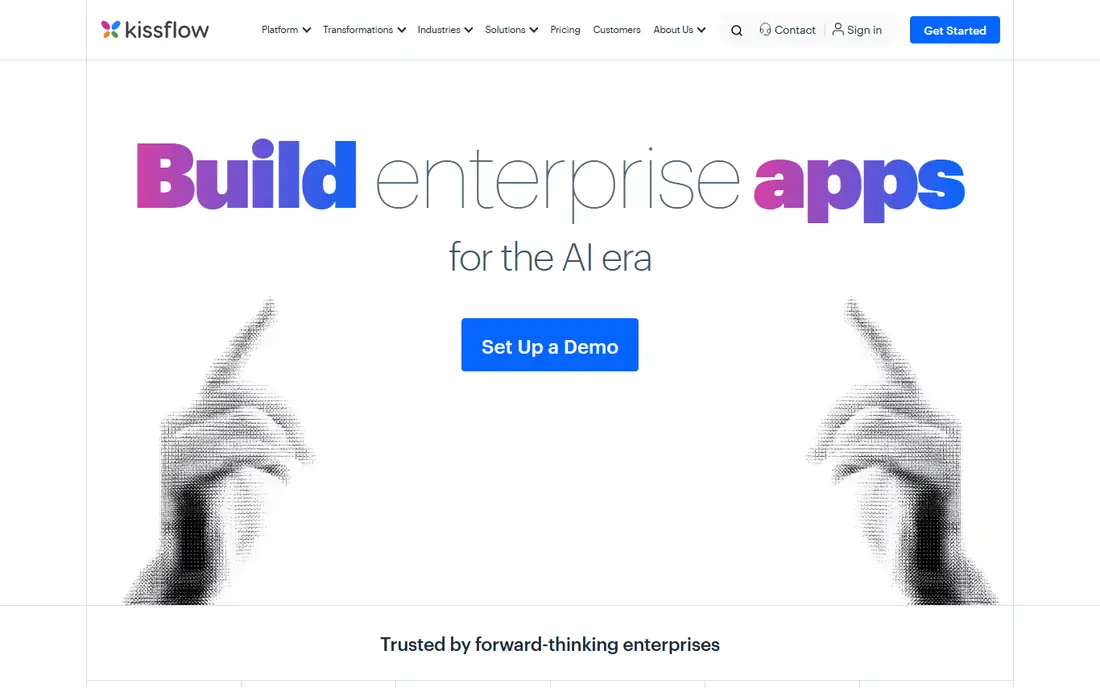
Kissflow is the pick for teams that leave Creatio mainly for its process engine rather than its CRM. You can build forms, approvals, and multi-step workflows without code, and track requests across departments. That fits onboarding, procurement, and service requests as well as sales tasks.
It is not a direct sales CRM replacement in the same way as Salesforce or HubSpot. Teams that need deep pipeline forecasting should pair Kissflow with a CRM or choose a different tool. If workflow automation is the gap you need to fill, Kissflow deserves a place on the shortlist.
What we like- No-code workflow builder
- Forms and approvals
- Good for internal processes
Watch out for- Less of a full sales CRM
- Pricing is quote based for larger use
How we chose
We compared pricing pages, product documentation, and public reviews on G2 and Capterra for CRM and no-code workflow platforms that overlap with Creatio's sales, marketing, service, and process features. We included large enterprise platforms, mid-market CRMs, and a workflow-first tool, and we used "See website" where a vendor prices by quote or where plans had changed recently. We did not claim hands-on testing.
Start by naming the job Creatio does for your team today. If most users open it to manage deals and customer records, a CRM-first tool such as Salesforce, HubSpot, Zoho, or Pipedrive is the right replacement. If most users open it to route approvals, run intake forms, or enforce process steps, a workflow-first tool such as Kissflow, or a platform with strong automation such as Dynamics 365, will fit better.
Next, count the real cost. Add per-user fees, required add-ons, implementation help, and training time. A tool with a low monthly price but a long setup can cost more in the first year than a pricier tool your team adopts in a week. Ask each vendor for a written quote that includes minimums, contract length, and what happens to your data if you leave.
Finally, run a short pilot with real deals and real users. Import a sample of contacts, build one pipeline, and run one approval process end to end. Watch how long each task takes and where users get stuck. Adoption is the deciding factor: the best CRM on paper is worthless if your sales team keeps its pipeline in a spreadsheet.
One more step helps before a final decision: ask each vendor for a written list of what is included at the price you were quoted. That list should cover users, modules, support hours, data storage, and any implementation fees. Vendors often quote a base price first and add modules later, so a written scope prevents surprise costs in month two. Also ask about data export formats and contract exit terms, because a CRM holds your customer history. A tool that exports cleanly to common file formats gives you more freedom later. Finally, talk to two reference customers with a team size close to yours, and ask how long setup really took and what they would change. Those answers usually matter more than a demo, which always shows the product at its best.
Before you finish, write down your top three requirements and rank the shortlist against them in plain language. That short list stops a demo or a discount from pulling the choice toward a feature you will rarely use. Share the ranking with the people who will use the tool daily, and ask them to flag any deal-breaker you missed, such as a missing integration, a device limit, or a workflow step that would take longer than it does today. Their answers often change the order. Once you have a winner, set a review date three months after launch to check cost, usage, and complaints, and be ready to switch if the tool is not earning its place. A planned review keeps the decision honest and prevents a poor fit from lingering for years.
Frequently asked questions
Is there a direct one-to-one Creatio replacement?
No single tool copies Creatio's full mix of CRM and no-code process management exactly. Salesforce and Dynamics 365 come closest for large teams, while HubSpot, Zoho, and Pipedrive cover the CRM side for smaller teams. Many companies split the job between a CRM and a workflow tool.
Which Creatio alternative is cheapest for a small team?
Zoho CRM and Pipedrive are usually the cheapest paid starting points, and HubSpot's free CRM is the lowest-cost way to begin. Always compare the price for your actual team size, because per-user fees grow quickly and free plans have limits.
Can I migrate data from Creatio to a new CRM?
Yes, in most cases. Contacts, companies, deals, and activities can usually be exported as files and imported into the new system, and several vendors offer migration help. Complex workflows and custom objects take more work, so plan time to rebuild those by hand.
Do these alternatives offer no-code customization?
Yes, all eight offer some no-code setup, but the depth varies. Kissflow and Dynamics 365 lean furthest into process design, while Pipedrive and Freshsales keep customization simpler and faster. Test your most complex process during a trial before deciding.
How long does switching take?
A small team can move to Pipedrive, HubSpot, or Zoho in days to a few weeks. A larger move to Salesforce or Dynamics 365 often takes weeks to months, especially if workflows, integrations, and training are involved. A pilot with one team reduces risk.
Should I keep Creatio for workflows and add a CRM?
That split can work if your workflows are deeply embedded and hard to rebuild. It adds integration and admin work, though, and most teams prefer one system over time. Only keep both if the workflow side is genuinely hard to replace.
Sources we checked (8)
- https://www.salesforce.com
- https://www.hubspot.com
- https://www.zoho.com/crm/
- https://www.pipedrive.com
- https://www.microsoft.com/en-us/dynamics-365
- https://www.monday.com
- https://www.freshworks.com/crm/
- https://www.kissflow.com
Is your product missing or out of date?
We review this list regularly. Vendors can request a listing, send updated pricing or ask about featured placement.

Shihab Mia · Founder, Rankite
Shihab has 5+ years in B2B and SaaS SEO. He writes Rankite's software buying guides from pricing pages, documentation and public user reviews. More about Shihab.