How we make this list: we compare pricing pages, product documentation and public user reviews. Ratings come from G2, Capterra or Trustpilot, with the date we checked them.

Key takeaways
- Procore suits larger builders and general contractors that need deep project controls and financial tools.
- Houzz Pro suits remodelers and design-build firms that win work through Houzz and need client-facing tools.
- JobTread suits mid-size builders that want estimating, budgeting, and job costing in one system.
- Contractor Foreman gives small contractors a low entry price with a broad feature set.
- Fieldwire suits field teams that need plan viewing, punch lists, and task tracking on site.
Quick comparison
| Tool | Best for | Starting price | Free plan |
|---|
 Procore Procore | Large builders and GCs | See website | No |
 Houzz Pro Houzz Pro | Remodelers and design-build | See website | Free trial |
 JobTread JobTread | Mid-size builders, estimating | See website | Free trial |
 Contractor Foreman Contractor Foreman | Small contractors, low price | $49 per month | Free trial |
 BuildBook BuildBook | Simple builder project tracking | See website | Free trial |
 Knowify Knowify | Job costing and invoicing | See website | Free trial |
 UDA ConstructionSuite UDA ConstructionSuite | Detailed estimating and scheduling | See website | Free trial |
 Fieldwire Fieldwire | Field task and plan management | See website | Yes |
Is your product missing or out of date?
We review this list regularly. Vendors can request a listing, send updated pricing or ask about featured placement.
The best Buildertrend alternatives
#1Procore
Best for: Large builders and GCs4.6/5 on
G2 (4,357 reviews, checked Oct 2026)
Visit procore.com
Starting priceSee website
Free planNo

Procore is the enterprise standard for construction project management, used by general contractors and large builders on complex projects. Its project management, quality and safety, and financial tools cover drawings, RFIs, submittals, change orders, budgets, and invoicing in one platform, with a large network of owners, GCs, and subcontractors already on the system. For a builder running many concurrent projects with strict financial controls, that depth matters daily.
The trade is price and implementation. Procore is quote-only, with pricing that reflects project volume and modules, and onboarding takes weeks of configuration and training. A small remodeler will find it heavier and pricier than needed. Procore fits best for larger builders and general contractors where project complexity and financial control justify an enterprise platform.
What we like- Deepest project and financial controls
- Strong document and drawing management
- Large contractor network
Watch out for- Quote-only pricing
- Implementation takes time
- Overkill for small remodelers
#2Houzz Pro
Best for: Remodelers and design-build4.2/5 on
G2 (76 reviews, checked Oct 2026)
Visit houzz.com
Starting priceSee website
Free planFree trial

Houzz Pro suits remodelers and design-build firms that win work through Houzz itself. Beyond project management, it includes lead generation from the Houzz marketplace, client-facing proposals, 3D floor plans, and selections tracking, which covers the full journey from first inquiry to final walkthrough. For a remodeler whose clients discover them on Houzz, that integration shortens the path from lead to signed contract.
The limits are pricing opacity and market variation. Plans are quote-based, and lead quality varies by region and trade, so a firm in a thin market may get less value from the marketplace side. Large commercial projects also fit Procore better. Houzz Pro fits best for residential remodelers and design-build firms that already get leads from Houzz.
What we like- Houzz lead generation built in
- Client-facing proposals and selections
- Good for design-build firms
Watch out for- Pricing is quote-based
- Lead quality varies by market
- Less deep on large commercial projects
#3JobTread
Best for: Mid-size builders, estimating4.9/5 on
G2 (108 reviews, checked Oct 2026)
Visit jobtread.com
Starting priceSee website
Free planFree trial
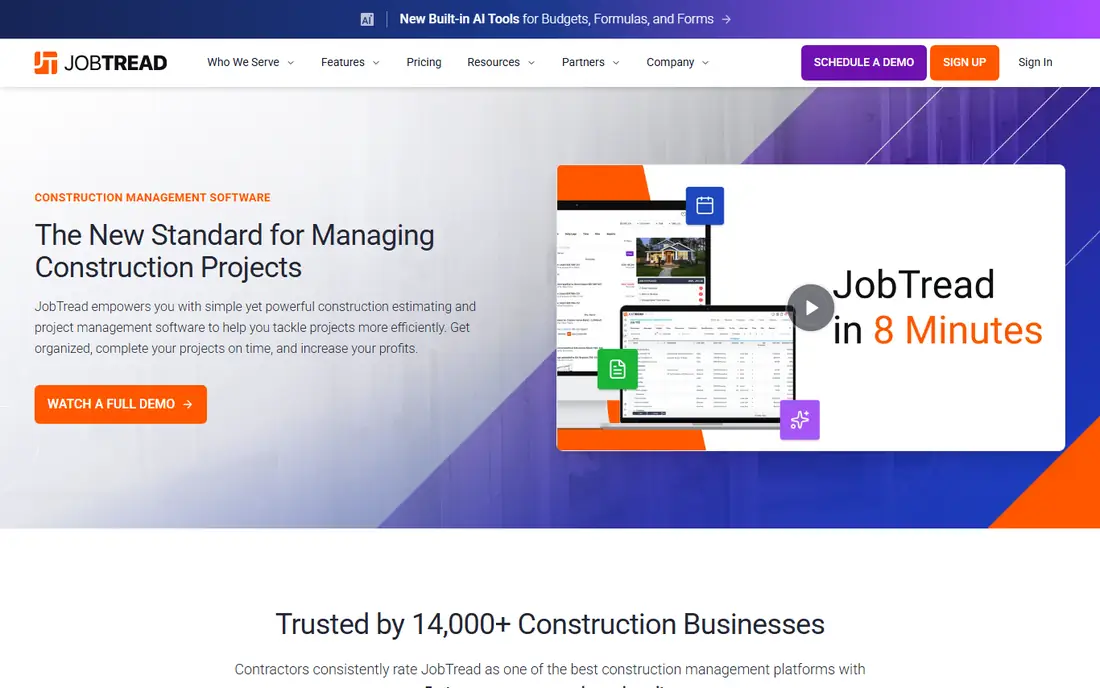
JobTread is built around the money side of a build: estimating, budgeting, and job costing that stays tied to actual costs as work progresses. A builder can create an estimate, convert it to a budget, track change orders, and see job profitability without exporting to a spreadsheet at each step. The client portal lets homeowners approve selections and change orders and see progress, which cuts the email and phone traffic that slows many projects.
The trade is pricing opacity and setup effort. JobTread does not publish pricing, so budgeting requires a sales conversation, and estimating setup takes care to configure cost catalogs and templates well. JobTread fits best for mid-size builders that want estimating and job costing as the core of their system, not an add-on.
What we like- Strong estimating and budgeting
- Job costing tied to actuals
- Good client portal
Watch out for- Pricing is not published
- Learning curve on estimating setup
- Fewer third-party integrations than Procore
Starting price$49 per month
Free planFree trial
Contractor Foreman gives small contractors a broad platform at a low entry price of $49 per month. It covers scheduling, estimating, invoicing, client management, daily logs, and document storage, with unlimited users on paid plans, which removes per-seat anxiety as a crew grows. For a small contractor moving off spreadsheets and paper, that breadth at that price is hard to beat.
The interface is dense, with many menus that take time to learn, and support is lighter than enterprise vendors offer. Some features also feel less polished than Procore or Buildertrend equivalents. Contractor Foreman fits best for small contractors that want many features on a tight budget and are willing to learn a dense interface.
What we like- Low entry price
- Very broad feature set
- Unlimited users on paid plans
Watch out for- Interface is dense
- Support is lighter than enterprise rivals
- Some features feel less polished
Starting priceSee website
Free planFree trial
BuildBook suits a builder who wants project tracking without a long implementation. Its interface is clean, setup is fast, and client communication tools, including updates, photos, and selections, keep homeowners informed without constant calls. Daily logs, schedules, and budgets cover the core of a residential build, and the learning curve is short for a team moving off spreadsheets.
The limits are depth. Estimating and financial tools are thinner than JobTread or Procore, and the integration catalog is smaller. BuildBook is also a newer vendor, so its track record is shorter. BuildBook fits best for small to mid-size residential builders that value simplicity and fast setup over deep financial controls.
What we like- Simple, clean interface
- Fast setup
- Good client communication tools
Watch out for- Less depth on estimating and financials
- Smaller integration catalog
- Newer vendor
#6Knowify
Best for: Job costing and invoicing4.5/5 on
G2 (103 reviews, checked Oct 2026)
Visit knowify.com
Starting priceSee website
Free planFree trial
Knowify is built for contractors whose main pain is job costing and invoicing. It tracks labor, materials, and subcontractor costs against budgets, produces invoices from actuals, and integrates with QuickBooks, which keeps accounting in sync without double entry. Service contractors, including HVAC, plumbing, and electrical firms, use it to manage jobs that mix field work with materials and billing.
Project management features are thinner than Buildertrend or Procore, and the design is plainer, so a builder that needs rich client portals and selections tracking may want more. Pricing is also not published. Knowify fits best for contractors where accurate job costing and clean invoicing matter more than client-facing project presentation.
What we like- Strong job costing and invoicing
- QuickBooks integration
- Good for service contractors
Watch out for- Pricing is not published
- Project management is thinner
- Design is plainer than rivals
#7
UDA ConstructionSuite
Best for: Detailed estimating and scheduling
Visit uda1.com
Starting priceSee website
Free planFree trial
UDA ConstructionSuite, from UDA Technologies, suits builders that need detailed estimating and scheduling above all else. Its estimating tools handle detailed cost breakdowns, and its scheduling covers Gantt charts, dependencies, and resource planning at a depth that simpler tools skip. With a long track record in residential construction, it has a loyal base among builders who learned estimating on its platform.
The trade is age. Its desktop-first heritage shows in an interface that feels dated next to cloud-native rivals, and pricing is quote-based. Teams that want a modern mobile experience for field crews may prefer Fieldwire or Buildertrend. UDA ConstructionSuite fits best for builders whose estimating and scheduling needs are detailed and who value depth over a modern interface.
What we like- Very detailed estimating
- Strong scheduling with Gantt charts
- Long track record
Watch out for- Desktop-first heritage
- Interface feels dated
- Pricing is quote-based
#8Fieldwire
Best for: Field task and plan management4.5/5 on
G2 (586 reviews, checked Oct 2026)
Visit fieldwire.com
Starting priceSee website
Free planYes
Fieldwire is the field-first pick. Its mobile plan viewing, punch lists, checklists, and task tracking are built for crews on site, with offline access for areas with poor signal. A foreman can mark up a plan, assign a punch item, and track it to completion without returning to the trailer. The free tier covers small teams, which makes it easy to prove the workflow before paying.
Fieldwire is not a full business platform: estimating, invoicing, and job costing need other tools, and larger projects need paid tiers for advanced features. Fieldwire fits best as a field execution layer, often paired with a financial or estimating tool, for teams whose main pain is coordination on site rather than back-office accounting.
What we like- Excellent plan viewing on mobile
- Punch lists and task tracking
- Free tier for small teams
Watch out for- Not a full financial platform
- Estimating and invoicing need other tools
- Larger projects need paid tiers
How we chose
We compared these tools on project management depth, estimating and job costing, client communication, field usability, and pricing transparency. Pricing figures come from vendor pricing pages and current comparison guides checked in October 2026, and any figure we could not confirm is marked as See website. Many construction tools are quote-based, so the table reflects that reality honestly. We did not claim hands-on testing. Instead we weighed public documentation, pricing pages, and user reviews on sites such as G2 and Capterra.
What to check before you pick
Start with the job your business actually runs. A remodeler needs client selections and proposals, a general contractor needs financial controls and subcontractor management, and a field crew needs mobile plans and punch lists. A tool that excels at one of those may be weak at another. Next, check pricing at your real project volume, since quote-based tools vary widely, and confirm whether pricing covers all users or charges per seat. Finally, test the mobile app on site, since a tool that works in the office but fails on a job site will not get used.
Estimating, costing, and change orders
The money workflow decides whether a tool pays for itself. Confirm how estimates convert to budgets, how change orders flow to the client for approval, and how actual costs track against budget in real time. A tool that forces spreadsheet exports at each step adds work rather than removing it. Also check QuickBooks or accounting integration, since double entry between project and accounting systems wastes hours each week.
Client communication and adoption
A project tool only works if clients and crews use it. Check the client portal from a homeowner's view: can they approve selections, sign change orders, and see progress without training? Check the field app from a foreman's view: does it work offline, and can a punch item be created in under a minute? Adoption by clients and crews matters more than feature count.
Frequently asked questions
What is the cheapest Buildertrend alternative?
Contractor Foreman at $49 per month is the lowest published entry price in this list. Fieldwire also offers a free tier for small teams, though larger projects need paid tiers for advanced features.
Which alternative is best for large general contractors?
Procore leads for large general contractors, with deep project, quality, safety, and financial tools. JobTread also suits mid-size builders that want estimating and job costing as the core system.
Do these tools integrate with QuickBooks?
Most do, with Knowify and JobTread offering particularly close QuickBooks integration for job costing and invoicing. Confirm the exact sync behavior, such as whether invoices flow both ways, before buying.
Can clients track progress in these tools?
Yes, in most cases. Buildertrend alternatives generally include client portals where homeowners can see schedules, approve selections and change orders, and view photos. Portal depth varies, so test it from a client's view during the trial.
How long does implementation take?
Small tools such as BuildBook and Contractor Foreman can run within days, while Procore and JobTread take weeks of configuration, template setup, and training. Budget time for data migration from your current system as well.
Is Fieldwire a full Buildertrend replacement?
Not on its own. Fieldwire excels at field execution, plans, and punch lists, but it lacks full estimating, invoicing, and financial tools. Many teams pair Fieldwire with an estimating or accounting tool for complete coverage.
Sources we checked (8)
- https://www.procore.com
- https://www.houzz.com/pro
- https://www.jobtread.com
- https://contractorforeman.com
- https://www.buildbook.co
- https://www.knowify.com
- https://uda1.com
- https://www.fieldwire.com
Is your product missing or out of date?
We review this list regularly. Vendors can request a listing, send updated pricing or ask about featured placement.

Shihab Mia · Founder, Rankite
Shihab has 5+ years in B2B and SaaS SEO. He writes Rankite's software buying guides from pricing pages, documentation and public user reviews. More about Shihab.