How we make this list: we compare pricing pages, product documentation and public user reviews. Ratings come from G2, Capterra or Trustpilot, with the date we checked them.
What is workflow software and why does a small business need it?
Workflow software turns a repeatable process into a defined path that work follows from start to finish. A request comes in, it moves through the right steps, the right person is assigned at each stage, and nothing sits forgotten in an inbox. For a small business, that structure matters because a small team cannot afford to lose track of client work, approvals, or follow up tasks. When five people do the work of ten, a missed step can cost a client.
How much should a small business pay for workflow software?
A small business should expect to pay between 5 and 30 dollars per user per month for workflow software on annual billing, based on the prices checked for this guide on 15 November 2026. Trello starts at 5 dollars, monday.com at 9 dollars, Notion and Asana at about 10 to 11 dollars, ClickUp at 9 dollars on its new Core plan, and Pipefy at 30 dollars. Kissflow and Process Street do not publish a per seat price, so their cost depends on a quote.
We picked tools that a small business can set up without hiring a consultant, that offer a free plan or a free trial, and that publish enough pricing detail to let a buyer compare them fairly. Each tool had to support repeatable workflows, not just one off task lists. That means boards or lists, task assignment, due dates, and at least basic automation or templates.
Quick comparison
| Tool | Best for | Starting price | Free plan |
|---|
 monday.com | Small teams that want visual boards, automations, and a clear view of who is doing what | 9 dollars per user per month, billed annually (Basic plan; 12 dollars billed monthly), checked 15 November 2026 | Yes, free for up to 2 users with up to 3 boards |
 Asana | Small teams that run structured projects with deadlines, owners, and cross team handoffs | 10.99 dollars per user per month, billed annually (Starter plan; 13.49 dollars billed monthly), checked 15 November 2026 | Yes, Personal plan is free for up to 2 users |
 ClickUp | Small teams that want tasks, docs, chat, and dashboards in one subscription | 9 dollars per user per month, billed annually (Core plan; 12 dollars billed monthly), checked 15 November 2026 | Yes, Free Forever plan with unlimited members and unlimited tasks |
 Trello | Very small teams and solo operators who want a simple Kanban board with light automation | 5 dollars per user per month, billed annually (Standard plan; 6 dollars billed monthly), checked 15 November 2026 | Yes, free for up to 10 collaborators per Workspace with up to 10 open boards |
 Notion | Small teams that want docs, wikis, and lightweight workflows in one shared workspace | 10 dollars per member per month, billed annually (Plus plan; 12 dollars billed monthly), checked 15 November 2026 | Yes, free plan for individuals and small teams with a 5 MB file upload limit |
 Kissflow | Small and mid sized businesses that need structured approval workflows for HR, finance, or procurement | quote, checked 15 November 2026 | No free plan; a trial is available after a consultation with the vendor |
 Process Street | Small teams that run the same process every week and need checklists, approvals, and an audit trail | quote, checked 15 November 2026 | No free plan; 14 day free trial of the Pro plan with no credit card required |
 Pipefy | Small businesses that want no code process automation with forms, rules, and integrations | 30 dollars per user per month, billed annually (Business plan; 39 dollars billed monthly), checked 15 November 2026 | Yes, a free plan is available for small teams |
Is your product missing or out of date?
We review this list regularly. Vendors can request a listing, send updated pricing or ask about featured placement.
The table below compares all eight tools on starting price, free plan, and best fit. Prices are per user per month on annual billing unless noted, and were checked on 15 November 2026.
| Tool |
Starting price (annual billing) |
Free plan |
Best for |
| monday.com |
9 dollars per user per month |
Yes, up to 2 users |
Visual boards and automations |
| Asana |
10.99 dollars per user per month |
Yes, up to 2 users |
Structured team projects |
| ClickUp |
9 dollars per user per month |
Yes, unlimited members |
All in one work hub |
| Trello |
5 dollars per user per month |
Yes, up to 10 collaborators |
Simple Kanban boards |
| Notion |
10 dollars per member per month |
Yes |
Docs plus lightweight workflows |
| Kissflow |
quote |
No |
Approval and process automation |
| Process Street |
quote |
No, 14 day trial |
Checklists and SOPs |
| Pipefy |
30 dollars per user per month |
Yes, small team plan |
No code process automation |
#1monday.com
Best for: Small teams that want visual boards, automations, and a clear view of who is doing what4.7/5 on
G2 (17,182 reviews, checked Oct 2026)
Visit monday.com
Starting price9 dollars per user per month, billed annually (Basic plan; 12 dollars billed monthly), checked 15 November 2026
Free planYes, free for up to 2 users with up to 3 boards
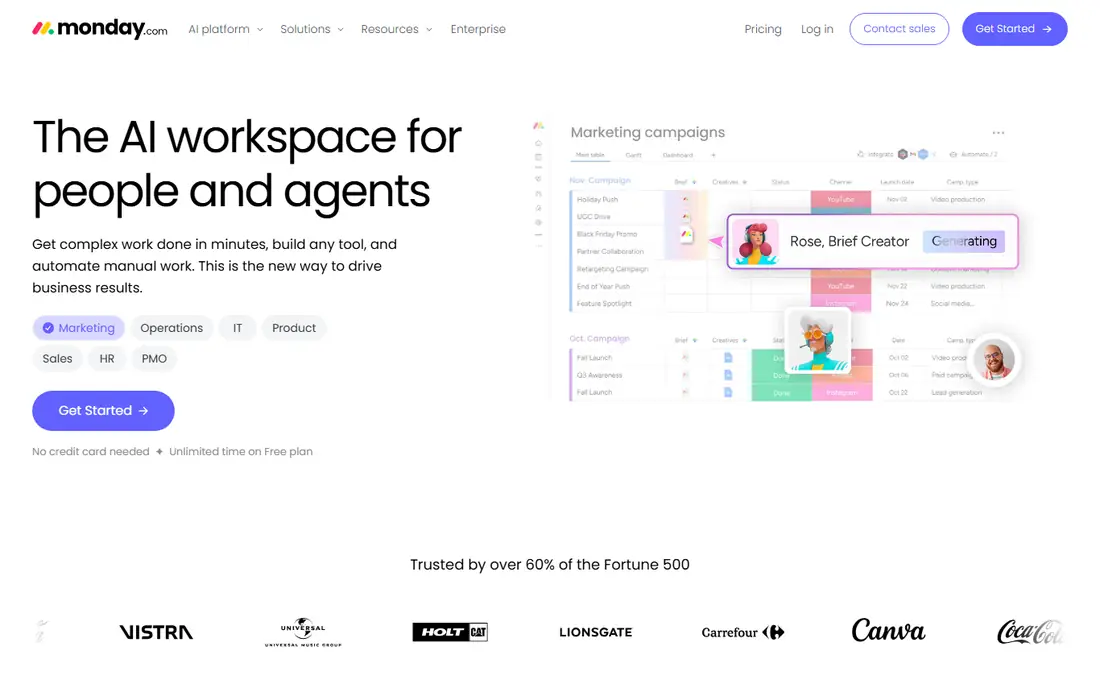
monday.com turns work into colour coded boards where each row is a task and each column tracks status, owner, or due date. A team can run client onboarding or order tracking on one board and see the whole pipeline without a spreadsheet. Standard at 12 dollars per user per month is the realistic starting point, because it adds 250 automation and 250 integration actions a month plus timeline and Gantt views. Basic at 9 dollars suits simple boards but has no automations.
What we like- Visual boards are easy to read at a glance, automations are simple to set up, and the template library covers common small business processes
Watch out for- Paid plans start at a 3 seat minimum and sell seats in fixed groups, so a small team can end up paying for seats it does not use, and the Basic plan has no automations at all
#2Asana
Best for: Small teams that run structured projects with deadlines, owners, and cross team handoffs4.4/5 on
G2 (13,930 reviews, checked Oct 2026)
Visit asana.com
Starting price10.99 dollars per user per month, billed annually (Starter plan; 13.49 dollars billed monthly), checked 15 November 2026
Free planYes, Personal plan is free for up to 2 users
Asana is a strong fit when work has clear deadlines and several people touch each task before it is done. The Starter plan adds timeline and Gantt views, forms, custom fields, and dashboards, which cover most small business project needs. Workflow Builder lets a team set rules such as assigning a task when its status changes. Paid plans start at two seats and are sold in seat bands, so check how many seats you must buy. Advanced at 24.99 dollars adds goals, portfolios, and workload views.
What we like- Clean task structure with timelines and dashboards, unlimited automations on paid plans, and unlimited free guests on Starter
Watch out for- The free Personal plan caps at two users, so a real team must pay, and useful portfolio and workload features sit on the Advanced plan at 24.99 dollars per user per month
#3ClickUp
Best for: Small teams that want tasks, docs, chat, and dashboards in one subscription4.6/5 on
G2 (14,878 reviews, checked Oct 2026)
Visit clickup.com
Starting price9 dollars per user per month, billed annually (Core plan; 12 dollars billed monthly), checked 15 November 2026
Free planYes, Free Forever plan with unlimited members and unlimited tasks
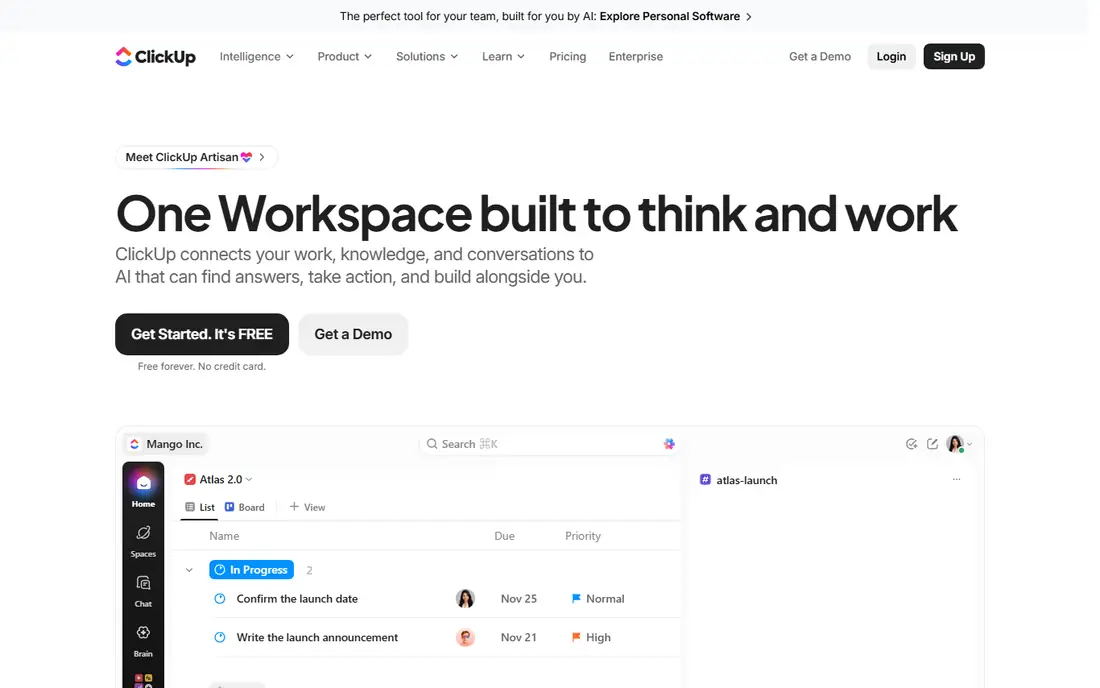
ClickUp gives a small business more features per dollar than most tools in this list, with tasks, docs, whiteboards, chat, goals, and time tracking under one roof. Core at 9 dollars per user per month on annual billing adds unlimited storage, Gantt charts, custom fields, and guest permissions. Prices conflict across sources. Older guides list an Unlimited plan at 7 dollars per user per month, while ClickUp official pricing page captures from 5 November 2026 show the new Core plan at 9 dollars and Business at 17 dollars.
What we like- The free plan is generous with unlimited members, the paid plans pack in many views and features, and one subscription can replace several separate tools
Watch out for- The interface can feel crowded for new users, and the plan lineup is changing, which makes older price guides unreliable
#4Trello
Best for: Very small teams and solo operators who want a simple Kanban board with light automation4.4/5 on
G2 (14,064 reviews, checked Oct 2026)
Visit trello.com
Starting price5 dollars per user per month, billed annually (Standard plan; 6 dollars billed monthly), checked 15 November 2026
Free planYes, free for up to 10 collaborators per Workspace with up to 10 open boards
Trello is the simplest tool in this guide, and that is its strength. Work is a card on a board, cards move from one list to the next, and everyone can see the state of play without training. Standard at 5 dollars removes the board limit and adds custom fields, advanced checklists, and 1,000 automation runs a month. Premium at 10 dollars adds Calendar, Timeline, Table, Dashboard, and Map views plus unlimited automation runs. Billing is per Workspace and counts members plus guests on two or more boards.
What we like- The lowest starting price in this list, boards take minutes to learn, and automation is included on every plan
Watch out for- No native time tracking or task dependencies, and the useful Calendar, Timeline, and Dashboard views sit on the Premium plan at 10 dollars per user per month
#5Notion
Best for: Small teams that want docs, wikis, and lightweight workflows in one shared workspace4.6/5 on
G2 (13,834 reviews, checked Oct 2026)
Visit notion.com
Starting price10 dollars per member per month, billed annually (Plus plan; 12 dollars billed monthly), checked 15 November 2026
Free planYes, free plan for individuals and small teams with a 5 MB file upload limit
Notion works best for teams whose workflows live inside documents, such as content pipelines, hiring trackers, or client records. A page can hold text, tables, Kanban boards, and calendars together, and database automations can assign owners or update a status. Plus at 10 dollars per member per month adds unlimited file uploads and 30 day page history. Sources conflict on Business: older guides list 18 dollars, while the official pricing page as checked on 3 November and 10 November 2026 shows 20 dollars, with full AI access included.
What we like- Flexible pages and databases fit many kinds of work, the Plus plan is affordable, and guests are free on paid plans
Watch out for- Workflow automation is weaker than dedicated workflow tools, and full AI features need the Business plan at 20 dollars per member per month
#6Kissflow
Best for: Small and mid sized businesses that need structured approval workflows for HR, finance, or procurement4.3/5 on
G2 (590 reviews, checked Oct 2026)
Visit kissflow.com
Starting pricequote, checked 15 November 2026
Free planNo free plan; a trial is available after a consultation with the vendor
Kissflow is a dedicated workflow and low code platform rather than a general task manager. A team can build a leave request, expense approval, or vendor onboarding flow with forms, conditional routing, and notifications. Pricing conflicts across sources, which is why this entry lists quote. Kissflow own pricing page as checked on 30 September 2026 lists Basic from 2,500 dollars per month, while third party listings quote Basic at 1,500 dollars per month for up to 50 users and other sites list 15 dollars per user per month.
What we like- Drag and drop workflow builder is built for business users, ready made templates cover common processes such as onboarding and purchase orders, and workflows are unlimited on the Basic plan
Watch out for- Pricing is not published as a simple per user rate, so a small business cannot budget from the website alone, and the platform is aimed more at mid sized firms than at very small teams
#7Process Street
Best for: Small teams that run the same process every week and need checklists, approvals, and an audit trail4.6/5 on
G2 (463 reviews, checked Oct 2026)
Visit process.st
Starting pricequote, checked 15 November 2026
Free planNo free plan; 14 day free trial of the Pro plan with no credit card required
Process Street is the right pick when the problem is consistency rather than planning. A team writes a process once, with instructions, required fields, approvals, and forms, and then runs it as a checklist every time the work repeats. That suits client onboarding, employee onboarding, and monthly reporting. Startup is aimed at firms with fewer than 15 staff and under 2 million dollars in revenue. Third party sources float figures such as about 100 dollars a month for Startup, but the vendor pricing page shows no prices, so those figures are not used here.
What we like- Turns SOPs into runnable checklists with owners, due dates, and conditional logic, and the audit history shows exactly who did each step
Watch out for- The vendor publishes no per seat price, so budgeting needs a sales conversation, and the Startup plan is capped at 5 users and 10 guests
#8Pipefy
Best for: Small businesses that want no code process automation with forms, rules, and integrations4.6/5 on
G2 (231 reviews, checked Oct 2026)
Visit pipefy.com
Starting price30 dollars per user per month, billed annually (Business plan; 39 dollars billed monthly), checked 15 November 2026
Free planYes, a free plan is available for small teams
Pipefy lets a team build a process as a pipe, with phases, forms, and rules that move each card forward without manual handoffs. It fits purchase requests, hiring pipelines, customer onboarding, and service requests. The price needs care because sources conflict. Older third party listings quote Pipefy from 18 to 22 dollars per user per month, and some list Business at 33 dollars. The Pipefy own pricing page lists Business at 30 dollars per user per month on annual billing, so this guide uses the vendor figure.
What we like- No code builder with ready made process templates, strong automation and integration options, and unlimited workflows on paid plans
Watch out for- The starting price is the highest in this list, and per user billing gets costly as occasional users are added
A team of one to three people should start with Trello or Notion, because both are cheap, quick to learn, and free to test with real work. Trello suits teams that think in boards and cards, while Notion suits teams that keep most of their work inside documents and databases. A team of three to ten people with several projects running at once will get more from monday.com, Asana, or ClickUp, which add timelines, dashboards, and stronger automation.
Teams whose main need is a repeatable process should look past the general project tools. Process Street fits checklists and SOPs, Pipefy fits no code process automation with forms and integrations, and Kissflow fits formal approval chains across departments. These three cost more or need a quote, so they are worth it only when the process runs often enough that automation saves real hours each week. Prices were checked on 15 November 2026.
How to set up your first workflow in a week
Start by picking one process that repeats at least weekly, such as client onboarding or content review. Write down each step, who owns it, and what done looks like, before you open any tool. Then build that process in your chosen tool, add the people who do the work, and run it live for one week. Add one automation at a time, such as a reminder when a task is overdue, and check that each one works as expected. At the end of the week, ask the team what slowed them down and fix that first.
Frequently asked questions
What is the best workflow software for a small business?
monday.com is the best pick for most small businesses because it combines visual boards, templates, and automations. Its Basic plan starts at 9 dollars per user per month on annual billing, though Standard at 12 dollars is the realistic choice for workflow use. Trello is better for the smallest budgets, and ClickUp is better for teams that want docs and tasks together.
How much does workflow software cost for a small business?
Expect 5 to 30 dollars per user per month on annual billing, based on prices checked 15 November 2026. A five person team pays about 25 dollars a month on Trello Standard, about 45 to 55 dollars on monday.com, Asana, Notion, or ClickUp, and about 150 dollars on Pipefy Business. Kissflow and Process Street need a quote.
Is there free workflow software for small business?
Yes, six of the eight tools in this guide offer a free plan. Trello is free for up to 10 collaborators, ClickUp free plan has unlimited members, and monday.com, Asana, Notion, and Pipefy all offer free plans with limits. Process Street offers a 14 day trial instead of a free plan, and Kissflow offers a trial after a consultation.
What is the difference between workflow software and project management software?
Workflow software focuses on repeatable processes that follow the same steps each time, such as approvals, onboarding, or order handling. Project management software focuses on one off projects with a start and end date. Many tools in this guide do both, but Process Street, Pipefy, and Kissflow lean toward repeatable processes, while Asana and monday.com lean toward project work. Pick the tool that matches your main type of work.
Can I switch workflow software later without losing my work?
Yes, most tools in this guide offer CSV import and export, so tasks, due dates, and owners can move between systems. The harder part is rebuilding automations, templates, and integrations, which rarely transfer cleanly. Before switching, export your data, rebuild your most used process in the new tool, and run both tools side by side for one week.
Sources we checked (16)
- https://monday.com/pricing
- https://asana.com/pricing
- https://clickup.com/pricing
- https://trello.com/pricing
- https://notion.com/pricing
- https://kissflow.com
- https://www.process.st/pricing/
- https://www.pipefy.com/pricing/?ref=app
- https://www.athanor.uk/en/business/monday-pricing/
- https://www.rock.so/blog/asana-pricing
- https://www.vectasolve.com/clickup-vs-asana/
- https://www.rock.so/blog/trello-pricing
- https://www.spokdom.com/notion-pricing-explained-is-it-worth-it/
- https://zenphi.com/kissflow-alternative/
- https://checkflow.io/process-street-alternative
- https://www.pipefy.com/pricing/?ref=app
Is your product missing or out of date?
We review this list regularly. Vendors can request a listing, send updated pricing or ask about featured placement.

Shihab Mia · Founder, Rankite
Shihab has 5+ years in B2B and SaaS SEO. He writes Rankite's software buying guides from pricing pages, documentation and public user reviews. More about Shihab.