How we make this list: we compare pricing pages, product documentation and public user reviews. Ratings come from G2, Capterra or Trustpilot, with the date we checked them.
Key takeaways
- Managing company cards is mostly about controls, since limits, approvals, and receipt rules prevent most problems before they happen.
- Virtual cards with merchant and amount limits give finance tighter control than shared physical cards ever can.
- Real time feeds into accounting software cut reconciliation time more than any single reporting feature.
- A clear policy, a named card owner, and a monthly review keep a card program trusted as a company grows.
- Freeze a card at once when it is lost or misused, and review subscriptions each quarter to catch waste.
Quick comparison
| Tool | Best for | Starting price | Free plan |
|---|
 Ramp Ramp | Automated controls and accounting | See website | Free card program |
 Brex Brex | Startup card management | See website | Free card program |
 BILL Spend and Expense BILL Spend and Expense | Cards with bill pay | See website | No |
 Airbase Airbase | Approval chains at scale | See website | No |
 Mesh Payments Mesh Payments | Subscription and global control | See website | No |
 Spendesk Spendesk | Budget based management | See website | No |
 Pleo Pleo | Simple team card control | See website | No |
 Mercury Mercury | Banking plus card control | See website | No |
Is your product missing or out of date?
We review this list regularly. Vendors can request a listing, send updated pricing or ask about featured placement.
The best way to manage company credit cards
#1Ramp
Best for: Automated controls and accounting4.8/5 on
G2 (2,540 reviews, checked Oct 2026)
Visit ramp.com
Starting priceSee website
Free planFree card program
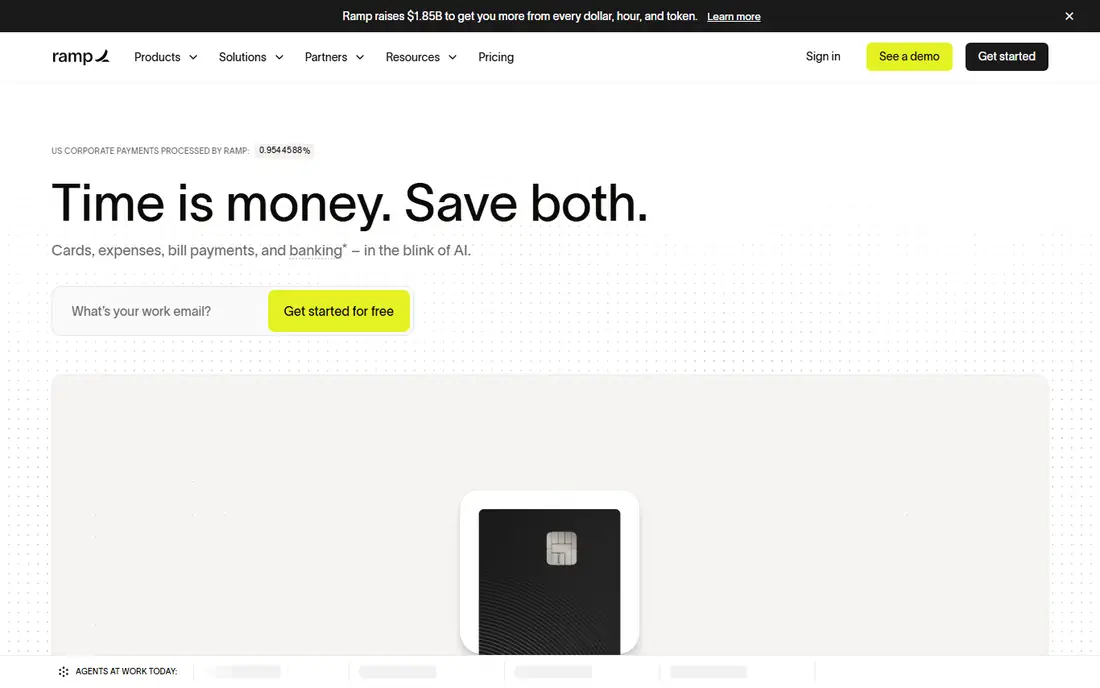
Ramp manages cards through rules that run themselves. Finance sets limits by employee, team, or vendor, and Ramp blocks out of policy spend before it posts, rather than flagging it weeks later. Receipts arrive by text, email, or app upload, and the system matches them to transactions, so month end work shrinks. Accounting sync sends coded transactions to QuickBooks, Xero, or NetSuite with categories attached.
Management reporting shows spend by team, vendor, and category in real time, which helps finance spot a rising software bill early. The core card program carries no card fee, while automation and procurement features sit on paid tiers. For a firm that wants card management to run with little manual work, Ramp is a strong default, and its controls scale from a dozen cards to hundreds.
What we like- Unlimited virtual cards
- Automated receipt matching
- Strong accounting sync
Watch out for- Advanced automation needs paid tiers
- US focused
#2Brex
Best for: Startup card management4.8/5 on
G2 (1,643 reviews, checked Oct 2026)
Visit brex.com
Starting priceSee website
Free planFree card program

Brex manages cards with controls by merchant type, amount, and team, plus expense reports that build from card data. Admins issue physical or virtual cards, set budgets, and freeze cards instantly, while employees track their own spend in the app. Multi currency support helps global teams, and travel bookings can run through the same platform on higher tiers.
The management gap is reporting depth for larger firms, since Brex focuses on speed and simplicity over complex approval chains. Limits also depend on company cash and history, so a young firm may start lower than expected. For a startup that wants card control without a heavy finance system, Brex keeps management light and fast.
What we like- Global card controls
- Built in expenses
- High limits for funded firms
Watch out for- Limits reflect company profile
- Support can feel self serve
Starting priceSee website
Free planNo

BILL manages cards inside the same workflow as bill pay, so approvals, budgets, and accounting live together. Finance routes large card purchases through approval chains, issues virtual vendor cards for recurring bills, and matches card spend to accounting records without rekeying. That shared workflow suits firms that already pay vendors through BILL and want cards under the same controls.
Setup takes longer than a card only tool, since approval rules and accounting mapping need care. Smaller teams that only need cards may find the full platform heavy. For a firm that manages both bills and cards, BILL gives one set of controls for both, which reduces duplicate work and audit gaps.
What we like- Cards plus approvals plus bill pay
- Strong accounting sync
- Vendor cards
Watch out for- Heavier setup
- Pricing depends on BILL plan
Starting priceSee website
Free planNo
Airbase, now a Paylocity company, manages cards through approval chains that mirror real company hierarchy. A request moves from employee to manager to finance, with budgets checked at each step, and virtual cards issue only after approval. Procurement, bill pay, and cards share one system, so spend data stays consistent and audits get easier.
The platform suits mid market firms with formal controls, and pricing reflects that scope. Onboarding needs finance time to map policies, departments, and accounting codes. For a firm where unmanaged card spend has caused audit findings, Airbase gives the control structure to fix it.
What we like- Deep approvals
- Procurement plus bill pay
- NetSuite sync
Watch out for- Priced for mid market
- Onboarding takes finance time
#5Mesh Payments
Best for: Subscription and global control4.6/5 on
G2 (1,065 reviews, checked Oct 2026)
Visit meshpayments.com
Starting priceSee website
Free planNo
Mesh Payments manages cards with a focus on subscriptions, showing every software tool, seat count, and renewal date in one view. Finance can cancel duplicate tools, set vendor limits, and approve requests inside Slack or email, which speeds up decisions. Multi currency virtual cards suit global teams, and accounting sync keeps records current.
The smaller US footprint means support hours and partner coverage deserve a check before rollout. Pricing is quote based, so a demo call is needed for a firm figure. For a company whose card problem is mainly runaway software subscriptions, Mesh gives the clearest view of that spend.
What we like- SaaS spend view
- Multi currency cards
- Approval by chat or email
Watch out for- Smaller US footprint
- Quote based pricing
#6Spendesk
Best for: Budget based management4.6/5 on
G2 (425 reviews, checked Oct 2026)
Visit spendesk.com
Starting priceSee website
Free planNo
Spendesk manages cards around team budgets. Each team gets a budget, cards draw on it, and finance reviews spend against the budget rather than chasing receipts at month end. Employees submit receipts in the app, managers approve over budget requests, and accounting sync posts coded transactions. That budget lens suits firms that plan spend by team.
US firms should confirm card acceptance and support coverage, since Spendesk is strongest in Europe. Pricing is quote based, and the full platform suits firms that already plan by budget. For a European company that manages money by team budgets, Spendesk matches the way spending is actually approved.
What we like- Team budgets
- Receipt capture
- European payment coverage
Watch out for- US coverage thinner
- Quote based plans
#7Pleo
Best for: Simple team card control4.7/5 on
G2 (1,435 reviews, checked Oct 2026)
Visit pleo.io
Starting priceSee website
Free planNo
Pleo manages cards through Pockets, which are budget pots for a team or project. Admins load a Pocket, set limits, and watch spend live, while employees snap receipt photos and track their own balance. Cards freeze instantly from the app, and finance exports coded spend to accounting tools. The simple design means small teams adopt it without training.
Larger firms may want multi entity controls or procurement that sit on higher tiers or other platforms. US availability is limited compared with Europe. For a small team that wants card management without a finance project, Pleo gives control in a form staff actually use.
What we like- Pocket budgets
- Instant freeze
- Easy receipt capture
Watch out for- Limited US presence
- Deeper controls need higher tiers
Starting priceSee website
Free planNo
Mercury manages debit cards alongside banking, so card limits and balances sit next to cash in one dashboard. Admins issue cards per employee or team, set limits, and freeze cards instantly, while transactions show merchant detail in real time. That banking link helps firms that want card spend capped by actual cash, not a credit line.
Expense depth is thinner than Ramp or Brex, and cards require a Mercury account, so firms banking elsewhere must switch or use a second tool. For a startup that already banks with Mercury, card management comes nearly free with the account, and the simplicity is a real advantage.
What we like- Cards tied to bank balances
- Instant freeze
- Clean dashboard
Watch out for- Requires Mercury banking
- Fewer expense features than rivals
How we chose
We compared limit and merchant controls, approval workflows, receipt capture, accounting sync, real time reporting, freeze speed, and pricing transparency. We favored platforms that block out of policy spend before it posts, sync with major accounting systems, and show spend by team and vendor without manual reports. No hands on testing is claimed, and prices are shown as See website where vendors price by quote or plan. We also checked support speed and mobile app quality, since a card frozen during travel needs help at once, not during office hours alone.
A monthly routine that keeps cards clean
Set a monthly routine and stick to it. First, review new cards and closed cards, and confirm every leaver card was frozen on the last working day. Second, chase missing receipts above your threshold, and remind managers that approvals older than a week still need action. Third, scan subscriptions for duplicates, unused seats, and price rises, since software renewals quietly grow.
Fourth, compare card spend by team against budget, and ask team leads about any large variance before month end close. Fifth, check for cards with limits far above actual use, and trim them, since high unused limits raise fraud exposure. A one hour monthly review, owned by one person in finance, prevents most card problems and keeps auditors happy. Keep the review notes in one shared document, so a new finance hire can see past decisions, past exceptions, and past subscription cancellations without digging through old email threads. Share a short summary with team leads each month, so spending stays visible to the people who actually approve it.
Frequently asked questions
How do I stop employees misusing company cards?
Set limits by role, restrict merchant types, require approvals above a threshold, and review spend monthly. Virtual cards with single vendor limits reduce misuse further, since a card built for one supplier cannot pay another. A written policy, signed by each cardholder, sets expectations clearly.
Should every employee get a physical card?
No, most staff do fine with a virtual card for software and supplies, while travel staff and field workers need physical cards. Virtual cards are easier to freeze, replace, and limit, so issue physical cards only where a card must be presented in person. Keep a log of every physical card issued.
How fast can I freeze a lost card?
On every platform on this list, an admin or the cardholder can freeze a card instantly from an app or dashboard. Do it at once when a card is lost, then check recent transactions for fraud and order a replacement. Do not wait for the monthly statement to act.
Do card platforms replace my accounting software?
No, they feed it. Card platforms capture, code, and sync transactions, but your accounting system remains the book of record. Pick a platform with a live sync to your accounting tool, and test the sync with a few transactions before full rollout.
What is the best limit policy for a small team?
Start low, such as a few hundred dollars per month for general staff, with higher limits for travel and procurement roles. Raise limits only after a few clean months, and review limits each quarter. Low starting limits reduce fraud exposure while staff learn the policy.
Sources we checked (8)
- https://ramp.com
- https://brex.com
- https://www.bill.com
- https://www.airbase.com
- https://www.meshpayments.com
- https://www.spendesk.com
- https://www.pleo.io
- https://www.mercury.com
Is your product missing or out of date?
We review this list regularly. Vendors can request a listing, send updated pricing or ask about featured placement.

Shihab Mia · Founder, Rankite
Shihab has 5+ years in B2B and SaaS SEO. He writes Rankite's software buying guides from pricing pages, documentation and public user reviews. More about Shihab.