How we make this list: we compare pricing pages, product documentation and public user reviews. Ratings come from G2, Capterra or Trustpilot, with the date we checked them.
Key takeaways
- Tenable Nessus and Qualys remain the standard scanners for networks, systems, and compliance.
- Wiz and Orca lead on cloud-native scanning, covering cloud workloads without agents.
- Rapid7 InsightVM suits teams that want scanning plus remediation tracking in one platform.
- Intruder and Greenbone suit smaller teams and budgets, with simpler setup and lower cost.
Quick comparison
| Tool | Best for | Starting price | Free plan |
|---|
 Tenable Nessus Tenable Nessus | Standard network scanning | See website | Free trial |
 Qualys Qualys | Enterprise compliance scanning | See website | Free trial |
 Rapid7 InsightVM Rapid7 InsightVM | Scanning plus remediation tracking | See website | Free trial |
 Wiz Wiz | Cloud-native scanning | See website | No |
 Orca Security Orca Security | Agentless cloud scanning | See website | No |
 Intruder Intruder | Simple SME scanning | See website | Free trial |
 Greenbone Greenbone | Open-source scanning | Free | Yes |
 Acunetix Acunetix | Web application scanning | See website | Free trial |
Is your product missing or out of date?
We review this list regularly. Vendors can request a listing, send updated pricing or ask about featured placement.
#1Tenable Nessus
Best for: Standard network scanning4.5/5 on
G2 (320 reviews, checked Oct 2026)
Visit tenable.com
Starting priceSee website
Free planFree trial
Tenable Nessus is the scanner most security teams know first. Its plugin library covers a vast range of systems, devices, and applications, and its results are widely trusted in audits, which matters when a report must satisfy an auditor or a customer questionnaire. Nessus also updates its plugins frequently as new vulnerabilities emerge, so a scan run this week reflects recent disclosures rather than last quarter knowledge. Nessus scans networks, hosts, and web applications, and it handles credentialed scans that find more than an outside-only view.
Reporting needs tuning on large estates, since raw Nessus output can overwhelm a small team, and agent management takes effort across many endpoints. Pricing is tiered and published on the vendor site, with a trial for testing. For a team that needs a dependable, audit-ready scanner, Nessus remains the default choice, and its long track record means most auditors and customers already accept its reports without argument.
What we like- Huge plugin library
- Trusted results
- Good for audits and compliance
Watch out for- Reporting needs tuning for large estates
- Agent management takes effort
Starting priceSee website
Free planFree trial
Qualys is a cloud platform that covers vulnerability management, compliance, patching, and asset inventory in one place. Its compliance reporting suits regulated industries, mapping findings to frameworks such as PCI DSS and CIS benchmarks, which saves audit preparation time. Scale is a strength, since Qualys handles very large estates from a single cloud console.
The interface feels dated next to newer rivals, and pricing is enterprise-level, so small teams may find it heavy. A free trial covers basic scanning. For a large organization that must prove compliance continuously, Qualys gives the broadest platform on this list, covering scanning, compliance, and asset inventory from one cloud console.
What we like- Broad cloud platform
- Strong compliance reporting
- Scalable for large estates
Watch out for- Interface feels dated
- Pricing is enterprise-level
#3Rapid7 InsightVM
Best for: Scanning plus remediation tracking4.4/5 on
G2 (81 reviews, checked Oct 2026)
Visit rapid7.com
Starting priceSee website
Free planFree trial
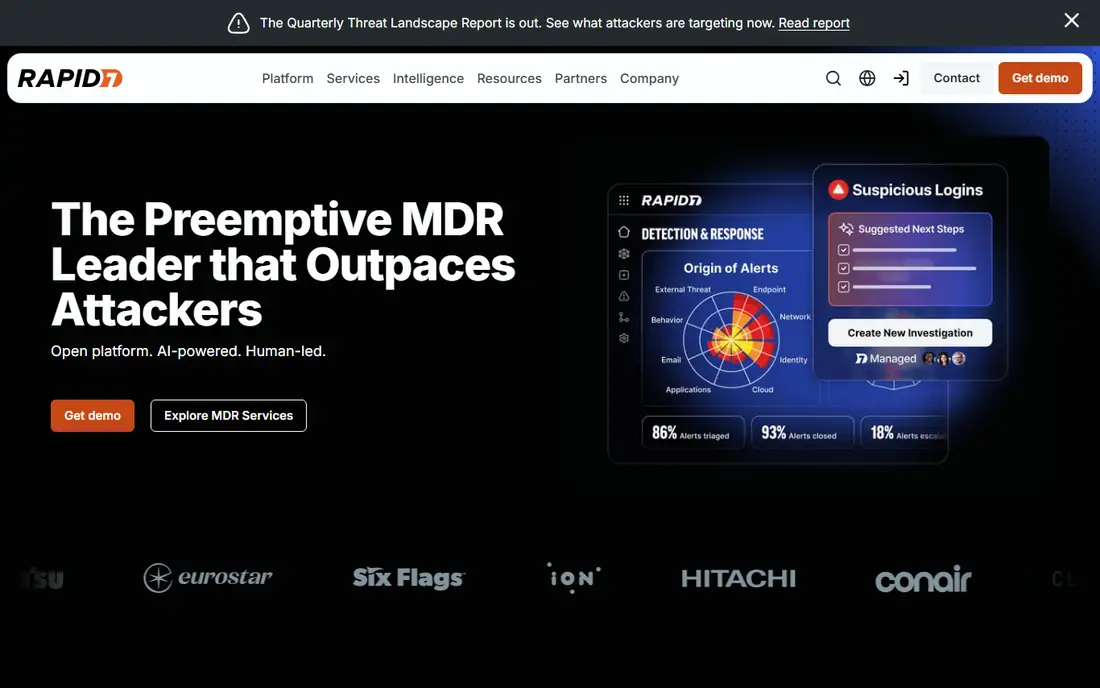
Rapid7 InsightVM pairs scanning with remediation, which is where many tools stop short. Live dashboards show risk in real time, findings are grouped into remediation projects with owners and deadlines, and prioritization weighs exploitability and asset importance, not just severity scores. That workflow helps teams fix the riskiest issues first instead of chasing raw counts.
Pricing varies by asset count and is published on the vendor site, so larger estates pay more, and initial setup takes time to tune. A free trial is available for testing. For a team whose problem is fixing findings, not just finding them, InsightVM gives the strongest remediation workflow here.
What we like- Live dashboards
- Remediation projects and tracking
- Good prioritization
Watch out for- Pricing varies by asset count
- Setup takes time
#4Wiz
Best for: Cloud-native scanning4.7/5 on
G2 (863 reviews, checked Oct 2026)
Visit wiz.io
Starting priceSee website
Free planNo
Wiz changed cloud security by scanning cloud workloads without agents, connecting to cloud accounts and mapping risks across virtual machines, containers, serverless functions, and data stores. Its attack-path views show how a chain of minor issues could let an attacker reach critical data, which helps teams prioritize fixes that actually reduce risk rather than patching everything equally.
Pricing is enterprise-level and quote-based, and Wiz is cloud-focused, so on-premises estates need another tool. Deployment is fast for cloud accounts, often completed within hours. For a cloud-first company, Wiz is the leading choice, and its clarity on attack paths is hard to match.
What we like- Agentless cloud coverage
- Clear attack-path views
- Fast deployment
Watch out for- Enterprise pricing
- Cloud-only focus
Starting priceSee website
Free planNo
Orca Security also scans cloud estates without agents, using its SideScanning technology to read workloads from outside, which avoids agent deployment and performance impact. Coverage spans virtual machines, containers, Kubernetes, and serverless workloads, with prioritization that weighs context such as internet exposure and sensitive data. That context keeps alert volumes manageable.
Like Wiz, Orca is priced for enterprises and focused on cloud, so traditional data centers need a separate scanner. The two tools are close rivals, and a trial on your own cloud accounts is the best way to choose between them fairly. For a cloud team that wants agentless coverage with strong context, Orca is a top contender.
What we like- Agentless SideScanning
- Broad cloud coverage
- Strong prioritization
Watch out for- Enterprise pricing
- Cloud-only focus
#6Intruder
Best for: Simple SME scanning4.8/5 on
G2 (221 reviews, checked Oct 2026)
Visit intruder.io
Starting priceSee website
Free planFree trial
Intruder is built for small and mid-size businesses that need continuous vulnerability scanning without a security team. Setup is simple, scans run continuously rather than once a quarter, and reports use plain language that non-specialists can act on. Emerging threat checks flag urgent issues quickly, which matters for small teams without threat intelligence feeds.
Depth trails enterprise scanners, and the plugin range is smaller, so very large or unusual estates may need a bigger tool. Pricing is tiered and published on the vendor site, with a free trial. For an SME that wants always-on scanning with reports it can actually use, Intruder is the most approachable choice, especially for teams without a dedicated security hire.
What we like- Simple setup
- Continuous monitoring
- Clear plain-language reports
Watch out for- Less depth than enterprise scanners
- Smaller plugin range
Starting priceFree
Free planYes
Greenbone, formerly OpenVAS, is the open-source scanner on this list, giving teams a full vulnerability scanner without licence costs. The community feed covers a wide range of checks, and the tool suits security professionals, researchers, and budget-conscious teams that can manage their own infrastructure. Self-hosting also appeals to teams with strict data control needs.
Setup and tuning need real skill, and enterprise features such as advanced reporting and support sit on paid Greenbone plans. A team without Linux and security experience will struggle. For a capable team that wants scanning without subscription costs, Greenbone is unmatched on value, provided the team budgets staff time for setup and tuning instead of licence fees.
What we like- Open-source scanner
- No licence cost
- Strong community feed
Watch out for- Setup and tuning need skill
- Enterprise features need paid plans
#8Acunetix
Best for: Web application scanning4.1/5 on
G2 (105 reviews, checked Oct 2026)
Visit acunetix.com
Starting priceSee website
Free planFree trial
Acunetix specializes in web applications, scanning sites and APIs for issues such as SQL injection, cross-site scripting, and misconfigurations mapped to OWASP categories. Its remediation guidance helps developers fix issues in code, not just report them, and it integrates with issue trackers so findings become developer tasks.
Acunetix is web-focused, so it does not replace a network scanner such as Nessus or Qualys for infrastructure. Pricing varies by target count and is published on the vendor site, with a free trial. For a team whose main risk is its web applications and APIs, Acunetix gives the deepest web coverage on this list, and its developer guidance shortens fix times.
What we like- Deep web application scanning
- Good for OWASP coverage
- Clear remediation guidance
Watch out for- Web-focused, not a full network scanner
- Pricing varies by target count
How we chose
We compared vendor pricing pages, product documentation, and public user reviews, and we judged each tool on coverage, accuracy, false positives, prioritization, reporting, and price. Network, cloud, and web scanners were judged on their own strengths rather than forced into one ranking, since a cloud scanner and a network scanner solve different problems. We did not claim hands-on testing. Where pricing varied by assets, targets, or tier, we wrote See website rather than publish a figure that could mislead.
What to check before you pick
Start with your estate: on-premises networks, cloud workloads, web applications, or all three. A network scanner will not cover cloud attack paths well, and a cloud scanner will not cover a traditional data center, so many teams need two tools. Check credentialed scanning support, because authenticated scans find far more than outside-only scans, and check scan frequency, since quarterly scans miss issues that appear between scans.
Also check false positive rates and prioritization, because a scanner that reports thousands of low-value findings wastes the time it was meant to save. Check remediation workflow, including ticketing integrations and owner assignment, and check compliance reporting if audits matter to you. Finally, run a trial on a representative slice of your estate, not a demo environment, and measure both findings and the time your team spends acting on them. Also check how the tool handles authenticated scans of modern targets such as containers and APIs, since older scanners sometimes miss those entirely, and confirm that scan traffic will not disrupt production systems by testing scan windows and throttling on a staging environment first.
Frequently asked questions
How often should vulnerability scans run?
Continuous or weekly scanning suits most teams, since new vulnerabilities appear daily and quarterly scans leave long exposure windows. Critical assets and internet-facing systems deserve the most frequent scans, while internal low-risk systems can run less often.
What is the difference between a scan and a penetration test?
A scan automatically checks for known vulnerabilities across many systems, while a penetration test has a human tester try to exploit weaknesses in a targeted way. Scans are broad and repeatable, while penetration tests are deep and point-in-time, so mature teams use both. A common pattern is continuous scanning year-round plus one annual penetration test on the most critical systems, which balances cost with depth today.
Do I need credentialed scanning?
Yes, whenever possible, because credentialed scans log into systems and find missing patches, misconfigurations, and software versions that an outside scan cannot see. Set up read-only scan credentials with limited scope to keep the practice safe for production systems.
Can a scanner replace patching?
No, a scanner finds issues, but only patching, configuration changes, or mitigations remove them. Pair your scanner with a remediation process that assigns owners and deadlines, or findings will pile up without reducing risk.
Is open-source scanning good enough?
Greenbone gives capable scanning for teams with the skill to run it, and it suits budgets and self-hosting needs. Teams without that skill, or needing compliance reporting and support, will usually do better with a commercial scanner and its support team.
Should cloud teams still scan on-premises systems?
Yes, if you still run on-premises systems, since attackers target the weakest point, not the newest platform. A cloud scanner covers cloud workloads, while a network scanner covers data centers, so hybrid estates need both views covered.
Sources we checked (8)
- https://www.tenable.com
- https://www.qualys.com
- https://www.rapid7.com
- https://www.wiz.io
- https://www.orca.security
- https://www.intruder.io
- https://www.greenbone.github.io
- https://www.acunetix.com
Is your product missing or out of date?
We review this list regularly. Vendors can request a listing, send updated pricing or ask about featured placement.

Shihab Mia · Founder, Rankite
Shihab has 5+ years in B2B and SaaS SEO. He writes Rankite's software buying guides from pricing pages, documentation and public user reviews. More about Shihab.