How we make this list: we compare pricing pages, product documentation and public user reviews. Rankite is independent; if a vendor ever pays for a featured spot, that listing is clearly labeled Partner.
Key takeaways
- Video tutorial tools now split three ways: AI tools that edit your recording for you (Trainn, Guidde), classic record-and-edit suites (Camtasia, ScreenFlow), and quick async recorders (Loom, Tella).
- Camtasia ($179.88/year Essentials) remains the standard for tutorials you edit by hand, with quizzes and SCORM export for course platforms.
- Trainn ($19/month) and Guidde (free up to 25 videos; Pro $19/creator/month annual) turn one screen recording into a finished narrated tutorial with almost no editing.
- Loom (free plan available) is the fastest way to record a quick walkthrough, while Descript (from $12/month) is the pick when you edit by rewriting the transcript.
- Adobe Captivate ($39.99/month) and ScreenFlow ($199 one-time) serve the two ends of serious production: corporate e-learning and polished Mac creators.
Quick comparison
| Tool | Best for | Starting price | Free plan |
|---|
 Trainn Trainn | AI-finished software tutorials | $19/month | Free trial |
 Guidde Guidde | High-volume short how-tos | Free (up to 25 videos); Pro $19/creator/month (annual) | Yes |
 Camtasia Camtasia | Hand-edited tutorials with quizzes and SCORM | $179.88/year (Essentials) | Free trial |
 Descript Descript | Editing video like a document | From $12/month | Yes |
 ScreenFlow ScreenFlow | Polished Mac screen recordings | $199 one-time | Free trial |
 ScreenPal ScreenPal | Budget recording on any device | From $3/month (annual) | Yes |
 Loom Loom | Quick async walkthroughs | See website | Yes |
 Tella Tella | Branded webcam and screen lessons | $13/user/month (annual) | No |
 Adobe Captivate Adobe Captivate | Corporate e-learning and compliance courses | $39.99/month | Free trial |
Is your product missing or out of date?
We review this list regularly. Vendors can request a listing, send updated pricing or ask about featured placement.
The best video tutorial software
A video tutorial is a specific job: teach someone to do a task, step by step, so they can repeat it themselves. That rules out generic video editors and marketing video makers. The nine tools below are the ones built for tutorials: they record your screen, help you narrate clearly, and get the lesson out without a production crew.
Starting price$19/month
Free planFree trial
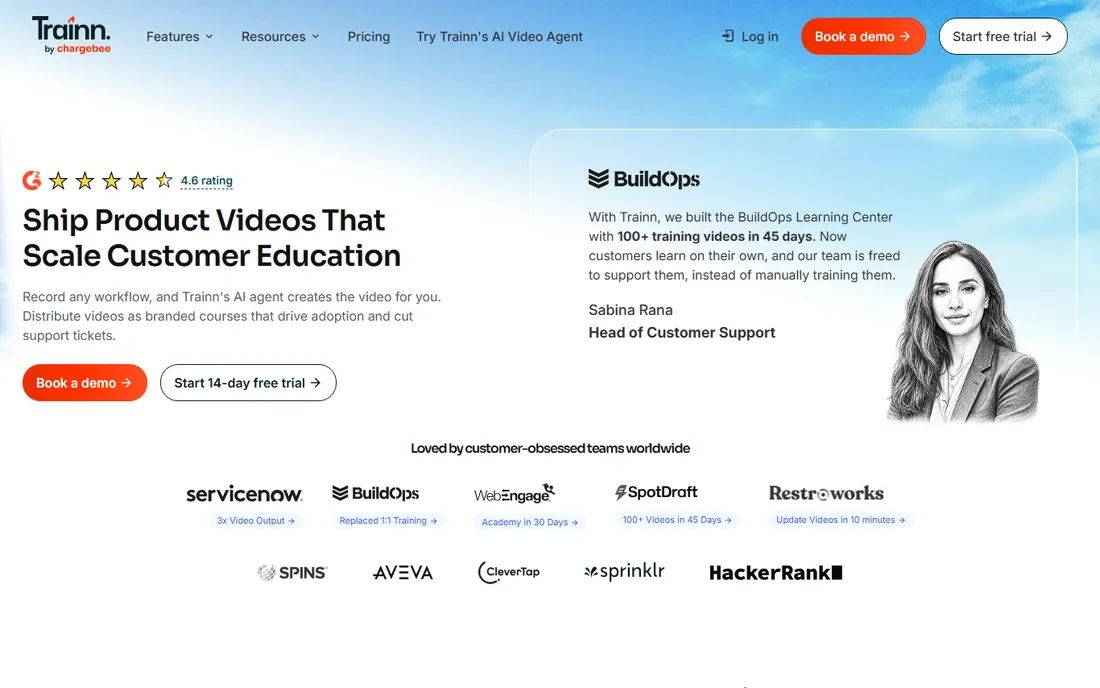
Trainn is the closest thing to a tutorial autopilot. Record your screen doing the task, and its AI writes the narration, adds zooms and spotlights, captions everything and renders a finished video. It also generates a companion written guide and an interactive walkthrough from the same recording, which multiplies one recording session into a full help package.
The trade-off is control. The output looks and sounds like polished software training, which is exactly right for product onboarding and SOPs and wrong for a YouTube personality. If your tutorials teach software workflows and you hate editing, Trainn removes the worst part of the job.
What we like- Turns one screen recording into a finished narrated video with zooms, spotlights and captions in about a minute
- 100-plus AI voices and 30-plus languages
- Produces a matching guide and interactive walkthrough too
Watch out for- The AI narration style suits software training more than personality-driven teaching
- Changing the underlying workflow means re-recording
- $19 a month is steep if you publish rarely
Starting priceFree (up to 25 videos); Pro $19/creator/month (annual)
Free planYes

Guidde is the tool for teams drowning in "how do I..." questions. Capture a workflow and Guidde structures it into a step-by-step how-to video with AI voiceover, ready to share. The free tier covers 25 videos, which is enough for a real internal knowledge base, and Pro at $19 per creator per month billed annually removes the volume limits.
It is not a course platform and does not try to be. Long tutorials, quizzes and polished production belong elsewhere. But for support teams, operations managers and anyone whose job includes documenting processes, Guidde converts tribal knowledge into watchable guides faster than anything else on this list.
What we like- Generous free tier with 25 videos
- AI turns rough captures into structured how-to videos with text-to-voice narration
- Built for teams producing lots of short internal guides
Watch out for- Output is short-form by design, not suited to long courses
- The AI narration can feel flat for customer-facing content
- Advanced branding needs paid plans
Starting price$179.88/year (Essentials)
Free planFree trial
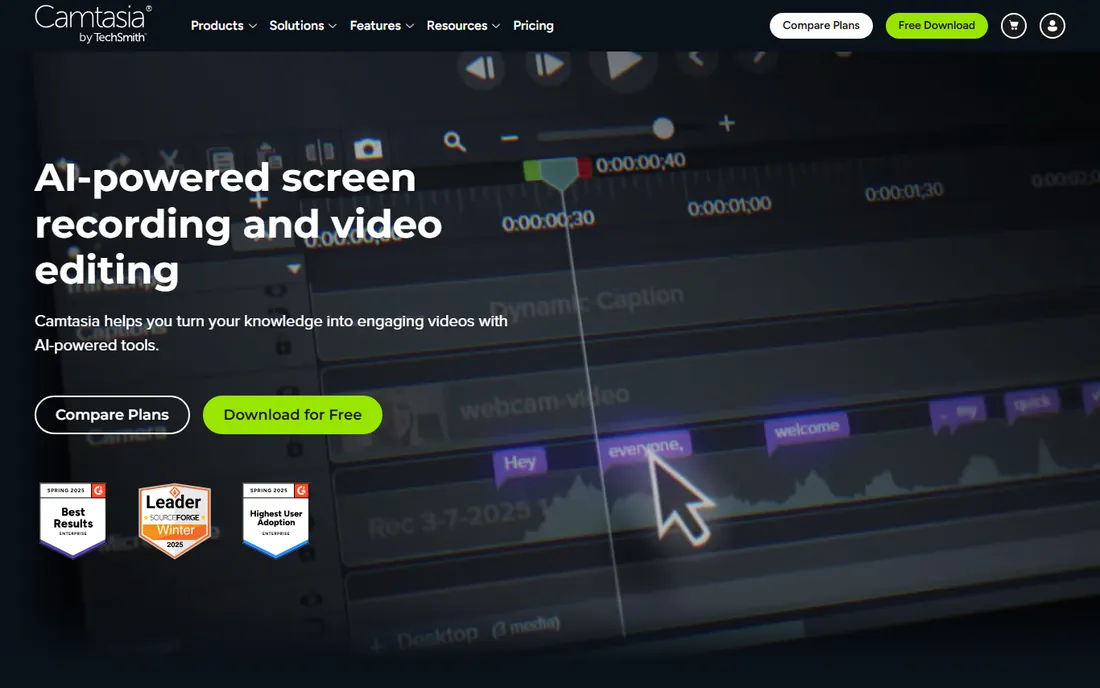
Camtasia has been the tutorial-maker's editor for over a decade, and the formula still works: record screen and camera together, then edit on a real timeline with zooms, annotations, transitions and quizzes. The Essentials plan at $179.88 a year includes SCORM export, which matters if your tutorials live in a corporate LMS. Higher plans add AI voiceover with hundreds of voices and avatar presenters.
The honest question is whether you still need a timeline. If your tutorials are software walkthroughs, Trainn or Guidde finish them faster. Camtasia earns its keep when tutorials need precise editing, custom graphics, or assessment: certification courses, product academies, training libraries. For that job it remains the reference standard.
What we like- The standard recorder-plus-editor for tutorials, with multitrack recording, animations and cursor effects
- Quizzes and SCORM export for LMS platforms from Essentials
- AI scripts and voiceover on higher plans
Watch out for- Annual subscription now (no more perpetual license at the low end)
- The timeline editor has a real learning curve
- Overkill if AI tools already finish your videos
Starting priceFrom $12/month
Free planYes
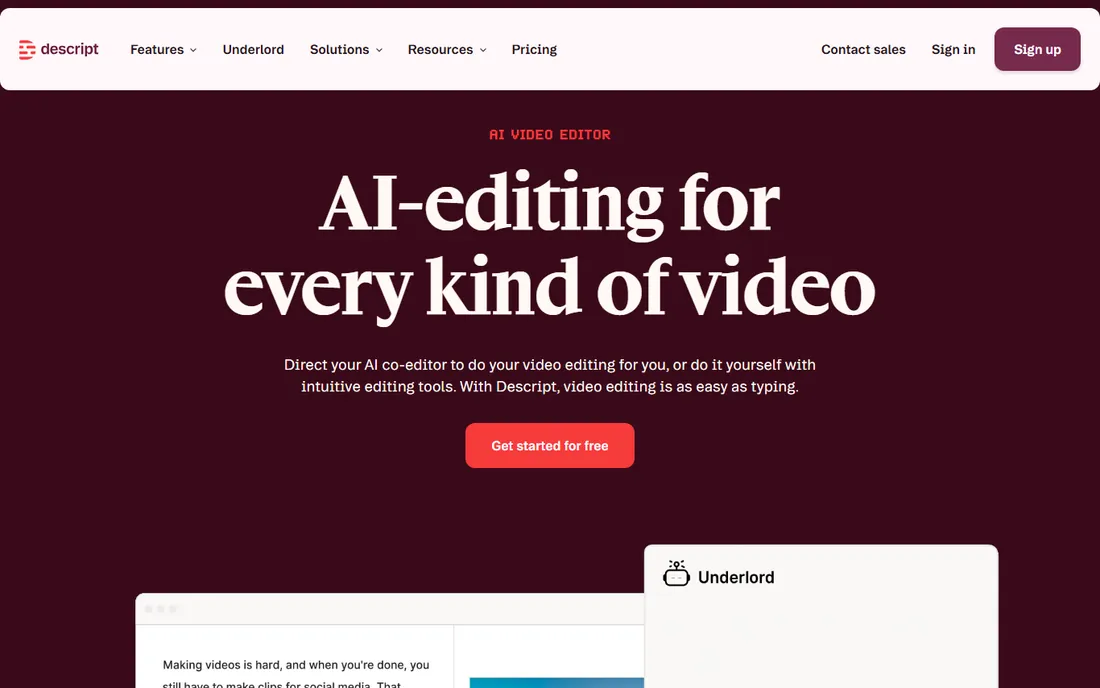
Descript changed tutorial editing by making the transcript the timeline. Record your tutorial, get an accurate transcript, then cut filler, reorder sections and fix mistakes by editing text. Overdub lets you type a corrected sentence and have it spoken in your voice, which ends the re-record cycle for narration flubs.
The recording side is fine but not special; many creators record in Loom or OBS and edit in Descript. From $12 a month with a free plan, it is the cheapest way to get professional-feeling edits without learning a timeline. Tutorial makers who think in scripts rather than clips tend to love it.
What we like- Edit video by editing the transcript: delete a sentence and the video follows
- Strong AI voices and overdub for fixing narration without re-recording
- Free plan to learn the workflow
Watch out for- Screen recording is serviceable, not the focus
- The text-editing metaphor confuses traditional editors at first
- Heavier production needs a real NLE
Starting price$199 one-time
Free planFree trial
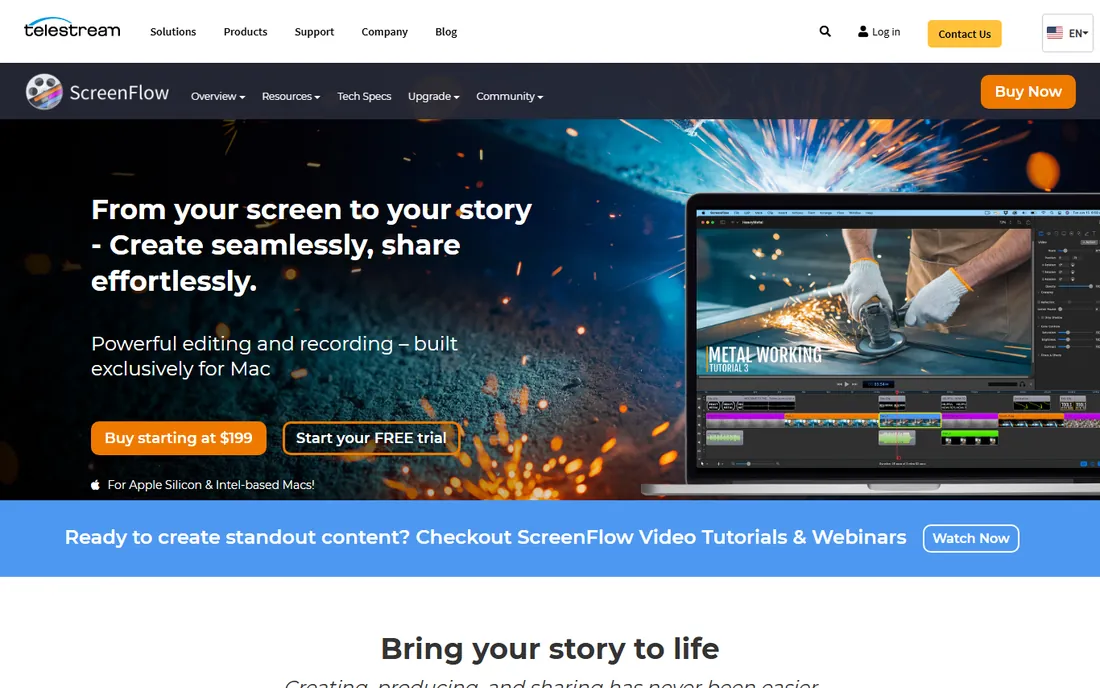
ScreenFlow is the Mac creator's Camtasia alternative with one big difference: you buy it once. At $199 with no subscription, it is the economical long-term pick for Mac-based tutorial makers who want high-quality screen capture plus real editing, animations and publishing presets.
The limits are platform and era. It is macOS only, and it has no AI features: no auto-narration, no text-based editing, no auto-zooms. What it does, recording beautiful screen footage and editing it precisely, it does as well as anything. Mac tutorial creators who narrate well and edit by hand should price it against Camtasia's annual cost over three years.
What we like- One-time purchase at $199, no subscription
- The most polished screen recording quality on macOS
- Strong editing with animations and motion graphics
Watch out for- Mac only, which rules out Windows teams
- No AI narration or auto-editing
- Long recordings produce large files
Starting priceFrom $3/month (annual)
Free planYes
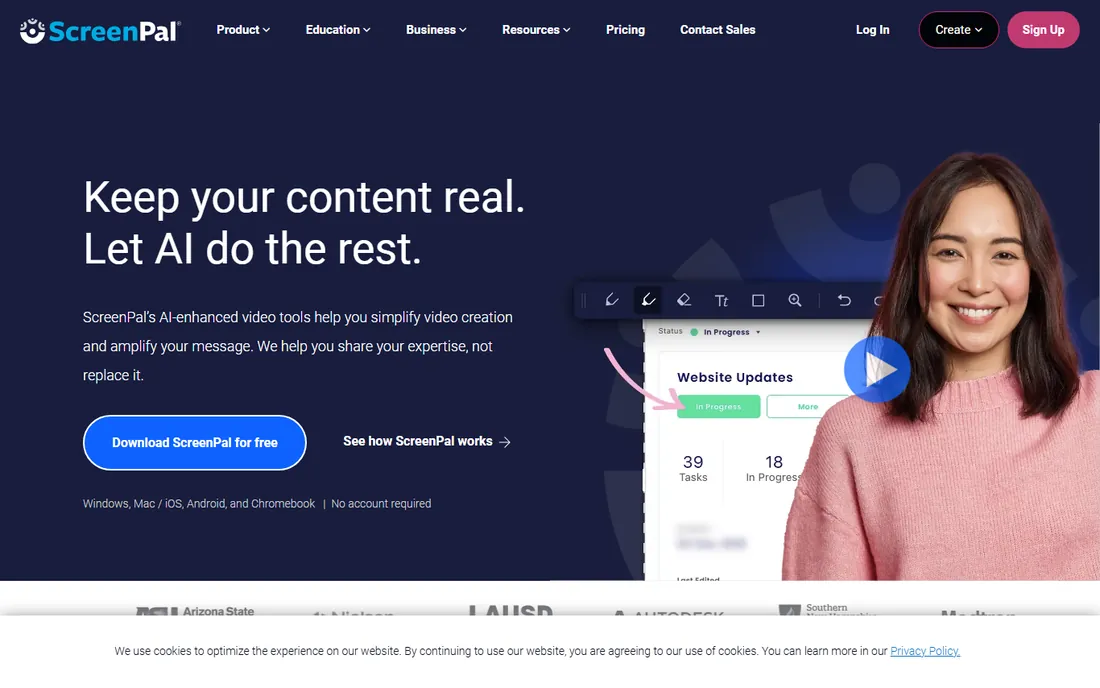
ScreenPal (formerly Screencast-O-Matic) is the budget workhorse. From around $3 a month on annual billing, you get screen recording, simple editing and video hosting that works on Windows, Mac, Chromebook and mobile. Schools and small teams standardize on it because the price is negligible and the learning curve is flat.
Expectations should match the price. The editor handles trims, annotations and captions but not multitrack production or AI features. For straightforward tutorial recording on a tight budget, especially in education, it is the rational choice. Power users will outgrow it toward Descript or Camtasia.
What we like- Among the cheapest paid options from about $3 a month billed annually
- Works on any device including Chromebooks
- Recording, light editing and hosting in one workflow
Watch out for- The editor is basic next to Camtasia or Descript
- Free plan has limits that push serious users to paid
- Brand recognition and community are smaller
Starting priceSee website
Free planYes
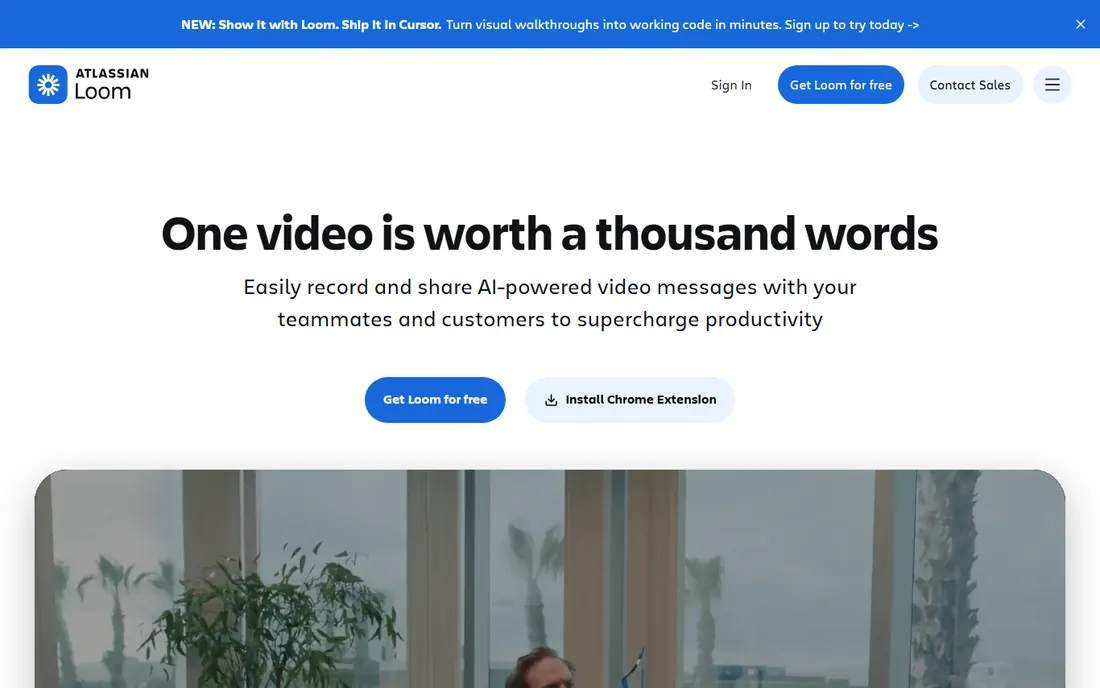
Loom owns the quick-explainer category. Hit record, walk through the task, paste the link: no editing timeline, no export settings, no uploading. The free plan (25 videos, 5-minute recordings) covers occasional use, and teams use it for everything from customer onboarding replies to internal training snippets.
It is a communication tool that happens to make tutorials, not a tutorial platform. There are no quizzes, no chapters, no SCORM, and editing stops at trims. Loom's pricing tiers have shifted over time, so check the current page rather than trusting a quoted figure. Use it when speed matters more than polish.
What we like- The fastest path from "let me show you" to a shareable link
- Free plan covers casual use
- Screen, camera and mic recording with instant sharing and viewer reactions
Watch out for- No published starting price on a simple tier (plans change often, hence "See website")
- Editing is limited to trims
- Not built for structured courses or polished production
Starting price$13/user/month (annual)
Free planNo
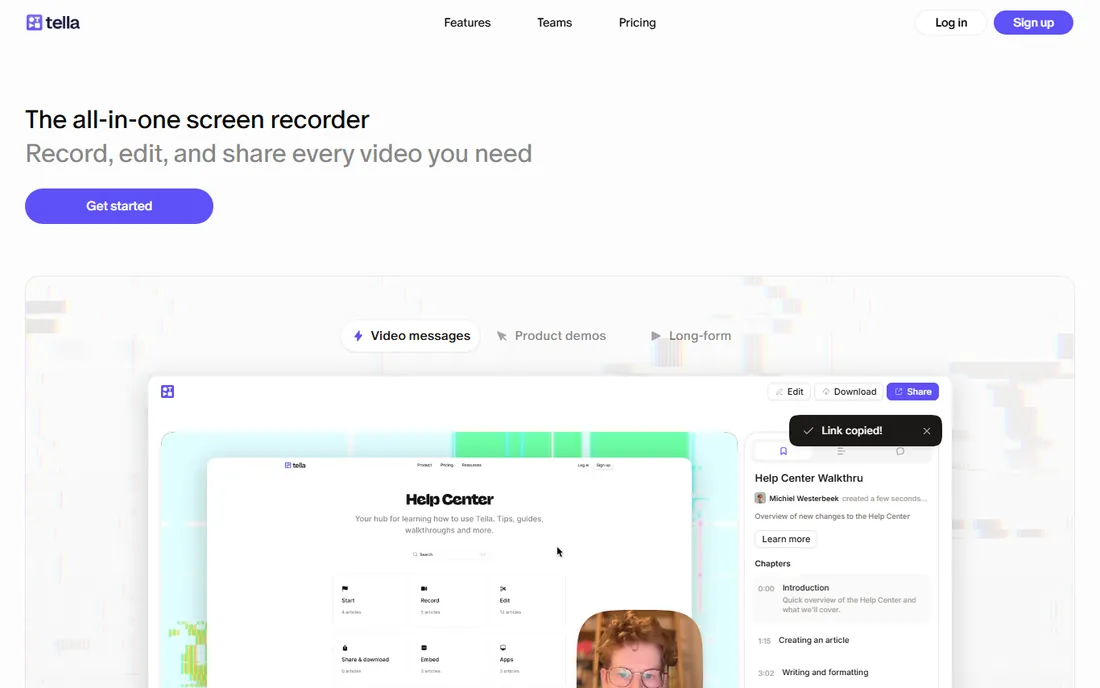
Tella sits between Loom's speed and Camtasia's polish. You record screen and webcam, and Tella's layouts, backgrounds and styling make the result look like a designed lesson with almost no editing effort. Course creators and coaches use it for lessons that need to look professional without a production process.
At $13 per user per month billed annually with no free plan, it costs more than Loom for the privilege. The editing is deliberately light: trims and layout changes, not timelines. Choose Tella when your tutorials are personality-led, your brand matters on camera, and you refuse to learn video editing.
What we like- Beautiful branded output with minimal effort: layouts, backgrounds and styles that look designed
- Screen plus webcam recording tuned for lesson-style videos
- Quick to learn
Watch out for- No free plan
- Editing depth is intentionally limited
- Priced per user, which adds up for teams
#9
Adobe Captivate
Best for: Corporate e-learning and compliance courses
Visit adobe.com
Starting price$39.99/month
Free planFree trial
Adobe Captivate is not really a screen recorder with extras; it is a course authoring platform that happens to record screens. Instructional designers build interactive courses with branching scenarios, software simulations, assessments and accessibility compliance, then publish to SCORM or xAPI for corporate learning management systems.
The price and complexity reflect the audience: training departments, not YouTubers. At $39.99 a month, individual creators should look at Camtasia or iSpring instead. But when compliance training needs tracking, branching and audit trails, Captivate is the enterprise answer, and nothing on this list replaces it.
What we like- Full instructional-design tool with branching scenarios, quizzes and simulations
- SCORM, xAPI and accessibility compliance for corporate LMSs
- AI avatars and multilingual dubbing for global training teams
Watch out for- $39.99 a month is expensive for individual creators
- The learning curve is steep
- Overkill for simple screen tutorials
Record and edit: the classic tutorial workflow
Starting price$19/month
Free planFree trial
Trainn is the closest thing to a tutorial autopilot. Record your screen doing the task, and its AI writes the narration, adds zooms and spotlights, captions everything and renders a finished video. It also generates a companion written guide and an interactive walkthrough from the same recording, which multiplies one recording session into a full help package.
The trade-off is control. The output looks and sounds like polished software training, which is exactly right for product onboarding and SOPs and wrong for a YouTube personality. If your tutorials teach software workflows and you hate editing, Trainn removes the worst part of the job.
What we like- Turns one screen recording into a finished narrated video with zooms, spotlights and captions in about a minute
- 100-plus AI voices and 30-plus languages
- Produces a matching guide and interactive walkthrough too
Watch out for- The AI narration style suits software training more than personality-driven teaching
- Changing the underlying workflow means re-recording
- $19 a month is steep if you publish rarely
Starting priceFree (up to 25 videos); Pro $19/creator/month (annual)
Free planYes
Guidde is the tool for teams drowning in "how do I..." questions. Capture a workflow and Guidde structures it into a step-by-step how-to video with AI voiceover, ready to share. The free tier covers 25 videos, which is enough for a real internal knowledge base, and Pro at $19 per creator per month billed annually removes the volume limits.
It is not a course platform and does not try to be. Long tutorials, quizzes and polished production belong elsewhere. But for support teams, operations managers and anyone whose job includes documenting processes, Guidde converts tribal knowledge into watchable guides faster than anything else on this list.
What we like- Generous free tier with 25 videos
- AI turns rough captures into structured how-to videos with text-to-voice narration
- Built for teams producing lots of short internal guides
Watch out for- Output is short-form by design, not suited to long courses
- The AI narration can feel flat for customer-facing content
- Advanced branding needs paid plans
Starting price$179.88/year (Essentials)
Free planFree trial
Camtasia has been the tutorial-maker's editor for over a decade, and the formula still works: record screen and camera together, then edit on a real timeline with zooms, annotations, transitions and quizzes. The Essentials plan at $179.88 a year includes SCORM export, which matters if your tutorials live in a corporate LMS. Higher plans add AI voiceover with hundreds of voices and avatar presenters.
The honest question is whether you still need a timeline. If your tutorials are software walkthroughs, Trainn or Guidde finish them faster. Camtasia earns its keep when tutorials need precise editing, custom graphics, or assessment: certification courses, product academies, training libraries. For that job it remains the reference standard.
What we like- The standard recorder-plus-editor for tutorials, with multitrack recording, animations and cursor effects
- Quizzes and SCORM export for LMS platforms from Essentials
- AI scripts and voiceover on higher plans
Watch out for- Annual subscription now (no more perpetual license at the low end)
- The timeline editor has a real learning curve
- Overkill if AI tools already finish your videos
Starting priceFrom $12/month
Free planYes
Descript changed tutorial editing by making the transcript the timeline. Record your tutorial, get an accurate transcript, then cut filler, reorder sections and fix mistakes by editing text. Overdub lets you type a corrected sentence and have it spoken in your voice, which ends the re-record cycle for narration flubs.
The recording side is fine but not special; many creators record in Loom or OBS and edit in Descript. From $12 a month with a free plan, it is the cheapest way to get professional-feeling edits without learning a timeline. Tutorial makers who think in scripts rather than clips tend to love it.
What we like- Edit video by editing the transcript: delete a sentence and the video follows
- Strong AI voices and overdub for fixing narration without re-recording
- Free plan to learn the workflow
Watch out for- Screen recording is serviceable, not the focus
- The text-editing metaphor confuses traditional editors at first
- Heavier production needs a real NLE
Starting price$199 one-time
Free planFree trial
ScreenFlow is the Mac creator's Camtasia alternative with one big difference: you buy it once. At $199 with no subscription, it is the economical long-term pick for Mac-based tutorial makers who want high-quality screen capture plus real editing, animations and publishing presets.
The limits are platform and era. It is macOS only, and it has no AI features: no auto-narration, no text-based editing, no auto-zooms. What it does, recording beautiful screen footage and editing it precisely, it does as well as anything. Mac tutorial creators who narrate well and edit by hand should price it against Camtasia's annual cost over three years.
What we like- One-time purchase at $199, no subscription
- The most polished screen recording quality on macOS
- Strong editing with animations and motion graphics
Watch out for- Mac only, which rules out Windows teams
- No AI narration or auto-editing
- Long recordings produce large files
Starting priceFrom $3/month (annual)
Free planYes
ScreenPal (formerly Screencast-O-Matic) is the budget workhorse. From around $3 a month on annual billing, you get screen recording, simple editing and video hosting that works on Windows, Mac, Chromebook and mobile. Schools and small teams standardize on it because the price is negligible and the learning curve is flat.
Expectations should match the price. The editor handles trims, annotations and captions but not multitrack production or AI features. For straightforward tutorial recording on a tight budget, especially in education, it is the rational choice. Power users will outgrow it toward Descript or Camtasia.
What we like- Among the cheapest paid options from about $3 a month billed annually
- Works on any device including Chromebooks
- Recording, light editing and hosting in one workflow
Watch out for- The editor is basic next to Camtasia or Descript
- Free plan has limits that push serious users to paid
- Brand recognition and community are smaller
Starting priceSee website
Free planYes
Loom owns the quick-explainer category. Hit record, walk through the task, paste the link: no editing timeline, no export settings, no uploading. The free plan (25 videos, 5-minute recordings) covers occasional use, and teams use it for everything from customer onboarding replies to internal training snippets.
It is a communication tool that happens to make tutorials, not a tutorial platform. There are no quizzes, no chapters, no SCORM, and editing stops at trims. Loom's pricing tiers have shifted over time, so check the current page rather than trusting a quoted figure. Use it when speed matters more than polish.
What we like- The fastest path from "let me show you" to a shareable link
- Free plan covers casual use
- Screen, camera and mic recording with instant sharing and viewer reactions
Watch out for- No published starting price on a simple tier (plans change often, hence "See website")
- Editing is limited to trims
- Not built for structured courses or polished production
Starting price$13/user/month (annual)
Free planNo
Tella sits between Loom's speed and Camtasia's polish. You record screen and webcam, and Tella's layouts, backgrounds and styling make the result look like a designed lesson with almost no editing effort. Course creators and coaches use it for lessons that need to look professional without a production process.
At $13 per user per month billed annually with no free plan, it costs more than Loom for the privilege. The editing is deliberately light: trims and layout changes, not timelines. Choose Tella when your tutorials are personality-led, your brand matters on camera, and you refuse to learn video editing.
What we like- Beautiful branded output with minimal effort: layouts, backgrounds and styles that look designed
- Screen plus webcam recording tuned for lesson-style videos
- Quick to learn
Watch out for- No free plan
- Editing depth is intentionally limited
- Priced per user, which adds up for teams
#9
Adobe Captivate
Best for: Corporate e-learning and compliance courses
Visit adobe.com
Starting price$39.99/month
Free planFree trial
Adobe Captivate is not really a screen recorder with extras; it is a course authoring platform that happens to record screens. Instructional designers build interactive courses with branching scenarios, software simulations, assessments and accessibility compliance, then publish to SCORM or xAPI for corporate learning management systems.
The price and complexity reflect the audience: training departments, not YouTubers. At $39.99 a month, individual creators should look at Camtasia or iSpring instead. But when compliance training needs tracking, branching and audit trails, Captivate is the enterprise answer, and nothing on this list replaces it.
What we like- Full instructional-design tool with branching scenarios, quizzes and simulations
- SCORM, xAPI and accessibility compliance for corporate LMSs
- AI avatars and multilingual dubbing for global training teams
Watch out for- $39.99 a month is expensive for individual creators
- The learning curve is steep
- Overkill for simple screen tutorials
Quick and async: tutorials without production
Starting price$19/month
Free planFree trial
Trainn is the closest thing to a tutorial autopilot. Record your screen doing the task, and its AI writes the narration, adds zooms and spotlights, captions everything and renders a finished video. It also generates a companion written guide and an interactive walkthrough from the same recording, which multiplies one recording session into a full help package.
The trade-off is control. The output looks and sounds like polished software training, which is exactly right for product onboarding and SOPs and wrong for a YouTube personality. If your tutorials teach software workflows and you hate editing, Trainn removes the worst part of the job.
What we like- Turns one screen recording into a finished narrated video with zooms, spotlights and captions in about a minute
- 100-plus AI voices and 30-plus languages
- Produces a matching guide and interactive walkthrough too
Watch out for- The AI narration style suits software training more than personality-driven teaching
- Changing the underlying workflow means re-recording
- $19 a month is steep if you publish rarely
Starting priceFree (up to 25 videos); Pro $19/creator/month (annual)
Free planYes
Guidde is the tool for teams drowning in "how do I..." questions. Capture a workflow and Guidde structures it into a step-by-step how-to video with AI voiceover, ready to share. The free tier covers 25 videos, which is enough for a real internal knowledge base, and Pro at $19 per creator per month billed annually removes the volume limits.
It is not a course platform and does not try to be. Long tutorials, quizzes and polished production belong elsewhere. But for support teams, operations managers and anyone whose job includes documenting processes, Guidde converts tribal knowledge into watchable guides faster than anything else on this list.
What we like- Generous free tier with 25 videos
- AI turns rough captures into structured how-to videos with text-to-voice narration
- Built for teams producing lots of short internal guides
Watch out for- Output is short-form by design, not suited to long courses
- The AI narration can feel flat for customer-facing content
- Advanced branding needs paid plans
Starting price$179.88/year (Essentials)
Free planFree trial
Camtasia has been the tutorial-maker's editor for over a decade, and the formula still works: record screen and camera together, then edit on a real timeline with zooms, annotations, transitions and quizzes. The Essentials plan at $179.88 a year includes SCORM export, which matters if your tutorials live in a corporate LMS. Higher plans add AI voiceover with hundreds of voices and avatar presenters.
The honest question is whether you still need a timeline. If your tutorials are software walkthroughs, Trainn or Guidde finish them faster. Camtasia earns its keep when tutorials need precise editing, custom graphics, or assessment: certification courses, product academies, training libraries. For that job it remains the reference standard.
What we like- The standard recorder-plus-editor for tutorials, with multitrack recording, animations and cursor effects
- Quizzes and SCORM export for LMS platforms from Essentials
- AI scripts and voiceover on higher plans
Watch out for- Annual subscription now (no more perpetual license at the low end)
- The timeline editor has a real learning curve
- Overkill if AI tools already finish your videos
Starting priceFrom $12/month
Free planYes
Descript changed tutorial editing by making the transcript the timeline. Record your tutorial, get an accurate transcript, then cut filler, reorder sections and fix mistakes by editing text. Overdub lets you type a corrected sentence and have it spoken in your voice, which ends the re-record cycle for narration flubs.
The recording side is fine but not special; many creators record in Loom or OBS and edit in Descript. From $12 a month with a free plan, it is the cheapest way to get professional-feeling edits without learning a timeline. Tutorial makers who think in scripts rather than clips tend to love it.
What we like- Edit video by editing the transcript: delete a sentence and the video follows
- Strong AI voices and overdub for fixing narration without re-recording
- Free plan to learn the workflow
Watch out for- Screen recording is serviceable, not the focus
- The text-editing metaphor confuses traditional editors at first
- Heavier production needs a real NLE
Starting price$199 one-time
Free planFree trial
ScreenFlow is the Mac creator's Camtasia alternative with one big difference: you buy it once. At $199 with no subscription, it is the economical long-term pick for Mac-based tutorial makers who want high-quality screen capture plus real editing, animations and publishing presets.
The limits are platform and era. It is macOS only, and it has no AI features: no auto-narration, no text-based editing, no auto-zooms. What it does, recording beautiful screen footage and editing it precisely, it does as well as anything. Mac tutorial creators who narrate well and edit by hand should price it against Camtasia's annual cost over three years.
What we like- One-time purchase at $199, no subscription
- The most polished screen recording quality on macOS
- Strong editing with animations and motion graphics
Watch out for- Mac only, which rules out Windows teams
- No AI narration or auto-editing
- Long recordings produce large files
Starting priceFrom $3/month (annual)
Free planYes
ScreenPal (formerly Screencast-O-Matic) is the budget workhorse. From around $3 a month on annual billing, you get screen recording, simple editing and video hosting that works on Windows, Mac, Chromebook and mobile. Schools and small teams standardize on it because the price is negligible and the learning curve is flat.
Expectations should match the price. The editor handles trims, annotations and captions but not multitrack production or AI features. For straightforward tutorial recording on a tight budget, especially in education, it is the rational choice. Power users will outgrow it toward Descript or Camtasia.
What we like- Among the cheapest paid options from about $3 a month billed annually
- Works on any device including Chromebooks
- Recording, light editing and hosting in one workflow
Watch out for- The editor is basic next to Camtasia or Descript
- Free plan has limits that push serious users to paid
- Brand recognition and community are smaller
Starting priceSee website
Free planYes
Loom owns the quick-explainer category. Hit record, walk through the task, paste the link: no editing timeline, no export settings, no uploading. The free plan (25 videos, 5-minute recordings) covers occasional use, and teams use it for everything from customer onboarding replies to internal training snippets.
It is a communication tool that happens to make tutorials, not a tutorial platform. There are no quizzes, no chapters, no SCORM, and editing stops at trims. Loom's pricing tiers have shifted over time, so check the current page rather than trusting a quoted figure. Use it when speed matters more than polish.
What we like- The fastest path from "let me show you" to a shareable link
- Free plan covers casual use
- Screen, camera and mic recording with instant sharing and viewer reactions
Watch out for- No published starting price on a simple tier (plans change often, hence "See website")
- Editing is limited to trims
- Not built for structured courses or polished production
Starting price$13/user/month (annual)
Free planNo
Tella sits between Loom's speed and Camtasia's polish. You record screen and webcam, and Tella's layouts, backgrounds and styling make the result look like a designed lesson with almost no editing effort. Course creators and coaches use it for lessons that need to look professional without a production process.
At $13 per user per month billed annually with no free plan, it costs more than Loom for the privilege. The editing is deliberately light: trims and layout changes, not timelines. Choose Tella when your tutorials are personality-led, your brand matters on camera, and you refuse to learn video editing.
What we like- Beautiful branded output with minimal effort: layouts, backgrounds and styles that look designed
- Screen plus webcam recording tuned for lesson-style videos
- Quick to learn
Watch out for- No free plan
- Editing depth is intentionally limited
- Priced per user, which adds up for teams
#9
Adobe Captivate
Best for: Corporate e-learning and compliance courses
Visit adobe.com
Starting price$39.99/month
Free planFree trial
Adobe Captivate is not really a screen recorder with extras; it is a course authoring platform that happens to record screens. Instructional designers build interactive courses with branching scenarios, software simulations, assessments and accessibility compliance, then publish to SCORM or xAPI for corporate learning management systems.
The price and complexity reflect the audience: training departments, not YouTubers. At $39.99 a month, individual creators should look at Camtasia or iSpring instead. But when compliance training needs tracking, branching and audit trails, Captivate is the enterprise answer, and nothing on this list replaces it.
What we like- Full instructional-design tool with branching scenarios, quizzes and simulations
- SCORM, xAPI and accessibility compliance for corporate LMSs
- AI avatars and multilingual dubbing for global training teams
Watch out for- $39.99 a month is expensive for individual creators
- The learning curve is steep
- Overkill for simple screen tutorials
Corporate e-learning: courses with assessments
Starting price$19/month
Free planFree trial
Trainn is the closest thing to a tutorial autopilot. Record your screen doing the task, and its AI writes the narration, adds zooms and spotlights, captions everything and renders a finished video. It also generates a companion written guide and an interactive walkthrough from the same recording, which multiplies one recording session into a full help package.
The trade-off is control. The output looks and sounds like polished software training, which is exactly right for product onboarding and SOPs and wrong for a YouTube personality. If your tutorials teach software workflows and you hate editing, Trainn removes the worst part of the job.
What we like- Turns one screen recording into a finished narrated video with zooms, spotlights and captions in about a minute
- 100-plus AI voices and 30-plus languages
- Produces a matching guide and interactive walkthrough too
Watch out for- The AI narration style suits software training more than personality-driven teaching
- Changing the underlying workflow means re-recording
- $19 a month is steep if you publish rarely
Starting priceFree (up to 25 videos); Pro $19/creator/month (annual)
Free planYes
Guidde is the tool for teams drowning in "how do I..." questions. Capture a workflow and Guidde structures it into a step-by-step how-to video with AI voiceover, ready to share. The free tier covers 25 videos, which is enough for a real internal knowledge base, and Pro at $19 per creator per month billed annually removes the volume limits.
It is not a course platform and does not try to be. Long tutorials, quizzes and polished production belong elsewhere. But for support teams, operations managers and anyone whose job includes documenting processes, Guidde converts tribal knowledge into watchable guides faster than anything else on this list.
What we like- Generous free tier with 25 videos
- AI turns rough captures into structured how-to videos with text-to-voice narration
- Built for teams producing lots of short internal guides
Watch out for- Output is short-form by design, not suited to long courses
- The AI narration can feel flat for customer-facing content
- Advanced branding needs paid plans
Starting price$179.88/year (Essentials)
Free planFree trial
Camtasia has been the tutorial-maker's editor for over a decade, and the formula still works: record screen and camera together, then edit on a real timeline with zooms, annotations, transitions and quizzes. The Essentials plan at $179.88 a year includes SCORM export, which matters if your tutorials live in a corporate LMS. Higher plans add AI voiceover with hundreds of voices and avatar presenters.
The honest question is whether you still need a timeline. If your tutorials are software walkthroughs, Trainn or Guidde finish them faster. Camtasia earns its keep when tutorials need precise editing, custom graphics, or assessment: certification courses, product academies, training libraries. For that job it remains the reference standard.
What we like- The standard recorder-plus-editor for tutorials, with multitrack recording, animations and cursor effects
- Quizzes and SCORM export for LMS platforms from Essentials
- AI scripts and voiceover on higher plans
Watch out for- Annual subscription now (no more perpetual license at the low end)
- The timeline editor has a real learning curve
- Overkill if AI tools already finish your videos
Starting priceFrom $12/month
Free planYes
Descript changed tutorial editing by making the transcript the timeline. Record your tutorial, get an accurate transcript, then cut filler, reorder sections and fix mistakes by editing text. Overdub lets you type a corrected sentence and have it spoken in your voice, which ends the re-record cycle for narration flubs.
The recording side is fine but not special; many creators record in Loom or OBS and edit in Descript. From $12 a month with a free plan, it is the cheapest way to get professional-feeling edits without learning a timeline. Tutorial makers who think in scripts rather than clips tend to love it.
What we like- Edit video by editing the transcript: delete a sentence and the video follows
- Strong AI voices and overdub for fixing narration without re-recording
- Free plan to learn the workflow
Watch out for- Screen recording is serviceable, not the focus
- The text-editing metaphor confuses traditional editors at first
- Heavier production needs a real NLE
Starting price$199 one-time
Free planFree trial
ScreenFlow is the Mac creator's Camtasia alternative with one big difference: you buy it once. At $199 with no subscription, it is the economical long-term pick for Mac-based tutorial makers who want high-quality screen capture plus real editing, animations and publishing presets.
The limits are platform and era. It is macOS only, and it has no AI features: no auto-narration, no text-based editing, no auto-zooms. What it does, recording beautiful screen footage and editing it precisely, it does as well as anything. Mac tutorial creators who narrate well and edit by hand should price it against Camtasia's annual cost over three years.
What we like- One-time purchase at $199, no subscription
- The most polished screen recording quality on macOS
- Strong editing with animations and motion graphics
Watch out for- Mac only, which rules out Windows teams
- No AI narration or auto-editing
- Long recordings produce large files
Starting priceFrom $3/month (annual)
Free planYes
ScreenPal (formerly Screencast-O-Matic) is the budget workhorse. From around $3 a month on annual billing, you get screen recording, simple editing and video hosting that works on Windows, Mac, Chromebook and mobile. Schools and small teams standardize on it because the price is negligible and the learning curve is flat.
Expectations should match the price. The editor handles trims, annotations and captions but not multitrack production or AI features. For straightforward tutorial recording on a tight budget, especially in education, it is the rational choice. Power users will outgrow it toward Descript or Camtasia.
What we like- Among the cheapest paid options from about $3 a month billed annually
- Works on any device including Chromebooks
- Recording, light editing and hosting in one workflow
Watch out for- The editor is basic next to Camtasia or Descript
- Free plan has limits that push serious users to paid
- Brand recognition and community are smaller
Starting priceSee website
Free planYes
Loom owns the quick-explainer category. Hit record, walk through the task, paste the link: no editing timeline, no export settings, no uploading. The free plan (25 videos, 5-minute recordings) covers occasional use, and teams use it for everything from customer onboarding replies to internal training snippets.
It is a communication tool that happens to make tutorials, not a tutorial platform. There are no quizzes, no chapters, no SCORM, and editing stops at trims. Loom's pricing tiers have shifted over time, so check the current page rather than trusting a quoted figure. Use it when speed matters more than polish.
What we like- The fastest path from "let me show you" to a shareable link
- Free plan covers casual use
- Screen, camera and mic recording with instant sharing and viewer reactions
Watch out for- No published starting price on a simple tier (plans change often, hence "See website")
- Editing is limited to trims
- Not built for structured courses or polished production
Starting price$13/user/month (annual)
Free planNo
Tella sits between Loom's speed and Camtasia's polish. You record screen and webcam, and Tella's layouts, backgrounds and styling make the result look like a designed lesson with almost no editing effort. Course creators and coaches use it for lessons that need to look professional without a production process.
At $13 per user per month billed annually with no free plan, it costs more than Loom for the privilege. The editing is deliberately light: trims and layout changes, not timelines. Choose Tella when your tutorials are personality-led, your brand matters on camera, and you refuse to learn video editing.
What we like- Beautiful branded output with minimal effort: layouts, backgrounds and styles that look designed
- Screen plus webcam recording tuned for lesson-style videos
- Quick to learn
Watch out for- No free plan
- Editing depth is intentionally limited
- Priced per user, which adds up for teams
#9
Adobe Captivate
Best for: Corporate e-learning and compliance courses
Visit adobe.com
Starting price$39.99/month
Free planFree trial
Adobe Captivate is not really a screen recorder with extras; it is a course authoring platform that happens to record screens. Instructional designers build interactive courses with branching scenarios, software simulations, assessments and accessibility compliance, then publish to SCORM or xAPI for corporate learning management systems.
The price and complexity reflect the audience: training departments, not YouTubers. At $39.99 a month, individual creators should look at Camtasia or iSpring instead. But when compliance training needs tracking, branching and audit trails, Captivate is the enterprise answer, and nothing on this list replaces it.
What we like- Full instructional-design tool with branching scenarios, quizzes and simulations
- SCORM, xAPI and accessibility compliance for corporate LMSs
- AI avatars and multilingual dubbing for global training teams
Watch out for- $39.99 a month is expensive for individual creators
- The learning curve is steep
- Overkill for simple screen tutorials
Pick by how much editing you will actually do
Be honest about the editing. If you will never open a timeline, buy Trainn or Guidde and let AI finish your tutorials. If you enjoy precise editing or your tutorials need quizzes and SCORM, Camtasia or Captivate earn their price. If you mostly answer questions with quick recordings, Loom or Tella cover it. The wrong choice in this category is not a bad tool; it is a powerful editor you never learn, sitting next to a backlog of unedited recordings.
How we chose
We compared on what decides tutorial software purchases: recording quality and flexibility, editing model (timeline, text-based, or AI-automatic), narration and voiceover options, captions and accessibility, quiz and SCORM support for courses, sharing and hosting, and the true entry price. We verified prices against vendor pricing pages as reported by publisher checks in September and October 2026; Loom's tiers shift often enough that it shows "See website." We read creator reviews on G2 and Capterra and working tutorial makers' discussions on Reddit and YouTube for the recurring complaints: subscription creep, AI voice quality and export limits.
The AI question: will auto-editing replace the timeline?
For standard software tutorials, mostly yes. AI tools now handle the mechanical 80 percent: cutting silence, adding zooms, captioning, even narrating. What they cannot do is judgment: deciding what to teach, structuring the lesson, or handling anything unusual on screen. The timeline survives for courses, certification content and anything where precision matters. Everyone else should let the AI do the cutting and spend the saved hours on better lesson design.
Frequently asked questions
What is the best video tutorial software for beginners?
Trainn ($19/month) if you want AI to finish the video for you, or ScreenPal (from $3/month) if you want to record and do light editing yourself. Both have free options to start, and neither requires editing experience.
Can I make video tutorials for free?
Yes. Loom's free plan (25 videos), Descript's free tier, Guidde's free 25 videos and ScreenPal's free plan all cover real tutorial making. OBS Studio is completely free for recording if you bring your own editor.
What is the difference between Camtasia and Loom?
Camtasia is a recorder plus a full timeline editor for polished, structured tutorials with quizzes and SCORM export ($179.88/year). Loom is a quick async recorder for fast walkthroughs with instant link sharing and minimal editing. They solve opposite ends of the tutorial job.
Do I need SCORM for my video tutorials?
Only if your tutorials live in a corporate learning management system that tracks completion and scores. Camtasia (Essentials and up) and Adobe Captivate export SCORM. For YouTube, course platforms like Teachable, or internal wikis, SCORM is irrelevant.
Which tutorial software has the best AI voiceover?
Trainn offers 100-plus AI voices in 30-plus languages tuned for software narration. Descript's Overdub clones your own voice for fixing mistakes. Adobe Captivate's Pro tier adds avatars with script translation and dubbing for global training teams.
Sources we checked (12)
- https://www.techsmith.com/video-editor.html
- https://www.trainn.co
- https://www.guidde.com
- https://www.loom.com
- https://www.descript.com
- https://screenpal.com
- https://www.tella.com
- https://www.adobe.com/products/captivate.html
- https://www.telestream.net/screenflow/
- https://www.learningrevolution.net/best-screen-recording-software/
- https://trainn.co/blog/video-tutorial-software/
- https://www.vibrantsnap.com/blog/tutorial-video-software
Is your product missing or out of date?
We review this list regularly. Vendors can request a listing, send updated pricing or ask about featured placement.

Shihab Mia · Founder, Rankite
Shihab has spent more than a decade helping SaaS and e-commerce brands grow through search. He writes Rankite's software buying guides from pricing pages, documentation and public user reviews. More about Shihab.