How we make this list: we compare pricing pages, product documentation and public user reviews. Ratings come from G2, Capterra or Trustpilot, with the date we checked them.
What is the best video redaction software for DSAR compliance in 2026?
CaseGuard is the best video redaction software for DSAR compliance in 2026 because it combines automatic face and plate detection, transcript-based audio redaction and a full audit trail in one on-premise package for public records work. Pimloc Secure Redact is the best alternative for smaller teams that want simple credit-based pricing and fast CCTV turnaround.
Key takeaways
- CaseGuard is the strongest all-round choice for high-volume DSAR and public records work, with unlimited redactions on every plan.
- Pimloc Secure Redact is the easiest starting point for small teams, with a free 10-credit trial and plans from 79 dollars a month.
- Veritone Redact, Axon Redaction Assistant and BriefCam are enterprise tools sold on quote, suited to police forces and large agencies rather than small businesses.
- Always budget for a manual review step, because no automated detector is accurate enough to release footage without a human check.
- Keep the audit trail from every DSAR, including who redacted what and when, as evidence the disclosure was handled properly.
How does video redaction support a DSAR response under GDPR?
Video redaction supports a DSAR response because it lets you disclose footage to the person who requested it while protecting the privacy of everyone else in the frame. Under Article 15 of the GDPR, a person can ask for a copy of their personal data, and that right extends to CCTV, bodycam and dashcam footage in which they appear. The catch is that the same footage usually shows other people, and disclosing their faces, voices or vehicle plates would breach their privacy rights.
A redaction tool detects faces, license plates, screens and other identifiers and masks them before the file leaves your organisation. The requester still receives the footage that relates to them, and bystanders stay anonymous. This matters most for schools, retailers, transport operators and local authorities, where one CCTV clip can contain dozens of unrelated people.
The deadline adds pressure. A DSAR must normally be answered within one month, with a possible extension of two further months for complex requests. Manual frame-by-frame masking cannot keep up with that timetable when a request covers hours of footage, so automated detection with a human review step has become the standard approach for compliance teams.
What should a DSAR redaction workflow include?
A sound workflow starts with intake and identity checks, then searching, reviewing, redacting, checking and secure disclosure. Each step should leave a record, because the audit trail proves the response was handled correctly if the requester complains or the regulator asks questions. Confirm the requester identity and scope, including dates, times and locations, and clarify vague requests early. Then locate the clips, run automated detection, review every flagged region, and add manual masks for anything missed. Audio needs the same treatment, because a spoken name in the soundtrack is personal data too. Export the redacted file, keep the original untouched, log the request reference, redactions and reviewer, then send the file through a secure channel and set a retention date for working copies.
How much does video redaction software cost for DSAR work?
Video redaction software costs from 7 dollars a month for a light browser tool to several hundred dollars per user per month for a compliance-grade platform, and enterprise tools are sold on quote. The right budget depends on footage volume, because most products charge per user, per minute of video, or per exported clip.
A worked example makes the difference clear. Suppose a housing association handles 50 minutes of CCTV footage a month. On Pimloc Secure Redact, the Advanced plan costs 188 dollars a month for 30 credits, with one credit covering one minute of video. The remaining 20 minutes need top-ups at 6 dollars each, adding 120 dollars, for about 308 dollars a month. One CaseGuard Media Suite seat costs 299 dollars per user per month on third-party reported pricing and includes unlimited redactions. At 50 minutes the two cost almost the same, but at 100 minutes a month Secure Redact rises to about 608 dollars while CaseGuard stays at 299 dollars. Low-volume teams should favour credit pricing, while steady-volume teams should compare unlimited plans.
Video redaction software compared for DSAR compliance
We picked these eight tools for their face and plate detection, audio redaction and audit trails. Prices below were checked on 11 Nov 2026. Where a vendor hides its pricing, we say so and note any third-party reported figure separately.
| Tool | Starting price | Best for | Audio redaction | Audit trail |
| CaseGuard | 279 dollars per user per month, third-party reported | High-volume DSAR and public records teams | Yes, transcript-based | Yes |
| Veritone Redact | Quote | Law enforcement evidence teams | Yes, time-correlated transcription | Yes, chain of custody |
| Pimloc Secure Redact | 79 dollars per month | Small teams and schools | Yes | Yes |
| Blur | 7 dollars per month | Quick low-volume redactions | No | Limited |
| VIDIZMO Redactor | 89 dollars per month, third-party reported | Regulated industries and bulk audio | Yes, bulk audio redaction | Yes |
| BriefCam | Quote | Large surveillance estates | No | Limited |
| Axon Redaction Assistant | Quote | Axon bodycam agencies | Yes, with Redaction Studio | Yes |
| Facit Identity Cloak | 49 pounds per month, third-party reported | UK schools and healthcare | No | Yes |
Quick comparison
| Tool | Best for | Starting price | Free plan |
|---|
 CaseGuard | High-volume DSAR, FOIA and public records teams that need unlimited redactions | 279 dollars per user per month for the Doc Suite, billed annually (third-party reported, checked 11 Nov 2026; vendor does not publish pricing on its site) | No free plan and no free trial listed |
 Veritone Redact | Police departments and agencies handling bodycam, dashcam and CCTV evidence | Quote (third-party listings report 600 dollars per month; vendor does not publish pricing) | Free trial available; no free plan |
 Pimloc Secure Redact | Small teams, schools and housing associations that need simple DSAR redaction | 79 dollars per month for the Basic plan with 10 credits, checked on the vendor pricing page 11 Nov 2026 | Yes, 10 free credits on sign-up with no card required |
 Blur | Individuals and small teams that need quick redactions of short clips | 7 dollars per month for the Starter plan, billed annually, checked on the vendor pricing page 11 Nov 2026 | Yes, free plan with watermarked exports and videos up to 10 seconds |
 VIDIZMO Redactor | Regulated organisations that redact video, audio, images and documents in one system | 89 dollars per month (third-party reported, checked 11 Nov 2026; vendor does not publish pricing on its site) | Free trial available; no free plan |
 BriefCam | Large organisations that already run Milestone video management and need redaction inside a surveillance estate | Quote, sold through authorised Milestone partners; the vendor states it cannot list prices because partners set the final price | No free plan |
 Axon Redaction Assistant | Police forces and agencies that already store bodycam evidence in Axon Evidence | Quote; Axon sells Evidence licences through agency contracts and does not publish pricing | No free plan for redaction; Axon Evidence Lite is free but covers device management only |
 Facit Identity Cloak | UK schools, healthcare providers and local authorities that need GDPR-compliant CCTV redaction | 49 pounds per month (third-party reported, checked 11 Nov 2026; the vendor prices per exported video rather than per month) | 14-day free trial; no free plan |
Is your product missing or out of date?
We review this list regularly. Vendors can request a listing, send updated pricing or ask about featured placement.
#1CaseGuard
Best for: High-volume DSAR, FOIA and public records teams that need unlimited redactions3.0/5 on
Capterra (2 reviews, checked Oct 2026)
Visit caseguard.com
Starting price279 dollars per user per month for the Doc Suite, billed annually (third-party reported, checked 11 Nov 2026; vendor does not publish pricing on its site)
Free planNo free plan and no free trial listed
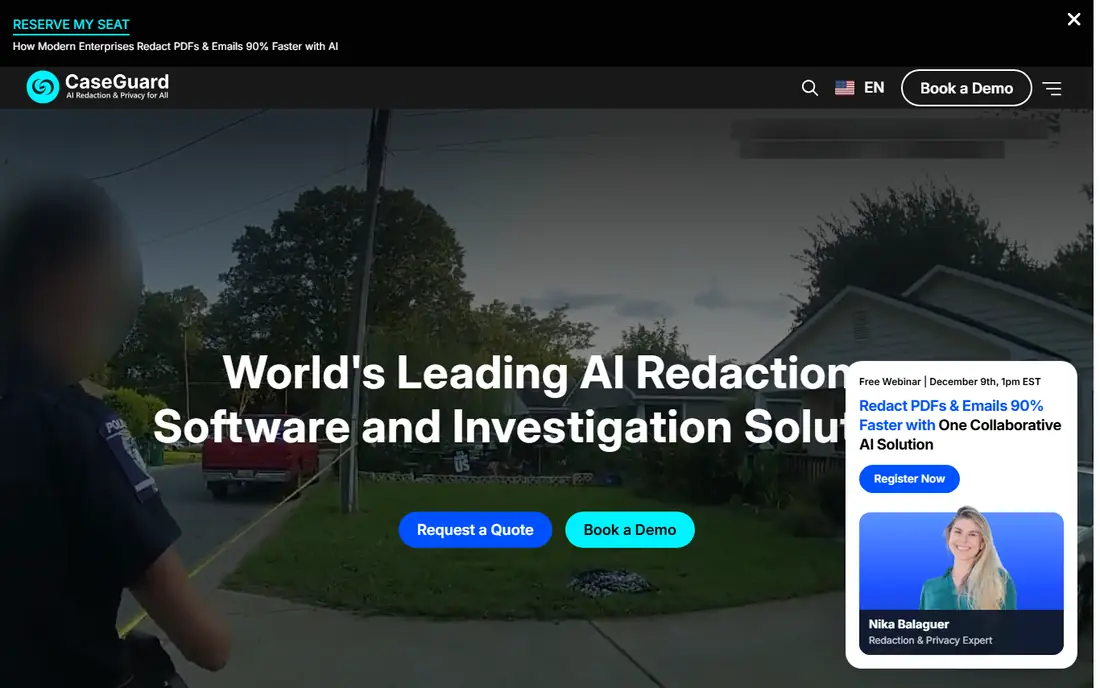
CaseGuard is an on-premise AI redaction studio that automatically detects faces, license plates, screens, phones, notepads and other sensitive objects across video, audio, documents and images. For DSAR work its strongest feature is scale. Every plan includes unlimited redactions, so a team answering dozens of requests a month never has to ration minutes or credits. Transcript-based audio redaction and automatic audit trails are included, and on-premise deployment suits organisations that cannot send footage to the cloud. The main drawback is cost and platform, since the desktop software runs on Windows only.
What we like- Unlimited redactions and file uploads on every plan, on-premise deployment for air-gapped networks, transcript-based audio redaction in more than 100 languages
Watch out for- The video-focused Media Suite costs 299 dollars per user per month on third-party reported pricing, and the Windows-only desktop app limits Mac-based teams
#2
Veritone Redact
Best for: Police departments and agencies handling bodycam, dashcam and CCTV evidence
Visit veritone.com
Starting priceQuote (third-party listings report 600 dollars per month; vendor does not publish pricing)
Free planFree trial available; no free plan
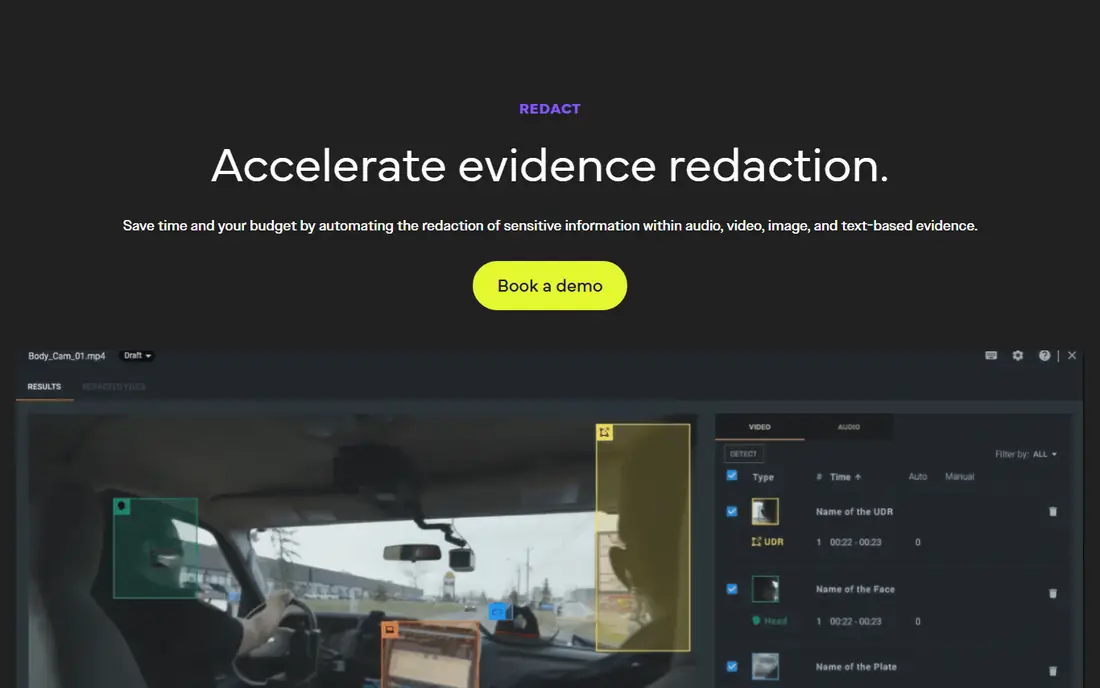
Veritone Redact is the AI redaction application built on Veritone aiWARE platform, and it is designed for law enforcement evidence from the ground up. It automatically detects human heads, license plates, officer notepads and laptop screens in bodycam, dashcam, CCTV and interview footage, then tracks and masks them across frames. Audio redaction uses time-correlated transcription, so a reviewer can search the spoken words and mute the sensitive parts without rewatching the whole clip. Chain-of-custody logs record every action for court or public records use. The drawback is access, since pricing is quote-based and aimed at agency budgets.
What we like- Purpose-built for law enforcement evidence, automatic detection of heads, plates, notepads and screens, chain-of-custody logging
Watch out for- Enterprise pricing is quote-only, and the product is built around police workflows, so it is a poor fit for a small business with occasional DSARs
#3
Pimloc Secure Redact
Best for: Small teams, schools and housing associations that need simple DSAR redaction
Visit secureredact.ai
Starting price79 dollars per month for the Basic plan with 10 credits, checked on the vendor pricing page 11 Nov 2026
Free planYes, 10 free credits on sign-up with no card required
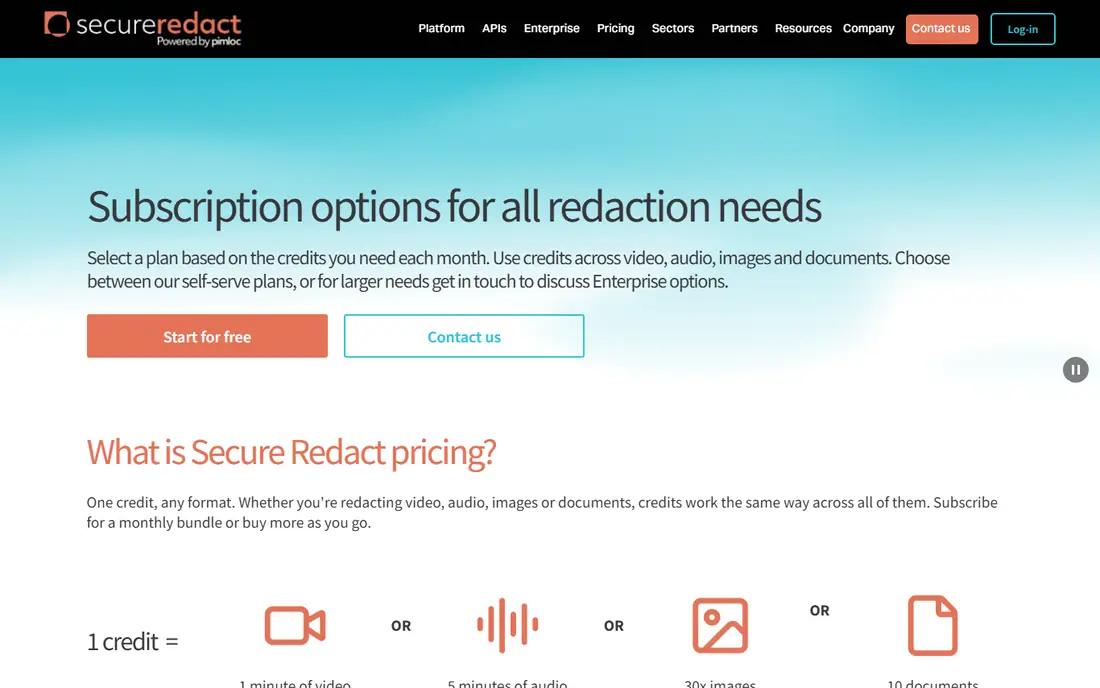
Pimloc Secure Redact is a cloud platform that automatically detects and blurs faces, license plates, names and other personal data in video, audio, images and documents. Its pricing is built on credits, where one credit covers one minute of video, five minutes of audio, 30 images or 10 documents. The Basic plan costs 79 dollars a month for 10 credits, Pro costs 133 dollars for 20 credits, and Advanced costs 188 dollars for 30 credits, with top-ups from 6 dollars per credit. A school can sign up, claim 10 free credits and process its first request the same day without a sales call. The limitation is volume, since ten credits a month covers very little CCTV.
What we like- Clear credit pricing across video, audio, images and documents, fast self-serve setup, free trial with no card
Watch out for- The Basic plan covers only 10 minutes of video a month, so regular DSAR work pushes teams onto higher plans or top-up credits quickly
#4
Blur
Best for: Individuals and small teams that need quick redactions of short clips
Visit blur.me
Starting price7 dollars per month for the Starter plan, billed annually, checked on the vendor pricing page 11 Nov 2026
Free planYes, free plan with watermarked exports and videos up to 10 seconds
Blur, sold as Blur.me, is a browser-based AI redaction tool that detects faces, license plates, screens and documents and tracks them across frames without manual keyframing. A five-minute clip can be processed in about 30 seconds, which makes it useful when a DSAR deadline is tight and the footage is short. Pricing is transparent. The free plan handles watermarked clips up to 10 seconds, Starter costs 7 dollars a month for 500 credits, Pro costs 23 dollars a month for 2,000 credits, and Business costs 39 dollars a month for 6,000 credits. The weakness for DSAR compliance is governance, since Blur has no case tracking or approval workflow.
What we like- Runs entirely in the browser with no installation, very fast processing, clear credit pricing with no sales process
Watch out for- The free plan limits video to 10 seconds, and the tool lacks the audit trails and case management that a formal DSAR process needs
#5
VIDIZMO Redactor
Best for: Regulated organisations that redact video, audio, images and documents in one system
Visit vidizmo.com
Starting price89 dollars per month (third-party reported, checked 11 Nov 2026; vendor does not publish pricing on its site)
Free planFree trial available; no free plan
VIDIZMO Redactor is a cloud and on-premise redaction platform that handles video, audio, images and documents in a single interface. It automatically detects faces, people, license plates, weapons and other objects in footage from bodycams, CCTV and other sources, and it can redact large volumes of audio recordings in bulk, which suits organisations with years of archived calls and interviews. Compliance coverage includes GDPR, HIPAA and FOIA. The main drawback is pricing transparency, since the 89 dollar monthly starting price comes from third-party listings rather than the vendor.
What we like- Covers video, audio, images and documents in one interface, bulk audio redaction for large archives, broad compliance coverage including GDPR and HIPAA
Watch out for- Pricing is not published by the vendor, so buyers must request a quote to confirm the 89 dollar starting figure, and deployment options vary by plan
#6
BriefCam
Best for: Large organisations that already run Milestone video management and need redaction inside a surveillance estate
Visit briefcam.com
Starting priceQuote, sold through authorised Milestone partners; the vendor states it cannot list prices because partners set the final price
Free planNo free plan
BriefCam is a video analytics platform now owned by Milestone Systems, and its website redirects into the Milestone estate. It is best known for Video Synopsis technology that condenses hours of surveillance footage into minutes, plus forensic search that lets investigators find a person, vehicle or object across many cameras. For DSAR work, its relevant feature is automated face and license plate blurring inside XProtect Anonymization, which protects bystanders before footage is shared. That suits a city or transport authority with hundreds of cameras, but not a small DSAR team, since there is no public price, no free tier and no self-serve trial.
What we like- Deep video analytics and forensic search, integrates with Milestone XProtect, per-sensor licensing suits large camera estates
Watch out for- Redaction is a feature inside a video analytics platform rather than a dedicated DSAR workflow, and there is no self-serve pricing or trial
#7
Axon Redaction Assistant
Best for: Police forces and agencies that already store bodycam evidence in Axon Evidence
Visit axon.com
Starting priceQuote; Axon sells Evidence licences through agency contracts and does not publish pricing
Free planNo free plan for redaction; Axon Evidence Lite is free but covers device management only
Axon Redaction Assistant is a paid add-on inside Axon Redaction Studio that uses AI models built for law enforcement to automate the masking of heads, license plates and screens. Reviewers can bulk redact up to 20 videos at once, which saves time when one incident generates footage from many officers. Because it sits inside Axon Evidence, the system that stores the bodycam footage, there is no need to export files elsewhere, and the chain of custody stays intact. The limitation is tiering, since Redaction Assistant is a Pro+ feature or a paid add-on, so the cost depends on the agency contract.
What we like- AI models built for law enforcement, bulk redaction of up to 20 videos at once, works inside the same system that stores the evidence
Watch out for- Redaction Assistant is a premium add-on in the top Pro+ tier, so agencies on lower tiers must upgrade or pay extra
#8
Facit Identity Cloak
Best for: UK schools, healthcare providers and local authorities that need GDPR-compliant CCTV redaction
Visit facit.ai
Starting price49 pounds per month (third-party reported, checked 11 Nov 2026; the vendor prices per exported video rather than per month)
Free plan14-day free trial; no free plan
Facit Identity Cloak is an AI video redaction tool from Facit Data Systems that was built with UK GDPR compliance in mind. It automatically detects and blurs faces, bodies, license plates, cars and other objects in CCTV, bodycam and dashcam footage, with full screen, face and body blur modes and adjustable shape, size and transparency. The Witherslack Group, a UK education provider, uses Identity Cloak to redact video across its schools in-house, which shows the product suits non-technical teams handling subject access requests. Pricing is based on the number of exported videos rather than video duration.
What we like- Built specifically for GDPR subject access requests, simple workflow that non-technical staff can use, face, body and license plate blur modes
Watch out for- Pricing is based on the number of exported videos rather than footage length, so a request with many short clips can cost more than expected
Frequently asked questions
How long do I have to respond to a DSAR that includes video?
You normally have one month from receiving the request to respond, and the deadline can be extended by two further months if the request is complex or you receive several requests from the same person. Tell the requester about any extension within the first month and explain why it is needed. Start the footage search early, since locating and redacting video is usually the slowest part.
Do I have to blur every person in CCTV footage before disclosure?
You must protect the personal data of third parties in the footage, which usually means blurring every face, and any readable license plate, name badge or document, that does not belong to the requester. The requester is entitled to their own personal data, not to other people's. If a third party consents to be shown, you may leave them visible, but document the reason.
Is automated redaction enough, or do I need manual review?
Automated detection is a starting point, not a finished answer. AI detectors miss faces in poor light, at odd angles or behind obstructions, and they can also flag objects that do not need masking. A human reviewer should watch the redacted output before disclosure and add manual masks. That review also confirms audio names and visible text have been handled.
Can redacted video be unblurred later?
Properly redacted video cannot be unblurred, because the blur or pixelation destroys the underlying pixel data in the exported file. That is why you should always keep the original footage untouched and work on a copy. Some tools offer reversible masking during editing, but the final export must be permanent. Do not use a tool for DSAR disclosure if it cannot confirm its exports are irreversible.
What records should I keep after completing a DSAR?
Keep the request reference, date received, identity checks, footage searched, redactions applied, reviewer name, disclosure date and channel used. Retain them for at least a year under your retention policy, so you can show the regulator how the response was handled. Delete working copies of footage once the retention period ends.
Sources we checked (9)
- https://caseguard.com
- https://www.veritone.com/applications/redact/
- https://www.secureredact.ai/pricing
- https://www.blur.me/pricing
- https://www.vidizmo.com/products/redact-video-online/
- https://www.briefcam.com
- https://www.milestonesys.com/pricing/briefcam/
- https://www.axon.com/uk/products/redaction
- https://facit.ai/video-redaction-software
Is your product missing or out of date?
We review this list regularly. Vendors can request a listing, send updated pricing or ask about featured placement.

Shihab Mia · Founder, Rankite
Shihab has 5+ years in B2B and SaaS SEO. He writes Rankite's software buying guides from pricing pages, documentation and public user reviews. More about Shihab.