How we make this list: we compare pricing pages, product documentation and public user reviews. Ratings come from G2, Capterra or Trustpilot, with the date we checked them.
Key takeaways
- True redaction permanently removes data including metadata; black boxes drawn in a PDF viewer are not redaction.
- CaseGuard, Veritone Redact, and Extract Systems specialize in high-volume, compliance-grade redaction for law enforcement, government, and legal teams.
- Adobe Acrobat, Foxit, and Kofax Power PDF are PDF editors with solid redaction features, best when redaction is one task among many.
- iDox.ai and Objective Redact focus on automated document redaction with AI detection and audit trails.
- Pricing ranges from per-user PDF subscriptions to quote-based enterprise platforms; match the tool to your volume and file types.
Quick comparison
| Tool | Best for | Starting price | Free plan |
|---|
 Adobe Acrobat Adobe Acrobat | Redaction inside the standard PDF workflow | $19.99/month (Pro, annual plan billed monthly) | Free trial (7 days) |
 CaseGuard CaseGuard | AI redaction for video, audio, and documents | $279/user/month (Doc Suite, billed annually) | No |
 iDox.ai iDox.ai | AI redaction plus data anonymization | See website | No |
 Veritone Redact Veritone Redact | Law enforcement audio and video evidence | See website | No |
 Extract Systems Extract Systems | High-volume government and healthcare redaction | See website | No |
 Foxit Foxit | Affordable PDF editing with redaction | See website | No |
 Kofax Power PDF Kofax Power PDF | Perpetual-license PDF editing with redaction | See website | Free trial (15 days) |
 Objective Redact Objective Redact | Automated document redaction for compliance teams | See website | No |
Is your product missing or out of date?
We review this list regularly. Vendors can request a listing, send updated pricing or ask about featured placement.
The best redaction software
Your law firm's paralegal opens a 400-page contract file that needs to reach opposing counsel by Friday. Every client name, account number, and address has to be blacked out, permanently, and the file's metadata has to be scrubbed too. She draws black rectangles over the text in a PDF viewer, exports it, and sends it off. Three weeks later a reporter selects the "redacted" text, copies it, and pastes the names into an article. The black boxes were never redaction. They were decoration.
Real redaction software removes the underlying data, not just the pixels, and proves it with an audit trail. The eight tools below span the two halves of this market: document redaction specialists and PDF editors with redaction built in, plus the audio and video platforms that law enforcement and call centers rely on.
Starting price$19.99/month (Pro, annual plan billed monthly)
Free planFree trial (7 days)
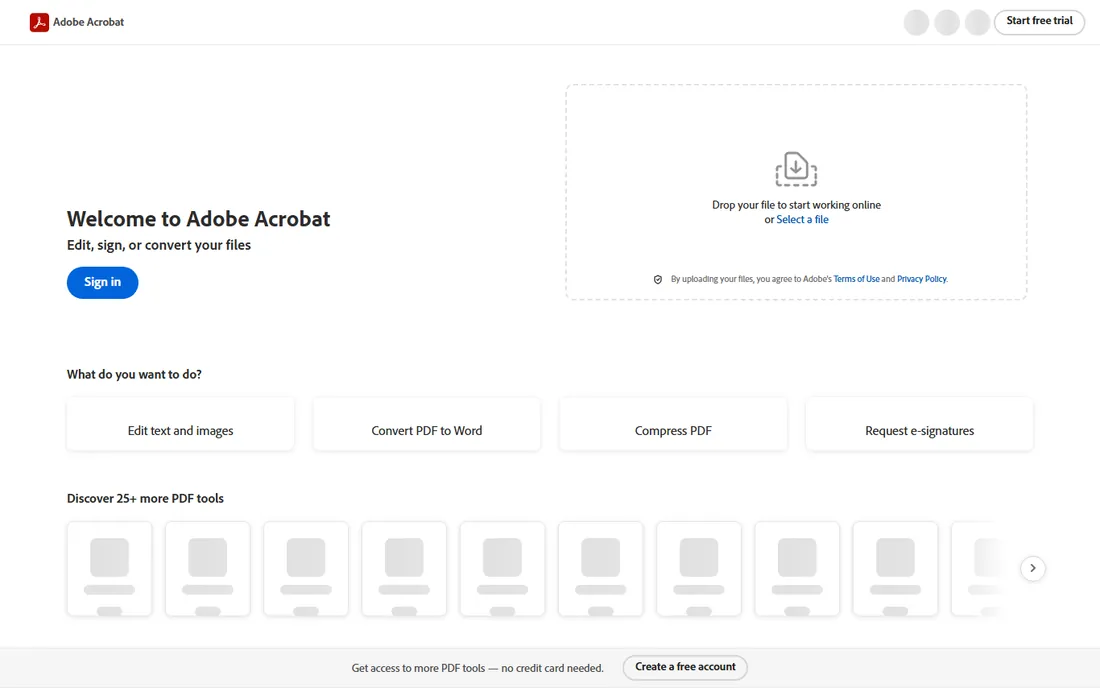
Adobe Acrobat Pro is where most organizations do their redaction, simply because it is where they do everything else with PDFs. Its redaction tools permanently remove text and images, scrub metadata, and apply consistent redaction marks across pages, which covers the core need for legal, HR, and compliance teams working with documents. Because it lives inside the Acrobat workflow, redacted files flow straight into e-sign, sharing, and archival without changing tools.
The honest catch is that Acrobat's redaction is manual and pattern-based: you mark what to remove, and it removes it. It does not automatically find Social Security numbers, faces, or spoken PII the way the AI specialists do, so high-volume work means human hours. Acrobat Pro fits teams that redact documents as one task among many and want the industry-standard PDF tool, at $19.99 a month on the annual plan or $29.99 month-to-month, with a 7-day trial.
What we like- The PDF standard everyone already uses
- Redaction tool removes text, images, and metadata
- Integrates with e-sign and document workflows
Watch out for- No AI-powered auto-detection of sensitive data
- Subscription pricing adds up across a team
Starting price$279/user/month (Doc Suite, billed annually)
Free planNo
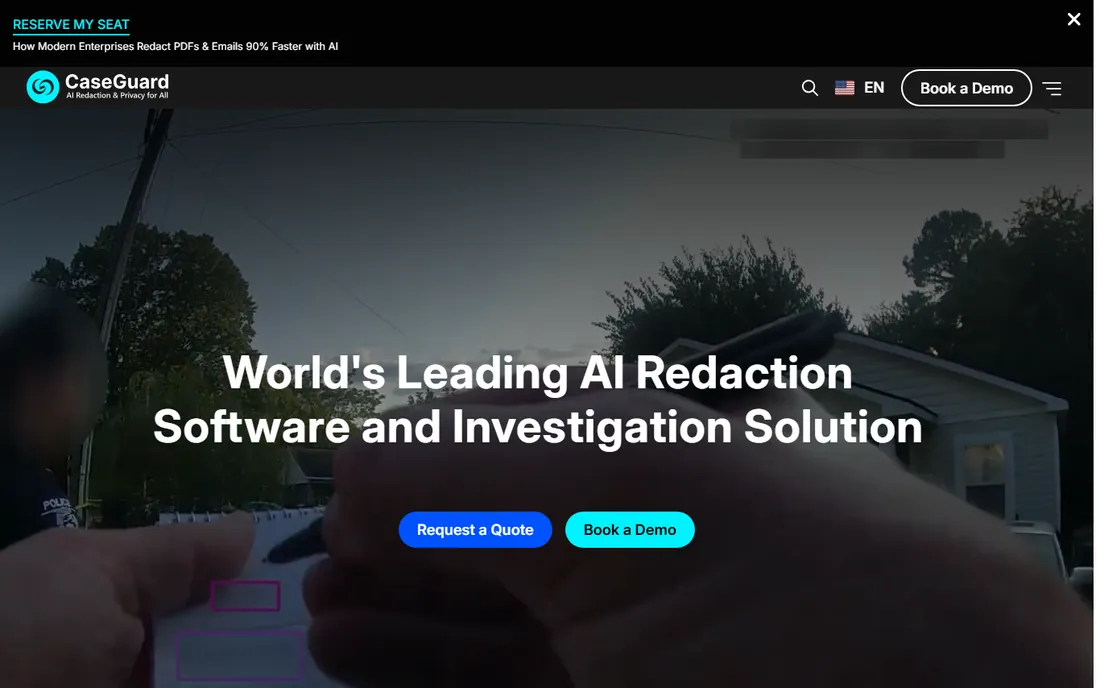
CaseGuard Studio is the all-in-one AI redaction platform built for law enforcement, legal, healthcare, and government teams. Its AI automatically detects faces, license plates, screens, and 12 types of PII in video and images, plus 33 types of PII in documents and audio, with transcription and translation built in. Unlike overlay tools, CaseGuard permanently deletes data from every file layer, including metadata, OCR text, and embedded attachments. The on-premise deployment runs on your own machines, even air-gapped, which matters enormously for agencies that cannot send evidence to the cloud.
Pricing runs $279 per user a month for the Doc Suite, $299 for the Media Suite, and $379 for the Ultimate Suite, all billed annually, with custom enterprise pricing above 20 seats. The catch is the entry cost: this is priced for agencies and departments, not casual users. CaseGuard fits organizations with serious redaction volume across mixed media and strict compliance requirements like FOIA, HIPAA, CJIS, and GDPR.
What we like- One platform for video, audio, images, and documents with AI auto-detection
- On-premise deployment keeps files in your environment
- Permanent removal including metadata with compliance-ready audit logs
Watch out for- Per-user pricing is steep for small teams
- No free trial or free tier
#3
iDox.ai
Best for: AI redaction plus data anonymization
Visit idox.ai
Starting priceSee website
Free planNo

iDox.ai Suite is a privacy-first toolkit that goes beyond black-box redaction: it combines redaction, data masking, and anonymization so teams can safely share, publish, and analyze documents. The AI detects PII, PHI, and financial data across 47 file types with enterprise OCR for scanned documents, batch processing, customizable rules, and full audit trails. It plugs into the systems teams already use, from Google Drive and SharePoint to NetDocuments and Exchange, and carries SOC 2 and ISO 27001 certifications.
The company has expanded the platform into AI guardrails that monitor what employees paste into AI tools, which tells you where the product is headed. The catch is pricing: it is quote-based on a per-page model, so you need to compare carefully against per-user alternatives at your volume. iDox.ai fits organizations that want redaction plus data protection for AI workflows under one roof, especially in legal, government, and healthcare.
What we like- Redaction, data masking, and anonymization in one workflow
- 47 file formats with enterprise OCR
- Integrations with SharePoint, Box, Dropbox, and NetDocuments
Watch out for- Quote-based pricing with a per-page model
- Broader AI governance platform may be more than document teams need
Starting priceSee website
Free planNo
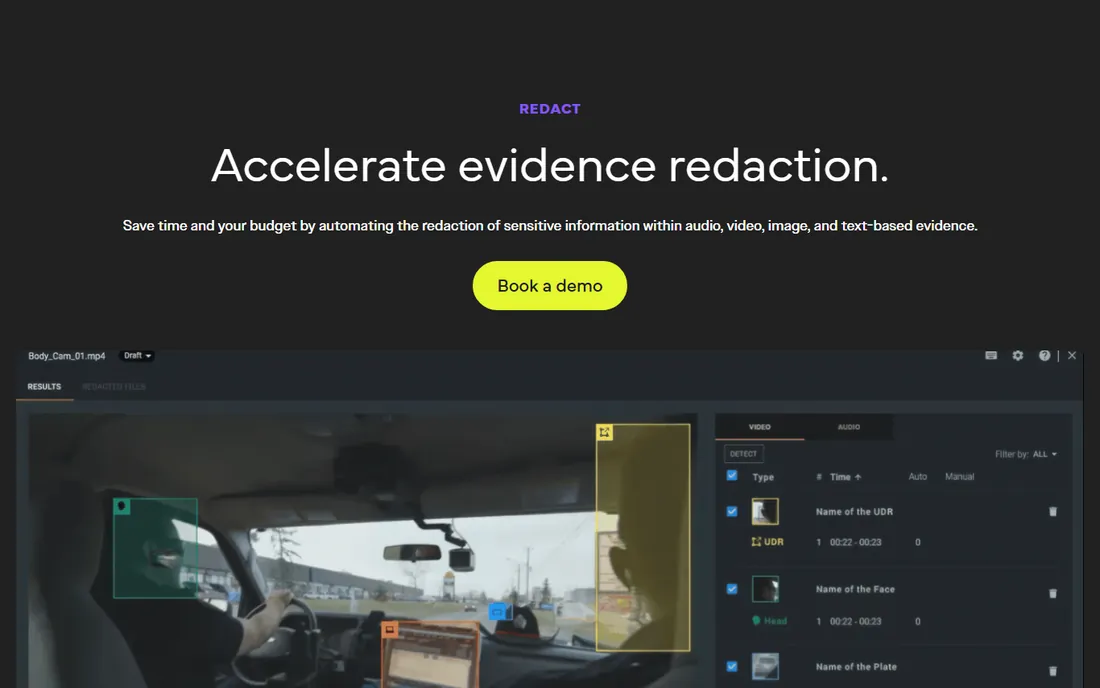
Veritone Redact is the AI redaction application built on Veritone's aiWARE enterprise platform, and it lives and breathes law enforcement evidence. It automatically detects and redacts faces, license plates, and PII across bodycam, dashcam, CCTV, and interview footage, with time-correlated transcription for audio redaction and chain-of-custody logs for court. In 2026 Veritone added document redaction to the same platform, so an agency can now handle video evidence and DA office documents in one system.
The vendor reports trust from over 300 government agencies across federal, state, and local levels. The catch is focus and price: this is an enterprise public-sector product sold on quotes, not a tool a small business buys with a credit card. Veritone Redact fits police departments, sheriff's offices, and agencies drowning in public records requests for video evidence.
What we like- Purpose-built for bodycam, dashcam, and CCTV evidence workflows
- Trusted by 300+ government agencies
- Document redaction added in 2026 makes it an all-in-one suite
Watch out for- Quote-based enterprise pricing
- Public-sector focus means less relevance for corporate document teams
Starting priceSee website
Free planNo
Foxit positions itself directly as the number one alternative to Adobe Acrobat, and for redaction purposes that is exactly the right frame. Foxit PDF Editor includes secure redaction alongside encryption, password protection, and permission controls, in a full PDF editing suite that costs less than Acrobat and runs everywhere: Windows, macOS, iOS, Android, and the browser. The company has been adding AI capabilities and cloud features through 2026, keeping pace with the category.
The catch is the same as Acrobat's: redaction here means you select what to remove and the software removes it permanently and securely. There is no AI that finds the Social Security numbers for you, no batch auto-detection across thousands of files. Foxit fits teams that already want a cheaper Acrobat replacement and need solid, trustworthy redaction as part of the package rather than as the job itself.
What we like- Full PDF editing at a lower cost than Acrobat
- Secure redaction with encryption and permission controls
- Runs on Windows, macOS, mobile, and browsers
Watch out for- Redaction is a feature of a PDF editor, not an automated redaction platform
- No AI auto-detection
#7
Kofax Power PDF
Best for: Perpetual-license PDF editing with redaction
Visit kofax.com
Starting priceSee website
Free planFree trial (15 days)
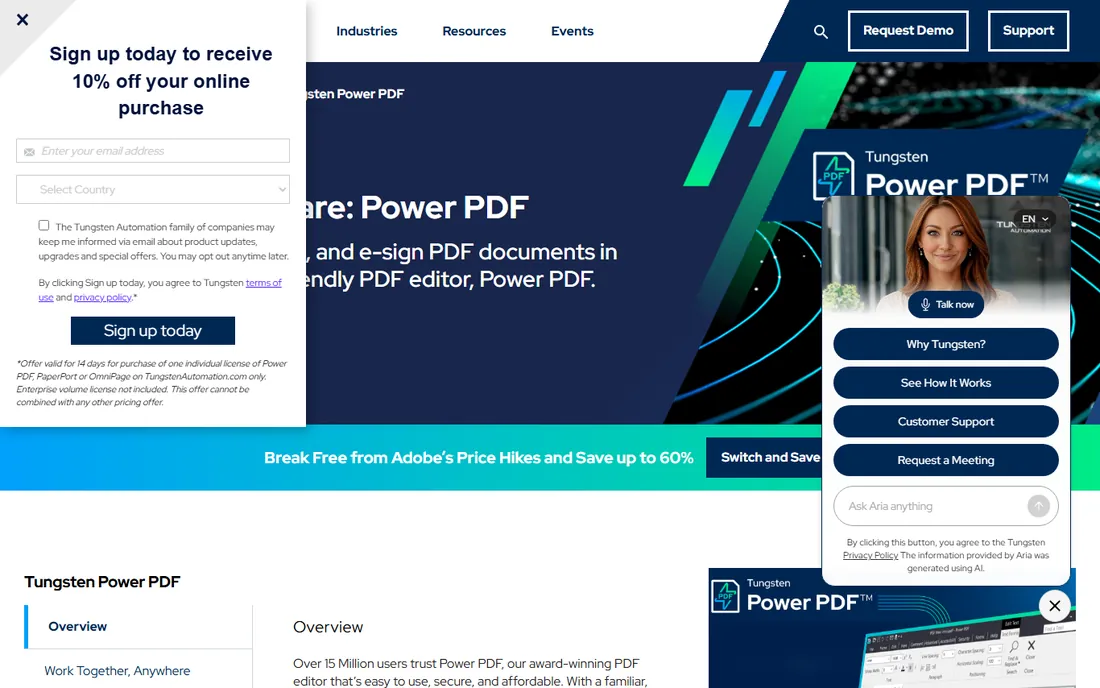
Kofax Power PDF, now under the Tungsten Automation brand, is the PDF editor for everyone tired of subscriptions. Standard, Advanced, and Mac editions are perpetual licenses: you buy the version once and own it, with no monthly fee. The Advanced edition brings the redaction features compliance teams need, including advanced redaction, Bates numbering and stamping, batch processing, and password protection with AES encryption, wrapped in an Office-style interface that needs no training.
The vendor claims over 15 million users, and the pricing page pushes the subscription savings hard against Adobe. The catch is platform skew: the Windows versions are the full products, while the Mac edition is streamlined. And yes, the Kofax name now lives under Tungsten Automation, which makes the website slightly confusing for returning buyers. Power PDF fits small and mid-size businesses that want serious PDF redaction without a subscription, with a 15-day free trial to confirm fit.
What we like- Perpetual licenses mean you buy once instead of subscribing
- Advanced redaction with Bates numbering and batch processing
- Office-style interface is instantly familiar
Watch out for- Windows-centric with a streamlined Mac version
- The Kofax to Tungsten Automation rebrand can confuse buyers
#8
Objective Redact
Best for: Automated document redaction for compliance teams
Visit objective.com
Starting priceSee website
Free planNo
Objective Redact, from Australia's Objective Corporation, is redaction software for organizations that live under disclosure obligations. It automatically finds and redacts structured targets like social security numbers, tax file numbers, credit card numbers, and email addresses using patterns and regular expressions, plus smart search with built-in OCR for scanned documents. Everything marked for redaction is permanently removed, including hidden metadata like authors and creation dates, and templates handle documents where sensitive data sits in fixed positions.
The product is ideal for Freedom of Information and subject access request workflows, which is exactly where its public-sector customer base uses it. The catch is commercial: pricing is quote-based and enterprise-oriented, and while the global site serves international customers, the company's center of gravity is Australian and UK government. Objective Redact fits compliance and disclosure teams that need automated, defensible document redaction rather than a general PDF editor.
What we like- Purpose-built automated redaction for PDF, Word, Excel, and email
- Removes hidden metadata permanently
- Strong fit for FOI and disclosure workflows
Watch out for- Quote-based enterprise pricing
- Australian vendor with strongest presence in government
How we chose
We started with the redaction tools that appear most often in buyer shortlists, G2 and Capterra rankings, legal and law enforcement technology discussions, and analyst coverage, then narrowed to eight covering the full range: AI redaction specialists for mixed media, high-volume government platforms, document automation tools, and the PDF editors where most businesses actually redact. For each tool we checked the vendor's own website and current product documentation, reviewed feature and compliance documentation, and read public user feedback on G2, Capterra, Reddit, and review sites. Pricing is presented from vendor-published figures where available; enterprise and quote-based tools are marked honestly. We did not run hands-on trials; our assessments come from vendor materials and verified public sources.
Permanent means permanent: how to judge redaction quality
The difference between real redaction and fake redaction is the difference between a lawsuit and a non-event. Here is how to evaluate it.
Check what happens under the black box
True redaction removes the text, image, and metadata from the file. Fake redaction draws an opaque rectangle over the content while the original data stays in the file, recoverable by anyone who copies the text or strips the annotation layer. Every tool on this list does true redaction, but if you are evaluating anything else, test it: try selecting the "redacted" text and copying it. If it pastes, walk away.
Match the tool to your media and volume
Document redaction and video redaction are different engineering problems. If your workload is PDFs and Word files, the document specialists and PDF editors are the right pool. If it is bodycam footage, 911 calls, or CCTV, you need the AI platforms built for audio and video. Volume matters too: a few documents a month is PDF-editor territory, while thousands of files a month justifies the automated platforms with batch processing and verification workflows.
Demand the audit trail
Regulated redaction is not just about removing data; it is about proving you removed it. Look for logs showing what was redacted, when, and by whom, metadata scrubbing as a built-in step, and compliance alignment with the regulations you answer to, whether FOIA, HIPAA, CJIS, or GDPR. The enterprise tools on this list treat the audit trail as a core feature, not an afterthought.
The black-box-that-is-not trap
The most dangerous redaction failures in recent years share a pattern: someone covered text with a drawing tool instead of redacting it. News organizations, government agencies, and law firms have all published "redacted" documents from which the hidden text was recovered in seconds. The lesson is not that redaction software failed; it is that redaction software was never used. If your workflow involves anyone manually drawing boxes in a PDF viewer, an image editor, or a slide deck, you have this vulnerability right now. The fix is procedural as much as technical: mandate a real redaction tool, train the team that annotation is not redaction, and spot-check outgoing files by attempting to select and copy the redacted regions. It takes ten seconds and it catches the mistake that makes headlines.
Frequently asked questions
What is the difference between redaction and just covering text with a black box?
Redaction permanently removes the underlying data, text, images, and metadata, from the file so it cannot be recovered. Covering text with a black rectangle in a PDF viewer or image editor only hides it visually; the original content often remains in the file and can be recovered by copying the text or removing the annotation layer. Only true redaction is defensible for legal and compliance purposes.
Can redaction be reversed?
Proper redaction cannot be reversed because the data is deleted from the file, not hidden. That is why the distinction matters: an annotation can be deleted to reveal what is underneath, but a true redaction leaves nothing to reveal. Always verify by attempting to select and copy redacted regions before releasing a document.
Do I need AI-powered redaction or is manual redaction enough?
It depends on volume. A few documents a month can be redacted manually in Acrobat, Foxit, or Power PDF with careful review. Hundreds or thousands of files, or audio and video evidence, make manual redaction impractical and error-prone, which is where AI auto-detection earns its price. The most common failure mode is a human missing one instance of sensitive data in a long document.
What compliance standards matter for redaction software?
The relevant standards depend on your industry: FOIA and CJIS for law enforcement and government, HIPAA for healthcare, GDPR for European personal data, and FERPA for education records. Look for permanent data removal, metadata scrubbing, and audit logs as baseline capabilities, and confirm the vendor's specific compliance claims in writing for your use case.
How much does redaction software cost?
PDF editors with redaction range from subscription plans like Acrobat Pro at $19.99 a month to perpetual licenses like Power PDF. Dedicated redaction platforms are priced per user or by quote: CaseGuard's Doc Suite starts at $279 per user a month billed annually, while Veritone Redact, Extract Systems, iDox.ai, and Objective Redact price on quotes based on volume and deployment. Match the pricing model to your file volume.
Can redaction software handle video and audio?
Yes, but only the right tools. CaseGuard and Veritone Redact are built for video and audio, with AI detection of faces, license plates, and spoken PII plus transcription. The PDF editors and document specialists in this list handle documents only. Choose based on your media mix, not on feature-list overlap.
Sources we checked (12)
- https://acrobat.adobe.com/us/en/
- https://caseguard.com
- https://www.idox.ai
- https://www.veritone.com/applications/redact/
- https://extractsystems.com/
- https://foxit.com/
- https://www.kofax.com/products/power-pdf
- https://objective.com/
- https://www.objective.com/products/objective-redact-2
- https://slashdot.org/software/comparison/CaseGuard-vs-Facit/
- https://www.analyticsinsight.net/artificial-intelligence/what-is-the-best-ai-redaction-tool-a-2026-comparison
- https://www.businesswire.com/news/home/20260730822925/en/Veritone-Adds-Document-Redaction-to-Create-an-All-in-One-AI-Powered-Redaction-Suite
Is your product missing or out of date?
We review this list regularly. Vendors can request a listing, send updated pricing or ask about featured placement.

Shihab Mia · Founder, Rankite
Shihab has 5+ years in B2B and SaaS SEO. He writes Rankite's software buying guides from pricing pages, documentation and public user reviews. More about Shihab.