How we make this list: we compare pricing pages, product documentation and public user reviews. Ratings come from G2, Capterra or Trustpilot, with the date we checked them.
Key takeaways
- No single app plans a whole trip well, so use a small stack that covers different parts of the journey.
- Wanderlog is the strongest trip-first planner, with a map, day-by-day itinerary, and collaboration for groups.
- TripIt is the best tool after booking, turning confirmation emails into one master itinerary.
- Skyscanner suits flexible flight discovery, while Hopper suits price watching and timing advice.
- Google Maps and Rome2Rio cover the ground between places, from city navigation to multi-country routes.
- Roadtrippers suits road trips, and Booking.com offers the widest lodging choice for most travellers.
Quick comparison
Is your product missing or out of date?
We review this list regularly. Vendors can request a listing, send updated pricing or ask about featured placement.
The best travel apps for planning
Starting priceFree
Free planYes
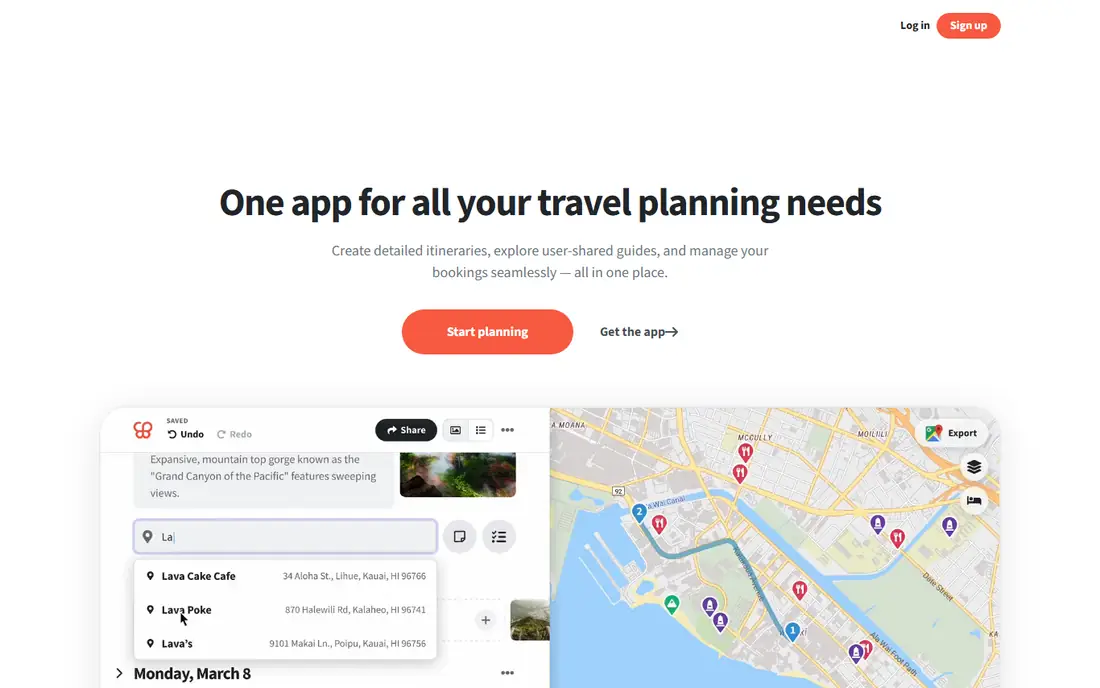
Wanderlog is the strongest trip-first planner for most people. It puts places on a map, works out a sensible order to visit them, builds a day-by-day itinerary, and lets others edit the plan with you in real time, with budget and expense splitting for group trips. The free tier covers unlimited trips and collaborators, and Pro costs 39.99 dollars a year, though some guides cite 31.99 dollars a year, so confirm the current rate.
AI planning messages are capped on the free tier, and offline access needs Pro, which matters for travel days without reliable data. For most trips, which have a start and an end and a list of places to visit in order, Wanderlog is the app to build the plan in, and it pairs well with TripIt once bookings exist.
What we like- Map-based day-by-day planning
- Real-time collaboration
- Budget and expense splitting
- Pro 39.99 dollars a year
Watch out for- AI messages capped on free tier
- Offline access needs Pro
- Pro price cited as low as 31.99 dollars a year in some guides
Starting priceFree
Free planYes
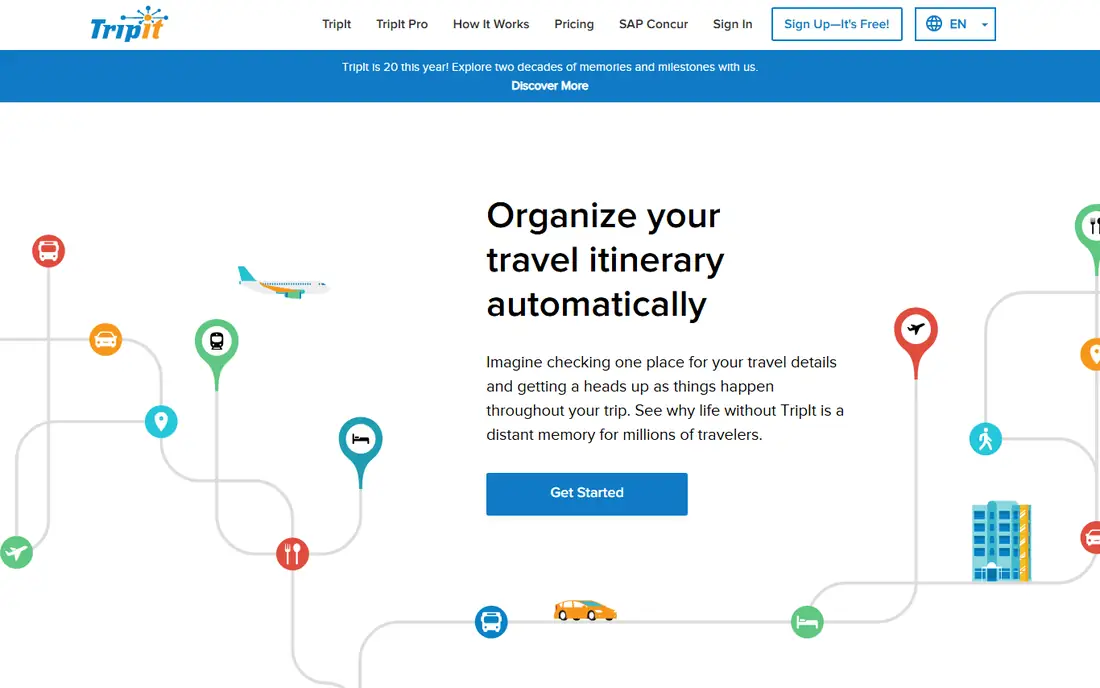
TripIt is the best tool after booking, because it turns confirmation emails into one master itinerary without manual entry. Forward flight, hotel, and car confirmations to TripIt and it builds a single timeline with times, addresses, and confirmation numbers, available offline on the free tier. Pro costs 49 dollars a year and adds country info, passport expiry reminders, and inner-circle sharing.
TripIt has no budget or expense tools, and sharing is share-only rather than real-time co-editing, so it complements Wanderlog rather than replacing it. Once bookings exist, TripIt is the itinerary you actually travel with, while Wanderlog remains the plan you built before booking.
What we like- Turns confirmation emails into one itinerary
- Free email forwarding
- Offline access
- Pro 49 dollars a year
Watch out for- No budget or expense tools
- Sharing only, not real-time co-editing
- Country info needs Pro
Starting priceFree
Free planYes

Skyscanner is the best flight comparison tool for flexible travellers. It compares flights, hotels, and cars across providers, and its flexible date tools, including every month search, show the cheapest timing without fixing a date first. The app is fully free, with no paid tier, which makes it a safe first stop for any flight search.
Booking happens with third parties rather than Skyscanner itself, so prices can change between search and checkout, and Skyscanner does not plan itineraries. Use it to find the flight, then check the airline directly before paying, since direct bookings often include better change terms.
What we like- Fully free
- Compares flights, hotels, and cars
- Flexible date search
- Every month search for cheapest timing
Watch out for- Booking happens with third parties
- Prices change between search and checkout
- No itinerary planning
Starting priceFree
Free planYes
Hopper suits travellers who can wait for the right price. The free app watches flight and hotel prices, predicts whether prices will rise or fall, and advises when to book, which helps flexible travellers save real money. Paid protections and add-ons, such as price freeze and cancellation cover, are available for those who want them.
The advice is statistical, not guaranteed, so a predicted drop can reverse, and booking through Hopper adds a middleman between you and the airline or hotel. For a flexible trip where timing matters more than a fixed date, Hopper is the best price-watching tool. For a fixed-date trip, Skyscanner comparison is usually enough.
What we like- Free app
- Price watching and timing advice
- Hotel price tracking
- Paid protections and add-ons available
Watch out for- Advice is statistical, not guaranteed
- Protections and add-ons cost extra
- Booking through Hopper adds a middleman
Starting priceFree
Free planYes
Google Maps covers the ground between places better than any dedicated planner. Save places and lists, share them with travel companions, download offline maps before a trip, and navigate on foot, by transit, or by car, all free with no paid tier. Gmail booking integration can surface reservations alongside maps.
Google Maps has no real day-by-day itinerary planning and no budget tools, so it works as the navigation layer under a Wanderlog plan rather than the plan itself. Download offline maps before departure, since data abroad is expensive or unreliable, and star the places from your Wanderlog plan so they appear on the map during the trip.
What we like- Fully free
- Saved places and lists
- Offline maps
- Navigation
- Shared lists
- Gmail booking integration
Watch out for- No day-by-day itinerary planning
- No budget tools
- Lists are basic compared with Wanderlog
Starting priceFree
Free planYes
Rome2Rio answers the question every multi-stop trip raises: how do I get from here to there. Enter any two places and it compares train, bus, flight, ferry, and driving routes, including multi-country combinations, all free with no paid tier. That makes it the best utility layer for transport legs, especially in Europe where train, bus, and budget flights compete on the same route.
Prices are estimates and need checking with the operator before booking, and Rome2Rio does not plan itineraries or collaborate. Use it while building the Wanderlog plan to choose sensible transport legs, then book directly with the operator for the best change terms.
What we like- Fully free
- Multi-country train, bus, and flight routes
- Compares ways to travel between any two places
- Simple interface
Watch out for- No itinerary planning
- No collaboration
- Prices are estimates and need checking with operators
Starting priceFree
Free planYes
Roadtrippers is the best planner for road trips, building routes with stops, fuel estimates, and attractions along the way, plus collaboration for the group in the car. The free tier covers core route planning with limited stops, while premium costs 35.99 to 59.99 dollars a year depending on the guide and adds offline access and unlimited stops.
The free stop limit frustrates long trips, and offline access needs premium, which matters on rural roads without signal. For a road trip, Roadtrippers beats a general planner, since its route logic understands driving days, fuel, and roadside stops. For a flight-based trip, Wanderlog is the better plan.
What we like- Road trip route planning
- Fuel estimates
- Collaboration for road trips
- Autopilot route suggestions
- Premium from 35.99 dollars a year
Watch out for- Free tier limits stops
- Offline access needs premium
- Premium cited up to 59.99 dollars a year
- Road trips only
Starting priceFree
Free planYes
Booking.com offers the widest lodging choice for most travellers, covering hotels, apartments, and vacation rentals in one search, free to use with room rates varying by property and date. Free cancellation on many listings gives flexibility, and the review volume helps judge a property before booking.
Rates vary widely by date and listing, and free cancellation terms differ by property, so read the terms before booking rather than assuming flexibility. Booking directly with a hotel sometimes earns better terms or perks, so compare the direct rate after finding a property on Booking.com. For lodging discovery and comparison, Booking.com remains the broadest starting point.
What we like- Widest lodging choice for most travellers
- Free to use
- Room rates vary
- Free cancellation on many listings
- Reviews at scale
Watch out for- Room rates vary widely
- Free cancellation terms differ by listing
- Booking through a middleman versus direct
How we chose
We treated planning as several jobs, not one, and picked the best app for each job: building the plan, organizing bookings, comparing flights, watching prices, navigating, routing between places, driving a road trip, and finding lodging. All eight have a free version, and we flagged where free tiers cap features, such as Wanderlog AI messages, Roadtrippers stops, and offline access. Prices were checked against guides from October 2026, and we noted where guides disagree, since Wanderlog, Roadtrippers, and TripIt Pro prices vary by source.
What to check before you buy
Install the stack before the trip, not during it, and download offline maps and itineraries while on Wi-Fi. Check cancellation terms on every booking, since free cancellation differs by listing and provider, and confirm prices with the operator or airline directly before paying, since comparison prices change between search and checkout. For group trips, agree on one planning app and one expense-splitting method before anyone books, since a split plan across three apps is worse than a mediocre plan in one app. Finally, keep confirmation emails and documents in TripIt or a shared folder, so the trip survives a lost phone.
A note on trip documents
Keep passports, visas, insurance cards, and booking confirmations in one place that works offline, whether that is TripIt, a shared folder, or a printed copy in your bag. A phone that runs out of battery or loses signal at a border or check-in desk turns a small delay into a real problem, and a paper backup costs nothing. Check passport expiry early, since many countries require six months of validity beyond the travel dates, and confirm visa rules for every country on the route, not just the destination.
Frequently asked questions
What is the best travel planning app overall?
Wanderlog is the best trip-first planner for most people, with a map, day-by-day itinerary, and real-time collaboration. TripIt is the best companion after booking, turning confirmations into one itinerary.
Do I need to pay for travel planning apps?
No. All eight apps here have a free version, and the free tiers cover the core jobs. Paid plans add offline access, unlimited stops or AI messages, and Pro features such as country info and passport reminders.
How do I plan a road trip?
Roadtrippers is the best road trip planner, with routes, fuel estimates, and roadside stops. Wanderlog suits the day-by-day plan, and Google Maps handles navigation and offline maps on the road.
Should I book flights through Skyscanner or Hopper?
Neither books the flight itself in the same way an airline does. Use Skyscanner to compare and Hopper to time the purchase, then check the airline directly before paying for better change terms.
Can these apps work offline?
Some can, with preparation. Google Maps supports offline maps, TripIt offers offline itineraries on the free tier, and Wanderlog and Roadtrippers need Pro or premium for offline access. Download everything on Wi-Fi before departure.
Sources we checked (0)
Is your product missing or out of date?
We review this list regularly. Vendors can request a listing, send updated pricing or ask about featured placement.

Shihab Mia · Founder, Rankite
Shihab has 5+ years in B2B and SaaS SEO. He writes Rankite's software buying guides from pricing pages, documentation and public user reviews. More about Shihab.
 Wanderlog
 TripIt
 Skyscanner
 Hopper
 Google Maps
 Rome2Rio
 Roadtrippers
 Booking.com