How we make this list: we compare pricing pages, product documentation and public user reviews. Ratings come from G2, Capterra or Trustpilot, with the date we checked them.
Key takeaways
- Scrivener is the best long-form drafting tool for novelists and nonfiction writers who need chapters, scenes, and research in one project.
- Ulysses and iA Writer suit writers who prefer a clean Markdown editor, with Ulysses adding project organization and publishing options.
- Bear is a good low-cost choice for Apple users who write notes, articles, and short pieces in a polished app.
- Google Docs remains the best free option for collaboration, comments, and tracked edits with an editor.
- Atticus and Plottr cover the ends of the process: Plottr for outlining a story, Atticus for formatting a finished book.
Quick comparison
| Tool | Best for | Starting price | Free plan |
|---|
 Scrivener Scrivener | Novelists and nonfiction writers with long manuscripts | $59.99 one-time (per desktop platform) | Free trial (30 days of actual use) |
 Ulysses Ulysses | Apple writers who want a clean editor with project tools | $39.99/year | Free trial (14 days) |
 iA Writer iA Writer | Writers who want a focused, plain-text editor | $49.99 one-time (Mac) | Free trial (7 days) |
 Bear Bear | Apple users who write notes, articles, and short pieces | Free | Yes |
 Google Docs Google Docs | Writers who collaborate and work with editors | Free | Yes |
 Atticus Atticus | Authors who write and format books for publication | $147 one-time | No |
 Plottr Plottr | Fiction writers who outline before drafting | $60/year | Free trial (30 days) |
Is your product missing or out of date?
We review this list regularly. Vendors can request a listing, send updated pricing or ask about featured placement.
The best software for writers
Starting price$59.99 one-time (per desktop platform)
Free planFree trial (30 days of actual use)
Scrivener treats a book as a set of movable parts, not one long document. Chapters and scenes sit in a binder, can be rearranged by drag and drop, and can be viewed on a corkboard or in an outline. Research notes, PDFs, images, and web pages can live inside the same project, so a writer does not need to switch apps to check a detail while drafting.
The compile step is both the strength and the learning curve. It turns the binder into a formatted Word manuscript, PDF, or EPUB, with control over headings, page size, and front matter, but new users should start with a built-in preset rather than building a format from scratch. Sync runs through Dropbox or another folder service, since Scrivener has no cloud of its own, and the project should be closed on one device before opening it on another. For a writer with a complex book, that structure is worth the setup time.
What we like- Binder, corkboard, and outliner for scenes and chapters
- Research files stored inside the project
- Flexible compile to Word, PDF, and EPUB
Watch out for- Learning curve for compile settings
- No built-in cloud sync
- No Android app
- License is per platform
#2Ulysses
Best for: Apple writers who want a clean editor with project tools4.5/5 on
G2 (25 reviews, checked Oct 2026)
Visit ulysses.app
Starting price$39.99/year
Free planFree trial (14 days)
Ulysses is the middle ground between a plain text editor and Scrivener. Sheets of text can be grouped into projects, with separate areas for research and notes, and writing goals, deadlines, and word counts help a writer track a daily target. The editor hides formatting controls until needed, which keeps the focus on the sentence being written.
Export is a strong point. A single sheet, a group, or a whole project can become a Word document, PDF, EPUB, or a post for WordPress, Ghost, or Medium, with styles that can be previewed before export. The subscription costs $39.99 per year or $5.99 per month, covers Mac, iPad, and iPhone, and includes iCloud sync. Writers outside the Apple ecosystem should look elsewhere, since there is no Windows or Android version.
What we like- Distraction-free Markdown editor
- Projects, groups, and goals for long work
- Export to Word, PDF, EPUB, and blogs
Watch out for- Apple only
- Subscription model
- Built-in library uses its own storage, not plain files on disk
#3
iA Writer
Best for: Writers who want a focused, plain-text editor
Visit ia.net
Starting price$49.99 one-time (Mac)
Free planFree trial (7 days)
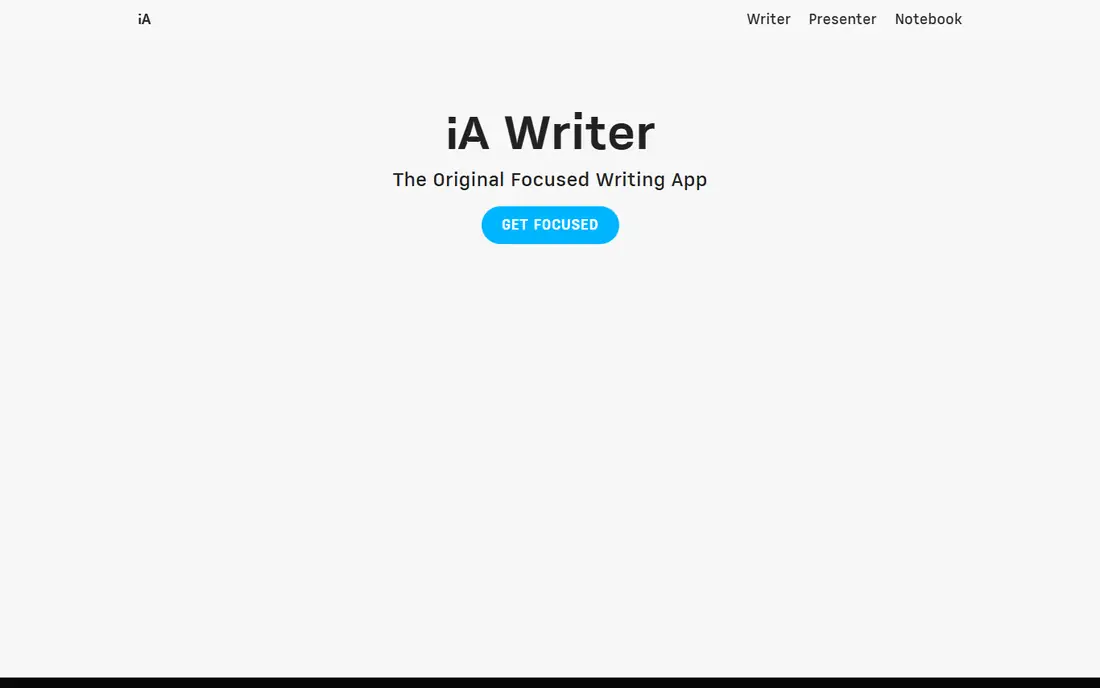
iA Writer opens to a blank page and stays out of the way. Focus mode dims all but the current sentence or paragraph, and Markdown formatting keeps the text readable in any plain-text editor later. Syntax highlighting can mark parts of speech, which helps during a revision pass for repeated words or weak verbs.
Pricing is per platform: $49.99 one-time for Mac, $29.99 for Windows, and $49.99 for iPhone and iPad, with a 7-day trial and no credit card required for the trial. That per-platform cost adds up for a writer who uses both Mac and iPhone, and long books with many chapters are harder to manage here than in Scrivener or Ulysses. For articles, essays, and blog posts, iA Writer is one of the calmest editors available.
What we like- Clean focus mode with sentence highlighting
- Plain Markdown files the user controls
- Direct publishing to WordPress, Ghost, and Medium
Watch out for- License is per platform
- Weak organization for very long books
- No built-in plotting or research database
#4Bear
Best for: Apple users who write notes, articles, and short pieces4.5/5 on
G2 (45 reviews, checked Oct 2026)
Visit bear.app
Starting priceFree
Free planYes
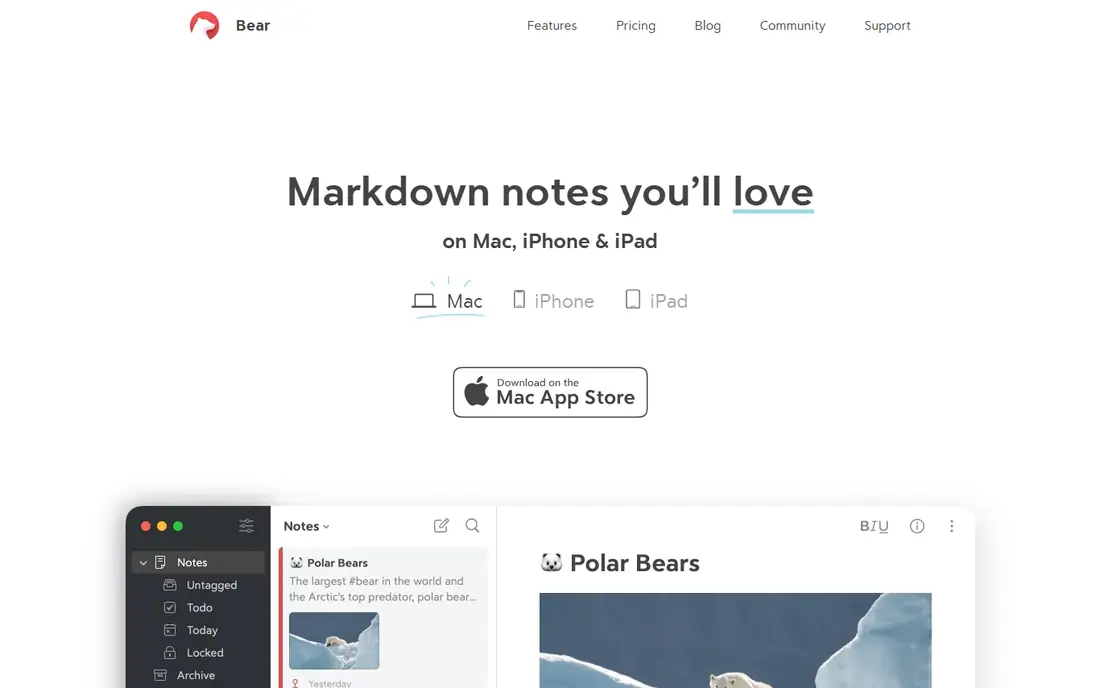
Bear feels like a notebook that happens to be a good writing app. Notes are organized with tags, including nested tags, and the editor renders Markdown as the writer types, so headings, lists, and links look clean without a preview step. Sketches, images, tables, and to-do lists sit inside the same note, which suits research notes and article drafts.
The free version covers writing and basic organization, while Bear Pro costs $2.99 per month or $29.99 per year and adds iCloud sync, note encryption, and extra export formats. A writer who needs to work on Windows or Android will not find a Bear app, and a novelist will still need Scrivener or Atticus for manuscript structure and book formatting. For short-form writing on Apple devices, Bear is hard to beat on design and price.
What we like- Polished Markdown editor with live formatting
- Tags and nested tags for organization
- Export to PDF, HTML, and Word on Pro
Watch out for- Apple only
- Sync, encryption, and extra export formats need Pro
- No manuscript or book formatting tools
#5Google Docs
Best for: Writers who collaborate and work with editors4.6/5 on
G2 (114 reviews, checked Oct 2026)
Visit docs.google.com
Starting priceFree
Free planYes
Google Docs is the default choice when another person needs to read, comment, or edit the same draft. Suggestion mode lets an editor propose changes without overwriting the original text, comments can be resolved in a thread, and version history makes it possible to restore an earlier draft. Sharing by link or by email, with view, comment, or edit access, takes seconds.
The limits appear at the ends of the process. Google Docs is not a plotting tool, and it is not a print book formatter, so a novelist will export to Scrivener, Word, or Atticus for those steps. Offline use works through the browser and mobile apps, but the full experience assumes a connection. For articles, client work, and co-authored pieces, the free price and collaboration tools make Google Docs the practical baseline every other app is compared with.
What we like- Free with a Google account
- Real-time collaboration, comments, and suggestion mode
- Strong version history and sharing controls
Watch out for- Needs an internet connection for full features
- Formatting for print books is limited
- Large documents can slow down
#6Atticus
Best for: Authors who write and format books for publication3.0/5 on
G2 (2 reviews, checked Oct 2026)
Visit atticus.io
Starting price$147 one-time
Free planNo
Atticus covers the step many drafting apps leave out: turning a finished manuscript into a book that looks professional. A writer can draft in Atticus, import a Word manuscript, choose a chapter theme, and preview how the book will look on different devices before exporting an EPUB for ebooks or a PDF for print. Word counts, goals, and chapter organization sit alongside the formatting tools.
The price is $147 one-time, with no monthly fee and updates included, plus a 30-day money-back guarantee. Because Atticus runs as a web app, it works on Windows, Mac, Linux, and Chromebook, and on tablets through a browser, which is an advantage over Mac-only formatters. Writers with highly complex layouts, such as textbooks with many tables and sidebars, may still need a desktop publishing tool, but for fiction and standard nonfiction, Atticus closes the gap between draft and published book.
What we like- Writing editor plus book formatting in one app
- 17 or more chapter themes and a custom theme builder
- Export to EPUB, PDF, and Word
Watch out for- No free trial listed, with a 30-day money-back guarantee instead
- Formatting depth is less than a desktop publishing app
- Web app model needs a browser
#7Plottr
Best for: Fiction writers who outline before drafting4.8/5 on
G2 (2 reviews, checked Oct 2026)
Visit plottr.com
Starting price$60/year
Free planFree trial (30 days)
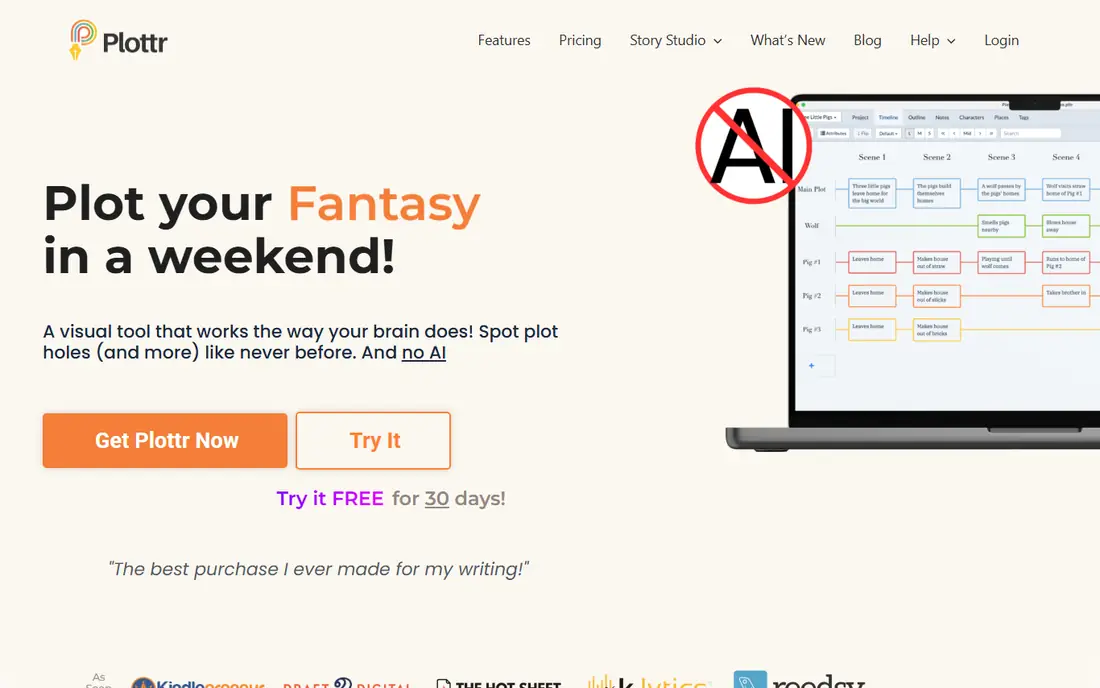
Plottr starts before the first draft, with a visual timeline where scenes sit on plotlines and character arcs. Templates for structures such as the Hero's Journey, three-act structure, and mystery beat sheets give a new novelist a starting shape, while character sheets track goals, motivations, and details across a series. A series bible in the same project helps a writer remember an eye color or a place name from book one when writing book three.
Plottr is not meant to replace a drafting app. Outlines export to Word and Scrivener, and the writer drafts in the chosen editor while keeping Plottr open for reference. Standard pricing is $60 per year or $150 for a lifetime license, with Pro at $99 per year adding cloud sync, the web app, and collaboration. For a writer who plots first, Plottr makes plot holes and sagging middles visible before they cost weeks of rewriting.
What we like- Visual timeline for scenes, plotlines, and character arcs
- 40 or more story templates
- Character sheets and series bible in one project
Watch out for- Not a full drafting app
- Cloud sync and collaboration need the Pro plan
- No built-in AI features, which some writers may miss
How we chose
We compared vendor pricing pages, documentation, and public reviews, and we checked each vendor homepage to confirm the product still exists and matches the category. We favored tools that cover a distinct stage of writing, from first draft to outline to published book, and we noted platform limits, subscription versus one-time pricing, and export formats, since those decide whether a writer can move a manuscript to an editor or a publisher. Prices above come from vendor pages or recent summaries checked against those pages, and uncertain figures were left as See website or replaced with a verified figure.
Picking software for the way you write
Start with the document, not the app
A novel with many scenes needs a binder or timeline, an article needs clean export and collaboration, and a book ready for publication needs formatting. Buying a plotting tool when the real problem is editor feedback wastes money, just as drafting a novel in a notes app creates work later. List the stages of a current project, then choose the tool that covers the stage where time is lost.
Check files, platforms, and export before paying
Plain Markdown files move easily between apps, while a proprietary library needs export to leave. Confirm the app runs on every device used for writing, whether sync is built in or needs a third-party folder, and whether the export format matches what an editor or publisher asks for. A free trial should include a real test: draft a chapter, export it, and open the result in the next tool in the chain.
One drafting app plus one specialist tool is often enough
Most writers need a drafting app for daily work and, at most, one specialist tool for outlining or formatting. Scrivener plus Atticus covers drafting and publishing, Ulysses plus Plottr covers clean drafting and outlining, and Google Docs plus a free notes app covers collaboration and capture. Adding a third or fourth app usually adds switching time without adding words.
Frequently asked questions
What is the best software for writers?
Scrivener is the best all-round choice for long books, Ulysses is the best clean editor for Apple writers, and Google Docs is the best free choice for collaboration. The right app depends on project length, platform, and whether the work needs plotting, editing, or book formatting.
Is Scrivener worth it for a first novel?
Yes, if the novel has many scenes, characters, and research notes, since the binder and corkboard keep that material organized. A writer with a short, linear book may find Ulysses, iA Writer, or Google Docs simpler and cheaper. Use the 30 days of actual use in the trial to draft real chapters before buying.
Can I write a book in Google Docs?
Yes, many writers draft books in Google Docs, especially when an editor or beta reader needs access. Long manuscripts can slow down, and Google Docs lacks scene organization and print formatting, so most authors export to Scrivener, Word, or Atticus for restructuring and publication.
What is the best app for writers on a Mac?
Ulysses and Bear are the strongest Mac-first choices, with polished design and iCloud sync, while Scrivener and iA Writer also run well on Mac. Windows writers should check Scrivener, iA Writer, Atticus, and Plottr, since Ulysses and Bear are Apple only.
Do I need Plottr if I already use Scrivener?
Not always. Scrivener includes a corkboard and outliner that cover basic plotting, so a writer who already outlines there may not need Plottr. Plottr adds a visual timeline, genre templates, and a series bible, which help writers with complex plots or long series.
Is Atticus better than Vellum for book formatting?
Atticus costs $147 one-time and works on Windows, Mac, Linux, and Chromebook through a browser, while Vellum is Mac only and costs more for ebook and print. Both produce EPUB and PDF files, and the choice often comes down to platform and theme preference. Atticus offers a 30-day money-back guarantee for writers who want to test it.
Sources we checked (7)
- https://www.literatureandlatte.com
- https://www.ulysses.app
- https://www.ia.net
- https://www.bear.app
- https://docs.google.com
- https://www.atticus.io
- https://www.plottr.com
Is your product missing or out of date?
We review this list regularly. Vendors can request a listing, send updated pricing or ask about featured placement.

Shihab Mia · Founder, Rankite
Shihab has 5+ years in B2B and SaaS SEO. He writes Rankite's software buying guides from pricing pages, documentation and public user reviews. More about Shihab.