How we make this list: we compare pricing pages, product documentation and public user reviews. Ratings come from G2, Capterra or Trustpilot, with the date we checked them.
Key takeaways
- The best multi-currency accounting software in 2026 handles foreign invoices, exchange gains and losses, and month-end revaluation without spreadsheet workarounds.
- Xero and QuickBooks Online lead for small and mid-size teams, but multi-currency is locked behind their higher tiers, which sets the real floor price.
- Zoho Books and Wave suit tight budgets, while Sage Intacct and NetSuite suit companies with subsidiaries and consolidation needs.
- Wise Business is not accounting software, but it pairs with these tools for holding and paying in several currencies at mid-market rates.
- This article is general information, not tax or accounting advice. Exchange rates move daily, so confirm current pricing and tax treatment with your accountant.
Quick comparison
| Tool | Best for | Starting price | Free plan |
|---|
 Xero Xero | International small teams | $97 per month | Free trial |
 QuickBooks Online QuickBooks Online | US-based small teams | $85 per month | Free trial |
 Zoho Books Zoho Books | Budget-conscious teams | $20 per month | Yes |
 Sage Intacct Sage Intacct | Mid-market consolidation | See website | No |
 Oracle NetSuite Oracle NetSuite | Enterprise global operations | See website | No |
 FreshBooks FreshBooks | Freelancers invoicing abroad | See website | Free trial |
 Wave Wave | Micro-businesses | Free | Yes |
 Wise Business Wise Business | Holding and paying globally | Free | Yes |
Is your product missing or out of date?
We review this list regularly. Vendors can request a listing, send updated pricing or ask about featured placement.
The best software for multi-currency accounting
#1Xero
Best for: International small teams4.4/5 on
G2 (1,832 reviews, checked Oct 2026)
Visit xero.com
Starting price$97 per month
Free planFree trial

Xero suits international small teams that bill abroad from a clean ledger. It covers 160 plus currencies, and the Established tier adds multi-currency invoicing, projects, and expense claims beside the core ledger. Unlimited users on every plan means five people cost the same as one, which changes the economics for a growing team, and bank reconciliation is among the best in the category.
The trade is tier gating. Multi-currency lives only on Established, priced near 97 dollars per month on recent US list prices, while cheaper plans cap invoices and bills or lack the feature entirely. Published figures vary by date and promotion, so confirm current pricing before signing. For a distributed team billing in several currencies, Xero is the most pleasant ledger here.
What we like- 160 plus currencies
- Unlimited users
- Strong bank reconciliation
Watch out for- Multi-currency needs the Established tier
- Payroll runs through a partner in the US
- Inventory is an add-on
Starting price$85 per month
Free planFree trial
QuickBooks Online suits US-based teams that want the largest accountant and app ecosystem. It covers multiple currencies from the Essentials tier upward, with full double-entry accounting, inventory on Plus, and payroll add-ons. Most US accountants know it, which makes handoffs and audits smoother than with niche tools.
The limits are tier gating and seat math. Multi-currency starts at Essentials, priced near 85 dollars per month on recent US list prices, and each extra user tier pushes the price up, with Advanced reaching about 340 dollars per month for 25 users. Intuit also raises prices regularly. For a US team that values ecosystem depth over flat pricing, QuickBooks Online leads.
What we like- Largest US accountant ecosystem
- Full double-entry ledger
- Inventory and payroll depth
Watch out for- Multi-currency needs Essentials or higher
- Per-seat pricing punishes growth
- Prices rise often
#3Zoho Books
Best for: Budget-conscious teams4.4/5 on
G2 (329 reviews, checked Oct 2026)
Visit zoho.com
Starting price$20 per month
Free planYes
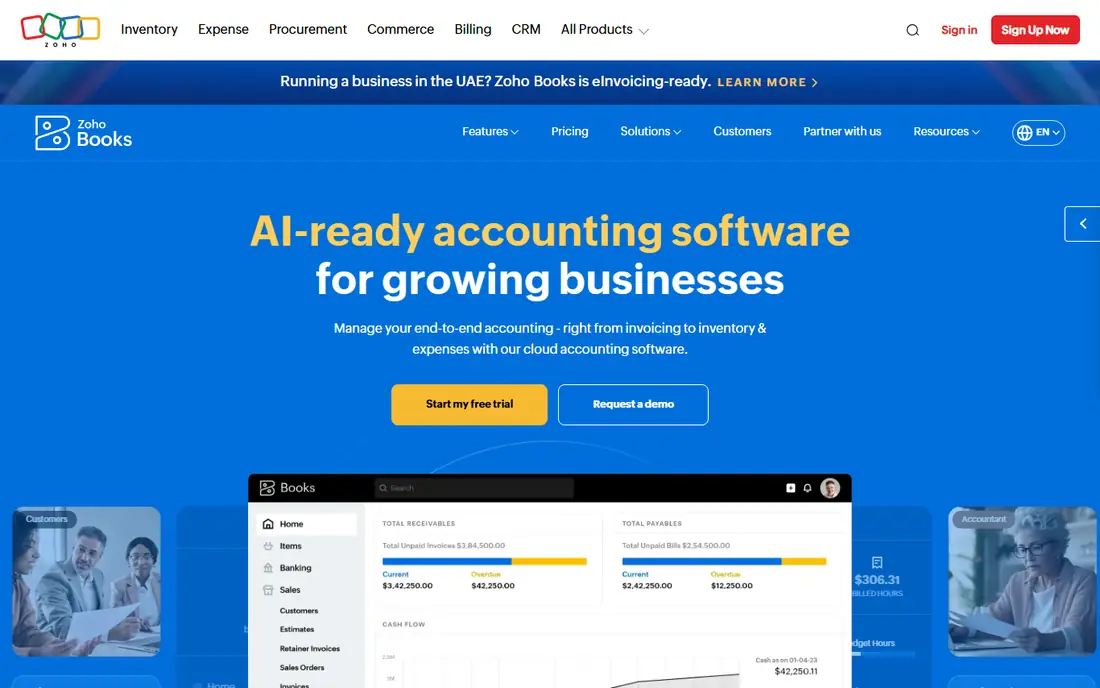
Zoho Books suits budget-conscious teams that want multi-currency without enterprise prices. A free plan covers basic invoicing for very small businesses, while paid plans from about 20 dollars per month add multi-currency handling, recurring invoices, and client portal features. Integration with the wider Zoho suite covers CRM, inventory, and projects for teams already in that ecosystem.
The trade is depth. Multi-currency on Zoho Books handles invoicing and payments well but lacks the consolidation and revaluation depth of Sage Intacct or NetSuite, and advanced reporting is thinner. For a small team billing in a few currencies on a tight budget, Zoho Books is the best value pick.
What we like- Free plan exists
- Multi-currency on paid plans
- Wide Zoho suite integration
Watch out for- Multi-currency needs a paid plan
- Advanced reporting is thinner than ERPs
- Support varies by region
#4Sage Intacct
Best for: Mid-market consolidation4.3/5 on
G2 (4,521 reviews, checked Oct 2026)
Visit sageintacct.com
Starting priceSee website
Free planNo
Sage Intacct suits mid-market companies that need real consolidation across entities and currencies. It covers 100 plus currencies with dimensional reporting, so a parent company can roll subsidiaries into one reporting currency with proper revaluation and audit trails. The CPA-firm ecosystem around it suits companies on an audit or IPO track.
The limits are price and setup. Pricing is quoted, with third-party estimates running roughly 15,000 to 60,000 dollars per year, so the starting price here is written as See website. Implementation needs planning and training. For a growing company outgrowing QuickBooks or Xero, Sage Intacct is the natural next step.
What we like- 100 plus currencies
- Strong consolidation and dimensions
- Audit-ready reporting
Watch out for- Quoted pricing only
- Implementation needs planning
- Overkill for small teams
#5Oracle NetSuite
Best for: Enterprise global operations4.1/5 on
G2 (4,969 reviews, checked Oct 2026)
Visit netsuite.com
Starting priceSee website
Free planNo
Oracle NetSuite suits enterprise global operations that need accounting inside a full ERP. It covers 190 plus currencies, handles multi-subsidiary consolidation natively, and pairs the ledger with inventory, order management, and CRM in one system. Companies with 20 million dollars or more in revenue and complex operations are its natural audience.
The trade is cost and weight. Pricing is quoted, with third-party estimates near 999 dollars per month base plus users and modules, so the starting price here is written as See website. Implementation is a real project with consultants, not a weekend signup. For a global enterprise that needs one system for everything, NetSuite is the standard.
What we like- 190 plus currencies
- Full ERP beside accounting
- Multi-subsidiary consolidation
Watch out for- Quoted pricing only
- Implementation is a project
- Small teams will find it heavy
#6FreshBooks
Best for: Freelancers invoicing abroad4.5/5 on
G2 (981 reviews, checked Oct 2026)
Visit freshbooks.com
Starting priceSee website
Free planFree trial
FreshBooks suits freelancers and solo operators who invoice clients abroad and want the simplest path to getting paid. Invoicing covers 100 plus currencies, time tracking sits inside the same account, and the interface stays friendly for non-accountants. A free trial covers evaluation before paying.
The limits are price clarity and depth. Published entry prices differ across sources, so the starting price here is written as See website, and accounting depth is lighter than Xero or QuickBooks for businesses with inventory or complex books. For a freelancer whose main job is sending clean foreign-currency invoices, FreshBooks fits well.
What we like- Easy invoicing in 100 plus currencies
- Friendly interface
- Time tracking built in
Watch out for- Published entry prices differ across sources, so check the pricing page
- Accounting depth is lighter than Xero
- Multi-currency features vary by plan
Starting priceFree
Free planYes
Wave suits micro-businesses that need basic books at no monthly cost. Core accounting and invoicing are free, which covers a solo operator tracking income and expenses in one currency well, with simple reports for tax time. Payments and payroll are available as paid add-ons where offered.
The trade is multi-currency depth. Wave handles basic foreign invoicing but lacks the revaluation, gain and loss booking, and consolidation depth of paid rivals, so businesses with real FX exposure will outgrow it. For a micro-business with occasional foreign income and a zero software budget, Wave is the right starting point.
What we like- Free core accounting
- Simple invoicing
- Suits very small businesses
Watch out for- Multi-currency support is basic
- Payroll and payments cost extra
- No phone support on free plans
Starting priceFree
Free planYes
Wise Business is not accounting software, but it belongs on this list because it solves the money side of multi-currency work. It charges no monthly fee, offers true mid-market exchange rates with an upfront variable fee per transfer, and provides local account details in 8 plus currencies, including USD, EUR, GBP, AUD, CAD, NZD, SGD, and HUF. It syncs with Xero, QuickBooks, and FreeAgent, so transfers reconcile against the ledger.
The limits are scope and fees. Wise holds and moves money but does not run your books, and per-transfer fees add up at high volume. Account setup carries a one-time fee of about 31 to 50 dollars depending on region. For a business that already has accounting software and needs cheap, transparent cross-border payments, Wise Business pairs with any tool above.
What we like- Mid-market exchange rates
- Local account details in several currencies
- No monthly fee
Watch out for- Not accounting software
- Transfer fees apply per payment
- Weekend and currency limits vary
How we chose
We ranked tools by multi-currency depth, revaluation and reporting, bank feeds, ease of use, and value at entry level pricing. We favored tools that handle month-end revaluation and unrealised gains and losses properly, since that is where bolted-on multi-currency fails. We gave extra weight to tools whose multi-currency tier is clearly priced, and we reported the multi-currency tier price rather than the cheapest plan, since cheap tiers usually lack the feature entirely.
We also weighed entry cost honestly. Where published prices conflicted across sources, such as Xero Established and QuickBooks Essentials, we used the most recent US list prices and noted that promotions change them. Where pricing is quoted only, such as Sage Intacct and NetSuite, we wrote See website rather than guessing.
Buying guide
Start by naming your currency reality. If you invoice in one foreign currency occasionally, a budget tool such as Zoho Books or Wave may cover it. If you invoice in several currencies monthly, you need the multi-currency tier of Xero or QuickBooks. If you consolidate subsidiaries or report to auditors, you need Sage Intacct or NetSuite. Buying the cheapest plan first and discovering multi-currency is missing is the most common mistake here.
Next, check the details that matter at month end. Confirm that foreign balances revalue automatically, that exchange gains and losses post to the right accounts, and that your bank feeds cover foreign accounts. Test with a real foreign invoice during a trial, run a month-end close, and show the result to your accountant before committing.
Finally, pair the ledger with the money rails. A Wise Business account beside Xero or QuickBooks gives you local details and mid-market rates for receiving and paying abroad, while the ledger keeps the books. Review exchange costs quarterly, since rate spreads and transfer fees quietly eat margin, and confirm tax treatment of FX gains with your accountant, since rules vary by country and entity type.
Frequently asked questions
What is the best multi-currency accounting software overall?
Xero suits international small teams, QuickBooks Online suits US-based teams, and Sage Intacct suits mid-market consolidation. The best pick follows currency count, entity count, and reporting needs.
Why is multi-currency locked behind higher tiers?
Vendors treat multi-currency as a premium feature, so Xero gates it to Established and QuickBooks to Essentials or higher. Budget for the multi-currency tier price, not the cheapest plan price.
Can I use Wise Business instead of accounting software?
No. Wise Business holds and moves money across currencies, but it does not run your books. Pair it with Xero, QuickBooks, or Zoho Books so transfers reconcile against the ledger.
How do exchange gains and losses work?
When foreign balances are revalued at month end, rate moves create gains or losses that post to your books. Good multi-currency software handles this automatically, while basic tools leave it to spreadsheets.
Should I ask my accountant before choosing?
Yes. Your accountant knows your entity type, tax jurisdiction, and audit needs, and can confirm whether a tool handles your FX and consolidation requirements before you migrate books.
Sources we checked (0)
Is your product missing or out of date?
We review this list regularly. Vendors can request a listing, send updated pricing or ask about featured placement.

Shihab Mia · Founder, Rankite
Shihab has 5+ years in B2B and SaaS SEO. He writes Rankite's software buying guides from pricing pages, documentation and public user reviews. More about Shihab.